

Surface Book review (2016): The laptop to beat doesn't come cheap
That battery life, though.
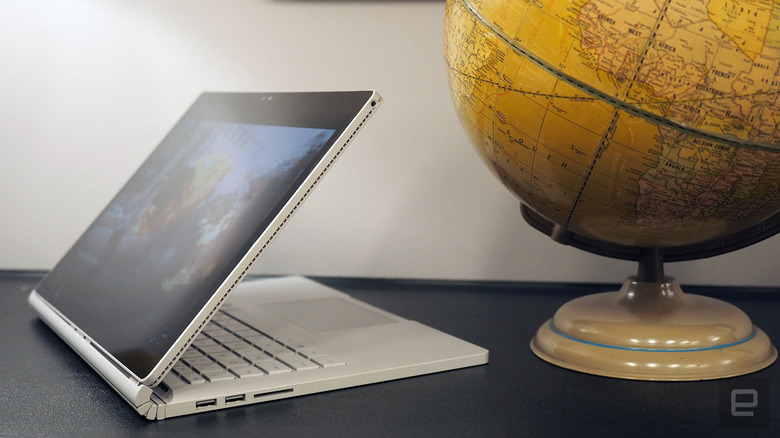
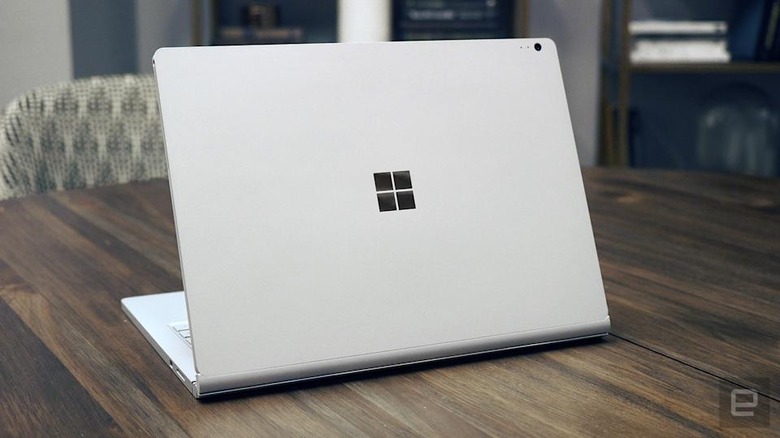
Last year, when Microsoft introduced its first-ever laptop, the Surface Book, the company proclaimed that this was the "ultimate laptop." And it was — mostly. This two-in-one notebook offered long battery life, with a distinctive, well-constructed case, a comfortable keyboard, fast performance and a detachable display that worked well as a standalone pen tablet. Starting today, the company is shipping a refreshed version, and it's mostly more of the same. The biggest changes are under the hood, with Microsoft claiming twice the graphics performance, a second fan and a larger battery, rated for either 12 or 16 hours, depending on the configuration. It's more of a good thing, but do you need that kind of horsepower enough to spend $2,399 and up on one of these newer models?
Hardware
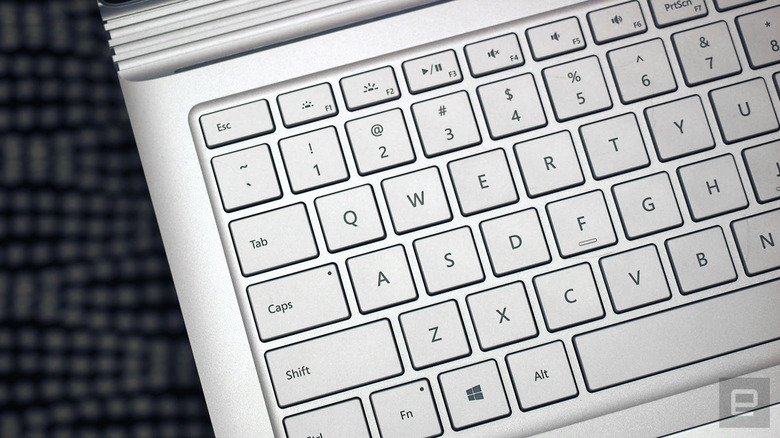
As ever, there's a button on the function row, right next to the Delete key, that allows you to detach the screen from the keyboard base. From there you can use it as a tablet, or reattach the display facing outward and then fold it back to use as a sort of tabletop surface. Pressing the button to release the display still makes for a neat party trick, though lining up the docking guides when it's time to reattach it to the base can feel slightly clumsy.
But back to the total weight for a minute: The Surface Book feels heavier than I remember. That's because it is — the second-gen model comes in at 3.68 pounds, up from 3.34 pounds on the original, and a good deal more than, say, the new three-pound MacBook Pro 13. As it turns out, I can forgive the weight, largely because the battery life is so phenomenal (much more on that in a moment).
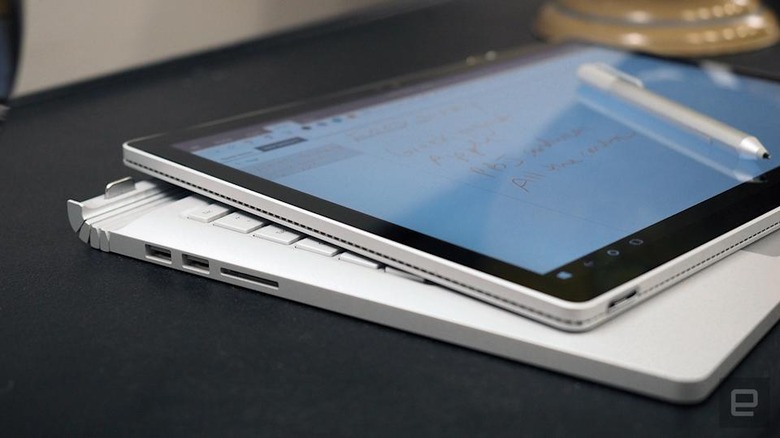
Also, getting to test the new MacBook Pro recently has reaffirmed my preference for laptops with actual ports (i.e., ones I can use without an adapter). Whereas the MacBook Pro offers just two or four USB Type-C connections (depending on the configuration), the Surface Book still rocks two full-size USB 3.0 sockets, a Mini DisplayPort, a headphone jack and a full-size SDXC reader. If having a thicker, heavier machine means getting all the ports I need, along with potentially twice the battery life, I'm all in.
I'd also like to point out the proprietary magnetic power connector — the same one used on the last-gen Surface Book, as well as the last couple of Surface Pro tablets. I don't like how much space the corresponding plug takes up, and I often find that it doesn't stay put the first time I try to click it in. Also, the accompanying power brick is kind of heavy, but at least you can consider leaving it at home, what with the 16-hour battery life and all.
In use
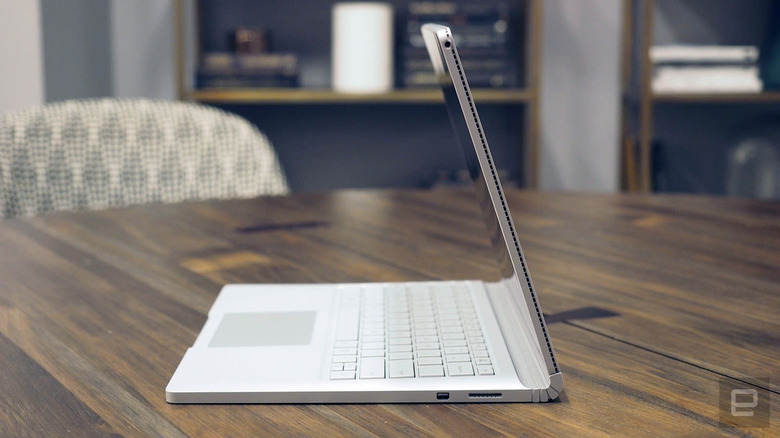
While I can manage the weight, however, I wish Microsoft would do something about the weight distribution. Though most of the weight is inside the keyboard dock, the 3:2-aspect-ratio screen is taller than most, which makes the machine feel slightly top-heavy when I rest it on my legs. Compounding matters, the touchscreen wobbles when poked. Rest assured, the notebook didn't once tumble off my lap, but the base didn't always feel as steady as I would have liked. One way to deal with this was to dip the display slightly forward, but that's not my favorite screen position. The best angle for my eyes is the one where I push the panel back as far as possible, though this exacerbates the wobbliness. Womp, womp.
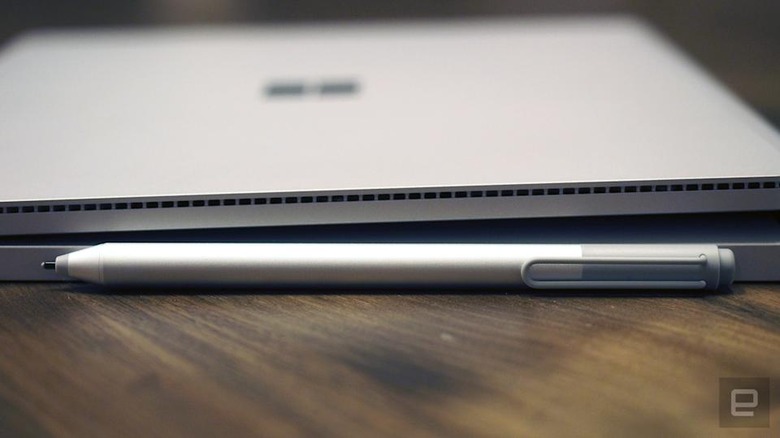
On the flip side, that 3:2 aspect ratio makes for a better standalone tablet experience. Indeed, Microsoft has designed its last few generations of Surface Pro and Surface Book devices with 3:2 screens precisely so that they'd have the same shape as a pad of paper. As ever, the pen comes included in the box and recognizes 1,024 levels of pressure sensitivity, even faint drags across the display. The pen has an eraser on top too, similar to a real No. 2 pencil. When you're done, the pen attaches magnetically to the laptop's right side.
I'm a bit less impressed with the speakers: Though they're loud, the sound quality is fairly forgettable. Passable for Spotify streaming, but not the best laptop audio I've enjoyed either.
As for the trackpad, I happened to be testing the Surface Book at the same time as the newly updated HP Spectre x360, and the difference was stark. While HP's touchpad is jumpy and occasionally unreliable, the Surface Book's trackpad (made by Microsoft itself!) pretty much always does what I want it to, whether it's drag the cursor across the screen, highlight text, scroll with two fingers or pinch to zoom.
Performance and battery life
|
Battery life |
|
|---|---|
| Surface Book with Performance Base (2016) | 16:15 |
| Surface Book (Core i5, integrated graphics) | 13:54 / 3:20 (tablet only) |
| Surface Book (Core i7, discrete graphics) | 11:31 / 3:02 (tablet only) |
| Apple MacBook Pro with Retina display (13-inch, 2015) | 11:23 |
| iPad Pro (12.9-inch, 2015) | 10:47 |
| HP Spectre x360 15t | 10:17 |
| HP Spectre x360 (13-inch, 2016) | 10:03 |
| ASUS ZenBook 3 | 9:45 |
| Apple MacBook (2016) | 8:45 |
| Samsung Notebook 9 | 8:16 |
| Dell XPS 13 (2015) | 7:36 |
| Microsoft Surface Pro 4 | 7:15 |
| HP Spectre 13 | 7:07 |
| Huawei MateBook | 6:35 |
| Dell XPS 15 (2016) | 5:25 (7:40 with the mobile charger) |
Make that "battery life and performance." That's right: I can't wait to tell you guys about the long runtime here. Microsoft rates the new Surface Book's battery for up to 16 hours of video playback. Though some other companies are sometimes guilty of embellishing, I have to say, Microsoft's estimate here is on the nose. In my own test, in which I looped a video with the screen brightness fixed at 65 percent, the machine lasted a stunning 16 hours and 15 minutes. Just how long is that? Long enough for me to start the battery life test before going to bed on a Friday night and finding it still kicking when I woke up — and awake still when I returned from brunch later that afternoon.
To be clear, there's barely anything else like this on the market. (I can remember a few machines that were advertised as having something like 20-hour battery life, but these all required a bolt-on slice battery and were aimed at corporate customers anyway.) If you're shopping around, you'll see Apple's newest MacBook Pros have a rated battery life of 10 hours, not 16, and even then, I'm seeing around eight hours on the entry-level model I've been testing these past couple of weeks (full review coming soon). Even last year's Surface Book had much "shorter" battery life, achieving 11 and a half hours with discrete graphics under the same testing conditions.
| PCMark 7 | PCMark 8 (Creative Accelerated) | 3DMark 11 | 3DMark (Sky Diver) | ATTO (top reads/writes) | |
|---|---|---|---|---|---|
| Surface Book (2016, 2.6GHz Core i7-6600U, 2GB NVIDIA GeForce GTX 965M) | 5,452 | 4,041 | E8,083 / P5,980 / X2,228 | 11,362 | 1.71 GB/s / 1.26 GB/s |
| HP Spectre x360 (2016, 2.7GHz Core i7-7500U, Intel HD 620) | 5,515 | 4,354 | E2,656 / P1,720 / X444 | 3,743 | 1.76 GB/s / 579 MB/s |
| Surface Book (2.4GHz Core i5-6300U, Intel HD 520) | 5,412 | 3,610 |
E2,758 / P1,578 / X429 |
3,623 | 1.6 GB/s / 571 MB/s |
| Surface Book (2.6GHz Core i7-6600U, 1GB NVIDIA GeForce graphics) | 5,740 | 3,850 |
E4,122 / P2,696 |
6,191 | 1.55 GB/s / 608 MB/s |
| ASUS ZenBook 3 (2.7GHz Intel Core-i7-7500U, Intel HD 620) | 5,448 | 3,911 | E2,791 / P1,560 | 3,013 | 1.67 GB/s / 1.44 GB/s |
| HP Spectre 13 (2.5GHz Intel Core i7-6500U, Intel HD 520) | 5,046 | 3,747 | E2,790 / P1,630 / X375 | 3,810 | 1.61 GB/s / 307 MB/s |
| Dell XPS 13 (2.3GHz Core i5-6200U, Intel Graphics 520) | 4,954 | 3,499 | E2,610 / P1,531 | 3,335 | 1.6GB/s / 307 MB/s |
| Razer Blade Stealth (2.5GHz Intel Core i7-6500U, Intel HD 520) | 5,131 | 3,445 | E2,788 / P1,599 / X426 | 3,442 | 1.5 GB/s / 307 MB/s |
| Microsoft Surface Pro 4 (2.4GHz Core i5-6300U, Intel HD 520) | 5,403 | 3,602 |
E2,697/ P1,556/ X422 |
3,614 | 1.6 GB/s / 529 MB/s |
As I said, I tested the best configuration of the Surface Book that Microsoft has to offer: a $3,299 beast of a machine with a 2.6GHz dual-core i7-6600U processor, 16GB of RAM, a 2GB NVIDIA GeForce GTX 965M GPU and 1TB solid-state drive. As you'd expect, the benchmark scores are very, very good. I've listed them above.
In particular, the Samsung-made disk drive was quick to copy files off a USB drive, but hard numbers might be more helpful to you there. In the ATTO test, I logged average max read speeds of 1.71 gigabytes per second, with writes topping out an average of 1.26 GB/s. That is hard, though not impossible, to find on a notebook these days — especially those write rates.
Unfortunately, Devindra couldn't get the new Hitman title to get speeds beyond 5 fps via Steam, even at 720p. There's likely some sort of driver issue causing that, and I'm hoping that Microsoft makes sure to give gamers access to the latest NVIDIA drivers. I couldn't install the appropriate GeForce drivers from NVIDIA's website, which makes me think there's something special about the Surface Book's configuration.
In day-to-day use, the above specs were more than enough to keep up with my daily routine, which involves over a dozen open Chrome tabs, work in Google Docs and Sheets, Slack running in the background, and a near continuous stream of music from the Spotify desktop app. Boot-up was brisk too — it took about nine seconds to get to the Windows Hello screen, and around three for the machine to approve me and let me in.
Speaking of the sort, that front-facing 5-megapixel camera generally did a good job recognizing me, though it failed just about every time I happened to have eyeglasses on. Assuming I was wearing contacts, however, and remembered to look at the camera, not the blank screen in front of me, the Surface Book was quick to recognize me. When it didn't, I entered a PIN code, which is still more convenient than entering a password.
Configuration options
As of this writing, the last-gen Surface Book is still listed on Microsoft's online store, starting at $1,499 with a Core i5 processor, 8GB of RAM and 128GB of storage. Just so you know, that was the same starting price a year ago, so spending that kind of money for an already outdated machine might not be the smartest move.
The competition
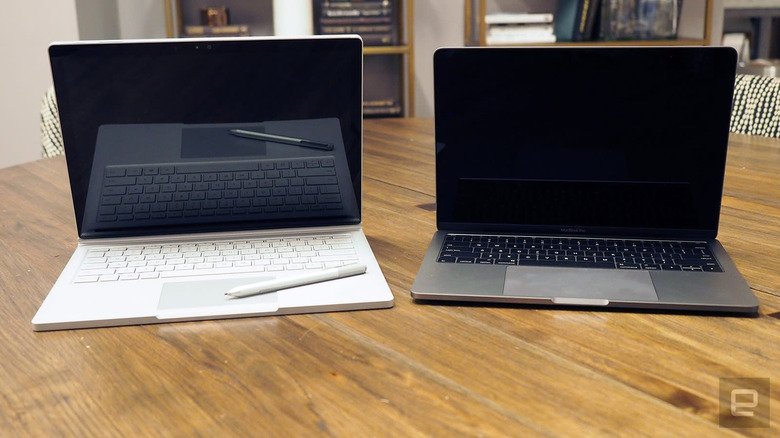
I've already addressed some of the tradeoffs of the Surface Book vs. MacBook Pro, but to summarize: The Surface Book is considerably heavier but offers much longer battery life and a wider array of ports (including full-size ones) and is available with discrete graphics, which the 13-inch MacBook Pro is not. (Only the 15-inch model has a dedicated GPU.) The MacBook Pro is thinner and lighter, has better audio and has a lower starting price of $1,299 with key specs similar to what you'd get on the entry-level $1,499 Surface Book. In any case, I'll soon have a review of both MacBook Pros, at which point I'll be able to bring this comparison full circle.
Wrap-up
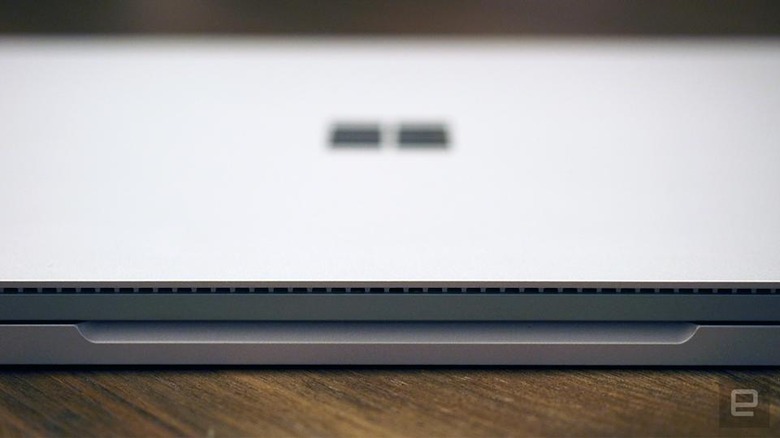
But taken as a whole, the Surface Book continues to offer a remarkable all-around experience, ticking off not all, but many, boxes for many shoppers. That includes fast performance, premium design, long battery life, a great screen, a comfortable keyboard, a relatively decent selection of ports and even a smooth trackpad. Yes, you will pay for the privilege of using it, but there also isn't anything else quite like it.