

How to stop clicking
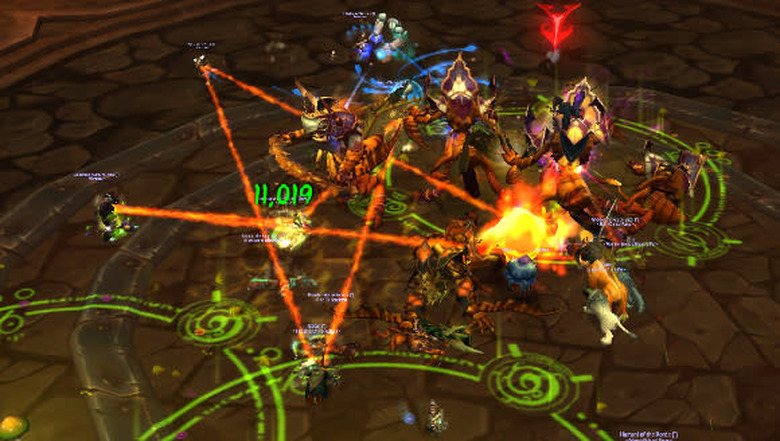
So what is a clicker?
Without this key piece of information, the above won't be that relevant. A clicker is a term for someone who uses mouse-clicks to hit their abilities rather than keybinding them. There is an assumption made that people who are clicking their abilities are also using their keyboard to move. Their mouse is tied up with moving around the screen to hit abilities, and therefore only occasionally has the time to move their character. It's not necessarily true, but it seems a reasonable position.
Why does clicking get a bad reputation? Well, a couple of reasons. Firstly, it's slower. It is slower to move your mouse across your screen and hit different abilities than it is to move your hand across a keyboard. If you don't believe me, here's an experiment: head over to this keyboard site, and type a simple sentence by clicking the keys. Now try it with your keyboard. Unless there's something else at play, the latter should be faster. What's more, turn a full circle on the spot with your keyboard, and do the same with your mouse. One's a lot faster than the other.
What's more, mouse movement is more fine-tuned and more flexible than keyboard movement. While a keyboard movement can be good if you're looking to move a short distance in a straight line, mouse movement and direction is largely superior. I'm not saying that you're a bad player if you move with your keyboard, just that if you want to consider moving with the mouse, you're going to need to free it up from clicking abilities. Both mouse movement and key-binding are generally considered the better way to go, but everyone's different.
Where do I start stopping clicking?
Getting started is the most daunting. The first and most important thing to realise is that there's no one right way to keybind your abilities. In these posts the comments often read "where should I put my frostbolt?" or "where do you have your Hammer of Justice?" and the answer is that while you should feel free to take other people's ideas into consideration, what works for you is what works for you. That said, there are some good ways to begin.
First up, let's look at this:
Right now, though, let's talk about the other awful thing that WoW comes with out of the box.
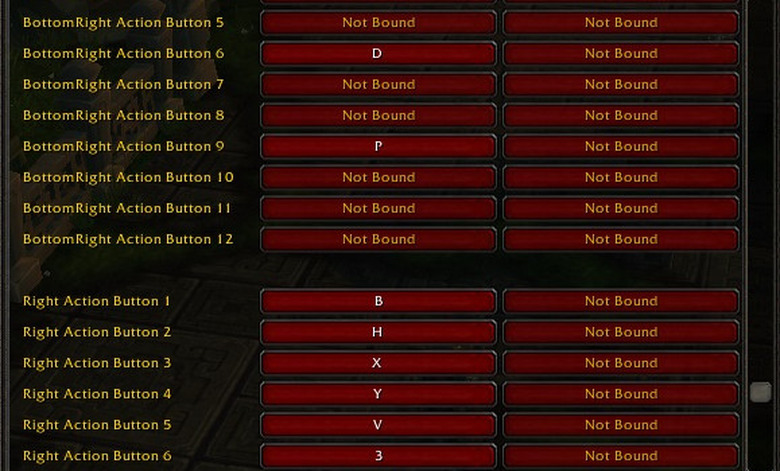
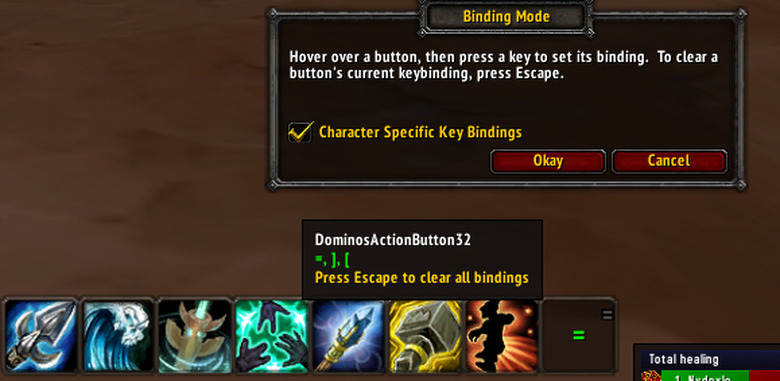
The great thing about these addons is that, once you've dragged your abilities to your bars, you type /kb and it will open up an interface that allows you to hover your mouse over them and push a key. That key is then bound to that button, and it will tell you so. No more hunting through a long list, no more guesswork. You can see it in action on the right-most empty button slot below. I've got my cursor hovering over it, and have pushed =, ] and [ as binds.
Initial click-stopping setup
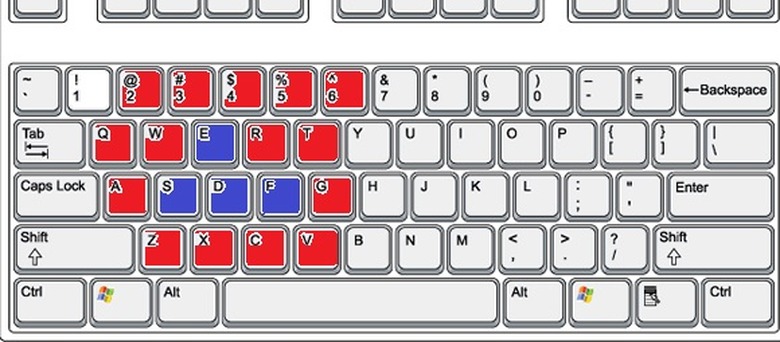
Everyone's different, but what I've found reported as the easiest way to stop clicking from others I've helped is what I'm going to lay out here. First up, let's get our keys moved around. Comparing to the above strip, what we're looking for is something like this:
Put abilities you spam on those buttons -- the one you hit when nothing else is going on. Even better if it's something you can do while moving; a DoT, an instant-cast, a cast while moving spell, that sort of thing. What we're trying to do here is train you to push buttons while using the mouse as your main movement tool. Start small, don't put every ability on keys immediately unless you're happy to be a bit useless for a few weeks. Fill up those easy binds with the abilities you use most often, the ones you spam. There shouldn't be so many that you run out of space at this point -- nine buttons for your main rotation and no other abilities should be sufficient.
The ones below the WASD pyramid -- Z,X,C -- are usually best used for binds that are big cooldowns, or emergency cooldowns that you'll want to hit in a hurry. So now, what we've got is the green buttons (Q, E, R, F, 1-4) used for spammable abilities, and the pink (~, 5, Z, X, C) for cooldowns. Then branch out, F1-F4 are great for rarely-used abilities, same with 6, T, G, V. If you've got bigger hands, 7, Y, H, B can be open for you too. The further a key is from your WASD "home" the more rarely used its bind should be. Keep emergency cooldowns like Lay on Hands, Ice Block or Bubble close by, same with CC if you use it regularly. I'll actually bind things like Hymn of Hope even further over, because the way I have my binds set up allows my hand more freedom, and it's an ability I'll rarely use in a stressed situation.
Modifiers and Macros
Modifiers are great. Modifers turn that little cluster of easily reached keys into a multiple of itself, depending on your ability to perform hand acrobatics. Alt can easily be hit with your thumb, that generally rests on the space-bar, you should be accustomed to using Shift from typing, with your little finger. CTRL, however, is a tricksy beast, being right down the side there. I actually re-map my CTRL to CapsLock, meaning my CapsLock key becomes a second CTRL. This makes the most awkward of modifiers no harder to hit than Shift.
And when you've got modifiers sorted out, then you can have macros too. For example,
#showtooltip
/cast [mod:shift,@focus][] Pummel
will cast Pummel on my target, unless I press shift with the bind, in which case it will cast Pummel on my focus. You can copy-paste this and replace Pummel with an ability of your choice. There's no rule that says you have to use modifiers for macros, though. If you want to have Demoralizing Shout on G, and Demoralizing Banner on shift-G, that's your call. Using something like Dominos, you can bind even the most complicated modifier combinations to action bar slots.
It's worth adding that there's no shame in maintaining a few clicked abilities. Long cooldowns, things you have that you'll only use now and then, carry on clicking. Ideally, nothing you're only going to use in a complete emergency! And don't forget about your mouse buttons either — middle click, side buttons, even scrolling can be bound to things, just so long as you're able to find another option for camera zoom. I have my zoom mapped to CTRL+Alt+mousewheel, as a suggestion.
My setup
And there's no reason to stop there either. Let's talk about my admittedly unusual setup for a second. I'm not saying you should use it, not at all, more that it's an example of what you can do. All my movement keys are on my mouse. The WASD pyramid is gone altogether, strafe left and right, autorun and backpedal are on my mouse side keys. This gives me way more space for keybinding, and more importantly, way more freedom to move my hand across they keyboard. Hymn of Hope is bound to O. There's nothing keeping my hand on WASD, so I can move over to O with no issues at all. I can hit every modifier without having to be a hand-contortionist!
The ESDF system
Last up, I want to talk about ESDF. It's a popular alternative to WASD, simply because it moves your hand a space to the right. This means that you're not only adding keys to the right of your hand. You're getting Q, W and A as really easy binds, as well as 4, 5, R, T, G, H. There's a lot more bind availability, and that means it's a great system. However, if you're used to WASD, it's going to be a learning curve.
Get some textured stickers that can be easily removed — plastic-backed not paper — and stick small pieces to your keys. That way you can tell without looking down that your hand is in the right place. Razer supplies them with their mice, for this exact purpose, and they are a really excellent learning tool for new keybinders. Good luck!