

5 Ways To Protect Your Facebook Account From This Socially Engineered Attack


DISCLAIMER: This article is meant to only teach how to prevent your Facebook account from being compromised. The step-by-step description of the hacking process reveals how vulnerable your account is, so as to give you knowledge of how to protect it better. Do not use this knowledge for illicit activities.
Regardless of whether you're a private individual or a business person, you've got to be wary of your security online, lest your reputation is faltered.
Everyday on Facebook, an estimated 600,000 hacks occur during users' log in. The perpetrators — hackers — are known to employ tons of tactics to breach security. One of these is termed 'Social Engineering'.
While social engineering may seem subtle, it is as dangerous as the other tactics used by hackers – for it achieves the ultimate goal of compromising your security – and is easier undertaken.
Today I'll reveal one of the ways by which your account may be vulnerable to a socially engineered attack, and how to prevent it.
But first...
WHAT IS SOCIAL ENGINEERING?
According to Webroot.com, "Social engineering is the art of manipulating people so they give up confidential information". This definition is correct and precise, but you don't always have to be manipulated to be hacked.
To fit the article's context, a socially engineered hack should be thought as a breach in security owing to a voluntary or involuntary, conscious or unconscious, divulging of information to a third-party who takes advantage of it.
Someone who hacks into your bank account after playing you into telling him or her your credit card pin is as guilty of social engineering as a friend who compromised your Facebook account after watching you type in your password.
Now that's clear...
HERE'S HOW YOUR FACEBOOK ACCOUNT IS PRONE TO A SOCIAL-ENGINEERED HACK.
I need not tell you your password can be stolen by a colleague while watching you type, or how you may divulge it when basking in frenzied drunkenness. Chance are you already know these. I need to however tell you what you probably don't know:
You can be hacked by someone who answers your SECURITY QUESTION correctly.
To prevent this hack, it's best you understood the process involved.
P.S.: Take the hacker's name to be Agent XYZ.
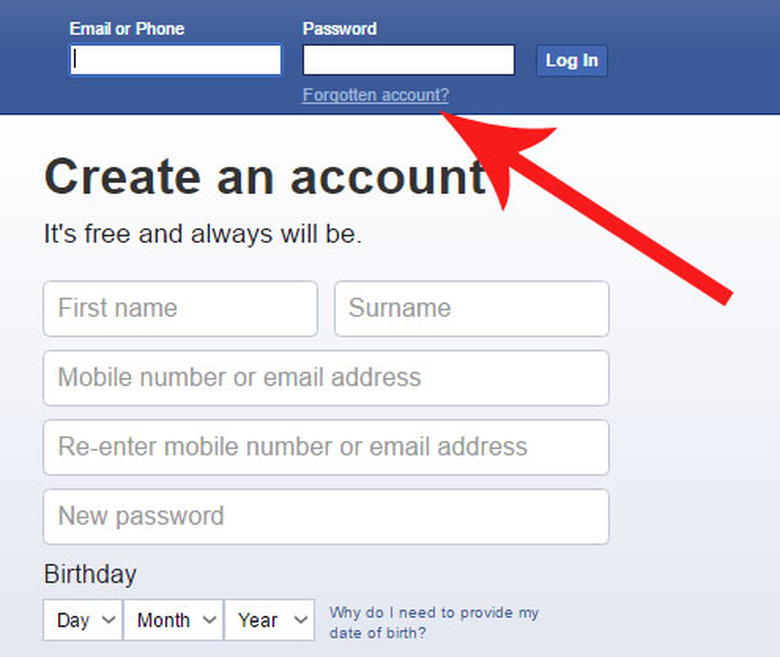
A man with a flair for illicit activities, Agent XYZ starts the hacking process by visiting Facebook's homepage. As in the image above, he clicks on "Forgotten account?".
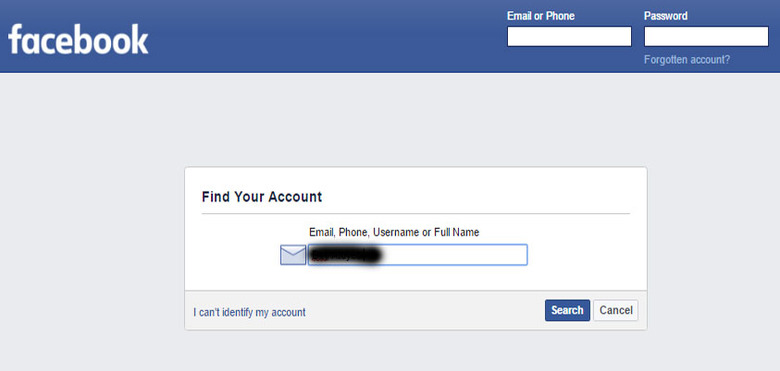
The next page says FIND YOUR ACCOUNT. He inputs your name and hits Search.
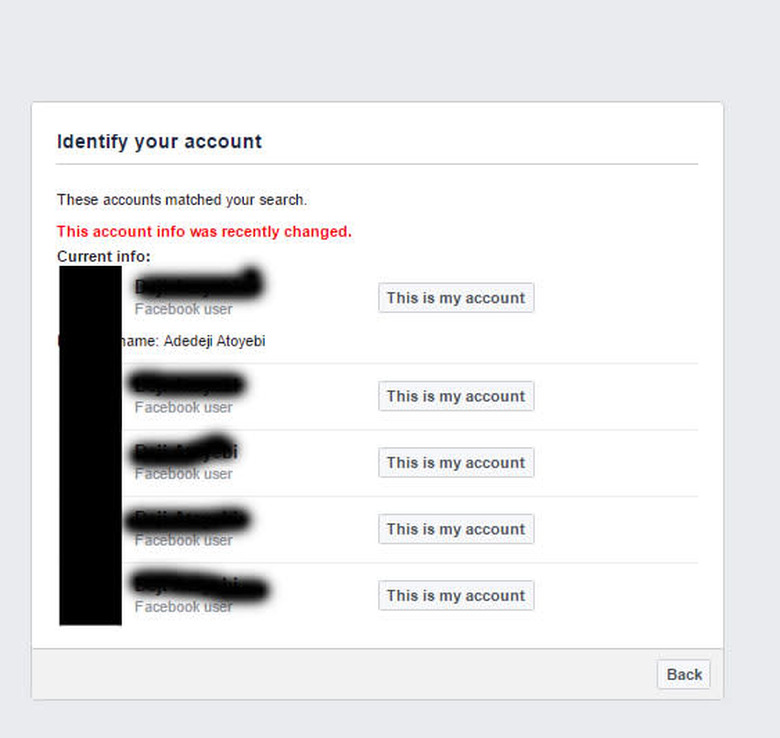
Next, is a list of accounts similar to the hacker's name search. He sights your account, and clicks "This is my account" at the right end.
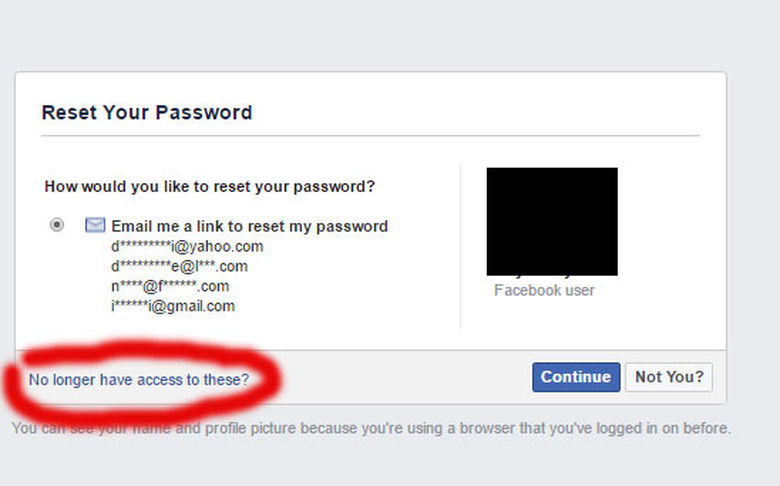
Next, Agent XYZ refuses to choose sending a password reset link to your e-mail accounts, for he doesn't have access to them. He clicks on "No longer have access to these?".
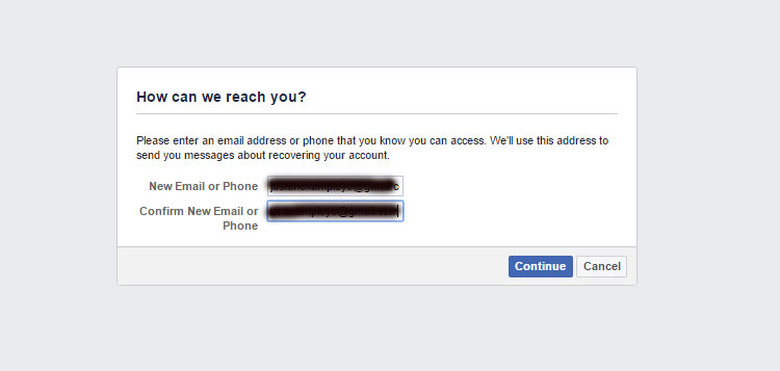
Having stated that he no longer has an access to your e-mail accounts, Agent XYZ is asked to write his new e-mail
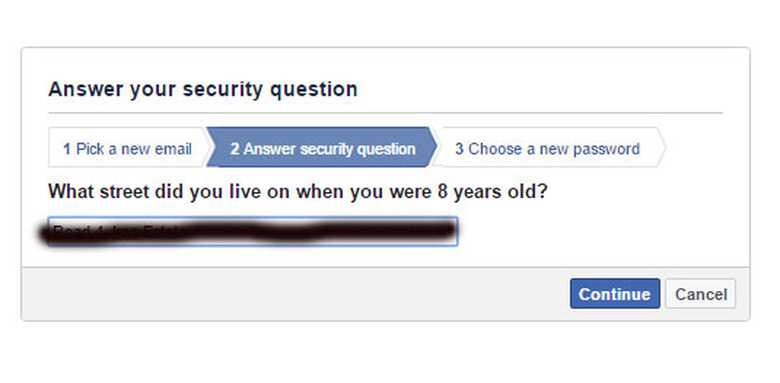
Here is where social enginneering comes into play. You don't know Agent XYZ, neither do I. But he may be an envious neighbor or a crazy friend, or someone who has known you for a long time. The above question, "What street did you live on when you were 8 years old?" is only one out of a number of security questions available. You were made to choose your security question when registering for a Facebook account so it's probably different.
Think about this: how hard would this question be if Agent XYZ was a neighbor when you were aged 8? Not hard, I guess.
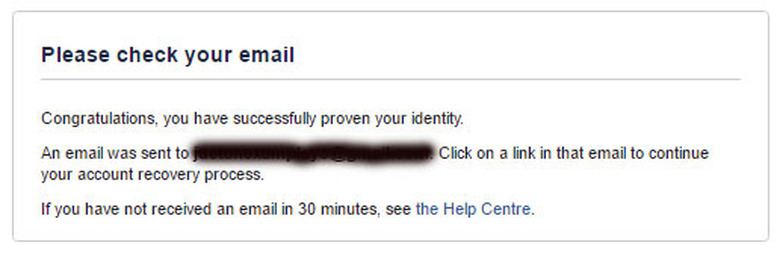
The above pops up immediately after he answers the security question correctly.
He is sent a link which gives him the opportunity to request a new password.
Now...
I know you're probably mad at Facebook for being so cheap. You expected more because ... you know ... because it's Facebook, and Facebook should be more security conscious.
Don't be disappointed. Facebook's engineers aren't wizards, and cannot easily track down a dubious login attempt. But Facebook isn't cheap. It's super smart. Your password isn't getting changed, just like that. Look down:
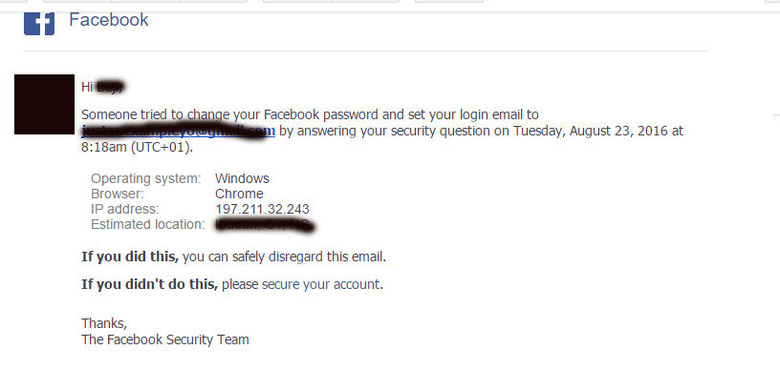
Facebook envisages the possibility of a security breach. As you can see from the above, despite Agent XYZ's disguise, Facebook sends you an e-mail asking if you attempted changing your password.
What's more, he cannot login; at least, not yet. He has to wait 24 hours. Within this time, you can scuttle his efforts.
You may however not be available within 24 hours to check your e-mail. Something may go wrong. Perhaps, the internet may be inaccessible at that period.
Regardless of the excuses, your account will be hacked if you don't confirm and secure your account within 24 hours. It is therefore necessary to take caution.
HERE'S HOW TO PREVENT THIS SOCIALLY ENGINEERED ATTACK
Now you know your account is vulnerable to a hack, it is necessary to protect it. For this, below are the most feasible precautionary measures to take. You should however know that not a single step is great on its own. Ensure to stick to each of the following rules:
1. INSTALL AN E-MAIL APPLICATION ON YOUR SMARTPHONE: This needs emphasis despite the fact that 53% of e-mails are opened on mobile. But do not install your e-mail app for its sake. Ensure you log in your account and enable push notifications in order to be notified of new e-mails as received. This makes you more likely to repel attacks on your Facebook and other social media accounts.
2. CHECK YOUR MAIL BOX REGULARLY: Check your mail box for new e-mails at least once in two days. Either as a private individual or a business person, you should accustom yourself to doing this, for it doesn't only make you aware of dangers to your online presence, but also of various opportunities.
3. DO NOT DIVULGE YOUR PRIVATE INFORMATION TO STRANGERS: For security reasons, most social media platforms advice users not to reveal private information to strangers. Stick to this rule and you'd find yourself evading some threats posed by people who wish to manipulate into achieving their desires.
4. NEVER FORGET YOUR SECURITY QUESTION: Many of us forget our security question a while after registering a Facebook account. But do not be found making this excuse at the event of a hack. Be conscious of what your security question is, and let your mind be drifted towards the right direction whenever someone asks a similar question.
5. ENABLE LOGIN APPROVAL: Enabling a login approval lets Facebook send you a code whenever a login of your account is made from another browser. This prevents your account from being logged into by someone else, as you're expected to always be in possession of your phone.
To activate a login approval, on your Facebook's desktop web version, click the drop down button on the uppermost bar which houses your HOME, MESSAGES, and NOTIFICATIONS buttons. Next, click on SETTINGS. Choose SECURITY, and tick LOGIN APPROVAL. And simply follow the remaining steps to set it up.
Overall, you need to be cautious. Caution is the underlying message of the preventive measures above. Caution, caution, caution. Not even No. 5 can protect you if you lack caution – a close friend can receive the login code on your phone without your knowledge.
NOTE: You can always get your account back, for your security question cannot be changed. But many damages may have been caused by the hacker even before you say Jack Robinson. Hence the reason to prevent the hack in the first place.
CONCLUSION:
Think about how important social media is to you and your business. Would you for anything allow someone read your private messages or post unsolicited updates? Your answer should be no, I guess.
Ensure you guard your online presence jealously. This piece has shown you some of the ways to prevent your account from compromise through social engineering. Take action, right now.