

Are Ray-Ban Meta glasses a privacy risk? Here's what you should know
Not all features are equal when it comes to securing your data.
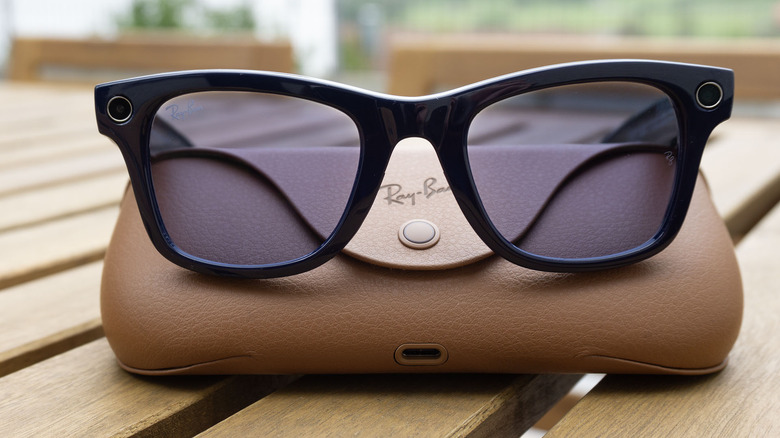
Meta doesn't exactly have the best track record when it comes to protecting users' privacy. So it's not surprising that people have grown increasingly distrustful of the company's smart glasses.
I've been writing about my own mixed feelings when it comes to Meta's glasses and privacy since the first Ray-Ban Stories shades came out in 2021. I've also spent a lot of time chatting with Meta about its privacy policies as the product has evolved over the years and AI has become a central feature.
As you might expect, Meta is able to scoop up a lot of data from its eyewear. But exactly what it collects can vary depending on your settings and what features you're using. Here's what I've learned about what Meta is able to access, and how to limit its collection where possible (spoiler: it's not always possible.)
Can Meta see the photos and videos you take with your glasses?
The idea that Meta will automatically see any photo or video captured with its glasses is something I've encountered a lot in my reporting about people's discomfort with the product. You wouldn't expect a photo shared on Instagram or Facebook to stay private, so it's understandable that people might assume the same for anything captured on the company's smart glasses. But that's not the case, according to Meta.
"Unless users choose to share media they've captured with Meta or others, that media stays on the user's device," a Meta spokesperson confirmed to me.
Things get a little more complicated, however, if you've opted into cloud media storage. If you have the setting enabled, your captures are automatically stored on Meta's servers for 30 days. Meta notes that cloud media is an optional setting, though it's necessary for some features to work. This includes the ability to share photos and videos with friends via voice commands and features like autocapture.
Deleting an image or video from the gallery in the Meta AI app will also delete it from the company's cloud. The company also says it doesn't use the content of users' photos and videos to serve advertising or train its AI systems, regardless of cloud media settings.
You can check your cloud media settings in the Meta AI app by navigating to Settings > Glasses > Glasses privacy > Cloud media.
What happens when you use Meta AI?
Using the glasses' AI features comes with some pretty big tradeoffs on privacy. If you use a Meta AI feature that requires use of the camera, like Live AI or simply asking Meta about something you're looking at, your glasses snap a photo for the assistant to analyze. Those captures, which are not saved to your camera roll, are stored and saved by Meta unless you opt out.
Meta also employs third-party contractors, who review and label these captures, in order to train their AI systems. "When people share content with Meta AI, we sometimes use contractors to review this data for the purpose of improving people's experience, as many other companies do," a Meta spokesperson told Engadget. "We take steps to filter this data to protect people's privacy and to help prevent identifying information from being reviewed."
Of course, Meta doesn't exactly make this clear when you use one of its AI features. But it's important to remember that any time you are asking Meta AI to "see" what you're seeing, that image can be seen by an unknown number of third-parties. And even though Meta says it attempts to safeguard personal details, there are reports that third-party contractors have been tasked with reviewing extremely sensitive footage captured from users' glasses. The good news is that Meta now allows people to opt out of "visual data storage," which means it will stop storing these captures and they can't be seen by others.
This is particularly relevant for people who use the company's smart glasses for accessibility, a use case Meta has heavily promoted. Multimodal features like Live AI can be especially helpful for people who are blind or have low vision. But people who rely on these features more often should be aware of how their recordings are captured and processed by the company if they don't change their settings. And it's probably still a good idea to avoid using AI features when dealing with documents that contain personal details, or in environments when you'd otherwise be uncomfortable being recorded.
What about voice commands?
As with using camera-based AI features, voice interactions are also less private by default. Whenever you interact with Meta's assistant, your glasses record what you say and create a transcript that's automatically saved by Meta. The company used to allow smart glasses' owners to opt-out of having these recordings stored in its cloud, but that's no longer the case if you live in the United States, (EU-based users can do so, though, thanks to stricter privacy laws in the region.)
According to Meta, it uses both machine learning and "trained reviewers" to process these recordings and transcripts. In its privacy policy, the company notes that human reviewers are "particularly helpful in identifying voice interactions that machines are likely to misinterpret" and that assessing users' voice interactions helps the company improve the accuracy of Meta AI over time.
The company further notes that its glasses will also occasionally record snippets of audio by mistake when it wrongly detects a wake word. The company says it labels these "false wakes" and removes the recordings and transcripts from its systems within 90 days of when they're detected.
But even though Meta doesn't allow most users to opt out of this process entirely, it is possible to manually delete these recordings, whether they were intentional interactions or "false wakes." You can review all of the audio Meta has collected in the Meta AI app by navigating to Settings > Glasses > Glasses privacy > Voice activity log. You can then choose to "delete all" or sift through your recordings one-by-one (you'll likely be surprised by how many are in there even if you don't talk to Meta AI that much.)
Can someone use Meta's glasses to secretly record?
Unfortunately, yes, and there are many, many instances of people behaving badly while doing so. When used as intended, Meta's smart glasses have an LED light that flashes when you take a photo and blinks when you record a video. If you block the light, like with a piece of electrical tape, the glasses have a built-in feature that prevents the camera from being used.
However, as I recently reported, there are ways around this. There are a number of companies selling aftermarket accessories meant to block the light without triggering Meta's detection systems. There has also been a thriving market for DIY services and modifications to physically break the LED using drills and other tools.
More recently, Meta has tried to get ahead of some of this behavior. The company issued a software update that disables the camera if it detects the LED was physically tampered with. Instagram has also banned people who have posted videos of themselves harassing people while wearing altered glasses. The company says it's continuing to take action against people who break its terms of service, but has yet to fully outsmart the creeps.
Update, October 16, 2026, 2:08PM ET: This post was updated with information about visual data storage settings.