

NVMe vs. SATA SSD: What's the difference between the two drive types?
NVMe has the numbers, but SATA still has a few good reasons to stick around.
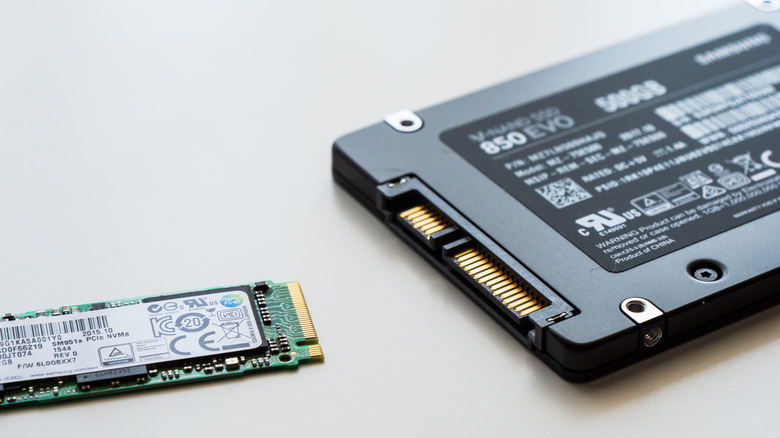
While mechanical hard drives have clearly been superseded in performance by SSDs, there's still another decision to make when buying an SSD: SATA or NVMe. Both store data on flash memory and will feel much faster than an old spinning hard drive. But they are distinct in how they communicate with your computer.
SATA is the older standard and its SATA III specification has a theoretical maximum of 600 MB/s, although fast consumer drives generally run around 500 to 560 MB/s. NVMe (short for Non-Volatile Memory Express) was built specifically for solid-state storage and normally communicates over PCIe. That design helps explain why even an older PCIe Gen3 drive can achieve speeds of about 3,500 MB/s, while current Gen5 drives are closing in on 15,000 MB/s.
That puts SATA in a bad light on a spec sheet, but in practice, it still has a job to do.
NVMe is much faster, but your slot sets the ceiling
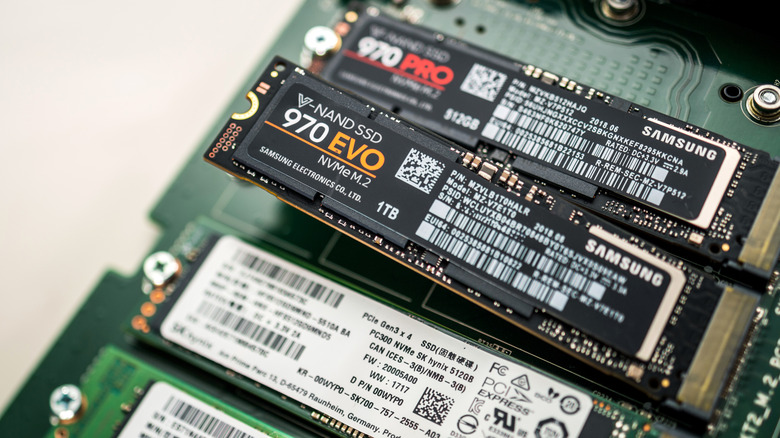
SATA SSDs typically use AHCI, a protocol developed for an older generation of storage, while NVMe was designed for the parallel workloads that flash storage enables and communicates through PCIe. Not all motherboards wire all M.2 slots the same. Most high-performance M.2 NVMe SSDs use four PCIe lanes, written as x4. Meanwhile, another M.2 slot on the same motherboard may provide only two lanes, written as x2, or run at an older PCIe generation such as Gen4.
A slower slot can become the bottleneck. A drive might boast huge sequential speeds, but if the slot only provides two lanes instead of four, part of the advertised performance remains out of reach.
Another bit of confusion is M.2, the thin stick-shaped form factor which has become synonymous with NVMe. However, M.2 only describes the form factor, while NVMe is the connection type; SATA-based M.2 drives exist alongside NVMe models. Before purchasing one, verify your laptop or motherboard 's specifications, as finding out the difference after unpacking makes for a frustrating afternoon.
So, what SSD should you really buy?
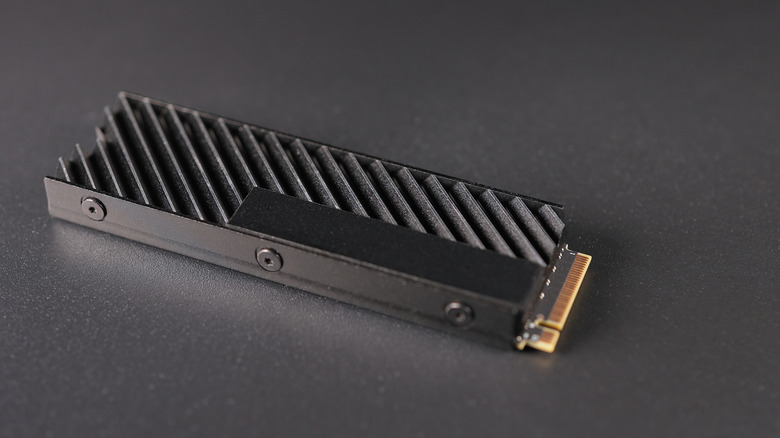
If your PC supports it, NVMe is the more sensible primary drive option. Extra bandwidth helps most with large file transfers, video editing or other storage-intensive tasks, and PCIe Gen3 hardware already provides several times the sequential bandwidth of SATA. Gen4 and Gen5 drives can go much faster, though the fastest Gen5 models can also run hot enough to make cooling another consideration. Crucial, for example, says its T700 Gen5 SSD needs a heatsink for optimal performance. The best PS5 SSDs (the system supports Gen4) require a heatsink, as well.
The difference is less pronounced under normal use. The huge sequential-speed number on the SSD box doesn't mean Windows will boot, browsers will open or most games will load several times faster. Moving from a SATA SSD to NVMe won't make the rest of your computer scale with the max performance number. Games won't offer doubled frame rates because your storage got quicker.
The price comparison isn't as neat, either. SATA can still be the lower-cost option, but the difference will vary based on capacity, model and whatever SSD pricing is doing that week. Sandisk doesn't state a fixed price gap between SATA and NVMe. If a compatible NVMe drive is around the same price, there's no reason to miss out on that additional performance.
For older PCs, secondary storage or desktops that have already used up their M.2 slots, SATA remains a viable option. In contrast, Microsoft lists an NVMe SSD as a Windows 11 requirement for storing and running games that use DirectStorage.