

Meta VR Glasses hands-on: Hand and eye tracking is so much better than a controller
Instead of a new Quest headset, the company showed off a more portable but less immersive device today.
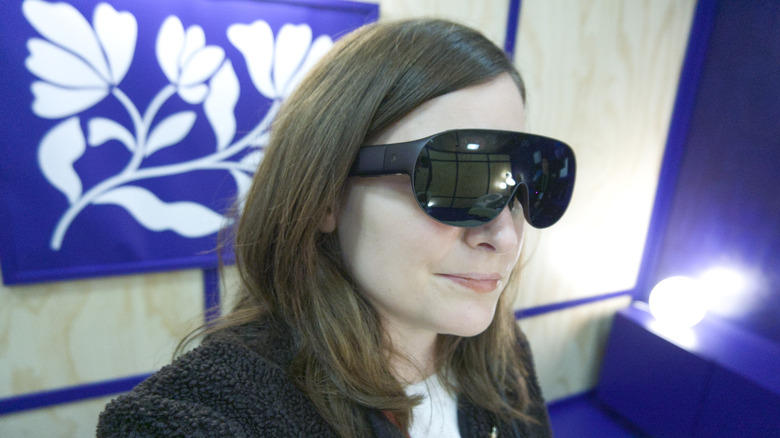
After two years, Meta finally has new VR hardware and... it's not a headset. Instead, the company unveiled today the $1,299 Meta VR Glasses, a mixed reality device that feels very different from anything we've ever seen from the company.
Meta says the device represents a "new era for virtual reality," and after I spent some time seeing what the glasses are capable of, it does feel like an inflection point. The new form factor comes with some limitations that could be frustrating for longtime VR fans. But thanks to its portability and power, it delivers something Meta never has been able to before.
New form factor
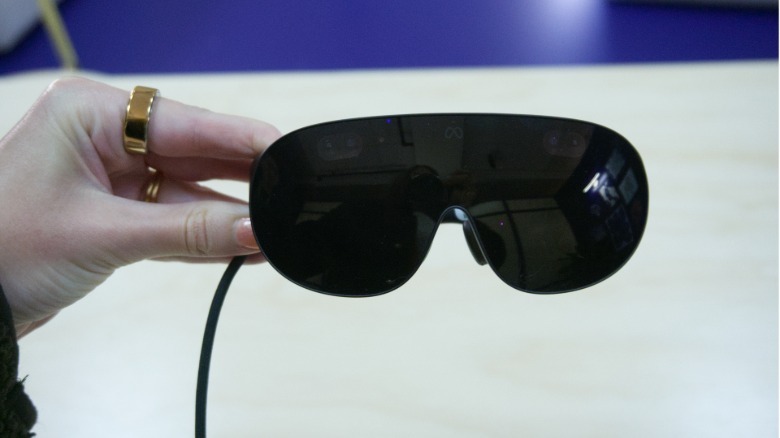
Despite their name, these don't feel exactly like glasses. Their thickness and the opacity of the lenses makes them seem more like a pair of goggles, though they feel more like glasses when you're actually putting them on. And unlike traditional glasses, the lenses aren't clear or translucent, so you can't see through them unless you have the passthrough feature enabled. But whatever you want to call them, they are sleek and surprisingly light.
They weigh a little less than 100 grams, which is heavier than a pair of Meta Ray-Ban Display glasses, but much lighter than a Quest 3S or any other headset for that matter. It's actually very close to the weight of Xreal's upcoming Android XR glasses, Aura.
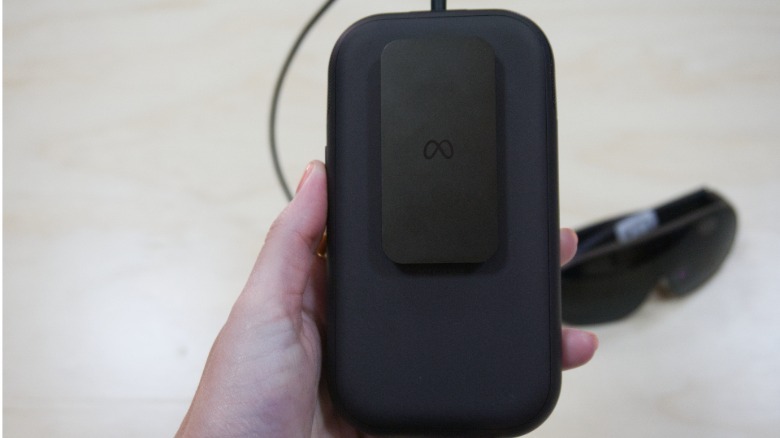
And, like the Aura, Meta's Reality Glasses also rely on a tethered connection to a separate puck, which handles processing, memory and storage. The puck comes with a clip so you can hang it off a pants pocket, but as it weighs about 300 grams I'm not sure I would want to walk around with one hanging off of my pockets.
 Karissa Bell for Engadget
The puck mostly stayed on the table in front of me during my demo, but I could still feel a good amount of heat coming off of it without even touching it. It didn't feel hot, but it was putting out enough warmth that I think it might feel uncomfortable in a pocket.
I've never found VR headsets comfortable so I'm happy to ditch the finicky head straps and extra weight on my face. The actual glasses didn't feel bulky or heavy, though I only wore them for about 30 minutes and longer wear might make me feel differently. But they felt secure throughout my demo and didn't slip around my face as I moved my head around.
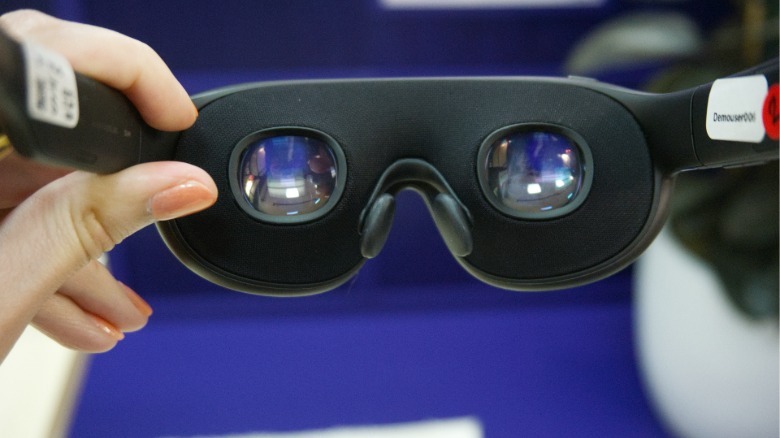
The glasses are equipped with four cameras that enable hand tracking and passthrough video. Inside are pancake lenses with integrated eye tracking. There are also small inserts available for those who need prescription lenses. I didn't need them, but I was able to get a look and verify they exist.
VR without a controller
I know for some people the idea of using VR without a controller might sound weird, but it's not something I missed. Though you can pair the VR glasses with Touch Plus controllers, you don't actually need them.
The VR glasses use a combination of eye tracking and hand gestures very similar to the Meta Ray-Ban Display glasses. You tap your thumb and index finger together to select and use a swiping motion with your thumb against the side of your finger to scroll up and down or left and right.
I was honestly surprised at how intuitive it felt. Eye tracking in VR has always felt like a level up, but being able to use a few small hand motions made it feel even more powerful. I also appreciated that I didn't need to wave my hands around in front of me for glasses to pick up the gestures. I was able to keep my hands in my lap and it was still able to recognize my taps. There was one point where I had some trouble getting the scroll gesture to register, but I'll chalk this up to prototype hardware for now.
It's worth mentioning that a lot of the gesture recognition system here feels reminiscent of the Apple Vision Pro's, though it's a fairly different type of headset.
 Karissa Bell for Engadget
I was even more impressed with the Meta VR Glasses' display. With a resolution of 2,412 x 2,288 pixels and a 70-degree field of view per eye and 37 pixels per degree, it was the sharpest mixed reality display I can remember seeing. The room I was in was not super well lit, but I couldn't make out a single pixel. Content was sharp even around the edges.
If you're used to pure VR, then you'll notice that the Meta VR Glasses are less immersive. The environment doesn't envelop you in the same way it does on a headset. I've also been prone to VR sickness and have never really liked that disorienting feeling when you take off a headset, so I didn't mind. But I do wonder about how the more limited field of view will feel compared with older Quest titles.
So what about the content?
It's a bit of a strange moment for VR. While Meta once championed the industry, it's been closing studios and waffling on the metaverse (a word I didn't hear once in my demo, by the way). And while it's announcing some new games alongside the VR glasses, including the latest iteration of Beat Saber, I don't think gaming will be a primary use case.
Instead, Meta seems to be positioning its VR glasses as more of an entertainment and productivity device. I was able to watch some 3D content — a Billie Eilish concert and an NBA game — that was specifically filmed for the device and it felt more immersive than even the typical VR viewing experience.
 Karissa Bell for Engadget
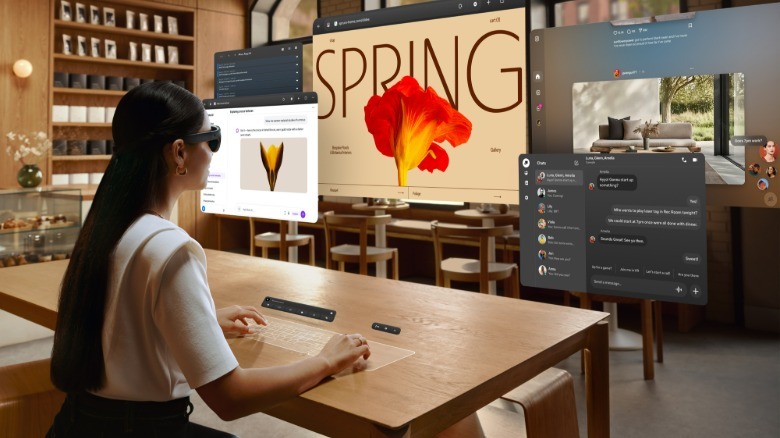
But I was more intrigued by how Meta is thinking about productivity. You can connect the glasses to a Mac or PC to use as a remote desktop. I tried this out with a Surface laptop. The laptop's display was dark but I could see a three-window setup in front of me, with the ability to reposition the windows or even move into an ultrawide mode.
There's also a somewhat confusingly named "Surface Keyboard" that turns any flat surface in front of you into a keyboard and trackpad. All I had to do was lay my hands on the table and a virtual keyboard and trackpad appeared.
The keyboard was "full-sized" according to Meta, and when I looked at it alongside my hands it did seem close to the dimensions of the laptop keyboard I'm currently typing on. But something about the perspective made it feel a little smaller and more cramped. Plus, the lack of haptic feedback made the experience feel a bit odd. I was still able to type out a few sentences with relatively little effort, though, so it might feel more natural over time.
 Meta
Meta
Still, I'm a little skeptical that people want to work this way. Due to the relatively limited field of view, I had to physically turn my head around to see the contents of each window and couldn't see all three at once. But I also spend much of my laptop time writing in Google Docs and reading web pages, tasks that aren't necessarily enhanced by the immersive environment in VR. I could see how vibe coding or design-focused work might benefit from this kind of setup.
In some ways, the Meta VR Glasses feels like the company's way of trying to make VR hardware more broadly appealing. By emphasizing "immersive entertainment" and productivity, Meta can now reach people who are intrigued by something like Android XR (or even the Apple Vision Pro) but never saw much utility in a Quest headset. It also helps that hardware advancements made VR in a glasses-like form factor possible in the first place.
I've only ever been a casual VR user, but I think it's an approach that makes a lot of sense in 2026, even if it might be a disappointment to some VR fans. I also expect we will likely get even more news and updates about upcoming content from Meta over the next few months before the Meta VR Glasses' expected ship date next spring.