

Here's what you should do if only one of your AirPods is working
One AirPod not working is stranger than both earbuds malfunctioning, but it's a fixable problem nonetheless.

The convenience offered by AirPods' simplified connection with other Apple products, in conjunction with the increasing rarity of the headphone jack, has all but secured the ubiquity of Apple's wireless earbuds. Newer releases, like the recent AirPods 5, continue to impress.
With a higher price floor than their wired siblings (modern AirPods start at $129), you'll expect these earbuds to last for a while. Nevertheless, even the the best AirPods can't escape a few problems at times. One of the strangest ways your AirPods can run into trouble is when only one of your earbuds stops working. Thankfully, this is fixable.
What to do if one AirPod isn't producing sound

If only one of your AirPods is producing sound, it's probably a charging issue. Begin by cleaning the charging port of the AirPods' case and making sure the case itself is fully charged. Since grime can build up inside the case, clean there too, especially at the bottom where the earbuds make contact to charge.
Then, charge both AirPods for 30 seconds before opening the case near your iPhone, at which point a popup will appear showing the charge status of the case and AirPods. If you need to check this often, you can do so faster by adding a Batteries widget to your iPhone's home screen. Assuming everything is charging correctly, test the malfunctioning AirPod (keeping the functioning one closed in the case). If it's working, charge both AirPods another 30 seconds and test them again.
In case it's still not working, it's time for a reset. This puts your AirPods' settings back to their defaults, but should otherwise be painless.
If you have the AirPods 3, AirPods Pro 2, or older models of either: put your AirPods in their case with the lid closed, wait 30 seconds, then go to Settings > Bluetooth on your iPhone. Assuming your AirPods appear, tap the i icon next to them and choose Forget This Device. If they don't, open the lid of the case, hold the circular setup button on the back for 15 seconds, then wait for the light on the front of the case to flash amber and white. At that point, follow the instructions on your device's screen.
If you're using either model of the AirPods 5, any AirPods 4, or AirPods Pro 3, the reset process is similar. However, the input on the physical button is different. Instead of holding it, you'll need to double-tap the front of the case while the status light is on, then double-tap again when that light flashes white, and do the same a third time when the light flashes faster. The same amber-to-white pattern should run, then instructions will appear onscreen.
Fixing audio imbalance, and other solutions
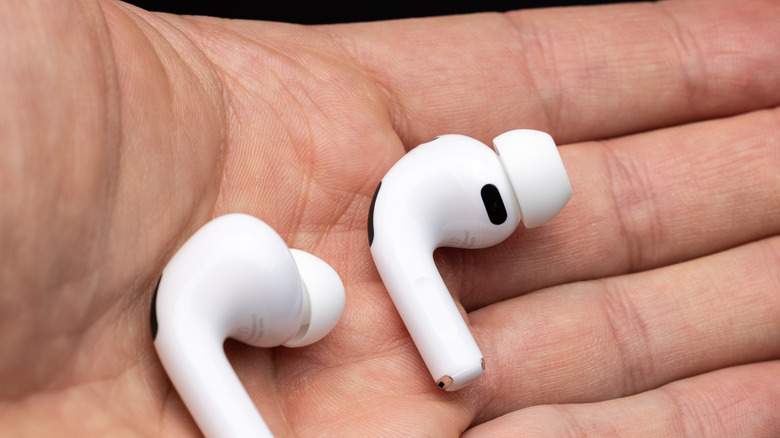
In case you're still having trouble, inspect the earbud that's not playing and compare it to the other one. A quick cleaning of the individual AirPods doesn't hurt — check the speaker mesh for debris and wipe it out with a soft cloth if needed. Consider replacing the ear tips if they are torn or otherwise don't provide a good seal.
Let your AirPods get a good charge after cleaning them and the case, if you haven't already. Finally, restart your iPhone to make sure it's not a bug on the device's side, and try another audio source just to confirm that's not the issue.
If you're experiencing unbalanced audio in your AirPods rather than one bud not working at all, head to Settings > Accessibility > Audio & Visual on your iPhone. Here, make sure the Balance slider is in the middle to prevent audio favoring one ear or the other.