

Why are some locations blurred out on Google Maps?
Want more privacy? Opt in to blur your home on Googe Maps Street View.
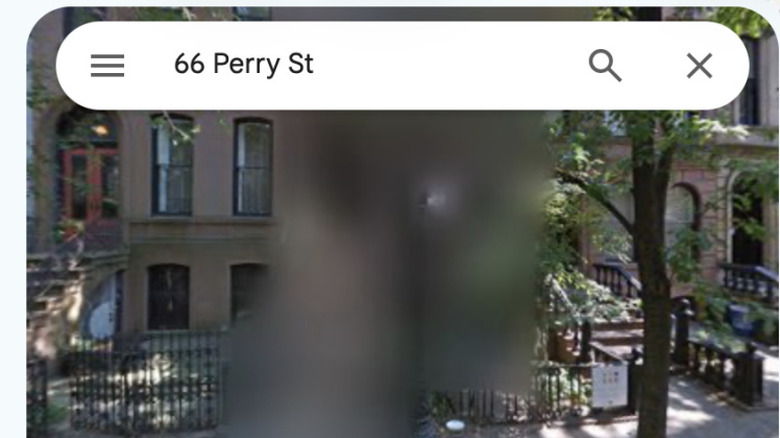
We live in a world of permanent blur — at least on Street View in Google Maps, where locations once blurred cannot be unblurred. So why are some locations blurred on Google Maps, and what is it for?
Why is Google Maps Street View blurry?
Google can mask locations by blurring them on Street View. It does this in response to requests from government entities, digital privacy campaigners, and its own customers. It's all a matter of protecting the privacy of key people and places. The locations that tend to be blurred include:
- Military and highly secure government locations. You may also find that such secure locations are blurred or censored on other Google Earth products.
- The homes of high-net-worth individuals, celebrities, and VIPs.
- Privacy advocates and others who value digital privacy.
- Blurs applied in error, such as a mistaken address.
In some nations, including the Netherlands and Germany, people have a legal right to request that their home is blurred on these services, which is why so many properties there have been given that treatment.
The issue is that Google Street View provides detailed information on locations that can provide insight into property layout, value, and security protection. Police, criminals, open-source investigators, and journalists may potentially use Street View in their line of work. The blurring of this data on Street View reduces your digital footprint, which may protect you.
How to ask Google to blur your home
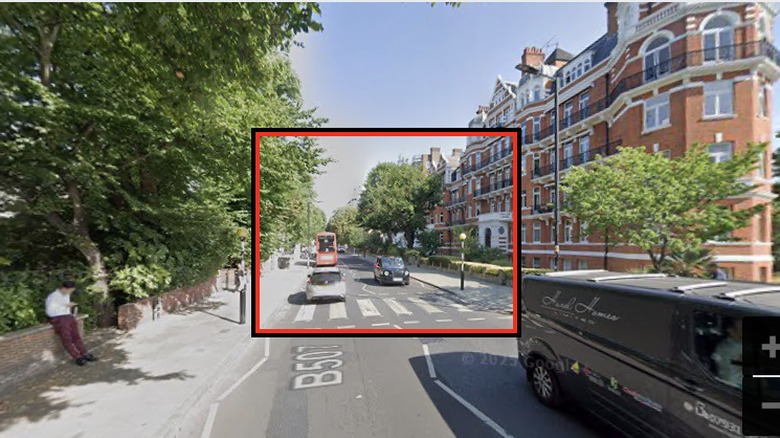
Google's Street View service already blurs people's faces and license plates by default using automated tools. If those tools fail to redact something, you can request removal of those items. You can also use the same process to request that your home be blurred.
- Open Google Maps and drag the pegman to the location you want to blur.
- Find the property in Street View when it opens.
- Click or tap the three dots (vertical ellipsis) in the top-left corner or tap the very small "Report a problem" text in the bottom right of the window.
- Adjust the view of the image to focus on the home, face or object you want to blur.
- Now choose what you want Google to blur.
- You'll be asked for your email address, which will be used to verify your request.
- You must complete a reCAPTCHA procedure.
- You may be asked to provide proof of tenancy or ownership of the property.
Can you turn off blurring in Google Maps Street View?
Google does not offer a way to undo the blurring of a location once it is applied. It's a permanent measure. That means that while blurring a property may help harden your security, it's not something you should do without thought. Not only does doing so prevent neighbors from exploring the entire street in Street View, but it also means potential future buyers and owners of the property will be unable to see the building.
There is also the counterintuitive argument that burglars studying an area for potential targets may see a blurred property as an attractive target, because that blurring suggests there may be something or someone valuable inside it.
How to blur locations on other mapping services
Wherever you stand on the blur or not to blur argument, it is important to recognize that blurring a property on Google Maps Street View does not blur that location on any other mapping services. To blur a property on Apple Maps, you should write to MapsImageCollection@apple.com including your name, address, and request details. Other mapping services, including Baidu Maps, Mapillary, and Karta View, may offer some form of street-level imaging service in your region. These may enable the blurring of specific locations on request. Microsoft removed its Streetside imagery from Bing Maps as part of its transition to Azure Maps.