Brett Terpstra

Engadget Editorial Policies

The unique content on Engadget is a result of skilled collaboration between writers and editors with broad journalistic, academic, and practical expertise.

In pursuit of our mission to provide accurate and ethical coverage, the Engadget editorial team consistently fact-checks and reviews site content to provide readers with an informative, entertaining, and engaging experience. Click here for more information on our editorial process.

Stories By Brett Terpstra

  • SDK brings new apps to FiftyThree's Pencil stylus

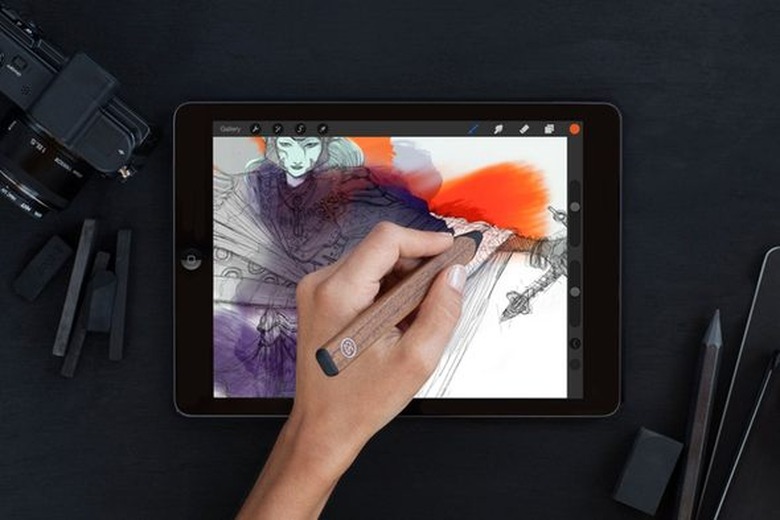
    FiftyThree introduced the Pencil a while back. It's an advanced stylus for iOS devices with a pressure-sensitive rubber tip, an eraser on the end, a USB charging port and a direct bluetooth connection that adds amazing features to connected apps. Up until now, the only app that the Pencil really worked with was FiftyThree's Paper. The SDK that came out today allows any app to harness the power of this unique stylus. The SDK also means that apps can be created to do things other than drawing and painting. Touch classifiers open up interaction possibilities beyond simple multi-touch, adding the pencil and eraser tips to the available touch types. Apps can also take advantage of the Kiss-to-Pair feature found in Paper, allowing instant bluetooth connections just by holding the tip to a point on the screen. Palm rejection is improved, and with iOS8, additional input is available from the Pencil. You can determine whether the Pencil is using the tip or the broad edge, and vary the response based on pressure as well. Some of the new apps being released in conjunction with the new SDK are impressive. Procreate, a sketching and painting app for iPad, will have Pencil integration with its three key features: paint, smudge and erase, combining them into one easy-to-use tool. Noteshelf, a note-taking app for iPad, will allow use of the Pencil for note taking, taking advantage of its superior palm rejection technology for easy handwriting and erasing of notes. Squiggle, a very clever music app for iPhone and iPad, will add a new dimension using the Pencil that allows you to quickly draw strings and pluck them with your finger, and quickly cut them using the eraser. I own the Pencil and really enjoy using it with Paper. I'm anxious to see it incorporated into more of my favorite apps, and curious to see what applications that aren't necessarily drawing-based find innovative uses for it. If you're a developer interested in incorporating the SDK, head to the SDK page and click "Request Access" for more info!

    By Brett Terpstra Read More
  • ExpanDrive 4, more services and faster sync

    I've written about ExpanDrive in the past, but I haven't mentioned it since version 2.0. Version 4 is out now, and it's a major update to this app that allows you to mount remote servers and cloud services as local drives. ExpanDrive has always done an amazing job of mounting a wide array of remote server types and letting you use them like your server was just a local USB drive. Lately, the number of accessible services has become wider than anything else I've seen, and the usability of the mounted drives is outstanding. ExpanDrive 4's biggest advancement is in speed. It can now cache files locally and transfer smaller files in the background, meaning you can mount a remote server, edit files in a text or graphics editor, and when you hit save you're immediately able to continue working while the actual transfer happens transparently. It can even watch for changes on the remote server to keep the sync rapid and up-to-date on both ends. ExpanDrive has also been adding to its available services. You can now mount everything from SFTP and WebDAV servers to Dropbox, Box, Google Drive, Amazon S3, and DreamObjects cloud services. The latest services include Microsoft OneDrive, Copy.com, HP Helion Cloud, Owncloud and hubiC. Being able to mount a Dropbox drive without installing the Dropbox app means easy access to your synced files on remote computers without the bandwidth of a full download, or even the trouble of setting up selective sync. This holds true for any of the supported cloud services. It also means easy backups to the services without any special software. ExpanDrive has a free trial available (and is also available for Windows). You can license a copy for $49.95 US.

    By Brett Terpstra Read More
  • Polymo makes organizing your iPhone photos easy

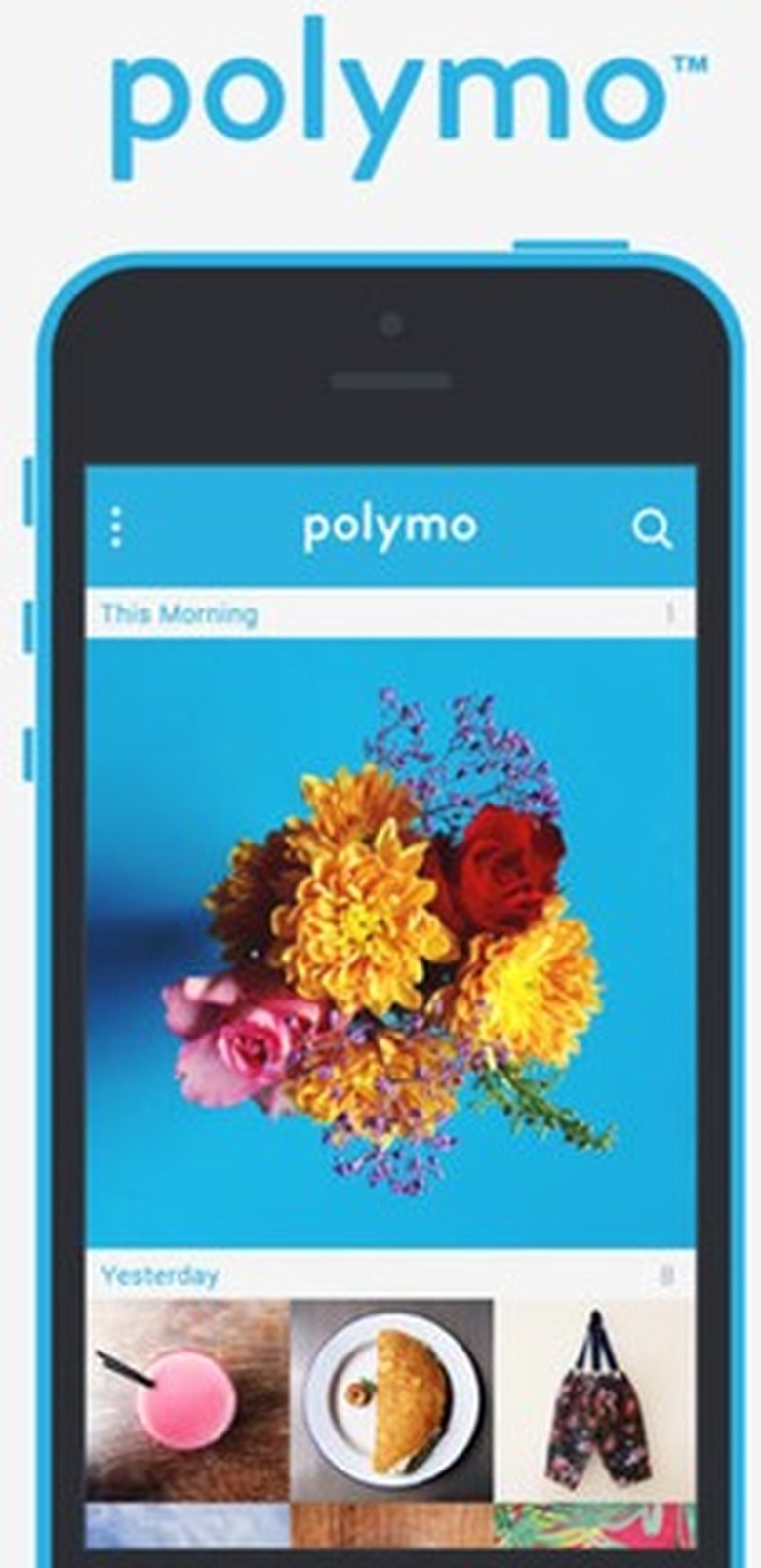
    Polymo is a new camera app for iPhone with some nice twists. It just came out today, but I've been testing it for a while and I can say that at its US$1.99 pricetag, it's a really slick tool to have. This isn't a fancy photo app with a bunch of filters, grids and other features. It's a gesture-driven tool for both taking and organizing your photos. The main idea is that it lets you enter tags before you start shooting, and then assigns those tags to all of the photos in the current session. This is great when you head to a party or out for a hike. You can tag the photos in advance and know that you'll be able to find them when you want them again, instead of flipping endlessly through your camera roll. Of course, Polymo can also add tags in post, and it can import photos from the Camera Roll. Because iOS doesn't really offer any shareable tagging methods, Polymo's tags are currently only valid within the app. You can search your tags in two ways. First, you can browse a list of all your tags, which is handy because you don't always remember what arcane word you might have used a year ago. Second, of course, you can type part of a tag name into a filter bar. Either way, you can build tag criteria and narrow down your search. If you're in the habit of creating logical tag taxonomies with a defined hierarchy, that should be easy... I love Polymo's interface because it's minimal without being lazy, and because it makes good use of gestures. I do not like trying to tap small hit targets on my phone, so any time I can just swipe screens aside and flick photos out of the way, I'm happy. You can tap-and-drag to select multiple photos in the browser, too. It even has a one-finger zoom when viewing photos. Just double-tap-and-hold, then swipe up and down to zoom the photo in and out. Lastly, if you have pictures you want to keep safe from prying eyes (or Facebook, or the NSA...), Polymo has password-protected mode you can enable for certain photos. It's $1.99 and has some great ideas that are well executed. Check it out in the App Store.

    By Brett Terpstra Read More
  • WWDC Finds: Slopes

    I was at WWDC last week, talking to developers about what they've done and what they're working on. Almost all of the apps I saw were impressive, but I can't write about most of them yet. One that stuck out for me that I can write about is Slopes for iPhone. Slopes is all about gathering data while skiing and snowboarding. I know it's summer, but this was too good not to write about. There will be an update coming this winter and I'll be sure to post again when it's more weather appropriate. There's still snow on some hills, though, so those in areas where the season hasn't ended yet, heads up! I'll be honest: I don't get along well with skis and snowboards. Tow ropes and chair lifts hate me. As a Minnesotan, I don't mind snow, but hiking through the forest looking for a ski that ejected while I was tumbling down a steep hill is not high on my list of things to do in the winter. That being said, I have the utmost admiration for people that can carve a slope with ease and really enjoy their days in the powder. This app is for them. When you start your day, you start Slopes, put your phone in your pocket, and hit the hills. Do your thing all day long, and when you're done, Slopes will have some really cool data for you. It starts with activity maps showing all of the runs you did. It's well designed, and even puts South at the top of the map, given that most ski hills are North-facing and a standard map configuration is technically upside down to a snowsport viewer. It detects lifts and even figures out when you're taking a lunch or dinner break, tailoring the data presentation to the schedule you kept. It will give you stats for each run, including time elapsed, top speed, and distance. The coolest part, though, is the interactive three-dimensional model it creates for your run. It's a cutaway showing the hill, with a heatmap to show you your speed. You can flip it around, rotate it, and gain a full appreciation for your activities. Slopes even creates a recap image for easily sharing with (or bragging to) your friends. It can also export in GPX and KMZ formats, which makes it interoperable with other apps on both desktop and mobile devices. Slopes has been out since September of 2013, but it's one of the amazing apps that got mostly overlooked in the App Store machine. As I said before, I'll probably never be able to use it in all its glory myself, but for those who ski/snowboard, this a really great tool you should have!

    By Brett Terpstra Read More
  • Sketch 3 makes a great design tool even better

    If you're a designer type, you've probably heard about Sketch. It's an ambitious attempt (by a team of just four people) to produce a vector drawing application that can make the Adobe Creative Suite a moot point for most designers. That's not their mission statement, but they've created a tool that can do just that. Version 3 of Sketch is out now, and it fixes some rough edges and adds some vital features. The banner feature for Sketch 3 is "Symbol" support. This is similar to Smart Objects in Photoshop, where you can create and duplicate a set of layers as an object, and modifying any of those objects applies the changes to every instance of it. Sketch 3 lets you easily turn a group of layers into a Symbol, and then re-use it without worrying about how many elements you'll have to update to institute a design-wide font or color change. I've been using Sketch since version 2 came out, and it actually has replaced Adobe apps for me. Granted, my work is for my own apps and websites these days, so I'm not required to share my files in any common format, and my needs are less particular. Sketch makes generating CSS-friendly graphics, icons and mockups really easy (compared to the learning curve of Illustrator), and the export tools are outstanding for anyone working on web or app design. I won't lie, though, there have been times I thought I could have done something a lot faster in Photoshop than in Sketch. In version 2, scrolling on the screen was abysmal. It's much improved in version 3, but still not perfect. The redraw sometimes leaves artifacts on the screen and usually requires restarting the app. I don't find the mode-based panel on the right to be consistently intuitive, and often spend time searching for the button that will get it back to the set of options I need. That being said, once you get used to it you stop having to think about things like that. Sketch on its own is a great tool for anyone working with graphics at any level of experience. What's cool to me is the user community behind it, though. If you try it out, make sure you check out some of the available resources and see what it can actually do. Plugins can be written in JSTalk (from the developer of Acorn, the other half of my Photoshop/Illustrator replacement), and some of the best have been collected on GitHub. It was the actions from bomberstudios that were a turning point in my path to deciding whether I could stick with Sketch or not. For iOS devs, there are some especially great resources, including the Sketch Mirror app for seeing your designs on iOS devices. There are some great articles out there on workflows so slick they seem magical, and a ton of great resources from sites like Sketch App Sources. Bohemian Coding keeps a pretty good list on their Resources page. If you've never used Sketch, now's a good time to be a new customer. The app is currently US$49, available on the App Store and off (with free trial available). There's no "upgrade price," per App Store standards (read: shortcomings), so version 2 users have to buy the whole app again. Users who purchased in March or after can email the developers and get a non-MAS license. The $49 price is an intro price, and after this week it's set to go up to $74.99. Sketch is a powerful, extensible tool for creating production-ready designs and graphics. It still feels a bit like a work in progress sometimes, but it's always come through for me in the end.

    By Brett Terpstra Read More
  • Postbox adds Things and OmniFocus support

    The first time I heard about Postbox, it was a relatively new email client for the Mac. Based on the details in the first announcement and my trial run, I was very intrigued. I recall telling the rest of TUAW that -- if its stated goals were achieved -- it had the potential to take over my Mail.app setup. See, I love my setup, but everything that I really like about Mail has been added by plugins, and those plugins require a certain performance and stability sacrifice. It would be bittersweet to part with everything I've built there, but it would be a welcome change if it were a step up. With better task management, great search features, tabbed views, a plugin architecture and more, Postbox has always struck me as a serious challenger. Since the last time we mentioned it, Postbox (which is Mozilla-powered) has continued to become more Mac-like, with system-wide Address Book sync, notification integration with iCal, Spotlight indexing, and more drag and drop features. There's even a way to instantly transfer photos to iPhoto, making it easy to save all of those travel pictures your mom decided to send ... one attachment at a time. Most important (to me), the most recent release (1.1.2) has added integration features for task managers Things and OmniFocus.

    By Brett Terpstra Read More
  • Flickr faster with Flickit Pro

    I love Flickr (and alliteration, apparently). That is, I love Flickr on my desktop, and often on my Apple TV. I've never really been in love with the mobile experience, mostly due to long wait times and cumbersome navigation. When Mike Bernardo from Green Volcano Software contacted me about Flickit Pro, his Flickr app for the iPhone, I was definitely game to try it. I bought a copy the same day in the hopes that it would bring a little joy to my mobile Flickring. We've played with Photon before, so we know that Green Volcano knows how to make photo handling fluid and fast. That interface dexterity carries over to the iPhone app. I was impressed by the overall aesthetics, and as I played with it I quickly confirmed that it wasn't just eye candy. There are little details that made me smile, and then ask, "Why all apps don't do things like this?" My favorite of these interface gems has to be the ability to zoom a photo in quite far, drag it to the edge and hold it a sec, and watch it suck back down and load the next image. Whether or not you dislike the usual double-tap-before-you-slide on most iPhone photo browsers as much as I do, it's still a great feature and demonstrates some serious attention to detail. The speed is impressive, the background loading isn't cumbersome or even noticeable, and the overall experience left a great impression. It was $3.99US well spent. There's a free version, Flickit (without the Pro), but I haven't tried it. I assume it's a cool app, but if you're a Flickr fanatic (or really like well-designed apps), check out Flickit Pro. I put together a little gallery below, so in case you don't buy that whole "nice interface" spiel, you can dive in and see for yourself. %Gallery-87534%

    By Brett Terpstra Read More