Joshua Thompson

Engadget Editorial Policies

The unique content on Engadget is a result of skilled collaboration between writers and editors with broad journalistic, academic, and practical expertise.

In pursuit of our mission to provide accurate and ethical coverage, the Engadget editorial team consistently fact-checks and reviews site content to provide readers with an informative, entertaining, and engaging experience. Click here for more information on our editorial process.

Stories By Joshua Thompson

  • 7 Tricks and Pro Tips for Getting the Most Out of Your iPhone 7

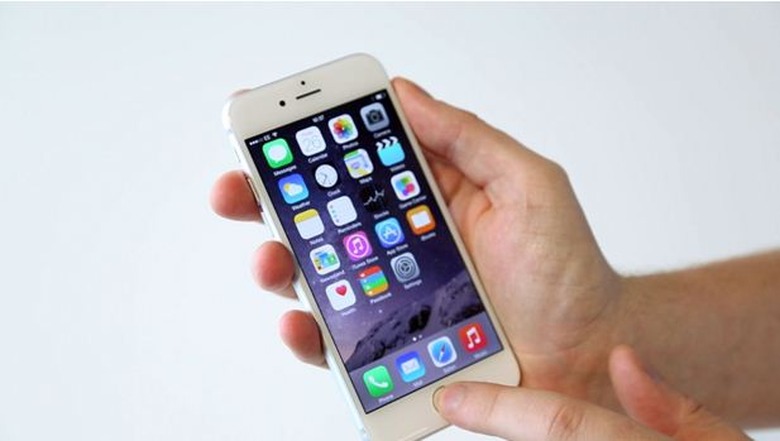
    The iPhone 7 is the biggest gadget to hit the market in years. Unless someone manages to construct the hoverboard from Back to the Future, it's going to stay that way for a while. Well, at least until the iPhone 8 is released. iPhone users everywhere are going crazy for all of the iPhone 7's new features, but there are things about the iPhone 7 that even the most avid Apple fanatics might not know. If you are one of the millions of people who have upgraded to the iPhone 7, you will want to familiarize yourself with these tips and hidden features to make sure you get the most out of your new device. Repairing The Screen: DIY or Leave It to the Pros Who hasn't had the frustrating experience of accidentally damaging their smartphone? If you drop your iPhone 7 in the toilet, you're covered because it's waterproof... though we still wouldn't recommend it. Dropping it on the ground is another matter altogether, especially if the phone isn't in a protective case. If you do find yourself with a cracked screen, don't stress... accidents happen and you have options for getting it fixed! For the DIY crowd, follow this guide to replace iPhone 7 screen breakages on your own. Don't Bother Unlocking Your Phone As we continue to store more sensitive information on our devices and use them for more important functions, security and privacy will become increasingly important. This is why it's comforting to know that Apple is deeply committed to protecting our devices and the data on them. Your iPhone is almost impenetrable unless you unlock it by entering your passcode or placing your finger on the fingerprint scanner. In the past, the cost of all that security was the inconvenience and wasted time of having to unlock the iPhone to do something as simple as read a text message from a friend. On the iPhone 7, you can deal with notifications on your lock screen using 3D Touch. For example, if you press hard (Apple refers to this as a "Pop") on an iMessage notification, you'll be able to reply to it without unlocking your phone. This will save you time without compromising security. Using A Double Lightning Adapter Surprise and secrecy surrounding new products and designs are a huge part of Apple's corporate identity and marketing strategy. One of its more controversial design changes in recent years was removing the headphone jack from the iPhone 7. While this change helped make the iPhone 7 waterproof, it precluded users from simultaneously using headphones and charging their phones. Some users were annoyed that they could no watch longer movies or listen to music while their battery was very low. Thankfully, Belkin has released a double Lightning adapter to address this issue. Going Back To The Last App On iOS devices like the iPhone 7, you cannot have multiple apps open at once in the way you can on other smartphone operating systems. This can be inconvenient when you have to switch back and forth between two apps you're using. Now there is a shortcut that will save you time and hassle. To use the feature, simply press down softly on the left side of your screen then slowly swipe your finger to the right. Disable The Haptic Feedback Within a few days of purchasing your iPhone, you will probably be a master of 3D Touch. Once you are comfortable with the feature, you won't need the phone remind you every single time you use the feature. In fact, the haptic feedback feature may even begin to annoy you. If it does, no worries; with a few touches of the screen it's easy to switch haptic feedback off. Hide Messages With Invisible Ink Have you ever opened a message you didn't want the people around you to be able to read? Photos can be even more personal... but let's not go there. Now you'll be able to hide text or a photo using invisible ink before sending a message. The person on the other end will need to tap it to see what it says, which will give them time to hide the screen if they think you're sending sensitive information. Turn The Keypad Into A Trackpad Touch screens have many benefits and have emerged as the dominant display technology for smartphones and tablets. If, however, you find yourself feeling nostalgic for your old Blackberry trackpad, the iPhone 7 has you covered. To access the trackpad feature, you'll need to open up any app that uses the standard keyboard. Hold two fingers down on it and the keyboard will eventually become blank. You'll now be able to move around the screen like you would using a trackpad, and you can highlight a word by pressing down when you're hovering above it. Just Scratching The Surface We don't have enough space here to list all of the tricks and pro tips for getting the most out of your new iPhone 7. Hopefully the ones we've discussed are enough to get you curious about all the ways to use your device. As you continue to use your device, you will undoubtedly discover additional hidden features and pro tips. Although these features and tips aren't listed on the packaging, they take the experience of using an iPhone to the next level.

    By Joshua Thompson Read More
  • Essential Futuristic Gadgets Designed To Protect Your Home From Anything

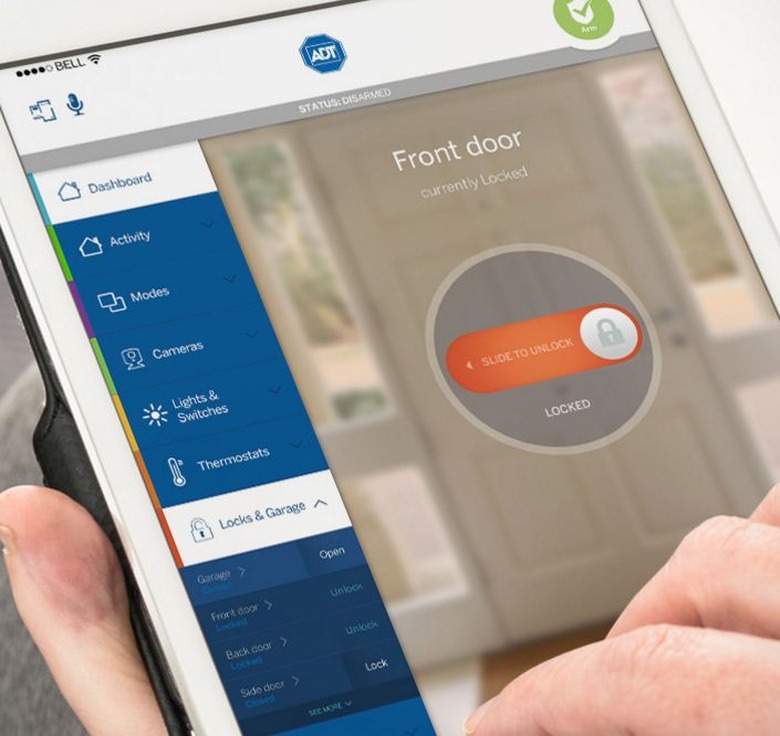
    We're living in a world where people live in 'tiny' homes instead of castles. Global warming is making the weather more unpredictable than a Mexican jumping bean. Everyone is so stressed they're having accidents because they have nearly turned into full-blown zombies. It's obvious we need more home protection than ever before, which is great because of the technology available today. No matter where you live I'm sure you want to stay safe, so we're going to focus in on a few gadgets everyone should invest in going forwards. An Amazing Home Security System If you live in an expensive home it's likely been scoped out, but those living in less expensive areas are under threat too. It seems burglars don't discriminate, or maybe they all have their preferred targets. In either case, you'll want a top notch ADT Pulse security system. You will be able to control everything from an app, so it's always easy to know exactly what is going on in and around your home. Carbon Monoxide Detectors Smoke alarms have been around for a very long time, but they're beginning to get smart. There is much less chance of being caught in the middle of a raging fire. Some newer models also have extra features we've not seen before, like the ability to detect carbon monoxide in the air. This gas kills lots of people every year because you can't smell or see it, but now you'll be able to know when it's there. Protection From Burst Pipes A water leak detection system is definitely a good idea if you have an old home, because it's possible your pipes are ready to burst. It's only now we have the technology available to detect when one has burst so the water can be automatically turned off. If you've ever had to deal with a burst pipe in the past you'll know how much damage it can cause, so something like the Water Hero system is worth the money. A Bathroom Water Alarm This one is similar to the last gadget we talked about, except bathroom water alarms Save you from human error. Have you ever left the bath running and forgot all about it because something distracted you? It's still possible your ceiling could collapse if left long enough, but it won't when you have a water alarm. As soon as the water reaches a certain level the alarm will remind you there is something seriously wrong. Bluetooth Keyless Entry Locks The reason why smart locks are so crucial doesn't just have to do with security, although it's certainly a massive feature. One big bonus is the protection they'll offer when you've lost your keys. You won't have to sit outside for hours when you have your smartphone on hand. There is also nothing to worry about if you lose your smartphone, because someone you live with can open your door remotely. So Many Things Can Go Wrong You have to protect your home from so many things these days, but it's going to be worth it. You probably know someone who has had their life ripped apart due to one of the problems we've touched on today. As an added bonus, buying new gadgets is always so much fun.

    By Joshua Thompson Read More
  • The perfect PS4 bundle for the gamer on your list: Overwatch, headsets, and skins are the top gifts of the year

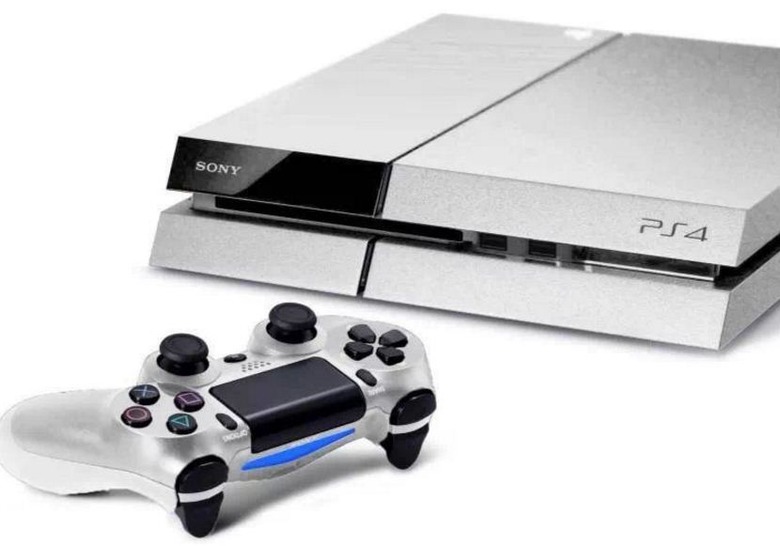
    Ever get a gift that's so off base, it's on another continent? In between strained thank you's, you can't help but wonder what they were thinking; you end up focusing on whether or not your smile looks fake and debating how early is too early to ask for the receipt. We've all been there before, awkwardly pretending we like whatever it is we unwrapped. If you're anything like us, you've made a vow to never put someone else in that position. It's easy enough, especially when you have a gamer on your list, but just to be sure you're safe, mine this PS4 gift giving guide for ideas. When you curate the ultimate collection of presents, you can eliminate the chances of being that person over the holidays. Games, Games, and More Games You may be tempted to send them an IOU for Death Stranding after the latest head scratching yet oh-so-beautiful teaser has hit the web, but with no official release date, they may be waiting a long time to cash it in. Luckily, the year has been kind on all of us. 2016 was fantastic in terms of PS4 releases, so you don't have to worry on that front. Focus your attention on the undisputed hits, like November's release of Final Fantasy XV and last year's Metal Gear Solid 5. The mystical action-adventure, The Last Guardian, deserves a spot in your bundle, as does the surprisingly fun FPS, Overwatch, which focuses less on kill count and more on successful team work.The jury's still out regarding the remastered version of Skyrim. If they're used to playing it on PC, then you could probably skip this one. If, however, they've only played the game on their console, they'll likely appreciate the improved graphics and slower loading times. Hardware Hit Points A few key accessories are an important addition to your gift package that can take the basic system and catapult it into the ultimate gaming experience. If your loved one tends to get sweaty palms under pressure, a set of thumb grips coupled with the best PS4 skins from dbrand will help keep their cool on any side quest — no matter how long it might take to finish. You can coordinate the colors of these grips with a texturized PS4 decal in order to create a unique looking controller that adds serious traction under their fingers. As an extra bonus, a PS4 skin will also protect the entire system from any cosmetic damages. A headset from Turtle Beach is perfect for anyone playing first-person shooters. Its superhuman hearing will give them the competitive edge they need to get the drop on their enemies and keep in touch with their whole team. If you plan on pairing it with the PlayStation VR, make sure you have a wired headset. The 3D audio won't work on wireless headsets because they can't connect properly to the PSVR. You might also want to ask the person on your list if they get motion sickness, since it can leave some players feeling dizzy. Of course, the number of games to hardware ratio will depend on the limits of your wallet, but even a modest budget can come up with a package that will impress your gamer. You're bound to find some combination of games and skins that they don't already own, but if you're still stumped, you can never go wrong with a subscription to PS4 Plus. Take a surreptitious look at the games on their shelf and make note of any accessories they already have. Once you're sure you aren't getting them any repeats, you can wrap up your bundle with confidence. While you may not avoid receiving a bad gift of your own, at the very least you'll avoid handing one out.

    By Joshua Thompson Read More