Mark Zita

Engadget Editorial Policies

The unique content on Engadget is a result of skilled collaboration between writers and editors with broad journalistic, academic, and practical expertise.

In pursuit of our mission to provide accurate and ethical coverage, the Engadget editorial team consistently fact-checks and reviews site content to provide readers with an informative, entertaining, and engaging experience. Click here for more information on our editorial process.

Stories By Mark Zita

  • The Final Fantasy Soundtrack: A Reflection

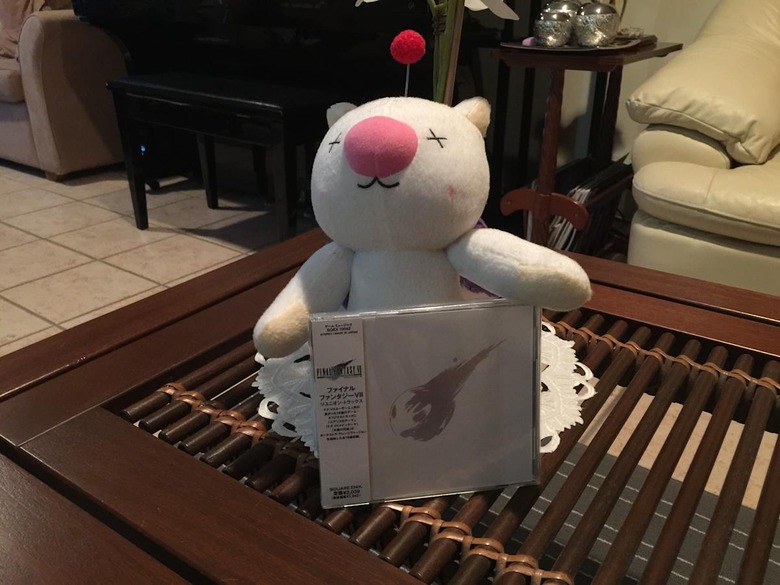
    It was during my birthday in 1999. My father asked me which game to buy. Then, I only knew Final Fantasy VII by one of the games on the box of my PlayStation. Little did I know that it would be the start of a love affair with a whole game franchise. Being a trained classical pianist, I also took note of the music in Final Fantasy VII. I never paid attention to video game music before, but this game changed it. The emotion, the complexity and the recognisable leitmotifs. That's a hallmark of the music that Nobuo Uematsu composed for the Final Fantasy series. This is a personal reflection on my favourite video game soundtrack of all time - the Final Fantasy Series. It was not until I delved in to the older Final Fantasies that I realised the prodigy he was. How could someone with 8-bit or 16-bit limitations of the consoles then, pull off such memorable and emotion-driven pieces of music? I still get chills when I hear Forever Rachel from Final Fantasy VI. I still mentally prepare for a long battle when I hear the boss battle theme for the Four Fiends in Final Fantasy IV. In the 32-bit world, I still feel a sense of freedom when I hear the airship theme, The Hilda-Garde, in Final Fantasy IX. I shed a tear when I hear Aerith's Theme, and get scared with One Winged Angel, from Final Fantasy VII. Uematsu executed perfectly what he wanted emotionally from each piece of music. I haven't come across any other video game soundtracks that give me that same feeling. I'm not denying that there are other beautifully composed video game music! I've listened to quite a few in fact. For me however, Uematsu and Final Fantasy take the cake. That feeling was taken to the next level once Square Enix, Nobuo Uematsu and Arnold Roth teamed up to do the Distant Worlds concert. Being classically trained, I had a great appreciation to classical and orchestral music. My auditory senses went into overdrive when I first heard my favourite Final Fantasy tracks orchestrated. At the same time, because of Uematsu's skill in keeping musical complexity and integrity despite technical limitations in the video game originals, the orchestral renditions had a sense of familiarity. They weren't radically new renditions that destroyed the original soul of the video game master. Rather, they enhanced it. If you asked me to list my Top 3 Uematsu-composed Final Fantasy piece of music, it would be like asking me to pick a favourite child (and I don't have any children!). However, the Top 3 would be as follows: 1. Those Who Fight - Final Fantasy VII This may be a little on the sentimental side because it was my first Final Fantasy game, but Those Who Fight from Final Fantasy VII is what I consider to be a standard in JRPG battle music. The pulsating bass line, the constant semiquavers from the strings and the blast of the trumpets - all give an atmosphere of urgency and importance. There's even a small flute section, which to me, gives me a 'the hero is prevailing' kind of feeling. I even joked to friends that Those Who Fight would make the perfect news theme! Nonetheless, it would be my number one battle theme from the Final Fantasy series. 2. Dancing Mad - Final Fantasy VI It was a fifty-fifty decision between this and One Winged Angel, but I selected this for two reasons - the circumstances in the game and the length of the piece. Where else in a JRPG where the villain momentarily wins?! Kefka, to me, is the hallmark FInal Fantasy villain. He's a pure psychopath with no mechanism of what's wrong and right. His final battle theme, equally reflects his personality. The organs and the synthesised choir contribute to the grandeur of the whole piece, or should I say, Kefka's delusion of grandeur. It's perfect. In addition, how Uematsu managed to fill this in on a SNES cartridge?! 3. To Zanarkard - Final Fantasy X My favourite sentimental piece from Uematsu. It gives a sense of vulnerability and loss. Being a piano solo piece, it gives the said feelings justice. The feeling of a character when he realises something. (Yes, I'm trying to not give spoilers!) It's hard to describe in words how beautiful this piece is, so try to find it and you'll get what I'm trying to say. You might want to ask me, do I like the modern Final Fantasy soundtracks? Well yes I do. The soundtrack to Final Fantasy XIII, and the spinoffs, are my favourites post-Uematsu. However, nothing can match that emotion of hearing Uematsu's work for the first time.

    By Mark Zita Read More
  • My Top Three Apps for the Tech-Obsessed Traveller

    Travelling to a new place is very exciting. The thrill of seeing new sights and experiencing new things makes travel very enticing. In the past few years, the use of technology such as tablets and smartphones on our holidays has increased. Some people detest this, which is understandable. A holiday, for some people, is time to disconnect and re-energise yourself. However, other people embrace it. People today love to share their holiday experiences to family, friends and the world. Apps have been also built to make travel so much easier.As I am typing this, I am on a short vacation in New Zealand (or as what us Aussies call it, "across the ditch"). Here's my Top Three apps I had used in making my travel plans happen, and to make travelling that much more interesting and easier.I don't have flight price comparison apps in this article because while planning for this trip, prices on flights to New Zealand from Australia are reasonable from all airlines.1. TripAdvisorLooking at hotels and can't decide where to stay? TripAdvisor's app can help. With thousands of user-submitted reviews of hotels and other forms of accomodation around the world, it has become the authoritative source in finding accomodation. Sometimes, the views of other people who had stayed at your intended choice of accommodation can make the difference. I was tossing up between two places to stay when planning for my holiday to New Zealand. One hotel was closer to downtown, while the other one was a fair walk up a steep hill. Without looking at Tripadvisor, I would have booked with the former. However, TripAdvisor comments suggest the first hotel was too noisy and the rooms were too cramped. The latter hotel had more glowing reviews and had consistent high ratings. Based on that, I went with the later and I could not have been happier with that choice. It wouldn't have happened without TripAdvisor. By the way, that steep hill wasn't so bad after all!The app is free on the iTunes App Store and Google Play Store.2. TripomaticYou have your flights and hotel sorted. Now what to do during your trip? Of course, you could do the old fashioned way of writing down what you want to do. Or, look through the internet and store in to your head what to see. However, we're all busy people. This is where Tripomatic comes in. It is a itinerary planning app that you can share with friends or plan privately. Within the app, you can see places of interest in the vicinity of where you're staying. In addition, it shows you available tours that you can join. While the app also provides hotel and car hire options, I'd recommend you use TripAdvisor as above. Another great feature is the amount of offline maps available, handy when you're not able to roam or get a local SIM card with data.I used this app extensively in planning my trip here to New Zealand. There were sights I wanted see from knowledge passed on to me by Kiwi expatriates living in Australia, but I also discovered that New Zealand has so much more to offer. In addition, I found some tours that I wouldn't have thought of taking through Tripomatic.The app is free on the iTunes App Store and Google Play Store, however if you want the full offline features, it will set you back with an in-app purchase. The complete package, Tripomatic Premium, costs between $18.99 and $23.99, depending on which app store you use. Offline map regions can also be bought individually. While expensive, it is worthwhile in the end because of the data cost savings if decide to use the service offline.3. MAPS.MEWhile Tripomatic Premium's offline maps feature may satisfy some people, and for others, an easy-to-access dedicated offline map app is what they require. This is where MAPS.ME comes in. The best thing - it's free! MAPS.ME uses the OpenStreetMap data. It allows you to download any map from anywhere in the world, and use it offline. From my use here in New Zealand, the app finds the places I want to go to quickly. It provides routing directions, however I would not recommend this app to use as a car navigation tool. I'll get to that later. Rather, the routing feature of this app is better suited for walking distances. I saved data too as I didn't use it to download the maps required (I only have a 1GB data cap).MAPS.ME is available for iPhone, Android and Blackberry.Honourable Mentions Google Translate - Handy if you're not good with the language in the country you have selected. The Android version allows you to download selected languages to your phone. Hope the iPhone version gets this as well. I didn't use it for this holiday (obviously) but always have it installed just in case. Free. HERE Maps - Free turn-by-turn navigation & offline maps. However, it is missing a few countries that OpenStreetMap-sourced MAPS.ME has. Handy if you rented a car. I was planning to rent a car for this holiday but decided not to. The price of petrol is expensive here! Free. TransitTimes - Going on vacation and want to use public transport? TransitTimes for the iPhone is the app for you. Allows you to download timetables on various public transport systems across Australia, Canada, Hungary, New Zealand and the United States. The data is synced with online real-time information about location and approximate arrival times. I have used this extensively to navigate across Auckland's public transport system. $2.99 iPhone and Android.So, what are you waiting for? Go out there and explore the world!

    By Mark Zita Read More
  • A backing-up frenzy - keeping my digital life safe

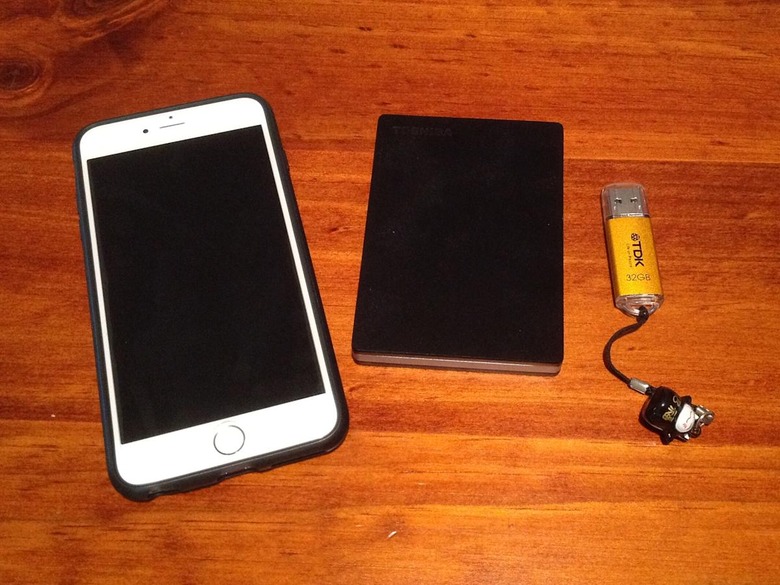
    Chores are a thing of life, like cleaning the house and doing the washing. If it's not done, the house gets messy and the clothing gets stinky. For me, regularly backing up my hard drive falls in that category of chores. It is one of those tasks that I would put off till tomorrow, not knowing what could happen to my data if something bad was to happen. I believed the time spent on backing up data on physical media could've been spent on more rewarding things - like baking a cake, or catching up on my favourite television shows on DVD.I am constantly reminded of my experiences back in university. I was making semi-regular backups of my work to my external hard drive like any good student would. (Take 'semi-regular' very lightly - see above). One day, I was struck with fear when a computer virus had infected my 1TB hard drive. The pain of virus checking, reformatting and backing up every university assignment, my pictures and my music was something I'd rather not want to recall.You may be wondering - why didn't you use cloud storage? I have to admit, I was late to the game when it came to that. I was a stern believer in physical storage, even after the experiences during my university years. In addition, this was 2007 - when cloud storage was only limited to Windows Live Folders. Who remembers that?!Fast forward to today - cloud storage is something I can't live without. Technological advances and increase in internet speeds has made cloud storage more feasible. It has also made backing up less tedious. I have a three-pronged approach with my backups: Cloud storage. Physical storage Offsite storage.Cloud StorageThis is the main data source in my regular backup routine. I use Google Drive as my daily driver for backups. With 15GB of data available on the free tier, it is a great choice for anyone. Previously, I had used OneDrive in combination with my Office 365 Subscription. However, because of the recent changes to the service by Microsoft, I made the switch to Google Drive. A key feature of Drive is its integration with Google Photos. This is important for me because I have quite a bit of holiday snaps and personal mementos. Google Photos makes it easier to browse on a device like a phone or a tablet.When I first started with cloud storage, I only selected my documents folder to be the regular backup folder to be synced daily. The initial backup was one-time for my photos and videos. This was to conserve bandwidth and to prevent syncing mistakes. After all, you wouldn't want an errant photo to be deleted or added and automatically synced to the cloud?! Any changes or additions I would manually sync.As an extra layer of convenience, I used a tool called Mover.io to sync between cloud storage services. When I used OneDrive as the main backup source, I had kept Google Drive as the backup to the backup. There's no such thing as too many backups! I would highly recommend this to anyone who is a bit pedantic about the integrity of their data. Now with my OneDrive relegated to OneNote syncing only and Google Drive promoted to the main data source, I'll be setting the same thing up with my Dropbox. Mover.io is free for personal use.It's all about being smart with cloud storage. Treat it the same as physical storage. Have as many as you can across many services.Physical StorageI don't recommend to anyone to solely rely on cloud storage. Heck, you shouldn't solely rely on physical storage either. They all have to compliment each other. In true fashion, I also have multiple formats for my physical storage backups. I have my most important photos and documents backed up on a 32GB USB flash drive. That flash drive is a mirror on what is contained in my Google Drive or Dropbox. Being flash based means the chances of data corruption is slim, but doesn't mean it'll still happen.My general backup drive is a 1TB USB3 hard drive. It is formatted to HFS+ Journaled - the same file system as the Macintosh. The rationale behind this is that HDD is complimentary to the Mac, and would really be only accessed by that Mac. If I wanted to move data between computers, I would be using a USB stick or the cloud storage.My backup routine is less with physical storage. I would do major backups every 6 months for both my 32GB USB and the HDD. Most of the time, I would pull the data from the cloud storage to put on the physical storage.Do I use DVD's or CD's for my physical storage? Well that's what the next section explains...Offsite StorageIf you're up to here now - you must think I am nuts with all these backup media and processes. It can be warranted! This would only make your opinion of me even more skewed! I have made DVD's of important photos and videos that I had given to a trusted friend of mine. You don't have to do this, but I'm a 'worst case scenario' kind of guy. I like to have peace of mind that my digital life is safe and I have many media to access it. So, if you want, find a trusted friend and give your data to them for safekeeping!That's how I manage backing up my digital life. It may seem very crazy, and sometimes unnecessary, but I believe digital files are easier to destroy than physical files. With our world becoming more digital each day, it's highly important that we are still able to access our data after something bad happens.

    By Mark Zita Read More