Pulkit Thakur

Engadget Editorial Policies

The unique content on Engadget is a result of skilled collaboration between writers and editors with broad journalistic, academic, and practical expertise.

In pursuit of our mission to provide accurate and ethical coverage, the Engadget editorial team consistently fact-checks and reviews site content to provide readers with an informative, entertaining, and engaging experience. Click here for more information on our editorial process.

Stories By Pulkit Thakur

  • Keeping Your Confidential Information Safe Online With These Tips

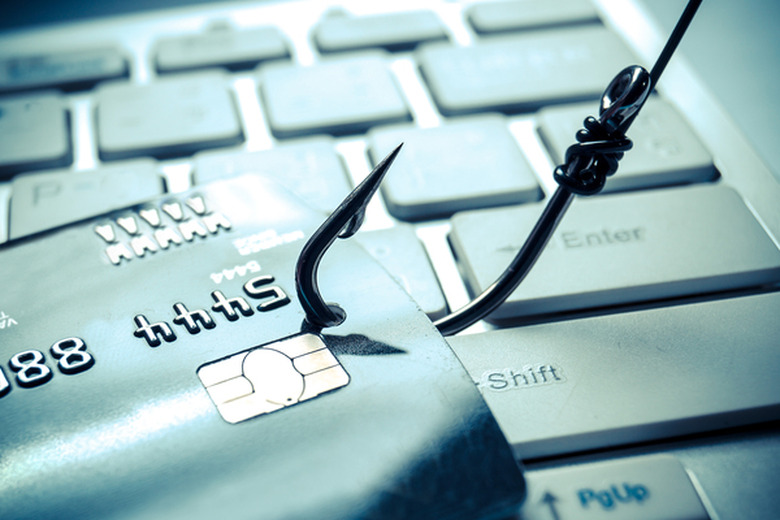
    Over the years, hackers have greatly improved their techniques. This has led to widespread headlines spotlighting numerous security breaches. As a consumer in modern times, it is truly impossible not to be worried about your safety online. While it is not always possible to completely deflect a potential breach, there are ways to greatly reduce your chances of falling prey to a schemer. Below, you will find tips for avoiding the hacker's web. Be Cautious Of Phishing Schemes It is downright impossible to be a member of any website without having an email address. While the email is a necessity, it also opens you up to a wealth of attacks. Therefore, it is downright pertinent to familiarize yourself with phishing scams. Hackers utilize phishing schemes to convince the consumer to click on a link and provide their confidential information. This tends to be enormously effective, because the scam emails will appear to come from legitimate sources, such as Amazon, PayPal, and even Apple. When you receive an email from PayPal suggesting your account has been restricted or blocked, you should visit their site directly. Never click on the link embedded in the email. This will reduce the potential for problems and will help to keep your account safe and secure. Always Use Anti-Virus Software A lot of consumers will mistakenly shut off their anti-virus software or delete it all together. This is often done to try and speed up their computer or clear up resources. Sadly, this could prove to be an enormous mistake. These programs are capable of protecting your computer from viruses, spyware and other types of malicious software. Not only should your computer be protected by an anti-virus software twenty-four seven, but you should also make a habit of scanning your computer for viruses regularly. This will give you peace of mind, while also going to great lengths to keep your computer safe. It is truly no coincidence that using anti-virus software is one of the cyber security best practices you could ever follow. Password Tips A lot of consumers are very forgetful and this will result in them creating easy to remember passwords. This could be very risky. Instead, it is pertinent to create strong passwords and you should utilize different passwords for each of your accounts. You should also be cautious of storing your passwords directly on your computer. If your computer is indeed breached, your passwords will be there for the taking. Keep your passwords strong and make sure they differentiate from one account to the next. Maintain Security Patches Hackers are working around the clock, trying to find vulnerabilities in your security network. One way to secure your home network is with anti malware tools. More often than not, users will receive a notification that malware has been detected on their computer. Anti malware software will scan and remove codes that attack the network or degrade performance. Educating Your Children A home network will have multiple users, including adults, young children and adolescents. With this many users operating on the same network, there is no doubt that a cyber breech will be a possibility. The only way to remedy security issues in this case is by regularly educating the users on the best practices of cyber security. You should also encourage them to avoid phishing emails and create strong passwords. If necessary, you will need to hold monthly family meetings, where you can bring everyone up to date on security risks and cyber security best practices. Secure Wi-Fi Access Everybody wants to connect to the Internet wirelessly. However, many people fail to secure their wireless network. When you create your Wi-Fi network, you will need to make sure that it is protected by a strong password. When guests visit your home, you should create them a separate guest network, which can later be turned off. Never share your password with others, because you never know if they will try to hack into your account at some point.

    By Pulkit Thakur Read More
  • Examining The Types Of Technology That Can Be Beneficial For Senior Care Homes

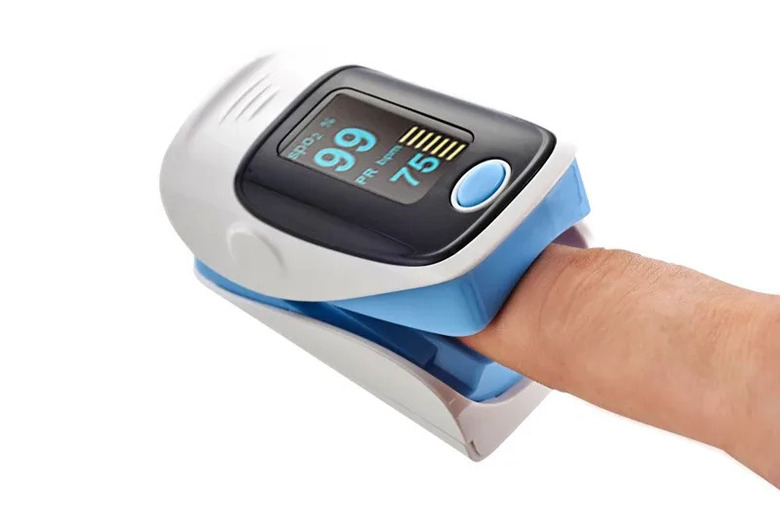
    As people get older and older, they'll start to lose their balance. This can make residing alone incredibly dangerous. Couple this with mentally debilitating diseases, such as Alzheimer's, and many elderly individuals will not be able to live alone safely. A trip and fall could result in the patient lying on the ground for many hours, without assistance. Senior care homes help to fill this void, with the Alert1 Medical Alert Services. They'll protect the patient, while giving their family members peace of mind. Of course, senior care facilities could be enhanced substantially with the introduction of new technologies. Some of these technologies will be explored in greater depth below. Medical Monitoring The Fitbit and other similar products have grown incredibly popular over the past few years. Of course, younger individuals, with the intention of losing weight and getting into shape, primarily utilize them. Nonetheless, medical monitoring devices can also be thoroughly beneficial for seniors. Some of these technologies are capable of monitoring the individual's blood pressure and other vitals continually throughout the day and night. This makes it possible for the nurse to obtain the necessary vitals, without needing to enter the room and disturb the patient. Therefore, it could prove to be a win-win for everyone involved. The oxygen saturation monitor or pulse ox will help patient's maintain a suitable oxygen level. The pulse oximeter is a great way to monitor heart rate and blood oxygen levels. Medication Reminders Dear Jane recently explained how patients could be reminded of their medication needs through the use of technology. Many patients must take daily medications, in order to remain healthy. This is where a medication reminder or dispenser will enter the picture. A smart dispenser will be able to detect the time of day and dispense the appropriate medications at the proper time. This will encourage the patient to take their necessary drugs, even if they have a memory lapse. The e-pill CADEX Watch will definitely be helpful in the senior care home and they may even be able to keep the elderly in their home for a longer duration. Smart Cameras NetgearArlo cameras are primarily utilized to track and stop nefarious behavior. Nonetheless, they can also be very beneficial in a senior care home. Smart cameras will make it possible to track patients around the facility effortlessly. In fact, some of these cameras are capable of detecting and tracking human beings. This will ensure the nurses and other staff members are consistently aware of their patient's location. This can make it possible to detect falls instantly, while also stopping patients from exiting the facility on their own accord. GPS Patient Monitoring Most patients residing in skilled nursing facilities suffer from some form of dementia. While not all cases are severe, there are still moments of delusion and confusion. When this occurs, the patient will wander around in the hallways, into other patients' rooms and try to escape out the front door. Hundreds of Alzheimer's patients escape undetected from nursing homes every year in the United States alone. These patients are very vulnerable to the outside world, since they do not know the area and they are completely confused. The best way to prevent dementia patients from exiting the facility is to attach a GPS monitor around their ankle. When the patient nears the entrance, an alarm will be initiated, alerting all the staff of the incident. The staff will respond, by assisting the patient back to his/her room, preventing an emergency crisis, while saving the reputation of the facility. Electronic Documentation Back in the day nurses and physicians had difficulty accessing their patients' charts, because they were stored inside of a plastic binder. These charts were kept inside of a record room, where an employee had to retrieve and transport them to the appropriate department in the hospital. While this worked well for many decades, it compromised patient care. Today, all nurses and physicians document on a computer, so all approved medical staff and the federal government can access the electronic records whenever the need arises.

    By Pulkit Thakur Read More