

Instagram expands Explore tab, adds editing for captions and location
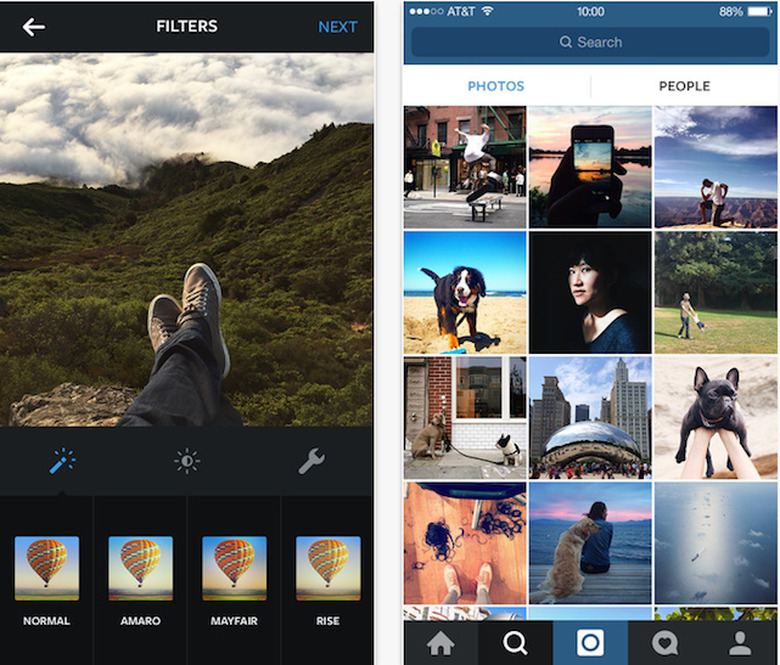
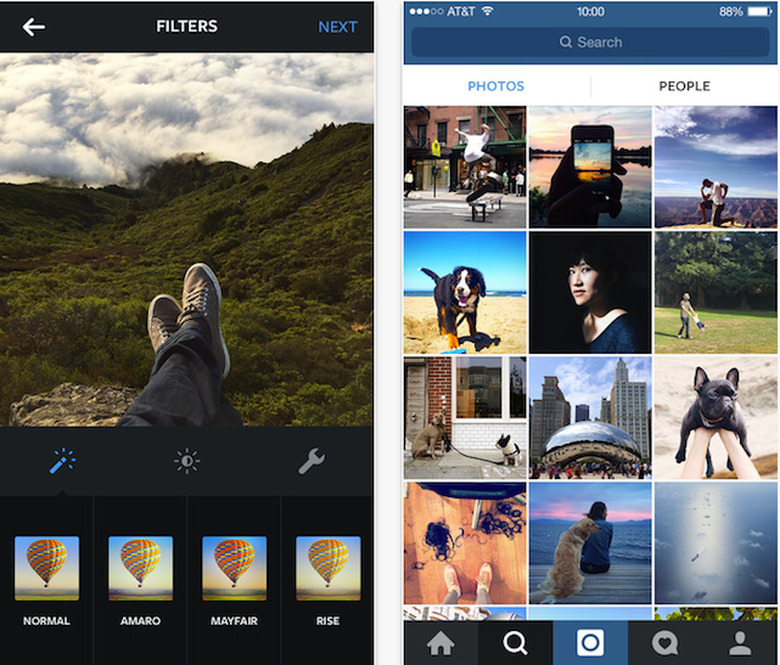
Instagram has released a new update which expands the Explore tab within the app along with finally introducing much needed editing features for captions. While the image sharing service is known for its quick app and powerful photo filter options, for years the service has been plagued by a lack of editing options when it came to captions.
If you accidentally misspelled something in your caption while posting you could either A) correct it in the comments or B) delete the image and post it again. Neither of these options were particularly handy. The new update finally allows you to edit your captions, and even includes the ability to edit the location of a shot as well. These new options are found under the "more" icon next to the "comment" button.
Instagram's Explore tab has also gotten a make over. Now users will see two subtabs within the app, Photos and People. Here's Instagram's explanation of the layout.
In this update, we're continuing to improve the Explore page on Instagram by making it faster to find people you want to follow. With this in mind, you'll see that the Explore icon at the bottom of your screen has changed to a magnifying glass.
When you open Explore, you'll now see two tabs: Photos and People. The Photos tab has not changed. It contains the same scrolling grid of photos and videos you already know. The new People tab highlights interesting accounts for you to discover.
You can find the latest version of Instagram in the iTunes Store as a free download.