John-Michael Bond

Engadget Editorial Policies

The unique content on Engadget is a result of skilled collaboration between writers and editors with broad journalistic, academic, and practical expertise.

In pursuit of our mission to provide accurate and ethical coverage, the Engadget editorial team consistently fact-checks and reviews site content to provide readers with an informative, entertaining, and engaging experience. Click here for more information on our editorial process.

Stories By John-Michael Bond

  • Here's how to stream the Super Bowl on your Apple devices

    This Sunday is Super Bowl XLIX featuring the Seahawks, the Patriots, and, hopefully, properly inflated balls. You can watch the big game on your TV if you can pick up a signal, but what about if you've cut the cord to cable or don't have a solid digital tuner? Don't worry, your Apple devices are here to help. iOS Users: If you'll be watching the game on your iPhone, now would be a good time to be a Verizon customer. Verizon users can stream the game for free via the NFL Mobile app directly from their phones. Everyone else will have to find another way. NFL Mobile doesn't work with Airplay, so you'll have to enjoy it on your tiny phone screen. If you have an iPad you can thank NBC Sports for your game experience. NBC has exclusive rights to streaming the game via tablet computers, so download the NBC Sports Live Extra App for your iPad and you're golden. You should be able to stream the game without making an account, but double check before kickoff so you don't miss anything important. Desktop Users: Desktop users should head over to NBCSports.com/liveextra to stream the game, since NBC has also managed to lock down the official desktop stream of the game. Even if you go to the NFL's website to check out the game, you'll find yourself redirected to NBC's website. If you have an Apple TV, use AirPlay to move the action over to your big screen, or connect your machine to your TV via an HDMI cable. You can do this. The game needs you. You have options this Sunday when it comes to viewing. The only thing that matters? Who wins. Let us know your predictions in the comments below.

    By John-Michael Bond Read More
  • Vine has released a special version of the app specifically for kids

    Vine is a wonderful world of content -- adorable pets, occasionally brilliant sketch comedy, the odd heartfelt message of hope -- but it isn't one you'd want your children using unsupervised. Vine apparently agreed, and today launched Vine for Kids, a special version of the app free of the filth that brings joy to normal Vine users. The interface is slightly different from the original app. Kids swipe right or left to see new Vines, and when they tap on the screen the app makes goofy sounds. Here's an adorable Vine of a happy child trying the app. You can download Vine for Kids for free right now in the iTunes Store.

    By John-Michael Bond Read More
  • Apple releases iTunes 12.1

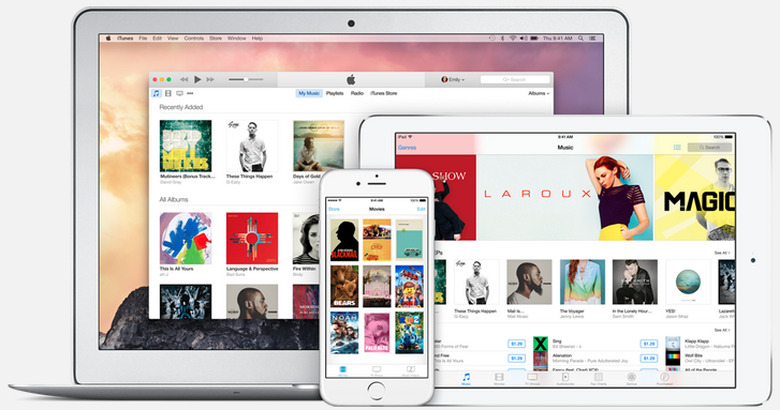
    Apple has released the iTunes 12.1 for OS X Yosemite, which introduces a new iTunes control widget for Notification Center. Using the widget, users can see which song is currently playing and pause, skip, or favorite a track. If you regularly use the Mini Player you'll already be familiar with the controls. When listening to iTunes Radio, users will also be able to purchase songs that come up directly from Notification Center. The update also improves performance when syncing between your iOS devices and computer. You can find iTunes 12.1 right now in the App Store.

    By John-Michael Bond Read More
  • Indigo Prophecy is coming to deliver nightmares to your iOS device

    When Indigo Prophecy -- also known as Fahrenheit outside of North America -- was released in 2005, it slowly started to build a rabid cult following with its cinematic brand of horror adventure gaming. Wedged uncomfortably somewhere between the X-Files and Silence of the Lambs, Indigo Prophecy is less about action than discovery. Thankfully, there are plenty of horrific things to discover. This release marks the first time the game has been released uncut in North America, having been edited for sexual content when it was originally released for PS2. We don't know how they were able to get this sexual content past Apple's censors, but who's complaining? You can find the game right now in the iTunes store for US$9.99. Continue reading for a look at what new features have been added in the update, then get ready for some bad dreams. Originally released in 2005, Fahrenheit (known as Indigo Prophecy in North America) was a breakthrough in interactive narrative, teetering between the worlds of cinema and gaming while also embracing them, carving its own unique genre in the entertainment landscape. This newly remastered edition features updated graphics and full controller support for all platforms, and is based on the uncut and uncensored international version of the game. With a rich multilayered narrative, innovative presentation, and a chilling musical score by famed Hollywood composer Angelo Badalementi, Fahrenheit: Indigo Prophecy Remastered serves as the definitive version of the supernatural murder mystery and (re)introduces the groundbreaking title to old and new fans alike. Key Features Interactive Drama - An intuitive control scheme and spectacular split-screen presentation complement the game's mysterious noir narrative. Extensive Replayability - With branching dialog and multiple endings, each playthrough of the game yields a different outcome. Multiple Characters - Take control of the narrative through four different playable characters, each illuminating a different perspective of the story. Fully Voiced Script - Every line from the extensive script is voiced by professional actors in English, French, German, and Spanish. Voice files may require free in-game download. Cinematic Score - Fahrenheit features a fully orchestrated score composed by Angelo Badalamenti, famous for his extensive work with director David Lynch. Uncut version of the game - Unlike the original North American release, Remastered contains all of the game's original scenes, uncensored and uncut. Key Upgrades High-definition Graphics - All of the in-game textures have been meticulously recreated in HD for mobile and desktop. Widescreen Support – A true widescreen (not cropped) view strengthens the game's cinematic qualities while also providing players with a better sense of their surroundings. Elegant Touch Controls - An intuitive control scheme has been implemented that works on both phone and tablets, and brings the player closer to the narrative. Full Controller Support -Support for MFi hardware controllers on iOS, as well as various popular controllers for desktop. See system requirements for full list of supported controllers. Live Graphics Comparison - Players can switch between the updated visuals and the original art assets with the touch of a button.

    By John-Michael Bond Read More
  • Facebook's Paper app updated with improved photo sharing

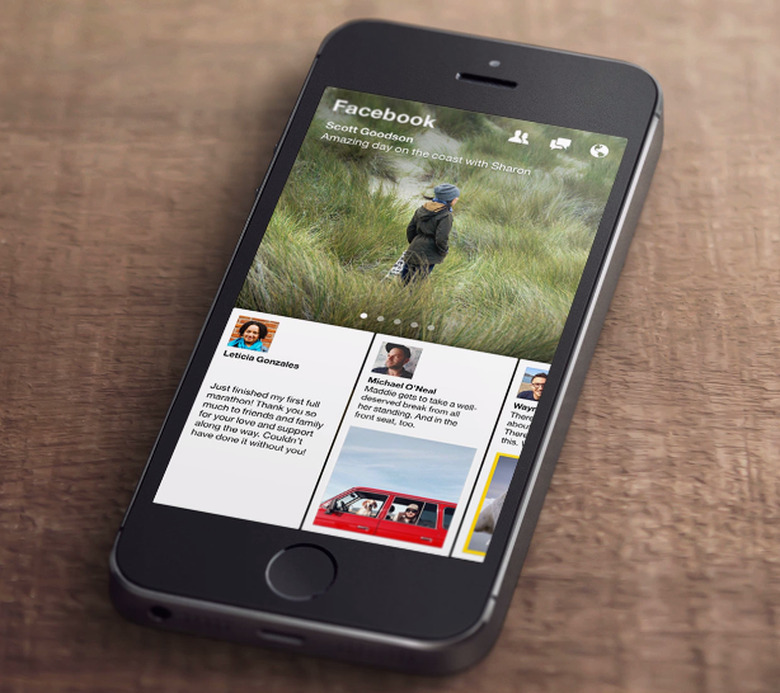
    We're fans of Facebook's Paper here at TUAW. It's a handy alternative to Facebook's main iPhone app, which lets you bypass downloading the Messenger app. Paper has just received a new update which makes finding and sharing your favorite photos easier. Version 1.2.5 introduces an improved camera roll which organizes your photos and videos by the date they were taken, and adds support for iOS 8's Favorites album within Photos. Now you'll be able to search your Favorites folder, which includes the photos you've stored in the camera roll outside the app. In addition, you should find that the entire experience of posting a photo is faster after updating. You can find the newest version of Paper right now in the App Store.

    By John-Michael Bond Read More
  • Sundance hit Tangerine was shot on iPhone 5s with a $8 app and some accessories

    Given the spread of affordable high-quality video cameras in the modern world, there's probably never been a better time to be an amateur filmmaker. You don't even need more than a nice smartphone if Tangerine is any indication. The Sundance Film Festival hit was shot completely using an iPhone 5S, the $8 app Filmic Pro, a Steadicam rig, and anamorphic adapter lenses made by Moondog Labs. Here's Sundance's synopsis of the film: It's Christmas Eve in Tinseltown and Sin-Dee is back on the block. Upon hearing that her pimp boyfriend hasn't been faithful during the 28 days she was locked up, the working girl and her best friend, Alexandra, embark on a mission to get to the bottom of the scandalous rumor. Their rip-roaring odyssey leads them through various subcultures of Los Angeles, including an Armenian family dealing with their own repercussions of infidelity. In an interview with the Verge director Sean Baker provides some sound advice for aspiring filmmakers looking to work on a budget. Ransone said that the key to shooting Tangerine was having a team well-versed in traditional filmmaking. "You still need to know how editing works. You still need to know how sound works. You still need to know how a camera works," he says. "You can't just go out and shoot." iPhone footage hasn't yet caught up with true 35 millimeter film - a high bar - but Ransone expects it will some day. "Yes, you can make a beautiful-looking film on a shoestring budget," he says. "But you have to know 100 years worth of filmmaking." It's important to remember that Baker was only able to shoot the film on the iPhone because of the unending independent development from private companies like Moondog Labs to create cutting edge enhancements for the ever-evolving iPhone. Still, the reliability and power of the iPhone is what inspires those companies to build, and it's an incredible step for the iPhone to be used to create a film that was screened at a prestigious film festival like Sundance. Head over to the Verge for its full interview with Baker, including the roots of the film's development and his comments on the peculiarities and benefits of filming with an iPhone.

    By John-Michael Bond Read More
  • Now that YouTube has jumped to HTML5, here's what Steve Jobs said about Flash

    Today, YouTube announced it will now default to HTML5 when a video is loaded rather than using Flash. For years, Apple has been criticized for not allowing Flash on its iOS devices, leading Steve Jobs in April 2010 to release an open letter explaining Apple's position on the subject. You can read the whole letter here. Inside, Jobs addresses the technical issues associated with Flash and Adobe's criticisms of Apple for not using the platform. In light of YouTube's transition to HTML5, however, it's worth pointing out the close of the letter: Flash was created during the PC era – for PCs and mice. Flash is a successful business for Adobe, and we can understand why they want to push it beyond PCs. But the mobile era is about low power devices, touch interfaces and open web standards – all areas where Flash falls short. The avalanche of media outlets offering their content for Apple's mobile devices demonstrates that Flash is no longer necessary to watch video or consume any kind of web content. And the 250,000 apps on Apple's App Store proves that Flash isn't necessary for tens of thousands of developers to create graphically rich applications, including games. New open standards created in the mobile era, such as HTML5, will win on mobile devices (and PCs too). Five years later, it's interesting to see this transition continue to take place, this time at one of the most popular websites in the world. Head over to Apple's site for the complete text of the letter.

    By John-Michael Bond Read More
  • Apple Remote Desktop updated with Yosemite support

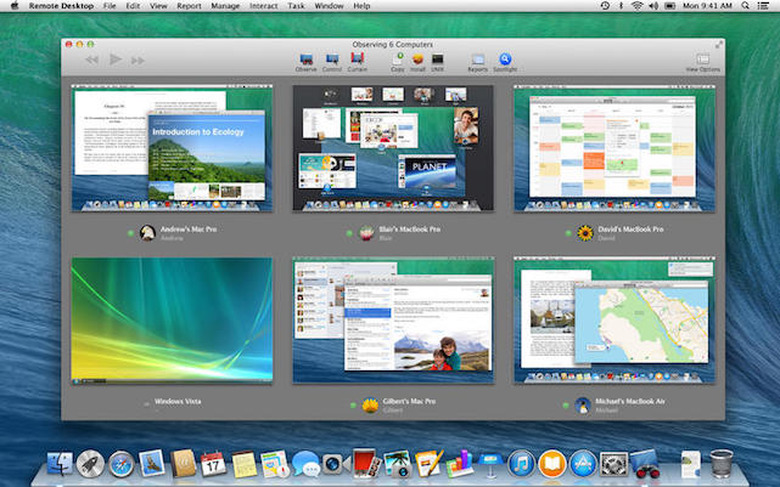
    Apple has released a new update for Remote Desktop which will come as a godsend for administrators and users who found the app no longer working after updating to OS X Yosemite. The update fixes that issue, along with enhancing sending files and full screen viewing, and resolving other smaller issues. Here's a complete list of what comes in version 3.8. Support for OS X Yosemite including updated interface Enhancements for sending files using Copy Items Fixes for remotely viewing clients in full screen mode Multi-observe improvements for viewing large number of clients You can download the update right now in the App Store.

    By John-Michael Bond Read More
  • Found a lost iPhone? Siri can help you find its owner

    Say one day you're walking down the street, enjoying a nice cup of coffee and the sun shine, when you come across an iPhone without its owner. If the device has been placed in Lost Mode already the phone will give you the needed information to contact its owner, but what if you find the device before Lost Mode is activated or if the system hadn't been set up? There's a way for you to be a Good Samaritan, and that way's name is Siri. Simply activate Siri on the phone -- this can be done even if the device is locked -- and ask Siri "who does this phone belong to." Siri will give you the owner's contact information from phone number to email depending on the users settings. Now you know exactly how to contact the phone's owner, earning yourself some karma in the process. Thanks to OSX Daily for finding this tip.

    By John-Michael Bond Read More
  • Happy 5th Birthday, iPad!

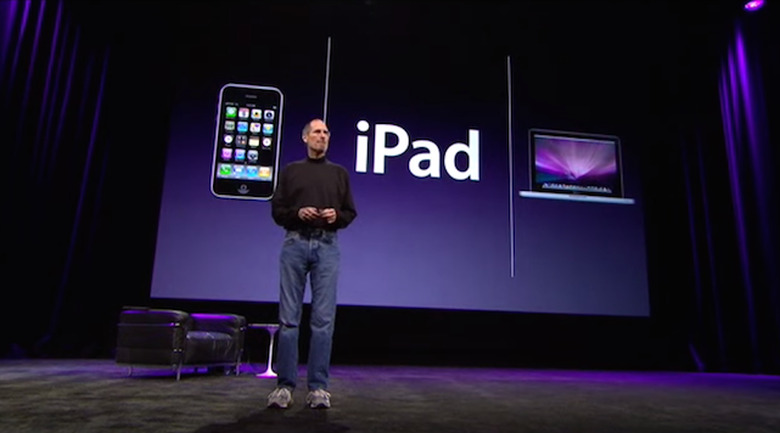
    Five years ago Steve Jobs stood on the stage of the Yerba Buena Center for the Arts in San Francisco to introduce Apple's latest offering to the masses; the iPad. Launching on April 3 of that year in six configurations -- 16GB, 32GB, and 64GB with 3G or Wi-Fi internet -- some people weren't immediately sold. The numbers spoke for themselves; in just its first year 14.8 million iPads were sold by Apple. It was just the beginning for the tablet that would revolutionize the market. It all kicked off that day in San Francisco, so now would be a great time to relive the magic of the iPad's initial reveal. You can watch Jobs' announcement presentation right here for a look back iPad's first public moments. Enjoy and happy birthday.

    By John-Michael Bond Read More
  • Twitter introduces group direct messages and mobile video camera

    Twitter has just introduced two new features which should make it easier to use the service as a replacement for its main rivals Facebook and Instagram. For years Twitter users have been able to use post photos on their feeds, but video has always remained the provence of Instagram. Now Twitter has fixed this oversight with the introduction of its own video camera directly in the app, completely with editing and sharing tools. Videos can be up to 30 seconds in length, and users will be able to upload their own videos from their camera roll. On the messaging front the app has brought users group messaging, allowing up to 20 Twitter accounts to converse together privately. Twitter has released two new video announcing these features which we've embedded below. Currently the features are being slowly rolled out to users so keep an eye out in your updates tab.

    By John-Michael Bond Read More
  • The police want Waze to pull speed trap tagging feature from app

    When selecting a GPS device there are many factors to consider, like map quality, points-of-interest integration, and if it can help you avoid tickets. That last feature is a big one. According to the Associated Press, Waze, a GPS app that Google bought in 2013, is facing pressure from law enforcement around the United States to disable its police reporting software. Waze has built an audience by allowing users to crowd source information, telling drives exactly how long it takes to bypass bad traffic and, yes, where police have set up speed traps. This has drawn the ire of sheriffs in towns like Bedford County, Virginia who have made the slightly hyperbolic claim that Waze empowers smartphone users to be a "police stalker." It isn't just small town departments who are complaining. Los Angeles Police Chief Charlie Beck complained in a letter to Google's chief executive on Dec. 30 that Waze could be "misused by those with criminal intent to endanger police officers and the community." In a statement to the Associate Press Jim Pasco, the executive director of the Fraternal Order of Police said: I can think of 100 ways that it could present an officer-safety issue. There's no control over who uses it. So, if you're a criminal and you want to rob a bank, hypothetically, you use your Waze. Currently there have been no confirmed instances that connect Waze to any attacks on police officers. The AP article doesn't address one of the major issues that may also be contributing to law enforcement's stance on Waze: speeding tickets. US Police departments use revenue from traffic tickets to help fund their departments. Sometimes that money is used in ways that gives police a personal incentive to keep the money rolling in. How much money though? According to Statistic Brain, an average of 112,000 people receive a speeding ticket each day, with an average cost of US$152 apiece. That adds up to an average of 41 million tickets each year, of which only 5% are ever contested in court. US citizens pay out $6,232,000,000 in speeding tickets every year. That's $6.3 billion dollars in revenue every 365 days taken in by law enforcement. At the risk of appearing cynical, that sounds like an equally viable reason for these agencies to be worried about Waze spreading. You can read the rest of AP's article here. Let us know what you think about Waze in the comments below.

    By John-Michael Bond Read More
  • 1Password updates for iOS with new login creator and "fun" password management

    Agilebits has released a new update for 1Password on iOS and Mac which aims to make managing your passwords even easier and, the developers hope, possibly even fun. The update introduces 1Password's first Login Creator, which streamlines the process of adding all of your various accounts to the app with the added bonus of more secure passwords for you. In its announcement blog post, Agilebits calls it "fun", and if you derive joy from randomly generated secure passwords it should be a great time. Sync has now been updated so when you change the Master Password on your Mac, it changes automatically for your iOS devices as well. Pro feature users also get a new two-factor authentication setup for sites like Amazon or Tumblr that require a secondary random password. In addition Pro users can now delete attachments from the item editor and gain new custom field types like addresses, dates, and month/year. Here's a gif of the new two-factor system. You can grab the new 1Password for free right now in the iTunes App Store; a Pro feature account is a $9.99 in-app purchase. The Mac version of 1Password can be purchased for $49.99

    By John-Michael Bond Read More
  • Stanford releases Developing iOS 8 Apps with Swift course on iTunes U

    Stanford has released a new course for iTunes University that will be a godsend to aspiring developers. Developing iOS 8 Apps with Swift currently consists of two lectures and accompanying slide shows, each clocking in at a little over an hour. Here's the complete overview. Updated for iOS 8 and Swift. Tools and APIs required to build applications for the iPhone and iPad platforms using the iOS SDK. User interface design for mobile devices and unique user interactions using multi-touch technologies. Object-oriented design using model-view-controller paradigm, memory management, Swift programming language. Other topics include: animation, mobile device power management, multi-threading, networking and performance considerations. Prerequisites: C language and object-oriented programming experience exceeding Programming Abstractions level, and completion of Programming Paradigms. Recommended: UNIX, graphics, databases. As always with iTunes U, this course is free to download in the iTunes Store.

    By John-Michael Bond Read More
  • How Steve Jobs responded when someone called the iTunes logo an abomination

    In a recent report from the camera app Ice Cream, the company shared a story about a member of its team emailing Steve Jobs with a graphic design opinion in 2010. More specifically, the developer's opinion was that Apple's new logo for iTunes was an "abomination." Jobs, who was known to be up to responding personally to unsolicited emails, sent him the following reply. That was certainly a very polite way to shoot down that idea.

    By John-Michael Bond Read More
  • Survey shows 42% of iPhone users run out of storage space once a month or more

    Not to harp this on this issue, but 16GB isn't really a lot of storage. God forbid you try to get by with less than that, say 8GB. But how much does living with 16GB actually impact your life? A new study from the cloud photography app IceCream and Ondevice Research says it impacts regular usage for 42 percent of users at least once a month. The study interviewed 1,000 iPhone users in the USA and UK, but didn't specifically specific storage requirements. In the study, IceCream found that 76 percent of respondents had a 16GB or lower storage device. Here's how their numbers break down. This ties back into the slow initial adoption rate for iOS 8, when users were constantly running out of storage they certainly won't have the extra space required for a 5GB installation. Ice Cream's interest in this issue is simple; their app aims to solve this problem by keeping your full resolution images in the cloud while leaving smaller preview image files on your phone. Head over to their site to read their full report entitled "Dear Apple, why is my iPhone always full?"

    By John-Michael Bond Read More
  • Apple hires digital retail exec from Burberry for 'special projects'

    Apple has picked up another former Burberry employee. The company hired former Burberry CEO Angela Ahrendts in October 2013, and has now added Chester Chipperfield to the Apple payroll. Chipperfield was previously Burberry's Vice President of Digital and Interactive Design and has joined Apple's Special Projects team. The announcement was made on Twitter this past December, but noticed today by 9to5Mac. Goodbye London. I have been lucky to call you home for 31 years, time to discover another city.. http://t.co/CRxTDxckQB - Chester Chipperfield (@chesterchip) December 28, 2014 Chipperfield's exact position with the company is not known, but his work with Burberry was largely in user experience and digital retail. His experience with online sales in the fashion industry may come in handy as Apple launches its first major wearable product with the Apple Watch in the coming months.

    By John-Michael Bond Read More
  • Google updates Docs, Sheets, and Slides with new features and improved security

    Google has released an updated versions of its Docs, Sheets, and Slides apps which allow users to manage the files within their Google Drive. On the security front all three apps now support Touch ID unlocking in iOS. Accessibility has been enhanced with support for VoiceOver to create, edit, and share files across the apps. In addition screen magnification has been improved when using iOS zoom in feature. None of that matters really if the apps don't help you with productivity, but these updates also bring a number of new features to working with Google's apps. Documents see addition of real-time spell-checking, which is a nice feature when typing on a tiny screen. Working within Sheets has gotten easier thanks to the ability to hide rows and columns within spreadsheets. Finally Slides has added grouping of shapes, allowing you to add, remove, and move images within a presentation from your iOS device. You can find Docs here, Sheets here, and Slides here, all from the iTunes Store.

    By John-Michael Bond Read More
  • Here's a look at iPhone usage rates by states

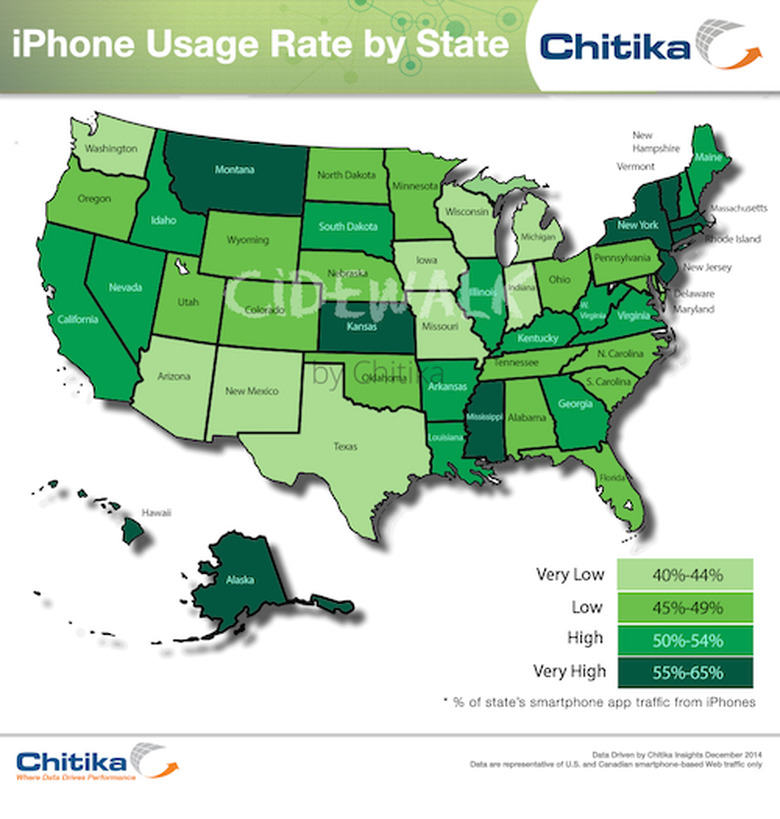
    The online advertising network Chitika has released the results of a recent study breaking down iPhone usage rates by state across the United States. To obtain their data, they simply looked at their own ad network. To quantify this study, Chitika Insights analyzed a sample of hundreds of millions of U.S.-based iPhone ad impressions accessed via Chitika's Cidewalk mobile ad platform. The data were drawn from a date range of December 25 through 31, 2014, thus including traffic from devices given as gifts during the most recent Christmas holiday. Top honors for iPhone usage go to Montana, Kansas, Mississippi, New York, New Jersey, Massachusetts, and Vermont. According to a white paper released along with the study, iPhone usage rates are less correlative to geography or raw population numbers than they are education level and population density. You can read that here. You can view details from the Chitika research below, and read more about the study here.

    By John-Michael Bond Read More
  • Logic Pro X update brings AirDrop support, new effects, tools, and more

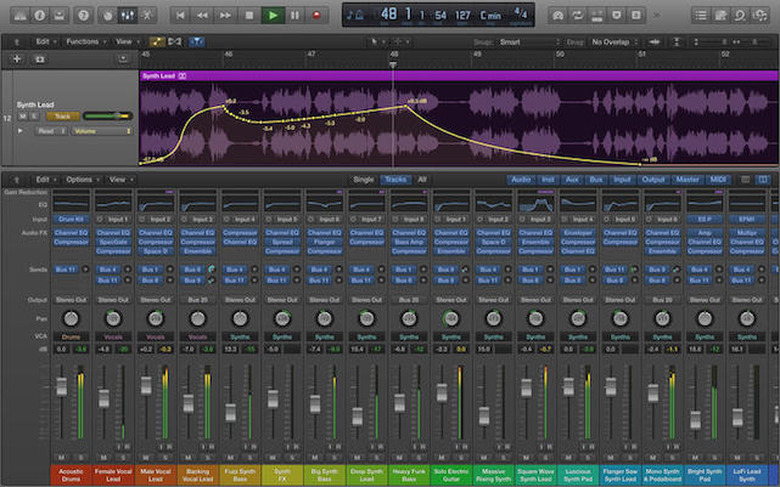
    Apple's digital audio solution Logic Pro X has just received a massive new update which introduces new drum and synth effects, plug-ins, and support for Apple's AirDrop and MailDrop features. Among the features users will be most excited to see are drummers for the program which include popular electronic styles like Trap, House, Techno, and Dubstep among other options. In addition, the drum machine plug-in has been enhanced to allow for greater customization of electronic drum kits. The app's sound library has also been expanded to include over 200 new synth patches, along with 10 Mellotron instruments. Here's a full rundown of new features: 10 new Drummers that produce beats in a variety of electronic and hip hop styles including Techno, House, Trap, Dubstep and more Drummer provides specialized sound and performance controls for dialing in electronic or hip hop drum grooves New Drum Machine Designer plug-in offers new sounds and features for customizing electronic drum kits in a variety of styles Create a sequence of notes with a single mouse gesture using the new Brush Tool in the Piano Roll Editor New view options in the Piano Roll Editor let you see more notes in less vertical space and help identify drum sounds by name Easily compress or expand the timing of selected notes with new time handles in the Piano Roll Editor Note Repeat and Spot Erase modes allow classic drum machine style techniques for creating beats in realtime Smart Quantize proportionally corrects the timing and length of notes to preserve the musicality of your original performance Redesigned Compressor plug-in features scalable, Retina-ready interface and 7 models including the new Classic VCA Retro Synth can now create wavetables from imported audio and is able to stack up to 8 voices Expanded sound library includes over 200 new synth patches and 10 classic Mellotron instruments Automation can now be part of a region, not just the track, which makes it easier to use effects creatively Manage large-scale mixes more easily with the addition of console-style VCA faders Relative and Trim Automation modes extend the options for fine-tuning existing automation Mixer now allows remote control of microphone and other input settings for compatible audio interfaces Realtime rendering of fades allow them to work with Flex Pitch and speeds up project load times The Plug-in Manager now allows you to customize the organization of your menu Support for Mail Drop and Air Drop in OS X Yosemite makes it even easier to share your Logic projects

    By John-Michael Bond Read More
  • Evernote says goodbye to Hello and Peek

    Evernote has announced it will be ending support for its contacts management app Hello on February 7. The company suggests migrate their data to Evernote before then. Here's the email Evernote sent out announcing the closer. As of February 7, 2015, Evernote will discontinue its support for Evernote Hello and we won't be making any further updates to the app. What will happen after February 7, 2015? Future attempts to sign in to Evernote Hello will no longer work. For this reason, we recommend you save your contacts to Evernote or your phone before February 7. Suggested Alternative If you like Hello, Evernote is an even more powerful way to manage your contacts. Like Hello, it instantly captures information from business cards, adds details from LinkedIn, and lets you search and recall contacts with any of your devices. The company is also ending support for its flashcards app Peek on February 7. Now users will be directed to download the company's partner app Study Blue.

    By John-Michael Bond Read More
  • This iPhone 6 case survived a drop from space

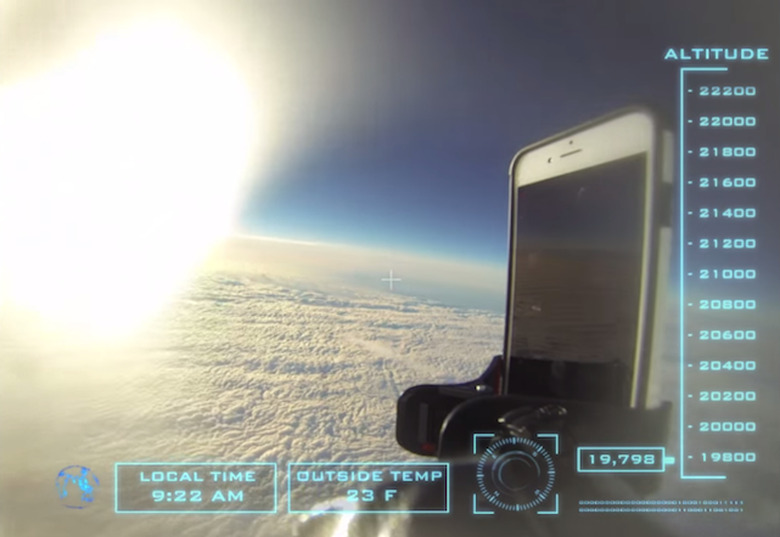
    Could your iPhone 6 case survive a 101,000 foot drop from near-space, experiencing 70 MPH winds and temperatures as low as -79 degrees F? If you have Urban Armor Gear's iPhone 6 case, the answer is apparently yes. The company tested its latest case with a science experiment, creating a special rig to send iOS to the fringes of space. The flight rig contained two GoPro cameras, 1 GPS locator and a backup phone with GPS and active tracking installed. The flight lasted over 3 hours and covered 12 miles across the ground. The iPhone 6 was wrapped in our composite iPhone 6 case with no screen protector installed. The iPhone was on upon takeoff but froze and shut down as the temperature dropped. When the iPhone 6 and flight rig were found, the iPhone was powered on and tested for full functionality. You can watch the video below. The phone's descent was slowed via parachute, but as you can see in the video it was hardly a soft landing. Enjoy!

    By John-Michael Bond Read More
  • LastPass goes native on Mac for password management

    LastPass has finally expanded from your browser and your iOS device onto your desktop with its new native app in the Mac App Store. The app brings all of the power of the mobile app to your computer, from password storage to form-filling and secure note sending. If you have already been using the LastPass browser plugins, the presence of a native, offline-capable Mac app provides some parity with the "big kahuna" password manager on the platform, the popular 1Password. By connecting with your LastPass account, the app allows you to seamlessly share data and passwords between all your computers and browsers; while iCloud Keychain does a fine job between OS X and iOS for Safari, it certainly won't play nicely with browsers like Chrome or Firefox, or Android and Windows devices. LastPass, by contrast, is enthusiastically cross-platform, with editions for Internet Explorer on Windows, browsers on Linux, the Opera browser and even the Blackberry. It's also popular with enterprise IT departments, where it's possible to administer the app centrally and enforce baseline security requirements. The Mac app for LastPass includes some special features, like a security challenge tool and a password generator to help you come up with a secure and obscure password (thereby avoiding the shame and general ridicule of seeing your password on a very special list). It allows you to add new passwords and sites to your account quickly and easily. Like the browser plugins, the Mac app syncs with the contents of your online password vault, so you can easily access your key security information wherever you are. The app doesn't charge you for installation, but for $11.99 per year the Premium subscription to LastPass includes unlimited mobile access (with offline caching), family folders for shared logins, and multifactor authentication options. Setting up a LastPass account is easy and free.

    By John-Michael Bond Read More
  • Don't buy a fake Apple Watch on eBay

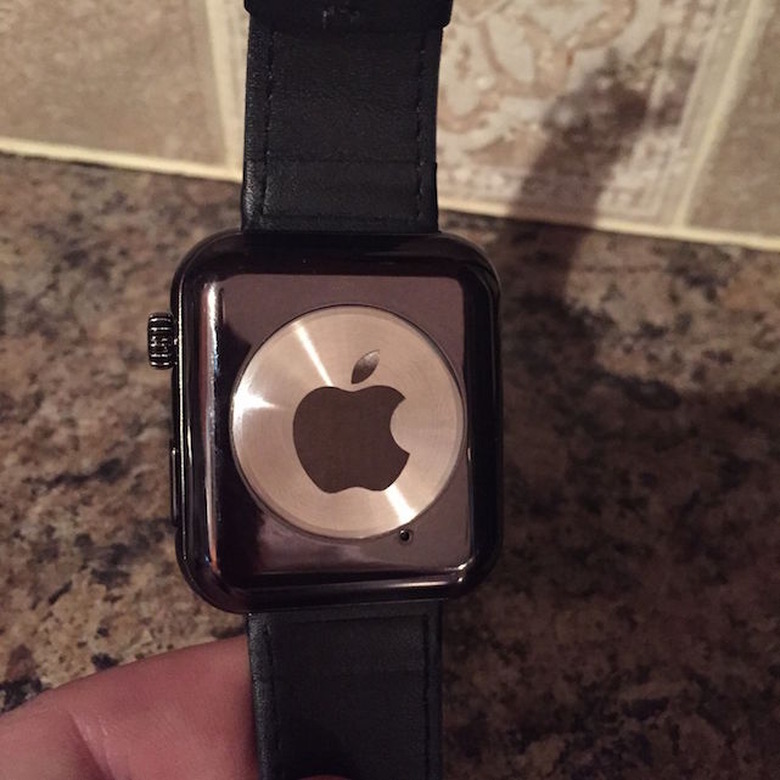
    Only Apple knows exactly when the Apple Watch will hit the market, but that doesn't mean scam artists care. Today marks the first sale of a fake Apple Watch on eBay, so it's probably time to remind readers and their friend -- you will not find a real Apple Watch prototype or a real Apple Watch on eBay before you find it in stores. If things seem too good to be true, they most likely are. While this seems like obvious advice, some brilliant schemer out there is now $260 richer from the rube who purchased this fake off of eBay. It must be real. Look at the picture above, after all, and this one right here. That looks real enough, right? You know better. Until the device hits stores, keep your money safe and don't buy one of these fakes off of eBay. After the device makes it to retail stores, keep your money safe and don't risk buying a fake off eBay. We're honestly not worried about our everyday readers, we're worried about your family that might not know any better. Knowledge is power. This is just a rip-off smartwatch.

    By John-Michael Bond Read More
  • Apple releases new image of Campus 2 progress

    Apple has released a new aerial image of the continuing progress of its new campus in Cupertino. The image was shared on the city's website, along with updates about how construction will impact the citizenry in the near future. Construction isn't expected to be finished until the fourth quarter of 2016. The new image comes almost a month after an aerial video was released showcasing the project's progress. Even with all of the progress that's been made since that video's release, the amount of work remaining before completion of the project is staggering. Head over to Cupertino.org to get a look at just how much a project of this size can impact a city's day to day commute.

    By John-Michael Bond Read More
  • Take a look at the original Apple Watch from 1995

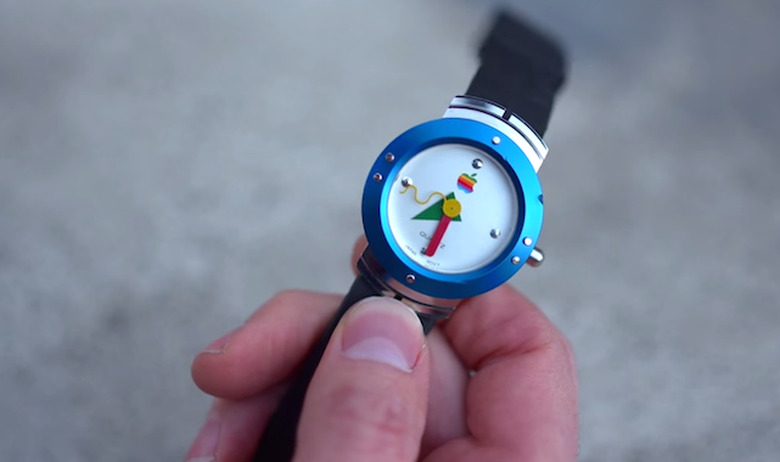
    The Apple Watch is just around the corner, ready to usher in a new era of wearable technology for Cupertino. While we wait with bated breath to get our hands on one, here's a look back at the first Apple Watch from 1995. It couldn't control your stereo or read your heartbeat; in keeping with the era, it simply told time. The watch was given away as an incentive for customers to upgrade to System 7.5. Customers who upgraded could pick between the watch or the program Conflict Catcher 3. A few of these delightful antiques were briefly up for sale, but they have since sold out. That leaves this video as your only option to get a look at this piece of Apple history. Enjoy.

    By John-Michael Bond Read More
  • Techies play iPhone 6 soccer at CES with an actual iPhone 6

    Tech conventions may be full of incredible emerging technology, but they can also be incredibly boring. When you're sick of looking at cases or future technology sometimes all you can do is kick a ball around. Or, if you don't have a ball, maybe an iPhone 6. The folks over at YouTube's Super Fun found themselves in just such a situation at this year's CES and of course they made a video of it. Using an iPhone 6 equipped with a Phantom Glass screen protector, the guys kick the phone around until -- of course -- something breaks. What breaks? The phone? The screen? The case? These faith of these young men's in quality electronics? You'll have to watch below to find out.

    By John-Michael Bond Read More