

Sonos brings tab navigation, speaker sorting and more to its app
Sonos has added some handy quality-of-life updates to its mobile app.
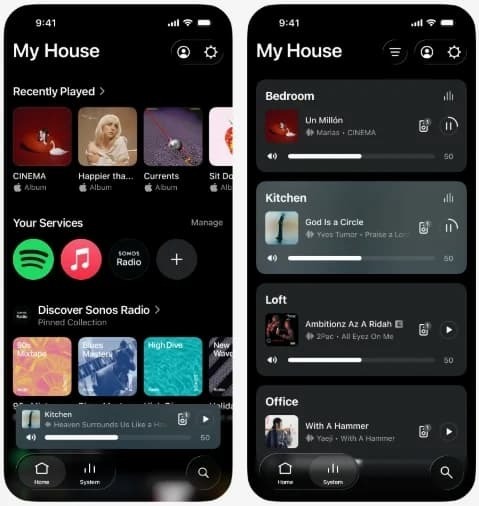
Sonos has released an app update that includes features such as tabbed browsing and a way to sort your speakers. The tabs are optional, and you can enable them by switching on the Enable Improved Navigation option in the app settings. These will let you access the system, search and home screens with a single tap at the bottom of the screen, perhaps making it a little easier and faster to get to key features of the app.
In the system tab, you'll see a list of your speakers and headphones. You'll be able to sort them in a number of ways, such as alphabetically, frequently used speakers and those that are currently playing audio. You can also pin speakers or rooms to the top of the list. This sorting feature will be more useful for folks that have a bunch of Sonos devices throughout their home rather than, for instance, only a home cinema setup.
 Sonos
Sonos
There are other fresh bits and bobs as part of this update. On iOS, users will have access to a new-look volume interface with a dynamic slider. The background colors on the Now Playing screen will reflect the album art of what you're listening to. One other useful tweak means you'll be able to swipe to delete something from your favorites. There are bug fixes and performance updates too.
None of these features are particularly groundbreaking, but they're nice quality-of-life updates. Sonos is rolling out the update over a couple of weeks, so you might not have access just yet.
A little over two years ago, Sonos released a major app update that was so disastrous, it led to a change in the company's leadership. The app is in a much better place these days, though it wouldn't be surprising if Sonos engineers still held their breath every time they click the "deploy app update" button.