

Pixel Watch 5 hands-on: Health, GPS and AI at the forefront
This year’s Google smartwatch brings some innovations and some overdue features.
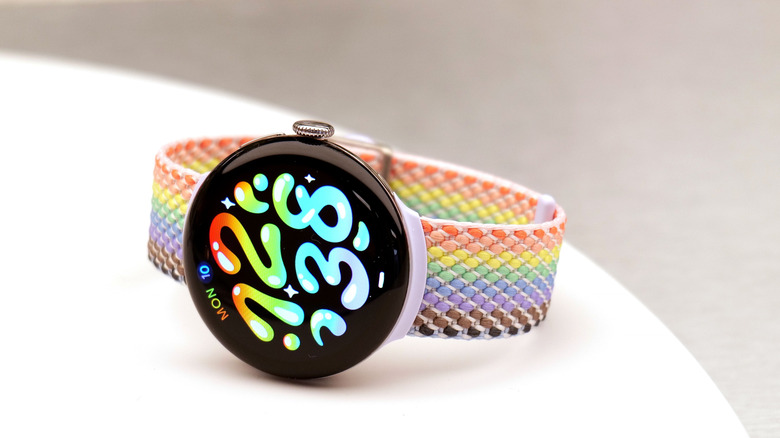
Google entered a new category with the Fitbit Air earlier this year, delivering a comprehensive set of tools in a fresh form factor, so it's hard to get too excited about the Pixel Watch 5. After all, the Pixel Watch 4 was already a pretty solid, well-rounded smartwatch that seemed to have found its niche. And from just a glance, the latest Pixel Watch seems like an iterative update, especially considering what few hardware updates there are this year. But with some genuinely intriguing improvements like on-device Gemini for offline use, a big promise on GPS-tracking and a continued focus on durability and longevity, the Pixel Watch 5 might just deliver enough to justify its $50 price hike. At least, that's how I felt after my afternoon at a hands-on event with some sample devices.
Starting at $399.99, the Pixel Watch 5 is available for pre-order today and will ship from Aug 20. It looks very familiar, but has some interesting features that might make life easier for fitness fanatics and the health-conscious.
What's new on the Pixel Watch 5?
Some of the changes this year aren't immediately visible, like improvements brought about by the new CPU. Google said that the new Snapdragon W5 Gen 2 Accelerated chip brings about a 12 percent boost in processing power and, when paired with a 50 percent increase in RAM, the Pixel Watch 5 supposedly performs about 20 percent faster than its predecessor.
On the more functional side of things, there are quite a few updates worth calling out. Offline Gemini support is one of my favorite additions, even though I think it's slightly overdue. This allows you to set timers or start workouts by telling the assistant to do so, and because the processing happens on device, it's noticeably faster.
A Google representative long pressed a button on the side of the Watch 5 and asked Gemini to start a timer, and I did the same on my Apple Watch Series 11. I was impressed at how the Pixel was marginally quicker to respond than Siri on the Apple Watch.
Every fraction of a second counts when you have to hold up your wrist to wait for something to happen, so it's nice to see Google focus on speed improvements. But other updates to the Pixel Watch 5 may also help make it easier to find and do stuff, like the 11 new complication styles and proactive intelligence chips. The latter are reminiscent of the Smart Stack hints from Apple's watchOS, which surface small bubbles at the bottom of the watch face with suggested actions based on your habits. For instance, my Apple Watch Series 11 displays a workout hint every morning that would help me log my daily cross-training workout.
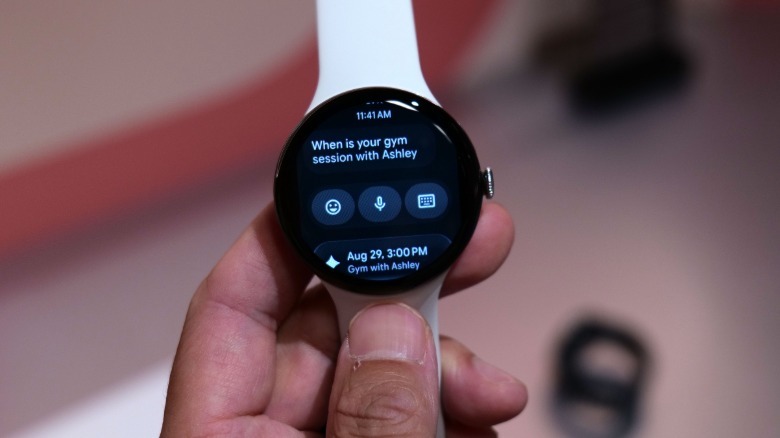
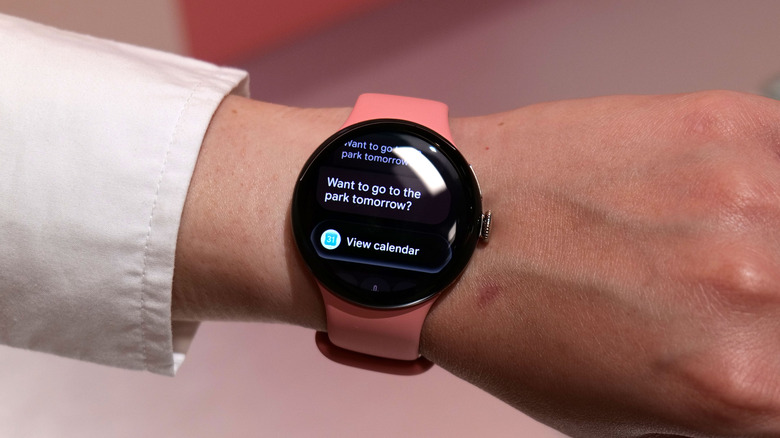
According to Google, the proactive intelligence system (previously known as "Magic Cue" on Pixel phones) can bring up things like your flight details and boarding pass or show you how many stops there are left on your bus ride. And when you receive a message from a friend wanting to, say, schedule a meeting or hangout, the proactive intelligence can bring up a button to open your calendar so you can quickly confirm your availability on the specified date. Gemini can also, of course, suggest an answer with the details pre-filled because it knows your schedule (if you grant it access).
 Sam Rutherford for Engadget
I'm also very intrigued by the GPS-tracking updates Google has brought to the Pixel Watch 5. While the device carries the same dual-band hardware that its predecessor carries, it has what the company says is the "most accurate GPS route-tracking ever on a Pixel Watch" that is "two times more accurate route mapping than previous generations in the toughest environments."
To do that, Google says it taps data from its existing global network of GPS reference stations that measure these positioning signals. It also used some of the technology behind Android location to trace rays from GPS satellites through 3D models it has of buildings (amassed from Maps data) to compensate for interference. The company even said its new GPS route-tracking system is more accurate than the Apple Watch Ultra 3 and Garmin Fenix 8 Pro, based on an internal study it conducted in July. We'll be the judge of that.
I'm not going to give you a laundry list of other new features that are coming to the Pixel Watch 5 – you can go to our article detailing those changes for that. Suffice to say that there are new bedtime mode automations and watch faces, updated smart wake, more accurate sleep state tracking and an added metric of sleep breathing quality.
Google says it also expanded the loss of pulse detection alerts that it introduced two years ago into a feature called Breathing emergency detection. This uses the onboard sensors to detect a persistent drop in oxygen saturation, then call emergency services for you if you're unresponsive. It will launch in "many European countries" to begin with and Google said it's working with regulators to expand the feature to more areas.
Overall, the Pixel Watch 5 has the same display and design as the Pixel Watch 4, and it maintains its serviceability (meaning you can repair and replace parts like the battery and screen). In fact, repair guide company iFixit said last October that the Pixel Watch 4 was the most repairable smartwatch on the market, going so far as to describe the device as a "masterclass in smartwatch design."
 Sam Rutherford for Engadget
The two other updates I'll quickly shout out here are the generative watch faces, which allow you to tell Gemini what you'd like to see and have the AI spit out a few options for your home screen. In my demo, I asked for a simple, sleek look that would help me relax every time I saw it. I didn't find the resulting balloonish clock font too sleek, but the suggested blue color scheme was certainly calming.
Other people were clearly more creative than me, with one previously generated sample I saw using cartoon cats to make up the shapes of numbers. I assume the prompt for that would have been something like "Make me a watch face where the numbers of the time are made up by confusingly contorted cats." It was cute, and probably quite fun.
Google also announced some health and fitness updates coming to the Pixel Watch and the Health app. Starting in September, the app will get a workout builder feature that provides a library of movements with filters for equipment type, target muscle groups and level of complexity. You can create workouts yourself or ask the Google Health Coach to build one for you (you'll of course have to be paying for Premium to use the Coach).
These workouts can be initiated from your phone or your watch and let you know what movements are up next, so you don't have to keep going back and forth between pages. While performing the customized workout sessions, you'll get audio cues and rest timers with the ability to track your weights and reps.
As for the rest of the health-related features, Google is bringing health tracking to two new major wellbeing and health areas: blood pressure trends and insulin resistance trends. These are part of its Health Guardian suite of trend analysis tools that will study your data over time and raise a flag if something seems like a sign of risk. Basically, if you wear your Pixel Watch 5 regularly, it will give you a monthly summary of your trends and whether you should go to see a doctor to discuss the likelihood of your having conditions like hypertension or insulin resistance. This will start gathering data in September, meaning the first reports will only be delivered from October.
Google Health workout builder on the Pixel Watch and phone
One of the new features coming to the Pixel Watch via the Health app is a workout builder that is designed to help people create custom strength training routines. You can do so by going through a library of movements in the app or asking the Coach to create one based on your goals.
When exercise equipment is laid out in front of me, it takes everything in me to resist working out. Google had a four-station setup prepared at its hands-on event, with things like (light) battle ropes, kettle bells, deadballs and a soft box ready. I signed a waiver, strapped on a Pixel Watch 5, started a pre-loaded workout that had been generated by the AI Coach earlier, and went about the circuit. The Pixel Watch 5 showed me that I had to start with deadball cleans and presses, although the last few words were cut off and I had to ask the reps nearby what I was supposed to do.
After ten reps with a 20-pound ball, I finished the set and hit next. The Watch said 10 reps of battle rope waves were up next, so off I went. That was followed by 10 kettlebell swings, and I was able to enter the number of pounds and reps per station. Two laps later, I was ready to stop, and when I swiped up to check out my stats, I could see my heart rate was at a moderate 150 bpm. I swiped right and ended the workout from my wrist.
You can choose to have each set be timed to specific durations in between rest periods, as well, which is what I would prefer. A circuit that consists of 45 seconds of work and 25 seconds of rest, with the watch buzzing or sounding audio cues to let me know when I was done is basically what I already do every morning at my F45 classes. With some careful programming, I could see this eventually replacing my membership there and saving me hundreds of dollars.
I also found that the workout guides were easier to see on the phone, where the Health app would show short looping videos of how to perform each move. This makes sense, since the device has more room to show you what a Spiderman pushup looks like, for instance. (It's one of my favorite pushup variation but I would never have figured out the actual move based on the name alone.)
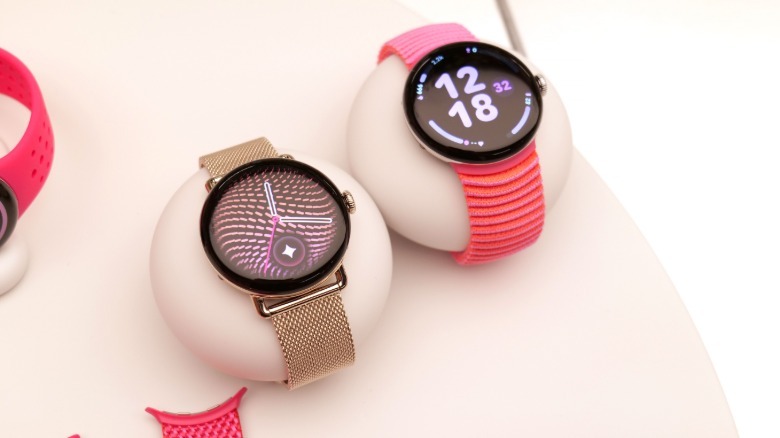
During my time with the Pixel Watch 5 I found it almost identical to its predecessor, and no more or less comfortable to wear than similar offerings from Apple and Samsung. I adore the new color options, especially the bright pink and peachy bands, and while I had to turn the watch around so its screen was on the inside of my wrist, it wasn't more obtrusive than most wearables I work out with.
I need a lot more time with the Pixel Watch 5 to decide how it really stacks up. I did find it to be quite snappy in general, but for evaluations of performance, battery life and other real-world testing. I still have questions about how a glorified step and heart rate tracker can tell me whether I might be insulin resistant or have high blood pressure. And I promise to keep wearing a Pixel Watch for as long as it takes for me to get the answers.