

At what distance does a video doorbell stop detecting motion?
Not all video doorbells are made equal.
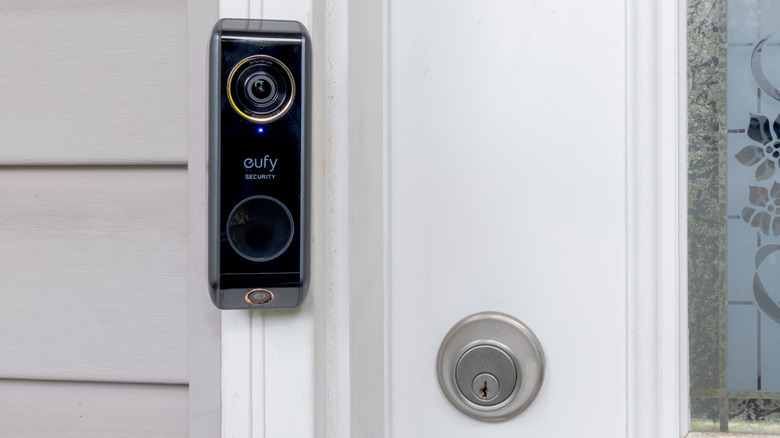
Just because someone is seen by your video doorbell does not mean that the device will detect them and alert you. Ring says the standard maximum motion detection range for its devices is about 30 feet (9 meters), but if the object is much bigger than a person, such as a car passing by, it can still trigger an alert from farther away.
Still, maximum distances for these products aren't guaranteed. Some companies' video doorbells have much shorter published ranges than Ring, which we'll explore below, and capabilities can fall short of a maximum advertised range depending on a camera's sensitivity, mounting location and surroundings. Someone may be visible during live view, but not trigger a motion event because detection is based on more than what the camera can see. The sensor, camera angle, directional movement and software settings all factor in.
Motion detection range varies by video doorbell
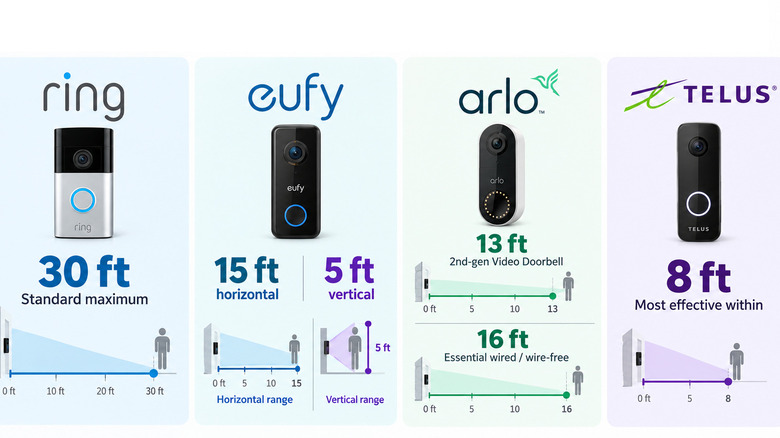
According to eufy, its Video Doorbell can reliably detect horizontal motion up to 15 feet away and vertical motion up to 5 feet away. Arlo lists a maximum motion detection range of 13 feet for its second-generation Video Doorbell, while the Essential wired and wire-free models are listed at 16 feet. According to TELUS, the doorbell's motion sensor works best within 8 feet.
However, it's not just about distance. Even at its most sensitive setting, TELUS says its doorbell's motion sensor requires continuous movement for seven seconds or more to trigger a clip. Ring does not state a single per-model maximum for every current doorbell on its general motion settings page.
Motion detection type is equally as important. On one hand, you have passive infrared (PIR) heat sensors, which are more sensitive to side-to-side movement than motion directly toward or away from the camera. In contrast, Pixel Difference Analysis (PDA) compares one video frame with the next to identify differences. Popular examples of each include the Wyze Duo Cam Doorbell, which uses PIR, while Logitech's Circle View uses PDA. Some cameras, like SimpliSafe video doorbells, combine video analytics with PIR.
More motion range isn't always better
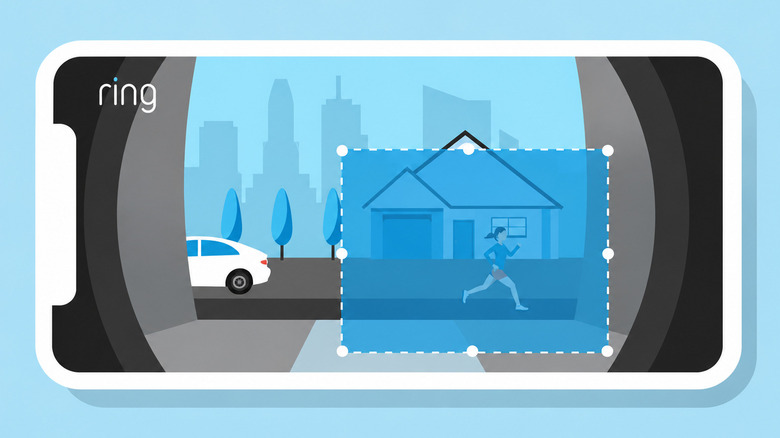
If a device like your 4K Ring doorbell isn't detecting visitors in time, you can adjust its Motion Sensitivity and its detection range up to the maximum limit. Companies like Ring also allow you to establish up to three customizable motion zones per device. Motion zones determine which areas of the camera's field of view should detect for recording motion events.
If your front door is on a busy road, that's an important distinction. Ring says that moving trees, sunlight, reflections and shadows can lead to unwanted alerts, and that large vehicles can trigger a motion alert even beyond a standard range, as we established.
There's a battery tradeoff, as well, for wireless or battery-powered doorbell cameras. Google says its battery-powered Nest Doorbell naturally consumes more power when detecting high-traffic areas like a busy sidewalk. In this event, the device's Activity Zones, or a different camera angle, can reduce unnecessary triggers. Ring recommends mounting its video doorbells 48 inches off the ground.
User experience may differ by subscription. Ring allows customers to receive and respond to motion alerts for free, but viewing recorded video requires a Ring Protect subscription, as do Smart Alerts distinguishing between people, vehicles and packages. The company doesn't say that paying for a subscription makes the physical motion detection range bigger.