

Why scammers try to keep you on the phone (and how to spot their tactics)
If something feels off, hang up and call the company back on their official number.
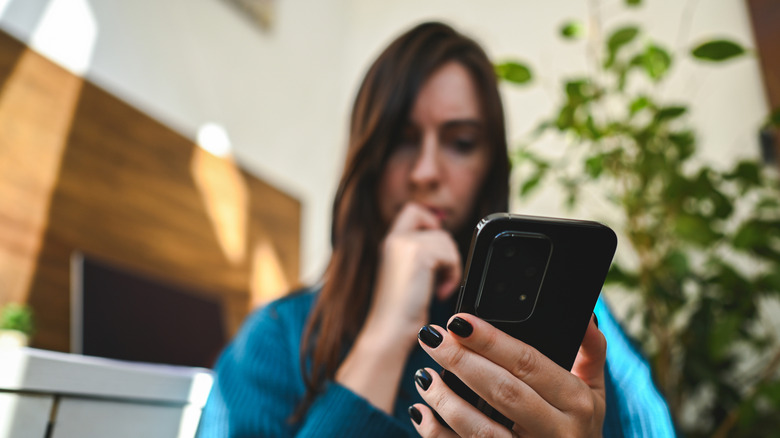
That unexpected call from someone claiming to be from your bank can be worrisome, especially if they're calling to alert you about a suspicious money transfer. Your savings are at risk, but fret not, the caller who somehow got hold of your number says they can stop it — as long as you stay on the line.
But more than the emergency itself, their instruction to stay on call is the real catch. Scammers are counting on you to not hang up, as that valuable time helps them earn your trust. It then leads to turning up the pressure, which eventually leads you toward a decision you otherwise wouldn't take. That's when they might ask for a verification code, or straight up ask you to make a transfer. Keeping you occupied just long enough is the plan, so you don't end up calling the bank for a second opinion.
Dedicated scammers are known to stay on the line as the victims login to the accounts to transfer funds, buy gift cards or make a visit to the nearby ATM to withdraw cash. Some even go as far as to school you on what to tell bank employees when questioned about that odd transaction. When the person "helping" you protect your savings is deterring you from speaking to anyone else, that's a pretty obvious sign that something is off.
The fake fraud department has a supporting cast

One possible way in could be a compromised bank account. A creative scammer could inform you about open accounts under your name or even scare you with an arrest warrant. The plan is to make you feel that following their instructions is the only way out, so hanging up doesn't feel like a plausible option.
Sometimes, the whole script includes more than just one scam artist. Back in August 2026, the FBI reported that scammers posing as bank employees told their victims that their information had been used to open an account to purchase illegal firearms. The scammers then transferred the victims to someone posing as an FBI agent, but disconnected after the victims were encouraged to verify the number.
Shortly after, they received a call displaying the FBI's Boston office number, which had been spoofed. These "FBI agents" could then ask the victims to continue the conversations using an encrypted messaging app. The FBI didn't specify how many people were targeted by this scheme.
But the threatening villain persona is not the only way these scammers are out to get you. Some of them act professional, stay patient and even go a step further to sound sympathetic. Now, when these friendly voices start to discourage you from reaching out to the organization directly or getting a second opinion, that should get your alarm bells ringing. After all, con artists don't want all of their efforts to result in failure.
How to spot the pressure and break the script
Once the small talk is done, call handlers may switch to a dictating tone in order to get the outcome they want. This is a clear warning sign. When the caller demands you stay connected or instructs you to keep the conversation private, be sure to trust your instincts and end the call.
When they ask you to move funds to a "safer" account, it's time to hang up. Any request for passwords or even one-time verification codes should also be met with a call termination. Since scammers are often savvy enough to spoof authentic phone numbers, caller ID isn't all that reliable either.
Once you hang up or end that text conversation, reach out to the organization, but only using its official app or the number on your bank card or statement. Steer clear of contact numbers that the caller gives you, and trusting the customer-service numbers from sponsored search results isn't safe either. If it's a bit late to heed this advice and you've already shared sensitive information or worse transferred money to the scammer, contact your bank or payment provider right away.
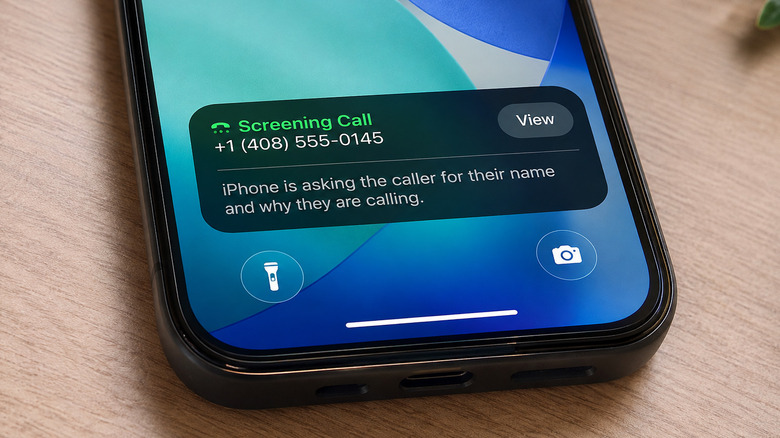
Did you know your phone can filter out some of these unwanted calls? On iPhones running iOS 26 or newer, head to Settings > Apps > Phone > Screen Unknown Callers to enable extra incoming call checks, which include silencing unsaved numbers or asking callers to state who they are before they're connected.
If you own a supported Samsung Galaxy phone, try out spam filtering under Phone > Settings > Caller ID and spam protection, and Google Pixel owners can set up Call Screen using the Phone app's settings on supported devices in eligible regions. The downside is that legitimate callers can sometimes get caught by these filters.
Companies like Meta, Microsoft and Starlink have already worked to help take down over a million scam accounts. If you want to help save other unsuspecting consumers, it's best to report suspected scams to the FTC.