Sarah Pike

Engadget Editorial Policies

The unique content on Engadget is a result of skilled collaboration between writers and editors with broad journalistic, academic, and practical expertise.

In pursuit of our mission to provide accurate and ethical coverage, the Engadget editorial team consistently fact-checks and reviews site content to provide readers with an informative, entertaining, and engaging experience. Click here for more information on our editorial process.

Stories By Sarah Pike

  • 4 Ways to Find Free Wi-Fi Wherever You Are

    In the digital era, Wi-Fi has become a lifeline for many people. Fortunately, you can find free Wi-Fi practically everywhere you go. Before you connect to any available Wi-Fi network, though, be cautious. Not all open networks are safe. Read our guide to finding public networks and protecting yourself while you're on them. Here are four ways you can find free Wi-Fi anywhere and some tips for connecting to a public network securely. 1. Check Local Businesses Many businesses offer free Wi-Fi to their customers. National chains like Starbucks, McDonalds, Target, and Whole Foods allow anyone to connect to their Wi-Fi networks for free. You're also likely to find Wi-Fi in local coffee shops and mall food courts. If you're in a business and can see its locked Wi-Fi connection on your mobile device, it never hurts to ask an employee for the password. Be aware, however, that not all establishments will give up their Wi-Fi password for free. You may have to purchase something to get the password (Burger King), or the company may restrict your Wi-Fi access to a specific time limit (Panera Bread). 2. Search Public Locations If you keep your eyes open, you can find free Wi-Fi in a variety of public spaces, like city halls, town squares, parks, museums, universities, hospitals, and most libraries. Transportation hubs, including airports and bus stations, also often provide free Wi-Fi. If you're lucky enough to live in one of the dozens of major American cities that offer free Wi-Fi, you have access to free municipal internet at hotspots throughout town. 3. Use Your Internet Company If you pay for home internet, you likely already have access to your internet company's Wi-Fi hotspots around your area. Most internet providers offer this feature so that customers can still connect securely when they're away from home. You can access these free hotspots with the username and password to your internet account. Check your provider's website—internet companies like Frontier, XFINITY, Verizon, and AT&T provide a map of their wireless hubs around town. Many of these companies, like Time Warner Cable, also offer a free mobile app to search for hotspots easily. Some cable TV providers offer similar services; check your provider's webpage to see their offerings. 4. Let an App Do the Work Use a Wi-Fi finder app like Wi-Fi Map or Wiffinity to find millions of hotspot locations around the country. Simply open the app and enable location services—you'll likely find free Wi-Fi in unexpected places. Many of these hotspots are crowdsourced, so they're added by people who used them successfully. Users can also review the hotspots, sharing details like network passwords and reliability scores. How to Connect to Free Wi-Fi Securely Connecting to a public Wi-Fi network opens your device to security risks. If the Wi-Fi network is not secure and encrypted, anyone can access the private information you share over that network. Hackers can easily tether themselves to your device and steal personal data like e-mail passwords and credit card numbers. Protect yourself with these precautions when you're using public networks. Disable Wi-Fi auto connect. Your mobile device will remember the password of any Wi-Fi network you use and automatically connect the next time you're in that hotspot zone. This means that your mobile device could log you on to a public Wi-Fi network when you're simply walking by, and you wouldn't even know it. Disable the auto connect function under network settings on your device. Use a VPN. Consider purchasing a Virtual Private Network (VPN) that routes your data through a private line even when you're using a public connection. VPNs also shield your IP address from potential hackers. Avoid financial transactions. Never buy anything online over a public network. You should save any money transactions for later, when you're back home on a private network. Use secure networks. Secure Wi-Fi networks encrypt all your data to keep it safe. Unfortunately, according to the Federal Trade Commission, most Wi-Fi hotspots don't encrypt your information. The FTC advises that WPA or WPA2 passwords make networks more secure. However, even these password-protected networks become vulnerable if multiple people, like all of the customers at a coffee shop, share the same password. Browse encrypted sites. Even if you're on a secure public network, if you're not browsing on a secure website, your personal information is still at risk. Only visit encrypted websites—sites that start with an https before the web address or have a lock symbol at the front of your web browser. You can download browser extensions—like HTTPS Everywhere or Force TLS—that force your device to avoid questionable sites. With the widespread availability of free Wi-Fi, you should never resort to paying for a hotspot or, even worse, connecting to an unsafe one just to get internet. Instead, use these tips to hunt for free and safe Wi-Fi networks wherever you are.

    By Sarah Pike Read More
  • 8 Essential College Tech Gadgets

    During the back-to-school season, students are scurrying to shop for and pack up their last-minute dorm room supplies. Beyond the boring basics like notebooks, socks, and laundry detergent, don't forget to bring some technology essentials to make college life more functional and enjoyable. Noise-Canceling Headphones Sometimes you need to skip the dorm hall party to cram for a chem test. But how can you focus when the world around you is having fun? With noise-canceling headphones you can cancel out the noise without having to blast your own music. Choose a compact size so you can use them when walking to and from class or fit them in your backpack when heading to the library. Bluetooth Speakers The standard speakers on tablets, phones, and laptops usually lack in volume, but there isn't room for a sophisticated speaker system in a small dorm room. The next best thing to surround sound is a set of portable Bluetooth speakers. Compact and wireless, they're easy to travel with and won't take up much desk space. Today's modern styles also boast serious sound quality and range, making them a great audio choice for music listening and movie watching. Fitness Tracker College is when you're at your most active. Whether you're playing intramural sports, hitting the gym, or just walking around campus all day, keep track of your activity and steps taken with a fitness tracker. There are dozens of different fitness trackers, and the right choice for you will be based on your needs and goals, from step counting to sleep tracking to overall health monitoring. Charging Phone Case Your phone's battery can quickly drain when you're switching between multiple apps, streaming music, and Snapchatting. There's nothing worse than your phone dying midday when you don't have time to go to your dorm room and charge it. Stop asking your classmates if they have an extra charger and use a phone case with a built-in spare battery instead. Charging phone cases are slimmer than ever and won't weigh down your bag or pocket. Smartpen A smartpen that lets you write on your tablet sounds like a fad, but it isn't. Along with taking notes in class, the new generation of smartpens let you record audio and digitally transcribe everything your professor says. You can even sync your handwritten notes onto your computer and share them online. Several smartpens are compatible with Evernote and similar apps, helping you keep your notes organized in one digital location. Smart Coffee Maker Sometimes you need a cup of coffee before you can head to the cafeteria for another cup of coffee. With a smart coffee maker, you can have fresh, hot coffee waiting for you whenever you need it. Control your coffee maker remotely using a Wi-Fi connection—just create a regular schedule, select a brew strength, and brew whenever you need a pick-me-up. Streaming Subscription Forget watching TV in the dorm lounge. A streaming subscription is the best way to catch your favorite flicks on your own schedule. Netflix has long been the go-to pick due to its competitive pricing. However, as Netflix's offerings have plummeted in the past year, cable may be a better choice—or at least a supplement to compensate for Netflix's fewer options. Virtual or External Storage After dedicating hours to writing that A+ essay or taking notes for science lab, don't risk losing your hard work if your computer crashes. On a weekly or monthly basis, back up your documents. You can use virtual storage, like Google Drive, Evernote, or the Cloud, and sync automatically on a regular basis. Or, if you have an extensive document or media library, you may want an external hard drive for more space and security. While you likely already have more than a handful of tech gadgets, add a few more to your collection to make college life easier. Choose a couple of these tech essentials to try out and comment with your recommendations for fellow college students.

    By Sarah Pike Read More
  • 5 Industries Using Tech Innovations to Make Your Life Better

    "Smartphone," "Internet of Things," and "the Cloud" are all part of common contemporary vernacular, but it hasn't always been that way. Just twenty years ago, those words were completely foreign to the public lexicon, and it's only been within the last decade or so that they've really taken off. Just as technological innovation changes language, it also has an ongoing impact on how humans interact with the world. From business processes to oral health, tech initiatives are changing lives across the country — and not always in the ways you'd expect. Here's a closer look at how technology is mixing things up and making things better in five key industries. 1. Insurance Because insurance is something most people use only in emergencies, it's hard to imagine how this industry could be transformed by technology. However, recent innovations in popular tech — self-driving cars, drones, and wearables — have already started helping insurance companies gather data to expedite claims, improve process accuracy, and even save consumers money on premiums. Despite some privacy concerns around smart-tech monitoring, plenty of people have already adopted smart devices. Fitness trackers, for instance, are growing in popularity, leading some large-scale health insurers to start offering coverage for the little wearable gadgets. So far the most visible result of insurance-endorsed smart tech seems to be the encouragement of healthier, safer behaviors, thereby reducing premiums and limiting claims — a win for both parties. 2. Retail Online shopping has forever changed the retail landscape, but thanks to Cloud computing and the Internet of Things (IoT), the way we shop is still evolving. Smart refrigerators can order groceries, and Cloud-based inventory tracking can let a shopper know in seconds if a store has a specific size or color of shirt in stock. Some retailers have even eliminated long lines by letting in-store customers use smartphones to check out. To further improve the shopping experience, more stores are using purchase tracking to follow consumer behavior and preferences, offering tailored deals and personalized sales for a variety of shopping tastes. If you've ever received a timely email coupon for a favorite snack or shampoo brand, you can thank the IoT. 3. Dentistry If you're one of the millions of people who fear going to the dentist, the new technology could make your life a lot easier. A recently released smart toothbrush could be your high-tech ticket to preventing dental damage. This handy gadget will let you know if you're brushing enough and if your technique is correct. It can even help parents track whether their kids are actually brushing their teeth before hitting the hay. Dental technology isn't only for home care, either. Thanks to 3D printing and digital modeling, dental patients no longer have to deal with a mouthful of goop whenever the dentist needs to take impressions. And though that won't transform a visit to the dentist into a carnival ride, it definitely increases the comfort factor. 4. Travel Uber and Airbnb aren't the only ways technology is overhauling the travel industry. Even though consumers have to jump through more security hoops than ever before, technology takes a lot of the sting out of what used to be common travel complaints: lost luggage, in-flight communication blackouts, and misplaced boarding passes. Tracking apps and smart luggage could mean the end of missing bags — GPS services let you follow your suitcase during every leg of your journey. And forget waiting until you land to answer that important email, because in-flight Wi-Fi is now a reality. You don't even have to print a boarding pass anymore, as smartphones allow you to digitally check in for your flight and get through security without having to search for that little scrap of paper. 5. Banking and Finance Years ago, debit cards annihilated the widespread use of checkbooks, and now Cloud-based financial services are all but eliminating the need to deal with cards altogether. Services like PayPal let people send and receive money online without having to input a card or account number every time. The company's subsidiary app Venmo has also done a good job catering to the younger, more mobile population. On that note, new mobile technology can also help bridge the gap between old and new payment methods. For example, a roadside lemonade stand can accept a credit card if the tech-savvy teen in charge has access to a tablet or smartphone with a mobile credit card reader. Even though many people still rely on traditional institutions and payments, these changes indicate that there may be a shift towards more digital currency management in the near future. Whether you're an early or late adopter when it comes to tech innovations, there's no way to avoid the impact of technology on your everyday life. The good news is that tech advances are making most industries more responsive to consumer needs and habits — making life a little easier for all of us.

    By Sarah Pike Read More
  • Cable TV or Streaming? It Doesn't Have to Be All or Nothing

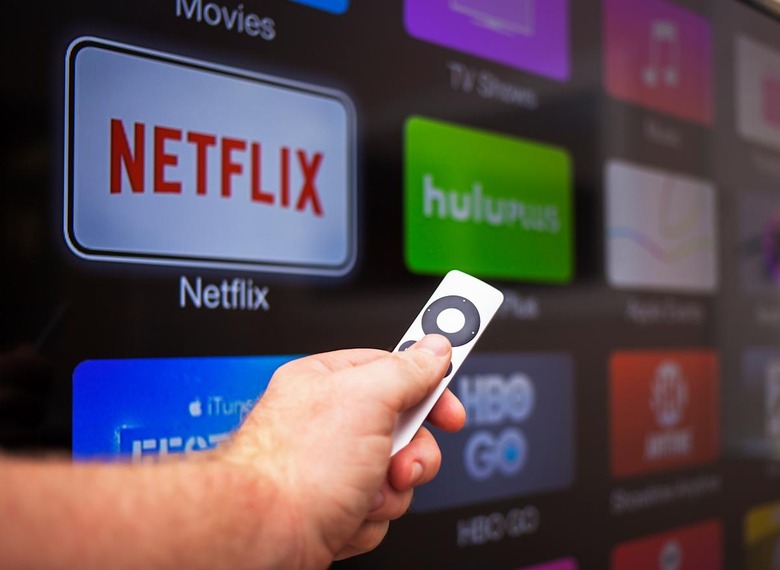
    Streaming TV initially appeared on the scene as the antithesis of cable — a way to enjoy the shows and movies you love without being tied to the terms of a lengthy contract. And while the ensuing cord-cutter exodus hasn't led to a promised land of unlimited viewing access and huge cost savings, it has changed the landscape enough to give consumers more TV viewing options than ever before. With this rise of options, it's also easier to customize your subscription preferences — you can stick with a traditional cable subscription, opt for streaming only, or blend your cable and streaming TV packages together. There's a TV viewing solution to match nearly every budget and viewing preference. To help you decide between all the different options, check out the list below and see which is the best fit for your viewing needs. Solo Subscriptions Those with limited or specific viewing habits may be able to get away with ditching traditional pay-TV formats in favor of an over-the-top (OTT) streaming service. As long as you don't mind missing out on the most current season of a show, a single provider like Netflix or Hulu can probably provide all the viewing access you need. Standard streaming subscriptions usually run around $10 per month and include original series, past seasons of network shows, and popular movies. These services don't provide access to live television, local news, or sports coverage, but if all you want to do is veg out to old "Friends" episodes after a tough day at the office, this simple solution could be ideal. If you have more particular tastes, there are several other standalone channel subscription options that cater to niche interests. Premium networks like HBO and Showtime now offer streaming subscriptions that provide access to their current movie lineup, as well as all seasons of original shows. These subscriptions run between $10 and $15 per month, and they often also include comedy, music, and sports specials. In addition to Netflix, Hulu, and individual channel subscriptions, you may also want to check out options like Sling TV or PlayStation Vue. These streaming subscriptions cost a bit more, but they also have lineups that mimic a typical cable or satellite package. You can stream live broadcasts from major channels, plus access on-demand movies and other programming. Multiple Streaming Services If you have broader viewing tastes but still don't want to be tied to a cable contract, consider subscribing to multiple streaming services. Because different streaming services provide different content and cater to different demographics, you may need to be a little creative to get the lineup you want. Before you start signing up for the most popular services, take a good look at the shows or networks you care about. If you want to binge-watch the latest season of "House of Cards" and still have access to live news from CNN, figure out which combination of services — Netflix and Sling, in this example — will provide that lineup, and subscribe just to those providers. Don't forget that most streaming services allow you to subscribe for just the months that your favorite show is airing, which can help keep costs down. That means that if you're paying for HBO Now to catch "Game of Thrones," you can cancel your subscription as soon as the season ends and pocket the extra dough. Additionally, some streaming services, like Showtime Anytime, are available at a slightly discounted rate when ordered through another streaming service like Hulu Plus, making it easy to add them to your entertainment arsenal. However, you'll need to keep an eye on those monthly fees and note how they add up. It's possible that by the time you've added all the networks and premium channels you want, you may be paying as much as you would for a regular cable or satellite package. Cable Plus Streaming Combo If you like a broad spectrum of entertainment choices and are somewhat addicted to channel surfing, then you might do best with a combination of cable and streaming. This is a particularly good solution for those who don't want to give up the perks of a cable subscription — live broadcasts, local news, current episodes of trendy shows — but also want to make smart budget choices. Thanks to recent partnerships between pay-TV providers and OTT services, it's easier than ever to find cable or satellite packages that offer built-in access to streaming plans with Netflix. Choosing one of these cable-plus-streaming plans could cost less than upgrading your cable package, and it saves you from adding a slew of extra channels you don't really care about. Any way you slice it, streaming TV has changed the face of entertainment. Use that change to your advantage by taking control of your viewing options and customizing your subscriptions to deliver the biggest entertainment bang for each hard-earned buck you pay. You're in control of your viewing experience, and that's the sweetest deal of all.

    By Sarah Pike Read More
  • A Closer Look at the Reality of Cord-Cutting

    Cord-cutting discussions seem to never end. Many believe streaming TV is the future of watching shows and claim the cable industry is on its way out. (Let's be real, though. People have said this for years and cable is still around.) So while there are countless streaming services on the market, pay-TV providers are still at the top of their game. Cord-cutting may be the best choice for some television viewers, but many may find they are happier with their television options when they choose to keep their cords intact. Here is a detailed look at several reasons why you may benefit from resisting the cord-cutting movement. Competition Fuels Innovation The competition between streaming services and pay-TV providers fuels innovation and makes the television-watching experience better for consumers. The recent innovations in the pay-TV industry — including instant access to hundreds of channels, online streaming, mobile device apps, bundled packages, and DVRs — are proof of this. XFINITY customers can watch shows on their TV and mobile devices with Streampix, and Optimum allows its customers to record 15 shows at once with the Optimum Multi-Room DVR. Both of these innovations increase their subscribers' satisfaction and ability to watch television wherever and whenever they'd like. Without the competition that streaming services create, pay-TV providers may not have worked so hard to develop new ideas and meet the television-viewing needs of their customers. Missing Out on Content Streaming television may be a good fit for people who like to watch only a few specific shows that streaming services offer. However, consumers who are interested in live sports and live news, and those who want access to hundreds of channels, will benefit from keeping their pay-TV subscription. The Leichtman Research Group shows that 83% of households in the U.S. subscribe to pay-TV services, demonstrating that the vast majority are still interested in what pay-TV has to offer: more networks and shows, the ability to channel surf, and major and local sports networks. Lower Internet Bill It's important to consider whether or not cutting the cord is a good financial decision. Cord-cutters still need high-speed Internet when they drop their pay-TV services, and it's possible they will end up paying more for Internet than before. When Internet Service Providers (ISPs) also offer television, they price their plans so that customers who purchase only one service pay more than those who bundle services. The Boston Globe reports that no more than 8% of U.S. households that have high-speed Internet do not have pay-TV. This is because it often costs customers only $10–$20 more per month to add a television subscription to their monthly Internet payment. You Can Have Both Though streaming services are increasingly popular, the Leichtman Research Group reported in 2014 that 80% of households with Netflix subscriptions also had a pay-TV service provider. This shows that consumers find value in both streaming and pay-TV services. Streaming services have a lot to offer, but customers don't want to lose the benefits provided by cable companies. Pay-TV and streaming television can work together to create the perfect television package, so consumers do not need to pick sides. Whether or not you should cut the cord depends on your household's television needs. Keep your pay-TV subscription if you are interested in a variety of channel options, live television, and better Internet prices. Remember that while the idea of cutting the cord is getting a lot of attention, many Americans are choosing to stick with their pay-TV subscription.

    By Sarah Pike Read More
  • How Much Internet Speed Do You Really Need?

    It used to be fairly simple to figure out how much Internet speed you needed. The choice was a) dial-up, or b) dial-up. Service providers might vary, but the service remained the same. Today, things are more complicated. You can now choose between DSL, cable, and fiber optics — and all the speed tiers offered by each provider. Read on to pinpoint the bandwidth you need to stay as productive as ever — without breaking the bank. Know the Demands of Your Activity Internet Service Providers (ISPs) measure Internet speed in terms of megabits per second, or Mbps, and the difference in Mbps can have a significant impact on the quality of your Internet connection — thus, your productivity. Most providers offer a wide range of speeds, designed to fit the needs of their customers. The list that follows helps make some sense of common Internet speeds. 5 Mbps or less: Basic Web surfing and email 5–10 Mbps: Web surfing and email, with occasional streaming and online gaming, shared among a few connected devices 10–25 Mbps: Moderate high-definition (HD) streaming, online gaming, and downloading files, shared among several connected devices 25–40 Mbps: Heavy HD streaming, online gaming, and downloading, with many connected devices 40+ Mbps: Hardcore streaming, online gaming, and downloading, with a large number of connected devices You may notice a problem with the list right away. How many connected devices is a "few"? What's the difference between moderate and hardcore streaming? And how are you supposed to know unless your ISP tells you? After all, your definition of a "few" and "moderate" most likely differs from theirs. Don't fret — continue reading. Account for Variables To make things more complicated, there are other variables involved when it comes to nailing down your Internet speed. Some of them you can control — others you can't. For example, if you live alone, it's easy to control the number of connected devices in the home. However, if you have a renegade teenager or a mysterious roommate who disappears into their room for days at a time, you may not know how many devices are connected at a time. What is your teenager doing on their smartphone? Is your roommate hibernating or staying up all night playing video games? There other variables, too: distance, Wi-Fi strength, time of day, and general congestion. You've seen some of them in action. Think about what happens to the Wi-Fi at 8 p.m. on a Thursday. If the ISP doesn't disperse traffic to several servers, everyone experiences latency issues. Netflix comes to a standstill. Emails wait in outbox limbo. Use an Internet Speed Calculator Obviously, the more variables in play, the more complicated choosing an Internet speed gets. You can try to figure out the answer manually, but it's painstaking and time-consuming work. The better option is to use an Internet speed calculator. Answer a few questions about your home and general online activities, and you're done. After using the simple Internet speed calculator, you'll know precisely how much Internet speed you need, and that makes you the best kind of consumer: an informed one. When you're ready to take the plunge and sign up with an Internet provider and the inevitable upsell comes, you'll be ready for that, too since you now know the exact speed you need. You know what's needed to keep everyone in the home happy and productive. And that's all you really need.

    By Sarah Pike Read More
  • Welcome to the Internet of Parenting

    The Internet of Things (IoT) is a network of web-connected devices that can interact with users, as well as other connected devices. IoT can collect, track, and store data in order to make people, homes, and businesses more efficient. A new generation of IoT devices are designed to help make parenting easier. From teddy bears that receive text messages to baby monitors that track and store information about an infant's sleep patterns and vital signs, parents have more technology at their disposal to connect with their kids than ever before. Popular IoT Connected Baby Monitoring Devices For the past several decades, parents have used baby monitors to keep tabs on their sleeping infant. Today's smart monitors do more than just let parents know if a baby is crying. These monitors collect data that can provide insight into the baby's overall health, wellbeing, and happiness. Sproutling provides a baby activity tracker for children up to age two. Parents strap the ankle band onto the baby before it goes to sleep and then use the free Sproutling mobile app to monitor changes in the baby's condition. This includes whether the baby is awake or asleep, and vital signs like heartrate, temperature, and any movement. The monitor also alerts parents if ambient noise levels are so high they risk waking the baby. This device can even provide an estimate of when a baby might wake up, letting the parent know if they should start their next housecleaning project or wait until later. Mimo, another smart monitor, tracks a baby's respiration, heart rate, temperature, position, and sleep quality through a turtle-shaped sensor embedded on the onesie Mimo created. Is This Creating "Anxiety Profiteering" or Useful Data? Parenting expert Jennifer Senior, author of "All Joy and No Fun," calls this new breed of smart monitors "a flagrant instance of anxiety profiteering." New parents are already stressed out and sleep-deprived. Obsessing over the temperature in the baby's nursery or the baby's heart rate can make it worse, she claims. Unless there are medical reasons to monitor a baby's vital signs around the clock, the extra data may not make high-tech parents better parents. There's also the risk of false alarms putting undue stress on new parents. Some pediatricians posit that this information may even be harmful, if the devices provide a false sense of security that makes parents less likely to follow best practices for preventing SIDS, such as removing all pillows, blankets, bumpers, and stuffed animals from an infant's crib, not smoking around an infant, and putting an infant to sleep on its back. "Sometimes we cut corners if we think technology will alert us to every problem," Dr. Claire McCarthy says. Benefits of Smart Baby Monitors Even with these dangers, there are distinct benefits to using a smart monitor over a conventional audio or video monitor. A smart monitor can tell parents if the nursery is too warm or too cold, or sound an alert if an older baby is trying to climb out of the crib, a fear for parents as their children begin crawling, walking and climbing. There's also the benefit of having alerts and data sent directly to your smart phone, rather than lugging around a bulky baby monitor handset. It's In the Way That You Use It When so many people are accustomed to being able to monitor their home, energy use, and car's gas mileage at a glance, it makes sense to want to monitor something as precious as a newborn. As with any technology, IoT devices for parents can create added convenience during a stressful stage of life, or can lead to information overload and frustration. Using these devices to supplement, not replace, common sense and intuition might make parenting a newborn easier and, for those who just enjoy having the latest gadgets, even a little bit more fun.

    By Sarah Pike Read More
  • Why I Used to Not Care about Google Fiber — But Now I Do

    A year ago, I was one of those people who rolled their eyes whenever someone talked excitedly about the advantages of Google Fiber. It can't possibly be that great, right? Turns out it can be — I just didn't know it yet. At the time, Google Fiber didn't affect me at all. I didn't have access to it, and my current Internet was fairly inexpensive and did what I (mostly) needed it to anyway. That's all changed since I heard that Google Fiber is coming to Salt Lake City, where I live now. After reading about how it has benefitted places such as Kansas City and the North Carolina Triangle, I'm pretty stoked. We're getting Google Fiber, and it's going to be amazing. Here are five reasons why. No More Buffering What's the difference between 1,000 Mbps and 150 Mbps? I didn't know, either — until I did some research into how fast Google Fiber actually is. The best way to compare the two is to think about the things you download. For example, if you play a massively multiplayer online role-playing game (MMORPG) on standard Internet speeds, you'll spend about 18 minutes downloading an update at 150 Mbps. Contrast that scenario with fiber-optic Internet: at 1,000 Mbps, you'll spend about 2.7 minutes downloading the same update. Streamlined Network Traffic Internet Service Providers (ISPs) promise download speeds up to a certain amount. But those speeds are largely dependent on traffic and server availability. If there's a lot of traffic — multiple users connected to the same network or multiple devices using up your bandwidth — you're stuck. With increased bandwidth to prevent congestion — and no data caps — Google Fiber is like the express lane of ISPs. You might have to pay a little extra for the service, but a major advantage of Google Fiber is that you get maximum speeds no matter how many other people are online at the same time. In fact, with Google Fiber's speeds, you can stream five high-definition videos at the same time while checking your email or surfing the Web. Automatic Redundancy People assume redundancy is a negative quality, but it's actually a good thing when you're talking about your Internet connection. With Google Fiber you can get automatic redundancy — a huge differentiator from other fiber-optic networks out there. Basically, automatic redundancy is like having Dropbox or Google Drive on autopilot. Fiber accounts include 1 terabyte of Cloud storage space that can be accessed from any Internet-connected device and allow you to automate the backup of your files through syncing. If the local server goes down, you have nothing to worry about. Your files are in the Cloud, and you'll be up and running again in no time. Increased Security Options With fiber-optic Internet, you can establish a custom virtual private network (VPN) for added security. VPNs are nothing new, but they have historically been out of reach of everyday consumers and small businesses. You simply can't create one without a lot of speed and without paying a hefty fee. But Google Fiber is fast and relatively inexpensive, which means you can easily set up your own VPN. While the hardware provided by Google Fiber does not support VPNs, Fiber allows you to use your own router and also gives you the option of adding up to five static Internet Protocol (IP) addresses (for an additional monthly fee). Better Service Across ISPs Although not necessarily the most obvious advantage of Google Fiber, its status as a disruptor of the telecom industry is perhaps its most important benefit for all consumers — whether or not they have access to or even want Google Fiber themselves. Google Fiber essentially is the equivalent of a startup. It's disrupting the industry by giving people a choice, spurring innovation, and driving down prices for consumers. And ISPs are paying attention. To date, over 700 ISPs offer some version of fiber-optic Internet — many are even starting to offer faster options. The competition knows they either have to keep up with the disruptor or offer something compelling in return — for instance, better customer service with shorter wait times and lower prices. That's why I'm excited about Google Fiber. It changes the competitive landscape, offers truly high-speed Internet, and provides greater security. What's not to love about that?

    By Sarah Pike Read More
  • 7 Ways to Reduce Latency in Online Gaming

    In the world of online gaming, one constant is the need for speed. Anything that slows the process — either of the game itself or of your ability to communicate with the other players — can be the difference between ultimate victory and abject failure. Latency — or lag — is measured in milliseconds and can also be referred to as a ping rate in latency testing. You should test your computer, tablet or mobile device to determine your ping rate. "You can also measure your system's latency outside of a game by using the ping command," says Blake Sanders of Broadband Expert. In Windows, hit the WINDOWS key + R, type CMD, click OK, and then type: ping www.google.com. It's also a good idea to run an Internet speed test, so you can determine whether you're getting the speeds you had anticipated. More often than not, the problem lies with your Internet connection. Here are seven helpful tips to reduce latency when you're gaming; 1. Consider Your Communication Link Are you using a satellite connection or are you located in an area that requires a dial-up modem? Contrary to what you might believe, satellite might give you more latency simply because of the distance the data has to travel. You may not be able to do anything about the manner in which you connect, but there are other things that you can do to help increase the speed at which you game and to reduce the latency in your gaming. 2. Shut Down Other Programs If you have other software programs open that are not integral to the game you are playing, close them down. They will drain your available bandwidth and, thus, slow the game. Be especially mindful to close programs such as VoIP, Skype, or YouTube. 3. Check the Requirements Before you start the game, check the requirements of the game itself against the availability on your hard drive. If the two don't match, there's a good chance you're going to experience lag issues. If you can afford it, upgrade the RAM (memory) and graphics card. Keep all of your drivers up to date, as this will keep the game from having to search and adapt to outdated versions. 4. Ditch the Wi-Fi Use a hardwired Internet connection, and you will eliminate one additional step in the data-transfer process and avoid any wireless dead-spots that may be in your home. Using a wired connection alone should speed the gaming process tremendously. Purchase the highest quality router you can afford. Today, many are optimized specifically for gaming. 5. Temporarily Disable Updates Automatic updates are helpful, unless they begin to run in the middle of a battle against your ultimate online gaming foe. Temporarily disable the automatic updates during your gaming time, and set a reminder to install any updates when you've finished for the day. You should also disable your firewall or set specific games as exceptions to the firewall. This will increase your computer's speed because it will simply allow the game software to run, rather than attempting to scan the game for information. 6. Defrag Your Hard Drive In general, keep your computer running well. Make sure everything is up-to-date and running smoothly. Keep viruses out and systems clean. This will allow gaming software to run without difficulty. 7. Keep Checking You should run the latency test periodically to keep checking on how your device is performing. Don't rely on an "it didn't work well during 'Call of Duty' last night" evaluation. Keep it to a more specific nature, and you'll be able to determine what the problems are and resolve them. Latency may be the bane of any gamer's existence, but it doesn't have to affect your reputation as the champion of your game of choice. Take these simple steps to reduce your lag and increase your score.

    By Sarah Pike Read More
  • Cut the Cable Cord, Skip Satellite, Switch to Streaming TV

    Every time I read an article about saving money by ditching cable or satellite TV, I wondered if doing so would be practical for me. After all, I'm not one of those outliers who rarely watches TV or stays silent when the conversation shifts to Sunday's episode of "The Good Wife."I was drawn to the idea of keeping money in the bank, but thought I'd miss all the foreign language programming my satellite subscription offered. I know having such a diverse programming lineup is certainly one of the benefits of satellite TV, as so many foreign shows supplemented my language studies and helped me become (almost) fluent in Spanish.But then I realized that ditching my TV service for a streaming subscription really is the way to go. There are so many options out there and I can watch my favorite shows on any of my devices, no matter where I am. Perhaps that's why it seems like everyone I know is opting to cut the cord and why I did too.Millennials Are Making the SwitchIt was easier to make the switch when I realized I wasn't alone. We're all tired of paying for channels we don't watch just to get those we do. And it seems my peers agree. Between 2008 and 2012, the number of millennial TV viewers dropped by almost 20 percent, and a recent study by analytics firm comScore showed that 24 percent of millennials don't subscribe to conventional pay TV.We're Watching OnlineIt's not that millennials aren't watching TV shows, because we certainly are. Research shows millennials are turning to streaming sources to watch traditional television programming and exclusive streaming content on their smartphones, tablets, and laptops. When my friends all talked about watching Hulu on their lunch breaks, I started wondering what I was missing, and how I could get more quality programming for less money by switching to streaming TV services.Figuring out How to Pay Less and Get MoreIt took some research to find the combination of streaming subscriptions that provided access to all my favorite shows and still helped me cut costs. If you're wondering what to do, know that you can get the basics from Hulu and CBS All Access for network TV. Netflix can bring you hit exclusives like "Orange is the New Black" and "House of Cards" and you can get premium shows, like "Game of Thrones," on HBO Now or the Showtime service.Purchasing subscriptions to individual shows on iTunes or Amazon can shave even more money off monthly expenses. For sports fans, DISH Sling TV offers a sports package, or look into league-specific subscriptions, which provides access to NFL, NBA, or MLB games online.Still, I Had ConcernsOnce I started to convince myself that streaming content instead of getting it through my satellite subscription wasn't such a bad idea, new concerns crept in.Will I have to pay more for Internet service to get the bandwidth I need for streaming so I don't have to deal with episodes constantly buffering? I did some digging and found that if my home's Wi-Fi connection drops out, I can use my data plan to continue watching the show on my tablet without a pause in the action. The ability to watch programs anywhere – at home, on the road, or at a favorite coffee shop – is yet another benefit to streaming TV. And I'm only paying for the devices I already have and use, so I'm not incurring the additional expense of a screen and a cable box or satellite receiver.Why I Won't Go Back to Cable or SatelliteOnce I made the decision to ditch my satellite TV connection, I never looked back. I can enjoy binge-watching all my favorite shows with none of the stress or guilt of worrying about filling up my DVR. I can watch what I want, wherever and whenever I want. Most importantly, I'm saving hundreds of dollars a year. Netflix marathon, anyone?

    By Sarah Pike Read More