

Google brings its Pics image editor to AI Pro and Ultra subscribers
After releasing to a small group of testers this spring, the app is now rolling out more broadly.
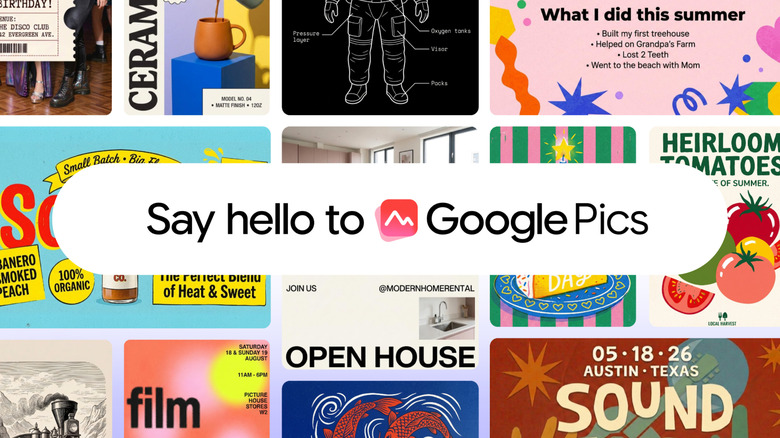
Back in May, Google announced Pics, an app that combines AI image generation with fine-grained editing controls. At the time, the company said it would bring Pics to Google AI Pro and Ultra subscribers sometime in the summer. Summer might be almost done, but as promised the company has begun rolling Pics to those users, in addition to customers of its Business Standard, Business Plus, Enterprise Standard and Enterprise Plus plans. Google AI Pro for Education users are also starting to get access today, just in time for the start of the new school year.
Google Pics builds on the company's Nano Banana image generator. As with any other app of this type, you make images by writing a text prompt or uploading an existing image to use as a starting point. "Pics will generate whatever you describe, and it will even provide a helpful set of alternatives based on your prompt," Google explains.
From there, the app offers object segmentation, meaning you can move, resize and transform individual parts of an image, whether that part was AI-generated or not. Additionally, it's possible to modify and translate text embedded within any image without altering the design or font, with support for 29 languages as of today's release. Pics can also upscale images to 2K and 4K resolutions, and process multiple edits at the same time.
Naturally, Google has integrated Pics with its other Workspace apps. Inside of Docs and Slides, clicking on an image will bring up the app's full suite of editing controls, so that you don't need to switch tabs. In the coming weeks, Google says you'll be able to open and edit any image that you've saved to Drive. You can also use Workspace to collaborate with colleagues on the same image.
The company didn't name specific competitors in the blog post Google published today, but it's clear it would prefer users stay in Workspace rather than edit an image on Canva or elsewhere. "You shouldn't have to jump between applications to create and share visuals," the company said. "Now, you can harness powerful AI image generation and editing right where you are — no copying, pasting, or switching tabs required."