

The downsides of switching from a MacBook to Windows
Moving to Windows might be the right choice for you, but consider the drawbacks so you know what to expect.
Apple aficionados have long justified their brand loyalty with the catchphrase "It just works." The late Steve Jobs repeated the phrase often as a neat summary of his governing philosophy toward product design. Sure enough, MacBooks remain premium laptops, even surpassing what Jobs may have envisioned thanks to a savvy move from x86 to ARM architecture with the introduction of M-series chips in 2020. With Apple's silicon line now in its sixth generation, Macs are now consistently among the most battery-friendly and powerful computers on the consumer market.
But the macOS life isn't a panacea. Windows remains the best platform to experience the widest range of video games, as nearly every title eventually ends up seeing a PC release. Windows laptops also have more hardware variety, and if you're looking for a computer with RGB lighting or two screens, you won't find those options in an Apple Store. And Microsoft remains deeply entrenched in the modern workplace through its Microsoft 365 suite, which contains apps like Word, Excel and (don't flinch) Teams.
Friction is the main reason why most people remain on a particular platform. In addition to buying a new computer and figuring out how it works, you've got to learn new software and pray that the apps you're used to will work on the new system. If you're thinking of switching from Mac to Windows, it helps to know what might go wrong.
This isn't to discourage the switch. Think of it as more of a weather forecast helping you prepare for inclement conditions so you don't run headfirst into unexpected issues.
Windows has a wider variety of hardware, at the cost of predictability and polish

Apple's vertical integration allows the company to offer bespoke laptop hardware that works in tandem with its own software, creating a polished experience down the stack. This is often referred to as a walled garden — a beautiful prison. Windows laptop manufacturers, by contrast, have very little control over Windows itself, and must negotiate with parts makers from AMD to Nvidia when building a new laptop. That's a difference you'll almost certainly notice when switching, especially if you're on a budget.
Whereas even the budget MacBook Neo (our review) has an aluminum shell, lower-end Windows laptops are often made of plastic that bends and creaks. That said, you can find Windows laptops with premium hardware, and you might even prefer the unique designs available on that side of the fence. For instance, we've looked at the 2026 Dell XPS 13, which has an aluminum chassis to rival the MacBook Neo. Meanwhile, the newest Asus laptops, such as the Zenbook A16, have members of the tech press fawning over their custom "ceraluminum" material. And while rumors of an upcoming touchscreen MacBook have swirled as of this writing, Windows has offered plentiful tablet and 3-in-1 options for over a decade.
Because most Windows laptops still use x86 architecture, those models tend to have much worse battery life than MacBooks with Apple's ARM-based M-series silicon. However, Microsoft has made a renewed push for ARM-based Windows laptops. As a result, you can now find a number of laptops running chips from Qualcomm and MediaTek, which tend to compete more closely with MacBooks on battery life. The downside for Windows on ARM is software compatibility, as we'll discuss.
On the positive side, you have a far greater number of hardware options when shopping for a Windows laptop. You can get a slim ultrabook with an ARM processor that's perfect for work, or a tank of a gaming laptop for long sessions in the latest AAA titles. If you want to play a wide range of games, Windows is unavoidable. MacBooks are also limited on ports; even though the past several MacBooks Pro generations have added HDMI ports and SD card readers, Windows laptops generally offer a much more generous range of connectivity options. You can even opt for something like the excellent Framework Laptop 13 Pro, a modular machine with hot-swappable I/O and easy-to-upgrade internals.
Speaking of upgrades, they're another perk of Windows' ecosystem. MacBooks now use the M-series SoC, which solders the CPU, RAM and storage onto a single, non-upgradable module. In comparison, you can more easily find Windows laptops with replaceable RAM and storage.
Windows 11 is a bit of a mess at the moment
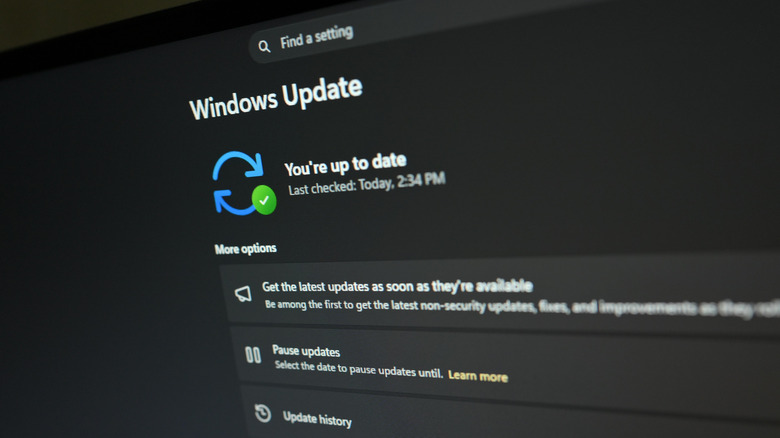
The largest learning curve for Mac users on Windows will unsurprisingly be the software. It doesn't help that Windows 11 has been a bit of a mess, to say the least, with Microsoft currently in the process of trying to make the OS suck a little less. After stuffing its flagship operating system full of unwanted AI features and failing to address longstanding issues with system overhead and UI performance, the latest updates have been focused on improving usability. That is, when they aren't causing even more issues.
Setup on a Windows computer is far more involved than on a MacBook. Microsoft will insist you connect Windows 11 to a Microsoft account, a requirement it makes increasingly difficult to avoid, and it will also bombard you with ads for services like Microsoft 365 and Copilot. Once you're finally on the desktop, you may see ugly pop-up ads for included bloatware like free trials of unnecessary premium antivirus suites. For the best results, you'll need to spend a couple of hours uninstalling bloatware, turning off invasive data collection and advertising settings and making similar tweaks. While various Windows debloat tools purport to be one-stop-shops for those processes, you'll need to be careful when using them since they execute scripts on your computer and can break more than they fix.
If you use an iPhone, you'll find its functionality when paired to a Windows computer is far more limited than a Mac. AirDrop excludes non-Apple devices, so you'll need to use a third-party app for file sharing. iMessage can be partially accessed through the Windows Phone Link app, but it won't work for group messages, voice memos or media. Although you can join an existing FaceTime call from Windows, you cannot initiate one, and there is no Windows FaceTime app. The list goes on.
Once you're past the initial friction points, though, Windows is a more open environment than macOS, with room for far more customization. While you'll need to be more vigilant about security, you can get into the nitty-gritty of the system, adding elements to the shell from third-party apps, customizing performance through BIOS tweaks and even making advanced changes by editing the registry. In other words, Microsoft will let you break Windows in the name of freedom, while Apple restricts user choice to maintain stability.