

The pros and cons of using an all-in-one desktop computer
Be willing to trade flexibility for simplicity.
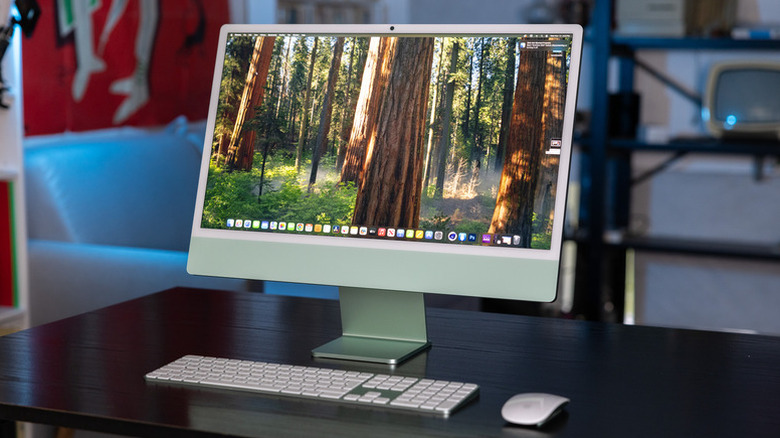
All-in-one (AIO) PCs pack an entire computer into a monitor, so you don't need a tower, extra cables or the desk clutter of a traditional desktop setup. They're not the same as mini PCs, which are small boxes you still connect to a separate display. AIOs are their own category, a halfway point between a laptop and a desktop.
That simplicity has made AIOs appealing to anyone who wants a clean modern-looking setup without much fuss. Thanks to their sleek design, they've become a staple of corporate offices and school computer labs. But the same design limits them. Squeezing every component into a slim chassis means sacrificing the upgrade flexibility and repairability you'd get from a traditional desktop.
So is an all-in-one the right choice, or would a traditional desktop or laptop serve you better? The answer depends on how you plan to use the machine, your budget and how much you value upgrading your own hardware.
What are the advantages of an all-in-one desktop computer?

The big draw of an all-in-one PC is simplicity. The central unit combines the actual computer and the monitor. Most bundles you find online, such as the Apple iMac, also include a keyboard and mouse. Just unbox it, plug in one cord and start working. Because they're ready-to-use systems that don't require getting tangled in a million wires, AIOs are a great fit for non-technical users.
With everything integrated into the display, AIOs take up very little space, especially when compared to a tower-and-monitor combo. This makes them particularly suitable for smaller apartments, dorm rooms and home offices. And let's not forget how good they look. Design may not be the top priority, but a sleek, minimalist setup has real appeal.
While an all-in-one isn't portable like a laptop, it's much easier to move than a traditional desktop. Need to clear out your home office because a friend is crashing for a few days? All you need to do is carry a single unit to another room instead of unplugging and hauling a tower, a monitor, and a tangle of cables.
What are the downsides of an all-in-one PC?
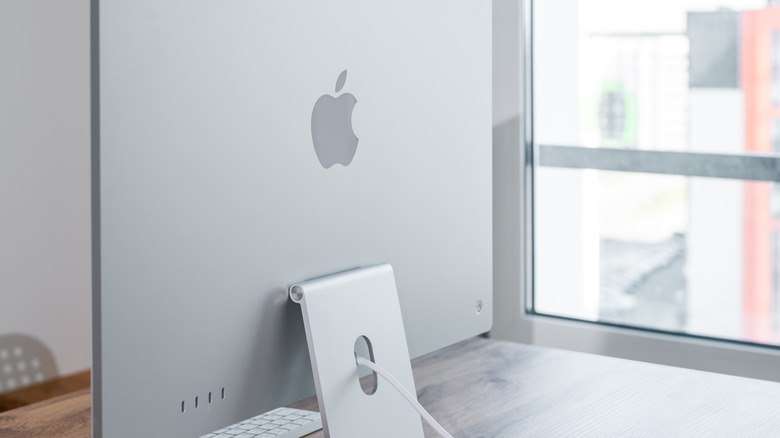
The biggest tradeoff of an AIO's compact design is flexibility. All-in-one PCs are tightly packed, and many of their components are fixed in place to keep the chassis thin. Upgrading the processor or graphics card is nearly impossible on most models. Some AIOs let you upgrade RAM and storage, but with high RAM prices, it may not be worth it.
What you can upgrade depends on the model. Newer iMacs are very much what-you-see-is-what-you-get, while the Dell Pro 24 65W lets you add more storage and RAM. Check a specific model's specs before assuming you'll be able to upgrade it.
The design also makes repairs harder and more expensive. When something fails, technicians often have to work around glued-together parts that are hard to reach.
The right choice depends on what you need. If you mostly browse, work on documents and take video calls, the convenience of an all-in-one is hard to beat. If you game, edit video or want a system you can upgrade in a few years, a traditional PC gives you more room to grow.