

Is the Mac mini a good pick for local AI?
It's not the best performer out there, but it offers pretty solid bang for the buck.
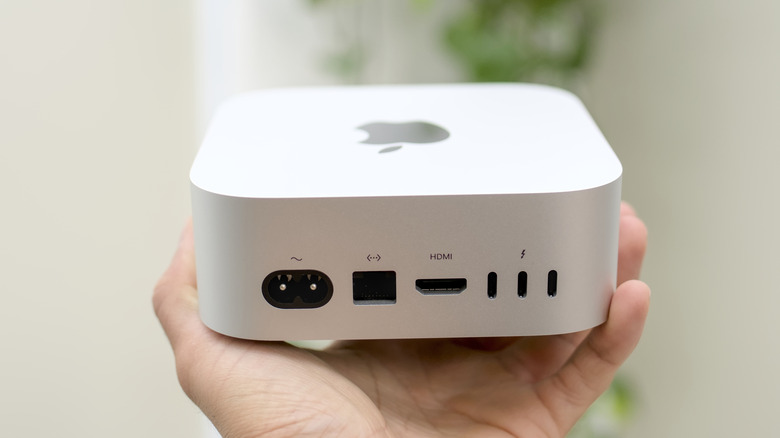
Privacy is a major concern when using AI cloud platforms like ChatGPT and Claude. Local AI models can provide greater control over your data while also letting you choose and customize models according to your requirements. Moreover, they eliminate the need for chatbot subscriptions and token limits imposed by cloud services. However, running AI locally often requires significant computational power, and memory capacity can be a major bottleneck when working with large models. This is one area where Apple's Mac mini lineup can be appealing, as it can accommodate models that exceed the VRAM capacity of many desktop GPUs.
Apple Silicon Macs incorporate a unified memory architecture, which allows the CPU and GPU to share the memory pool. With the Mac mini offering memory configurations ranging between 16GB and 64GB, these machines are capable of accommodating larger AI models than conventional desktop GPUs. However, memory capacity alone doesn't determine a model's performance; memory bandwidth, computational power and software support play an equally important role.
Mac mini's memory bandwidth pales in comparison to the high-bandwidth video memory on discrete desktop GPUs. It also falls short in raw GPU performance when handling demanding AI workloads. Despite these limitations, the Mac mini can still be a decent pick for running local AI in specific use cases.
Mac mini vs. a dedicated GPU
One of the biggest advantages that Mac mini has over desktops with dedicated GPUs is its massive memory capacity. For instance, an M5 Pro Mac mini offers up to 64GB of unified memory, compared to 16GB of VRAM on an Nvidia RTX 5080. This capacity allows the Mac mini to accommodate larger AI models that may not entirely fit into the RTX 5080's limited VRAM. While a PC can use its system memory to accommodate larger models that spill out of the GPU's VRAM, doing so often leads to performance degradation.
However, the RTX 5080's higher memory bandwidth and raw processing power allow it to outperform the Mac mini, provided the model comfortably fits into the GPU's VRAM. In a llama.cpp inference benchmark using the Llama 2 7B (Q4_0) model, the M5 Pro Mac mini generated around 67 tokens per second, compared to an approximate 185 tokens on an Nvidia RTX 5080. These benchmarks indicate a considerable performance advantage for dedicated graphics cards.
The Mac mini does have an advantage when it comes to power consumption. Apple has rated the M5 Pro Mac mini's maximum power consumption at 145W, compared to RTX 5080's 360W for the GPU alone. The Mac mini's relatively lower power consumption can make it an appealing option for running local AI servers around the clock.
Should you consider buying a Mac mini for local AI?
As mentioned earlier, the Mac mini's biggest strength for AI workloads is its memory capacity. Unlike Windows PCs, where you often have the option of upgrading the memory or GPU, the unified memory architecture on Apple Silicon Macs locks you out of future upgrades. So, it advised to choose a memory configuration that best aligns with the model sizes you plan to run on your Mac mini. Storage is another aspect worth considering, especially if you want to store several models locally.
You should also ensure the compatibility of AI tools and applications that you plan to use on your Mac mini. Popular tools like LMstudio and Ollama support Apple Silicon and macOS natively, making it easier to download and run AI models locally.
Ultimately, the decision to choose a Mac mini for local AI comes down to understanding your workloads. If your AI demands are modest and limited to running a personal assistant and experimenting with large models, a Mac mini with a decent memory configuration could be all you need. However, if your workloads involve training AI models or serving multiple AI agents with demanding workloads, investing in a desktop PC, particularly with an Nvidia GPU, would be more appropriate.