

WWDC 2025 live: Updates from Apple's keynote including new iOS, iPadOS, Apple Intelligence and more
We're on the ground at Apple Park and bringing you the latest news as it breaks.
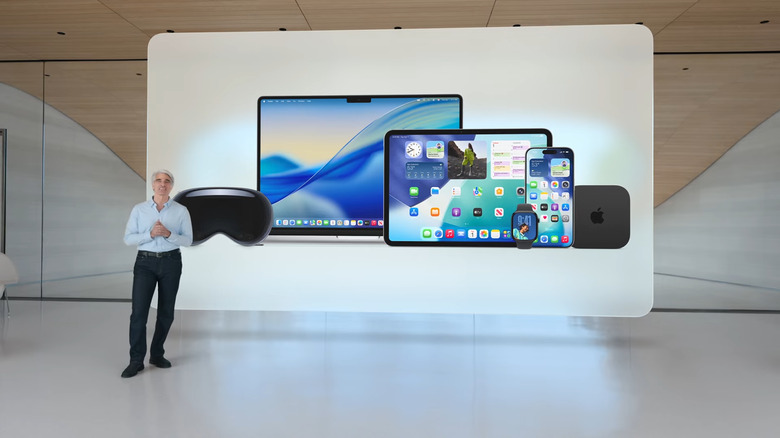
It's time again for Apple's annual worldwide developer conference, and we're itching to see what the company will officially share today. Last year's WWDC saw the official unveiling of Apple Intelligence — the company's set of updates involving machine learning and language models that its competitors Google and Microsoft had already teed up years ago. At WWDC 2025, we expect to see the usual announcements around the next versions of iOS, iPadOS, macOS, watchOS and visionOS.
But instead of various different numbers indicating the generation of each platform like before, this year might see the company adopt a unified year-based naming standard that would result in things being called iOS 26, iPadOS 26, watchOS 26 and such as opposed to iOS 19 and watchOS 12 as anticipated.
If you want to watch Apple's keynote presentation for yourself, check out how to watch WWDC 2025 for details on the various places you can find the livestream. For those who prefer following along a third-party liveblog that's largely text- and image-based, scroll down for our coverage right here!
The keynote starts at 1PM ET (or 10AM PT) but our liveblog begins hours before that, as we plan to share our experience and impressions live from Apple Park in Cupertino. You should absolutely join us around 10AM ET for the full experience to feel like you're right here with us. The pictures of snacks alone should be worth it.
Update, 1:43PM ET: See our evolving recap of everything Apple has announced at WWDC 2025.
255 Updates
-
Jalapeño sliders were good, confirmed!
-
I remain committed to bringing you all the most important WWDC 2025 coverage of all: food. Lunch has just been served here at the Visitor Center where media are situated between briefings. The white chocolate matcha cookie I've liked in the past is here today! Along with a jalapeno beef slider and a variety of mini salads and sandwiches.
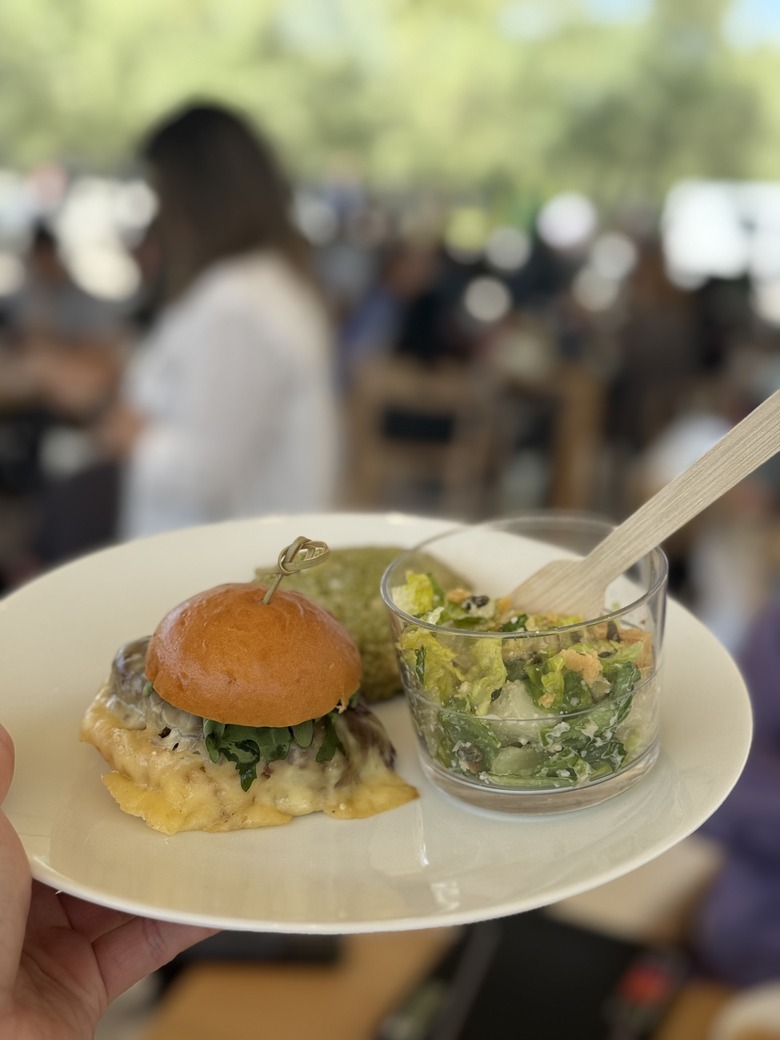
A plate held in mid-air. On it sit a beef slider, a transparent cup with salad inside and a green cookie.
-
We're learning a lot of the little details around the new features announced yesterday, and one of the more outstanding updates is Live Translation. I was curious what languages it would work with, and got an answer today. Live Translation in Messages, which works regardless of whether you're texting with someone who's also on iMessage, supports English (UK and US), French (France), German, Italian, Japanese, Korean, Portuguese (Brazil), Spanish (Spain) and Chinese (simplified). Those regions in parentheses feel important to me, since language is so nuanced and evolves geographically.
For calls, which involves spoken words in addition to written (in captions), fewer languages are supported at the moment. They're English (US, UK), French (France), German, Portuguese (Brazil) and Spanish (Spain). The live translation will work with one-on-one calls over Phone and FaceTime.
-
And lastly, for the moment, here's our podcast crew! Cherlynn and I were joined by former Engadget editor and current Washington Post tech reporter Chris Velazco and Wired senior reviews editor Julian Chokkattu. Take a listen to our WWDC thoughts here!
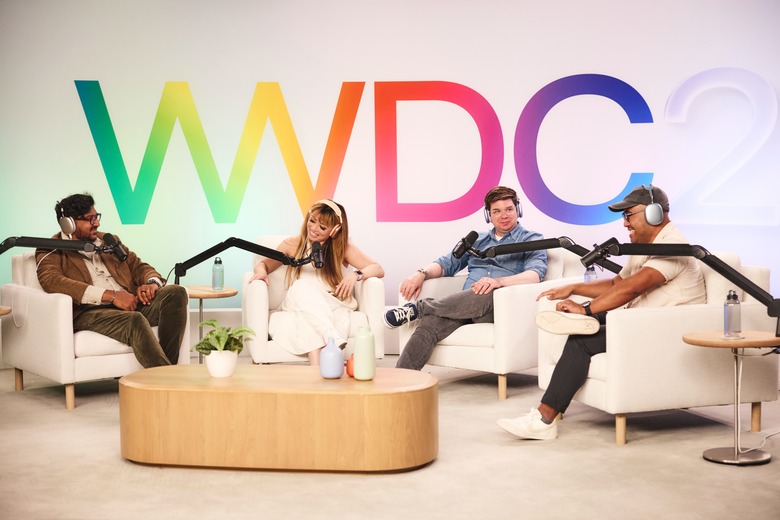
The Engadget Podcast at WWDC 2025
-
Liquid Glass, meanwhile, doesn't feel nearly as jarring to me as some on social media have said. There's a difference between seeing something moving as you use it and seeing screenshots. That said, the Control Center screenshots floating around do feel like one of the worst examples of the new UI element in action. And the reflectivity does feel intense if you stare at it too long, but the biggest UI elements in most apps are not reflective so the whole screen doesn't feel like it's shimmering.
The effect also feels less pronounced on larger-screen devices like the Mac and iPad, simply because there's less crammed into a small space. Also, doing things like setting all your icons to transparent glass really intensifies the vibe. If you leave them in their traditional color scheme or even a color tint it's not nearly as noticeable.
-
I had a rapid-fire demo of lots of the new features Apple highlighted, and one that I'm pretty excited about is the new Spotlight search on macOS.
As before, hitting command+space opens up the Spotlight search interface, but there are also four buttons to the right that let you dive into your apps, files, 8 hours of clipboard history and the new quick actions.
You can still just type a name of an app and launch it, but clicking on the app button brings up an interface that replaces the old Launchpad. It'll show your apps grouped by category or in alphabetical order. The clipboard, meanwhile, holds about eight hours of your content, including text, photos, files and so on.
But the coolest thing is probably the quick actions — Apple says there are dozens of presets you can immediately use for things like sending messages, playing podcasts, doing various searches and much more. And you can make custom text shortcuts that correspond to each action. The common example is typing "sm" into the Spotlight bar for "send message." It then prompts you to write your message and specify your recipient and then it just sends it off. If you're the kind of person who likes to keep their hands on the keyboard, this will be a blessing. As usual, other third-party apps have offered similar features for a while now, but having them native in macOS means they'll almost certainly get used more.
-
Good morning everyone. It's Day 2 of WWDC 2025, and I'm about to head to Apple Park for a day full of meetings. We expect to learn more about iOS 26, iPadOS 26, macOS Tahoe 26, Liquid Glass and other things that were touched on at yesterday's keynote. Stick around for all the updates!
-
I see nothing wrong with ending on fried chicken, but I will let this slide(r).
-
Oh hey, just signing off for the night. We'll be back tomorrow with plenty more from WWDC!
Mostly didn't want to let a chicken sandwich be the lasting memory of this liveblog, not going to lie.
-
Apple just served dinner here at the visitor center where media attendees are set up to work between our briefings. The Szechuan hot chicken slider in particular was fantastic.
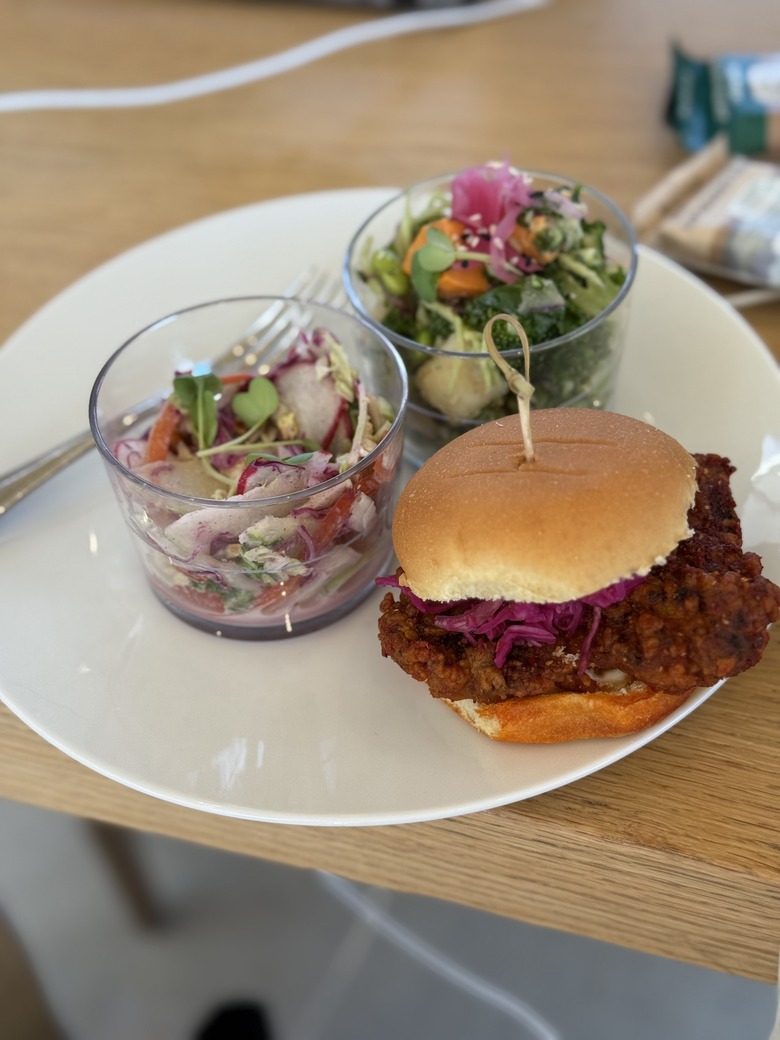
A plate on which a fried chicken slider and two cups of salads are sat.
-
Apple's walled garden is the iPad's biggest roadblock to becoming a Mac
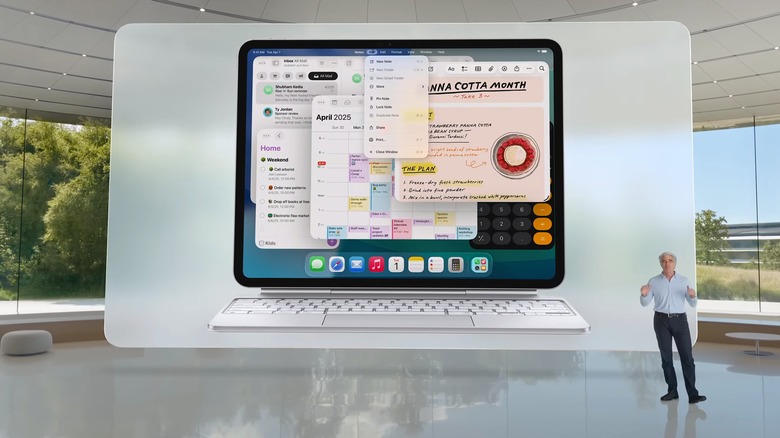
Apple's Craig Federighi standing next to an iPadOS 26 view on an iPad Pro.
Will Shanklin took note of the big iPadOS multitasking update (as well as improved Files support and menu bars in apps) and feels like the gap between the iPad and Mac is smaller than ever. But Apple's reliance on the App Store might be the last thing separating the two devices — and something that keeps the Mac as a better option for a lot of people.
"iPadOS 26 makes Apple's tablet much more like macOS. Better windowing? Check. The menu bar? Yup. There's even a more fine-tuned Files app, along with document editing in Preview. It's as if Apple took a checklist of longtime power-user requests and fulfilled them all. It's enough that the App Store's walled garden could be the last remaining reason to stick with your Mac."
Read more: Apple's walled garden is the iPad's biggest roadblock to becoming a Mac
-
The Phone app in macOS 26 is another baby step towards a cellular Mac
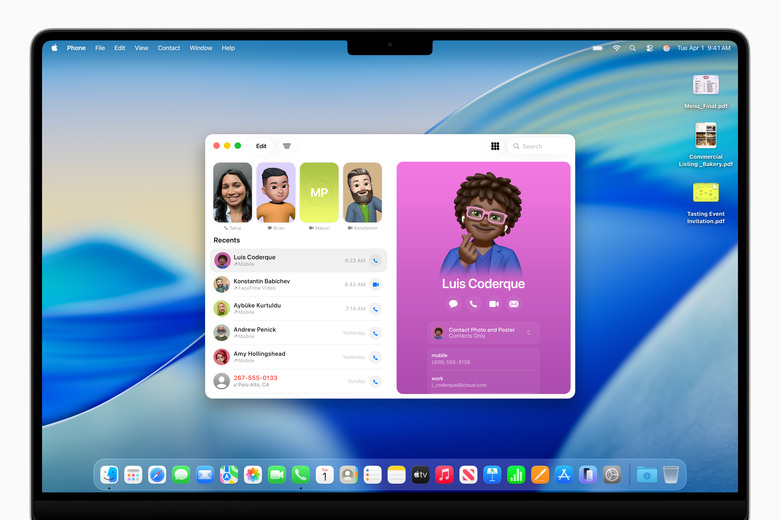
The new Phone app in macOS Tahoe 26.
As usual, Apple is unifying the Mac, iPhone and iPad. It's been a theme for years, and it was a major focus of today's keynote. Among the features being shared across platforms is a new Phone app for the Mac that uses your iPhone's cellular signal to make calls. This has been a feature for years, but the new Phone app should make it a better experience. It also piqued Ian Carlos Campbell's interest.
"While it still remains more of a dream than an obvious stop on Apple's product roadmap, the company's updates in macOS Tahoe 26 offer new evidence that Apple could one day sell Macs with cellular connectivity. Sure, the biggest takeaway from WWDC 2025 will probably be the new Liquid Glass design language the company is sprinkling over all of its operating systems, but based on the addition of a Phone app to macOS, Apple's laptops and phones are converging in more ways than one."
Read more: The Phone app in macOS 26 is another baby step towards a cellular Mac
-
Every WWDC should end with a song composed of app reviews
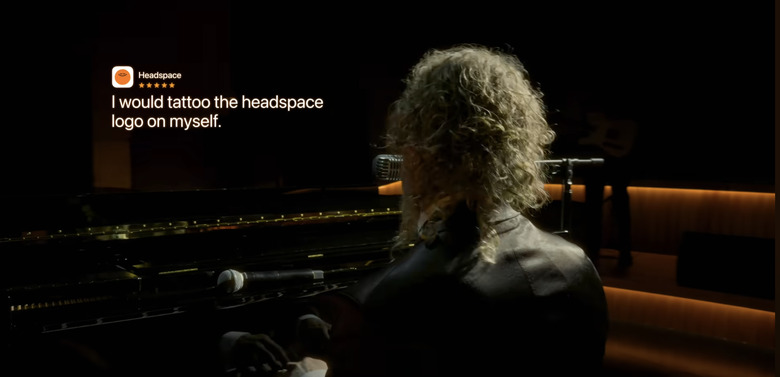
6 out of 5 stars
The WWDC keynote ended in strange fashion, but it was Anna Washenko's favorite part of the day. As she says, "the final three minutes of a full band performing real reviews of apps became the actual highlight of WWDC for me."
Read more: Every WWDC should end with a song composed of app reviews
-
Checking back in here — Cherlynn and I have had a busy afternoon of meetings and recording a podcast. Good times! In the meantime, our crew back home has written some hilarious and thought-provoking little stories about everything we've seen. Here are a few of my favs.
-
Nate and I are currently at the visitor center in Apple Park, where media attendees are getting lunch and using the space to finish filing stories. Today's menu includes a grilled chicken salad, "California Roll crab roll" and a "Garden-smoked carrot lox on pumpernickel." Dessert options feature oatmeal and chocolate chip cookies. I'm bummed that the matcha sugar cookie from previous years isn't here, but maybe that's just reserved for the September iPhone launches.
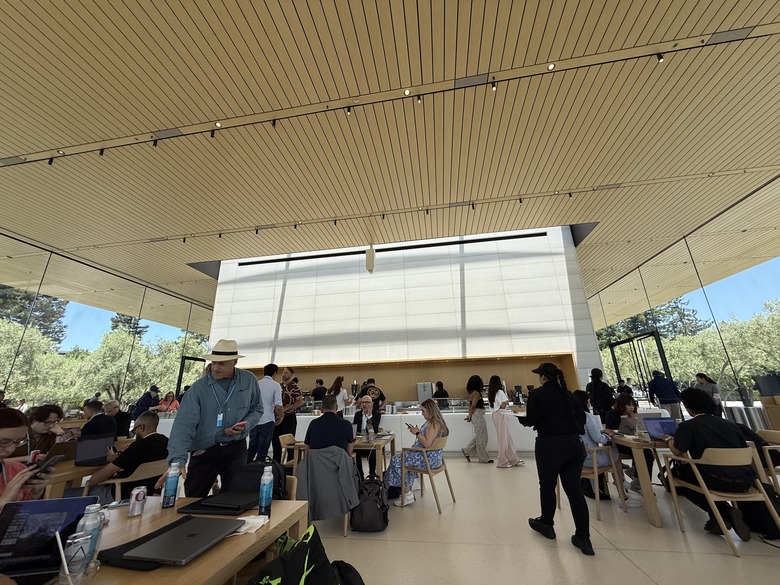
A cafe with lots of people sat at tables and working, and lots of people standing in front of a counter at the back.
-
iPadOS 26 makes Apple's tablets more like Macs
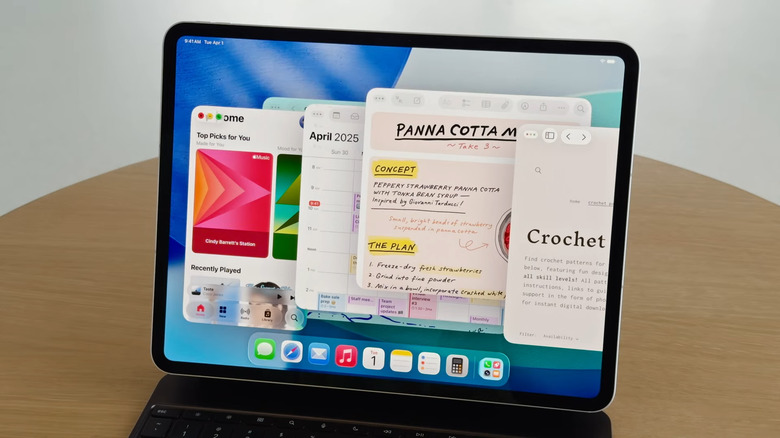
iPads are growing even more Mac-like with the next operating system update.
It's been a common refrain for many years: iPads are great for lean-back content consumption, but when you need to get "real work" done, you toggle over to a full-fledged computer — Mac or otherwise. Apple has inched closer to making the iPad more productivity-friendly in recent years with additions like Stage Manager, but a lot of creatives still hit a wall with tasks like windows management or app switching.
But iPadOS 26 (the new year-based moniker for the tablet operating system) may finally change that. Better windowing, a real menu bar, a full-fleged Preview app, an improved Files app and better handling of audio and video capture all look to be big wins for iPad-based creators (and podcasters specifically). And the icing on the cake for power users is background tasking, which should finally allow things like video and audio file rendering while you multi-task.
-
Apple's visionOS 26 brings eye-scrolling and support for PS VR2 controllers
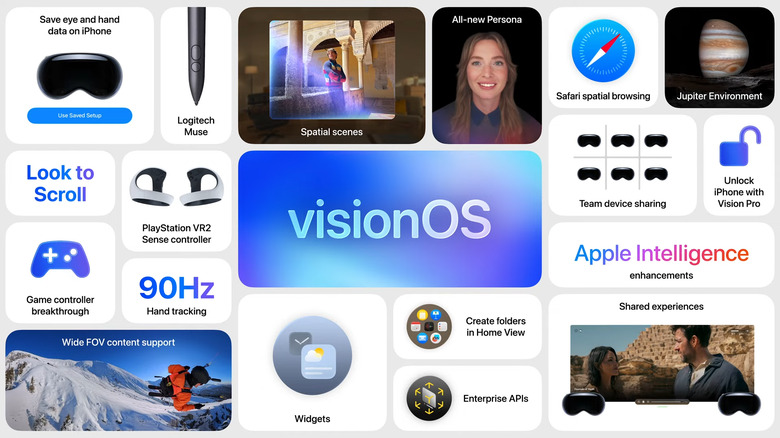
Better gaming support and a laundry list of new lifestyle improvements are coming to Apple's Vision Pro headset.
At $3,500, Apple's Vision Pro headset is still a hard sell for the vast majority of users — even those looking for bleeding-edge virtual reality. But with visionOS 26 — the third iteration of the Vision's operating system coming this fall — existing users of the headset are getting quite a few upgrades.
First and foremost, Vision Pro users will gain compatibility with PlayStation VR2 Sense controllers. That should open up some serious gaming options, since the Vision Pro was previously limited to hand gestures.
Apple headset users will also get support for eye-scrolling, which means they can (you guessed it) navigate documents and websites with their eyes.
And while Apple made a point of emphasizing the unified "liquid glass" look and feel across all its newly updated operating systems, that design language was effectively already infused into the Vision's interface.
Read more: Apple's visionOS 26 brings eye-scrolling and support for PS VR2 controllers
-
Cherlynn and I will be taking meetings and demoing a whole bunch of these new software features over the next two days — definitely stay tuned here, as we're just formulating how we feel about this year's updates and what they'll mean to actual users as well as developers.
-
watchOS 26: Everything Apple announced for its wearable at WWDC 2025
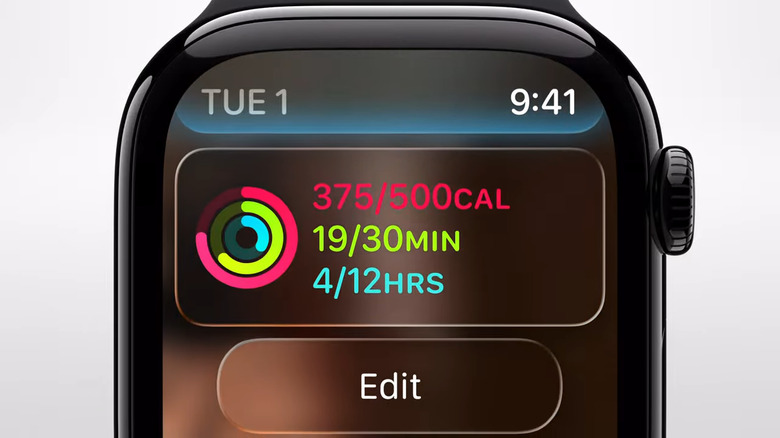
image of watchOS 26 from WWDC 2025
During Apple's WWDC keynote event today in Cupertino, company execs announced, among other things, the latest Apple Watch software:
watchOS 12, er, watchOS 26. Like iOS, macOS, iPadOS and the rest, the latest generation of watchOS will now be appended with the upcoming year, instead of a sequential number. What would have been watchOS 12, is now watchOS 26.Aside from the new name, there's a new look for watchOS, too. Apple gave its entire suite of software a redesign, one that takes aesthetic cues and the "physicality and richness" of visionOS, the software used in the company's VR headset, the Vision Pro. It's the biggest redesign since iOS 7. The look is called "liquid glass" and dynamically reacts to movement and responds to the content on screen. Menus now better fit to the rounded corners of the hardware. Notifications and other information now involve translucent backgrounds, giving the interface a glass-like appearance.
Read more: watchOS 26: Everything Apple announced for its wearable at WWDC 2025
-
OK everyone, thank you so much for hanging around with us! That was one of the tighter presentations Apple has done in a while. I feel like there is a lot more day-to-day useful features for people this year, kind of like WWDC events of old. There was less Apple Intelligence, but the stuff they did show off feels more genuinely useful than last year. I don't care about Genmoji, but the improvements to thinks like spam call / message detection, live translation and so on feel a lot more meaningful to me.
-
That was... incredibly weird, but I didn't hate it?
-
macOS Tahoe 26 will bring Apple's new Liquid Glass UI to your desktop
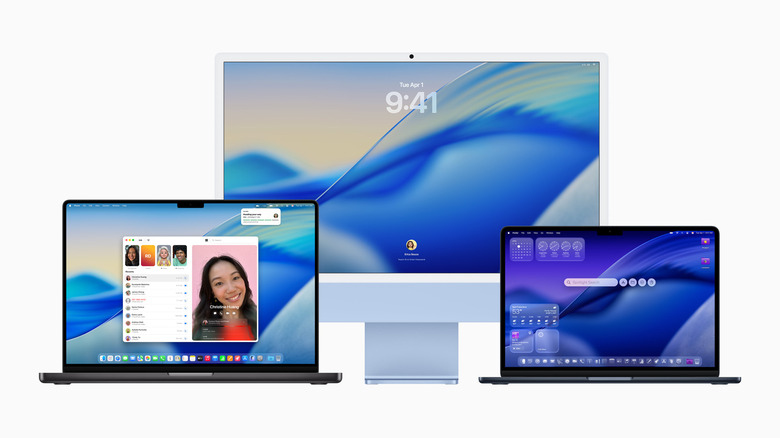
Apple macOS Tahoe 26
So long macOS Sequoia, hello macOS Tahoe 26. Apple's next desktop operating system will feature the company's Liquid Glass UI, but at this point, it doesn't look like there will be any truly transformative features like last year's iPhone mirroring. But hey, at least Apple isn't trying to make us excited about widgets again. Just like the rest of Apple's new software, Tahoe's version number has also been updated to reflect the upcoming year — previously, we expected it to be macOS 16. While that may take some getting used to, it's easier than trying to remember the different version numbers across Apple's platforms.
At first glance, Apple's Liquid Glass refresh almost seems like a rehash of the "Aero" design Microsoft used in Windows Vista (which came out nearly 20 years ago, yikes). True to its name, a varying degree of transparency is key to Apple's new aesthetic — that includes a fully transparent menu bar, as well new light and dark tints for those respective display modes. Basically, it looks like macOS Tahoe will be Apple's most customizable desktop OS yet.
Read more: macOS Tahoe 26 will bring Apple's new Liquid Glass UI to your desktop
-
I'm so glad — it's actually over with no surprises. Guess that Apple logo-ed suitcase I saw at the airport was probably fake like the dozens of people on Threads said. We have a bunch of briefings at Apple Park today, and Nate and I will be hard at work making sense of everything we learn in these sessions, which will typically offer more in-depth looks at the new features announced just now. Stick around, as we'll publish more stories based on what we learn, and I'll continue to update this liveblog with nuggets we learn through the day.
-
"Saved my marriage / I would kiss this app if I could."
-
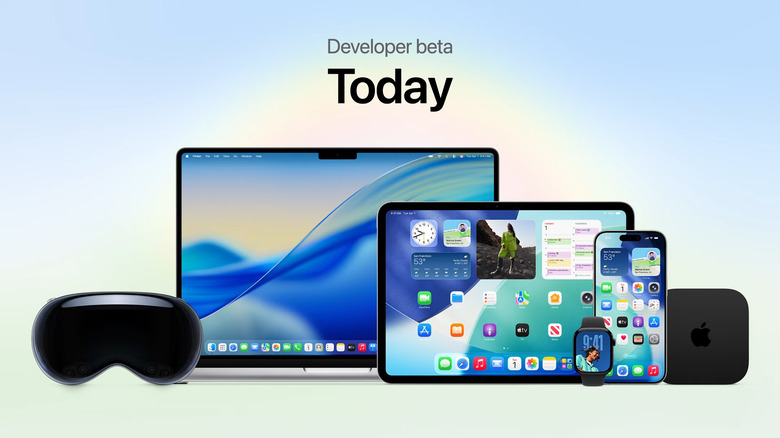
The developer beta is available today and the public beta will be available in July.
-
"Being a human is hard, and this is helpful."
-
Oh my god. Someone is singing a song that is quotes from App Store reviews?? I don't yet know who this is.
-
He's also in recap mode, talking over Apple Intelligence and the new design. Developer betas are out today, and a public beta will start next month. And all these platforms will be released "this fall."
-
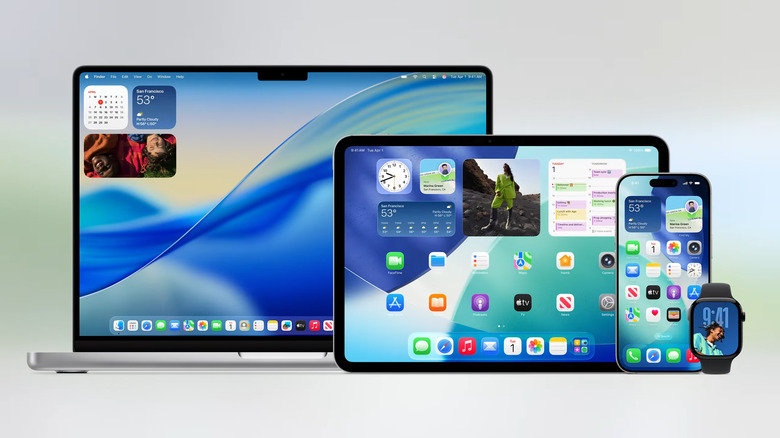
The new Liquid Glass visual approach will be available for app developers too.
-
Apple reveals a comprehensive redesign for iOS 26 at WWDC 2025
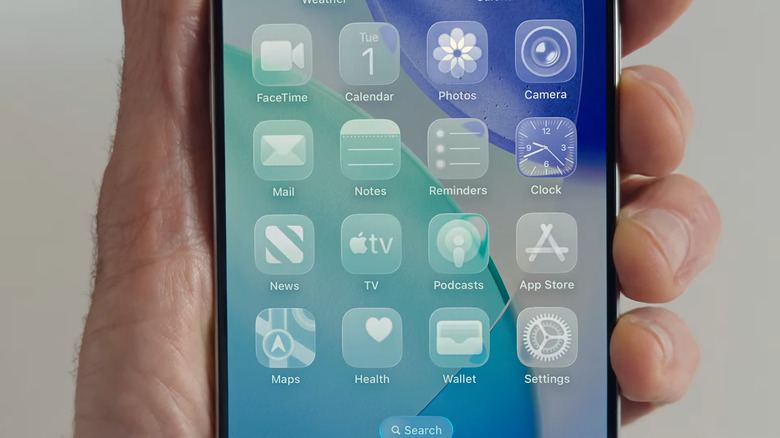
New all clear apps look.
Every year, iOS is one of the star attractions of Apple's Worldwide Developers Conference keynote. It's our first official look at new features and other changes that are coming to iPhones in the fall. The 2025 WWDC keynote was no exception, and the most immediate change is to the iOS naming system.
As was recently reported, Apple operating systems will all be named after years to keep everything aligned. So instead of iOS 19, we're jumping up to iOS 26. The same goes for iPadOS, watchOS, macOS and so on. The versions will be named for the year after major annual OS updates (so iOS 26 for the version that arrives in fall 2025 etc), but it should still help mitigate some confusion as to which is the current version.
There's a lot more to this version of iOS than a change to the numbering system, so click on the link below for the full story.
Read more: Apple reveals a comprehensive redesign for iOS 26 at WWDC 2025
-
Back to Tim!
-
He's also talking about sessions for engineers here at WWDC, which makes me think we're getting out of here in a tight 90. We'll see though.
-
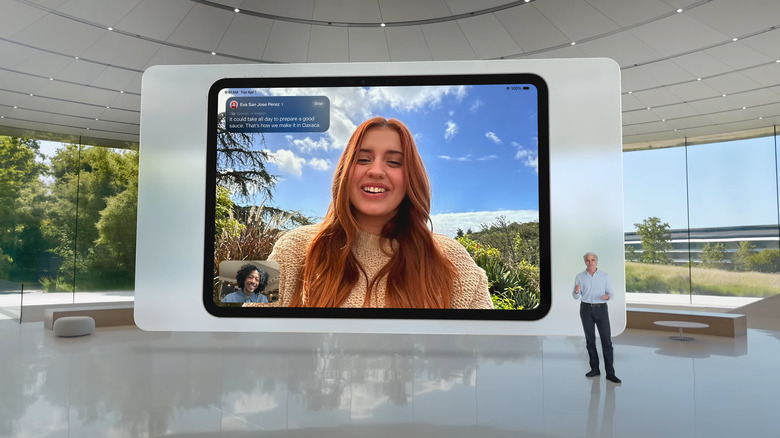
Craig has moved on to a more general discussion of Apple Intelligence across platforms.
-
By the way, I was hoping the studio-quality audio recording that was being mentioned earlier would be supported on iPhones too and it turns out, based on Apple's press release, that all Apple devices would be supported. Yay.
-
Craig is very much in wrap-up mode here, talking through the consumer-facing features as well as developer tools like letting third-party devs link into the Apple Intelligence LLM.
-
Clearly Cherlynn and I are on the same page here about "one more thing."
-
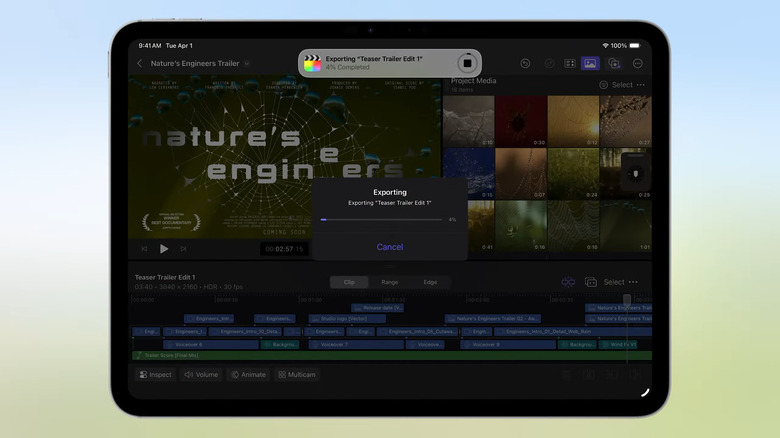
iPad is getting a lot better at running heavy-load tasks in the background.
-
Federighi said that's all the updates coming to our software platforms and my heart dropped because I think that means hardware news might be coming?
-
We're wrapping up iPadOS 26 now, and it's not even 11:30AM yet. Are we getting a one more thing?? Or are we stopping at a reasonable time??
-
A quick time check: We are now about an hour and 25 ish minutes into the keynote. I hope it doesn't go for much longer, though I can't imagine Apple has much more to discuss? Will there be a surprise "one more thing" after this? (I'm hungry.)
-
There are also background tasks for heavy workflows like exporting a video from Final Cut Pro. You can start and export and move to another app without interrupting that export, for example. Yet another thing that makes the iPad workflow a lot more flexible. Dare I say that we're getting close to the iPadOS software matching up to the wildly advanced hardware you'll find in the current iPad Pro.
-
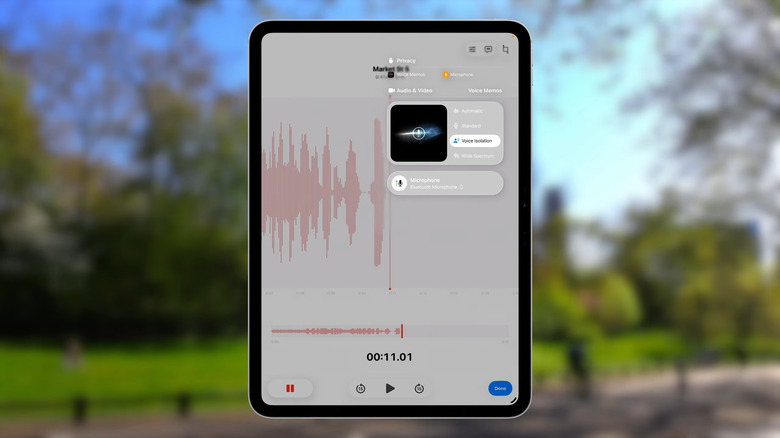
Voice isolation is now universal on iPadOS 26.
-
I'm not quite clear enough on these recording features, but I think that people who want to do more advanced video and audio capture will like these things.
-
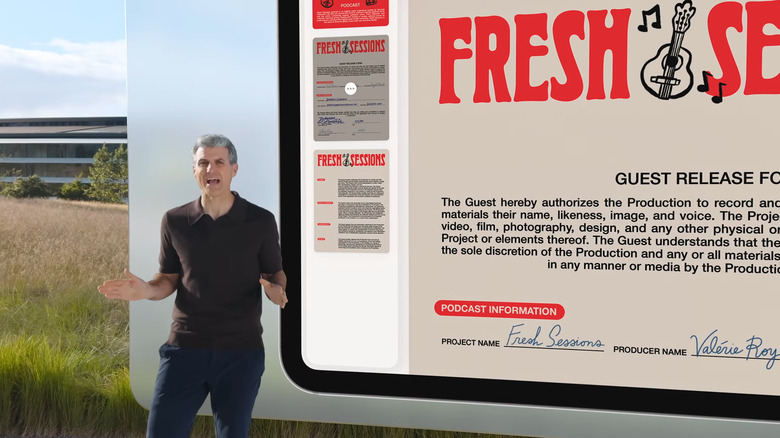
iPad finally has access to macOS's popular Preview app.
-
On to more advanced features — there is an audio input selector, something that has caused issues for iPad users for a long time. There's also a voice isolation feature to block outside noise regardless of what sort of mic you're using.
-
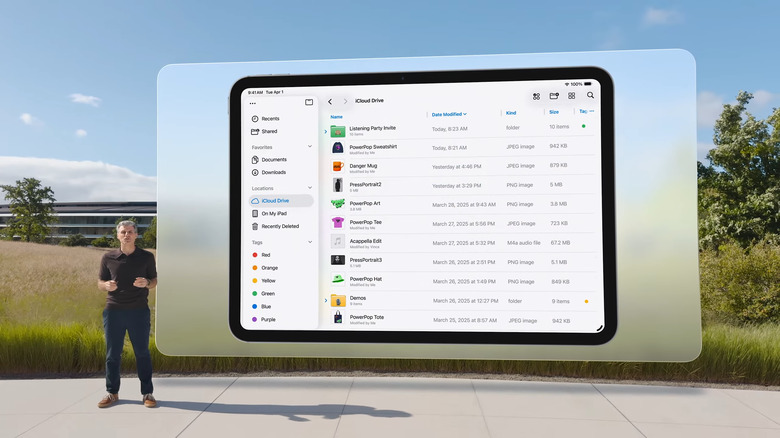
The iPadOS 26 Files app adds a lot of quality-of-life features already familiar from macOS.
-
The Preview app for PDFs viewing and editing is coming to iPadOS, too. The Files app already dealt with PDFs pretty well, but this should make the experience smoother for su
-
Now we're getting into file management, with a redesigned Files app. You can customize folder like you can on macOS, and the list view is a lot cleaner. Files can also be assigned to open in specific apps. Finally, you can add a folder to your dock for the first time (again... just like on the Mac).
-
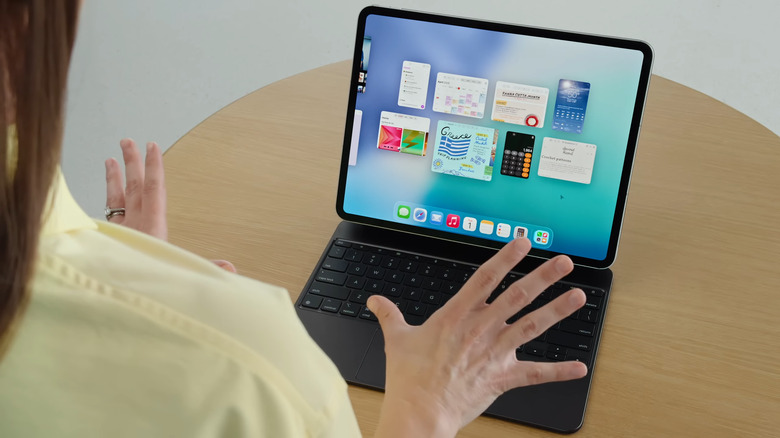
iPadOS 26's "Expose" feature lets you see every window you've currently got open.
-
Craig jokes that these ideas are wild and revolutionary — a nod to the people who've been asking for more features like this on the iPad for years. And, it'll work on all recent iPad models, not just the Pro and Air. That's a major change.
-
Stephen Tonna is here to talk about Files on iPadOS 26.
-
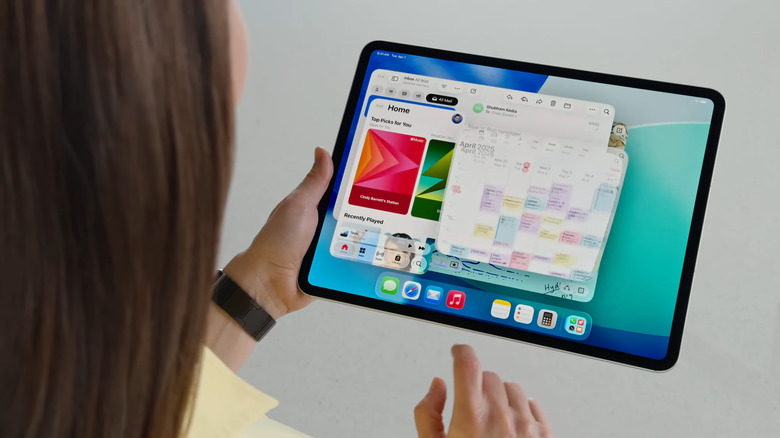
iPadOS 26 lets you resize app windows and arrange them as you like.
-
There's also a Menu Bar at the top of the screen — again, extremely similar to what you'll find on a Mac. This is a way to give people access to more advanced features without overwhelming the interface.
-
This is a major update on the Stage Manager interface released a few years ago. And there's a familiar Exposé view that shows all open windows, like on the Mac.
-
Minimizing a window drops it into the dock, and you can re-open it by tapping again. Flicking windows to the corners of the screen tile them, and you can resize bth at the same time. Clicking and holding gives you more tile options.
-
Cindy Barrett is showing off the new system. As usual, apps open in fullscreen by default. But there's a handle in the bottom right to resize an app into a window. Previously resized apps open in windows just where you arranged them before.
-
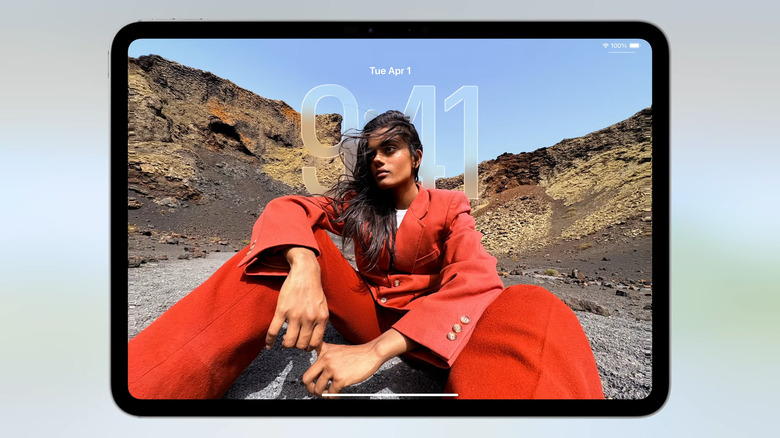
Craig is now introducing the iPadOS 26 redesign.
-
Yup, big updates to multitasking coming! A totally new windowing system for iPad! Minimize and close window buttons just like on macOS! Demo time.
-
"Over the years we've pushed the limits of how portable, powerful and versatile the iPad can be." We're definitely getting into the territory of wanting to do even more with the iPad's hardware.
-
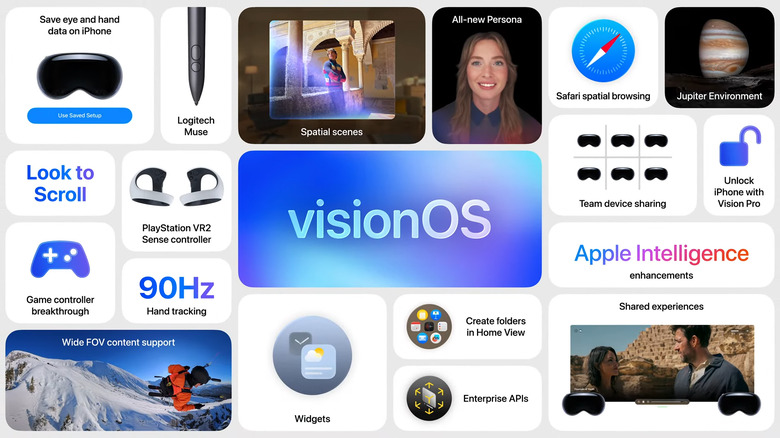
New visionOS 26 features.
-
Basically all of the features we heard about on iOS earlier are here. It's a smorgasbord of updates!
-
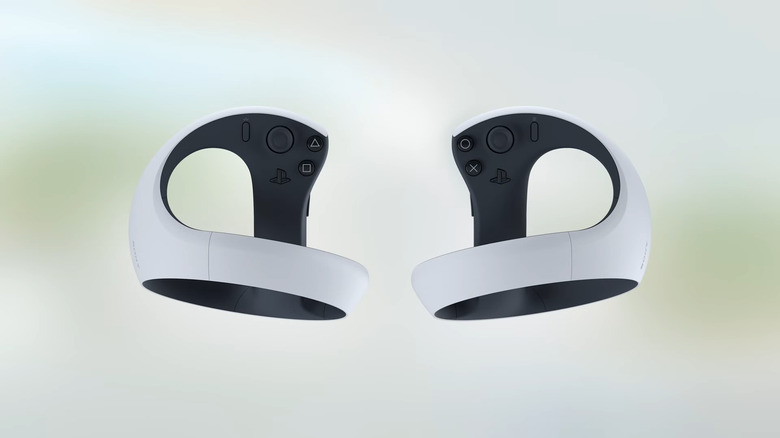
Sony's PlayStation VR2 Sense Controllers will be compatible with Vision Pro.
-
Craig is back for a big iPadOS update, pretty excited about this one. Of course, it starts with a "beautiful new design."
-
That was a quick but seemingly meaty update coming to visionOS 26. Federighi is coming back to talk iPadOS.
-
Apple has also partnered with GoPro, Insta360 and Canon to support wide field of view and 360-degree playback view to make watching content in visionOS more immersive, instead of the flat way it currently renders. This "marks the beginning of the spatial web," Rockwell said. There's also a new Jupiter spatial experience.
-
PlayStation VR isn't a huge platform, but being able to use those controllers with Vision Pro is pretty sweet. They're readily available and not too expensive (unlike the headset itself).
-
Spatial content in visionOS 26 will enable more ways to "produce great new content." Starting with the new Adobe app powered by Premier that will let you create videos "directly in Vision Pro."
-
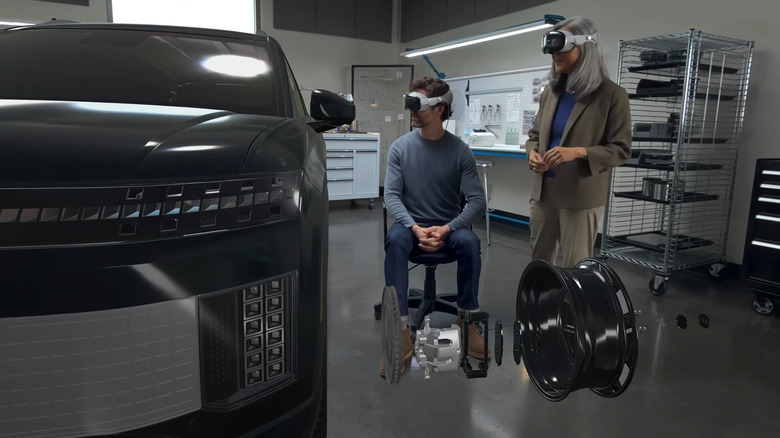
VisionPro lets you collaborate with others.
-
There's also a Logitech Muse accessory that will work in Vision Pro, acting like a whiteboard marker that you can use to draw in the virtual space. Playstation VR controls will also work with Vision Pro.
-
Enterprises are, unsurprisingly, among the biggest users of Vision Pro. Apple is adding profiles to enable easier sharing of the headsets, and new APIs are coming to make it easier. These include Protected Content to ensure only people who have been granted access can see sensitive materials like medical or prediction reports.
-
These floating heads in visionOS, which used to be ridiculed for looking very goofy, are getting an update to look better and more realistic. If you have two Vision Pro wearers in the same room, you can stay in the same virtual space to watch movies or play games together.
-
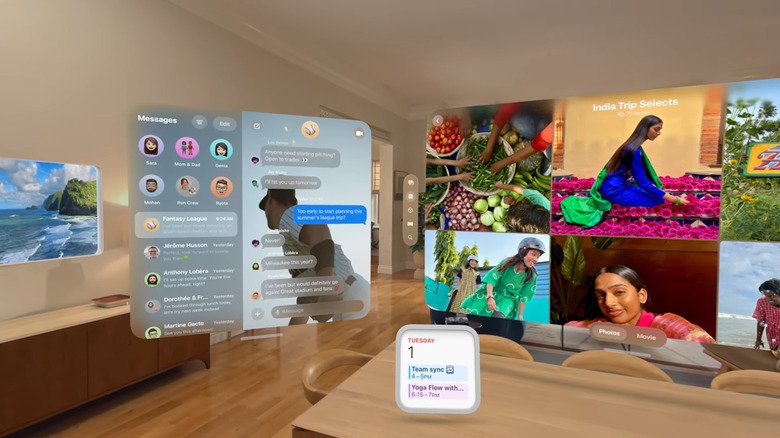
VisionOS will remember where you put your apps.
-
Spatial photos in visionOS is also getting a shout here, with Apple saying we can use a new spatial gallery app to see 2D photos that have been converted into "spatial scenes" with added depth. These can be viewed within other apps like Zillow, to better get a sense of spaces in homes, for example. Next up: Personas.
-
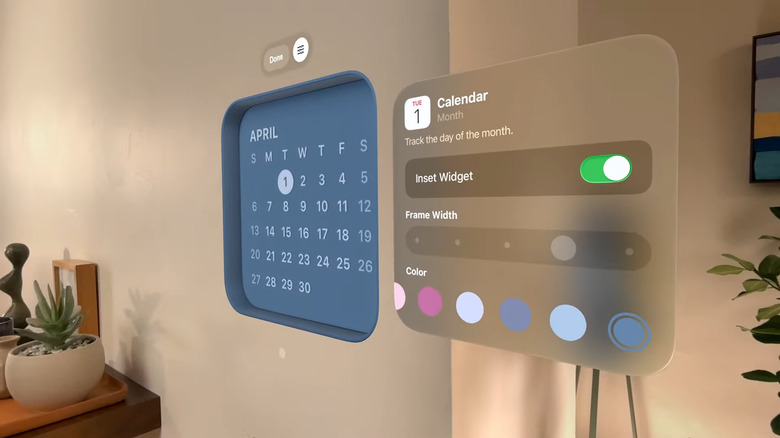
New visionOS widget features.
-
If you haven't spent a lot of time in visionOS, these can be hard to imagine. Developers can create them with a new widgetkit. These are tiles that basically float in space or fixed to locations.
-
Wow, you can hang widgets on your wall. They'll stay where you put them. This is wild and kind of freaks me out. I'm clearly not ready for the AR world.
-
Rockwell is starting with new spatial experiences coming to visionOS, starting with widgets. These integrate into the space and are persistent, staying in space. They can be customized to specific frame widths and depths, for example. A new clock widget is coming, too, as well as Weather, Music and Photos.
-
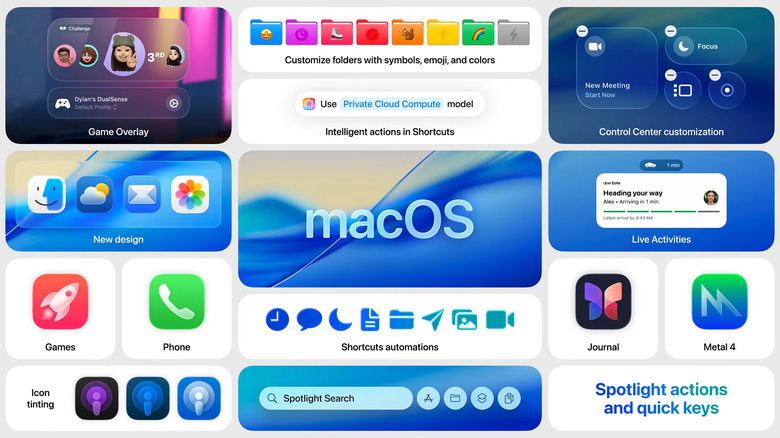
New macOS Tahoe features.
-
Federighi brings up Mike Rockwell to talk about visionOS. He reminds us that Vision Pro was released last year. This year, an "expansive update" is coming to visionOS 26.
-
Oooh, an "expansive" update to visionOS!
-
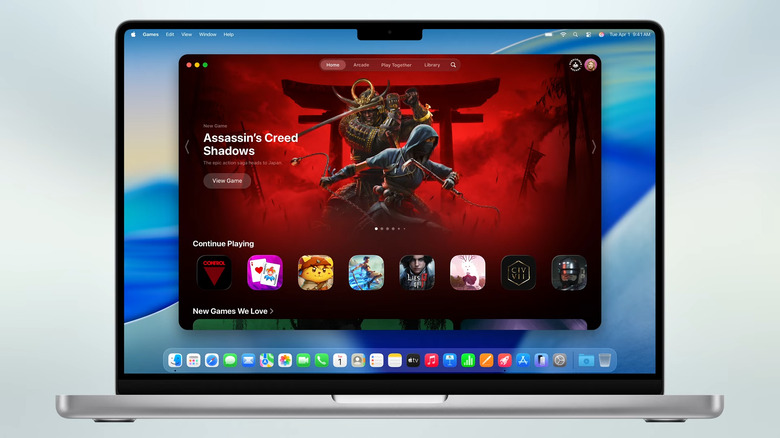
Games app on Mac.
-
OK, we're wrapped on macOS Tahoe. Just iPad and Vision left! And we're only just over an hour in here.
-
Of course, the new Games app from iOS is coming here too. There's also a new "game overlay" that quickly brings up game-specific features. And Metal 4 is coming out for developers to bring more tools to the game-building process.
-
Back to Craig, presumably to talk about Gaming on Mac. There's a big controller icon right there, after all.
-
OMG Clipboard history is a huge thing for me as one of the reasons switching from Windows to macOS was frustrating was relearning to use clipboard content and screenshots!
-
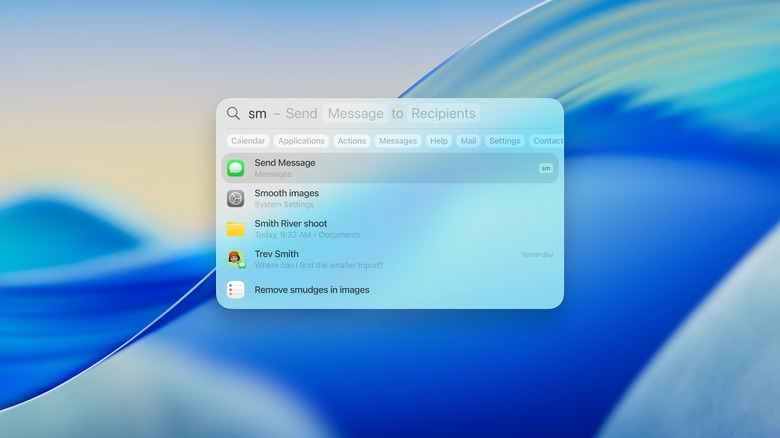
New Quick Keys feature in Spotlight lets you create shortcuts.
-
Spotlight can also search for actions within apps, which is neat. You can look for something like "remove image background" and the menu item will pop up in your app. There's also a clipboard history so you can go back and find things you may have copied hours earlier.
-
I'm supposed to be covering this event but I find myself just learning about features I never knew about in macOS (I'm a PC user who was recently forced to use a MacBook for work).
-
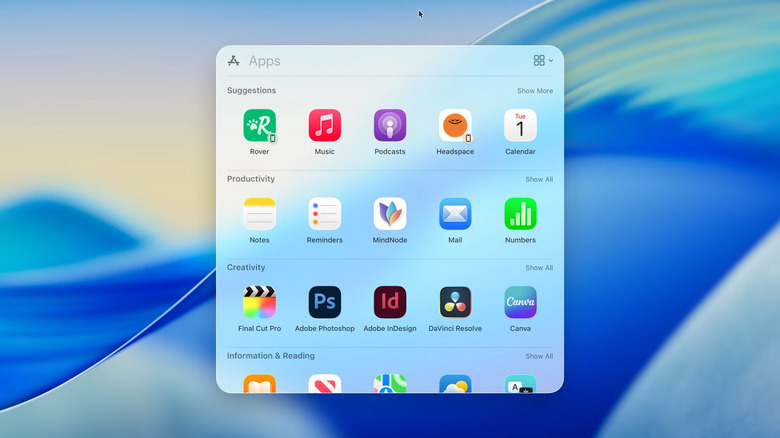
Spotlight Search now shows all your apps.
-
Similarly, you can have little shortcuts in Spotlight, like typing "sm" to send a message. There have been third-party tools that do similar things for a while, but now they'll be native to the OS.
-
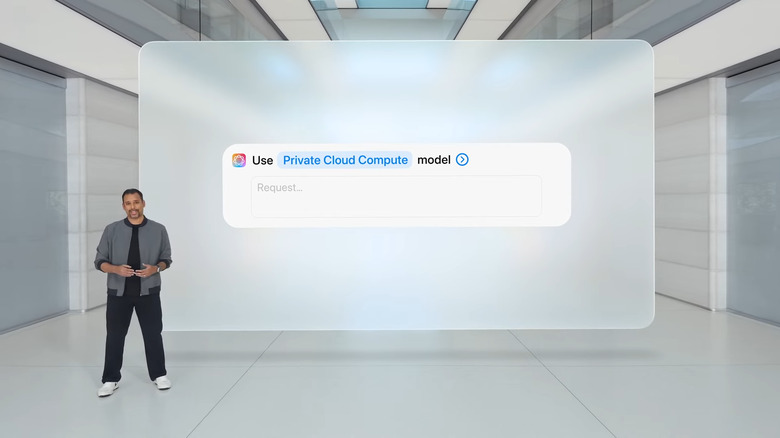
New Intelligent actions on Mac.
-
You can also start an email in search by putting in recipients and a subject.
-
Spotlight search is also getting a big update. You'll see intelligent suggestions for files based on what you're working on, and you can launch iPhone apps on your Mac directly; they'll open in the iPhone Mirroring app that was released last year.
-
Apple Intelligence can also be used in shortcuts. For example, you can compare a recording of a lecture to notes you took and have it fill in anything you missed. You can also work with ChatGPT in Shortcuts, as well.
-
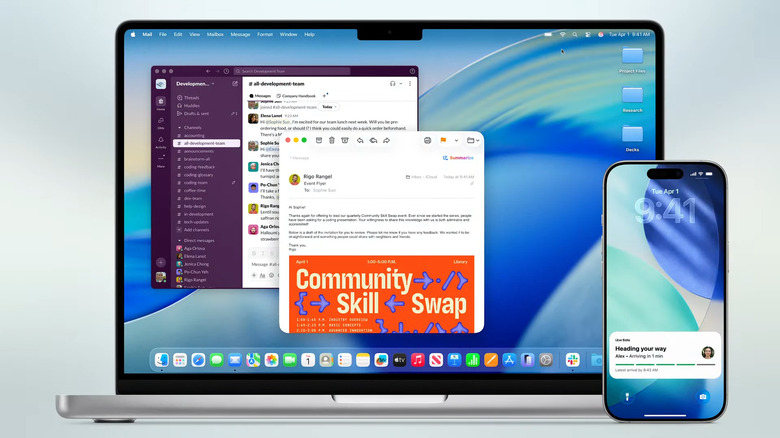
New Live Activities feature.
-
You can have shortcuts run automatically, like when you connect a laptop to a monitor or save a new file.
-
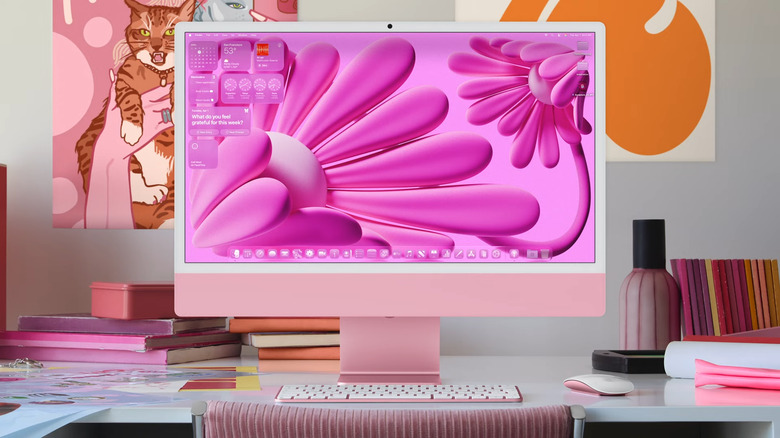
Make your Mac look more personal with the new design.
-
Raja Bose, senior manager of system experience product marketing is talking about the updates coming to Shortcuts in macOS Tahoe.
-
Now we're getting into some professional-inspired features, including new Shortcuts features.
-
Two new Continuity features are coming to Mac, including Live Activities that come from your iPhone. There's also a new Phone app for Mac. You've been able to answer calls on the Mac for years, but this seems like it'll be a lot easier going forward.
-
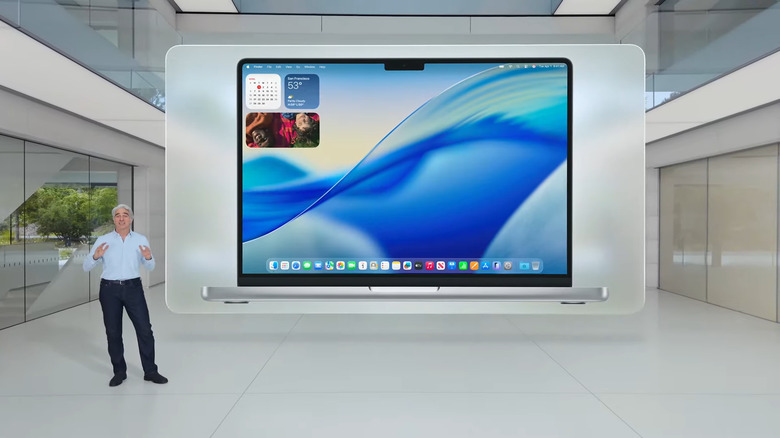
Updated macOS design.
-
As with iOS, you can now add third-party controls to Control Center. And folders are getting increased customization, with emoji labels on them or different colors. Customization is yet again a bit push here, something we haven't seen as much on the Mac.
-
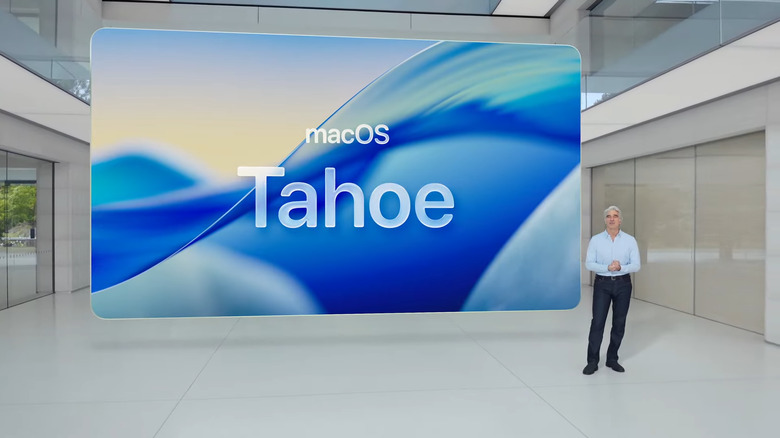
Craig Federighi just announced macOS Tahoe.
-
Again, the desktop and icons don't look wildly different. Transparency is everywhere, even more so than before. And the menu bar is completely transparent, as is the control center.
-
Of course, we're getting lots of features from iOS here like the changes to Messages, live translation, and a new design.
-
This year, we're looking at macOS Tahoe. Kind of surprised we haven't gone there yet!
-
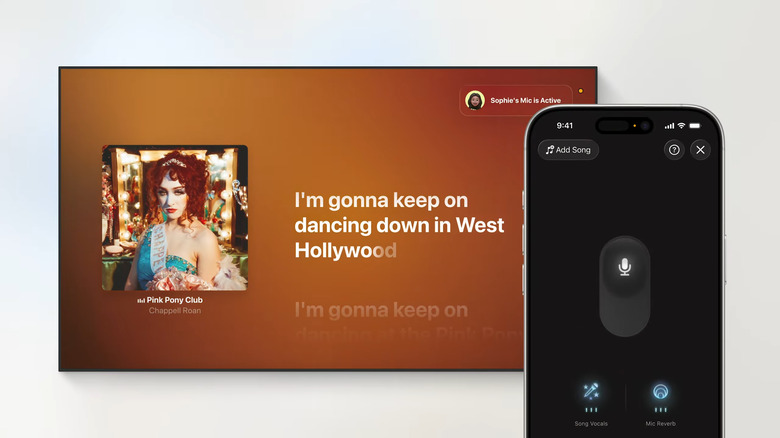
TvOS lets you use your iPhone as a mic for karaoke sessions.
-
As usual, we're kicking it off with the naming release. "macOS demands more" than just two-digit year names.
-
I do appreciate Apple making these presentations entertaining, even if they're a bit cringe.
-
OK, the video of Craig driving around a tiny electric golf cart like a badass make me laugh.
-
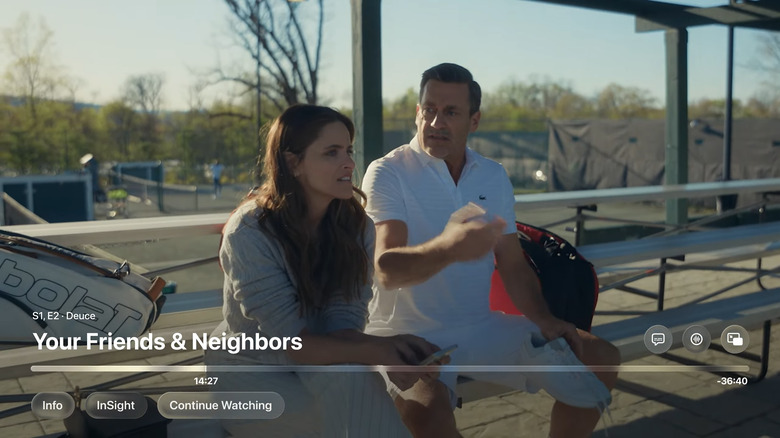
The new TvOS controls work harder to blend in with what you're watching.
-
That's just "some" of what's coming — we're moving on from this pretty quickly I think to get to bigger platforms. Yup, we're on to macOS!
-
Now we're getting into Apple Music on tvOS. Oh wow, you can use an iPhone as a karaoke mic now? That's pretty wild.
-
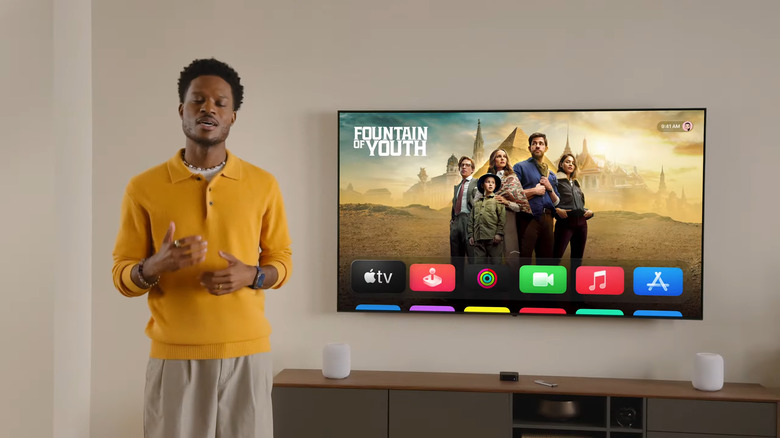
First glance at TvOS 26.
-
Apple TV is getting more profile options — now when you turn on your Apple TV, it'll ask you which profile you want to use. This helps multiple members of the family stick with their own content.
-
Nope, I was wrong. Sad!
-
Oh, I bet we're gonna get a tease of Ted Lasso coming back here.
-
Now we're getting a quick preview of upcoming Apple TV+ shows and films, including Chief of War, Foundation season 3, Slow Horses season 5, Loot season 3 and more that I can't quite keep up with.
-
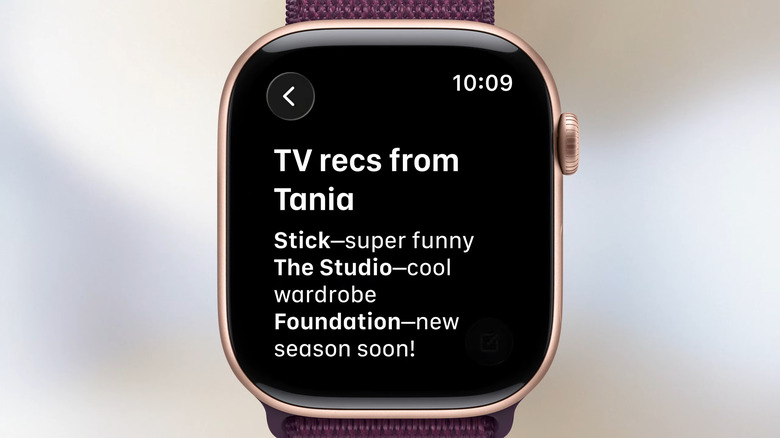
Apple Watch has a brand-new notes app.
-
Control center and playback controls are naturally comprised of Liquid Glass elements, refracting the
-
You'll be shocked to hear that Liquid Glass redesign is coming to tvOS! It doesn't look wildly different at first glance, so don't stress too much.
-
OK we're on to tvOS 26, an oft-underlooked platform from Apple.
-
More third-party integrations are coming to watchOS 26 too, like Dark Noise getting a button within control center, and more apps accessing the smart stack.
-
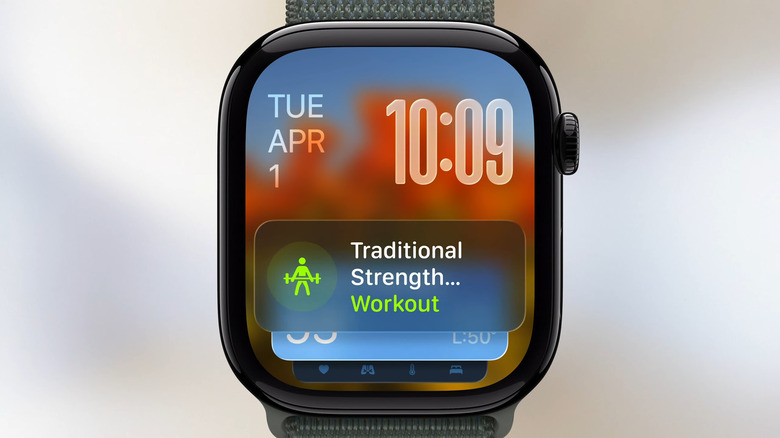
Your Apple Watch will soon be able to detect that you're at the gym and automatically open up a workout widget.
-
Replies in the Messages app in watchOS is also getting more predictive — the system will analyze your incoming messages and generate suggested replies to save you time and expand the quick replies you can tap on your wrist.
-
watchOS 26 can study the ambient noise in your environment and learn when to silence notifications, and wrist flick gesture support is coming to the device to let you dismiss alarms and alerts. It adds to other existing gestures like Double Tap.
-
These Smart Stack updates feel like the kind of thing that aren't wildly obvious new features, but it seems like overall the Apple Watch can be a lot more proactive and aware of where you are and what you're doing.
-
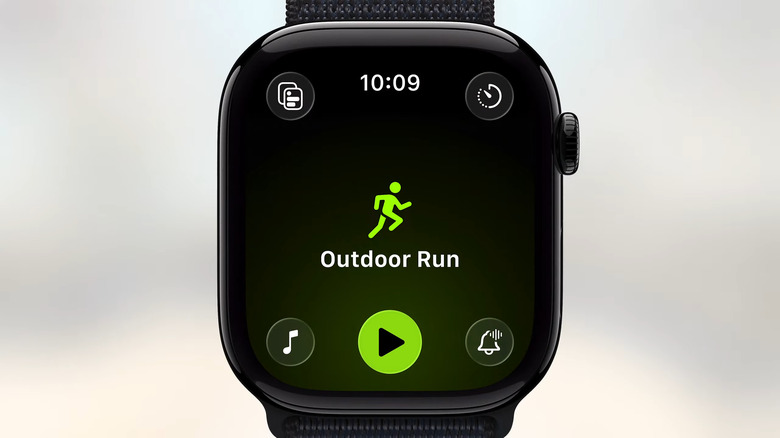
The new layout for the Workout app on WatchOS 26.
-
Clark is back to talk about improvements to the smart stack in watchOS 26, with an improved prediction algorithm by studying more data that are relevant to you. So, Clark said, when you walk into the gym for your early morning workout, for instance, the smart stack can show a card to start a workout.
-
It will work with the most popular workouts and can also shout out encouragement during your activities too. New media features have been built into the workout app, which also is getting some updated navigation and menus.
-
I don't hate the idea of a little Workout Buddy yelling at me to get my butt out the door.
-
In examples we're being shown, Workout Buddy vocally celebrates your accomplishments like "You just crushed your 100th mile for running workouts this year." And "Fantastic run" with a recap of average pace, heart rate and other achievements.
-
We're on to watchOS 26, for the tape!
-
Stephanie Postlewaite is telling us more about Workout Buddy. It has a new text-to-speech model based on Fitness+ trainer, and uses data it has from your history. This, like Nate reminds me, is the first significant implementation of Apple Intelligence on watchOS.
-
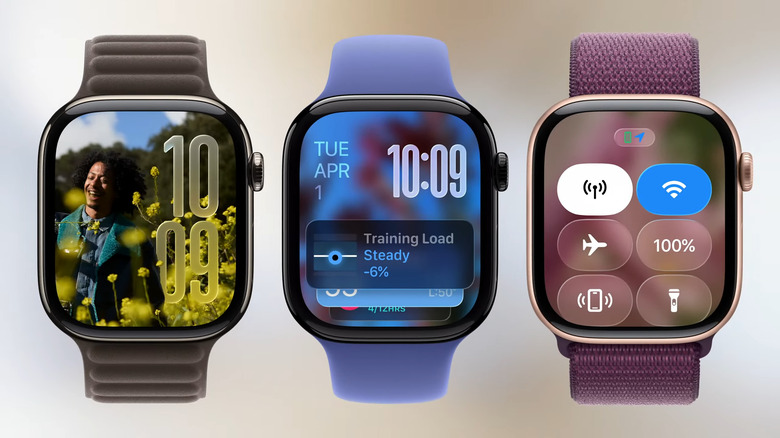
First look at WatchOS 26.
-
Of course, it features the new Liquid Glass design language, across the control center, in-app navigation and watch faces. In addition, watchOS will use "intelligence" to better understand your needs. Starting with Workout Buddy, a new fitness feature. It's supposed to motivate you based on your fitness history.
-
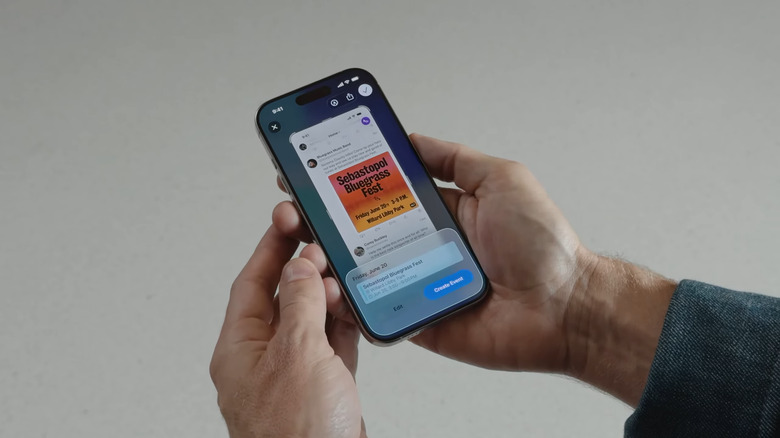
Visual Intelligence can grab event details to populate a calendar event.
-
David Clark is here to talk more about watchOS 26.
-
Phew, we're about wrapped up on iOS 26.
-
Another example would be seeing an event — you can screenshot it, and Apple Intelligence will pull the date, time and location and make a Calendar invite. Or, you can "ask" ChatGPT a question about what's on your screen. For example, the demo showed a picture of a mandolin and asked ChatGPT to share some songs it is featured on.
-
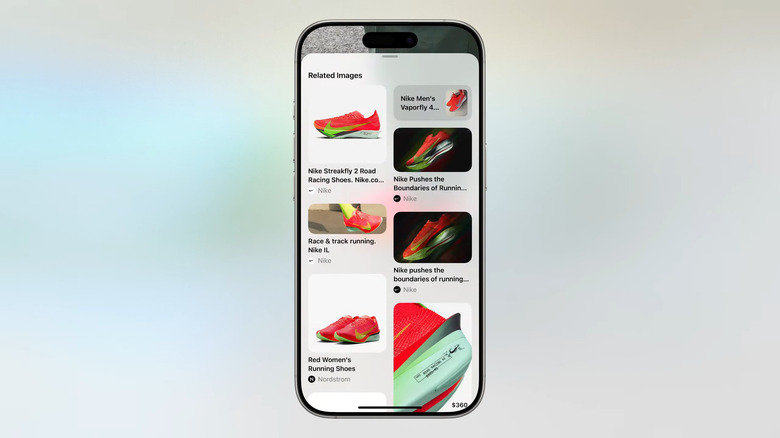
Example of Visual Intelligence in action — see a cool pair of sneakers and pull up all the information from your camera.
-
Apple has published a bunch of press releases on its newsroom site, and we've learned that the new name for macOS is... macOS Tahoe 26. What an amalgamation.
-
For example, if you see an image on a social media app and want to get more details on it, you can use the screenshot capture command and get a visual intelligence option to learn more about what it can see.
-
Visual Intelligence can now look at images and pull in details, not just what's in your camera window.
-
Billy Sorrentino, the senior director of Human Interface, is here to talk about visual intelligence.
-
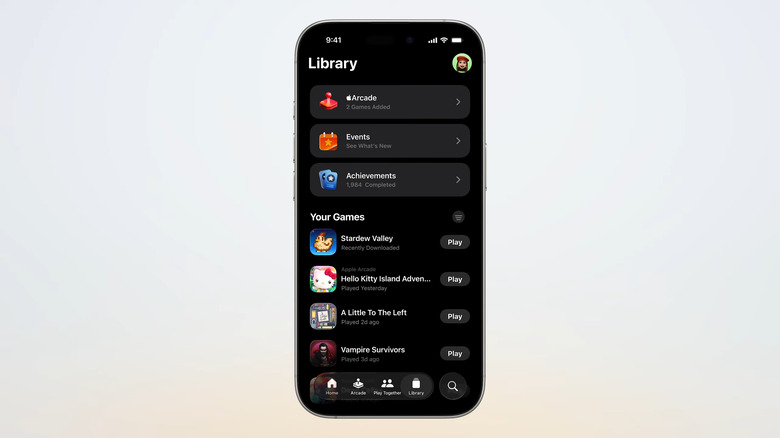
The new Apple Games has a library tab that might remind you of Podcasts or Spotify.
-
Craig's back out, talking about Visual Intelligence, which lets you use the camera control to pull up details on whatever your camera is pointed at.
-
There's also a play together tab to see what your friends are playing, their achievements and how you rack up. Challenges lets you, well, challenge your friends to hit different scores or achievements in games you're both playing.
-

Apple Wallet can now scan notifications for financial transactions and handle them immediately.
-
Forget my new Switch 2, this might make me a real gamer.
-
It'll show details and recommendations based on games you're playing, plus a tab for Apple Arcade. On the library tab you can see every game you've ever downloaded (!) from the App Store and jump back into them.
-
Over half a billion people are playing games on the iPhone, so there's a new software destination for gaming. It's simply called the Games app.
-
Ann Thai, the senior director of marketplace platforms and technologies, is here to talk about Apple Arcade.
-
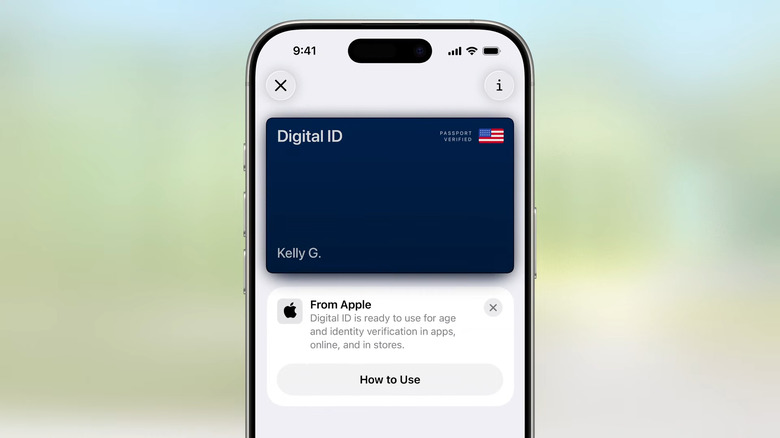
Digital ID can be used where age and identity are required, such as airports.
-
Ann Thai is talking about gaming on iPhone next.
-
Apple Intelligence can identify and summarize orders and tracking and pull all that detail — whether you purchased them via Apple Pay or not.
-
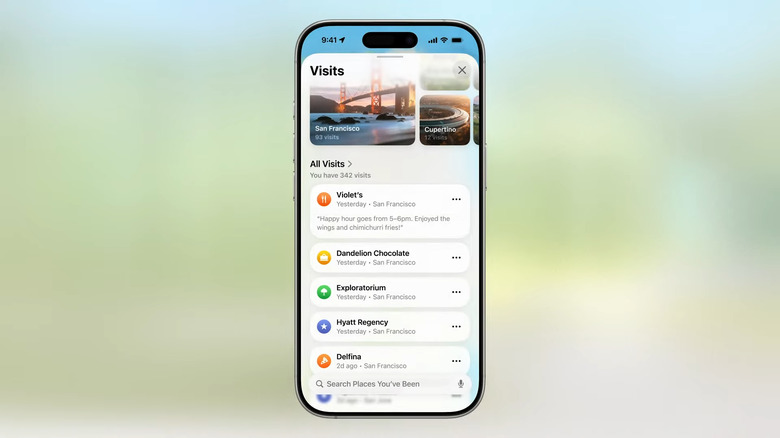
New Visited Places feature (you can delete them) is coming to the Maps app.
-
Rapid fire, we're on to Wallet — you can create a digital ID from your passport. It doesn't replace a passport, but you can use it for some ID purposes. This is going very quick, but these Wallet updates sound pretty good. And on to Apple Pay!
-
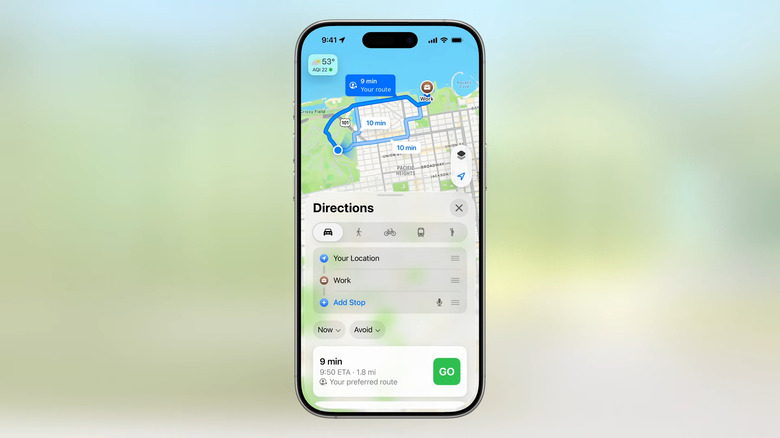
Maps will learn your routine routes and change as your routine changes.
-
Maps also has an opt-in experience that keeps track of places you visit, sort of like Google's somewhat controversial Location History feature. Apple says that it's all end-to-end encrypted and Apple cannot see the data.
-
On to Maps. The iPhone can learn preferred routes — things where you have multiple stops routinely. Imagine dropping your kids off, hitting your coffee shop and then getting to work. Of course, those routines are probably things that you'll have internalized already, but it can give you updates on traffic and so forth.
-
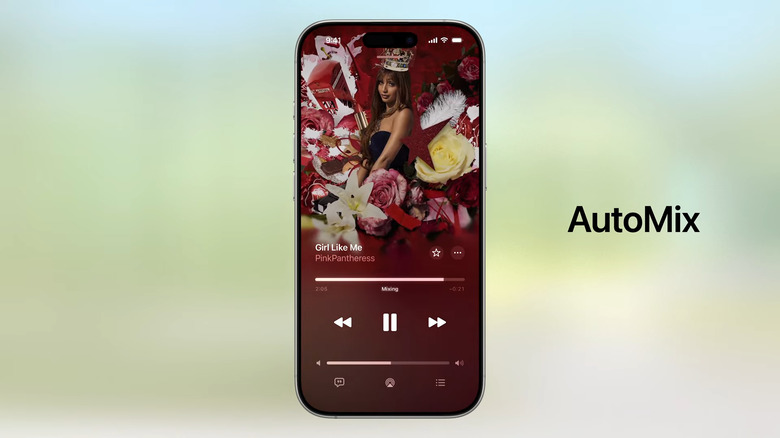
Mix songs like a DJ with AutoMix.
-
Lyrics in Apple Music is also getting pronunciation guides in translated lyrics, which is why I'm very stoked for all the Korean songs I sing along to.
-
Oooh, the library now has "music pins" where you can put your favorite artist, album, or playlist at the top of the list. Similar to pinned messages and contacts.
-
They're bringing live translation to lyrics in Apple Music, which is kind of delightful. There are also time-stretching and beat-matching features in a new tool called AutoMix for when you want a seamless connection of tunes.
-
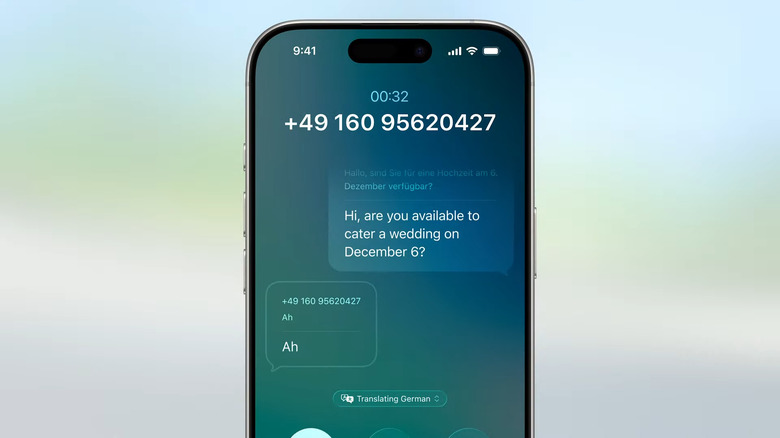
Live Translation also translates phone calls in real time.
-
Karaoke baybee!! I'm going to be so obnoxious with my singing of all Blackpink and 2NE1 songs.
-
Developers can integrate live translation into their apps with the new API. Ikemoto has handed the stage back to Federighi, who is talking about improvements coming to Music, Maps and Wallet. He introduces Kathy Lin, the manager for services software engineering.
-
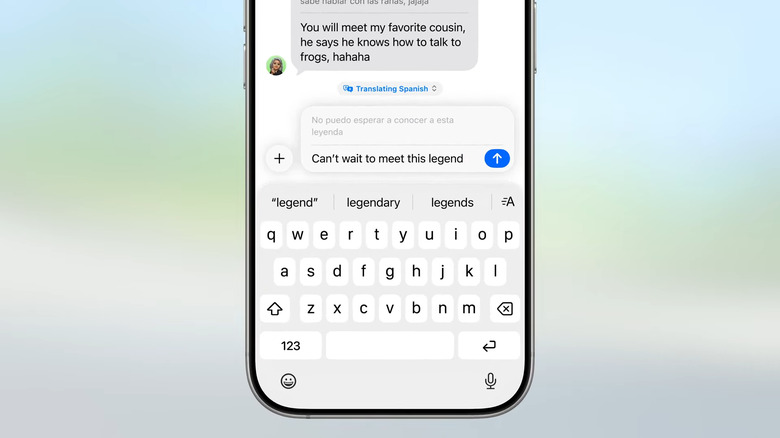
New Live Translation feature translates into a friend's language as you type.
-
As usual, these Live Translation features sounds great if it works as they're showing. But, that's the kind of tool I'd like to see more of from Apple Intelligence and consumer AI tools in general.
-
In FaceTime, this can add translated live captions to calls so you can hear people speaking their native languages but see what they're saying. On Phone, your speech can be translated after you say something, which should be handy when you're trying to book events or services with foreign providers.
-
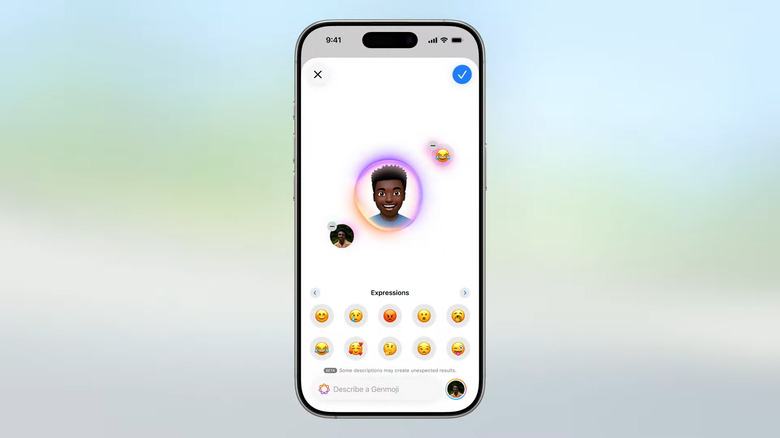
New Genmoji features. You can even ask ChatGPT to create images for you.
-
Ikemoto is moving on to Translation and has announced Live Translation. It is integrated into Messages, FaceTime and Phone, and powered by models that run on device. It can translate texts for you in Messages above your keyboard, and you can hit send.
-
You can also specify the expression of people's faces in Genmoji. Image Playground is also getting updated with chatGPT integration, leading to new styles, like a "realistic image for a baby shower invitation." Developers can integrate these capabilities with the Image Playground API.
-
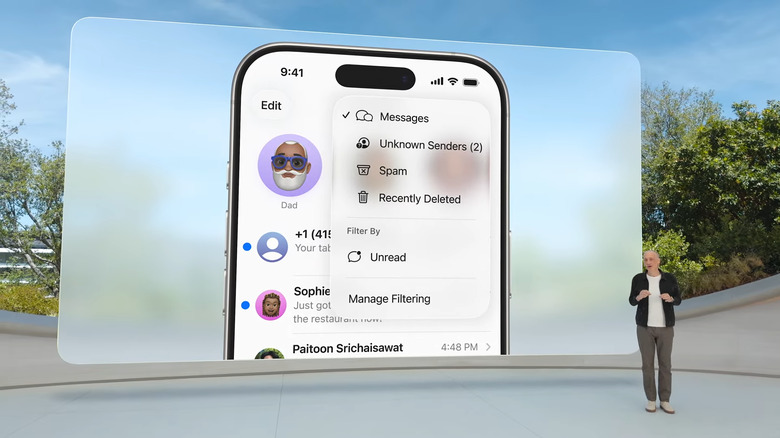
New unknown senders tab.
-
I am less enthused about Image Playground and Genmoji. Sorry, I'm an old, but it is true.
-
Leslie Ikemoto (director of Input Experience) is on now to talk about expressing yourself in Messages. You can mix together two emoji in Genmoji to create new emojis. You can combine them with descriptions to existing Genmoji, too, so your own avatar can be combined with the mic and a description of "sequined jacket," for example.
-
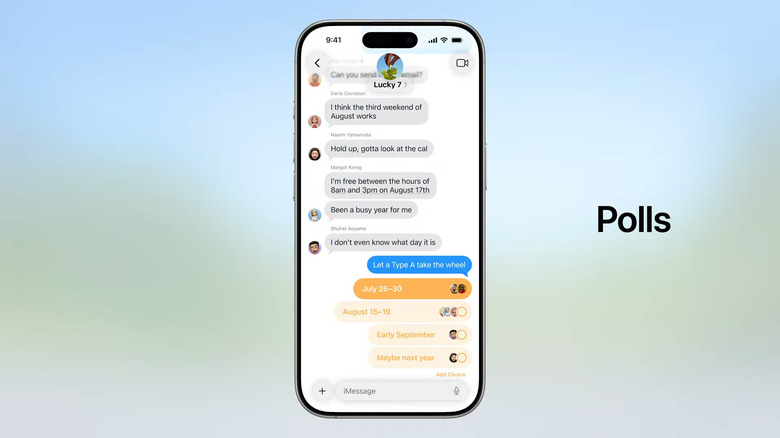
With iOS 26, you can create a poll in group chats.
-
Spam detection in messages is a great idea. I don't know about you, but in the last two years spam texts have gone through the roof for me. It's a damn scourge.
-
On-device spam detection is also coming to Messages to screen spam texts. This is such a highly requested feature. You can mark numbers as known or ask for more info, and messages coming from unknown numbers will stay hidden in their own section until you decide to approve them.
-
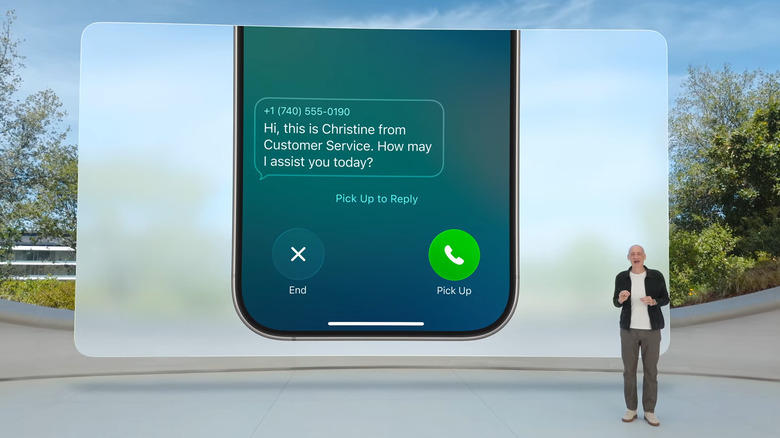
New Hold Assist can keep your spot in line while you wait on an agent.
-
Like the rumors suggested, polls are coming to group chats in Messages. Your friends can add options to polls anyone in the group starts, in case they have more ideas. You can also send or receive Apple Cash within group chats. A "highly requested feature" is coming too — typing indicators in group chats.
-
These new phone app updates are similar to things that Google has been doing for a while, but they're going to be greatly appreciated nonetheless.
-
Shared spaces in Messages is getting new backgrounds — "a variety of dynamic built in backgrounds to choose from" or your own Photos. You can also generate a picture via Apple Intelligence. Next: Group chats.
-
Adler is now talking about a new feature that handles with calls that you have to be put on hold for. This is all very familiar because Google already offers similar features in Pixel phones — Hold For Me and Call Screening. Adler is now moving on to Messages.
-
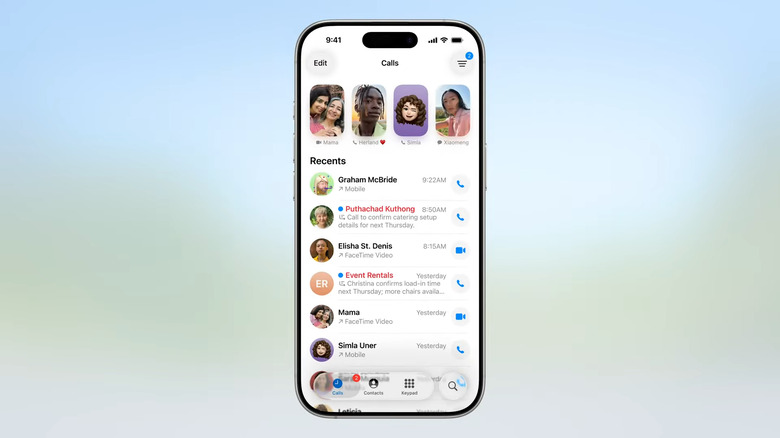
New look on the Calls screen.
-
An improved Call Screening feature will study incoming calls from unknown numbers. It builds on the existing voicemail-based system, and eliminates a step of you having to first send the caller to voicemail. That means the phone will ring and already have a message describing why the person is calling on the screen so you can decide what to do.
-

CarPlay Ultra combines your car's features with your iPhone's features.
-
Favorites are now front and center, with recents and voicemails forming a list below. Apple Intelligence will summarize your voicemail transcripts, and a row of buttons below allows for easier access to the keypad and contacts.
-
Apple hasn't updated the Phone app in any major way in years, so this is kind of interesting.
-
Federighi reminds us of the ways the new Liquid Glass design impacts Apple's various platforms. Now, Darin Adler (VP of Internet Technologies) is here to tell us about communication tools, starting with the Phone app. There's a new Unified layout, for one.
-
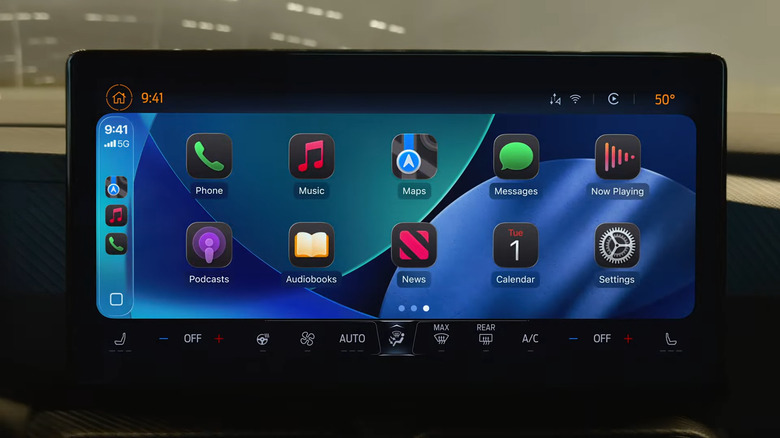
Dark mode apps in CarPlay.
-
All these updates are coming to CarPlay Ultra, which is Apple's next-gen CarPlay experience where it powers the entire UI of your vehicle.
-
The design elements have been updated, so things like calls that come through don't cover as much of the display. There are also new widgets in CarPlay, and Live Activities. Basically a lot of the new UI features that have hit iOS over the years are coming to CarPlay.
-
A CarPlay update in a keynote that started with an F1 shoutout seems apt.
-
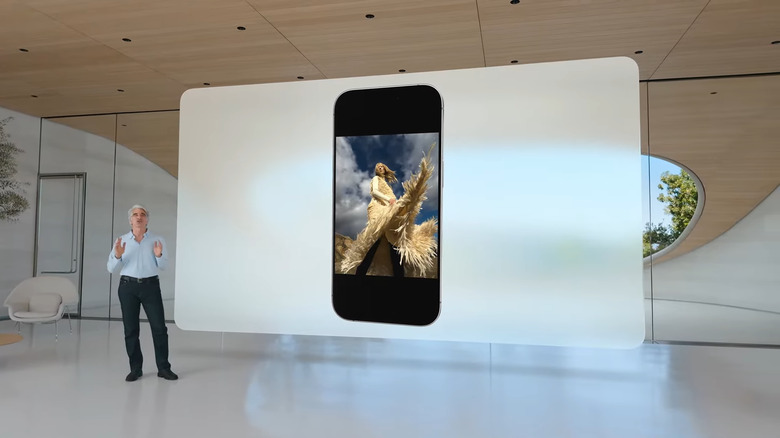
Photos on your home and lock screens can now look more 3D.
-
Hey, we're getting some details on CarPlay, too. A long-neglected piece of software. Unsurprisingly, the new UI is coming to CarPlay.
-
Oooh, Apple redesigned the tab bar in Safari again as part of the Liquid Glass refresh. Based on a previous attempt at minimizing the Safari interface, I'm not sure how many people will like this one.
-
Apple bringing back the Photos app tabs is an acknowledgement that it's heard people's complaints — which I've seen a lot of all over the internet.
-
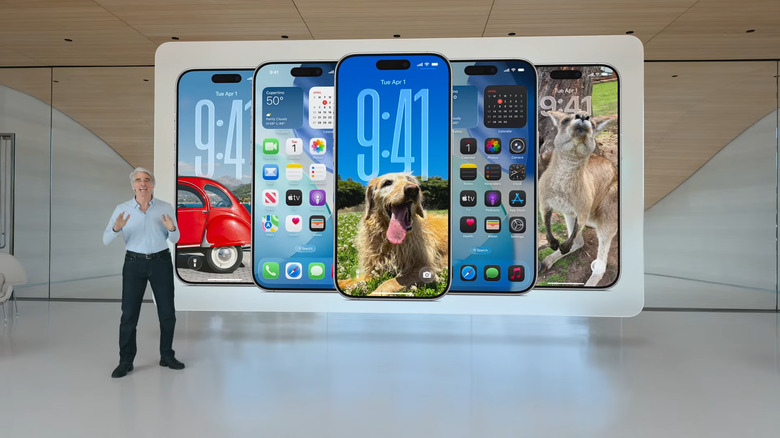
New lock and home screens are more "personal and expressive than ever."
-
Hah, the crowd just gave a cheer for a more simplified Photos app too that walks back a few of the changes they launched last year. Now, your library is on one tab, while other things like albums are on another.
-
Now we're on to the camera interface, which has been significantly simplified. You can now just swipe between camera and video, and if you want to dig more into the different options (like cinematic recording, etc.) you can do that.
-
New all clear apps look.
-
Apple has been working to make the lock and home screens more customizable for several years now, and this is yet another big move in that direction. It looks pretty cool if you ask me.
-
I like the look of these new adaptable fonts of the clock widget that stretch to accommodate items in your photo wallpaper, but I'm still unsure of how it'll work in real life. I have rarely had success getting the fonts on my lock screen to look the way I want. We'll have to wait and see, but so far Liquid Glass does look like a real visual refresh that's quite aesthetically pleasing to me.
-
The lock screen is more dynamic now. The image you select can be adjusted as elements change. The clock will fill available space, there's a 3D-esque touch for some images, and album artwork is animated on the lock screen.
-
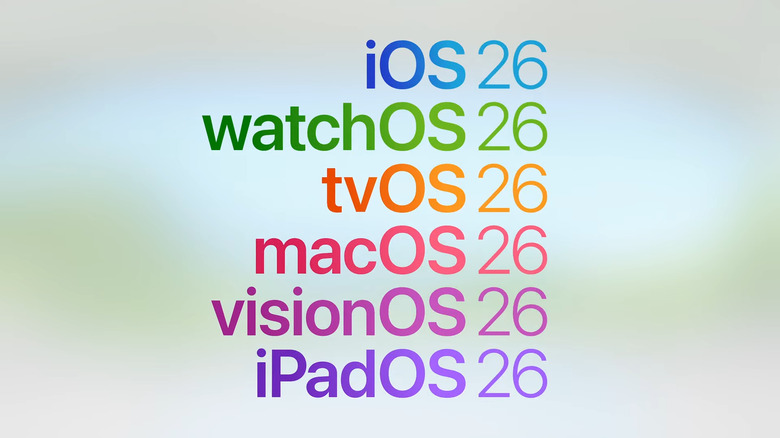
It's official, we're moving to iOS 26.
-
Craig's first digging into the Liquid Glass changes to the interface in greater detail. They have some new styles here, like an all-clear app icon vibe. Pretty interesting!
Also, please note that app icons are NOT circles, as they were rumored to be.
-
Craig is now discussing bringing greater consistency to its platforms — and now they have confirmed that Apple is unifying its naming scheme too. Everything will be "26" this year, and we're starting with iOS 26.
-
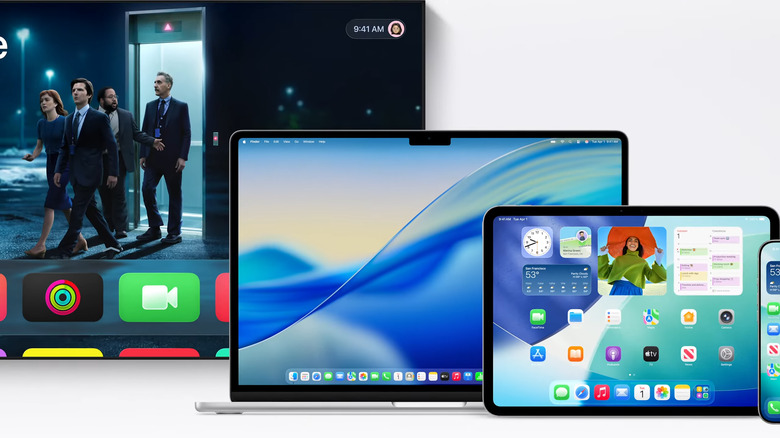
A glimpse of what Apple calls its largest design update in years.
-
There's almost a 3D effect here that makes the pieces of the interface look like glass tiles. I quite like what I'm seeing. Meanwhile, I think Google recently added a gradient to the letter G in its app logo?
-
For example, things like toolbars minimize automatically as your scroll and immediately come back when you need them. App icons are also redesigned, but again look very familiar. Unlike iOS 7, which threw just about everything out in favor or an entirely new look.
-
A lot of it appears to involve translucent backgrounds for overlaid panels and playback controls, giving the interface that glass-like feel.
-
Based on the video here, this is the kind of redesign that isn't going to throw off users in a significant way. It is definitely familiar, but refined. It's a material that sits on top of your apps that morphs depending on what you're doing.
-
Dye mentioned "expressive material" and my mind jumped right to the Material 3 Expressive that Google unveiled last month at Google I/O.
-
It's a unified design across all of Apple's products — that said, Apple's platforms have been quite consistent in recent years. But he is calling out how visionOS was the inspiration for this redesign. It's based on a new "material" called "Liquid Glass" (as rumored).
-
He's calling this new design "our broadest design update ever."
-
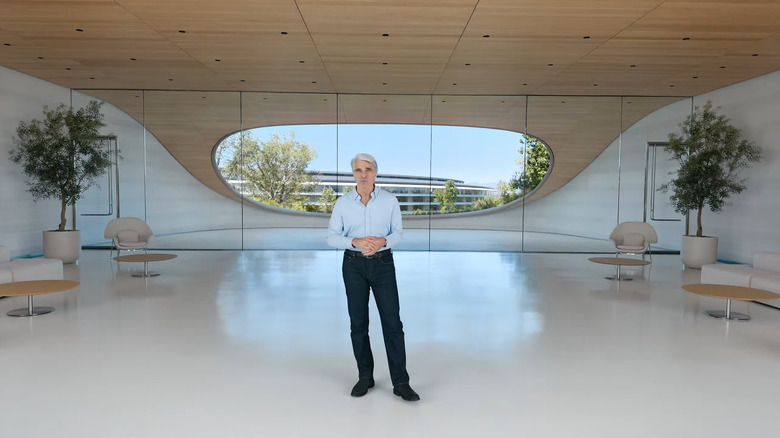
Craig Federighi, Senior Vice President, Software Engineering
-
We're hearing from Alan Dye, Apple's VP for Human Interface Design.
-
Obviously Apple has updated the visual language of all its platforms since then, but it also all feels based on that foundation.
-
Craig just confirmed the "gorgeous new design" and references the last big one being iOS 7 way back in 2013.
-
Tim Cook's first appearance
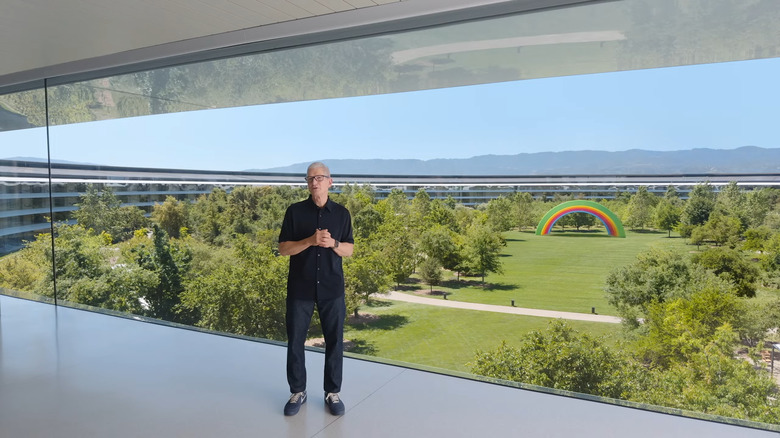
The whole conference is a pre-recorded stream this year — here's Tim Cook's first appearance on video, though he isn't live.
-
He says that a new Foundation Models framework will allow other apps to tap into the Apple Intelligence large language models
-
"We also introduced enhancements that make Siri more helpful." But we're waiting on these. He's admitting they needed more time to handle the big updates to Siri that Apple wants, and said that we'll hear more about the "in the coming year."
-
Of all the things Federighi is reminding us you can use Apple Intelligence for, I only really use Genmoji and Image Playground, mostly for fun. And also notification summaries, though I find I'm always tapping through for the actual details.
-
He's recapping the things that have launched so far, including Writing Tools, Genmoji, Image Playground and Visual Intelligence.
-
Right — after the Tim Cook and Craig Federighi appearances, which were real in person, the rest of this is a pre-recorded video. I think their in person appearances were made to placate the people who have been complaining about the pointlessness of coming to Apple Park to watch a stream.
-
Cook just shouted out all six platforms we're going to get updates on — iOS, macOS, visionOS, watchOS, tvOS and iPadOS. But first, Craig is talking about Apple Intelligence.
-
As a reminder — we're all watching this on a stream. Apple doesn't do proper in-person events anymore it seems.
-
It's all a nod to the F1 film that is coming out from Apple TV soon. And now we're on to the presentation itself.
-
OK we're on to this year's intro video... Craig's in an F1 car, and Cook is watching him from some sort of mission control. We also got a CarPlay shout-out, as he races around a track on the top of the Apple Park campus.
-
While Federighi was talking, someone on the left side of the audience was screaming about something Apple has done and has quickly been escorted away by security.
-
They were escorted out, and I could not hear what they were saying. Nor will I try and speculate.
-
And Craig Federighi is also giving a quick intro, talking about how much he loves talking about Apple's platforms and what the developer community does with it.
Oh snap, sounds like someone was just yelling about... something. They are not happy.
-
We've got a keynote, and a platforms state of the union for the day, among many other things focused more on the developer community than the media.
-
"Welcome to WWDC! We are absolutely thrilled to have you here for what promises to be a huge day filled with announcements, insights, and meaningful connections." He also says we have developers from 60 countries here in person.
-
The music is getting louder... the Apple logo on the screen is getting glassier... and Tim Cook is out.
-
Also, I'm enjoying seeing the true believers walking around with a Vision Pro strapped around their necks. Hard to believe it has already been two years since that was first revealed... and I don't feel like there were any major updates rumored for today, either.
-
Should we have an over/under bet on how many times we hear the words "Apple Intelligence" today? Unfortunately that would require someone else to keep count, as Cherlynn and I will be too busy to do so.
-
I just took my bathroom break and it was refreshing but weird to see that the line for the mens' room was super long while the queue for the ladies was significantly shorter and I waited about five seconds before getting into a stall. Most of the people in the restroom seemed to be senior executives talking about speaking at roundtables, as well as YouTube creator iJustine.
-
OK, we're 10 minutes out.
-
And we're in! Nate and I (and our Yahoo Finance colleague Daniel Howley) have acquired seats right at the boundary of the shade line so hopefully I won't melt from sitting here for two hours!
-
I'm about to go storm the exit of this breakfast area soon as they might start allowing us to find our seats in a bit. Then I'll go to the bathroom. The show kicks off in 30 minutes so if you needed to grab snacks and a drink, this is your time.
-
I've always enjoyed WWDC, though I was certainly more enthused about it before AI became everything. But given that I work on a Mac all day long, I always get excited about seeing what kind of stuff they bring to the oft-overlooked platform. And I feel like this year, the Apple Intelligence stuff will be a bit more... muted, so maybe more quality of life updates? Fingers crossed.
-
As Cherlynn noted, this is my first time at Apple Park! I've been at a few Apple events over the years, but in my decade-plus of doing this I've never made it to Cupertino. The architecture is stunning, if nothing else.
-
I love to mingle with my peers like Chris Velazco, Julian Chokkattu, Nicole Nguyen, Victoria Song and more at these things, it's a really good time. And of course, here's a picture of the breakfast I got myself, just missing a little asparagus mini quiche that I ate before remembering to grab a picture. It's all mini things — mini latte, mini quiche, mini french toast... For a company that eliminated its mini phone, Apple sure serves a lot of mini food items at its events.
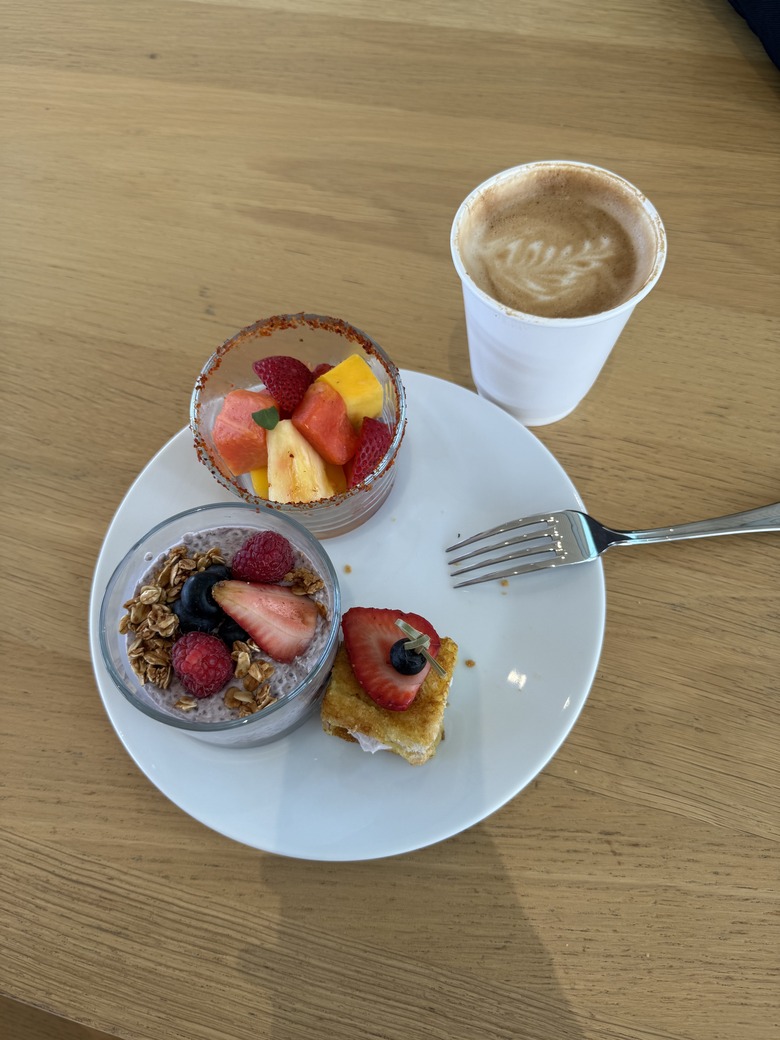
A plate of food with three mini items — a cup of mixed fruit, a cup of granola and fruit parfait and a small french toast. A small cup of coffee sits next to the plate.
-
I enjoy all these pictures from Nate, who's getting his first look at WWDC in Apple Park. If you've never been here, it's quite the experience. Like Falcone mentioned earlier, there were some changes in the media check in logistics this year, leading to those of us who operate on autopilot getting confused this morning. But it worked out and Nate and I are now in the breakfast area. Before all the confusion I was just marveling at the effective traffic management around Apple Park this morning, too!
-
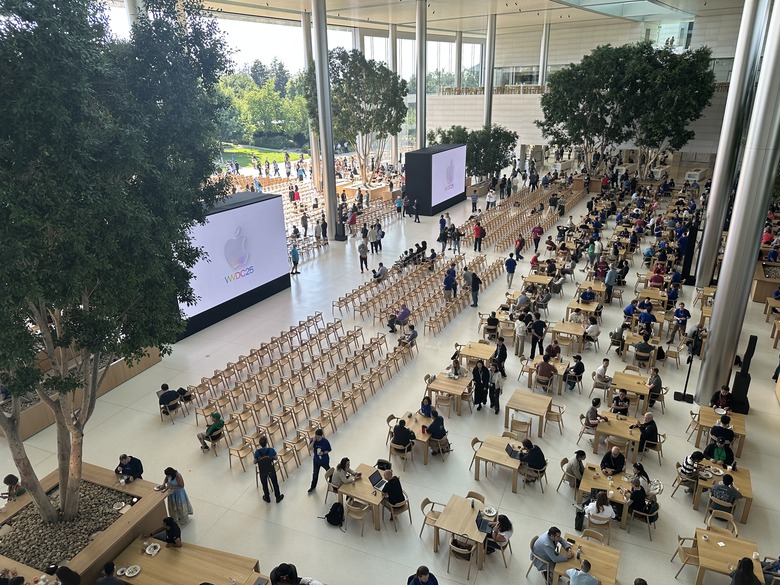
The "indoor" seating area
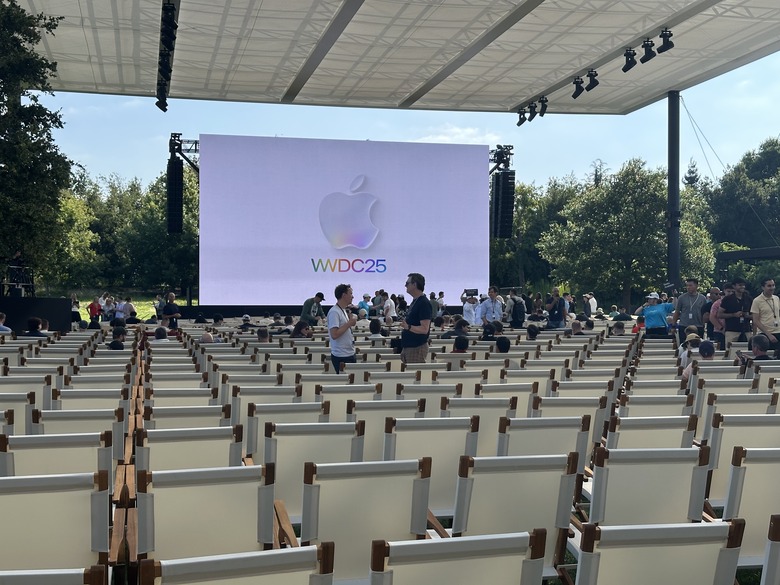
The covered seating area, where press is not allowed to sit.
-
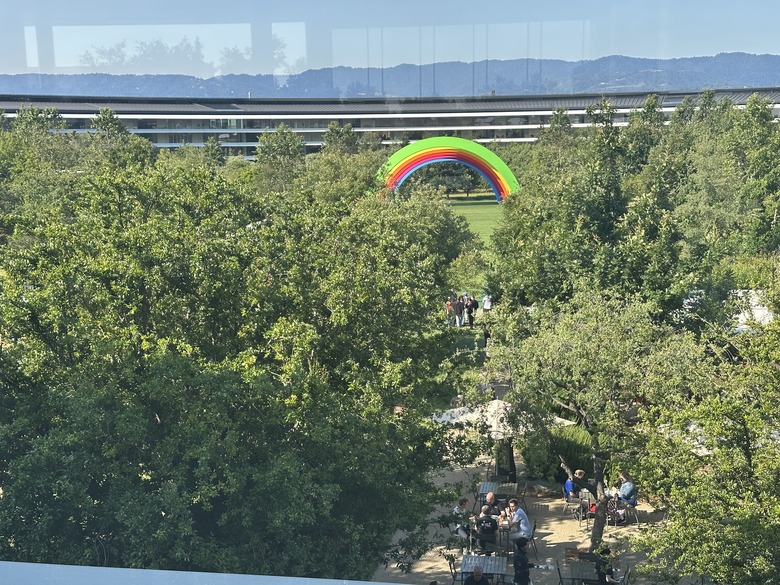
Apple Park's iconic rainbow.
-
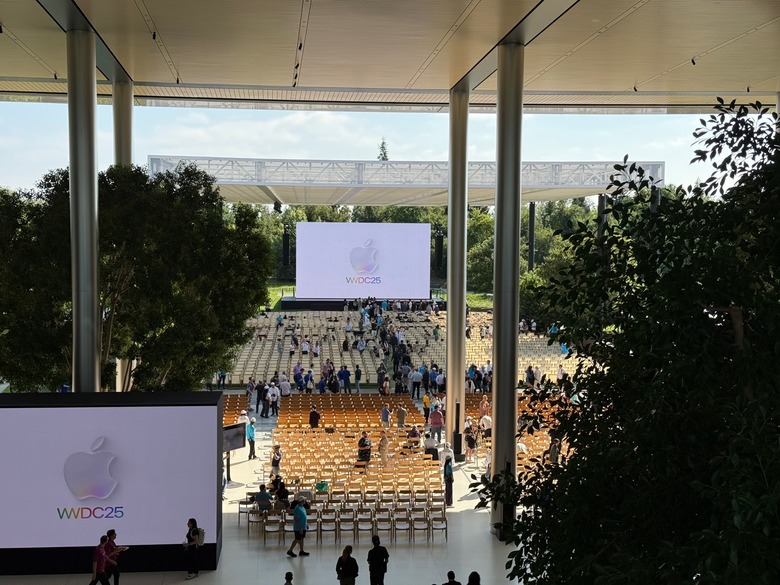
The seating area is beginning to fill up.
Again, if you're just joining us: The event kicks off at 1PM ET / 10AM PT today. We're expecting another pre-taped stream, but Engadget's Cherlynn Low and Nate Ingraham are live at Apple Park to take in the scene and follow-up with Apple execs afterwards. Meanwhile, our off-site team (read: everyone else!) will be popping in with news and analysis as the day progresses.
-
Greetings from WWDC! It took some doing, but Cherlynn and I are inside Apple Park, finally.
-
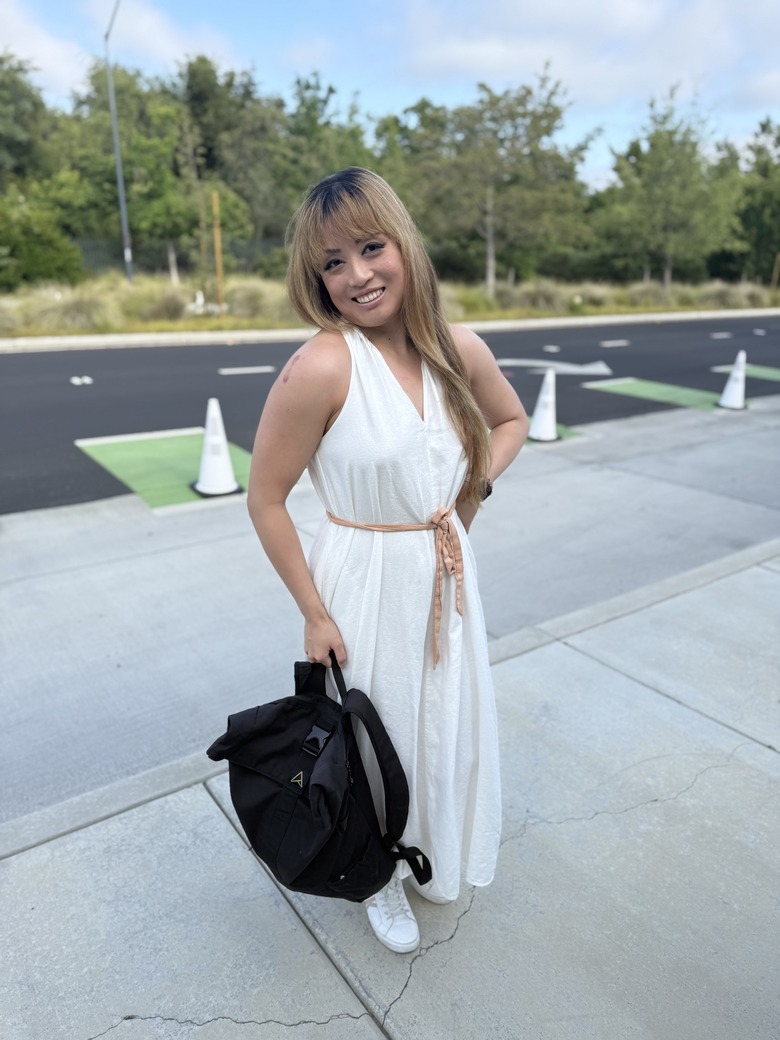
Cherlynn tells me that Apple has changed up the logistics a bit this year, so she's in transit at Apple Park right now. But as you can see, she's red carpet-ready while awaiting her transportation.
-
One of the big things we expect Apple to announce later today, based on the rumors, is a new naming standard for its various platforms. The company might move to a year-based identifier instead of an arbitrary generation number. That means instead of iOS 19, iPadOS 19 and watchOS 12, we could see iOS 26, iPadOS 26 and watchOS 26 to indicate the year most people will be using the latest software.
As a small contextual aside, Samsung also did this with its Galaxy S series of flagship phones, jumping from 2019's Galaxy S10 line to the Galaxy S20 trio in 2020. Since then, Samsung's standard flagship phones have stuck with that style of identification, meaning this year was the launch of the Galaxy S25 and honestly it makes sense. It'll likely take some time before the Galaxy Z series of foldables catches up there, too, since that's still stuck on generation-based naming (the current version being the Z Fold 6 that came out last year).
-
As has become the norm, there is already plenty of reporting and rumors out there on what we can expect to hear from Apple later today. Some of the more intriguing include a major update to iPadOS that would make it more Mac-like and better for productivity, multi-tasking and app window management. Some less functional but still noteworthy changes, according to the rumors, include a possible visual refresh and new naming method.
-
Hello! That's the first word you see when setting up a new Apple device and also on this liveblog! That was not a cliched opening for this at all! Welcome to our live coverage of WWDC 2025. Myself and deputy editor Nate Ingraham are on the ground in Cupertino to bring you all the latest from the company's keynote today. As we make our way to Apple Park, please keep us in your thoughts. I really need all the luck and good vibes to secure a seat that's comfortably situated under shade today.