

WWDC 2024 live updates: Apple Intelligence, iOS 18, iPadOS, MacOS and more
We're bringing you all the news from Apple's annual developer conference, right as it happens.
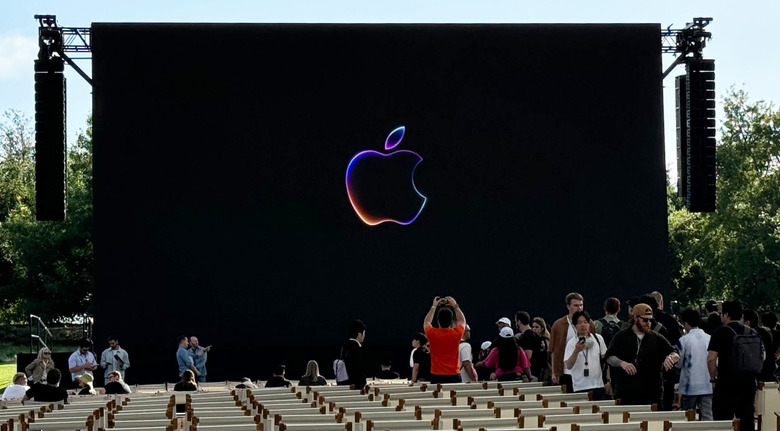
Apple's highly anticipated WWDC keynote is finally here. For 2024, expect the Worldwide Developers Conference to deliver the usual annual updates to Apple's platforms — iOS, iPadOS, macOS, watchOS and more, as well as the software for the Vision Pro headset, which was introduced at WWDC 2023 and went on sale a few months ago. But this year, all eyes will be on how the tech giant will up its game on the AI front (which apparently may get branded as Apple Intelligence). In addition to AI-powered updates throughout the company's ecosystem, we're also hearing that Apple might be readying a brand new... Calculator app? We'll get the details once the keynote kicks off at 10am PT / 1pm ET today. I'm already on site with my colleague Devindra Hardawar, and we're prepping to bring you all the news, as well as the most important insights, like how Apple's snacks compare to the likes of Microsoft and Google's events. Plus, what do you think the new macOS will be named after? Stay tuned for ongoing live updates.
WWDC 2024: All the news so far
-
WWDC 2024: Everything Apple announced today including iOS 18, AI with Apple Intelligence and more
-
Apple brings a full-featured Passwords app to the Mac, iPhone, iPad and Windows
-
macOS Sequoia will let you see your iPhone mirrored on your Mac's screen
-
iPadOS 18's Smart Script uses machine learning to make your handwriting less horrible
-
watchOS 11 includes a new Vitals app to see all your key health metrics
-
AirPods Pro update adds head-nodding gesture to silently respond to Siri
-
Apple redesigned the Photos app in iOS 18 to intelligently organize your memories
-
iOS 18 gets a revamped Control Center and loads of home screen customization options
-
Canon is making a new lens to capture spatial video for Apple's Vision Pro
-
vision OS 2 adds spatial photos, new UI gestures and improved Mac mirroring
263 Updates
-
Everything Apple announced at WWDC 2024, including iOS 18, AI with Apple Intelligence and more
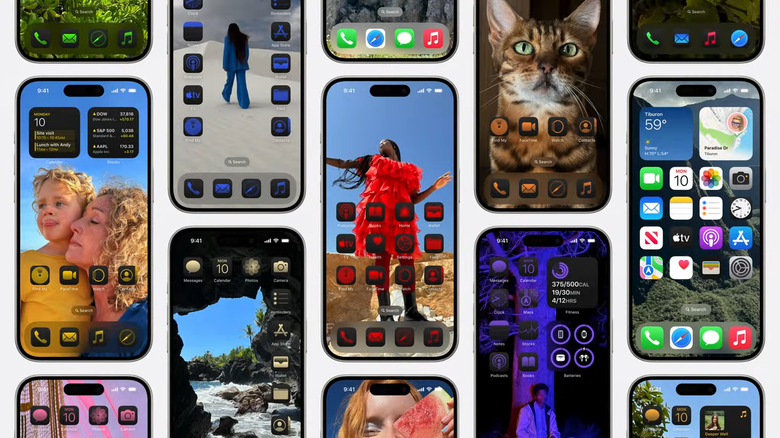
iOS 18
Missed our liveblog? We've got a big ol' article just for you. Today's keynote for Apple's Worldwide Developers Conference teased a lot of what users can expect later this year when all of its major software updates roll out. Big changes coming to iOS 18, macOS Sequoia and watchOS 11 include RCS support, a new Passwords app, a revamped Calculator app and a bunch of artificial intelligence (AI) infusions across the board thanks to the new "Apple Intelligence" system.
-
ChatGPT is baked into Apple Intelligence
Apple – ChatGPT
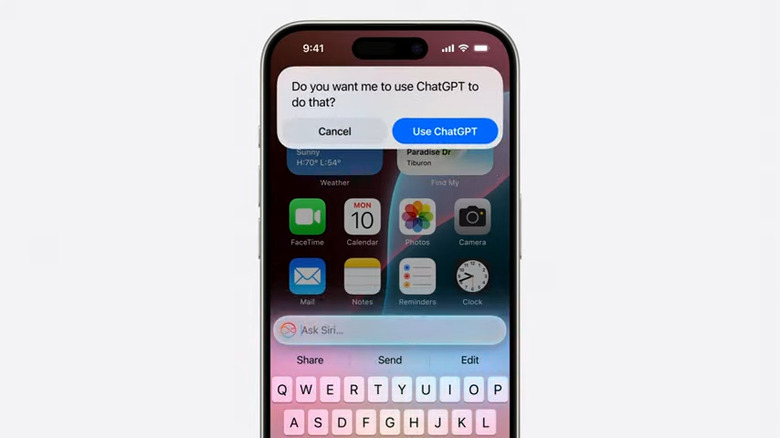
As rumored, Apple confirmed at WWDC 2024 that it's made a deal with OpenAI to bring ChatGPT to the iPhone and other devices. GPT-4o will power cloud-based AI queries in iOS 18, iPadOS 18 and macOS Sequoia.
-
Apple's first attempt at AI is Apple Intelligence
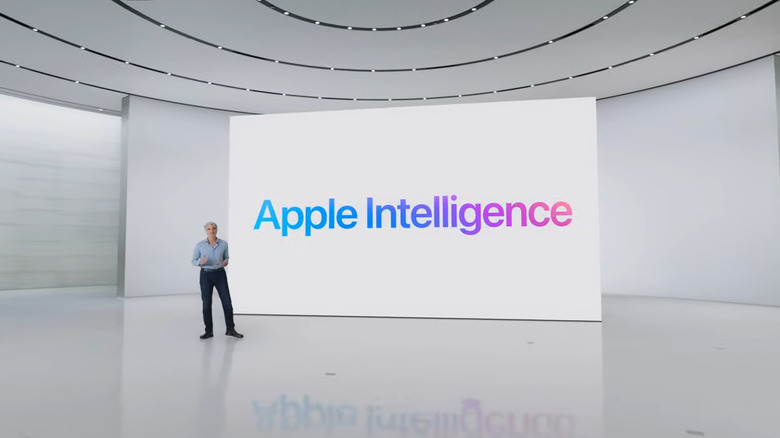
Apple Intelligence
Apple is going all in on AI in the most Apple way possible. At WWDC, the company's annual conference for developers, the company revealed Apple Intelligence, an Apple-branded version of AI that is more focused on infusing its software with the technology and upgrading existing apps to make them more useful. Apple Intelligence will be powered both by Apple's homegrown tech as well as a partnership with OpenAI, the maker of ChatGPT, Apple announced.
-
Like Devindra said, thanks for joining us! We're off to see what demos are available and will be taking a zillion meetings over the next two days, where we expect to learn more about things that were previewed today. Stick around to Engadget.com for more coverage and reports from WWDC 2024, we'll have lots to share!
-
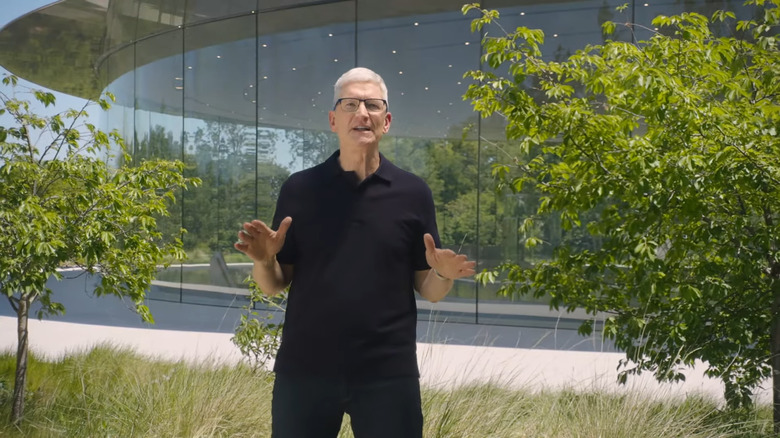
Apple CEO Tim Cook summarizing all of today's big announcements.
-
Apple's new AI-powered Siri can use apps for you
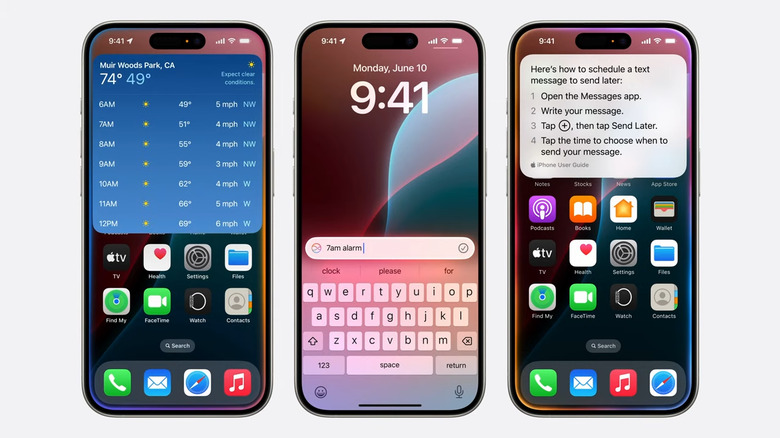
Siri's new AI powers.
As expected, Apple's assistant is about to get much more helpful thanks to a load of new AI-powered capabilities. During WWDC, the company previewed a new version of Siri that can take actions on your behalf and understand a wide range of new queries.
The new version of Siri has a better understanding of the apps on your phone and will be able to take more than 100 actions based on your activity and device.
-
Thanks for joining us folks, this has been an onslaught of news!
-
Cook is laying out what the rest of the week looks like for the developers that are here for WWDC. This is, after all, a developer conference. Who else would make the apps that actually work for us? Cook thanks us and we're done!
-
"Personal intelligence" is the phrase Apple has used more than "artificial intelligence." The framing makes all the difference. Apple Intelligence will power tools that actually have context around you and your data, instead of just being based on a collection of stolen content from the internet.
-
Apple Intelligence will be available to try out in US English this summer, and it's coming to iOS 18, iPadOS 18 and macOS Sequoia this fall. "This is the beginning of an exciting new chapter for personal intelligence," Federighi adds.
-
Generative intelligence is also coming to Xcode (developers around us cheered as this was announced). This sounds very similar to Microsoft's Github Copilot, which has been available for years.
-
"This is AI for the rest of us," Federighi is saying. Apple Intelligence, of course, not that other AI.
-
Apple is making it easy for developers to integrate AI features. If a dev has been using SiriKit, they don't have to do much extra work to take advantage of the new Siri AI features.
-
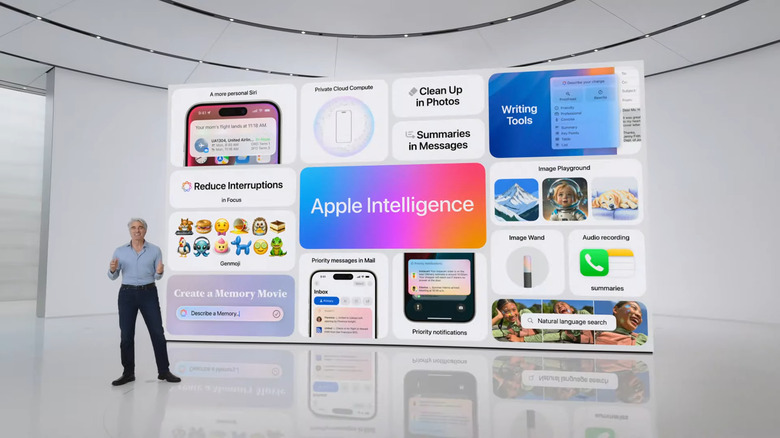
Here's the big summary slide for all of the Apple Intelligence announcements.
-
You can also use ChatGPT to create stories on-demand, or its sibling Dall E to create images. No surprises here. ChatGPT integration is coming to all of Apple's new operating systems later this year.
-
Federighi actually called OpenAI's ChatGPT the best of the advanced generative AI models out there (I'm slightly paraphrasing). The company is integrating access to ChatGPT in its own products to reduce the need to jump between services and apps.
-
The ChatGPT results also stay within the Siri pop-up. you're not being sent elsewhere.
-
You can ask Siri about something, and it can ask if you want to reference ChatGPT about it. The confirmation is key
-
ChatGPT gets a shout out as the market leader of generative AI.
-
Instant transcriptions just made the Notes app 100x more helpful to me.
-
We're going back to Federighi for anything more on Apple Intelligence. He says what we've seen today is "just the beginning" and telling us a bit more on the Notes app. You can use the recorder on your Notes app, and Apple Intelligence will deliver a transcription when you hit stop. This is also coming to the Phone app. Apple Intelligence is coming for free on iOS 18, iPadOS 18 and macOS Sequoia.
-
On-demand memory creation seems very useful — at least for lazy folks like me who always putt off editing and organizing family photos and videos.
-
These updates to Photos are "built on a foundation of privacy," like all of Apple Intelligence.
-
Sifting through your pictures to create videos and memories can be quite the chore if you have a ton of photos from your vacation. Apple Intelligence can help pick out the best photos and videos, craft a storyline with chapters based on themes it detected in your pictures and add background music and transitions.
-

Apple is catching up with Google's Magic Eraser feature by making it easier to remove unwanted people or items from a photo.
-
You'll also be able to better search in photos and videos by typing out specific descriptors for, say, "Maria cartwheeling on the grass" or someone who had stickers on their face to find those specific moments.
-
Photo editing is getting an Apple Intelligence update too. The new Cleanup tool... is basically Google's Magic Eraser and will get rid of distractions in the background of your pictures.
-
Image Wand is available in the tool palette and you can use it to circle, say, a rough sketch in your note on Architecture in India. It'll help you generate a nicer looking picture to go with the contents of your note. You can also circle empty space to generate new contextual images.
-
Developers are getting a new Image Playground API to embed this experience into their apps. Now, we're learning about new experiences in things like the Notes app called the Image Wand.
-
macOS Sequoia will let you see your iPhone mirrored on your Mac's screen
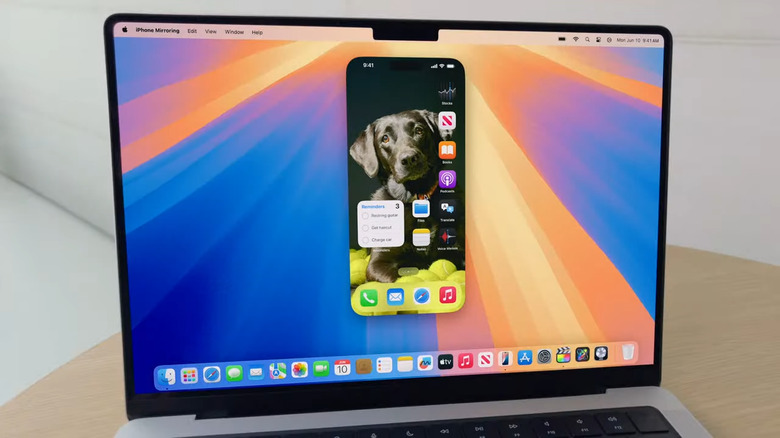
You'll be able to manipulate your iPhone right on your Mac's screen.
Apple's next macOS update is called Sequoia. The 2024 Mac software, coming this fall, includes iPhone mirroring and notification, a new passwords app and Safari upgrades.
iPhone mirroring lets you use your Mac to view, control and interact with your phone. It lets you access iOS apps and receive notifications from your nearby handset. Your iPhone screen stays locked in Standby mode (one of iOS 17's updates) while you work on your computer.
-
Honestly this is giving me a bit of pause — Apple better clearly label when its images are generated by AI, or the deepfake fear will be something to contend with.
-
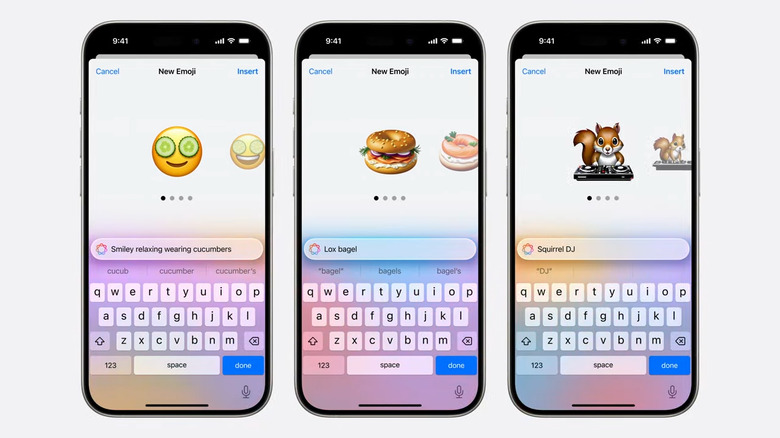
No more being limited to the stock emoji choices.
-
You'll be able to go back and see previously generated images too. You can also create images based on your photos and create the appearance of a friend from your pictures of them.
-
When you have a specific idea in mind, you can type a description to add it to your playground and you can choose a style, as well as whether it's an animation, sketch or illustration.
-
There's a new system experience called Image Playground, too, and it'll let you create playful images in seconds. It's built into apps like Messages. To start, you'll select from themes, costumes, places and more. When you pick one, they get added to your playground. Seconds later, you'll get a preview of what your image could look like — sort of like a visual mix and match composition.
-
Apps like Keynote or third-party options like Craft can help you better express yourself. In Messages, Genmoji is coming to help make custom emoji. They'll be made on-device and you can make them from the keyboard. You can type a description about rowdy squirrels or skateboarding dinosaurs for example. You can also name a contact and use their avatar in your Genmoji.
-
Over to Cyrus Irani to learn about expressing yourself via Apple Intelligence.
-
This prioritization is also coming to Notifications. Priority notifications will be surfaced higher up and they'll be summarized so if you wake up to 100 Whatsapp pings, you'll get a summary to tell you that, say, your friend got engaged.
-
Your inbox will also show better previews of each letter with AI-generated summaries. You'll also get a preview at the top of each email so you can spend less time skimming and scrolling. Priority emails will also be better surfaced.
-
Everything we're seeing around Apple Intelligence and Siri feels a lot more thoughtful than Microsoft's Copilot integration, or anything around Google's Gemini and other frameworks.
-
Suggested responses will also be coming, and lets you tap and pick parameters for a generated response. When you're replying to an invitation for example, you can tap to answer questions on whether you plan to go, and Apple Intelligence will draft up the right RSVP for you.
-
You can also rewrite something into a poem! I like to write my own poems though. Proofread is another feature and it'll help with grammar and punctuation and you can accept individual suggested edits or accept all at once. Finally, Summarize can help you get a TL;DR to insert at the top of long emails.
-
Siri also has information about you — with Apple Intelligence, it can take a deeper look at messages and files you've sent. This sounds very similar to Microsoft's Recall tool, but it's being sold in a way that feels more private and personal.
-
Now we're learning more about how Siri works with systemwide tools. First up, Mail. You can rewrite emails and get different versions suggested, then select your favorite. Suggestions are shown inline so you can pick the one that flows and integrates best. You can also get Rewrite to help with your tone. You can try to sound more friendly, professional or concise.
-
"This year marks the start of a new era for Siri." Ugh not Eras again.
-
Apple brings a full-featured Passwords app to the Mac, iPhone, iPad and Windows
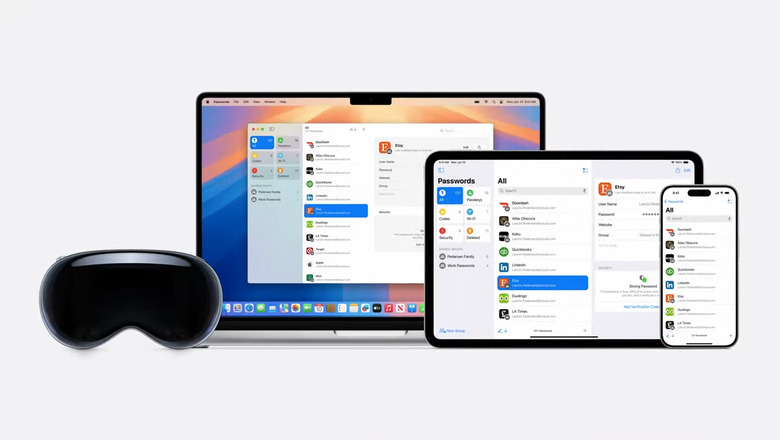
A password app.
The rumors are true: Apple is adding a dedicated passwords manager app to many of its operating systems. This includes macOS, iPadOS, visionOS and iOS. It'll even work on Windows by accessing the Windows app via iCloud. That's pretty neat. There are way too many passwords out there.
The first-party service is powered by iCloud Keychain and will compete with some heavy hitters in the space, like LastPass and 1Password.
-
"That's just a glimpse of the ways Siri is going to be more powerful," and some of these changes are also coming to iPad and Mac.
-
I'm impressed that all these mentions of "Siri" aren't triggering my iPhone. Good job Apple. Amazon please take notes!
-
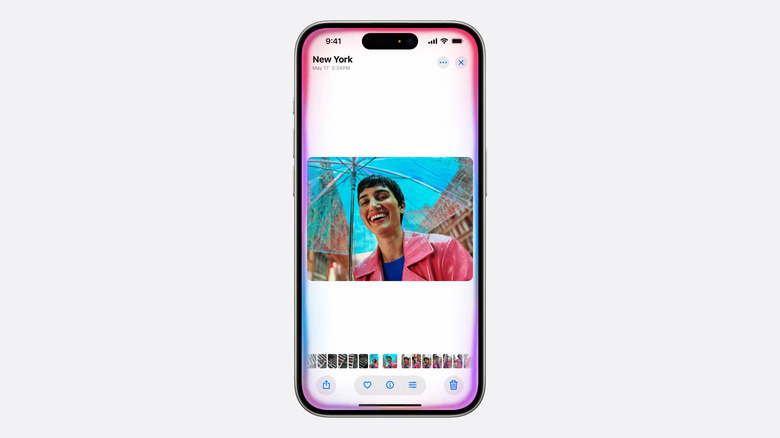
Per Apple, Siri will be able to make changes you request within apps.
-
Siri will be able to take actions across apps. You can go for refining a photo to throwing it into a Notes document. This is all part of upgrades around App Intents, which can help developers define intentions within their software.
-
This is as close to a seamless cross-device assistant as I've ever seen, and it's the best example of setting the scene for the "ambient computing" vision Google has been talking about for years. At least, if it works as promised.
-
Siri also has on-screen awareness now. If a friend texts you their address, you can ask Siri to add it to their contact card. (No lie, I've wanted something like this for years.)
-
Apple is finally infusing its Siri assistant with more AI-powered smarts, including better understanding of context.
-
I struggle to see how typing "Set an alarm for 8am" from the Siri screen is easier than just opening the Clock app to do so. I prefer tapping and swiping to typing, I guess.
-
Apple is also leaning on Siri's knowledge of its own products. You can ask it how to write a message now and deliver it tomorrow, and Siri will pop up instructions on using Scheduled Send in Messages.
-
Texting to Siri just to avoid speaking out loud doesn't seem the easiest or smartest to me, but I can see how it might have accessibility benefits.
-
If you ask a question about a hiking location, you can also follow up with a request to add a calendar entry for the results you just saw. You don't have to keep reminding it of what you're talking about.
-
Siri was released 13 years ago, now it's taking a "major step forward" with AI. It's going to become more natural, more relevant and more personal. It's more deeply integrated in the system experience. Siri now lights up the edges of your phone, and it can also deal with you misspeaking during commands naturally.
-
We're looking at how Apple Intelligence (we're calling it "AI" for now), will work across your apps. We're starting with Siri.
-
Apple has been so focused with on-device processing for privacy, it definitely needs to justify why it's going to the cloud. Private Cloud Compute seems to be doing this, Apple is calling it a brand new standard for privacy in AI.
-
When you make a request, Apple Intelligence analyzes whether it can be processed on device and only send data that's relevant to the task to be processed on Apple's servers.
-
Federighi wants to extend the privacy of your iPhone into the cloud "to unlock even more intelligence for you" and so the company is announcing Private Cloud Compute. This will allow it to draw on server power for more advanced processing while maintaining the privacy and security of your iPhone.
-
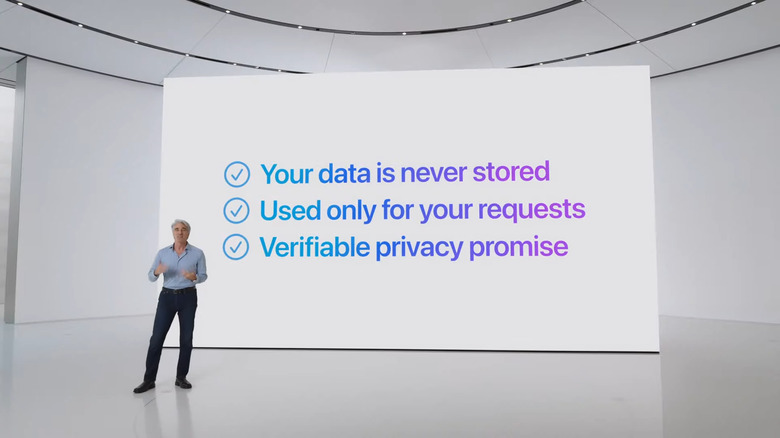
Apple is talking up how it's handling AI features while protecting user privacy.
-
It'll look at your apps to find relevant data and feed it to other apps to best assist you. Often, though, you'll need more power for more intensive tasks. Servers can help, but they often come with privacy concerns that you can't really verify the safety of.
-
Apple Silicon across the A17 Pro and the M family of chips powers the large language and diffusion models that are specialized to your everyday tasks.
-
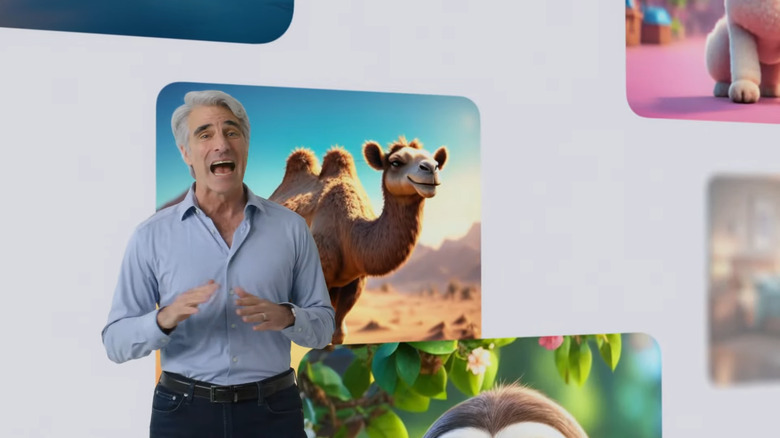
Apple Intelligence will offer three distinct styles of generative images.
-
Apple Intelligence really seems to be another example of Apple looking at burgeoning tech and trying to do it a bit more wisely. Surely, Apple has seen the issues Microsoft and Google immediately encountered once they announced generative AI products.
-
However, Federighi says, you shouldn't have to hand your data over to be warehoused and analyzed. Apple Intelligence is, like many other of the company's products, is built with privacy at its core. On-device processing powers Apple Intelligence. It'll be aware of your personal data without collecting your personal data, he said.
-
Apple Intelligence "is grounded in your personal information and context," as it's able to retrieve data from apps or on your screen like your calendar, for example. If your meeting is being rescheduled for later that day and you're wondering if you can still get to your daughter's play on time. Apple Intelligence can understand the time of the play, traffic patterns at the time and GPS information to help you decide.
-
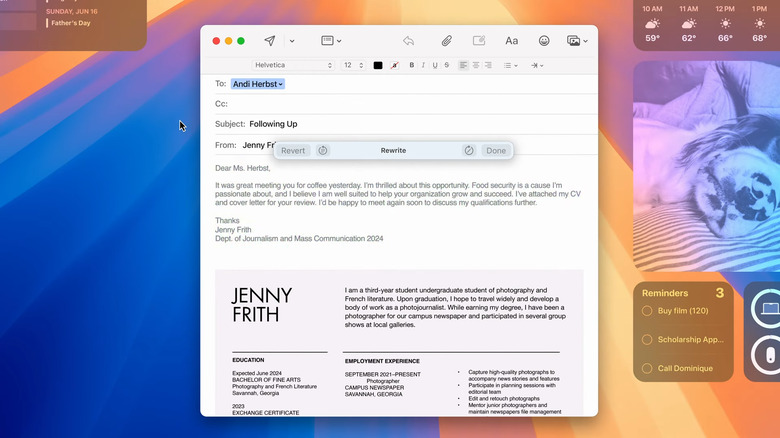
Apple is outlining how its new AI tools will help you write across several of its apps.
-
Apple Intelligence can take action across your apps. It's been designed to tap into existing tools to carry out tasks on your behalf. You can say "Show me all the photos of mom, Olivia and me" or to play specific podcasts based on when you last played them, for example.
-
You can create images in three styles: Sketch, Illustration and Animation. This is built into apps throughout the system like Notes, Freeform and Pages.
-
This is Apple's take on AI.
-
You can use these tools across Mail, Notes, Safari, Pages, Keynote and third-party apps. There will also be support for images and emojis. You'll be able to create new images to "make everyday conversations more enjoyable." If you wish a friend Happy Birthday for example, you can create an image of the surrounded by cake.
-
We're taking a closer look at Apple Intelligence features, then how it works and finally how it'll work in daily experiences. Apple Intelligence will work with iPhone, iPad and Mac. It'll understand your personal context, starting with language and text. The language models in Apple Intelligence will allow it to read things like your notifications and help it prioritize important ones and minimize distractions. There will also be new writing tools systemwide to rewrite, proofread and summarize text for you.
-
Federighi is back and says this is a moment the company has been working towards for a long time. Tools that exist today know "very little about you or your needs." With iOS 18, iPadOS 18 and macOS Sequoia, this will be different. Apple Intelligence will draw on your personal info to deliver experiences across these platforms.
-
"And of course, it has to be built with privacy from the ground up." and "It goes beyond artificial intelligence," Cook said. "It's the next big step for Apple." And cue new video with lots of what looks like neurons animated and ending with the words Apple Intelligence. Cook says this is a new personal intelligence system to make your personal products more delightful.
-
"We want to ensure that the outcome reflects the principles at the core of our products," Cook said, teeing up its AI push. "It has to be powerful, intuitive and deeply integrated. Most importantly, it has to understand you." he said.
-
watchOS 11 includes a new Vitals app to see all your key health metrics
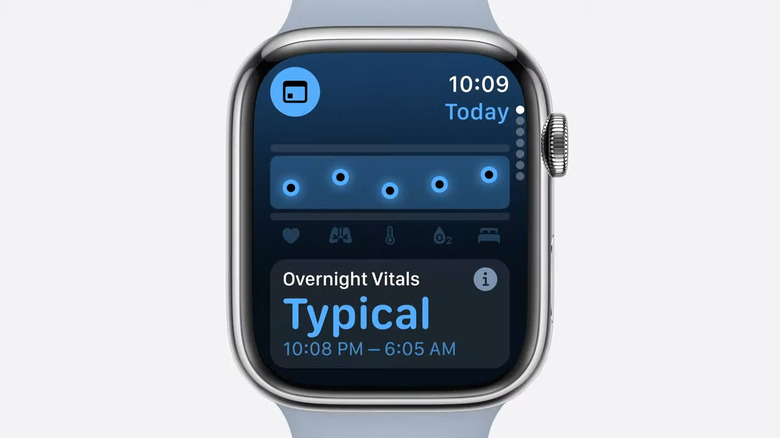
WWDC watchOS updates
A new app for the Apple Watch will help you get a better overall view of your health and fitness levels. The new Vitals app synthesizes details from your Health and Fitness data. During the keynote at its Worldwide Developers Conference (WWDC) on Monday, Apple announced new features coming to watchOS 11.
-
"Only an hour left!" someone behind me said. Gosh. "We've been using artificial intelligence and machine learning for years," Cook said.
-
Developer betas will be available today, public betas next month and, as usual, final releases this Fall.
-
Now that iOS 18, iPadOS 18, macOS Sequoia and watchOS 11 have been covered, along with audio and TV stuff, I wonder what's next. We're going back to Tim Cook, so it must be big.
-

Apple is re-emphasizing the widening support for key third-party games on the Mac.
-
That's it for macOS Sequoia. Again, we're still waiting on all the supposed AI news
-
Assassin's Creed Shadows is also coming to iPad.
-
Ubisoft's Marc-Alexis Cote is here to show off Assassin's Creed Shadows. And yes, the game looks very good one Apple hardware.
-
Game Porting Toolkit 2 will also help developers bring games to Macs more easily. There's also better support for bringing large games to iPhone and iPad. More games are coming as well, including Frostpunk 2. There's also some big news coming from Ubisoft.
-
We're moving onto gaming on Macs. Federighi points out that every modern app can play recent big-budget games, in addition to iPhones and iPads.
-
iPadOS 18's Smart Script uses machine learning to make your handwriting less horrible
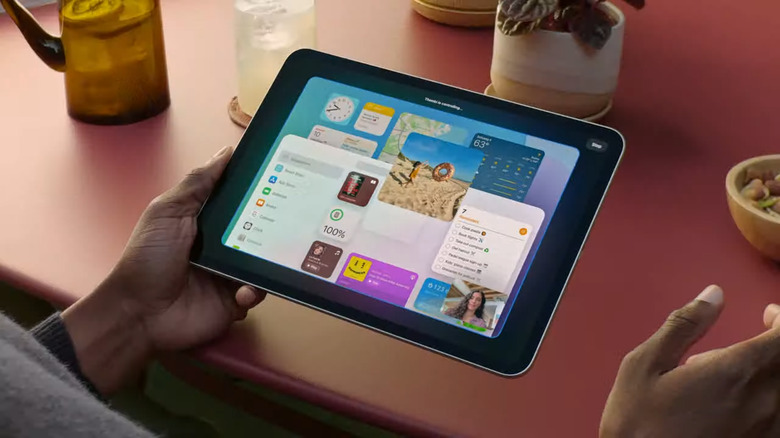
At WWDC 2024, Apple is adding a ton of new features to iPadOS including a new calculator app, improved home screen customizations and more.
Last month, Apple's tablets got a major revamp with the arrival of the M4 chip, two size options for the iPad Air, updates to the Magic Keyboard and a new iPad Pro packing a fancy Tandem OLED display. And now at WWDC 2024, Apple is looking to flesh out the iPad's software with a number of fresh features heading to iPadOS 18, which is due out sometime later this year.
-
Summaries are coming to a redesigned Safari Reader, giving you a distraction free look at websites. A new "Viewer" feature also removes distractions from videos on the web.
-
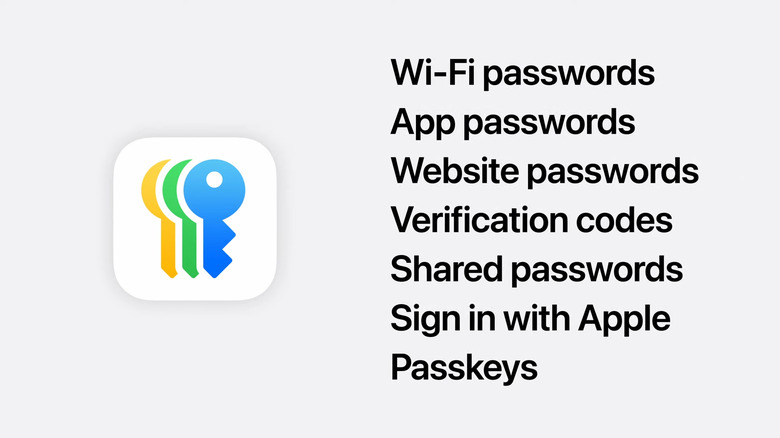
The Apple ecosystem is getting a dedicated Passwords app.
-
Safari updates: It can now help you discover more information about a page as you're browsing, things like directions to a hotel or quick links.
-
A proper Passwords app is coming too! You'll be able to see all of your passwords, as well as verification alerts.
-
For video chats, you can preview yourself before logging into a call, and you can choose from a variety of backgrounds to hide your messy room.
-
I'm a Windows girl but damn these all seem like great features. Every day, Apple lures me deeper into its ecosystem. (I started with Apple Watch envy, then became an iPhone girl with AirPods, Apple Watch and some Apple TV... No iPad or Mac yet outside of work, though.
-
You'll be able to manipulate your iPhone right on your Mac's screen.
-
MacOS is also getting auto-tiling for windows, very similar to what Windows 10 did years ago.
-
AirPods Pro update adds head-nodding gesture to silently respond to Siri
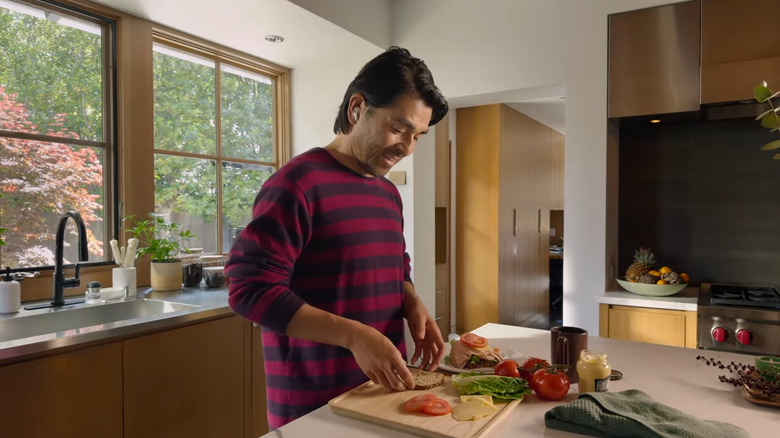
Apple demoes new voice isolation on AirPods at WWDC.
At WWDC 2024, Apple revealed a few key updates coming to AirPods this year. First, the company is adding a new head-nodding gesture on AirPods Pro that allows you to respond to Siri in crowded places where you'd rather not speak. You'll be able to nod affirmatively to silently say "yes" or shake your head for "no" and the voice assistant will react accordingly. In a demo, Apple showed a man in a crowded elevator shaking his head to tell Siri he didn't want to take a call from "Gam Gam."
-
Your iPhone stays locked while you're accessing it on your Mac. Standby also works to keep glanceable information available on your phone screen. This is all well and good, but I won't be happy until we get iPhone mirroring on visionOS!
-
iPhone notifications are also coming to Macs, they'll appear right alongside your Mac notifications. When you click on them, you'll instantly open that app inside of the iPhone mirror.
-
That's the name of the next MacOS version.
-
Continuity will be able to mirror what's on your iPhone directly from your Mac. You just have to click your dock to access your iPhone, seems useful!
-
Someone to my right is having the best time, gasping and exclaiming loudly at everything. I'll have what she's having.
-
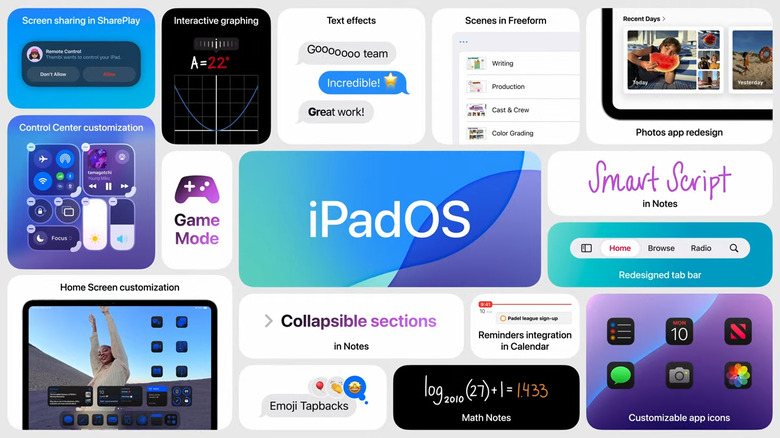
Here are the main upgrades coming to the iPad later this year.
-
Many of the features we just saw coming to iOS and iPadOS will be on macOS Sequoia, as usual.
-
It's macOS Sequoia!
-
Get those name guesses in folks!
-
That's it for iPadOS 18, and there's a lot of intriguing things to unpack. macOS is up next, and Federighi is jumping around staircases and running like a mad person to the next scene. Lots of laughs here in the audience.
-
macOS updates are coming... starting with a Federighi stunt double parkouring around the Apple Campus. Okay!
-
You can also paste typed text into a handwritten note and have it appear in your style. I'm not sure how all this feels, especially for situations where handwriting analysis identifies criminals? Can someone use this to pretend I wrote something? Hmm.
-
Still waiting for tablets to recognize my cursive scribbles.
-
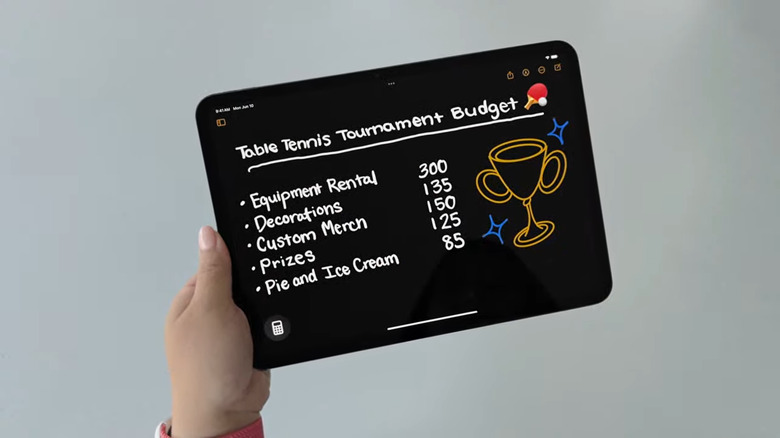
Math Notes is a subset of the Calculator app, but it will also be available in the Notes app, apparently.
-
Handwriting is also getting an update — in Notes. Smart script will make handwriting smoother than ever by improving the appearance of your chicken scratch as you write. Apple will first analyze your handwriting style, then Smart Script will "refine your writing as you go" by straightening things up
-
The new math capabilities from Calculator will also work in Notes.
-
You can type the equal sign to get the option to create a graph. Hovering the Pencil above a variable can show you how the results can be affected in real time when you change it.
-
Math notes can be saved like your regular notes. You can sum costs by drawing a line under a column of numbers, too. Math notes also works on physics problems, like the maximum height of a table tennis ball when hit with different speeds and angles. A video showing us a drawing and changing variables on the drawing will also change results in real time. It's an impressive demo for sure.
-
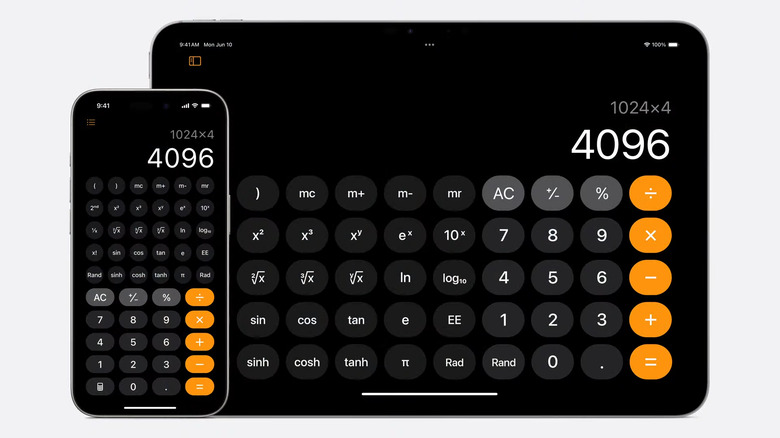
The rumors were true.
-
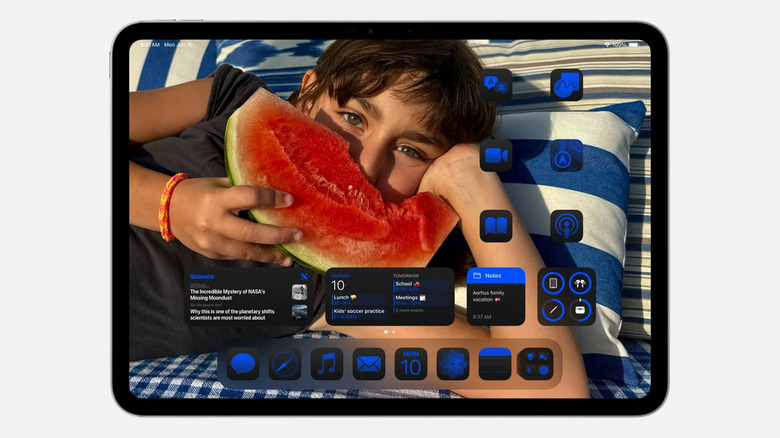
Apple is outlining new changes to the iPad's operating system.
-
The Apple Pencil is a big part of the iPad experience, and is now "changing the way you do math," Federighi said, with a new feature called Math Notes. You'll get to it by opening the new calculator on iPad, then using the Pencil to write out expressions. Once you hit equal, the Calculator will solve it for you, even mirroring your handwriting while doing so.
-
Oh a whole new Calculator app that will make solving math easier than ever, Federighi said to cheers from the audience.
-
HUGE cheers for Calculator on iPad. Sigh.
-
SharePlay and Freeform are getting updates in iPadOS 18. You can screenshare through SharePlay and draw on your screen to have those reflected on your caller's. You can also ask for permission to take over their screen — great for remote IT support for loved ones.
-
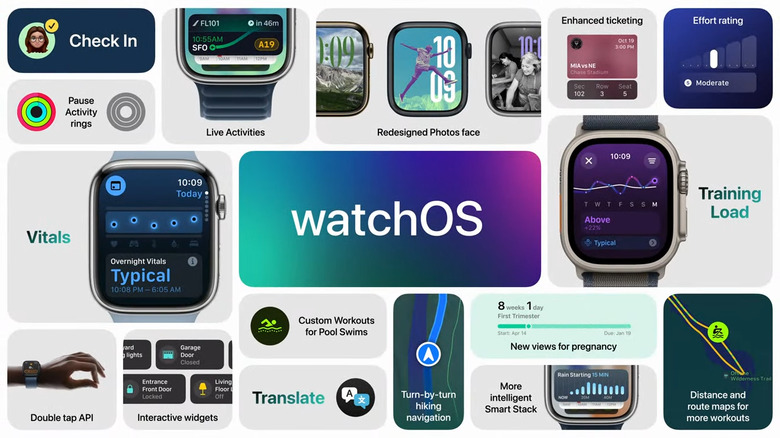
Here are the main upgrades coming to the next version of watchOS.
-
You can customize the tab bar to keep your favorite apps within easy reach. You can customize how the bar looks with each app that's open, too. It can morph into the side bar and back when relevant, too. These new elements are also available as APIs so developers can adopt them.
-
The iPadOS 18 tab looks like the iPhone's "Dynamic Island."
-
Apple Pencil is getting updates, too. Apps "are fundamental to the iPad experience," he said, and they'll get better with a new floating tab bar in iPadOS 18.
-
He's recapping the new iPads that were launched a few weeks ago, and saying that iPadOS 18 will start with the stuff we saw on iOS 18 like customizing the home screen and control center.
-
Federighi is back and he's teeing up iPadOS.
-
All of the watchOS 11 updates make the Apple Watch more of a convenient lifestyle device. This has always been its big selling point: It's not just a fitness device, it's something that can make living with your iPhone a bit easier.
-
Worth noting that at this point I've heard "machine learning" mentioned at least three times but not one mention of AI.
-
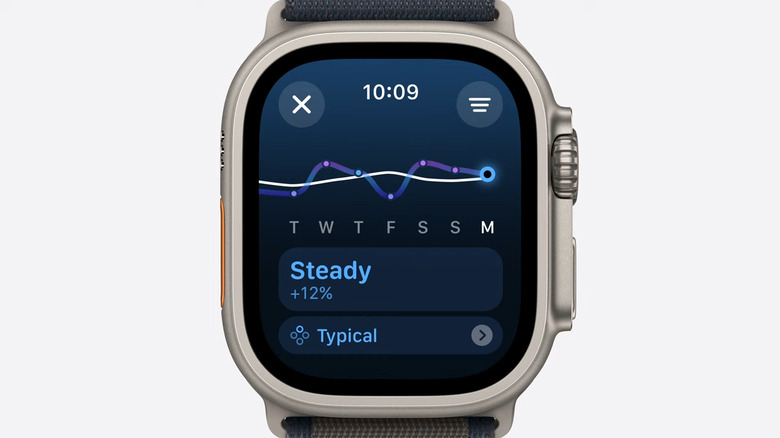
Apple is upgrading watchOS as well.
-
Canon is making a new lens to capture spatial video for Apple's Vision Pro
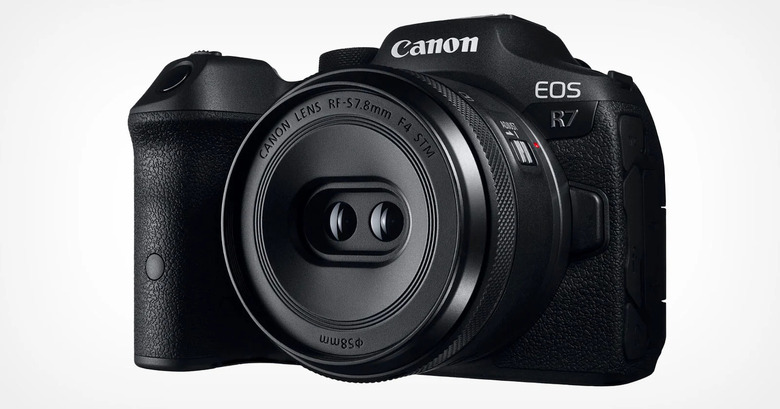
Canon's new spatial content lens
Alongside announcing its next-generation OS for Vision Pro, Apple wants to improve the content you can capture and share on the headset. Camera expert Canon is working on a new dedicated spatial lens for its R7 camera.
-
New watch faces are coming, of course. watchOS 11 will help you find the best photos for your Photos face, using machine learning to determine based on aesthetics, composition and more to judge. It'll help suggest colors and themes, too.
-
Live activities will also be supported on the Smart Stack, as well as Check In to let loved ones know when you get home safe. This also works when you're out for a run and are done with it. A new double-tap API lets developers create shortcuts to, for example, track when your baby has fallen asleep without having to wake it up.
-
Last year, Apple brought the Smart Stack to watchOS. This year, it'll automatically add new widgets when you need to see precipitation before it rains, for example, or a new translation card when you travel to a country with the foreign language already set.
-
Clark is back to explain new connectivity features on Apple Watch.
-
iOS 18 gets a revamped Control Center and loads of home screen customization options
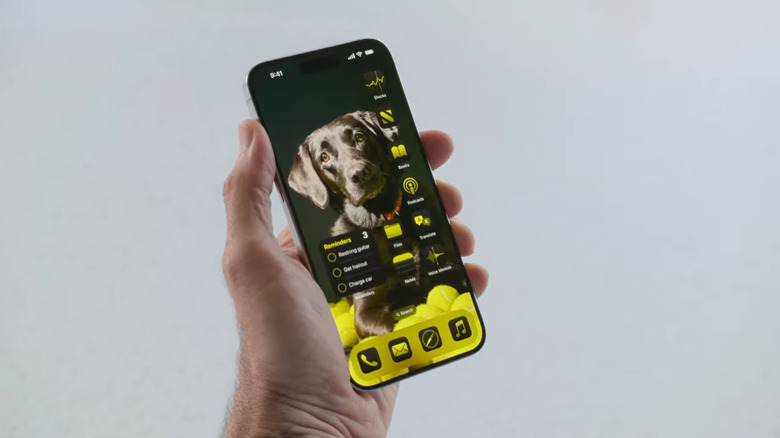
An iPhone with yellow app icons
WWDC is always where we learn about the year's biggest updates to Apple's operating systems. Given that the iPhone is Apple's most important product, it's no surprise that iOS takes up a major chunk of the attention each June. WWDC 2024 is no exception, as Apple had a ton of new features and updates to go over.
-
Cycle tracking is showing new things for people who are pregnant. It'll show things like gestational age or higher heart rate thresholds.
-
Your metrics will be highlighted when they're outside of your typical range, and when multiple ones are out of range, you'll get an alert on how these were affected by changes in your life like increased alcohol consumption or illness.
-
A new app is coming for Health, too. watchOS 11 will bring a new Vitals app that lets you check in on your most important health metrics at a glance, including things like heart rate.
-
You'll be able to customize your summary tabs, where you can customize the view or also adjust your daily move goals. You can pause them and still keep your awards streak going.
-
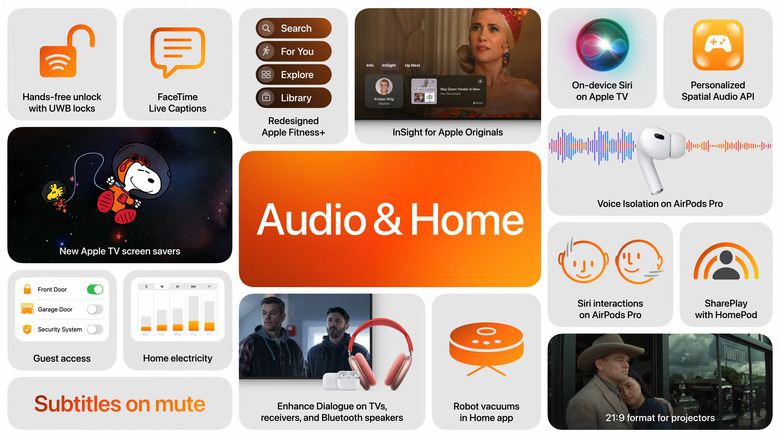
Here's everything Apple is bringing to its Audio and Home categories.
-
Over time, you can see if you've expended too much energy (well above your average, for example) and use that information to better train.
-
There is a new feature that will "transform the way you work out," Clark said. It's called training mode, which will track how the intensity of your workouts are impacting your workouts over time. Apple uses a new algorithm and its sensor data to rate how much effort you used per session, and you can rate it yourself.
-
David Clark steps on to talk about watchOS 11.
-
A redesigned Apple Fitness+ experience is also coming to the big screen, but no details there yet. Next up: watchOS.
-
visionOS 2 adds spatial photos, new UI gestures and improved Mac mirroring
Apple has updated the operating software for the Apple Vision Pro, visionOS, and added a bunch of features. The company unveiled the changes at its live WWDC keynote and they look pretty useful.
Read the full story: visionOS 2 adds spatial photos, new UI gestures and improved Mac mirroring
-
Apple TV will support 21:9 projectors for very widescreen films. Screensavers are also coming featuring Apple TV content like Foundation and Peanuts.
-
On the visual side of the experience, Apple is adding 21:9 format support.
-
There are more improvements coming like enhanced dialogue for better vocal clarity, so you can hear the actors' speech even when the background sound is overpowering. Subtitles are also becoming more convenient, appearing only when you hit mute or go back in time.
-
The Insight feature on Apple TV is genuinely useful, but it's also something Amazon has been doing for years on Prime Video.
-
Now, tvOS. You know how sometimes you can't recall the name of an actor or a song title during a show? Apple is launching Insight to show you these details in realtime when you're watching an Apple Original title. You can add music from Insight to an Apple Music playlist. Barring that last bit, Amazon already offers something like this
-
So funny that Messages getting RCS was just an afterthought for Apple.
-
Personalized spatial audio is expanding to include gaming, and a new API lets developers deliver more immersive gaming experiences. Need for Speed Mobile will be one of the first titles with personalized spatial audio and is coming in the fall.
-
Voice isolation is also coming to AirPods Pro for better call quality in noisy environments. According to the video demo, a person walking by construction sounds very clear on their call.
-
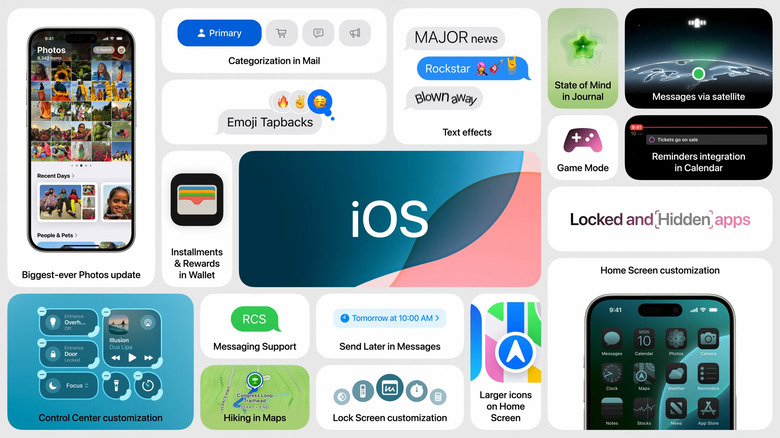
Here's the summary slide for iOS 18.
-
"Call from Gam Gam," a video shows Siri asking. "Answer it?" A person in a crowded elevator shakes their head no.
-
This year, Siri access is getting easier. If you don't want to speak out loud to respond to Siri, you can just nod your head or shake your head to interact and indicate yes or no.
-
Huang is the VP of Sensing, which is an interesting title. First up, AirPods.
-
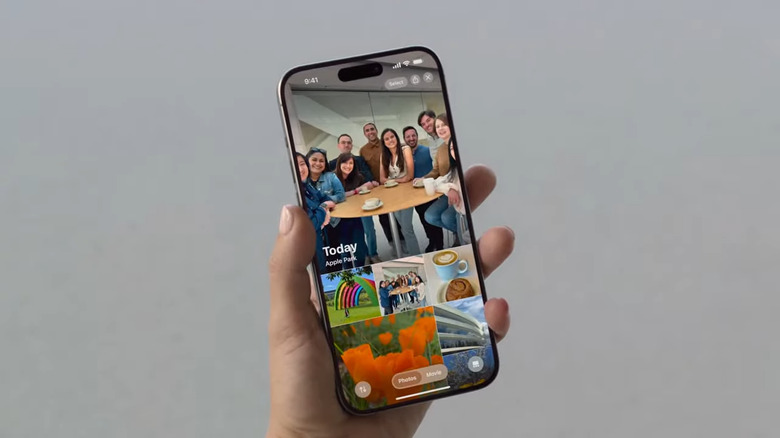
Here's another peek at iOS 18 upgrades.
-
Ron Huang is coming on to talk about the latest in audio and home.
-
That's iOS 18, Federighi says, as he sums up the changes. What are you most excited for? I can't decide yet, I'm still digesting. RCS messaging support just got a shoutout though.
-
Still no word on AI or "Apple Intelligence" just yet.
-
Things are really happening at a breakneck pace today, yall. I'm already tired.
-
The People and Pets section now includes the people you take photos with the most. You can also revisit trips easily. Photo is also more customizable.
-
Ooooh is Patagonia potentially the next name for macOS?
-
You can filter out screenshots or search for specific types of content more easily. The space below the photo grid will feature "Collections," groups of photos automatically categorized by the app. That includes photos from recent days, or those featuring specific people.
-
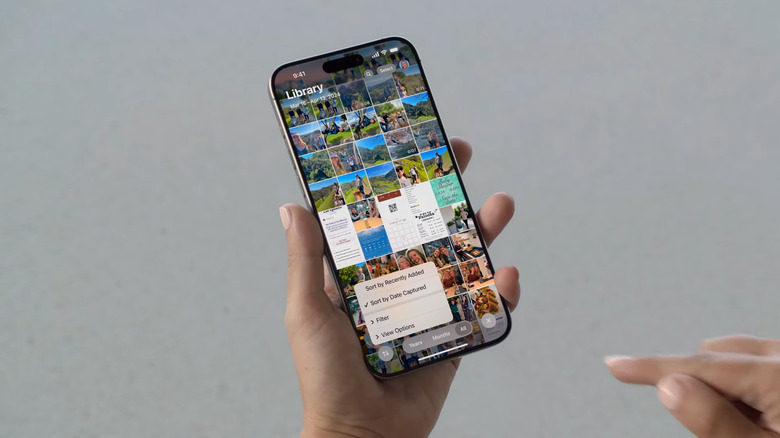
Photos is getting a more flexible UI.
-
The new design a is a lot cleaner, there's a photo grid at the top and other library features below. Personally, I've always hated flipping between the Photo app sections.
-
The Photos app is getting its "biggest redesign ever," according to Federighi. It can keep your library organized to find photos more easily.
-
Game Mode is also coming to iPhone, it minimizes background activity to sustain high performance. It also makes AirPods and game controllers more responsive.
-
The Journal app is getting more statistics, like showing your writing streak and other details.
-
That tap to send money feature is like Venmo in real life and is just another way Apple makes iPhones so easy to use with other iPhone users. I hope Google is taking notes.
-
Event tickets are also getting a new design and features, like information about specific venues.
-
The Wallet app will let you exchange Apple Cash without exchanging phone numbers or e-mail address. You just have to tap your phones together.
-
More iOS 18 updates coming: Maps will deliver more detailed topographical maps, useful for setting up hikes.
-
iOS 18 is also updating the Mail app. There will be new organization features like a Primary category that sorts for senders you know and timeliness. Much like Gmail, the Mail app is also organizing things into shopping, promotions and other types. But Apple is also organizing things by sender and connecting them to the app in your phone. You can reorganize specific letters and archive or delete all messages from a specific company. Categorization will be available later this year. But if you don't like it, you can still see all your messages without the sorting.
-
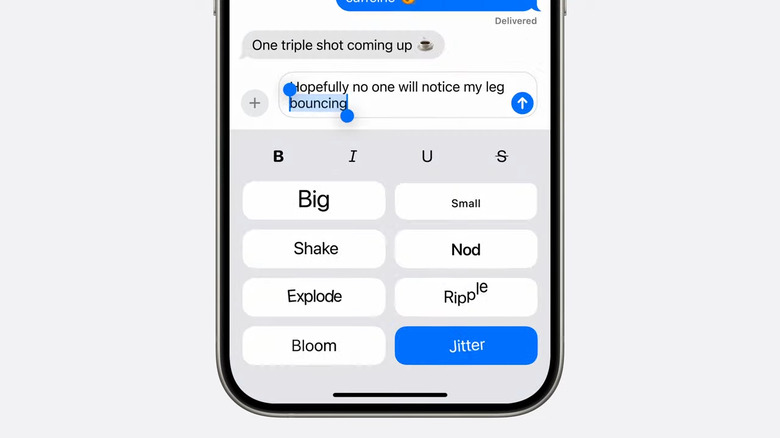
Here's how it will work.
-
Very nice to see more Messages features coming to satellite connections. Now it feels like less of an emergency only capability.
-
You'll be able to use it with Tapbacks or emoji. SMS messaging will also be supported via satellite.
-
You can also add text effects to emphasize major news or underline messages in line. If you're blown away by a picture, or if you type the word "awayyyyy" after "Blown," Messages can prompt or generate an effect for emphasis. There's also a new way to stay connected when you don't have cellular or WiFi service. Messages via Satellite will effectively turn iPhones 14 and later into satellite texting phones!
-
Next up is Messages. In iOS 18, we'll be getting new ways to stay connected. Tapbacks is first up. This is "a huge year for tapbacks" — you'll no longer be restricted to the five or so emoji reactions, you can now choose from any emoji. You'll also be able to schedule messages to send at a determined time!
-
Parents are going to LOVE the ability to lock an app, it's already one of my favorite features in YouTube.
-
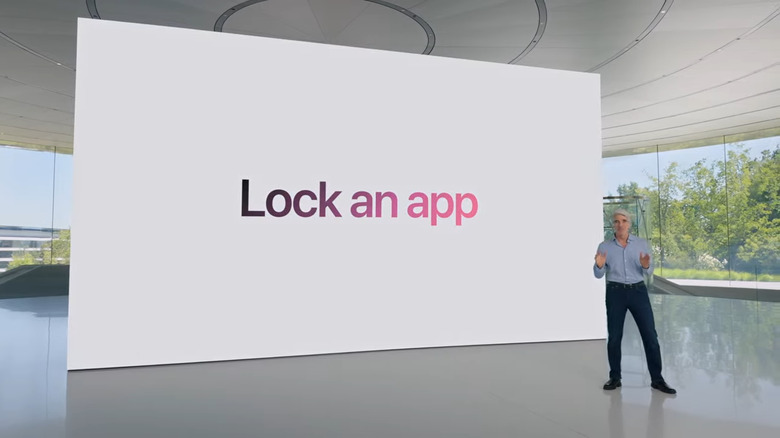
You can hide apps in iOS 18.
-
Today, when you grant an app access to your contacts, it's all or nothing. On iOS 18, you'll be able to specify which ones it gets access to. Developers are getting a new way to pair accessories that is more privacy-friendly, too.
-
Wow, Apple made a better way for people to hide their secret Tinder account.
-
Privacy is up next. On iOS 18, you can lock an app so that someone who tries to open your locked apps will have to authenticate via pin or FaceID. Data from these apps won't show up in search or in other apps. You can also hide an app from prying eyes — Federighi gives a hairstyling app as an example. You can tuck it away in a hidden app folder that's locked.
-
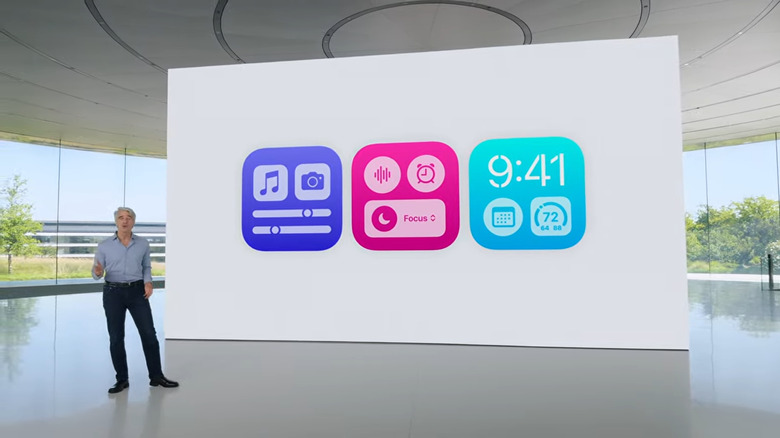
Craig Federighi chats iOS 18 updates.
-
I guess now instead of accidentally triggering the flashlight you can trigger a memo. You can also map these to the action button on the iPhone 15 Pro.
-
For the user, that means you can add app-specific commands to the control center for easier reach. The new controls can also be placed on the lock screen so you can replace the flashlight icon or the camera there for note-taking or something you prefer!
-
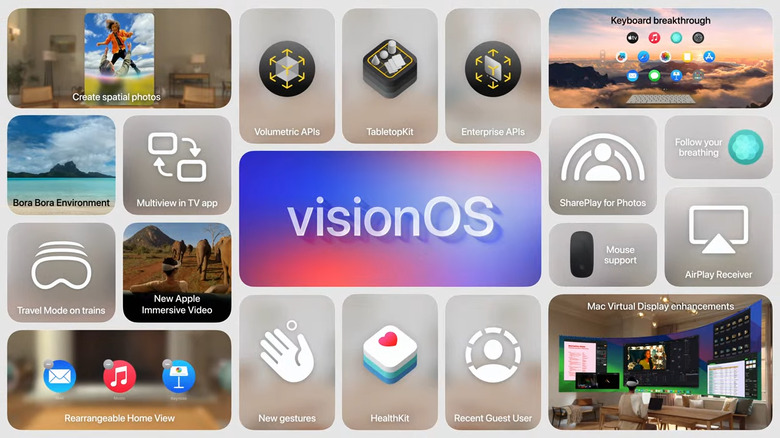
Here's everything coming to visionOS 2.
-
Wow, the new Control Center is something we've needed for years.
-
You can add more controls by opening the new Controls gallery. Developers can add controls for you to pin here, too! That got a cheer from the audience.
-
Swiping from the top right, like usual, will bring down your control center. You can now swipe through multiple groups of controls, like for media playback. Or you can see all your home controls in one page. Again, I remember covering all of this years back when they came out on Android.
-
This is all coming off a little like Android's Material You. There will be new levels of customization and capability coming to Control Center, too.
-
There's also a new customization sheet that lets you adjust a tint color for all your app icons. iOS can suggest some based on your wallpaper's scheme
-
In addition to wallpapers, icons and widgets, you'll now be able to arrange apps and widgets to frame your wallpapers better. Place them to the side or right above the dock for easier access. There's also a new look in Dark mode.
-
iOS 18 is a big release, he said, with more ways to customize your iPhone, stay connected and relive special moments. New ways to personalize your iPhone further is first up.
-
Vision Pro is coming to China, Japan, and Singapore on June 28th, as well as Australia, Canada, France, Germany and the UK on July 12th.
-
Federighi is taking over to talk about iOS.
-
Singapore got a shoutout! My friends and family will be so stoked.
-
That's it for visionOS 2, more of a developer-friendly release than something that will fundamentally transform Vision Pro for users.
-
Onto Immersive Videos, Apple's 180-degree 3D 8K video format. Apple is partnering with Blackmagic to create a new workflow to let creators make Immersive Videos more easily. The lack of a decent production pipeline has been one reason we haven't seen many Immersive Videos lately.
-
Apple is also making it easier to create new spatial content, like Spatial Video. Canon will offer a new spatial lens for the EOS R7 camera, which should look much better than the iPhone 15 Pro's videos. You can also view spatial videos on the upcoming Vimeo app.
-
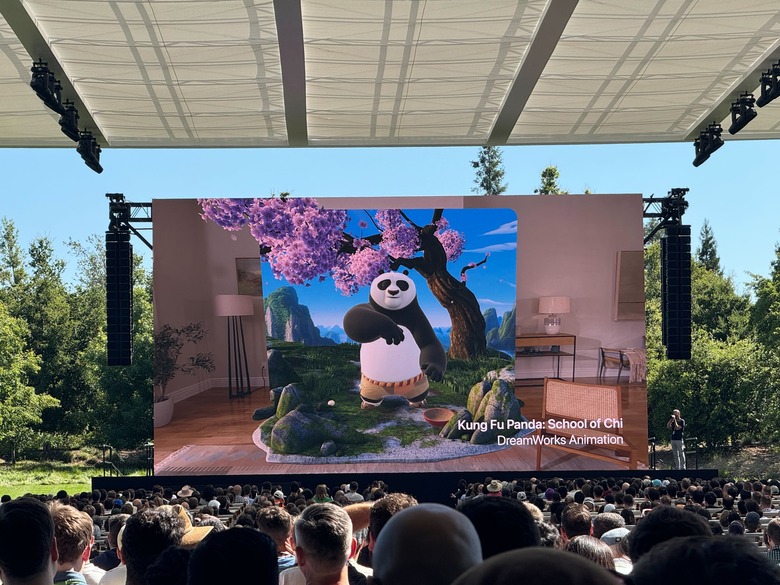
VisionOS 2 is the first operating system on deck today.
-
visionOS 2 will make it easier for developers to make spatial apps, thanks to new frameworks and APIs. Tabletopkit will let developers make apps that can run on flat surfaces, and there are also new volumetric and enterprise APIs.
-
New UI integrations: You can hold your hand open and tap to get to the home screen, or turn your wrist to see the time and battery level. Higher display resolution and sizes are also coming to macOS mirroring. You can even get ultrawide monitor resolutions.
-
visionOS 2 lets you turn 2D images into 3D spatial photos, and you can use SharePlay to view Spatial Photos and panoramas with other VP users.
-

The Apple TV+ on a black background on a screen at the WWDC 2024 stage
-
VisionOS 2 has been officially announced. We're starting with Spatial Photos in the Photos app.
-
There are over 2,000 Vision Pro apps and 1.5 million compatible iPhone and iPad apps, he says.
-
visionOS 2 time with VP Mike Rockwell! He's going over some of the existing Vision Pro releases like the NBA app and the recent Marvel What If...? experience.
-
Time to turn to platforms, and Cook says there's a lot to talk about today. He mentions they'll be talking about "intelligence" later on, too. First up, visionOS.
-
Apple is really trying to sell Apple TV+ as the go-to place for high quality content with big stars like Brad Pitt and George Clooney. No more announcements on the service just yet though.
-
Presumed Innocent, Fly Me to the Moon, Pachinko season 2, Silo season 2 are also coming up.
-
(Don't mind me screaming out the names of shows I love here.) Ooooh the Dark Matter show! I'm hype as I liked the book.
-
We're looking at some of the new originals coming, Severance season 2 is one of them!
-
SEVERANCE!!!
-
Apple TV+ is the first thing Cook brings up. He says it's been recognized for having the highest rated originals for the past few years.
-
"Before we get into our platforms, let's talk about Apple TV+," Cook says.
-
Cook appears in the video and welcomes everyone again. I can't believe they started things early.
-
It's show time, and we're seeing various Apple executives and members skydive out of a rainbow-painted aircraft. Parachutes deploy with the words WWDC, iOS, tvOS, watchOS, macOS emblazoned on them. The crowd is applauding rapturously
-
Very cool Apple flight outfits in this opening video! Feels like someone watched the recent Mission: Impossible movies a few too many times.
-
Cook says the show is off and here we are! A new video starring Federighi saying "big day" and asking us if we're ready to have fun before he looks set to jump out of an airplane.
-
He continues to thank developers, saying their work means the world to Apple. "This is such a big day. It's the biggest day of the year. Massive. I'm fired up. Are you fired up?" Federighi said. Cook takes over again.
-
This event will be zero fun and a massive download of information, quips VP Craig Federighi. This feels like a direct shot at Google's snoozy I/O keynote.
-
"In fact, we have so much to cover that you're going to notice we've had to make some drastic cuts" to the presentation, saying they've ditched the gags and that this will be a presentation with zero fun and no wild over the top opening video at all. Sarcasm is deep here!
-
Federighi thanks everyone that's here too, and says "This is a big one."
-
Cook is inviting Craig Federighi onstage to say a few words.
-
If you squint you can see Tim Cook!
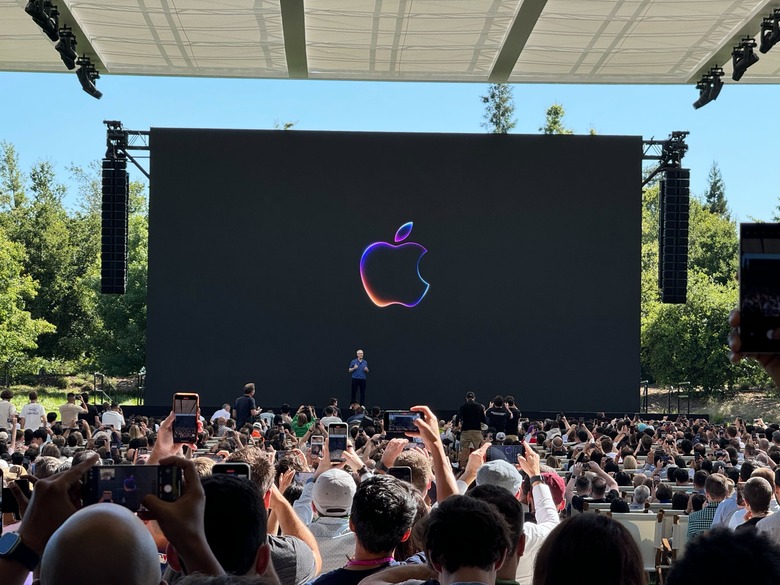
Tim Cook WWDC 2024
-
Developers are so important to us, Cook says, and he says the apps they create bring "amazing experiences to our users." Experiences that change the world, he added. Cook is also asking us to acknowledge the next generation of developers by giving a round of applause to Swift student challenge developers at the scene.
-
Good morning, and welcome to WWDC, he says! He's saying the energy here is inspiring, and that people have traveled all around the world to be here today. Attendees are coming from 65 countries!
-
T-minus 5 minutes y'all, and Tim Cook has stepped onstage!
-
It's always really interesting to me to observe the conversations and interactions around us at these events. Behind me the folks from Daring Fireball appear to be.. recording their podcast? In the row in front of us, Brian Tong and iJustine are sitting together, and just two rows further up are Marques Brownlee and David Imel from MKBHD. Watching how Apple treats all these different types of media is definitely insightful.
-
Taking deep breaths and trying to keep our chill while surrounded by blasting music and loud attendees. The tech conference experience, everyone!
-
Oh yea by the way, we're totally here to watch a pre-recorded stream. I think Timmy C will likely step onstage to welcome us in person, and then someone somewhere will hit play. No one else will be on the actual stage I think... Unless Sam Altman really wants to?
-
A public announcement just came on, informing us that the keynote will start in 15 minutes. We were also advised to take our seats and look for the nearest exits... Standard security and safety stuff, though I will say none of the other developer conferences I've attended have made these.
-
Typing fingers ready! As Cherlynn said, we're in the shade, but we've got a clear view of any potential stage shenanigans. Last year, Apple CEO Tim Cook hopped up to welcome us ahead of the WWDC keynote video.

Apple WWDC 2024
-
Not the absolute best view but really good for not baking to a crisp!

The WWDC 2024 stage at a distance, with rows of seats in between. People are standing around.
-
Alright, Devindra and I have secured seats in the media section, right under the shade. I've learned from years of experience that these rows in the back are better if you don't want to bake or overexpose yourself to UV rays. It also keeps my laptop running well, which is crucial to this liveblog!
-
Closing in on game time (in about 35 minutes). If you want to refresh on the latest rumors and expectations, check out WWDC 2024: What we expect to come out of Apple's Keynote, and how to watch.
-
Current discussion in the Engadget Slack: Who's brave enough to put Apple's early betas on their primary devices? If we get our hands on early AI features soon, I definitely will. But also, I'm a crazy person (and I have to report on this stuff).
-
There is almost certainly some sort of demo area after the keynote, though, based on what we're seeing on everyone's schedules. Every year, Apple books our time at WWDC and carefully sets up meetings after the keynote. This is usually the biggest clue we have for what's coming.
-
Anyway, my media friends and I are at the breakfast area comparing schedules and notes, wondering what Apple may unveil today. Someone casually threw out the idea of a robot perhaps showing up and oh lord I hope not.
-
The rumor mill also has us thinking that a new Calculator app might be on the way in addition to all those potential AI updates, most likely coming to Siri. The timing (and some reports) also add weight to the possibility of some announcement around RCS support in Messages or iMessage. Oh and there's some talk of loosening up the iOS home page grid so you will no longer be forced to arrange your apps in rigid rows of 4 icons anymore. Yay?
-
Here's the view from the third floor media breakfast. I'm not a fan of Apple's glass dividers, it always makes me feel like I'm going to fall right down!

Apple WWDC 2024`

Apple WWDC 2024`
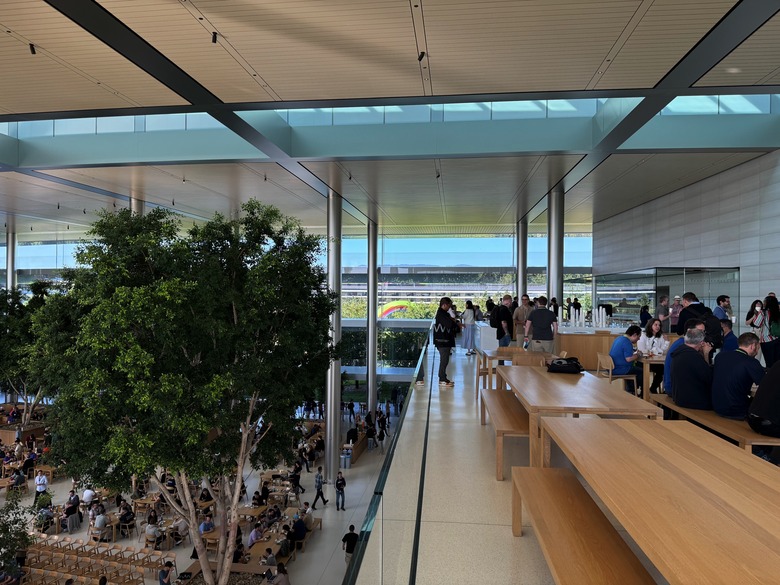
Apple WWDC 2024`
-
Here's the plate I made for myself =) Forgive any image issues — I took this on an iPhone 15 Pro Max so blame Apple I guess?

A smiley face made out of two brioche sliders and three french toast bites on a white plate held up in front of the WWDC keynote stage.
-
We're gearing up for a super-long WWDC keynote. Let us know what you're most excited about! You can find me on Twitter at @devindra and Cherlynn at @cherlynnlow.
-
While you get set up at home, here's what the spread looks like at the event! I'm extremely into the "Churro French Toast with cream cheese" and "Breakfast brioche slider." Honestly I think Apple has the best food game of the big three developer conferences.
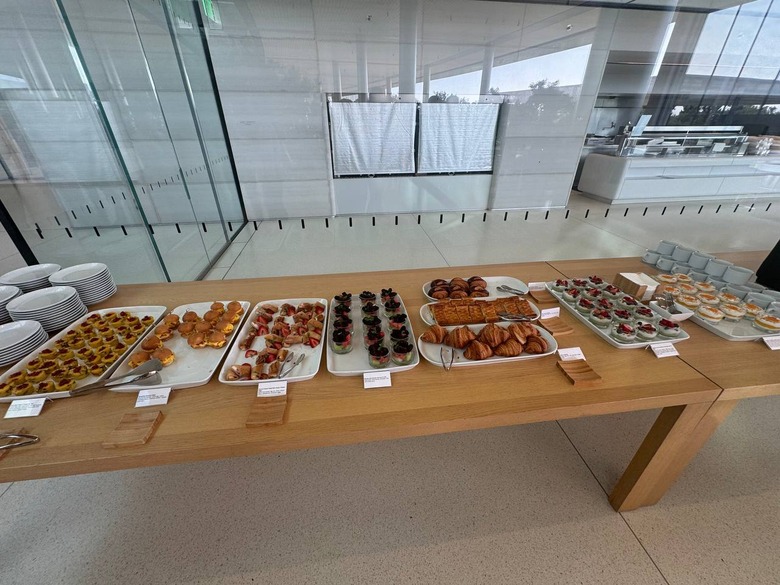
A series of plates on a wooden table, each carrying a different set of food. There are little cards in front of each dish.
-
Anyway, the keynote is starting at 10am PT / 1pm ET, so grab your snacks and stay tuned! I'll send pictures of the Apple campus (and food) shortly, too, so you can pretend you're here with us in the California heat wave.
-
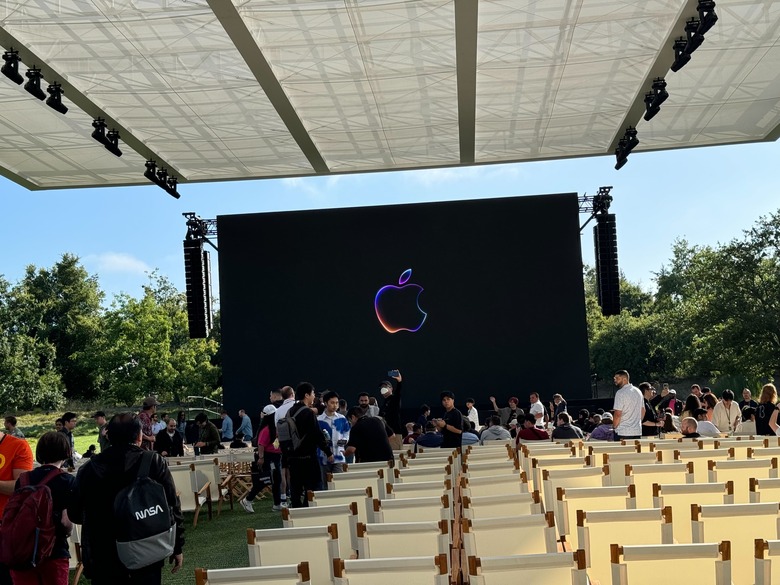
To be clear, we're watching the same pre-taped video stream as you are at home. But we get a giant superbright screen and an overhang that's (mercifully) in the shade.
-
We're here and getting a bit of coffee and food before the keynote kicks off in just over 90 minutes. Devindra's helpfully grabbed us a plate of food! It's for both of us, he says, not just for him. Don't judge!
-

Senior editor Devindra Hardawar holding up a coffee cup in his right hand and a plate of breakfast foods in his left.
-
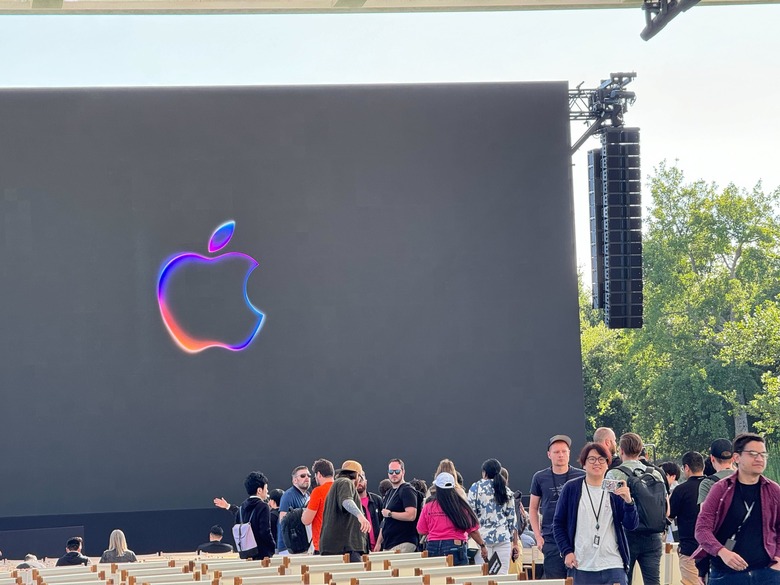
It's about 61 degrees Fahrenheit now, with temperatures expected to go as high as 80.
-

From earlier: Attendees gathering at the check-in area at Apple Park.
-
It's unlikely that Apple will actually launch new hardware at WWDC, although it did unveil the Vision Pro headset last year, along with new MacBooks and Macs. If we do see new gear today, it'll likely be a refreshed MacBook with the M4 chip that debuted on the iPad Pro just weeks ago.
-

How do we get from the check-in area to our seats? By hitching a ride on a golf cart.
-
What we're more likely to see is stuff coming to the new iOS (presumably iOS 18) and the new name for the next macOS! What do you think it's going to be? Napa? Frisco? Manhattan (in a hard pivot)?
-
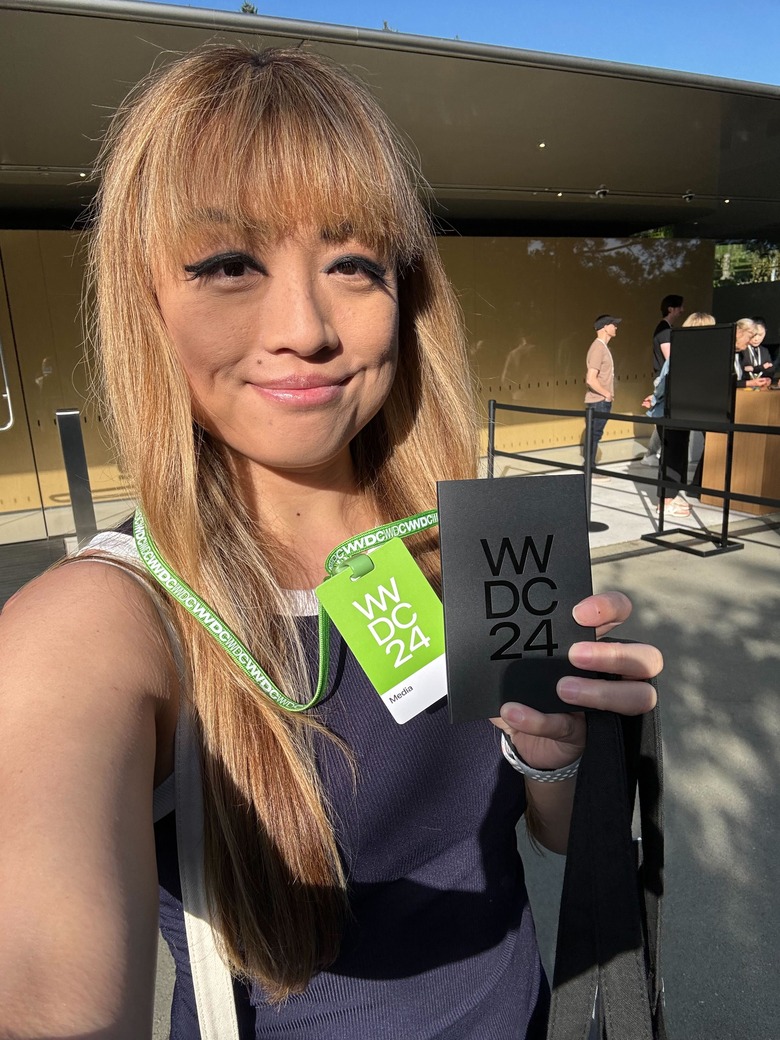
Now I just need to find a seat that's outside of direct sunlight.
-
I'll be honest: I'm pretty sick of hearing the term AI thrown around in recent years like it's the latest thing. It's been around! What's new lately is the explosion of generative AI leading to things like AI-based image- and video-generators alongside tools that can write essays, emails and reviews for you. Last month, we saw both Google and Microsoft push harder than ever on AI at their respective developer conferences. We learned about the impressive-looking Project Astra from Google, and a Copilot+ PC initiative from the Surface maker, along with a slew of new laptops.
-
Hundreds, if not thousands, of people gather here each June to see what Apple has in store for iOS, macOS and more! But this year, rumors are rife that Apple may finally cave to industry trends and actually utter the letters AI, something it has largely avoided doing thus far. But of course, in typical Apple fashion, the company is expected to announce something called Apple Intelligence instead. What a happy coincidence that the letters worked out that way!
-

Devindra and I are on-site in Cupertino.
-
Hello everyone and thanks for joining us today on our liveblog of Apple's Worldwide Developer Conference 2024. Or, as we all prefer to call it, WWDC. Or, if you're hip and cool, dub-dub. I'm here in Cupertino making my way to Apple Park to join the swaths of journalists and developers in long lines to watch a keynote streamed onto a big screen at the campus! I'm in charge of bringing you the words on our liveblog today, while my colleague Devindra Hardawar is here to help. It's going to be a pretty jam-packed day, I think, so stick around!
Catch up here for all the news out of Apple's WWDC 2024.