rss
Latest

Chrome's RSS follow button is now available to all Android users
The feature should hit iOS next year.

Vivaldi adds mail, calendar, RSS and translation tools to its privacy-focused browser
Vivaldi has updated its web browser to add built-in translation, more layouts, and beta versions of mail, calendar and an RSS reader.
Google tests an RSS follow feature in Chrome
Google is testing an RSS-based follow button to help you track your favorite websites in Chrome.

Apple wants you to 'follow' podcasts rather than subscribe
Apple is ditching the term 'subscribe' in Podcasts for iOS 14.5 in favor of 'follow' — and it might have a meaningful impact on adoption.
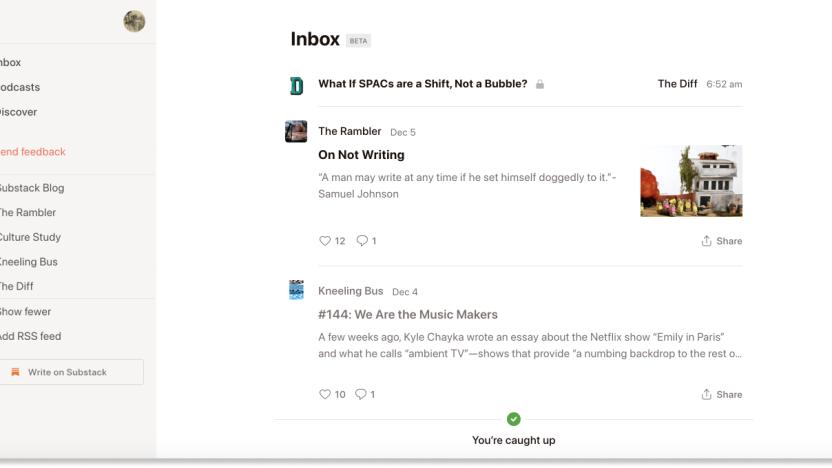
There’s now a Google Reader-style RSS feed for your newsletter habit
You can add RSS feeds to Substack Reader, too, but it's fairly bare-bones.
Google Podcasts lets you add shows using their RSS feeds
Google Podcasts now lets you add shows through raw RSS feeds, helping you listen to indie shows that you'd otherwise have to skip.

Wildcard uses beautiful card interface for news and shopping
Wildcard is a slick new app that gives you the latest news from a large, curated collection of sources while also providing you an easy way to shop. The combination of postings from around the web with online shopping may sound a little odd but it works. For example, one featured collection focuses on coffee and includes articles about coffee alongside opportunities to purchase coffee brewers or other related-to-coffee items. Wildcard is free and requires iOS 8 and up. It is optimized for the iPhone 5, 6, and 6 Plus. After a brief introduction, Wildcard's main screen appears listing trending searches, featured collections, a presumably trending article, new brands available in the app, and finally a master directory of the various topics available. The features collections include the displayed (above) Tech Digest, the aforementioned "Home Brew" collection about coffee, and an eclectic collection of others such as water resistant sneakers, how to turn a pumpkin into a keg, and surviving a breakup. The Wildcard directory contains categories such as News, Tech and Gadgets, Lifestyle, Entertainment, and so forth. It is a mix of news (blog and professional) and products for sale. These curated collections span a wide spectrum of sources and interests, which is a good thing. I only wish there was a way to add my own sources to the mix. There are certain websites that are part of my daily mix and they aren't all available in the app. One thing I noticed is that, in some cases, the content presented was a bit stale. For example, Daring Fireball, in the Tech section, displays nothing more recent than October 24 (it is November 13 as I write this). I prefer to make my own decisions about what I will and won't read from a particular source so I hope this is a glitch that will get fixed and not some attempt at ham-fisted curation. That said, I have to say that the actual display of the sources and of the news items themselves are gorgeous. The card metaphor really works in this context and it makes the endless river of news feel manageable. Each site's content is displayed in its own color scheme and generally looks very well done. A few times, such as with Brain Pickings, it fails and the controls at the top of the screen are almost entirely lost (See below). But these are minor quibbles (just remember that even if you can't see it, there is a back button at the upper left!) and does not overly detract from the experience. The online shopping aspect appears to be quite clean. Even here, content is presented in cards from the product information, the checkout form, and so forth, and the metaphor holds here as well. An in-app web browser is provided for when you need or want to get more details on a given product and you are warned that you are now viewing content from outside the app (as if to say, don't blame us if it doesn't look as sexy as it does in the rest of the app). When you first go to purchase something, you create an account, which will store your shipping and billing information and your chosen credit card number. Interestingly, you cannot create an account until you actually purchase anything. At least you can scan your credit card so you do not have to type the numbers in (though I much prefer it when apps support 1Password so I don't even have to take the card out at all). Wildcard is a beautiful app and it does a wonderful job of presenting information and products in a well thought-out interface that is a model of simplicity hiding complexity. If it allowed me to add more sources (or hide others) and otherwise tailor the experience more, it would be even better. For where it is now, it's excellent and it will be interesting to see how it evolves over time.
Feedback Loop: Ultrabooks, discrete graphics, Google Voice replacements and more!
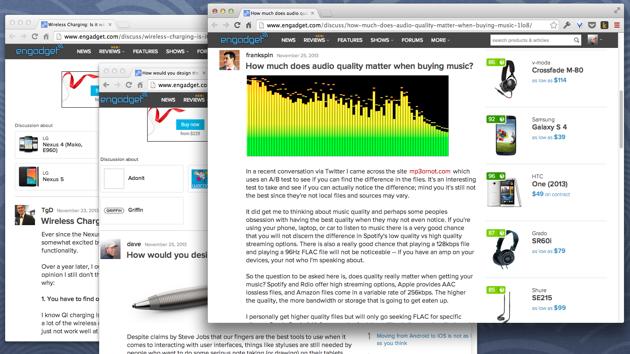
Welcome to Feedback Loop, a weekly roundup of the most interesting discussions happening within the Engadget community. There's so much technology to talk about and so little time to enjoy it, but you have a lot of great ideas and opinions that need to be shared! Join us every Saturday as we highlight some of the most interesting discussions that happened during the past week. Happy Saturday! This week, we took a look at Ultrabooks with discrete graphics cards, debated the merits of smartwatches, discussed viable alternatives to Google Voice, talked about how we discover new apps and fondly remembered some of our earliest RSS feeds. Head on past the break and join the conversation in the Engadget forums.

Find deals with TV Bobber, The Tracktor and TUAW's RSS feeds
The holiday season may be over, but there are lots of places around the web to find deals throughout the year. Of course we offer deals through https://deals.tuaw.com and our 'deals' posts, but today I also want to tell you about two other services I use to find good prices. Then I'm going to end with a special tip that you can use to follow your favorite TUAW topics, writers or features, including our deals posts. TV Bobber The first is called TV Bobber, which tracks "over 5,000 seasons of shows in high definition" in the US and UK iTunes stores, although UK tracking is going to go on hiatus during an upcoming renovation of the site. I have been using this for awhile, and it is a great way to find out when TV shows go on sale on iTunes. You can track this via RSS at http://tvbobber.com/log?rss or on Twitter @TVBobber. There is no mailing list, but you could always point If This Then That at the RSS feed. Bonus Tip: Nathan Swartzendruber, who runs TV Bobber, suggests that one of the best ways to save money on iTunes is to keep an eye out for iTunes gift cards to go on sale. He makes a good point; I've seen iTunes gift cards on sale for "spend US$10/get $15" or "spend $20/get $25," although sometimes you have to wait for physical cards to get mailed to you. The Tracktor The second is a new-to-me discovery called "The Tracktor," which tracks prices on Amazon for customers in Canada, France, Germany, Japan, the United Kingdom and the United States. The Tracktor is a web service that will monitor specific items for you on Amazon's website, and send you email alerts when the price hits a specific price point. But that's really just the beginning. If you install the browser extension for Safari, Firefox or Google Chrome, you will get two other extremely useful features. First, when you visit a product page on Amazon's site, The Tracktor will show you a price history graph showing you previous prices for both new and used items. That way, you can see how the current prices compare to previous highs or lows. The second useful feature is that you can set an alert right from the Amazon page. For example, I'd like to buy Hannibal, Season 1 on Blu-ray, but I'm not in any rush, so I can wait for it to go on sale. It's currently selling for $29.50 (new), but thanks to The Tracktor, I can see that in the past six months it has been as low as $19.99: Data courtesy of TheTracktor.com I set my price alert to $20 so if The Tracktor sees that the price is at (or below) that level, it will send me an email. This is a feature that I have wanted Amazon to offer for years, but of course it's not in the company's interest to help you delay your purchases. The Tracktor cannot track prices for Kindle books (this is a limitation enforced by Amazon itself, as explained in the FAQ), but other than that, you can track just about anything that Amazon sells. There's no charge for the service. I assume that when you get an email notification from The Tracktor, it uses an affiliate referral code for Amazon. If so, that seems completely appropriate, since it is directly responsible for any purchases that I'd make through Amazon's site (and affiliate links don't raise the price that I'd pay by even $0.01). Custom RSS Feeds + IFTTT.com = TUAW in Your Email Here's something that I bet you didn't know about TUAW.com: We have a lot of RSS feeds. In fact, we (and by "we" I mean "our CMS") create RSS feeds for every category and every tag and every writer. For example, let's say that you wanted an RSS feed that would only include Mac topics (excluding, for example, iOS). You could use an RSS feed of our "Mac" category, which can be found here: http://www.tuaw.com/category/Mac/rss.xml. Want an RSS feed of just iOS posts? http://www.tuaw.com/category/iOS/rss.xml Every post on TUAW.com is also tagged. You can see the assigned tag(s) by scrolling to the bottom of a post and clicking on (wait for it...) the "View Tags" link. For example, our "deals" posts are all tagged with "deals" so if you wanted an RSS feed for that tag: http://www.tuaw.com/tag/deals/rss.xml Likewise, you can follow any tag by using the URL http://www.tuaw.com/tag/foo/rss.xml where "foo" is the tag that you want to follow. Each TUAW contributor has his/her own RSS feed as well, such as http://www.tuaw.com/editor/TJ-Luoma/rss.xml for my posts. Why do I mention this when we've been talking about how to find deals online? Because if you combine that with IFTTT.com, you can create an automatic system to, for example, email you all of the articles tagged "deals" by plugging the URL for the deals feed (http://www.tuaw.com/tag/deals/rss.xml) into the "If This" part, and then have an email or other notification sent to you using the "Then That" part of the formula. This can be especially useful for something like "deals," where the price drop may only be good for a certain amount of time. One important note: Tags on TUAW posts are added manually by the author of each article, and we strive to be consistent and reliable. However, we're not perfect, so it's possible we might miss a tag. You might also want to follow TUAW Twitter @TUAW and Facebook if you use those services.

Google Now's latest update adds Reader-like website updates, Waze traffic reports and more (updated)
Some of the Google Now enhancements mentioned at the Android 4.4 KitKat unveiling are ready to roll, as the search giant has started pushing a new version of its app on Android today. The ability to follow news about specific people started popping up last month, but the news update card follows specific topics you've searched about or chosen to follow. It's not quite a replacement for Google Reader (RIP), but the new website update card brings the latest posts from selected sources (we can recommend one you should follow), while the "What to Watch" card adds more suggestions for movies and TV shows. That's not all however, as the crowdsourced Waze traffic updates that we've started noticing on the desktop and in Google Maps are also coming to Google Now, with alerts relevant to your commute highlighted. The final additions noted are notifications for in-store pickups, real-time rugby scoring and the ability to set reminders that repeat. As usual, it's one of Google's staggered rollouts so you might not see the new features right away, check out the Google+ post for an idea of what they look like. Update: Android Police and Droid-Life point out that with this update, it also means you can easily add the Google Experience Launcher from the Nexus 5 to any device running Android 4.1 or higher. Both sites have downloads for the official Home APK, which along with this update lets you activate search and commands with the "Ok Google" hotword straight from your home screen, as well as enjoy some new animations. Update 2: As Ars Technica notes, the update also brings some notable improvements that Google's apparently chosen not to highlight. Namely, you can now interact with Google Now using more conversational voice commands, not unlike Siri. You can try that out yourself, or see an example in a short video Ars has put together.

Feedly turns to Google+, Twitter and Facebook for easier logins and sharing
After leaning heavily on Google authentication to transition millions of users from Google Reader, Feedly wants to make it even easier to log into its RSS reader. In an official blog post, the company says it will soon transition from Google OAuth to Google+, simplifying access across different devices and laying the foundation for improved social sharing. Feedly says it has also been testing Twitter, Facebook and Wordpress login options and plans to roll them out "over the next seven weeks." Don't expect to wait too long for the new Google features to take effect though: they're coming to the Feedly website today and will be added to its iOS and Android apps in "a couple of weeks."

Feedly for Android scores 300 percent faster start time, raft of refinements
Google Reader stand-in Feedly has picked up a bounty of tweaks and features in its latest version, which just hit Google Play. Now in its 17th iteration, the app starts up 300 percent faster, boasts smoother scrolling, a retooled widget and a new discover section to peruse stories. Design buffs will be pleased to see improved fonts and a refined visual design geared towards readability. In addition, pro users will now be able to use an enhanced search to scour the entirety of their feeds. The minds behind Feedly have also given their application some future-proofing as well -- particularly for an era that includes smartwatches -- with optimizations for the Samsung Galaxy Gear and Android Kitkat. Unfortunately, details on what was fine-tuned for Google's upcoming operating system are MIA. Faithful iOS users can't get ahold of the updates just yet, but that should change shortly as the app will embark on the App Store approval process Friday.

Digg for Android gets an unread mode and speed improvements
Busy Android users with Digg no longer have to plow through previously read RSS entries as they hop from device to device. The company has just given its Android app the same unread mode that reached iOS this summer; enable the option and Digg will show only stories that haven't been seen on at least one device. There are also a few performance optimizations under the hood. If you can't help but check Digg on every gadget you own, you'll want to grab the updated Android app from Google Play now.

Feedly embraces app development by opening up API to all
Feedly just got markedly more developer-friendly. The news aggregator has added a slew of new third-party apps to its platform and has also opened up its new cloud API to all interested parties, starting...now. According to a post on the company's blog, it enlisted 50 developers over the course of half a year to create an elastic programming interface that lets people create apps in less than a week. Interested developers can download the API at the source link below. You can also visit Feedly's page to check out the selection of currently available apps.

Reeder 2 hits the App Store, brings back iPad compatibility
When Silvio Rizzi pulled down the Reeder app for iPad after Google Reader's death, he swore to develop and eventually release a new version. Now, Rizzi has made good on that promise by launching Reeder 2 -- a reworking of the older RSS reader that's compatible with both iPhones and iPads. The app sports a brand-spankin' new interface that replaces the old browns and sepias with gray, pulls feeds from several sources -- including Feedly and Feedbin -- and it can now also open links on Google Chrome. Reeder 2's now available on the App Store, but if you feel iffy shelling out $4.99 for it, you can give the RSS client a whirl by getting the older iPhone version for the low, low price of free.

Digg for Android arrives with Reader support
Digg was ready with a Reader-enabled iOS app in time for a rush of Google Reader exiles, but it left Android users looking for alternative newsreaders. That void is now filled with the launch of the company's Android app. The Android build closely matches its iOS counterpart, with support for Digg's own news, RSS feed subscriptions and sharing to both read-it-later apps as well as social networks. Just be aware of a few rough patches -- this release is missing background updates, some display options and an unread-only filter. If you can live without those features in the short term, though, you can grab the Digg app through Google Play.

Feedly Pro now available to everyone, offers a 'more powerful' reader for a fee
Feedly's popularity increased massively with the news of Google Reader being put out to pasture, so much so that it figured it wouldn't be such a bad idea to introduce a paid version of its RSS service. Therein Feedly Pro was born. Now, after being available to a limited amount of people, Feedly Pro is opening its doors to everyone, provided folks are willing to fork over the $5 per month or $45 per year for the extra functionality. Here's what those fees will get you in return: more search options within feeds, one-click integration with Evernote and Pocket, premium customer support and, lastly, HTTPS support to keep things vastly more secure. According to Feedly, additional features will be coming regularly to Feedly Pro in order to bring more productivity tools to users and, perhaps more importantly, make itself sustainable going forward.

I'm afraid to tell you about Shrook, but RSS users deserve to know
As I write this article I am filled with fear. I'm going to tell you about the only RSS reader I have found that fits my style of browsing, but I'm worried that in doing so I will unintentionally curse it. You see, ever since the death of Google Reader, I've been searching high and low for an RSS reader that meets my needs. It needs to be fast (web-based or standalone app, it doesn't matter); it must accept OPML files; and it needs to have a reliable search feature. That's not too much to ask, is it? Well apparently it is, because after over a month and a half of searching and testing, I've only just now stumbled across Shrook, the free RSS reader of my dreams. I'm not going to go through the entire list of both standalone and web apps that failed me, but here are a few dead-end streets I found myself on: Feedly -- No search feature (unless you're one of 5,000 testers of the US$5 Feedly Pro). AOL Reader -- No search feature. Digg Reader -- No search feature. (seeing a pattern yet?) NetNewsWire -- Has a search feature! Huzzah! It also has system-crippling memory requirements and can't do anything in less than 45 seconds. I has a sad. As you can see, the most common reason for disappointment was a lack of search features. I thought I had discovered my new go-to in The Old Reader and then, after the service blew up in popularity, almost died entirely and was brought back to life, the search option disappeared. It was like a sign from the internet gods that I should just give up. And then I found Shrook on the Mac App Store. Shrook has been around for a very, very long time, and although I had overlooked it in my panicky search for a Google Reader replacement, I finally figured I'd give it a shot. All I can say is that it's as close to perfect as I could possibly want. It's fast, has a fantastic search function and auto-refreshes constantly, but uses only a small fraction of the system resources of every other standalone reader I've tried. Oh, and it's free. I don't know what kind of voodoo magic was used to code Shrook, and frankly I don't want to know. The only thing that I ask of the RSS gods is that Shrook live on for eternity. Now go download it and enjoy it with me; just please don't break it, or so help me...

Feedly Pro available with search, Evernote support, more
Several of us around the TUAW newsroom love Feedly -- it's a free, cloud-based RSS aggregation tool that stepped into the void that the loss of Google Reader created. In order to finance further development of this powerful tool, Feedly today announced an early lifetime edition version of Feedly Pro. While general availability of Feedly Pro won't occur until "this fall," the Feedly team is making a lifetime edition available for US$99 starting today. That $99 provides early access to the app, and you will never have to pay the $5 monthly ($45 annual) subscription for the Pro version. Access to the lifetime edition is limited to the first 5,000 respondents. So what does Feedly Pro have that the existing version doesn't? Article search, so that you can search within your feeds. Security, thanks to https. One-click save of any Feedly Pro article to your Evernote account. Most importantly, if you need support and you're a Feedly Pro subscriber, you'll be bumped to the front of the line. For those who use Feedly and need a bit more power, Feedly Pro looks like a good solution and the lifetime edition is a real bargain.

Feedly goes Pro: $5 per month for better search, security and more (update: sold out)
Log into your free 'n easy Feedly RSS service this morning and you may be offered the opportunity to make it less free, but potentially even easier to use. An upgrade to Feedly Pro will normally cost $5 per month or $45 per year, but it's also currently be sold for $99 with a lifetime membership for the first 5,000 claimants. In return, the cloud-based reader promises the following: Https support to "add a layer of security to your Feedly browsing" Article search that allows you to search "within your Feedly feeds"; Evernote integration that enables one-click saving of an article to a selected notebook; Premium support, which means upgraders will "get bumped to the front of the support line" if they need a hand. And there we have it. An inevitable move on Feedly's part, no doubt, though we can't help but remember the days when it made us all feel special. Update: Those 5,000 limited editions are all gone. The outfit has set its sights on unleashing the full-on pro version "in a few weeks" thanks to the funds raised.


