timemachine
Latest

OS X Yosemite update tackles 'surprise' Mac security flaws
You know those unpatched Mac security exploits that Google revealed a few days ago? You probably won't have to worry about them any more. Apple has released OS X Yosemite 10.10.2, a hefty update that fixes those vulnerabilities, which let an intruder hijack your system in the right circumstances. There's also a solution for Thunderstrike, a nasty (if unlikely) attack that would compromise your computer through a malicious Thunderbolt device. Most of the other 10.10.2 tweaks aren't huge, although you'll probably like having access to iCloud Drive storage in your Time Machine backups. You'll definitely want to grab the upgrade, even if you don't need some of the smaller perks -- it should go quite some distance toward safeguarding your Mac.
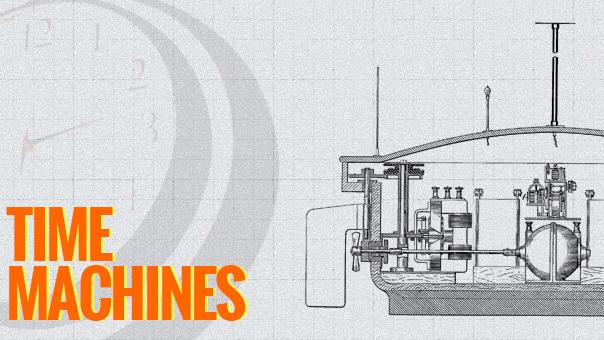
Tesla's toy boat: A drone before its time
Welcome to Time Machines, where we offer up a selection of mechanical oddities, milestone gadgets and unique inventions to test out your tech-history skills. The military complex has certainly embraced the concept of telerobotics, especially in the use of drones, but luckily the technology has also led to other, more peaceful applications. Drones have been used to entertain, take on laborious tasks and even deliver packages (and burritos!). As we pursue the development of remotely controlled and autonomous craft, we must tread carefully or suffer the same fate as the fabled Icarus. Nikola Tesla saw both the terrible as well as the beneficial consequences for this technology when he debuted the "remote control" and the jury is still out as to whether we'll succumb to a dystopian Terminator-style future or reach a peaceful stasis, where we harness the usefulness of robots and autonomous devices, and avoid the worst-case scenarios.

Foursquare Time Machine retraces your check-ins in a stream of light
Habitual Foursquare users don't have much context for their check-ins -- it's easy for them to track their favorite haunts, but not their long-term trends. The just-launched Foursquare Time Machine could help draw those missing connections, however. Sign in and it creates a map-based timeline of each and every check-in, color-coded by its nature. While the superficial result is a very pretty light cluster, it's surprisingly functional underneath: members can see their exact check-in times, their favorite days of the week and their most active periods. Naturally, there's also an option to share the stats with others. Time Machine is already popular enough that it's struggling to cope with the early demand, but the functioning site should be worth visiting for the (eventual) trip down memory lane.

Use tmutil to take control of Time Machine in Mountain Lion
Time Machine works best when you use it as it's designed: You simply let it run in the background and do its thing, only bothering it when you have to go back and get an old version of a document out. But if you ever want to do anything a little crazy with Time Machine ("adopting" a backup history on a migrated machine, for instance) it can be a little cranky. For those situations, says researcher Simon Heimlicher, there's a cool little Terminal command called "tmutil." The command, which was introduced in OS X 10.7 Lion, allows you to reconnect your computer to older backups if you swap hard drives or upgrade your Mac. While Lion and Mountain Lion will give you the option to inherit old backups when you migrate your machine, it's nice to be able to do it manually if you need to. It also allows for a few other functions, like combining and comparing backups, manually restoring items and adding or removing exclusions directly. Our buddy Cory Bohon points out a few more undocumented commands for checking your backup status. It should be noted that the improper use of "tmutil" could very easily munge your backups beyond salvaging, so be cautious. If you use Time Machine quite a bit, especially in those crazy ways it's not always meant to be used, it sounds like "tmutil" is well worth learning about.

Lessons from Sandy: CrashPlan and the importance of off-site backup
When disaster happens, you want to make sure your data is safe. The reality of Hurricane Sandy demonstrated how important it is to store copies of your most precious records, pictures and correspondences off-site. If you are a CrashPlan backup customer, the company is making it easier for you to get back up to speed on your replacement computer. CrashPlan is offering a half-off special to any customer affected by Hurricane Sandy. Their "Restore to your Door" service delivers an encrypted physical hard drive from your cloud-based backups. Restoring a 200 or 300 GB backup might normally take a week or two. With a hard drive, you can get up and running again in just hours. "Restore to your Door" normally retails for $125, but is being offered right now for $62.50. As the CrashPlan site explains, "The most important thing after a disaster is to return to normal life as quickly as possible." Today, I had the opportunity to sit down with Mike Evangelist, Chief Marketing Officer of Code 42 Software to talk about the service, the software and off-site backup in general. "A lot of people use Time Machine," he told me, "and it's a great thing. But for disaster situations like a hurricane or flood, I'd be willing to bet that 90 percent of the time, the Time Machine drives are sitting right next to the computers they're backing up. That's what cloud backup is all about." CrashPlan offers an off-site solution that provides hourly or daily backups -- you choose how often to back up and what data to back up. For $50/year for one computer (or $120 for up to 10 computers for a single family), you get infinite capacity stored in a secure location. Evangelist said, "Backup is a hassle, it's painful like doing your taxes or going to the dentist. We want to make it painless but we also want to make it dependable. And dependability has many aspects." He points out that most data centers tend to be well-protected with backup power. "That's the beauty of the cloud," he said, adding with some humor, "If our data center were on the Jersey Shore, we might have been in a bind." CrashPlan is engineered for redundancy. "I think the most important thing is the idea that you always want to have more than one backup," Evangelist said. "CrashPlan tries to make that simple. One of the big features of CrashPlan is that you can select which data you want to back up, and then specify where that data is backed up to." Its application lets you manage additional destinations like thumb drives and external USB drives as well as a feature that lets you save your backups to a friend's computer -- encrypted of course. It's an easy way to add another level of security by backing up to another trusted destination that's outside your home. "We're huge advocates of backing up to multiple destinations," Evangelist explained. "Not everyone has gigabyte Ethernet. Restoring from CrashPlan is going to take a long time if you've got a huge backup but if you made a local backup, you can restore much more quickly from that." CrashPlan offers a wide range of end-user customization, so you can schedule your backups with fine granularity. If you want the app to only back up when your computer is not being used, it can handle that for you. In the end, backups aren't just about obvious storage issues but what Evangelist calls the "emotional and correct" answers. "People make stuff on their computer all the time -- spreadsheets, documents and accounting. They collect bookmarks. All this stuff is not too valuable, but it's a big drag if you lost it. You need to protect that big collection of stuff. "These days, when I talk to customers, what I find is that people value the most is their photos. Sure, people have video and music collections, in fact all sorts of things that they collect, and it all has value but universally and broadly, the most valuable data people own is photos. "In the old days, of photos and negatives, if there were a disaster, there would be a shoebox to grab. Digital photos seem safer, because you can create copies from the computer, and they seem not as vulnerable, but they also tend to be collected in one giant digital pile in one place." That's a vulnerability many people don't consider. CrashPlan offers a system of "self-healing" archives on their servers. There's a regular process that tests data checksums to ensure information integrity. When the system encounters any problem, the server contacts the client's computer to re-requests those blocks. "We try to be a good neighbor to your computer," Evangelist said. "Our backup system is incremental in a very clever way. It looks for which bytes of a file have changed and only sends those changes. And because they send the changed bytes, the amount of data to be stored is very, very small, allowing us to save many old versions. Of course, if you want to be a bandwidth hog, crank it up! You can save as many old versions of the file as you want. Time Machine does incremental backups as well, but Time Machine makes entire copies of the file." Code 42, the people behind CrashPlan, will be donating 10 percent of all sales through the end of November to the American Red Cross. Now is not just a good time to be re-evaluating your offsite data strategy, but Code 42 is offering an opportunity for you to give a little back to the community as well. You can also help Sandy relief by donating blood.

Netgear intros sharing-savvy N750 Premium Edition router, powerline and WiFi adapters for media fans
Netgear is giving its home networking the same sort of tuneup going into the fall that you'd give your car -- not a complete overhaul, but enough to keep it running in top form. Headlining the pack, the N750 Premium Edition router you're looking at above upgrades the original N750 through a better ability to play with others: the dual-band WiFi hotspot's ReadyShare file access expands to the cloud, while its USB support now envelops Apple's AirPrint and Time Machine as well as TiVo Storage. Media sharing mavens also get their own, more specific add-ons. The Powerline Media Extender can pipe audio (and USB printing or storage) over a 200Mbps link, with a major emphasis on AirPlay streaming; the N900 4-port WiFi Adapter is a slightly less exotic, 450Mbps wireless-to-Ethernet bridge for multi-device home theaters. If Netgear's refresh is tempting enough to prompt a trade-up, you can snag the N750 Premium Edition immediately for $120 or wait until September and October for the respective launches of the N900 adapter for $80 and the Powerline Music Extender in its single pack ($99) or dual-device starter kit ($139) editions.

Visualized: DeLorean hovercraft cruises around McCovey Cove, wins the internet
What do you get when you multiply a crazy Make project with a Kickstarter fund? You get the answer to our childhood dreams, that's what.

Microsoft details Windows 8 File History, takes us through a Time Machine
Microsoft is still determined to explore every nook and cranny of Windows 8 on its way to the newly official October launch, and now it's swinging its attention towards File History, its revamped approach to preserving our data. The new component supplements Windows Backup, which Microsoft admits is "not a very popular" app, and is more than a little transparent in bringing OS X's set-it-and-forget-it Time Machine strategy to the Windows crowd. Not that we're complaining: the same basic philosophy of getting an automatic, version-aware backup of all our personal files is convenient on any platform, especially when we can get a temporary internal safeguard while we're on vacation. The differences in platforms have equal rewards and drawbacks, however. File History provides more control over backups than its Apple counterpart, including frequency (finally!) and backup age, but it can't be used to backup whole apps like with a Time Machine drive. As always with these in-depth Windows 8 explorations, there's much more to see at the source, so click on through if you've ever been worried about deleting a file by accident.

Getting ready for Mountain Lion: Backups
Although most Mac OS X upgrades go smoothly, there's always a chance that something can go wrong. Hundreds of thousands of files are changed during an upgrade, so there's a possibility that one or more of those changes can cause your Mac to decide to not boot up properly. Without a backup, your data might be gone forever. Before you purchase Mountain Lion from the Mac App Store in July and begin the process of upgrading, make sure you back up your Mac! To begin with, you'll need an external disk drive that is at least twice the capacity of the drive that's built into your Mac. USB drives are surprisingly affordable; a glance at Amazon.com today showed a number of 2 TB drives for US$120 or less. Backups don't have to be difficult, thanks to Apple's Time Machine utility. Just plug your external drive into your Mac and OS X will ask if you wish to use that drive for Time Machine backups. Answer in the affirmative, and backups begin immediately. I'm personally a fan of bootable backups, meaning that if the primary hard drive in your Mac fails, you can boot right off of the backup copy. To create these backups, I use SuperDuper! ($27.95). Every night, the app performs some file maintenance, then adds changed or new files to a full backup (SuperDuper! includes a scheduling tool for setting up backups at regular intervals). To make sure that the backup is indeed bootable, I test it once a month. Another amazing app for bootable backups is Carbon Copy Cloner (Free, but $20 recommended). To test your bootable backup, go to System Preferences and click on "Startup Disk". Click on the backup drive icon to select it, and then click the Restart button. If all is well, your Mac should boot from the backup drive. Daily backups should be part of your Mac OS X routine already, but if they aren't, then the move to Mountain Lion should provide your impetus to start backing up now. For many new Mac owners, your move to Mountain Lion represents your first major upgrade. To help users prepare to make the jump, Steve Sande and Erica Sadun wrote Getting Ready for Mountain Lion, an Amazon/iBooks eBook. It's aimed at first-time upgraders and people looking for hints and tips about smoothing the transition. We're sharing some of our tips on TUAW in a series of posts about the 10.8 upgrade. OS X Mountain Lion will be offered for sale in July 2012 for $19.99. #next_pages_container { width: 5px; hight: 5px; position: absolute; top: -100px; left: -100px; z-index: 2147483647 !important; } #next_pages_container { width: 5px; hight: 5px; position: absolute; top: -100px; left: -100px; z-index: 2147483647 !important; }

Apple wins patents for Smart Covers, iTunes Store, Time Machine and more
Patently Apple reports that Apple had acquired a number of new patents to its arsenal today. Among the 25 patents issued to the company include: A second patent for the iTunes store and its rental system, originally filed in January 2008 A fifth patent for Time Machine, covering a user interface that shows earlier versions of data. This was originally filed in 2007. Design patents for the current-generation iMac, iPad Smart Covers, Apple Store displays, the iOS Newsstand icon and a power adapter. Full details and other patents issued can be read at Patently Apple.

Dear Aunt TUAW: Should I clean up my drive?
Dear Aunt TUAW, I was looking at some apps that claim to help remove stored caches and temporary files. Are these apps a good way to clean up my Mac and remove temporary files? Your loving nephew, Chris Dear Chris, Auntie is super-paranoid about these third-party tools. When it comes to clearing data, Auntie generally sticks with Apple's built-in functionality and reasonably-regular reboots. Auntie knows how easy it is to mess up system files and how hard it is to restore to a pre-mess state. They say Time Machine heals all wounds, but despite the name it doesn't actually get your time back. Hugs, Auntie T. Got advice for Chris? Disagree with Auntie? Leave a note in the comments.

Western Digital's My Book Live Duo marries RAID and cloud storage, bytes everywhere celebrate
Not only is it the chunkiest My Book we've ever seen, but it possesses the otherworldly ability to live in the here and now and the hereafter. Analogies aside, the new My Book Live Duo is hailed as such: "a personal cloud storage system that combines the benefits of shared storage and remote access with double-safe backup or increased capacity of a dual-drive system with RAID." It's compatible with Mac and PC systems (and yes, Time Machine support is thrown in for good measure), and you'll find a pair of drives within the casing alongside an 800MHz CPU and an Ethernet port. WD's hawking these in 4TB (2 x 2TB) and 6TB (2 x 3TB) capacities, and if you weren't already sold, the units ship with support for the company's WD2go remote access platform -- something that's accessible via the web, iPad, iPhone, iPod touch or Android. Finally, there's a DLNA-certified media streaming badge, and it's available as we speak at select US retailers for $399.99 (4TB) / $499.99 (6TB).

Review: ioSafe SoloPRO fireproof external hard drive
If there's one thing I always tell people who work with valuable, irreplaceable data it's "back up your files!" Thankfully most of us do back up our data. We usually use an external hard drive. Or sometimes, we only rely on cloud-based storage, like Dropbox or Apple's soon to be defunct iDisk. However, if any of you work with very valuable data -- data which would leave your business or family in dire straits if lost -- I highly recommend you buy an ioSafe SoloPRO external hard drive. I've been testing out the 1 terabyte USB 3.0 version ioSafe SoloPRO for about a week and I can't imagine carrying out future data backups without it now. You see, the ioSafe SoloPRO isn't your typical external hard drive. For one thing, it weighs almost 18 pounds. That's because it's built like a tank and it's the size of a small printer. I know, I know, people like their external hard drive sleek and sexy. And actually, the ioSafe SoloPRO is rather sexy looking. But it has its mass and bulk because the drive is built for one thing and one thing only – protecting your data from physical harm. Data protection: Cloud storage versus physical storage. This week I've debated with a friend of mine who says people who want true security for their data should just back it up to a cloud-based service. That way no matter what happens at their location, their files are always secure elsewhere. While my friend does have a point to some extent, there are some very important facts people should consider before thinking cloud-based backups are the best way to go for their most important data. First off, people need to think about cost and speed. I have another friend who produces videos for a living. For him, backing up hundreds of gigabytes of video to a cloud-based solution would be both time consuming (for the upload) and costly (hundreds of gigabytes of cloud storage costs a lot in annual fees). For huge file backups, external hard drives are the way to go. Second: easy access. I'm also a big fan of externals for sensitive data like wills and contracts. If you've got such data saved to an online storage solution and something should happen to you, would your friends, coworkers, or family know how to access it? If all they have to do is plug in an external, there's really not many accessibility problems that could arise. But as my video producing friend found out, your data on those hard drives is only as safe as the hard drives themselves. Even though he backed up his video files to three different drives, everything was lost when his studio caught fire. The drive. The ioSafe SoloPRO is both fireproof and waterproof – and when looking for the ultimate in data protection, you want both of those. If your office or house catches fire, the ioSafe SoloPRO enclosure can be engulfed in flames and hit head on with a fire hose. The hard drive that resides inside will come out without a scratch on it. As a matter of fact, the "fireproofed computer" mentioned in this article was actually an ioSafe drive, according to the company. The ioSafe SoloPRO I tested was the 1 terabyte USB 3.0 version (it also comes in eSATA and USB 2.0 flavors up to 3TBs). It worked fine on my MacBook Pro's USB 2.0 ports and will work on any Mac running all the way back to OS 8.6 or later. As for the beating the drive can take, it can survive in temperatures as high as 1550°F for up to 30 minutes. It can also survive submerged in ten feet of water for up to three days. Also, the drive includes up to $2500 in forensic recovery services should such services be required. Best of all, the SoloPRO is Time Machine compatible, and using it with Apple's backup software is like encasing your Mac in an armored safe each night. This obviously isn't a drive for everyone, especially those that need to transport a lot of data from one location to another. As I've said, the drive weighs almost 18 pounds and won't exactly fit into a pocket. However, if you run a business where your digital files are of the utmost importance, or if you simply want to ensure that all your family's documents and photos can survive almost anything, I highly recommend the ioSafe SoloPRO. ioSafe is a relatively new company in the storage scene, only having been around since 2005. However, its hard drives are some of the best I've ever tried (I'm also testing out a bullet-proof, portable dual-Firewire 800 external of theirs). Since it's at the higher-end of the hard drive world, you won't find the ioSafe SoloPRO in Apple Stores just yet, but you can buy the 1 TB USB 3.0 version that I tried directly from ioSafe and also on Amazon for US$249. %Gallery-136567%

Dolly Drive brings the Time Machine cloud closer to European customers
Everyone's favorite sheep-shaped online backup point, Dolly Drive, has opened a data center in Rome, Italy to give European Mac users faster Time Machine backups to the cloud. The new facility is part of a planned grid of data centers for the relatively new (less than a year old) and fast-growing backup company, which uses the built-in Time Machine capabilities of Mac OS X 10.6 and 10.7 to perform remote cloud backups. It's expected that the new data center will speed up initial and incremental backups for European users. Those current Dolly Drive customers will be notified by the company soon to have their data migrated to the military grade data storage facility. For those who aren't familiar with Dolly Drive, the company debuted at Macworld Expo 2011 and was a huge hit with those in attendance. Subscriptions are available starting at $5 per month for 50 GB of storage, climbing to $55 monthly for a whopping 2 TB of backups in the cloud. The Dolly Drive app can also be used to create a bootable clone on a local external disk drive.

Time Machine hand-holding: How do you say goodbye to data?
I've been good this past year. Very good. I have rigorously adhered to the TiNo philosophy, which states that so long as your TiVo, EyeTV, or other recording device has captured a program, it is your prerogative to delete that program whenever you feel like it. Whether you watched it or not. It's truly liberating. If there's something I'm supposed to watch, I go ahead and record it. Bits are cheap. Time is not. And then, a week or a month later, I allow myself to say: "I really don't plan on watching this." I delete it from my recordings folder. My karma and my TV backlog are cleansed. It was working great until today. Today, I decided to free up some space off my secondary Time Machine drive. I suddenly noticed that even though I had let go of many dozens of recordings, that my Time Machine backup had not. A simple command line request showed me recording after recording after recording that my EyeTV had meticulously backed up for me and that Time Machine had lovingly saved even as I deleted them from my media drive. Thank you, Time Machine? Backup files are stored in Time Machine in the Backups.backupdb folder using the same folder structure as the drive it's saving. Here's the command I used to open up my recording folders. The wildcard * matches each of the backup dates. % open /Volumes/Backed/Backups.backupdb/Banana/*/TV Suddenly, there was "V" again, and Glee, and Rubicon, and the Gates for crying out loud. Remember the Gates? It's the one with the cat from Chloe and the jock from Wolf. It was like going out walking and finding silver dollar after silver dollar on the ground. How am I supposed to get work done with all this old TV waiting to be watched? In the end, I'm postponing that drive cleanup. I'm giving myself a week. I haven't watched this stuff in months, in years. If a week goes by and I can still live without watching it all, it's getting re-TiNo'ed for good. It's hard to say goodbye to data, but it's liberating all the same.

Lion and Time Machine: Offline backups and document locks
OS X Lion has tweaked Apple's Time Machine backup app a bit, but the changes are pretty significant. Now, if you're away from your external backup drive or Time Capsule for a few days, Time Machine actually caches a local "backup" of documents and system changes on your boot drive, waiting for an opportunity to transfer the backups to your full-time safety net. I first encountered this feature when I was using an early development version of Lion and accidentally clicked on the Time Machine icon in the Dock while going for the System Preferences icon. To my surprise, Time Machine showed a history going back a few days. It appears that Time Machine keeps up to a week of local backups, and once connected to an external drive, those changes are synced to the vast library of items on that drive. The image at the top of this post shows the Time Machine window as of last night, with the local backups going back to Wednesday, July 13. I was able to recover some screenshots that I took on July 15 with just a click. Of course, this offline backup capability could backfire if Lion's Auto-Save capability accidentally saves over a document you don't want to change. Apple thought of that -- in the preferences for Time Machine, there's a setting to "Lock documents X weeks after last edit" (see below). The Time Machine local backups aren't going to help you if you're away from your backup drive and your hard drive fails, but in those situations where you're on a trip and accidentally delete a file or two, you're going to thank the unsung engineers at Apple who came up with this feature.

Western Digital's 3 TB MyBook Studio perfect for pre-Lion backups
Are you about to upgrade your Mac to OS X Lion? One recommendation from the TUAW staff is that you do a complete backup of your Snow Leopard installation before you start. With many Mac internal drives nearing the 1 to 2 TB range in size, how do you back up the drive and still have a hard disk that's big enough for Time Machine to use? Easy -- take a look at Western Digital's new 3 TB MyBook Studio (US$249.99 MSRP). I had a chance to put one of these drives through the paces here at the crowded TUAW lab (which also doubles as the TUAW TV Live studio) and found it to be an attractive, quiet, and relatively fast high-capacity disk drive. Design As with many of Western Digital's recent mass storage solutions, the MyBook Studio drive uses an aluminum case that matches nicely with Apple's current design meme. The drive has two FireWire 800 and one USB 2.0 connector on the back, and comes with FireWire 800, USB 2.0, and FireWire 400 to 800 cables. It's pre-formatted for use with Mac systems, so the drive is truly plug-and-play. The enclosure is 6.5" high, 5.3" deep, and 1.9" wide, featuring a pair of clear silicone feet on the bottom to make sure that drive vibration isn't transferred to a desk. There's no power switch on the drive -- once you've plugged it into power and a live I/O port on your Mac, it starts up quietly. A single tiny white LED on the front is all that tells you that the disk is up and running, which is a welcome change from the busy front panels on previous WD drives. Drive operation is rather quiet, except when the drive spins up after sitting for a bit with nothing to do. At that point, it makes a light "clunk" that is barely noticeable. That had a slight effect on write speeds, but that's quite common with the WD Caviar Green SATA drive used inside the MyBook Studio. To reduce energy use, the drive goes to an idle mode when not actively reading or writing data. During the spin-up, throughput is reduced (see graphs below). If the drive isn't in use, it powers down after a while and goes into a "sleep" mode. The LED blinks while in this mode, as an indication that it is saving power. It takes approximately 10 seconds for the drive to wake up from sleep mode, which could be an annoyance if you're in a hurry to grab a file that's stored on it. One thing I didn't like about the MyBook Studio is that the company is using a fat, generic AC adapter that ended up covering two sockets on my multiple outlet power cord. I'm used to Apple's slender adapters and cords that only take one spot on the cord, and wish accessory manufacturers would take the hint. As usual, the company fills up about 500 MB of space with home-grown utilities that you'll probably just want to delete. For Mac users who want to make a bootable clone of their machine prior to a Lion upgrade, we recommend either SuperDuper! (US$27.95) or the shareware Carbon Copy Cloner. To make those daily backups? Just use Time Machine. Benchmark Beginning with this review, TUAW is using a standard industry benchmark to compare the I/O capabilities of disks and arrays. The benchmark uses the AJA System Test, which simulates reading and writing video. We used was the Disk Read/Write test, also known as the DiskWhackTest, set at a video frame size of 720 x 486 8-bit and a file size of 128 MB. The test results are compared to the internal SATA drive of the test iMac and a DroboPro connected to the iMac via FireWire 800. Compared to the DroboPro, the MyBook Studio looks like a complete speedster. Of course, the DroboPro is an 8-drive RAID array and not a single massive drive, but this does show that for high-throughput requirements the MyBook Studio Drive might be a contender. With a USB 2.0 connection the average write speed was 30.4 MB/Sec and read speed was 35.2 MB/sec. If you have a FireWire 800 port on your Mac, use it. For speed, though at a price, you'll probably want to start looking at Thunderbolt-equipped Macs and external drives. Those drives will be available later this summer from a handful of vendors. Conclusion For Mac users looking for a relatively inexpensive external backup drive with FireWire 800 connectivity plenty of space, the Western Digital MyBook Studio 3 TB is just the ticket. If you only have USB 2.0 or just need a slow and steady backup drive, there are many other less expensive external drives. For example, Western Digital's WD Elements 3 TB USB-only drive can be purchased through Amazon for about $150; a tremendous bargain. I like Western Digital's attention to the Mac market, and this drive is a perfect example of the meld of form and function that Mac users love.

Video Time Machine for iOS (hands-on)
What's the first thing that comes to mind when the subject of time travel comes up? If you're like us, you probably think of flying DeLoreans or malfunctioning hot tubs; maybe even the HG Wells chair with a brobdingnagian spinning wheel on the back. Since these types of time machines (you know, the ones that actually go back in time) don't exist -- that we know of, anyway -- we need to find other methods of transporting ourselves to another time. That's where Video Time Machine comes in handy: it chronicles over a century of compiled movies, commercials, TV broadcasts, and other forms of moving pictures into one clever iOS app. We had an opportunity to get some hands-on time with both the iPhone and iPad apps and did some time travelling of our own. Did it satisfy our hunger for one hundred years of visual treats? Head past the break to find out.

Western Digital's My Book Studio jumps to 3TB, dons Mac-approved brushed aluminum garb
Hard to say how long WD's going to keep its My Book line a-churnin', but when you've got a good thing going.... The outfit has just announced a gently refreshed version of its My Book Studio, now available in capacities reaching 3TB and sporting a flashy new exterior that should blend right into your Mac Pro + Cinema Display setup. Much like the G-Force drives of yesteryear, these new models are equipped with a brushed aluminum casing and rely on Western Digital's Caviar Green HDDs to handle the ints and outs. You'll also find FireWire 800, FireWire 400 and USB 2.0 interfaces, meaning that Thunderbolt aficionados should probably be turning their nose up right about now. The new guys are available at "select retailers and distributors" as we speak, with pricing set at $149.99 (1TB), $199.99 (2TB) and $249.99 (3TB).

Apple unveils updated Time Capsule, bumps storage to 3TB
It's been a good long while since Apple unveiled a new Time Capsule, almost two years since the 2TB model rolled out. At the time that was a volume of storage that you couldn't possibly fill up -- even if you ripped your entire Peter Gabriel collection in lossless. Now, nearly 24 months later, you're out of room for the latest Greatest Hits compilations, never mind Scratch My Back and the subsequent buddy album. Now Apple has your back, releasing an updated Time Capsule offering up to 3TB of storage for all your former Genesis frontman listening needs. Update: The new Time Capsules have finally hit the Apple Store and prices haven't changed -- now you just get more for your money. The 2TB model slides into the $299 slot while the 3TB takes over the $499 position.


