

Why the iOS 27 MiniPlayer is a game changer for CarPlay users
It replaces one icon in CarPlay's media apps and works on every iPhone that runs iOS 27.
Have you ever been scrolling through a playlist in CarPlay when a song you've skipped a bunch of times begins playing again? Before, you'd have to tap into CarPlay's Now Playing screen, hit Skip and then return to the list you were looking at. But since iOS 27 dropped in mid-September, that skip button has been moved to a new MiniPlayer you'll find in the top-right corner of CarPlay's audio apps.
It replaces the old icon with album art and playback controls, turning that old three-tap detour into a single one. Any app that already uses CarPlay's Now Playing screen should automatically have the new MiniPlayer, and it runs on all iPhones that support iOS 27. That's more than can be said for the two biggest CarPlay additions in iOS 27: Siri AI needs a recent iPhone to work, and video apps in CarPlay require individual automakers to implement them.
Replacing the waveform icon for CarPlay Audio
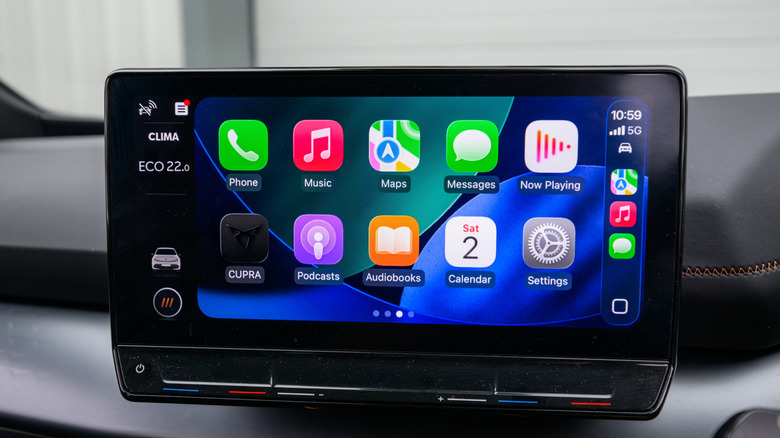
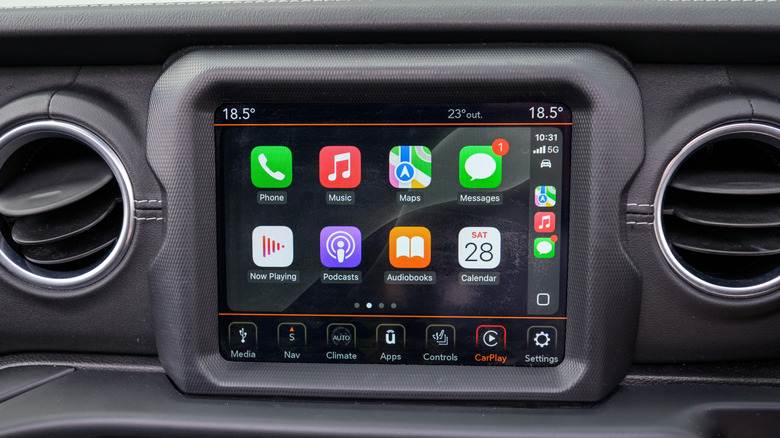
Until iOS 27, the top-right corner of a CarPlay audio app showed a small waveform icon, and tapping it opened the Now Playing screen. With the latest update, the new MiniPlayer replaces that with the artwork for whatever song's playing, along with the play/pause and skip buttons.
Say, for example, you're three screens deep looking through an artist's albums and you want to pause. The old way meant you'd have to hit the waveform, choose Pause, then tap back to return to the list, with the screen changing twice. Now it's one tap without needing to change screens at all.
In its Rev up your CarPlay app developer session, Apple explained how the MiniPlayer shows what's playing, and that "on a larger display you can even play, pause, or skip" from it. However, the company doesn't say how big a CarPlay display must be to get those buttons. If your vehicle has a compact CarPlay display, the MiniPlayer may be less useful by showing what's playing and acting as a Now Playing shortcut.
During the same session, Apple also demonstrated the new MiniPlayer tucked away in the corner of a video app. From there, it offers a fast way back into a video that you left partway through. Apple has also made the Now Playing screen's progress bar bigger and draggable in iOS 27, meaning you'll still need to use that screen to jump to a specific point in a track.
There's no app update or new car needed
Apple also said that every app with Now Playing enabled will automatically use the new MiniPlayer. App developers don't need to manually change anything or opt in to show this — and if you're a developer who wants to keep the old look, you can set a property called allowsMiniPlayer to false. That'll put the Now Playing icon back where it was before, in the navigation bar. Apple doesn't keep a list of apps that have made that decision, so you'll have to check your favorite CarPlay apps.
Apple's decision to add the MiniPlayer brings CarPlay more in line with guidelines from the National Highway Traffic Safety Administration (NHTSA). Its guidelines for in-car screens recommend that no glance away from the road should last longer than two seconds, and that a whole task take no more than 12 seconds of eyes-off-road time. These are, however, just recommendations. Alignment is voluntary, and the guidelines were written for hardware systems automakers build in, not phone software like CarPlay.
Before iOS 27, each screen change meant looking away from the road to find where the next button had moved, but now, the MiniPlayer's buttons stay in the same corner of every audio app. That makes pausing and skipping much less distracting.