David Alves

Engadget Editorial Policies

The unique content on Engadget is a result of skilled collaboration between writers and editors with broad journalistic, academic, and practical expertise.

In pursuit of our mission to provide accurate and ethical coverage, the Engadget editorial team consistently fact-checks and reviews site content to provide readers with an informative, entertaining, and engaging experience. Click here for more information on our editorial process.

Stories By David Alves

  • Recharge perfectly with Power Nap HQ

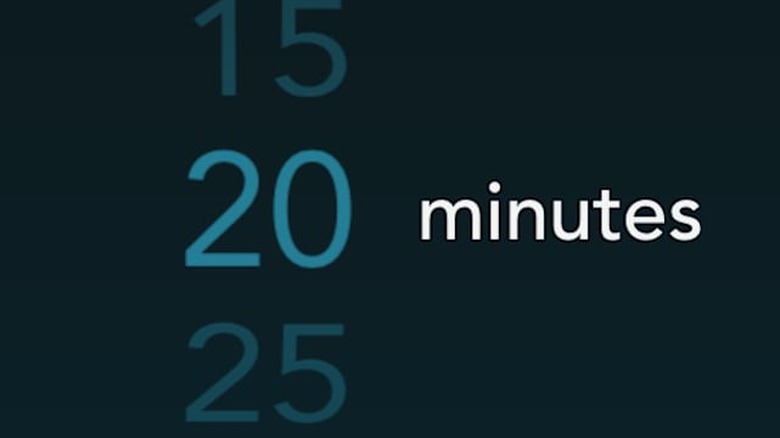
    As our culture becomes more and more mobile and fast-paced, a proportionate number of people will feel more acutely the need to rest. More than one will probably voice a desire to return to the days when kindergartners took a nap in the early afternoon. While cubicles probably don't install cots and blankets any time soon, the iPhone's versatile technology has made a way for busy people to recharge nonetheless. Power Nap HQ is available for US$0.99 and is universally available for devices with iOS 7.0 or later. It is optimized for iPhone 5. From the same developer that brought us Gentle Wake Alarm Clock, Power Nap offers an uncluttered, one-task-oriented design and interface. The entire goal of this app is to allow the user to enjoy a brief, energy-replenishing nap, to increase heath, relaxation, and productivity. It is not meant to do anything else, which allows all its energies and focus to be on doing one thing instead of several (and what it does, it does very well). Use of the app is very simple. Upon opening, the user will see a list of different nap-lengths to scroll through; the default is twenty minutes. After choosing the length, pick the backup alarm for when you must wake up; the automatic setting is for whatever the time will be upon completion of the desired nap length, but if you wanted you could set the alarm for much later. This was the only feature I found confusing, as I'm not sure why the user wouldn't just pick a longer nap length. This backup alarm feature only seems worthwhile if small increments of time were available to choose from, instead of being able for the backup to be potentially set for hours after the initial nap length. This is not a major flaw and can easily be customized for the individual user's needs. After choosing that, you can pick the sound you would like your nap-completion alarm to be. The default setting is called "Shanti Wind Chimes," but tapping on "Choose Sound" will pull up a catalogue of different categories, smaller than but identical in design to the one featured on Gentle Wake Alarm Clock. There are also a series of wake sequences to choose from, which can be previewed prior to use. However it does not look as though these can be edited, at least not from the same menu from which they are chosen. You can also pick the length of the snooze feature, anywhere from one to thirty minutes. Then set your phone face down beside your pillow-a little drawing will pop up, showing you the precise positioning-and then you are free to nap. The genius behind this app's design is that it senses and records your movements so that it can determine exactly the best sleep-state from which to wake you, so you will be maximally refreshed and rested. In fact, there is a feature which will catalogue all of the naps you have taken, complete with how long you were actually asleep, when the nap started, and more. This is available in the "nap data" feature. You can also adjust the app's sensitivity between high and low settings ad even share the app via text message, email, and several social media sites. Writing app reviews has shown me how amazingly diverse and versatile smartphone technology is. It's exciting to be on the forefront of some of the advancements and creative developments on this front, especially when they enable people to be healthier and flourish to a greater degree. I'm not sure what other apps will be revealed this year that contribute towards that goal, but Power Nap HQ sets an attractive, streamlined, and inviting standard indeed.

    By David Alves Read More
  • Rise and shine with Gentle Wake Alarm Clock

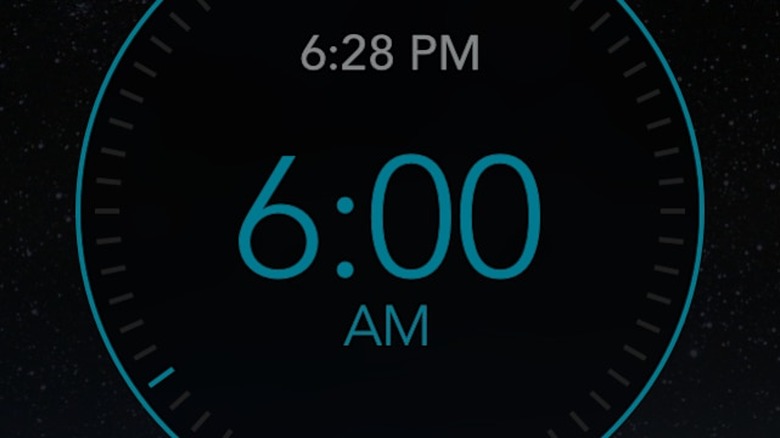
    With the advent of mobile phones that are more like mini computers and personal assistants, it follows that one of their new uses would be as alarm clocks. Alongside that development, it would also follow that there would be a slew of applications to help users meet the day refreshed and on time. Gentle Wake Alarm Clock is one of the most recent of these, and possibly one of the most advanced. The app is US$0.99 and is universally available on devices with iOS 6.0 or later. It is optimized for iPhone 5. The app features a sleek, modern, and user-friendly interface. Upon opening, the user sees a digital clock with a blinking line that travels around the clock (to mark seconds). Tapping the circular button at the clock's bottom brings up the alarm feature. One drags the circle around the clock to the desired wake time (which is then displayed in the center of the clock), and the hours between set and wake times are displayed below. Tap OK to set the alarm. The alarm works best if the phone is placed face down on your bed next to the pillow; that way, it can pick up your movements and determine the level of sleep depth you are in. It is also best if the phone is plugged in while the app is in use. The most interesting-and most distinctive-part of this app, however, is the vast array of sounds users can pick from to be the actual alarm. There are several different sounds in different categories already loaded onto the app to pick from; however, there is a large catalogue of sounds for free download within the app. The catalogue is divided into fourteen different categories, most of them nature-oriented (Rain, Ocean, Frogs). However, there are categories taken from man's contributions to the world, including an entire section of household-related sounds, complete with a running clothes dryer and several kinds of coffee makers. Clicking on the individual sound's name will play a preview and give the opportunity to download it into your personal library. The sounds can also be rated and the ratings of other users will be displayed below the name (with one to five small circles being filled in). Users can also create a customized "wake-up escalation sequence" that features a succession of sounds to transition them from deeper to lighter levels of sleep into relaxed wakefulness. There are already four sounds pre-included, with space for two more; these can be rearranged or deleted entirely for new ones. The developers also give the option of previewing the entire sequence before use or emendation. I used this app as my alarm this morning. Last night, I chose "Beach in Crete" for my sound and set the alarm for seven am. When I heard the waves crashing on my phone this morning, I initially thought it was my rotating electric heater malfunctioning; then, I thought it might be a neighbor loudly sweeping or shoveling while it was still dark. Then, I remembered the sound I had chosen and was able to briefly enjoy the sound of waves crashing. I had actually woken up before my alarm and was in that hazy, half-asleep no man's land when the alarm went off. It certainly woke me up completely, and was a refreshing and even funny change from the standard strum alarm I usually use. Tomorrow I look forward to maybe seeing what it's like to wake up to a coffee maker turning on, since mine is a coffee-free house. Phones are becoming more and more integral to every detail of our lives, and iPhones are unquestionably at the forefront of that advancement. As developers use their creativity to make the most of both new technology and the popularity of iOS, iPhone lovers can experience the best of that technology and creativity. Gentle Wake Alarm Clock is a perfect example of this delightful marriage.

    By David Alves Read More
  • Connecting dots can be futile with Dots Connector Free

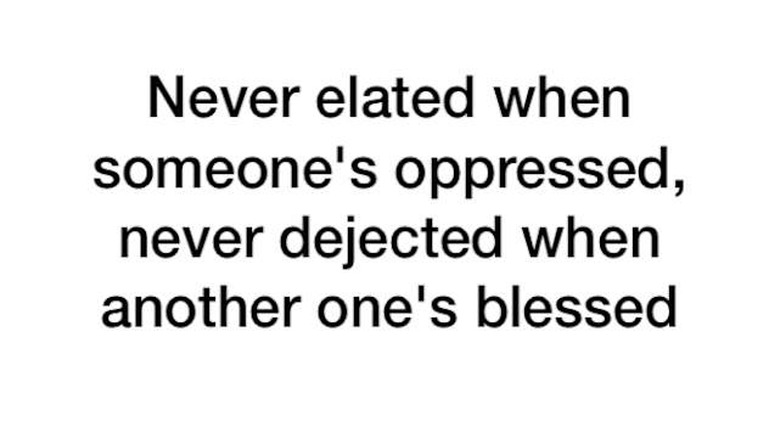
    I usually enjoy games which require strategy, problem-solving, and mental exercise. I hate the vapid passivity which our technologically-glutted culture appears to aid and abet. I also deeply appreciate app creators' attempts to be thoughtful, careful planners who finely tune their creations to communicate a message - even if that message is simply "Have fun!". While Dots Connector Free is a pleasant enough app, and is certainly within the strategy/problem-solving genre, it appears to suffer from a lack of clear direction and instruction. This significantly robs the player from a truly enjoyable playing experience. This app is free and is available for iOS 7.0 or later, optimized for iPhone 5. The basic thrust of this app is to create boxes: the titular "dots" are what connects each line with some of the lines already filled in. This would appear to be simple enough, but it isn't. This is not inherently a bad thing, but the way it unfolds in Dots is. For the player has absolutely no idea what they are doing. I completed all twenty-six levels having utterly no idea how I was supposed to make the boxes. This is because there are no instructions within the app itself, the description in the App Store is woefully unclear, and the website (which I only just discovered by pure chance) is equally unclear. It appears you must be judicious with your use of lines, as if you connect the wrong two dots you will have to start all over again. This is where part of the lack of clarity comes in: It is never clear why you are unable to connect the two particular dots. Further, the two dots can change if you have to redo the puzzle. On one of the higher levels, I must have had to redo the puzzle five or six times, with absolutely no rhyme or reason (at least to me) as to what I was doing wrong. As I studied the website, looked very closely at the game, and even replayed some levels while writing this review, I had more of an idea about what I was doing, but only slightly. The first thing you see when beginning the level are words that say "Each 'line' will help resolve a 'box.' Use it wisely." Other than this there is zero direction or clarification within the app itself. About the only thing that is clear is the phrase "box" with a number at the top of the game's screen indicates how many boxes total you will connect on that level (e.g. 9, 12). As you complete boxes, that number will progressively go down until you have finished all of them. That much is clear. Figuring out why you are allotted lines, what causes you to lose them (when the dots refuse to connect), and how to make sure you are using them as intended is never discussed. I was extremely frustrated while playing because I had no idea what I was supposed to do besides make boxes, which obviously at seemingly random times was not happening. Even after referring to the just-discovered website, I still am not certain what precisely the strategy is with the allotted lines. The best I can figure is that the game expects you to fully complete a box before moving onto another, but that still doesn't explain why when I would move onto the next box the lines would sometimes not connect. The other interesting thing to note is that each of the twenty-six levels is named after a particular emotion, and preceded by a quote (I assume from the game's creator) regarding that emotion. This was intriguing but enigmatic. I was not certain of the purpose of this, as it felt somewhat unrelated to the game itself. Perhaps the creator had a very good reason for doing this, but it was not clear to me. The best I could determine was from one of the seller-provided screenshots saying players would feel each emotion as they played. I had to chuckle when I read that, as the hardest level for me was one called "loving." I felt zero love while on that level. While the actual gameplay is very unclear and confusing, the game itself is lovely. I am a fan of minimalism and streamlining if they are done well, and a clean, smooth interface set in black and white was an utter pleasure to look at. The moving two-tone black geometric shapes in the background added an ethereal feel to gameplay without being distracting. I am more than certain the game's creator was well-intentioned in their endeavor. Indeed, the game was pleasant enough once I stopped having as many failed attempts. There were so many problems given the total lack of direction and clarity that the game simply wasn't fun. I do not like getting through all the offered levels of an app and feeling like an ordeal is over. I think I actually exhaled and said "Finally!" when I finished. It shouldn't be that way. A bit more direction, some clearer instructions, would have helped immensely. I am a huge fan of puzzles and problem-solving, but Dots Connector Free needs to up the ante with its directions if this game is going to move from a frustrating impossibility to a true challenge of the mind.

    By David Alves Read More
  • Strategy plus math equals Make a 9

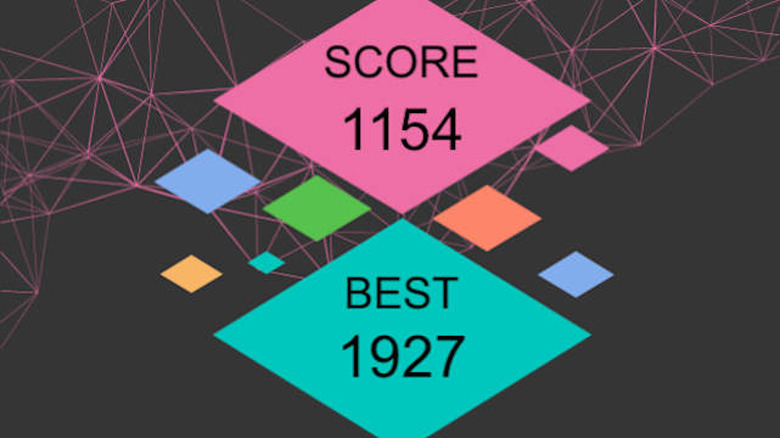
    About ten years ago, the numerical game Sudoku became an overnight sensation. It required players to fill a series of boxes with the numbers 1-9, with some or most of the boxes empty. Players thrived on strategy, quick wits, and the perseverance needed to stick with the game until the puzzle pieces clicked together. As I played Make a 9, I couldn't help but think of that venerable predecessor, if only for the heavy numerical element of the puzzle. Make a 9 is a just-released game for any iPhone user who likes a mathematical challenge. Requiring iOS 5 or later, this free app is universally available but optimized for iPhone 5. Although it takes a while to get used to and figure out, the basic thrust of the game is as follows: You are given a blank slate divided into thirty-six squares. Each square mist be filled by a randomly-generated tile, numbered from 1-8. Simply tap any square to place a tile, and move to the next tile. As you arrange three in a row (more if you make L, T, or larger square shapes), the tiles will combine to move to the next highest number. So, if you place three 2 tiles in a row, they will collapse to become one 3 tile, moving to wherever you placed the last tile (this becomes important later on). Points are scored by the number on each tile, and as tiles combine your points are multiplied by however many tiles were put together (e.g., three 2 tiles are worth six points). The combining and collapsing of the tiles is important because, as the game's title suggests, you are to "make a 9." The goal is to collapse and combine enough tiles to move from a 1 all the way to 9. My description sounds like this would be easy enough, but it isn't at all. You can't just randomly slap tiles wherever you please. Not if you want to score high points, or even actually get to a 9. The game is over if you fill all the tiles, and this is very easy to do if you are not careful about where you place tiles. More than once, I ended the game with a pitifully low score because my tiles were landlocked-only one or two like tiles with a bunch of random tiles surrounding them. This means no opportunities to merge, change, and most importantly thus clear spaces to drop more tiles (and thus potentially merge more and get more points). Users can also pay a small fee of US$0.99 to unlock a swapping feature that allows them to swap out one potential numbered tile for another, depending on which is better for current gameplay. The game's current version has banner ads at the bottom of the screen; I did not see a way for them to be turned off. I never made a 9. I made 8s a good smattering of times, but the game's designers were extremely smart in how they set up the algorithm (or however the tiles are generated). I tried every strategy I could think of: concentrating on one small section of the board, trying to multiply as many tiles as I could in the smallest space. Placing higher tiles far away so I'd have plenty of room to easily merge three or more. Eventually learning to be very choosy in which tiles I filled when, realizing if I picked particular ones I could extend how many tiles were condensed at once and thus get a higher total score and more cleared spaces. None of these ultimately worked. I'm not sure if this is a good or a bad thing. The app's designers were very clear there isn't a traditional win/lose scenario, and to be honest I'm not entirely sure what would happen if I actually made a 9. Surprisingly, I was never mad at the app, felt like it was impossible, or that my time was wasted. To say I became addicted to it in the space of 48 hours might be a stretch, but I was definitely committed. In my thinking, that is the sign of a quality game with refreshingly attractive design and structure. iPhone games involving strategy, wit, and investment will only become more popular as our society becomes increasingly mobile. I'm grateful well-made contenders like Make a 9 are at the front of the pack.

    By David Alves Read More
  • ​For tough decisions, turn to A or B

    Everybody has those mundane yet paradoxically vastly important decisions to make, and usually every day: Which TV show to watch when both are at the same time? Where to have lunch? What to get, once you decide? Which dress to wear to graduation? Which towels for the guest bathroom? And so on. And on. Such is part of life, just like the sun rising and winter preceding spring. People will have decisions to make, and even small ones make our lives frustratingly complex. Now, just maybe, there's an app for that too. A or B combines everyone's need for right decision making with the power of social media and trusted friends. The free app is available on iPad, iPhone, and iPod Touch with iOS 6.0 or late4r and is optimized for iPhone 5. The app is extremely simple. You simply take a picture of two items-the aforementioned dresses, towels, beach novels, pizza toppings, what have you-and upload them into the app, one on the "A" side and the other on the "B." The resultant image shows your two options side-by-side, or, if you choose, top and bottom. You can also pick from several different colors to shade the border of the two pictures, though this does not seem to be for much else than aesthetic effect. Once your pictures are uploaded (note that you will have to drag each picture around within either side to get them rightly situated for the smaller frame) and your border is chosen, you have several options: You can upload the creation to Instagram, so all your followers can aid you in your pursuit of the perfect necktie/Christmas tree ornament/Starbucks drink, or you can text it to a friend. You can also save the picture to your Camera Roll so that it can be manually uploaded to an email, Facebook, or other kinds of social media. The app is simple but genius, in my estimation. It does exactly what it says it will do, so its doing of only one basic thing is a strength, not a weakness. That users can text or upload from within the app is helpful, though it might be wise to take the next step and have more social media sharing options instead of just Instagram. Another potential improvement would be to perhaps make each photo panel bigger, as it can be challenging to take a picture at the proper angle to fit the necessary details into the tiny frame. However, that the app is inherently meant to be used with other people is a nice touch-everyone has those small, impossible decisions to make which require the immediate input of friends, spouses, and family, and now this app makes it simple to do just that. While A or B almost certainly will not help anyone decide between potential mates, houses, colleges, and the like-the truly major issues of personal impact-it adds fun and aesthetics to those small forks in the road we all face a thousand times a day. And given that most people find it impossible to decide between ice cream flavors, sock patterns, or what next to watch on Netflix, it seems like this app provides that little push of clarity everyone at times can use.

    By David Alves Read More
  • Get daily inspiration with BrainyQuote

    Pretty much everyone would enjoy a thoughtful quotation displayed against a vast natural panorama. Now, iPhone users can create their very own inspirational image and share it via social media, text, or email with BrainyQuote. This free app is available for iOS 7.1 or later and is optimized for iPhone 5, 6, and 6 Plus. The app is extremely straightforward and simple. Upon opening it, the quote of the day atop a nature scene is displayed. Then, using that quote or one of the several thousand from the in-app library organized by topic, users can create inspirational backgrounds for their iPhones, or post them to social media such as Facebook. Users can also scroll through past quotes of the day by tapping on the arrow on the left-hand side of the screen. If they tap on the "explore" feature at the bottom of the screen, they can pick from a list of topics-everything from age to dating to religion to wisdom-as well as search by author's name. They can then flip through each quote, displayed on its own background, which can be swapped for another background by tapping the photo option immediately below. Once the desired quote and image are matched, the user can upload their jot of inspiration to different social media outlets, text it, email it, save it to their camera roll to use as a background or lock screen. Users can also open the BrainyQuote website, where they can get more information on the author, find related authors, and even link to their published works (if they have any) on Amazon. This is a fun little app with stunning naturescapes and thoughtful quotes. One of the interesting things about having so many quotations in so many categories is that they cover almost every perspective imaginable. This means that there will be something here for everyone, and of course new ones are being added every day. (If they so desire, users can have a daily notification at the same time letting them know what the daily quote is. The set time is 8 am but this can be changed in-app.) There isn't really anything negative to say about this app, as it does precisely what it was advertised to do. Naturally, this makes it somewhat limited in scope by nature, but it is refreshing to find an app that is streamlined, uncomplicated, and delivers exactly what was promised. The only thing I could think of to add might be a way for users to import their own quotes. While there are a good number stored within the app, particularly perceptive or thoughtful users might have one that is very special to them which isn't there. Perhaps in future updates this kind of feature will be added. Overall, the BrainyQuote app provides users with an aesthetic and user-friendly means to put a small dose of thoughtful inspiration into their day. Given how often most of us look at our phones, this kind of a reminder would not be a bad thing at all.

    By David Alves Read More
  • Instant stardom is yours via Poster Boy

    When most people take selfies, they end up in one or both of two places: Facebook and Instagram. Unless one is famous, their selfies will probably not be seen by too many other people, and they certainly won't get national circulation. Until now-kind of. Poster Boy combines the contemporary love for the selfie with most people's desire for fame and puts their faces on fake movie posters. This free app is universally available, optimized for iPhone 5, and requires iOS 6.0 or later. The app is very straightforward and simple: You take a picture of yourself and/or someone else, and the app will place it into a fake movie poster-all of them parodied versions of real movies like The Castaway, 28 Days Later, and The Godfather. This is simple enough, but the app does more. Different filters can be added to the photo to give a different feel, everything from simple black and white to a 1970's overly-bright wash to a number of different color filters, to make the whole picture monochromatic. Pictures can be rotated 360 degrees, shapes can be superimposed (like a fingerprint or spider, which can then be colored in) blocks of short text inserted. You have everything you need to make your very own sarcastic movie debut. The most interesting part of this app is that is does not just do movie posters. It also generates a Blu-Ray cover, a billboard, and a bus stop ad. Once they're saved in the desired format, they can be shared via a number of social media websites as well as through email. Have you ever wondered what your face would look like gracing the side of a building as you appear in an ad for a blockbuster movie? Now you can. As noted above, the app is free, but it does offer the ability to turn off ads and unlock other features for US$1.99. This did not appear absolutely necessary to actually use and enjoy the app, but I went with the option anyway because I hate having to deal with ads and other distractions. I wonder if that might be a bit pricey for the choice (especially since it isn't clear what other features are being unlocked), but I am content to let the developers determine that. A total of thirty different posters are offered, which is more than I had expected (until I realized I just wasn't scrolling hard enough through the list after I reached what I thought was the end!). They look almost identical to the actual movies they parody, complete with pun-laden taglines and equally corny misspelled stars' names. ("Brat Spit" stars in "Night Club," for example.) As clever as I thought the app was, and as much as I enjoyed taking reasonably humorous selfies for my movie debut (a rare thing for me), I have one rather glaring drawback to report. The humor is at times inappropriately crude. Probably I am in the minority on that, but I just feel sexual innuendos have no place in an app like this. They are cheap shots, pure and simple. They are what someone reaches for when they cannot think of something intelligent and witty, because sex, along with humor regarding bodily functions, always gets big laughs. I laughed out loud at some of the posters because they were quite witty. Then as I continued to flip through I was just disappointed. The innuendos were not on every poster, but the creators more than made up for that by hitting the user over the head with them on one or two. They were not the kinds of posters I anted to see, and certainly would not want to put my face to them and then share them on the internet. This was almost enough to ruin the whole experience for me. This is really the only negative thing I have to say about an otherwise engaging and creative app. Maybe in future versions the creators will return to putting more thought and less last-ditch, lazy, cheap humor into their work. Despite this criticism, I actually had a lot of fun with this app. I enjoyed trying to figure out what stupid facial expression would work best with the posters I chose. I did think a lot of the titles and such were clever and most were worthy of audible (and sometimes wheezing) laughter. Certainly the amount of control the app gives the user in creating the image is a plus. Most of us will never be movie stars or known beyond our little circles of influence. With Poster Boy, at least we can pretend for a while, and enjoy an extra touch of frivolous silliness that will brighten our days and our news feeds.

    By David Alves Read More
  • Become a hero with Alexia Crow and the Cave of Heroes

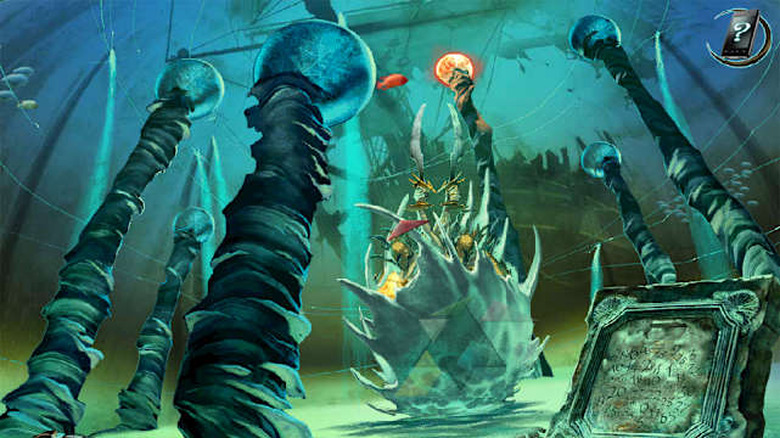
    The more apps I review, the more I become convinced that games with puzzle aspects are virtually a mainstay for iPhone and iPad users. If that trend is anything near accurate, then Alexia Crow and The Cave of Heroes will likely skyrocket in downloads. The free app is universally available but is optimized for iPhone 5. The game follows Alexia Crow, a young girl who falls down a cave opening and ends up in a mythical realm. Tutored by a centaur who had as his former students such luminaries as Hercules and Achilles, it is Alexia's turn to demonstrate her courage and ingenuity in solving the tasks her tutor gives her, and thus become a heroine in her own right. As such the player sees the game through her eyes as she picks up various necessary objects to advance in the quest and completes a series of interesting puzzles. The game is engaging, with phenomenal graphics and great attention to detail. This is sometimes unusual to find in a game that is compatible with an iPhone (the graphics are computer-quality, at least in my opinion). This is not a rinky-dink throwaway game, but one that the developers clearly spent time and thought in crafting. This type of devotion and care is refreshing. However, an immediate and potentially deal-breaking drawback is that by all appearances one must purchase the first chapter of the game for US$1.99. A very brief demo is available prior to that, but if one actually wishes to play the game, one must purchase the chapter. Frankly, here is buyer manipulation at its worst. The app is touted as free and yet to actually do anything one must spend two dollars. Indeed, I only discovered this after messing around with the demo for some time, not realizing (until I exited to the main menu to see what was going on) that I actually had to pay money to make any actual progress. I would much rather the developers simply charge for the game outright. It is extremely annoying to go through the trouble of downloading an app that claims to be free and then have to pay money to actually use it. The second concern is that the game by all appearances lacks clear direction as to what exactly the player is supposed to do. I played nearly the entire first chapter in preparing for this review, and I actually had to hunt down a walkthrough on YouTube to figure out what on earth I was supposed to do to begin the quest and solve the puzzles. Had I not had that, I would have been flailing around helplessly trying to figure out precisely what I was supposed to do for the first quest. Certainly I do not expect the game to solve everything for me - if I wanted that, I could watch any number of game shows passively on TV. Even given the cute intro video at the beginning which shows Alexia fall down that cave and land on the ground, I was very confused as to what was to happen next. I felt a bit bewildered. Unless I profoundly missed something, there was zero direction. I'm a fan of walkthroughs if a game has me really stumped, but I expect a little guidance and direction on what I am supposed to accomplish before I resort to such desperate efforts. A game should not be like stumbling around in the dark trying to find a light switch. This defeats the fun purpose of play. But at the same time, I suppose the lack of direction enhances the bewildering context in which Alexia finds herself, so it isn't all bad. With all that said, I actually really enjoyed Cave of Heroes. The basic thrust is that Alexia must complete a series of puzzles (which are hidden throughout the realm she explores) to get special objects to further her progress in the quest. As she completes the puzzles, or occasionally just lying around, different trinkets appear: A fishing rod to catch fish which go into a potion and become a stone, both of which end up furthering the gameplay. A series of rhombus-shaped stones activated by being placed in matching holes on a Zeus statue, so they can be used in another puzzle. Multiple silver and gold keys, which unlock portions of yet another puzzle. And so on. This kind of complex continuity between puzzles and aspects of the quest is wonderful, because it demonstrates not only a thoughtful storytelling but also an attention to detail and a purposefulness in gameplay that is delightfully symmetrical. Indeed, this kind of meticulous and overarching attention to usefulness, purpose, and balance only serves to highlight the seeming inconsistency with the game's frustrating lack of direction. It is as if the game is one giant puzzle, with many smaller puzzles that yield the pieces of the larger, none of which are wasted or unnecessary. Players should also note there is not any audible dialogue in the game - anything spoken by Alexia and any other characters appears in a kind of subtitle at the bottom or top of the screen. This was not at all a detriment to gameplay, but it was different than what I was expecting. The background music and sound effects are interesting and at times winsome but can be distracting, so I played with my phone on silent. One potential caveat for iPhone/iPod Touch users: Because the game operates via touchscreen, the smaller screen may prove difficult to maneuver in certain puzzles. I learned this the hard way, as a slight touch in the wrong part of the screen would mess up an entire puzzle and I would have to start over. While this was not a huge issue, it may be something to note going in. While there are some potential flaws to the game (most notably the financial one), overall Alexia Crow and The Cave of Heroes is a thoughtful and delightful exercise in both attractive graphics and challenging puzzles. As we follow Alexia on her quest to become a hero, her accomplishments become ours, until all of us just might feel a bit more heroic ourselves.

    By David Alves Read More
  • Run, walk, and jog with the stars via Spring

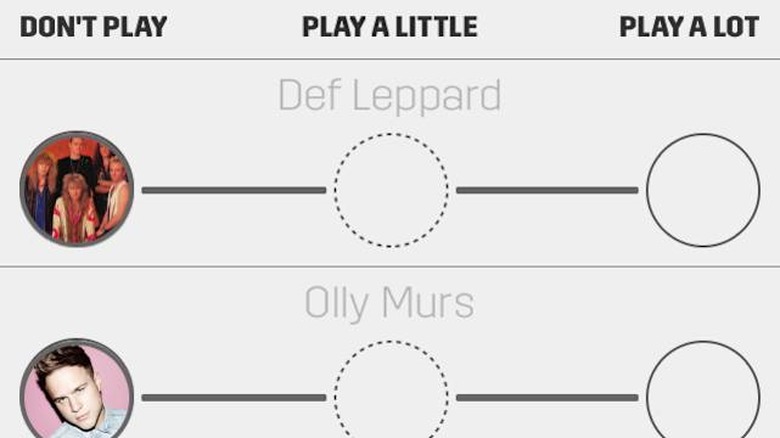
    The class I hated most in high school (well, besides math) was gym. I had zero hand-eye coordination, I never liked sports, and I got very out-of-breath every time we were tested on the mile run. Maybe it was the testing aspect, or maybe it was because I never fit in with the uber-athletic culture of my school. It just didn't fit me. When I went away to college, where there was more freedom, I couldn't get enough of the outdoors. Which is why I wish I had known about Spring then. This free app is available on iOS 7.0 or later and is universally available but optimized for iPhone 5. At its most basic, Spring accompanies you on your daily workout routine (it seems optimized for extremely mobile activities like power walking, running, rowing, and the like) with upbeat music and tracks your miles moved and calories burned. Depending on whether you are running, walking, or doing some other activity, it sets your ideal steps per minute (you can change this), and then you can set it depending on whether you are doing the activity indoors or out. If you are outside, Spring will track your movements on a map using your GPS coordinates, which will also tell you what songs you listened to when and how many calories you burned on the song. It even breaks down how much you burned per minute. While you are exercising, the screen is very streamlined and user-friendly, displaying only the song/album/artist combination, how many minutes have elapsed since you began, and the calories you have burned per minute along with how many miles you moved (walked, in my case). The app is free, but users may find purchasing one of the various packages might be better. I learned this when I kept running into songs I had no interest in listening to. This was primarily because I'd never heard of the artists, but there is a wide enough selection that nearly all users will be happy. After having to skip six, I got a little notification saying that on the free version only six skips per hour are permitted, but paying subscribers get unlimited ones. Additionally, the free version only allows five hours of play time before asking you to commit to one of the paid options. If this sounds like something you'd use all the time, then subscribing monthly may be best for you. In the "Upgrade" menu, you can subscribe for US$4.99/month. There are other options as well, depending on your needs. Users can also create a free Spring account so they can keep track of their athletic progress. A disappointment for me was the reliance of GPS tracking. I have had nothing but bad reception in my particular neighborhood, since it is a newer development surrounded by numerous trees. This meant my numbers ended up being very lopsided and in no way an accurate reflection of the activity I actually engaged in. Users who live in densely urban or very wooded areas might have the same issues as I did. In my case, being in and out of range for my WiFi also registered me as walking a shorter distance than I did. When using the app in indoor mode, GPS is turned off, but you can still manually log in your mileage after you are done. Two of the best features were both music-related. The first was the sheer number of artists to choose from. Literally everyone from Arianna Grande to Zedd could be chosen, and each time the app is opened there are new artists shown. Indeed, most of the artists I had never heard of, which (at least to me) demonstrated the wide diversity of possibilities. Pretty much anyone would be happy with the combinations to be had. Additionally, parents can rest comfortably knowing there is an option to exclude explicit songs from the lineup, though this can be changed very easily. The other nice music feature was that users can actually determine how often the particular artists appear. Since I am only evaluating the free version I am not sure if the level of control changes with a subscription, but while users cannot pick specific songs or organize a set playlist, they can determine how often particular artists appear. After choosing their workout style and their location, a menu is shown with the different musical choices. Users can pick between "Don't Play", "Play a Little", and "Play a Lot". While some people might prefer a more user-controlled option, I liked the variety, as it exposed me to artists I might not have otherwise heard or even enjoyed. There are a lot of good things I could say about this app, but I think I'll close with this one. The importance of good health and especially frequent exercise is at the forefront of the national discussion. From Michelle Obama's fitness initiative to TV programs like The Biggest Loser, everyone is thinking about how to lose weight, get stronger, and have more fruitful lives. Spring reminded me that doing this is not merely important enough to have yet another app devoted to it, but that with the right music and feel, doing what is necessary to lengthen your life can make it just a little more fun as well.

    By David Alves Read More
  • Nimble-fingered strategists will love Light 'em Up

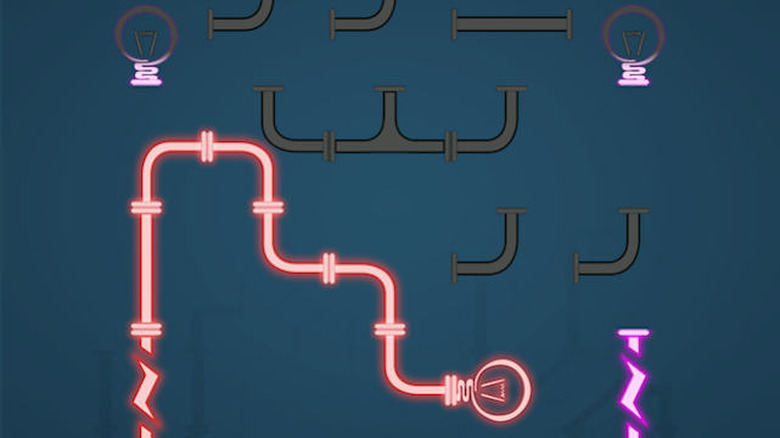
    It would seem there is a never-ending influx of strategy and puzzle-related games coming down the App Store pike, and for good reason. There is a burgeoning group of fans waiting to try them, critique them, and talk about them to their friends and on social media. With this kind of context, Light 'em Up should find a niche very quickly. The free app is available for iPhone, iPad, and iPod Touch and is optimized for iPhone 5, running on iOS 6.0 or later. The game's basic premise is simple: Building on a puzzle-assembly motif, the player must connect various glass tubes and other pieces, such as light bulbs, in order to make an electronic connection and light up the bulb and tubes. The player must tap each tube and bulb to rotate them in order to make the proper connection. This sounds simple enough, and in the early stages it is. Players will find themselves racing against both an allotted time (which changes depending on the level) as well as an allotted number of taps (each tap counts as one move). Use up all your moves, or fail to light all the bulbs \by the end of the given time, and you have to start over. This game is genius, simply put. I'm a thinker and armchair strategist, so these kinds of puzzle-esque games appeal to me. I like having to think ahead, plan, and ponder. The interesting thing about this game is that you may have to tap the tube or bulb more than once to get it into the proper position, which is both a good and bad thing. It's good because it allows one a process of elimination in figuring out which connections will work and which won't. But it also uses up one's allotted moves, which can be frustrating and detrimental to advancing in the game. Granted, as one grows in their abilities and strategies this may become less of a problem, but it was nerve-wracking and annoying on higher levels, some of which have less time. Another interesting feature which I had not anticipated is that not every single tube has to be used. At first, I was concerned because I was making all of the necessary connections and even lighting up all of the bulbs but had several pieces unused. I am not entirely sure of the purpose for this. I do not know if the game designers have more than one possible solution for each level (which would be likely, though I typically stuck with the first one that worked) which necessitated the extra pieces, or if perhaps they are supposed to test the player's ability to know which pieces are necessary and which are extraneous (which will thus save both time and moves). I'm not sure. But it was nice to know I was lighting all of the bulbs without having to rely on all of the tubes given. The game offers a total of ninety levels and players typically cannot jump to different levels without playing the preceding ones. There is an option of unlocking some (not all) future levels without playing the previous ones, but this costs US$0.99 per unlock. Players can disable in-app purchases to bypass this option. My biggest two critiques of the game are as follows. The first is the presence of ads. This is a sticky issue for me, as I realize free apps have to make some kind of income. However, I feel the placement of the ads is meant to be deliberately annoying. The banners on the bottom of the screen are not really a problem; it is the banner across the middle of the screen after every successful completion of the level that is the worst. Additionally, there are regularly pop-up ads that fill the screen (these can be closed and only occur once every other level or so), along with video ads that come up randomly. The videos were the worst for me. The first time the screen went black in order to start playing one, I actually thought something was wrong with my iPhone; I wasn't accustomed to it going black for no reason. They are not very long, typically only fifteen seconds to a minute in length, but they do distract and annoy. The good thing is that players have the option of purchasing an in-app ad-free version, but this also costs US$0.99. I ended up purchasing this because during later levels, players must drag the screen different places to build extended parts of the puzzle, and the ads were getting in the way. So, I really don't like having to pay money (in a free app!) to avoid ads, but most players will need to pick this option. The other critique I am genuinely on the fence about: time limits. I have zero problem with limits in themselves, as having to complete tasks within a certain time frame heightens both the challenge and the strategy of gameplay. However, in at least one level, it appeared next to impossible to complete the entire puzzle in the fifteen seconds I was given. (In comparison, other, sometimes less difficult puzzles in later levels were given as much as a minute and fifteen seconds). This, coupled with the banner ad blocking my view, made me have to play this level over and over again. I lost count of how many times, actually. This felt odd because the time limits seemed uneven. I don't care if different levels have different times, but when a later, easier puzzle is given either a much longer time limit or a larger move limit, and this puzzle gets only fifteen seconds, there seems to be an issue. Despite these issues, Light 'em Up remains a fantastic, addictive, and brilliant game. If you're looking for a nifty brain-stretcher that will light up your screen (literally), thoughtful players needn't look any further than this.

    By David Alves Read More
  • Dead Giveaway finishes dead last

    With the Halloween season rapidly approaching, a game featuring zombies just might be seasonally apropos. Dead Giveaway is a free game (with in-app purchases) for iOS 6 or later, universally available but optimized for iPhone 5. Initially, I didn't think the game would be something I'd like, mostly because I thought it was a cheap shot. A game where I have to beat zombies by answering questions? It didn't feel exciting or like a pastime, both of which I think are key for a quality game. As it turned out, I ended up not liking the game, but for very different reasons. Dead Giveaway has a lot of potential, but in my option it needs some heavy tweaking. The format of the game is relatively simple. You are supposedly captured by a group of zombies, who have decided to show mercy (and because they aren't yet hungry for human flesh) by having type an answer after being shown three clues. The idea is if you win, you don't get eaten. For every correct answer, you win coins, which can purchase hints or extra clues. The graphics are clever - the clues appear on little TV screens, connected by rotted wooden boards. Your zombie host even has a suit and tie, in keeping with the game show feel. When you get an answer right, you get another little tidbit about the answer, almost as if the host is making small talk with you, and occasionally he will interject corny comments via little pop-up windows. These things were fun and lighthearted, and I appreciated them. However, the main structure of the game was a problem. First off, as mentioned I believe the point of the game was to avoid being "eaten" by the zombies, if you win. That is just the point: I am still not at all certain how one "wins" this game, or if the game even has a point at all. I got to level 47 and still had no idea what exactly I was doing. As I got correct answers, the coin bank would increase, but this would have made more sense if, for example, I had to win a certain level of coins to have something happen. The game felt a little pointless in this regard, as though I would just be guessing answers indefinitely for no apparent purpose. Besides, I think after nearly fifty levels something ought to happen. Where are all the zombies threatening to eat me, for example? Second, the clues vary in their clarity and thoughtfulness. As an example, my clues on the very first level, were "Is a millionaire," "Pow," and "Wears a cape." The fourth clue was unavailable until I spent ten coins to "buy" it (more on this later). I ended up having to both Google the clues as well as buy the clue to get the right answer, which was Batman. Now, I am not the most pop-culture savvy. I freely admit that. I do wonder how clearly these clues say "Batman." All I knew was that it could be a superhero, which is why I initially picked Superman. For that, I was rewarded by losing a coin in what I would be paid for my right answer. In fact, I ended up having to Google on almost every level because the clues just were not ringing any bells. This is the hardest part of this review, because I admit I am largely unfamiliar with certain contemporary music stars, movies, and other cultural paraphernalia. My ignorance of these things certainly made the clues more difficult for me. Yet, to have to Google nearly every level because the clues are either very vague or unreasonably obscure ends up making the game a lot less fun. Something else should be said about using the coins. I have no problem with features like this in themselves. I do have a huge problem when playing a supposedly free app essentially hinges on purchasing fake money to use in-game. This is precisely what happened with me on my very first level. Because I could not figure out the right answer, I ended up having to buy the fourth clue – but the player is not given any coins to start with! So in order to simply progress to the next level (even just skipping the question costs 100 coins), I had to spend US$0.99 on a pack of 500 coins. Also, the fact that players are awarded coins for every right answer felt a bit pointless too because I ended up having to buy a lot of those fourth clues. Even the option of buying a hint (blank lines are shown spelling out the answer, and for every 25 coins you spend you get one letter) was too expensive if used very often. So, after nearly an hour of game play, almost fifty levels, and a dollar of my money, I ended up dissatisfied, confused, and scratching my head. I don't expect a game to have breathtaking graphics or be insultingly easy to win. I don't expect to spend absolutely no money on it, at least if I am very committed to playing. I don't expect software developers to be unprecedentedly creative. I do expect games to have a clear goal, and to not have to spend money (real or fake) to simply graduate from the first level. I do not like coming to the end of a game and wondering exactly what happened, or spending fifty levels not even sure if it has a point. The game has clear potential: humor is used appropriately and thoughtfully. Some of the facts given are genuinely interesting. The basic idea of a trivia game is a lot of fun. There were too many issues with Dead Giveaway for it to be truly enjoyable and fun. I do hope the developers will stretch their minds and ideas to create a game, with zombies or without, that will be enriching and pleasant without breaking the bank or the clock.

    By David Alves Read More
  • Want amazing to-do lists? Try Any.DO

    It seems our lives grow busier and busier as the years go by. Perhaps two of the busiest demographics are college students and mothers (especially the mothers). While I have never been a mother, I have been a college student, and Any.DO was the perfect lifesaver during the craziness of my final semester. This free app is available for iPhone, iPad, and iPod Touch, and is optimized for iOS 7. Since I am the most absentminded person I know, one thing I learned early on is that I have to write things down the moment I know I intend to do them or else I will forget, and quickly. (This is the same reason why I have arguments with myself over the "Why didn't I put that book back where it belongs?" issue.) Paper is fine, and given that I am one of the few people alive who still likes longhand letters I should be okay with that. And I am. But then, the issue is remembering on which of the multitudinous sheets of paper in my home I wrote my to-do list. Having it right in my pocket at all times is a calming breath of fresh air. It's one less thing I have to do. The app is a beauty for something as simple as making to-do lists. Users have the option of using a black-on-white theme (the default) or changing it to white-on-black. Either one makes the app clean, professional, and visually pleasing. When the app is first opened, the user is greeted by a list with four labels: Today, Tomorrow, Upcoming, and Someday. Tapping the plus sign next to each section will bring up a blank screen where users may either type or speak tasks into that particular section. Of special note is the auto-suggestion feature. Instead of having to laboriously type out the entire phrase, the app uses its highly-detailed array of suggestions to narrow down virtually any task you might be thinking of. Tasks can be organized into Personal and Work folders, but users can make numerous others as well (e.g., Vacation, Medical, Book Club, whatever). You may also view tasks by day, which is the default, or by folder. Especially urgent duties can be written in red text. These and other features (including the ability to take notes on any individual task) can be brought up by tapping the task itself. As tasks are completed, the user may actually cross them out by dragging as finger across the screen. At that point, the task can be removed from the list by pressing the small x next to it. Users who like the look of a list with all duties struck through can leave them be. However, it s important to note that once tasks are completed, shaking the iPhone will delete them from the list. But don't worry, yhey will just retreat to a master list of deleted items which can be accessed via the Preferences feature. Most people will probably delete them, but I had a nice time looking through all the things I had to get done during my final semester of college. In landscape mode, users will find a smaller version of their list displayed next to a monthly calendar, with that articular day opened. From that calendar, one may add tasks to any future date, as well as set reminders, alarms, deadlines, and so forth. Users also have the option of syncing with the Cloud, so their tasks and calendars are uniform across devices. Additionally, lists can be shared between two or more phones so that one may divide and conquer. And for the really hardcore organizers and list-makers, Any.DO even has the option of a Premium account, with highly-customized themes, staff support, location-based reminders (for when you must remember to pick up milk when you leave the dentist's office), and other features. This is on sale as of this writing for US$2.99/month. Now for the really good part: Do you ever feel like you need some kind of congratulatory acknowledgment when you have mastered yet another day's demands? With Any.DO, you can. As important tasks are completed (or all of the tasks in a given day, whichever comes first), users can redeem rewards - like a promo code for US$25 off a hotel room via Travelocity, or even a free two-week Hulu Plus trial. Cleaning the lint trap in the dryer and making sure your car payment is on time was never so rewarding. As we progress further into the twenty-first century, our lives will only grow more complex and intricate with every scientific discovery and technological advance. It's good to know that Any.DO is available to help all of us navigate the needs and wants of every aspect of our lives. With this written, I have one more thing to cross off my list.

    By David Alves Read More
  • Converter app makes measurement swaps a snap

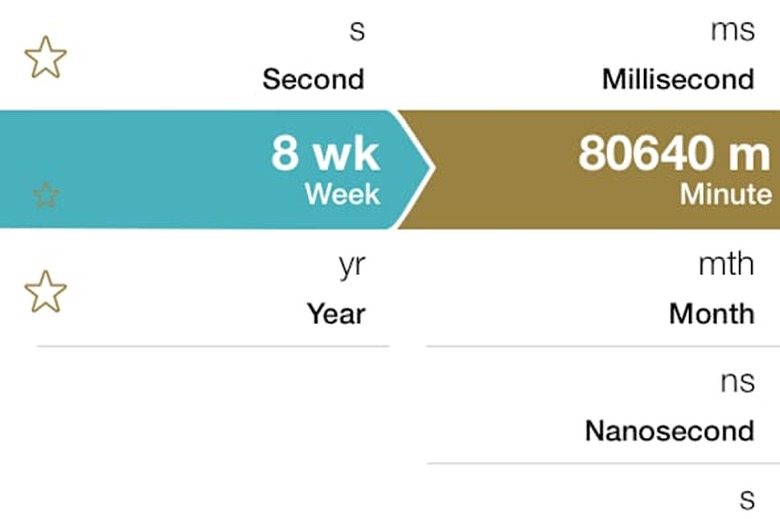
    Perhaps one of the staples of most forms of math and science is learning how to convert units of measurement from one form to another: cups to ounces, inches to yards, and of course mastering the nightmarish differences between US and metric measurements. Besides being one of the few things you learn in math that you actually will use with you beyond the classroom (please tell your teachers!), the idea of value conversion affects very practical facets of life, especially in finances and the culinary arts. And so, it would be natural for the iPhone to have an app for that too, and Converter - Universal Conversions is probably the only one you'll need. Requiring iOS 7.0 or later, the free app is available for iPad and iPhone, but is standardized for iPhone 5. The app's developers have had the good sense to jump on the iOS 7 bandwagon, with their graphics specifically streamlined and optimized for that software update. And the screen is a visual feast -- clean and modern while still being functional. It is neither aesthetic for aesthetic's sake, nor is it boring and unilaterally functional. I say that because I was simply not expecting an app dealing with one of my least-favorite subjects could be so attractive! Users have numerous options from which to choose. There are thirty-two different categories of dimensions, ranging from the standards of area, density and distance to clothing sizes, time zones, and even a calculator. Picking a particular category takes the user to a new screen where the conversions are side-by-side and all that must be done is typing in a numerical value and scrolling through the two lists until one finds the desired units. The in-app keyboard has a button to easily reverse the units, along with a shortcut to the calculator. Separate search fields are available if users wish to search by unit in each list. There is even a history option, organized within each category, to show which conversions have been made for that day. There is also the option to bookmark a particular unit or even an entire dimension. Currencies are kept up-to-the-minute current via a special update key on the in-app keyboard. It would appear this app's designers thought of everything. The shoe size feature is divvied up by stage of life and gender, and users can see what a man's US size 6 shoe is in the UK, Europe, and several other units (and swap between them). With the percentage function, users can find any percentage of a particular numerical value (e.g., 85 of 1000 is 8.5%), or, with the swipe of a finger, move to a screen where they can determine the value of a given percentage (e.g., 49% of 67 is 32.83). With the timezone function, one can display multiple time zones at once and even use a slider to find times at any time of day or night, not just the current time. (I especially appreciated this function, as it is extremely useful to have any possible time at one's fingertips instead of having to work backwards or forwards mentally from the current timezone.) The app also has a function that can determine the hardness of various metals. This was really the only portion of the app that had absolutely no relevance for me, since I have no reason to test the hardness of, say, cartridge brass, and have no idea how to understand the various unit options within any of the categories. But this will certainly prove useful and just as thoroughly outfitted for iPhone users who must employ such measurements in their employment and other endeavors. The presence of such a function did not in any way detract from my overall enjoyment of the app and my positive opinion of it; indeed, I was actually pleased at how extremely thoroughly the app was prepared for virtually every possible measurement need. I wonder if this is the only kind of conversion app even the most casual iPhone user could ever want. The proliferation of iPhone apps for virtually every conceivable interest and need never ceases to fascinate me. Discovering an app that will instantly tell me how many square inches there are in an acre, what time it will be in Denver when I am fast asleep at 3 am EST, or the size shoe I'll need if I ever stumble across a sale in Paris was no different. While some people might think this kind of an app is silly or even frivolous, the Converter app only confirmed to me the inherent genius which is the iPhone. It has potential for creating a more creative, practical, and delightfully aesthetic world.

    By David Alves Read More
  • Atoms Puzzle is a brainteaser for your inner scientist

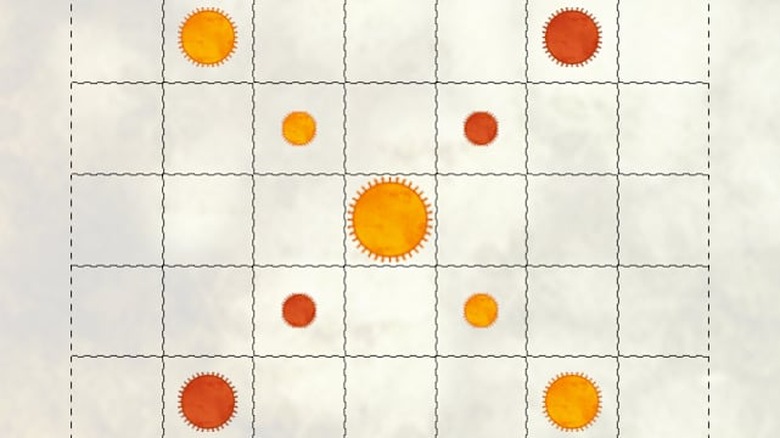
    For everyone's inner scientist (or for those of us who have a soft spot for high school physics), Atoms Puzzle just might be the free-time iPhone indulgence. Optimized for iPhone 5 but available universally, and requiring iOS 4.3 or later, Atoms is a streamlined, brain-stretching way to pass an afternoon. The game builds on basic scientific observation to draw out the objective, and it's even in the pop-up directions: Larger atoms convert smaller atoms within their vicinity to the larger's composition and structure. However, one need not have the barest acquaintance with atomic theory to play a successful level of this puzzle. Building on the conversion idea, players are to take a varying number of differently-sized atoms (which are red) and convert a stationary pattern of other atoms (colored green) to the first group's color. This sounds simple enough, but the player cannot merely place the red atoms in any lackadaisical formation. Depending on the size of the both color atoms, the green ones may only shrink in size, not being converted completely. But this shrinking can be used to one's advantage, as this makes it easier to convert the green atoms. The beginning player is given thirty levels of increasing difficulty, though there are a total of 174. After the thirty have been mastered (which is very doable for the reasonably determined player, as I did it within probably less than an hour), the player has the option of paying an in-app fee of US0.99 to unlock a new "pack" of levels (the others can be unlocked for free after purchase), but retrying the first thirty is entertaining for the short of cash! As players complete levels they are greeted with differing affirmative phrases ("Nice work!" "Outstanding!" "Fantastic!" and so on). This may seem like a small thing, but the fact that it was not some immobile stock phrase was refreshing and signified attentiveness on the part of the developer. The player also has the option of sharing the completed puzzle to Facebook. This communal aspect of the game also shows up in its option of many two-player levels. Users can also play levels by challenge, where they can create their own red atoms to try and solve the puzzle, while paired against the best score of other players. They can also go back and try to solve in fewer atoms as well. A nice aesthetic feature of the entire game is that players are not restricted to only red and green atoms, but can mix and match several different colors as many times as they like. Over the course of playing mine, I switched colors several times (once or twice in the same level just for fun), but all of the colors work well together. Another thing must be said about the graphics, and that is their elegant simplicity. While the game is very streamlined and simple, it is far from ugly. Clearly, time and care went into creating a game arena that was pleasing to look at but which was free of unnecessary frills and distractions. One can concentrate on the gameplay while not being jarred by elementary graphics or loud colors. The other helpful feature of the game is the redo function, where stuck players may undo all of their choices and go back to the level's beginning I found this trick invaluable, especially when I got hopelessly entangled on later levels (cough, sixteen, cough). Still, the puzzles are hardly infuriating or frustrating, and a player willing to expend the necessary thought and observation of detail will find solutions (likely one of several possible, including at least one which does not require use of all the atoms) relatively quickly. Science was probably one of my worst subjects in school, second only to math. I remember basically nothing from any of the science courses I took in high school or college. But even though this game is based on a basic fact of physics (which, if I ever learned it, it has long since been forgotten), I had no trouble whatsoever connecting intellectually and emotionally with the app. I was invested in it, eager to find out how to solve each puzzle, and found it so entertaining I thought nothing of replaying the same levels over a second time. I really have no constrictive criticism of Atoms Puzzle, and would be delighted to find more games in the future from its developer.

    By David Alves Read More
  • Wordrix is a fun puzzle, but a puzzling game

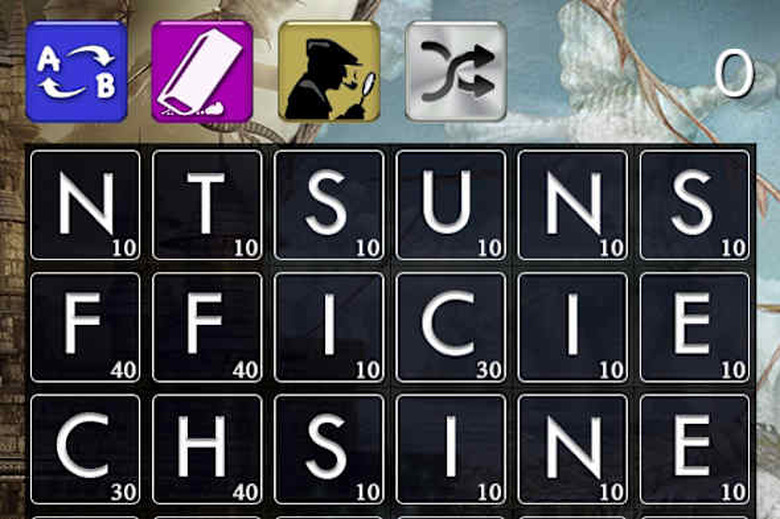
    Wordrix is available for iPhone and iPad, optimized for iPhone 5, requiring iOS 6 or later. A kind of Scrabble for the iPhone lover, it is free but features an in-app store where the user can purchase coins to unlock different features (base pack starting at US0.99). This is a fun pastime that will predominately appeal to the casual gamer, but its increasing complexity will also find a niche among experienced and determined gamers. However, there are a number of oddities that may give players of all levels pause. Meant to appeal to lovers of word games and puzzles, Wordrix features 72 levels of increasing and diverse challenges, divided into different chapters. Players must create words by dragging their finger across lettered tiles. Only connecting tiles can be used, and each letter is assigned a particular numerical point value. The player is supposed to score a certain number of points per level, and words should be chosen wisely, as the number of moves per level are limited. In addition to rationing movements, players must also incorporate various challenges into game play, such as using all of the tiles covered by split ink. Wordrix also features "powerups," including the ability to erase a tile (replaced with a new letter), swap any two tiles, and be shown a high-scoring word. Differently colored tiles feature bonuses, such as doubling or tripling the value of a letter or an entire word. Upon the completion of a level, the player will view a screen detailing the points they won, if the time limit had to be reached, and their all-time best word and score. Within 60 seconds I was able to score over 700 points and create a word worth 180 points ("freeze"). Within each level it is possible to win a bronze, silver, or gold trophy depending on how quickly the player wins the necessary number of points and in how many moves. Here, perhaps I could have been a little faster or a little more ingenious with my movements, as I only scored a bronze trophy. Players have the option of viewing each chapter's levels as a whole upon completion. The highest-attained trophy is displayed along with any specifics of the particular level, such as its move limit (shown in the lower right-hand corner) whether it involved inked tiles or was timed. Clicking non each book will show more details, as well as an option to replay the level. The iTunes description said the game was addicting, and that was certainly true! As a lover of words and language, I had to call upon both my extensive mental library and my powers of logic to figure out how to maneuver the highest-scoring words in sometimes very intricate ways. Still, despite the clever idea, attractive graphics, and streamlined interface, there were several issues which left me scratching my head. I did not expect the game to have an Oxford English Dictionary level of linguistic finesse, but some of its word choices puzzled me. For example, two-letter words such as "no," "is," or "on" are not allowed, but what I first assumed were proper names ("Ben," "Tom," and "Lea") were actually extremely obscure words. Another was a form of Japanese currency. This did not really hurt my overall gameplay, but the seeming randomness made the game exceptionally confusing and less fun. A far greater critique is the in-app store. While playing, I could not figure out why some of the powerups were being offered but were unusable. A closer look revealed the store was to purchase coins to use in the game to buy different features (including critical powerups). In fact, it was my lack of further powerups coupled with my unwillingness to shell out almost $3 for fake coins that made me stop the game after level 16. Making players pay good money for fake coins risks alienating players who appreciate the game's ingenuity and challenge, but are not committed enough to buy in-game coins. Overall, Wordirx is a neat little game, a brainteaser for the electronically literate. Its seemingly obscure word choices and its play-crushing requirement to spend real money in exchange for fake (but progression-necessitating) money make it a puzzle in ways I doubt the creator intended.

    By David Alves Read More