airportextreme
Latest
Apple discontinues its AirPort WiFi routers
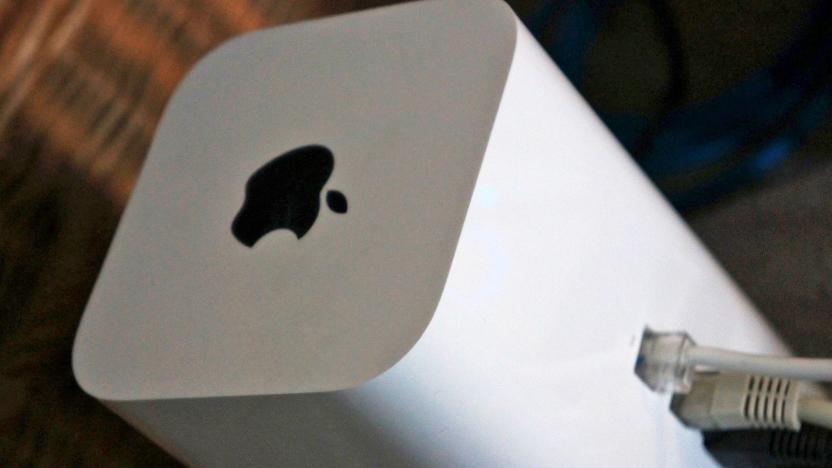
The longstanding rumors of Apple exiting the WiFi router market were true: the company is officially discontinuing its AirPort and Time Capsule base stations. An Apple spokesperson told Engadget that the company would continue to provide hardware and software support (such as patching bugs and vulnerabilities), but the devices themselves will only be available "while supplies last." The tech giant will post a series of knowledge base documents over the next few weeks to help guide customers wondering what to buy.

Apple reportedly stops making WiFi routers
We hope you weren't dead set on getting a new AirPort Extreme any time soon. Bloomberg sources claim that Apple has "disbanded" its WiFi router division, quietly ramping it down over the past year as team members joined other divisions (including the Apple TV group). Reportedly, the shutdown is meant to "sharpen the company's focus" on those devices that make up the bulk of its revenue. A spokesperson wouldn't confirm the move, but Apple hasn't introduced a new router since 2013 -- it's not as if they had a lot of work on their plate.

Apple mends a Heartbleed security bug in its latest WiFi routers
Apple has largely avoided the wrath of the Heartbleed security flaw, but it now appears that the company's products aren't completely immune. The crew in Cupertino just updated its most recent AirPort Extreme and Time Capsule WiFi routers to fix a Heartbleed-related vulnerability that surfaces when you're either using Back to My Mac remote access or sending diagnostics. While the flaw won't let evildoers steal your credentials, they could launch man-in-the-middle attacks that grant access to login pages on both the router and your computers -- more than a little dangerous, we'd say. You don't have to worry if you're still hanging on to an older AirPort, but everyone using Apple's latest networking gear will want to patch up as soon as possible.

Caturday: Gracie's private heat source, the AirPort Extreme
It's starting to get chilly all over the Northern Hemisphere, and tech-savvy cats around the world are seeking out their favorite Mac or accessory for a little warmth. The "old" AirPort Extreme was notorious for running quite hot, making it a favorite for Apple-loving felines. Here, Don Moody's cat Gracie is enjoying the warmth and bandwidth of an AirPort Extreme (I'm sure she's sending cat pictures through her mind-to-WiFi link). Don says "Gracie loves 'soaking up the warmth of an Apple product'. When the weather gets cold, this is one of her favorite spots!" We'd love to see photos of your favorite feline soaking up the warmth of an Apple product, chasing a Magic Mouse, or just being a general nuisance while you're attempting to work on your Mac, iPad, or iPhone. Please let us know via our feedback page and please remember that your cat photo has to have some sort of connection to Apple or its products. For security reasons we can't accept inbound attachments, so you should host the photo (Dropbox, Flickr, iPhoto Journals, etc.) and send us the link. Many thanks to Don Moody for sharing this photo with us.

Daily Update for August 14, 2013
It's the TUAW Daily Update, your source for Apple news in a convenient audio format. You'll get all the top Apple stories of the day in three to five minutes for a quick review of what's happening in the Apple world. You can listen to today's Apple stories by clicking the inline player (requires Flash) or the non-Flash link below. To subscribe to the podcast for daily listening through iTunes, click here. No Flash? Click here to listen. Subscribe via RSS

Apple's newest AirPort Extreme base station gets dissected
The skyscraper? The hauteur router? The dapper WAP? All reasonable nicknames were considered, but in the end, Apple's sticking with "AirPort Extreme." The newest base station -- the one introduced alongside the company's Haswell-infused MacBook Air at WWDC -- takes on a new look and gains 802.11ac support, but that's not what you're here for. You're here for two reasons: first, you want to see this thing reverse engineered, and second, you want to get an idea of just how repairable it is. The gurus over at iFixit have done their usual teardown, offering up a plethora of lovely JPGs and settling on a respectable 8 out of 10 on the Repairability Index. Eager to learn more? Give that source link below a soft tap... with the key word being soft.

A look inside the new 2013 Airport Extreme
iFixit gets busy whenever Apple announces new hardware. Not only did the repair company tear down the new 2013 MacBook Air, it also cracked open the new Airport Extreme. According to iFIxit, the tall, rectangular device is a series of "vertical circuit boards surrounding a big empty space." This space is big enough to hold a 3.5-inch hard drive, but iFIxit needs to look at the new Time Capsule to determine whether a DIYer could save some cash by purchasing an AirPort Extreme and installing their own hard drive into the device. Good news on the repair front as the AirPort Extreme A1521 is relatively easy to crack open and repair. The unit was given a Repairability Score of 8 out of 10 with a few points lost because you have to disassemble most of the device to clean the fan. Some of the connectors are also small and could easily break, iFixit added. You can read more about the 2013 AirPort Extreme teardown on iFixit's website.

Apple announces new AirPort Extreme and Time Capsule
Phil Schiller has just announced that Apple is releasing new AirPort Base Stations with all-new designs. Design-wise, both the new Time Capsule and AirPort Extreme are rectangular now with dimensions that measure approximately four inches wide by 6.5 inches tall. The biggest addition to the Base Station hardware is support for 802.11ac, which offers connection speeds up to 1.3Gbps. The Base Stations also offer improved WiFi coverage and stability through Beamforming technology and a six-antenna array (three for the 2.4GHz band and three for the 5GHz band). Similar to earlier models, both the Time Capsule and the AirPort Extreme have three Gigabit ethernet LAN ports, one Gigabit ethernet WAN port and one USB 2.0 port for an external printer or hard drive. The AirPort Extreme is available now for US$199 on Apple's website. The new Time Capsule ships with either a 2 TB or 3 TB hard drive and is available for $299 or $399, respectively.

Apple announces new AirPort Extreme and Time Capsule with 802.11ac (update)
As the news from WWDC continues to flow, Apple has just announced a new AirPort Extreme base station. It's 4 inches wide and 6.5-inches tall with support for simultaneous dual-band 802.11 ac and has a "beamforming" antenna configuration to enhance performance. Also announced is the AirPort Time Capsule, which has similar specs as the Extreme but has a built-in hard drive in either 2TB or 3TB configurations. Should go nice with those new MacBook Airs right? Update: We've learned the AirPort Extreme is $199 while the AirPort Time Capsule is priced at $299 for the 2TB version and $399 for the 3TB model. We've included links to the product pages below if you'd like more specs or just want to place an order for one. Follow all of our WWDC 2013 coverage at our event hub.

Airport Utility 6.0 flies right into the iCloud, leaves old AirPorts behind
The latest version of Apple's Airport Utility software has arrived, alongside those iCloud-supporting firmware updates for the company's network hardware, including the AirPort Extreme, the AirPort Express and Time Capsule. Unfortunately, Airport Utility 6.0 doesn't support pre-2007 models, that is; 802.11g-only devices. As we already know, iCloud support requires the new release, running on OSX Lion and if you're still clinging onto your MobileMe account, we've got more bad news -- this won't work with the new software either. Fortunately, you'll still be able to configure (firmware-updated) older models with previous AirPort Utility versions. TidBITS has gone into fine detail on compatibility changes, so be sure to check the source if there's any niggling doubts.

Apple updates Airport stations and Time Capsule, brings bug fixes and iCloud support
It looks as if the Final Cut Pro X update wasn't the only software refresh Cupertino folks had in store for us. In this particular case, it's the company's networking and backup goods -- also known as Airport Express, Extreme and Time Capsule -- that are on the receiving end of the virtual enhancements. The 802.11n stations are getting a fix that solves "an issue with wireless performance," while the capsule is seeing some much needed iCloud support. Additional Apple cloud integration doesn't stop there, as you'll also be able to remotely access your Airport disk. Though, it's worth mentioning that in order to take full advantage you'll have to update your Airport Utility to the latest version (6.0). That means you'll also need Lion, so those of you keepin' your OS X old school with Snow Leopard will be out of luck on using some of the new features. Looking to up your wireless game? Hit up the source link for the full details.

In pictures: AirPort Utility 6.0's missing features
Apple's new AirPort Utility 6.0 for OS X was released yesterday, bringing over the slick UI from its pre-existing iOS version -- but as my colleague Chris reported, it also removes access to a number of features in the process. At the same time, Apple are still hosting downloads for the older version of the tool which still has the full feature set. Predictably, there's been some indignant fallout from this admittedly curious decision, but what sorts of features are missing, and should you care? I loaded up the old and new version of the tools side-by-side to see what I could find out. Here's the "Wireless setup" page for my AirPort Extreme under the older AirPort Utility: And hiding under that "Wireless Options..." button, you get more settings: Here's the corresponding page on the newer tool: And under the "Wireless Options..." button: We've lost access to quite a few settings there: Multicast rate Transmit power WPA group key timeout Wide channels option The page where you define DHCP server options is rather better laid out in the new version. Here's the older one first: And the newer, which folds in some settings like NAT enable and port mapping which were hidden behind other tabs in the older UI: But again, there are options missing -- you can no longer specify a DHCP message or set an LDAP server. And the tiny scrolling lists for DHCP reservations and port maps that show only two lines at once are laughably inadequate. I have eight mapped ports, and reading through them to find one I want to adjust is unnecessarily difficult in this new UI. The Logs and Statistics section of the old tool is completely missing too, and that has helped me out of a few jams. In particular the signal strength graph is useful: This is really handy for tracking down that one stray device on your 802.11n network that is dragging you down to 802.11g speeds, or for working out where to best position an AirPort Express to get that extra signal boost you need. You can get some information via a tooltip in the wireless clients list in the main screen, but it's not exactly obvious, and it doesn't convey how things change through time: Also missing from the logging facility is the ability to configure a remote SNMP server to collect and collate logs from lots of AirPort devices to a single central server. It's not all bad, though. The new UI has this really handy topography display which shows you how your network is plugged together: For example, this is telling me that my living room AirPort Express isn't connected to the AirPort Extreme via Ethernet, like it should be -- it has a dashed line instead of a solid one. It's also telling me it's offline, presumably for the same reason. Disk Sharing seems to have lost the ability to set a Windows workgroup and allow/disallow guest access: The new AirPort Utility is also missing the printer sharing tab altogether, although it might just have become entirely automatic as the old screen mostly only displayed a list of connected printers anyway: This extra "Options..." screen is also missing from the new tool: So we can no longer set the metadata for the AirPort device's location (useful for larger-scale installations in offices, where there may be lots of access points used at once) or set the status light to blink on activity. The old tool also offers support for RADIUS authentication of clients which is absent from the newer software: Some people are reporting that MAC address access time control is missing. It appears to be functionally intact, just re-arranged. Old tool: New tool: IPv6 settings are also entirely absent from the new AirPort Utility. So in summary, then, unless you're a systems administrator for a complex office install with multiple AirPort devices and demanding technical requirements, you're probably not going to notice the missing bits in the the new AirPort Utility. And if you are...? Almost as if it's acknowledging the missing bits and pieces, Apple is hosting downloads for the old and new versions of Airport Utility side-by-side. There's nothing stopping you from installing both on your Mac, and it's absolutely fair to say that the features I've noted above are missing are entirely advanced ones that are of little interest to normal home users. As well as configuration features that are missing, support for older stuff has also been decreased in AirPort Utility 6.0. The 802.11g versions of the AirPort Express, which was on sale from 2004-2008, and pre-2007 AirPort base stations simply don't work with the new tool at all -- the device doesn't appear in the management UI. The new tool requires Lion, so Snow Leopard or Windows users are out of luck (yes, the old version is available for Windows, to my surprise). And one final limitation: the new version of the tool locks you out when it's upgrading firmware for any device on your network, as Chris noted yesterday. That's not exactly something you do every day, though. It seems unlikely that you are going to care very deeply about these changes, and if you do, you can easily get the older version of the utility. Still, though, I think it's both peculiar and curious that Apple is requiring users to choose between a nicer UI and access to the full feature set of their AirPort devices. It's as if AirPort Utility 5.5 is now "AirPort Utility Pro" and AirPort Utility 6.0 is "AirPort Utility Home". It just seems so... uncharacteristically inelegant. Have you noticed any other missing features that I've overlooked? Please leave a comment!

Gigabit 802.11ac Wi-Fi may be coming to Apple devices soon
Apple was the first computer manufacturer to popularize Wi-Fi, pioneering the adoption of the early 802.11b standard, then 802.11g, and raising the speed limit with 802.11n in 2007. Now AppleInsider is reporting that the company is expected to start providing support for the "Gigabit Wi-Fi" 802.11ac standard in 2012. To provide lightning-fast wireless networking, 802.11ac uses up to four times the frequency bandwidth (up to 160 MHz), more antennas (up to eight; existing Macs use up to three), and hyper-efficient data transfers through more sophisticated modulation schemes. The standard hasn't yet been approved by the 802.11 Working Group, but things are moving along at a fast clip. Many suppliers, including Apple component manufacturer Broadcom, have announced 802.11ac chipsets. The new equipment not only provides network speeds above 1 Gigabit per second (about three times the speed of existing 802.11n networks), but also offers improved reliability, better power efficiency, and more range. When the changes come, they'll most likely first appear in the form of new AirPort base stations and a new Time Capsule, and then start rolling out to new Mac models and mobile devices. Where the new technology will have the biggest impact is in the user of other Apple technologies such as AirPlay, AirPlay Mirroring, and AirDrop. Now aren't you glad you didn't run Ethernet cabling all over your house?

Tests detail improved AirPort Extreme, Time Capsule
If you've just recently purchased an Apple AirPort Extreme or Time Capsule, you're in luck. AnandTech has published a detailed review of the new devices showing that they have faster Wi-Fi capabilities than their predecessors. The new devices are physically identical to the earlier versions, with the model numbers -- MD031LL/A for the 5th generation AirPort Extreme and MD032LL/A for the 4th generation Time Capsule (2 TB) -- being the only giveaway. As with previous models, the devices come with four gigabit Ethernet ports and one USB 2.0 port. AnandTech found FCC documents showing the power output for the new and old devices, and in almost every case (with the exception of 802.11b on the 2.4 GHz frequency) power output has essentially doubled (see image above). The tests performed by blogger Brian Klug show that the new devices provide faster throughput, with upstream file transfer speeds being more than doubled when used with a Mac with a current generation internal Wi-Fi card. Downstream throughput, measured with the Iperf network testing tool, was also impressively higher. The TUAW blogging team often debates whether it is worthwhile to regularly upgrade network infrastructure, but the test results seem to show that in the case of the new AirPort Extreme and Time Capsule, the upgrade is definitely worth looking into.

Apple AirPort Extreme refresh outed by the FCC, lends credence to Time Capsule rumors
The FCC just trumped Cupertino's plan to sneak out an updated AirPort Extreme wireless base station with the outing of an Apple 3x3 802.11n access point, model A1408. It's not clear what's changed over Apple's existing dual-band router but its arrival in the FCC database coincides nicely with a 9to5Mac rumor calling for the imminent launch of new AirPort Extreme at a lower price point. And hey, if you're lucky, it'll also arrive with support for the new three-stream standard for 450Mbps over both the 2.4GHz and 5GHz bands -- but that's just speculation on our part. We should also point out that the appearance of the AirPort Extreme lends credence to 9to5's other rumor of cheaper 2TB and 3TB Time Capsules. And guess what? Today's Tuesday, Apple's favorite day to launch new gear, so don't be surprised to see Apple updating its store sooner rather than later.

Next-gen Time Capsule, AirPort Extreme referenced in AirPort Utility update
An AirPort Utility update released yesterday has been discovered to contain references to forthcoming next-gen AirPort hardware. MacRumors and 9to5 Mac have independently confirmed that the software update contains references to a fourth-generation Time Capsule and a fifth-generation AirPort Extreme. Two weeks ago, we reported that stocks of Apple's AirPort products were starting to dwindle at Apple's brick-and-mortar retail stores, and over last weekend shipping times for the Time Capsule extended to as much as two weeks in several of Apple's international online stores. Many of us expected to see updated Time Capsules at WWDC, with potential ties to Apple's new iCloud service; although the hardware updates failed to materialize last week, the data in the latest AirPort Utility update is just one more piece of evidence suggesting that product updates are imminent. The AirPort Utility update also contains references to software updates being stored on the devices, but MacRumors stresses that this is not a new development: "the same text has been found in older versions of the software dating back to at least 2010." It's possible this is a feature Apple has been waiting to implement until iCloud's launch or a Time Capsule/AirPort Extreme redesign based around an A4 or A5 processor. At this time, we'd advise that you hold off on purchasing a Time Capsule or AirPort Extreme unless you absolutely, positively must purchase within the next few weeks.

Apple appears to be dropping AirPort branding for Wi-Fi
Since 1999, when Steve Jobs introduced the iBook as the first portable computer with Wi-Fi capabilities, Apple has used the term AirPort to refer to 802.11 wireless connectivity. The rest of the world knows this technology by the name Wi-Fi, and it appears that with the upcoming release of Mac OS X 10.7 Lion, Apple will be changing references to wireless networking from "AirPort" to "Wi-Fi" across the system. The change resolves a common issue for Mac neophytes, who often search in vain for Wi-Fi controls on their new Macs only to find something confusingly called AirPort. The name change may also explain recent reports that Apple's networking products -- the AirPort Express, AirPort Extreme and Time Capsule -- are in short supply at some Apple Stores. Perhaps a Wi-Fi product refresh and a change in branding will both accompany the Lion launch next month. Will you miss the AirPort name on Apple products if it does disappear, or do you think it was a confusing proprietary moniker? Leave your comments below.
AirPort devices out of stock in many Apple Stores, refresh imminent?
We've received reports from several Apple Stores across the US stating that some AirPort devices are either low in stock or out of stock altogether. A reader let us know that all of the Apple Stores in his area are out of AirPort Express models, and one of our sources confirmed the Apple Store in his area is out of stock on not just the Express, but the AirPort Extreme and Time Capsule as well. Another source says supplies at one store are not constrained and never have been, but the store "may have" received a notice to send its AirPort device inventory back. We've heard nothing in the tech grapevine about upcoming refreshes to the AirPort line of products, but generally when Apple's inventory channels get constrained like this, it's a good sign a product update is imminent. It's worth noting that this year's WWDC is widely expected to be a software-only event, so if the AirPort line is indeed being updated, it's unlikely we'll hear about any upgrades then... unless Apple plans on somehow tying an updated AirPort line in with its iCloud offering. Shared data running off of local storage like a Pogoplug? Could happen. Of course, Apple doesn't have to unveil any such hardware updates at a conference, and if the updates are going to be nothing more than modest feature bumps, they may just appear out of the ether the next time the Apple Store goes down. Apple's online store still offers "within 24 hours" shipping times for all of its AirPort products, and not every Apple Store we've contacted has been able to confirm device shortages. However, it has been nearly two years since the last upgrade to the AirPort line, so it might be due for an update.

Is the AirPort Extreme worth the price?
A friend was looking to replace her wireless router, and I suggested a refurbished AirPort Extreme. New units sell for around US$180, but refurbished models from Apple are $130. Still, that's significantly more expensive than the average Linksys router you'll find at Walmart or Best Buy. Is it worth it? There's no scientific answer to that question, and reasonable people can disagree, but I will share my experiences and my decisions. First, I don't claim that my knowledge is exhaustive of all makes and models. I have used several Linksys models (including some with DD-WRT), a few Netgear models and a few Belkin ones. I have also used AirPort Extreme units since the days when they looked like spaceships. In every case, the non-Apple hardware ended up being replaced with Apple hardware. The only thing that ever replaced Apple hardware was newer Apple hardware, not because the older model had worn out or stopped working, but because newer models came with new features. I have found two main differences between Apple and non-Apple hardware: stability and features. Stability means I don't worry about it locking up, becoming unresponsive or simply ceasing to work until I unplug it. While I routinely had to make sure to keep a paperclip next to the other routers, the only time I do a full reset on my AirPort equipment is when I move it to a new location and want to start with a clean slate. It's hard to overemphasize this point, especially if you're putting this somewhere difficult to access. So far my favorite installation place for a more reliable AirPort Extreme has been at my mom's house, which has eliminated phone calls from her telling me that she can't get online because "the internet is down." After stability comes several important features, each of which are important to me and add to the AirPort Extreme's value.

Apple quietly updates AirPort Extreme and Time Capsule, promises improved performance
Just as it did in March, Apple has subtly updated both the AirPort Extreme and Time Capsule, this time improving performance on both. According to new testing between today's model and yesterday's edition, the AE Base Station (which ships within three days for $179) can hum along at up to 25 percent faster thanks to undisclosed tweaks to the antenna design, while the Time Capsule's improved antenna promises the same. Just as before, both of these devices support dual-band 2.4GHz / 5GHz transmissions, though we can't seem to find an "802.11n draft" phrase anywhere on either page. Apple hasn't gone out of its way to say that both of these are certified with the final specification, but it's certainly a possibility. Finally, the new Time Capsule promises Time Machine backups in Snow Leopard that are some 60 percent faster than before; we're not sure whether to celebrate with new buyers or weep with existing ones, but it should ship within three days for $299 (1TB) / $499 (2TB).Read - Updated AirPort ExtremeRead - Updated Time Capsule


