Whiteboard
Latest

Microsoft's latest Whiteboard app makes it easier to blend home and office work
Microsoft has launched a new version of its Whiteboard app for Microsoft 365, with features designed for the new hybrid workplace reality.
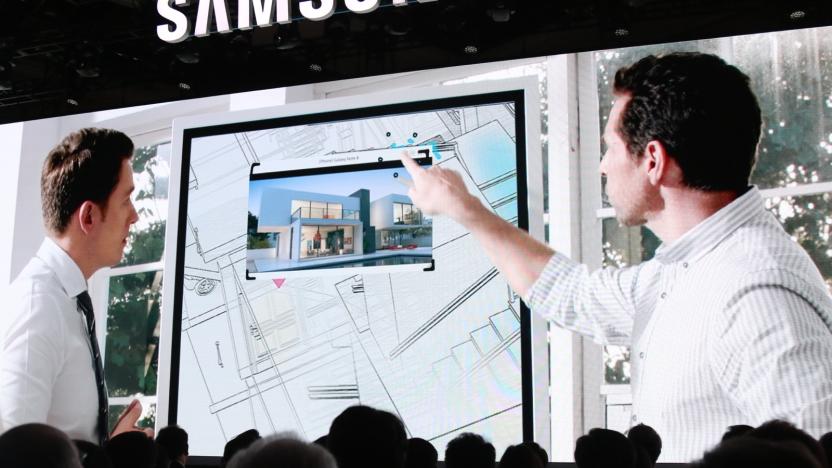
Spend some time with Samsung's $2,700 Flip whiteboard
Samsung has made smart screens of all types and sizes, but there's always a new market to invade, and at this year's CES it found a new one. Flip is a smart whiteboard designed for businesses, but it would be right at home in a state-of-the-art school as well. It's a 55-inch touchscreen with a smooth matte finish (e-ink-style), and it includes a dual-sided stylus with a fine-point pen on one end and a slightly wider highlighting tool on the other.
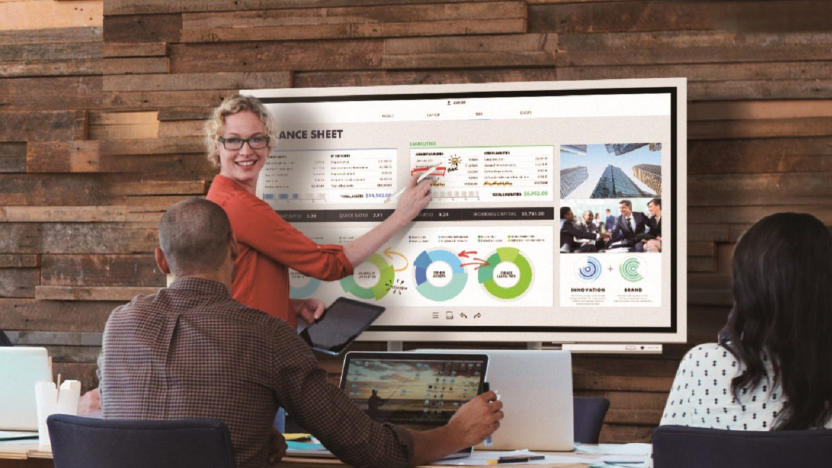
Samsung is the latest to try modernizing the whiteboard
Samsung isn't just limiting its CES launches to your home -- it wants to spruce up your meetings, too. It's releasing a Flip digital whiteboard (or "interactive digital flip chart" in Samsung speak) that can take on collaborative screens like the Google Jamboard. The 55-inch 4K display lets up to four people draw or add content at once, whether they're using their fingers or a dual-sided pen. And as the name suggests, you're not locked to a landscape view. You can flip the display vertical if you're writing a list or just don't have room for a wide screen, and it can be wall-mounted if it's going to be a permanent fixture.
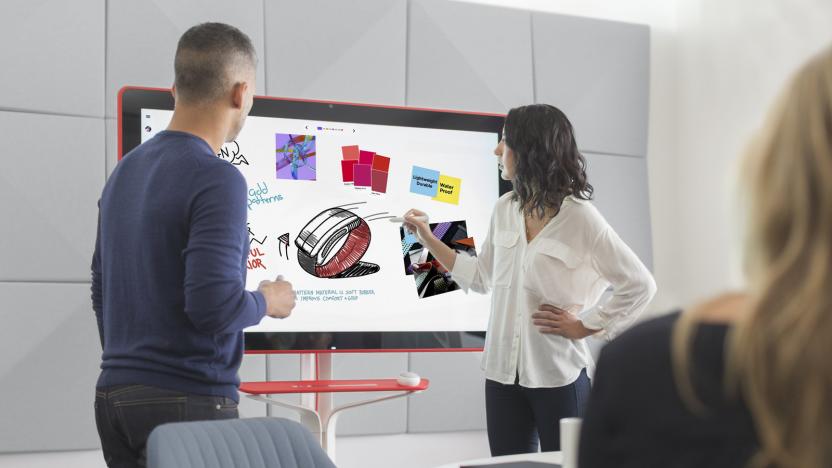
Google's $5,000 4K digital whiteboard goes on sale
It only took half a year, but Google's first take on a digital whiteboard is finally available. Google has started selling the Jamboard in the US for $4,999 plus $600 per year for management and support ($300 if you buy one by the end of September). As before, it's ultimately a 55-inch 4K display with collaborative cloud features at its heart. So long as you have a G Suite plan, both remote Jamboard and mobile tablet owners can draw and annotate as if they were in the room with you (phone users can follow along and enter data). You can also conduct presentations through Hangouts, and pull any files you need from the range of Google's apps.
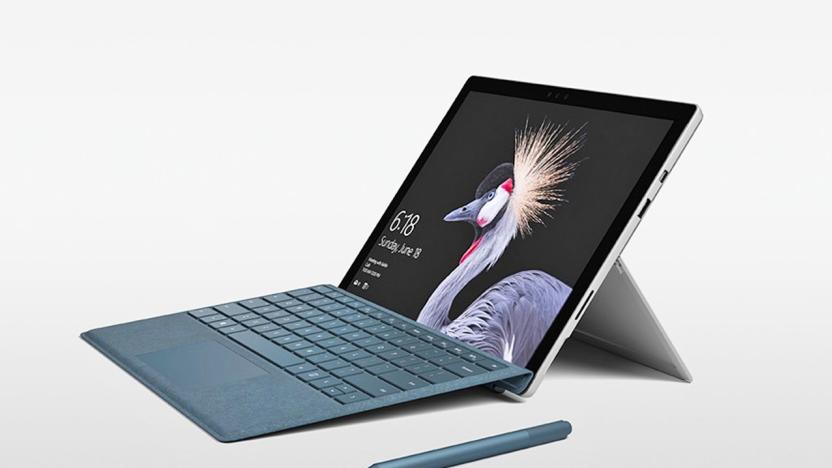
Microsoft's new Surface Pen should feel more like writing on paper
A new Surface Pro just wouldn't be the same without improvements to its companion pen, and Microsoft is going all-out with the upgrades this time around. It's introducing a new Surface Pen that it claims is the "fastest pen ever" on any platform -- with a 21ms latency, it's supposedly fast enough that it'll feel more like you're writing on paper than glass. There's also a whopping 4,096 pressure points (up from 1,024), reduced parallax (the mismatch between where your pen is and where input appears onscreen), and an Apple Pencil-style tilt feature that lets you apply artistic flourishes like shading.
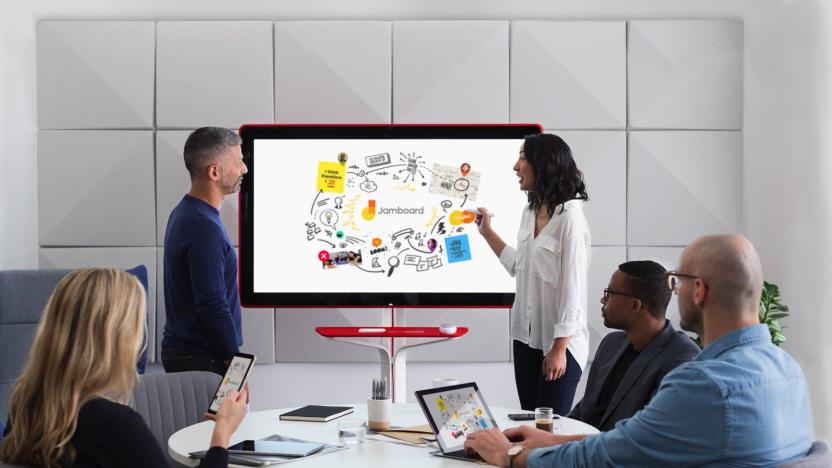
Google's 4K digital whiteboard will retail for $5,000 in May
Google announced pricing and availability for its upcoming 4k digital whiteboard, dubbed the Jamboard, during its Next cloud computing conference in San Francisco on Thursday. The company first unveiled the device back in October and expects it to reach store shelves sometime in May.

Visualized: The $15,000 Westinghouse 4K Whiteboard
We like dry erase whiteboards just as much as the next guy, but $15,000 like? Not so much. Of course, when we're given a chance to check out an 84-inch 4K LED whiteboard for free, we're more than happy to. And that's how we ended up here at Westinghouse's Consumer Electronics Week booth, playing around with an unbelievably expensive toy. Yes, of course the multimillion dollar corporations of the world use stuff like this for work -- we used our time to draw an Engadget symbol. Do you expect any less?%Gallery-192394%

Sharp branching into robo-vacs, grow lights, e-whiteboards to offset slow LCD sales (video)
Remember the Cocorobo robotic vaccum that could send you pics of your newly-cleaned carpet? Sharp is going to be doing a lot more of that kind of thing soon, if a recent demo at its research center in Nara, Japan is any indication. Since the company has been losing gobs of money on its tepid LCD-panel business, it'll soon be using some of that tech in completely different industries: for instance, converting powerful LED lighting from TV backlights to grow lamps, and touchscreen TV panels to interactive whiteboards. Sharp admitted to PC World that it needed to branch into other businesses since "rivals have been able to catch up from behind" to its LCD TV and mobile phone businesses -- and judging by the drastic actions the company's taken to stave off disaster lately, it'll need to hustle those products to market, stat. Check the video after the jump to see some of the prototypes in action. [Image credit: PC World]

Put a whiteboard on your laptop with DrawTop
I love this idea. The DrawTop is a sticker that goes on top of your laptop and basically turns it into a whiteboard surface. The one, ahem, drawback that I can see is you might pretty easily wipe off any designs you happen to have on it just by sliding your laptop into the usual protective case or holder, so the company's suggestion to use it as a makeshift notebook or reminder board probably won't work all that well. Nevertheless, I can still see some good uses for this, like putting information on the back of your laptop at a conference or convention, or using it as a quick and portable collaborative sketch surface. The DrawTop itself is $10 for one or $14 for two, and it even comes with markers and stick-on accessories. Sure, you'll be covering up that Apple logo, but that's a small price to pay for a more useful laptop surface, no? [via Make]

Whiteboard plus paint equals huge iPad at app agency
The above picture was taken in the offices of Appency, a PR firm that helps market and sell mobile apps, including iPhone and iPad apps. It's indeed a big iPad, though instead of a functioning touchscreen, the whole thing is actually a working whiteboard painted onto the wall. Founder Aaron Watkins tells TUAW that the studio moved into its new offices a couple of months ago, and decided to use a substance called IdeaPaint to literally paint a whiteboard on the wall. Originally, they wanted to paint two whole walls with the stuff, but it's pretty pricey, so instead, design intern Lorin Estes had the idea to turn the whole thing into a giant (to scale, we're told) iPad. Pretty awesome -- though not quite as portable as the real thing.

Sanyo PLC-WL2503 ultra-short-throw projector does built-in interactivity a tad cheaper
The Sanyo PLC-WL2503 isn't the first whiteboard-less whiteboard solution we've seen -- in fact multi-surface projector interaction dates back at least as far as 2007. As for a projector with built-in interactive capabilities, well, Epson's BrightLink 450Wi has been on the job since last year, albeit at a much higher price: the Epson projector costs $2,200 while this Sanyo comes in at about $500 less. Both tout short-range projection: the BrightLink provides 80-inch displays from two feet, while the PLC-WL2503 requires at least 34 inches to do the same. They pack identical WXGA 1280x800 resolution and 2500 lumens of brightness, and they both use IR pens to communicate with front-facing cameras built into the projector for multi-surface interactivity. Really, the only thing separating these two on paper is price. If the BrightLink is just too rich for your blood, and you can wait a little while longer, the Sanyo PLC-WL2503 can have you writing on walls by the end of January.

Epson shows off IU-01 interactive whiteboard module for projectors
Epson's just unveiled a new module -- the IU-01 -- which will serve as an interactive whiteboard for its projectors and eliminate the need for an actual whiteboard. It'll also come with two pens which allow for user interaction with the screen, allowing them to open and close files and programs, as well as write on the screen. The IU-01 will be released in October, and it'll run you $599. See the full press release below, if you're so inclined.

Hands-on with PaperDesk for iPad 1.2
Call me fickle. Back on April 19th, I was pretty happy with Penultimate, a digital notepad for iPad. I mentioned in my review that I'd like to be able to type into the notebooks instead of just writing handwritten notes, but I was happy with the ability to have different notebooks. All in all, Penultimate seemed to be a pretty good notetaking app. That was before I found PaperDesk for iPad from WebSpinner, LLC in the App Store. The app comes in a free Lite version or a $1.99 full edition, the only difference between the two being that in the Lite version, each of your notebooks is limited to a maximum of 3 pages. I started by downloading and installing the Lite version, and quickly found myself spending the two bucks to upgrade to the full edition. PaperDesk can be a bit surprising the first time you launch it. Instead of seeing a notebook or a sheet of paper, there's a blank wooden desk. Fortunately, there's a fairly obvious "new document" icon (the ubiquitous plus sign) in the upper right corner of the desk, and a tap on that brings up a dialog for creating a new notebook. Read on for additional details and screenshots of PaperDesk in action. %Gallery-92479%

Samsung's 82-inch multitouch E-board demonstrated (video)
We've been hearing about a certain 82-inch E-board as far back as SID-2008, but recently the Samsung Roadshow launched in Germany, allowing us to finally get a good look at the device. In addition to its interactive, multitouch whiteboard functionality, this bad boy (also available in a 65-inch model) can act as a display for a PC or Mac and supports Sammy's EmoLink technology for receiving and displaying data from the company's e-readers. No word on a release date, but when it does roll around you can expect to drop about €9,000 -- or about $12,300. So start counting those pennies now! Video (in German) after the break.

SMART adds "touch recognition" to SMART Boards
We've seen some interesting large-scale multitouch products from SMART lately, but the company's bread and butter is still the SMART Board interactive whiteboard, and it's getting a neat little upgrade today: touch recognition. The board now intelligently senses the difference between a pen and your hand, so you can draw with the pen, move objects with your finger, and erase with the palm of your hand all at the same time -- no tool switching required. It's just a little tweak, sure, but it's the stuff like this that's going to make touch a viable primary interface -- check out a video after the break.

Panasonic debuts password-protected whiteboards
While Panasonic's two newest whiteboards lack those snazzy multitouch capabilities, they posses something only the true undercover FBI agent posing as a first grade teacher could appreciate. The film and steel boards look pretty traditional at first glance, but underneath of that plain jane facade is a highly advanced security system. You see, each board can accept passwords, which will in turn restrict the ability to transfer information from the board to USB flash memory. For those cleared for access, the whiteboards can transfer on-screen information to a PC via USB, though we suspect you'll have to handle the encryption on your end. 'Course, neither of these will run you cheap, but you know your underground supervisor won't mind shelling out upwards of two large to make sure schematics to rule the world aren't intercepted by meddling rivals.
Ghostcrawler speaks! about talents, the forums, and his whiteboard
Buffed.de has captured the elusive Ghostcrawler in his native habitat: answering questions about class balance. This creature has only been caught in blurry pictures and fleeting glances before, so it's awesome to get a nice, good look at Greg Street, the man who singlehandedly nerfed Paladins to the ground, baby (we kid, we kid).He talks about what it was like coming from working on Age of Empires III for Ensemble Studios, and Blizzard's theory of "concentrated coolness" -- they want there to be cool everywhere you look in the game. He says dispel and spell pushback mechanics are still due for updates, and of course he talks about talent changes (this is Ghostcrawler, what did you expect): Destruction Warlocks and Ret Pallys get mentioned, and he says there's a whiteboard in his office with a list of things he wants to fix. Affliction Warlocks, you're next. Beware of ending up on Ghostcrawler's nerfboard!We're kidding again. GC also talks about the long-awaited dual-spec feature, and says that they're thinking of building in costs like the Mage table, where everyone will have to click on something to change a spec, or there may be a consumable charge. He specifically mentions a "trash" build versus a "boss" build, so we'll have to see how that works out -- it would be a little weird to have to get a full raid together to change over to your PvP spec. And lastly, he talks about the forums -- their goal there is to have people talk to each other, not yell at each other. And good luck with that. Very nice interview.

Hitachi Starboard FX 77 Duo white board gets demoed on video
Hitachi's StarBoard FX 77 Duo multi-touch white board seemed impressive enough when the company announced it late last year, but if you've been waiting to see one in action before you transported your classroom into the future, Hitachi has now got you covered with a couple of demonstration videos. In this case, Hitachi has paired the rig up with its CP-A100 short-throw projector for maximum showoffiness, although it seems you can use it with any projector of your choosing. That, of course, also means that there's no electronics in the board itself, with the necessary cameras and other electronics contained in the sensor bar at the top -- which, as our presenter helpfully informs us, could come in handy if you want to drill a hole through it. Head on past the break for the full show.

Remote-controlled whiteboard hack is as practical as it is pretty
Sure, there's plenty of hackery going on with interactive whiteboards these days, but that doesn't mean plain old marker-based boards have been left out of the fun completely, as evidenced by this latest contraption devised by Sprite_tm. As you can see in the video after the break, he's managed to rig up a slightly precarious system that'll write out any message you send it over the web, and with surprising legibility no less. To do that, Sprite salvaged some parts from an old scanner and printer, along with an ever useful microcontroller, an x/y stepper system, and some rather clever touches like an electromagnet to keep the marker on the board. He even bravely opened up the board to the public, although that unsurprisingly doesn't appear to have lasted very long. If you want to give one a shot yourself, however, you can find most of the details you'll need and the necessary source code by hitting up the read link below.[Via Slash Gear]

Wii Fanboy Interview: Johnny Lee
In 2005, when the then-Revolution was unveiled, the hearts of Nintendo fans everywhere swelled with hope, but it took a Ph.D. candidate at Carnegie Mellon to begin to actually fulfill some of the crazier dreams the console first inspired. Johnny Lee's Wii remote projects have widened our perceptions of what's possible with the technology sitting in our living rooms, and even broadened our ideas of what gaming could -- and maybe should -- be. Lee is a magician, and we're not the only ones who think so; he recently blew the lids off smarter brains than ours at the TED conference with his cost-effective Wiimote whiteboard and head tracking demos.But if you ask him, Lee insists he's just this guy, you know? And we did ask; in fact, we recently sat down for a talk with the Wiimote genius, and he dished up some pretty interesting tidbits on everything from the future of head tracking to his own recent job search. Before you ask, no, he's not going to Nintendo, but he may be headed back to YouTube soon for a few more project videos. 1 2 3 4 >


