

Ubuntu Phone review: years in the making, but still not consumer-ready
The smartphone arena is dominated by two operating systems. Gartner's latest figures show that during the first three months of 2015, iOS and Android devices accounted for almost 97 percent of global smartphone sales. With established alternatives from Microsoft and BlackBerry already fighting for the leftovers, there doesn't seem to be a whole lot of opportunity for new players. Canonical, maker of the popular Linux distro Ubuntu, is taking on the challenge regardless. With a version of Ubuntu built specifically for mobile, it's hoping to shake up the current duopoly with a fresh approach to content consumption. That's the plan, anyway, but after spending some time getting to know the OS, it's clear Canonical has a lot of work to do if Ubuntu Phone is ever going to be a viable option for even casual smartphone users.
Ubuntu Phone is still very much under development. As such, we've decided not to assign a score to this review since it only represents a snapshot in time.
A brief history
Canonical's desire to put Ubuntu on smartphones was revealed several years ago, but originally, the company was toying with shoehorning the OS onto Android handsets. It wasn't intended to be used on the phone itself; rather, Ubuntu lay dormant on the device, with the full desktop version only coming to life when the Android phone was hooked up to a monitor via a docking station.
Nearly a year after Ubuntu for Android was announced, Canonical debuted the first build of its OS designed to actually run on smartphones. A few months later, a crowdfunding campaign for the first Ubuntu handset was launched. The Ubuntu Edge promised to be a high-end device that ran both Android and Ubuntu Phone, as well as offer the full desktop experience when docked. The campaign ended $19 million shy of its ambitious $32 million target, and Canonical scrapped plans for the extravagant device to quietly focus on the Ubuntu Phone experience.
In October 2013, the first stable build of Ubuntu for smartphones (version 13.10) was released with support for Google's Galaxy Nexus and Nexus 4. The following year was a relatively slow one. While developers and advanced tinkerers were poking around subsequent iterations of the OS on repurposed phones, Canonical announced its first hardware partners, and quietly killed off the Ubuntu for Android project. It wasn't until early this year, though, that the first dedicated Ubuntu phone was released. Which brings us to right now, with me sitting here holding a BQ Aquaris E4.5 running Ubuntu 15.04.
The user interface
The lock screen
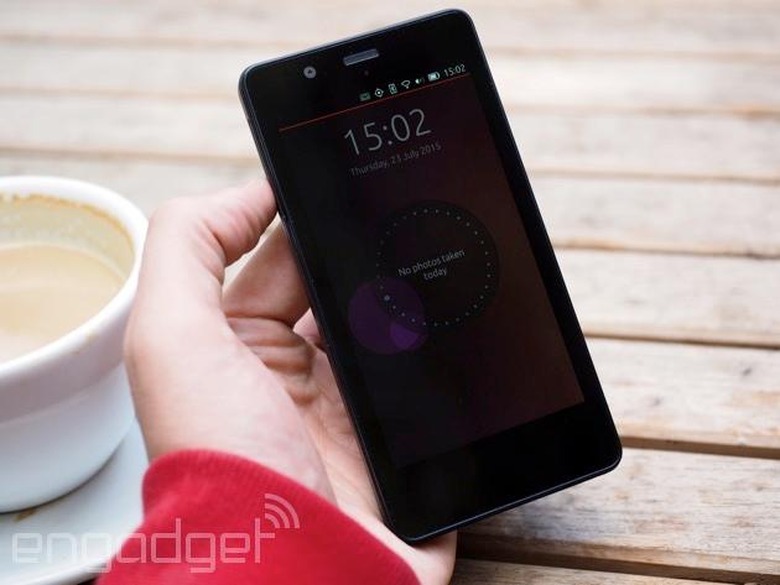
Let's start at the beginning. Press the power button and up pops the Ubuntu lock screen. At first glance, there's nothing of particular note here; just the time, the date and a circular dial with little dots just within its border. It's not immediately obvious, but each of these dots denotes a day of the current month. The blocked-out dots are days passed; the hollow dots signify those still to come; and the focal dot is today. Within the dial, it tells you how many text messages you've received that day, but double-tap it and the information it displays will change. It'll tell you how many songs you've listened to, for instance, or how many pictures you've taken.
The different stats are also displayed in visual form, with colored bubbles that sit behind the dots. The larger the bubble, the higher the level of activity on that particular day. You may have five consecutive days — a working week, say — where you didn't take a single picture. Behind those dots, you won't see a circle. But, if you went to a party over the weekend and were a bit snap-happy, the bubble for that day would be large, since your camera activity was relatively high.
It's an interesting way to show your mobile usage for the month, but it's not much more than a novelty. Since you can't really do or learn anything from this info, it feels more like an exercise in graphical data representation, rather than a useful feature. By the way, you can turn this feature off if you'd rather your mobile activity wasn't accessible on the lock screen.
Swipe the lock screen away and you get to the passcode/passphrase entry screen, should you have one set, and then you're in.
The status bar
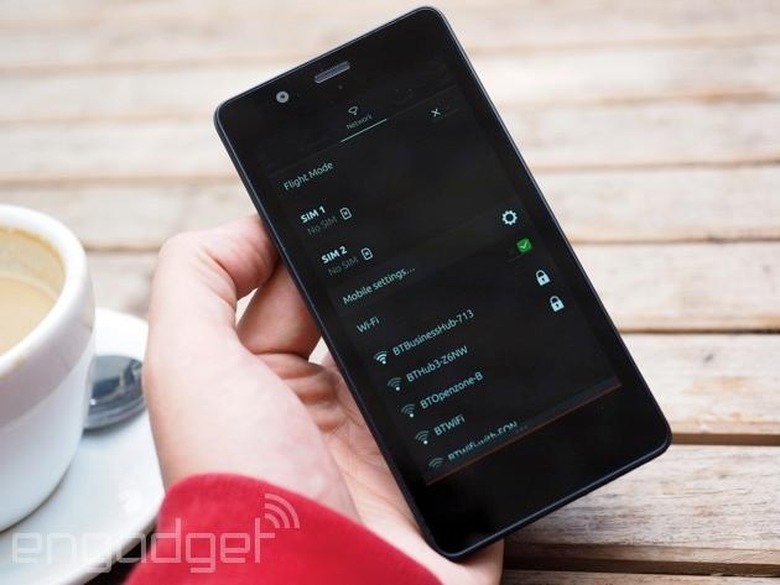
Before I talk about Ubuntu proper, a quick note on the status bar. It's one of only a few things that will be familiar to every smartphone user, and it sits at the top of the screen showing the time, battery life, WiFi status: that kind of stuff. As you'd expect, you drag this down to view notifications and various quick settings, all arranged along a horizontal bar.
For some reason, the notification icon in the status bar is permanent, though it turns from dull gray to bright green when something new comes in. There are a couple of other quirks to this status bar. Plant your thumb right over the network status indicator, swipe down and the drawer will descend with that quick-settings menu selected. The same goes for notifications, Bluetooth status, time, and anything else that has its own little icon. Also, as you pull the drawer down, you can scroll through the different options by sliding your thumb toward either side of the screen, which is pretty neat.
The pull-down has a major flaw, however, in that it's accessible at any time, even on the lock screen. It doesn't matter if you have a passcode set; anyone can pick up the device, check your unread notifications and change any of the quick settings without having access to the phone. Not ideal if you are security-/privacy-conscious.
Scopes
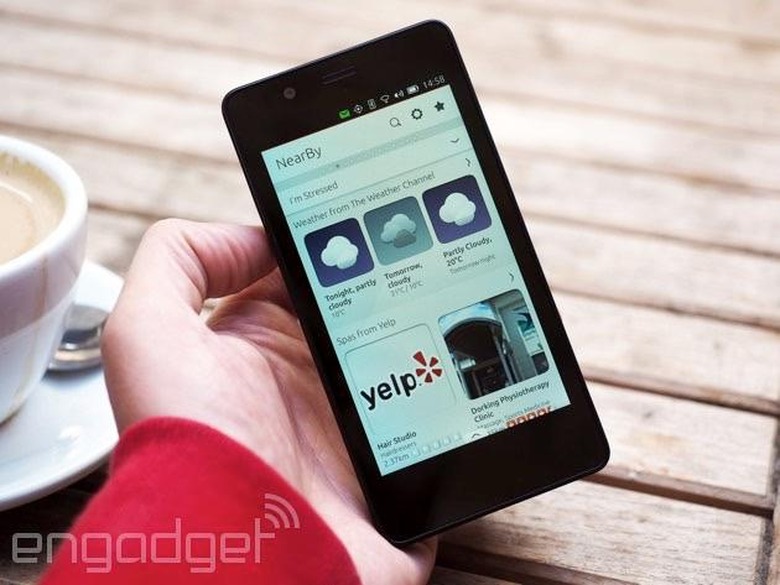
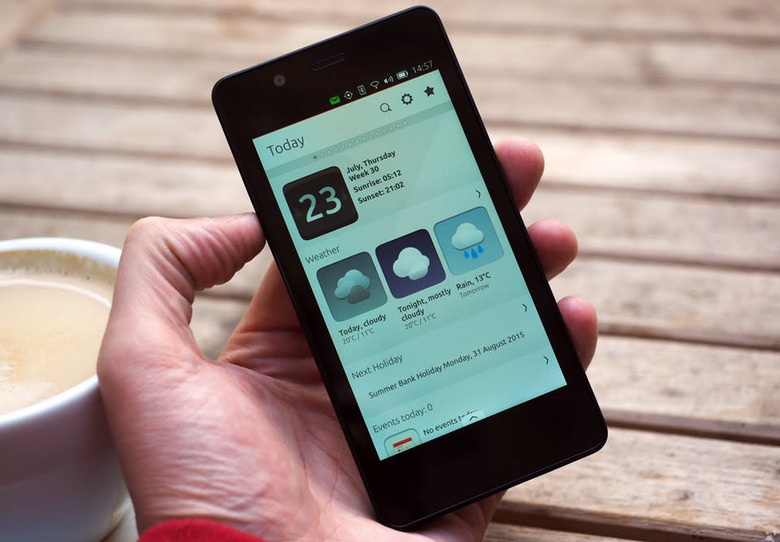
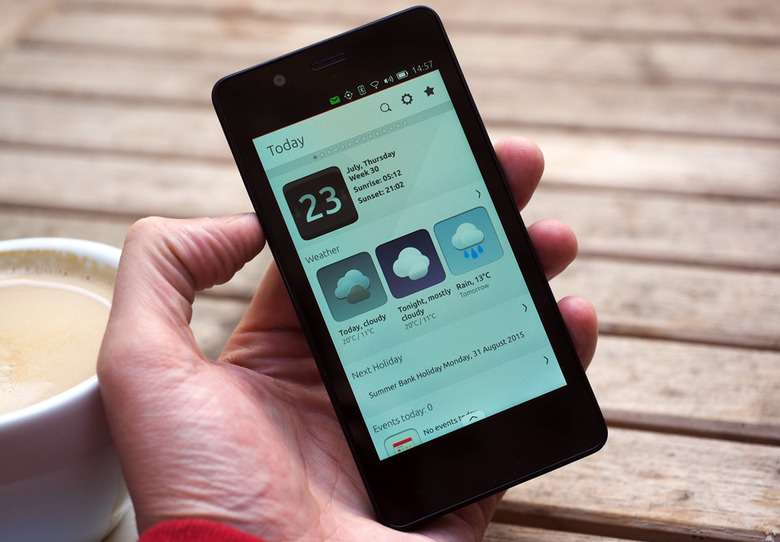
When you unlock an iOS device, you get a simple grid of apps. On Android, you typically get the home screen carousel (depending on manufacturer customizations), which you can fill with app shortcuts and widgets. Unlock an Ubuntu phone, and you get "Scopes," which define the user interface. Scopes are cards filled with content pulled from various sources. Take the "Today" card, for example, which is the default home screen. It shows today's date with sunrise and sunset times, weather reports for the next couple of days, a note of the next public holiday, what events are in your calendar for the day, your recent call history and what's trending on Twitter. That's how I have mine set up anyway, but Scopes are, to a certain extent, customizable. If I had a FitBit activity tracker, for example, I could include data from that in the Today Scope, and if I used Telegram, I could see recent messages I'd received through that service.
There are several multi-purpose Scopes. In the "NearBy" card, you tell the phone your current mood: bored, hungry, thirsty, stressed, etc. If you're hungry, the Scope will pull nearby restaurant info from Yelp. Tell it you're bored, and the scope will suggest nearby landmarks (also sourced from Yelp), show Flickr images taken close to your location, display relevant Wikipedia articles and suggest upcoming concerts (courtesy of Songkick). The "Music" Scope shows on-device tracks, what's new on 7digital, popular tunes on SoundCloud, concert tickets available on Songkick and what's hot on YouTube. The "News" Scope gives you the latest headlines from popular sources, and the "Video" Scope shows on-device clips, as well as featured videos on YouTube and Vimeo. There are also more mundane Scopes, like one that only shows your recent call history. Even the app menu is a Scope. All of them include a discovery feature that lets you search the content within. The idea is you get curated results, not a search-engine dump littered with irrelevant material.
As I mentioned, Scopes are customizable. You can choose how many cards you have in the deck, what order they're arranged in and what sources they pull from. Not interested in live music? Well, you can hide Songkick listings from any Scope in which they appear. Don't care about business news? That's fine, you can simply take Yahoo Finance updates out of the News Scope. Multi-purpose Scopes are integral to the Ubuntu interface, but there are several dedicated to individual sources. There's quite a lot of overlap with these, though. A dedicated BBC News Scope doesn't make a whole lot of sense when you can include the BBC in your main News feed. Nor does the "My Photos" Scope, when on-device images appear in the main "Photos" Scope anyway.
Scopes are a major departure from the isolated, app-based user experience. Canonical didn't see any point in building another app ecosystem, since it doesn't believe there's any incentive for people to switch to Ubuntu if it was just the same as every other OS. It wanted to do something different, putting content and services first. The idea is the user has access to all the content they want directly within the Scopes interface, and doesn't need to jump in and out of individual apps to get at it. And to a certain extent, Scopes achieves that goal.
The best way I can describe it is that Scopes blur the line between apps and widgets. The dedicated Amazon Scope, for example, is almost like an app in its own right, but you can only go so far before you're sent to Amazon's mobile site to, say, complete a purchase. Scopes surface just some of the content available on various services, but they aren't as feature-rich as dedicated apps. Many Scopes have multiple levels, though. Tapping on the YouTube section of the "Video" Scope, for example, will take you to the dedicated YouTube Scope (even if this isn't part of your home screen deck). Most major services have these secondary levels of interactivity, but inevitably you end up in a web app or, worse, looking at a mobile website.
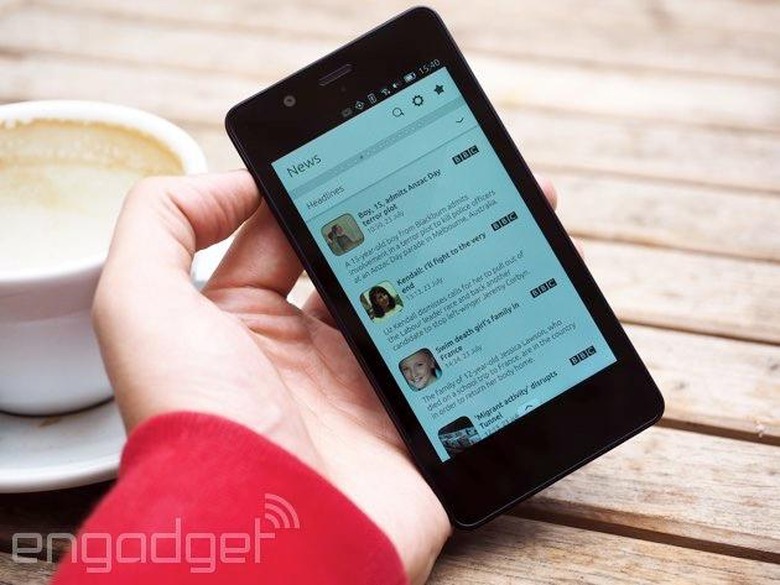
I get the idea of Scopes, kind of. They are supposed to give the user a personal experience, remove their reliance on walled apps and bring content to the forefront. I just don't think Scopes deliver, or maybe I'm just so used to the app-first experience that I'm having trouble adapting to the Scope way of doing things. And if that's the case, then most people will be in the same boat. My main problem with Scopes is that I feel I'm being bombarded with content. If I want to check out upcoming concerts on an iOS/Android device, I'd load up the Songkick app. But when that's not what I'm looking for, I don't really want to see Songkick listings permanently displayed on my phone, like I'm being advertised to. You could argue the solution is to remove the Songkick feed from the Scopes it populates. But, if I was constantly adding and removing sources from Scopes when they are or aren't relevant, I don't see how that's preferable to having dedicated apps that offer a better experience.
Sure, having so much information available at a glance sounds great, but I spend more time thumbing through Scopes looking for what I want than I do hopping in and out of apps on Android/iOS devices (where I know the relevant information/functionality is). Multi-purpose Scopes feel cluttered, almost like I have several apps running in parallel on the same screen. I doubt the widget-like user interface will work for the majority of people, especially with the limited amount of sources currently available.
Furthermore, Scopes are intensely boring. The multi-purpose Scopes, particularly, are basically white and gray cards with lists of information and the odd visual identifier, like an album cover. Even dedicated Scopes that allow for a bit more color and branding are like spreadsheets for content, and a far cry from the feature-rich and visually pleasing apps on major smartphone platforms. I can't have a custom background; I can't really alter the layout of Ubuntu to any great degree. All I can do is change the order of Scopes and what information is displayed on these dull cards. Ironically, Canonical has developed Ubuntu with the personal experience in mind, but apart from what content is being pumped at me, I can't actually personalize a thing.
The user experience
Navigation
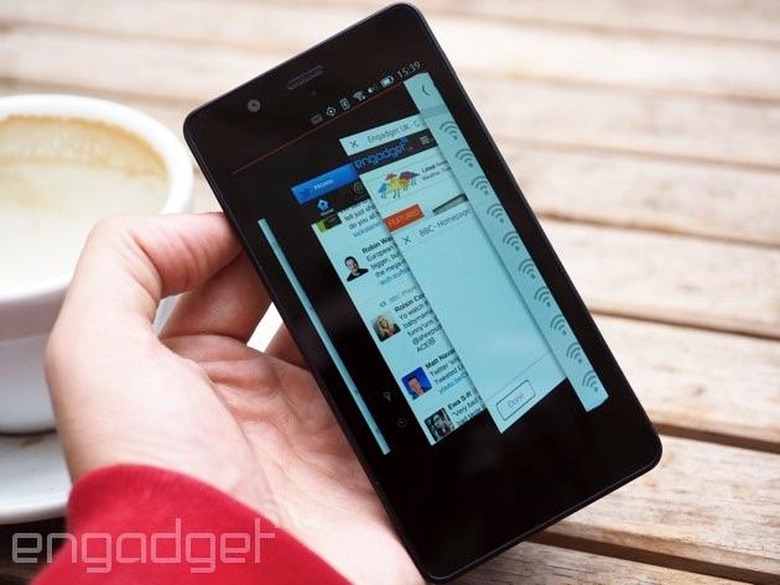
Getting around Ubuntu Phone relies heavily on swiping gestures. As I've already mentioned, swiping down from the top bezel expands the status bar for notifications/quick settings. As for the other bezels, dragging up from below the screen brings up contextual menus within apps and Scopes — you can see what other tabs you have open in the browser with this gesture, for example. Both the left and right bezels have multiple functions. Swiping in from the left bezel brings up a vertical app tray that's populated with your core services, like the dialer, contacts app, gallery and camera. Any recently used app will also show up in this tray, and an Ubuntu button always sits at the bottom of it, waiting to take you back to your home screen Scope. Annoyingly, this vertical app tray persists over the lock screen. You can't access anything from this menu without unlocking the handset, though, so it's not as broken as the notification/quick settings drawer.
Swiping in from the left doesn't just bring up these icons; it also sends any app currently running to the background, and returns you to your home screen Scope. Swiping in from the right bezel lets you jump straight into the last used app. Exaggerate this gesture, though, and instead you're sent into the multitasking menu. This shows you everything that's running in the background in a 3D carousel, which has a pleasant accordion effect as you move through it. Like other operating systems, you swipe apps off-screen to close them.
I don't have any problem with these swiping gestures per se, but the left and right bezel commands are way too sensitive. If your thumb strays anywhere near either bezel, you're bound to execute a gesture when you didn't mean to. This happens extremely often, because most of the time you're swiping left and right, going back and forth between Scopes. That's what you're trying to do, anyway, but chances are you end up in the multitasking menu all of a sudden, or close an app unintentionally. This can be really disorienting, and when you've got 10 Scopes in your deck, you'll be lucky to make it through all of them before an errant gesture ruins your plan.
This means you have to be overly vigilant with your swipes, and limit your thumb to a safe section in the middle of the screen when going between Scopes — which isn't easy on a 4.5-inch display. But moving through your Scope deck presents its own issue. If even the slightest bit of vertical movement is detected, Ubuntu assumes you want to scroll down that Scope, so it becomes anchored in place. To get to the next Scope, you have to try again and hope you can pull off the perfect horizontal swipe. Combined with the bezel-sensitivity problem, it makes navigating Ubuntu a bit of a chore, and it needs a ton of refinement before it can be called user-friendly.
Forever loading
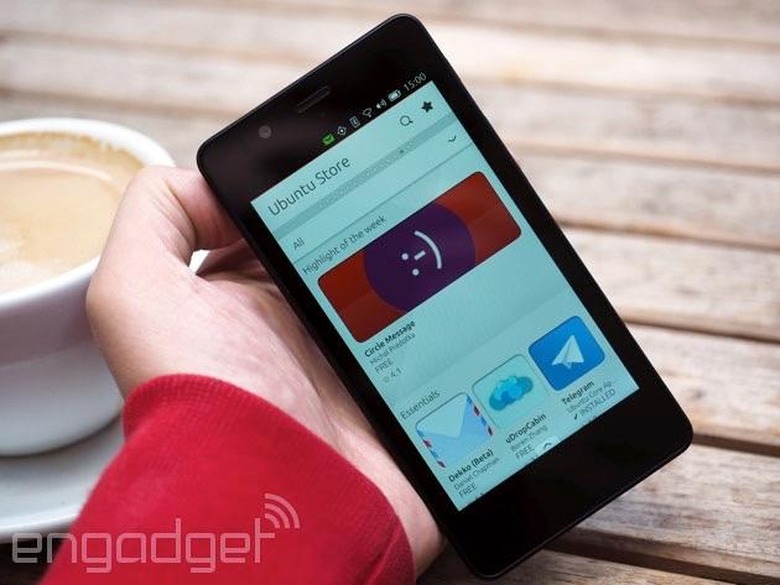
There are a handful of positive things to say about the general user experience. The 3D multitasking panel and notification/quick-settings drawer are really slick, for instance. A minor point, but the main settings menu is also refreshingly simple and well-designed. Within this menu, there's also a handy search field that lets you track down specific settings without going into each subcategory.
That's about where the praise ends, though, because everything else about Ubuntu Phone is often slow and clunky in comparison. Even simple, core apps like the dialer and contacts list take several seconds to load up. I'd expect the Aquaris E4.5's 1.3GHz quad-core processor to be able to handle these basic requests with ease, but on several occasions, I've had to wait upward of 10 seconds for something as straightforward as the calculator to load. Even the app drawer can take a few seconds to populate.
I'm convinced the reason Ubuntu Phone is on the slow side is because it's so data-intensive. The constantly refreshing nature of Scopes means the phone tends to hang while they update. It freezes; it doesn't register swipes; and it takes a relative age to get anything done. When your Scopes are up to date, the phone settles down into a usable state. But, if you leave it untouched for half an hour and then pick it up again, you may find yourself back at square one. It can be infuriating, and I've spent more time waiting on Ubuntu to complete its perpetual to-do list than I care to admit.
Recently, a more powerful Ubuntu phone has become available that might offer an improved experience to the Aquaris E4.5, but since the most graphically intensive features of Ubuntu run fine on my handset, I don't imagine a faster processor is going to address the data issue to any great degree.
Ubuntu Phone just isn't very polished, either, and you're met with frustration at every turn. Gmail push notifications, for example, simply don't show up the majority of the time. I can't integrate my Instagram account with the relevant Scopes, even though the authorization process appears to complete successfully. Additionally, location services don't work on my handset, which makes the NearBy Scope redundant. These are a few examples of major failings of the user experience, but there are plenty of minor oversights that make the OS painful to use. Text-entry fields in websites don't center when you tap on them, meaning the on-screen keyboard pops up and hides what you're typing. And the list goes on.
Apps, or 'apps'
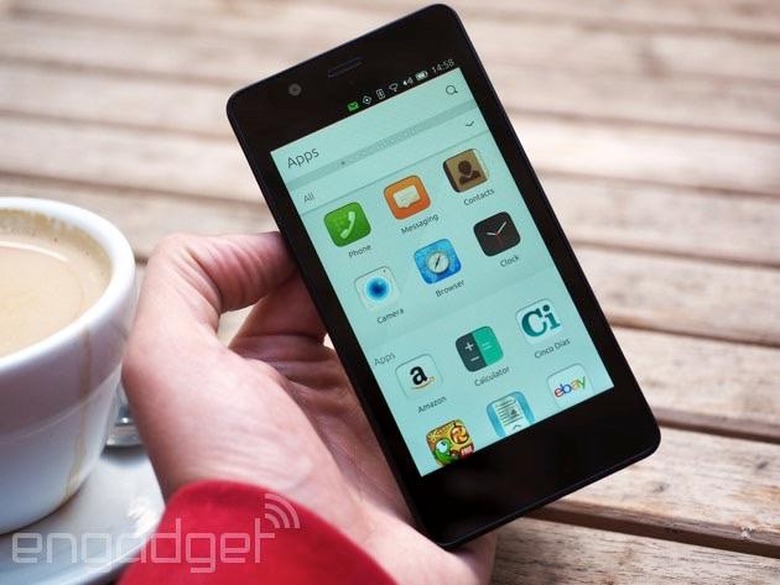
There are very few native apps available on Ubuntu Phone, with the focus being on Scopes. The dialer, calculator, media player and the like are, of course, and my handset even came with a few preinstalled games (Cut The Rope and Pathwind) that run natively. The Ubuntu browser is nice and fast, although it's simple and doesn't even support bookmarks at this point. The camera app is relatively basic, too, although I prefer having only a few settings to think about. When you're shooting in landscape, however, you can't actually get at this settings menu, since the bezel gestures override this request.
Beyond the bare necessities and a couple of games, I haven't come across much you could call an actual app. Some of the icons in the main app menu are actually Scopes, and others are merely links to web apps.
The Ubuntu Store is where you get additional apps and Scopes, but there isn't a whole lot available to you. In fact, I could go through each category and count up exactly how many there are in total, which tells you it's pretty barren. Furthermore, there are plenty of "apps" that are just links to mobile websites, further confusing the definition between Scopes, native apps, web apps and hyperlinks. You don't really know what you're going to get. I downloaded a OneDrive "app," made by a random developer, but all it does is send me to the OneDrive mobile site.

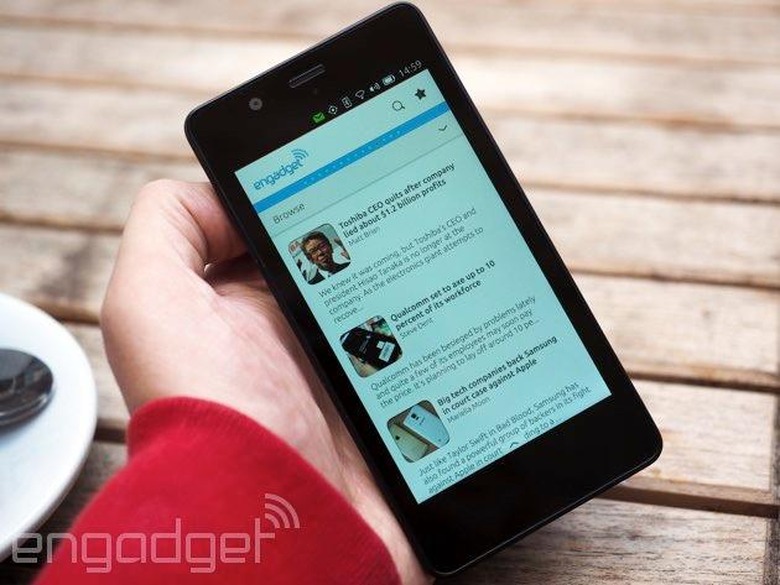
I don't even use OneDrive very much, but it was one of the few things I spotted in the store with a familiar logo, which is a rarity. And that's a problem. Name any service you use regularly, and there almost certainly isn't a Scope or "app" for it in the Ubuntu Store. Instagram, Vine, Periscope, Meerkat, WhatsApp, Facebook Messenger and so on. Canonical has made sure that Gmail, Facebook and Twitter are accessible, but only via web apps, which offer graphically bland and cumbersome access to these important services. Funnily enough, I tracked down a third-party Gmail Scope that was 10 times better than the web app alternative. And someone probably threw that together in an evening.
I'm not entirely surprised by the lack of "apps" on Ubuntu, because every fledgling OS has the same chicken-and-egg problem. A limited user base means there's little incentive for developers to work with the platform; and when popular apps are lacking, you can't expect the user base to grow. But I also feel Canonical is trying too hard to ignore the traditional app model. In my opinion, Ubuntu is never going to be able to compete with more established operating systems if it only offers Scopes and web apps; native apps are essential to a robust user experience. Scopes can continue to offer quick access to content and services, but at the end of the chain, there needs to be an app, not a mobile website.
A work in progress
I simply couldn't get by with the BQ Aquaris E4.5 as my primary phone for more than 24 hours. WhatsApp, for one, is absolutely essential to me, and I have to deal with far too much email to be poking around a slow web app. Even if native clients were available, I still wouldn't want to use Ubuntu Phone anyway. The idea of Scopes, where at-a-glance content takes center stage, is somewhat novel, but I don't feel there's a great deal of value in it for the user. I could easily get by with one or two Scopes that show me pertinent information about my day, and then rely on apps for specific services/functionality. Placing such a heavy emphasis on volume of information means Scopes can be overwhelming, and it's easy to get lost in the noise. With limited sources for Scopes to pull from currently, they also have a faint whiff of advertising about them. Content from the likes of YouTube, Songkick and Yelp is permanently on display, but I don't care about nearby restaurants on a normal working day, and maybe I could find a cheaper concert ticket elsewhere. But thanks to Scopes, these services are constantly getting my attention in the absence of alternatives.
Aside from the app void and the questionable value of Scopes, Ubuntu Phone is a bit of a nightmare to use the majority of the time. Something's often refreshing in the background, causing the phone to slow down. Apps take longer to load than they should, and even then you're probably waiting on a web app. The gesture-based navigation is unrefined; there are bugs and glitches all over the place; and in general, many core experiences are severely lacking in polish. Despite years of development, Ubuntu Phone still feels like an early beta, and I think Canonical needs to think long and hard about the implementation of Scopes and bump native apps up the agenda. There's nothing wrong with trying to be different, but there's a reason Android/iOS are so popular. Ignoring the headway they've made in refining the mobile experience is, in my mind, setting yourself up for failure.
For all my criticism of Ubuntu Phone, I have to bear in mind it's still a work in progress. OTA updates are being issued every month, and Canonical is relying on the current user base for feedback and ideas. There are only three phones currently on the European market that come with Ubuntu as standard, and they range from €170 to €299 (roughly $186 to $328). Early adopters are required to seek these out online, so it's not like Ubuntu is being promoted as a legitimate alternative to the big two. Not yet, anyway. The company tells me the end goal is to have a retail presence, but it's under no illusion that that will be a viable option anytime soon. Canonical doesn't just want to create another app ecosystem, but it knows that for Ubuntu to succeed, it has to have all the key apps available in one form or another.
Canonical hopes that by creating an easy development environment, it can bring more partners onto the platform to help flesh it out. Scopes, it tells me, are extremely easy to develop, and don't require a lot of maintenance. For various screen sizes and form factors, Ubuntu will simply lay out the Scope differently, no extra development required. Canonical expects that in the future, events will have their own Scopes. A major sporting tournament, for example, could quickly build a Scope and then remove it from the Ubuntu Store when it's no longer relevant. The company also hopes to make Scopes more interactive, so you don't need to leave the interface to see a social media notification or post an update. Carriers and handset manufacturers are able to own the Scope experience, too. They can integrate their own services and promote them in a way that's more visible to the user than a bloatware app would be, and switch out the default messaging client, camera app and whatever else for their preferred alternatives.
First, though, Canonical has to sell partners on the value of the platform, while also refining the user experience greatly. For now, Ubuntu Phone is just about good enough for serious enthusiasts and developers to play with, but it can in no way compete with the major mobile operating systems. And given we're a couple of years into development already, I expected something that was at least verging on being consumer-ready. I was wrong.