

Can you safely use a 140w charger on an iPhone?
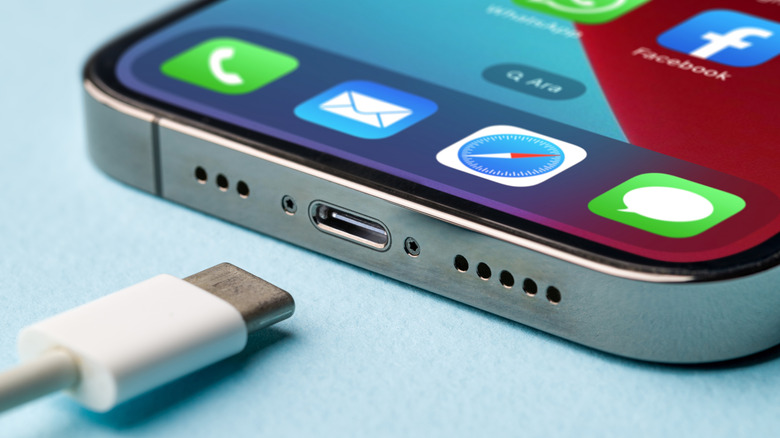
The simple answer is yes, an iPhone can tolerate a 140-watt charger, but it's not a simple process, and there are safety considerations. A 140-watt charger is an upper limit that your iPhone will never reach because even the latest iPhone 18 Pro hits its cap at 52W. An iPhone can only pull what it can pull, and it's nowhere near 140W. USB PD used to top out at 100W, but the newer range is between 100W and 240W, now known as Extended Power Range (EPR). EPR adds 28V, 36V and 48V options. Once a device is in EPR mode, it has to send a "keep-alive" message every half second. If the charger doesn't receive that message, it drops back down to 5V. An iPhone's requirements are well below that threshold.
Potential safety issues are generally on the charger's end. Apple is pretty blunt about using third-party chargers that fail to meet safety standards, claiming it could cause injury and even death. Obviously, that's something iPhone users should avoid, so stick with reputable brands. Yes, Apple's own power adapters and cables are priced like they have 24k gold in them, but there are plenty of options out there that meet safety standards and cost much less.
So how many watts does your iPhone want?
Far less than 140W. The iPhone 17, 17 Pro and 17 Pro Max reach 50 percent in about 20 minutes with a 40W or higher adapter. The iPhone Air and iPhone 17e only need 20W to hit 50 percent in roughly half an hour. For an iPhone 15 or 16 (or an older Lightning model like the iPhone 14 with a USB-C to Lightning cable), a USB PD adapter 18W or greater is needed for fast charging. The iPhone 18 Pro series and the iPhone Duo step things up a bit. The best and fastest charger for these phones is a 60W adapter with Adjustable Voltage Supply (AVS) and USB PD 3.2, plus a USB-C cable that can handle 60W or more.
None of that approaches 140W. The best use case for 140W+ is a high-performance laptop or charging several devices at the same time. If you have an Apple adapter (Apple doesn't supply them with iPhones/iPads for environmental purposes), the wattage is printed on the top or bottom. Apple prints the Dynamic Power Symbol on their 40W chargers. You can also get a fairly accurate estimate of charging time directly from your iPhone. On iOS 18 or later, a Slow Charger message appears on the Lock Screen and under Settings > Battery. iOS 26 ramps up the convenience by alerting you when you're using an incompatible charger that isn't charging your iPhone.
How many watts is a typical USB port?
Not much, unless it's a USB-C port with Power Delivery. At base specs, USB 2.0 ports supply 5V at 500mA or 2.5W. USB 3.0 and 3.1 ports bump it up to 900mA or 4.5W. The Battery Charging 1.2 spec ports can reach 1.5A or 7.5W. If you prefer to charge from a PC or laptop, it's a bit chaotic. For instance, orange ports on Intel NUC PCs are rated at 1.5A, and the blue ones are 900 milliamps. Black ports are typically USB 2.0 and have a modest 2.5W default. Those examples sound pretty sluggish because they are. Plug an iPhone 18 Pro Max into a USB 2.0, and it's gonna be a while. The iPhone 15 and later are capped at 7.5W on a USB-A charger. Fortunately, USB-C is a major upgrade over USB-A, with 15W (5V at 3A) without Power Delivery.
With Power Delivery, it skyrockets to 100W in the Standard Power Range and 240W with EPR. On top of that, standard USB-C cables are rated for 3A, hitting their ceiling at 60W, while 100W feature e-marked 5A cables. These cables have a tiny chip that tells the charger what it can handle. EPR cables encompass everything above 100W. A "typical USB port" is ultimately defined by the individual. For someone who uses a fairly standard 20W adapter for an iPhone, a USB-A port may be considered typical, but a specialized USB-A charger can push up to 18W. In other words, what is "typical" depends on what you're using and what you're used to.