Jessica Buchanan

Engadget Editorial Policies

The unique content on Engadget is a result of skilled collaboration between writers and editors with broad journalistic, academic, and practical expertise.

In pursuit of our mission to provide accurate and ethical coverage, the Engadget editorial team consistently fact-checks and reviews site content to provide readers with an informative, entertaining, and engaging experience. Click here for more information on our editorial process.

Stories By Jessica Buchanan

  • Archer Diaries is on target

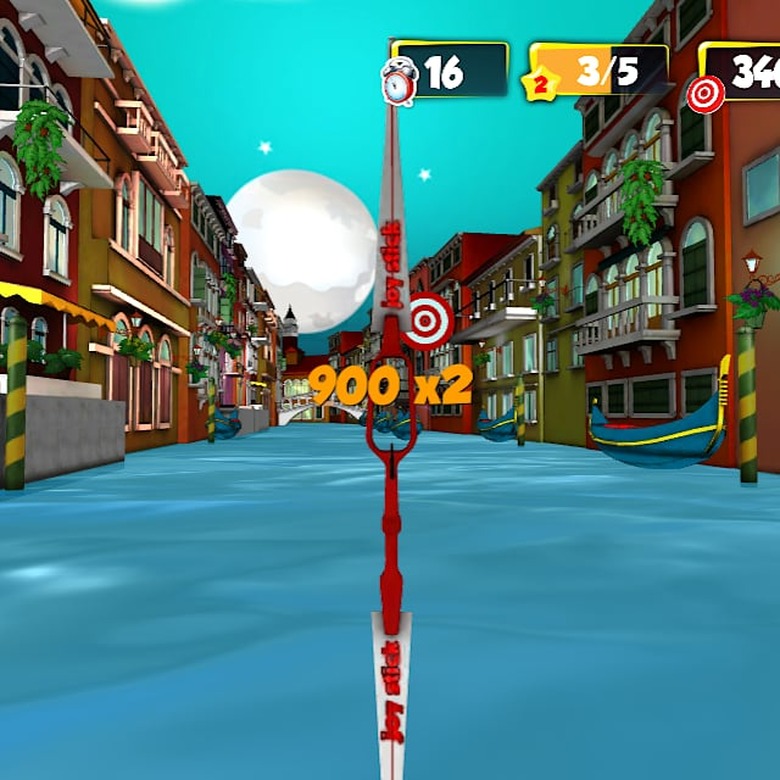
    Travel to exciting replications of real-world locations in an attempt to master the art of archery in Archer Diaries. At the start of each level, players are tasked with obtaining a certain score by hitting targets and other objects before the time runs out. Archer Diaries is compatible with iOS devices running iOS 6.0 or later. In Archer Diaries, players attempt to shoot down objects, such as balloons and lamps within a strict 49 second time limit. This adds a bit of difficulty and challenge. Players are given a specific amount of three different objects to hit. They also need to reach to complete the level. Archer Diaries is an interesting archery game that goes beyond the base targets due to the variety of objects to strike down. This creates a memorable, challenging test of archery skill. There are over 40 levels spanning three level packs. They are themed on real life places like Paris. This allows for an extensive play experience and great replay value as most levels require a couple of tries before successful completion. Archer Diaries offers the ability to upgrade your bow using coins or gems obtained through the game. Some levels require an upgrade before players can complete them. This can cause some players to have to replay levels to afford the upgrade. However, it is rare that players need to do this. There are a couple of drawbacks to the overall great gameplay, some UI problems and ads. The first problem is that the button that shoots an arrow is a bit small, making it a little annoying when players line up a shot and miss it because they didn't tap the button when they thought they had. The other problem is that there are a lot of ads which makes it a nuisance. This is especially true since they seem to pop up every time players go back to the level select. Archer Diaries is free on the App Store and recommended for people who enjoy challenging sport-based games.

    By Jessica Buchanan Read More
  • Crack the code in Do Not Believe His Lies

    Do Not Believe His Lies: The Unforgiving Riddle is an interesting, sometimes weird, puzzle game where players have to figure out what the code to unlock the next puzzle is. There is very little in the way of instructions in the game. Do Not Believe His Lies: The Unforgiving Riddle is a fascinating mind-bending journey that will drive players mad most of the time, but somehow still retains that fun factor. Some of the puzzles are intriguing and require a bit of thought such as the Claritas Candor puzzle. These puzzles require a bit of "outside the box" thinking in most cases and some answers make little sense. Do Not Believe His Lies: The Unforgiving Riddle utilizes an assortment of riddle devices like hiding an answer in fairly plain sight. This requires players to recognize somewhat cryptic code. For levels that are not as obvious to solve, there are hints available for an in-app purchase. Although, thrifty players may find answers on the web for some of the levels. A fascinating part of the game and what makes it rather enjoyable is that each code seems to form a kind of story. This adds to the mystery of Do Not Believe His Lies: The Unforgiving Riddle. Do Not Believe His Lies: The Unforgiving Riddle is free on the App Store and recommended for players wanting a puzzle game that doesn't follow convention.

    By Jessica Buchanan Read More
  • Super Kitty: This Game's Got Claws

    Super Kitty puts players in control of an adventurous cat with a blazing red cape who is on a mission to save a princess. His task is not easy though, as he must avoid the enemies' clutches in an almost equally cruel platformer environment. Super Kitty is compatible with iOS devices running iOS 7.0 or later. Players find that most of the Super Kitty is an adventure in trial and error where they have to memorize crucial steps to successfully get past each section. The best advice anyone can give to someone about to play Super Kitty is prepare to die quite a lot. There doesn't seem to be any other way around that trial and error feature as most of the time the game is full of tricks and traps. For instance, during the first few moments of Super Kitty, players are introduced to the idea that they can smash bricks by jumping up from below them which opens up a pathway for them to continue on. However, the next time players see a bunch of bricks and do the same thing, they have to quickly dodge out of the way or they will be crush by that same stack of bricks. This deception is interesting and really keeps players on their toes. The art style of Super Kitty seems to draw some inspiration from Super Mario. This is seen in some of the assets like the bricks and golden boxes. The bright colors in Super Kitty give an inspiring and happy feel to the gameplay which can sometimes be downright cruel. There are a couple of annoyances in Super Kitty, the first is a full screen ad that pops up occasionally. The second is an oddity in which enemies are not affected when hole appears on the ground. This is confusing for players as the enemies should fall down when they go over the hole. Super Kitty is free on the App Store. It's recommended for people who like ridiculously hard but dastardly clever challenges. However, it's not recommended for those who don't like repetitive actions.

    By Jessica Buchanan Read More
  • Fly By!: A Choppy Ride

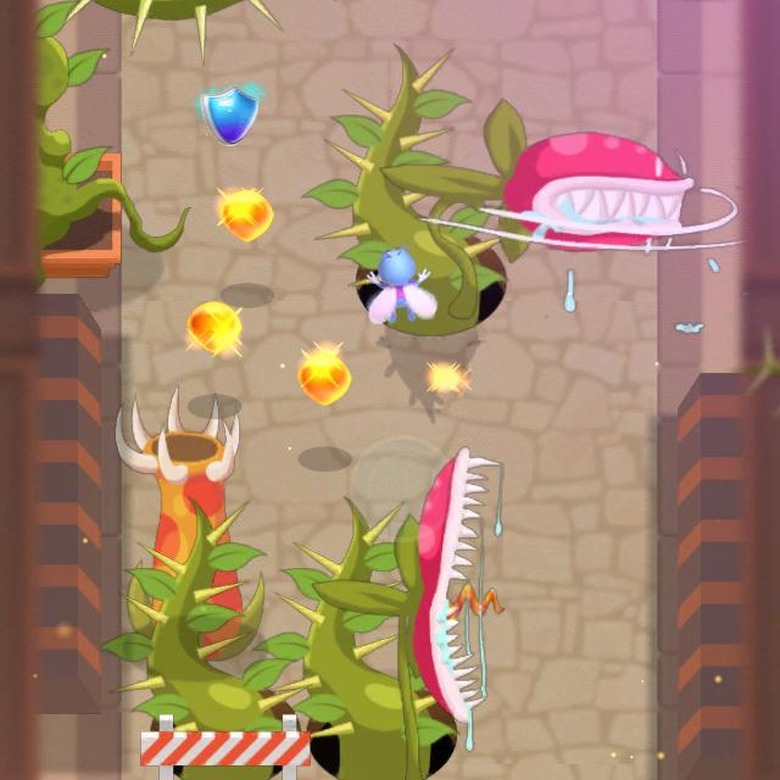
    Fly By! is an endless runner where players take the role of a fly. Players navigate a perilous environment of thorns and killer plants while collecting nectar. There are a variety of enemies in Fly By! that players have to be on the look out for, as just one hit from these enemies is certain death. Fly By! is compatible with iOS devices running iOS 6.0 or later. While collecting nectar in Fly By!, players have to be aware of numerous enemies and environmental hazards. The enemies in Fly By! provide some nice variety as players don't know which enemy or collection of enemies will appear. Players could be facing plants that expel a green splat on the screen which temporarily blocks your view, huge biting plants, or even plants on the sides that spit out a green dagger of goop. This causes players to be prepared for anything, especially when the environment is just as deadly as the enemies. The environment is filled with thorns and it is easy to get stuck in the twisting branches. Besides the base bug character, there are others to unlock and play as, some with special bonuses like a percentage to revive. Although, it is rather hard to collect enough nectar to afford unlocking more characters. Players can unlock the Toasty character which is a very happy toast in a red cape, but he has the same qualities as the base character. There are a few problems with Fly By!, a weird seemingly misplaced UI button, ads, and a frame rate problem on certain devices. The biggest problem is that occasionally, when playing on the iPhone 5S, there is a big frame rate drop where the animation stops for a few seconds and then picks up again. On the iPhone 6, this doesn't seem to be a problem though. The second problem is that there is a full screen ad when the game launches, a banner ad at the bottom of the screen that stays there for about five seconds into the game. The third problem is that there is an odd grayish circle in the top left corner of the screen that doesn't seem to do anything in the game. Fly By! is free on the App Store and although the gameplay is fun, the ads and frame rate issue don't help it stand out from the other endless runner games on the market.

    By Jessica Buchanan Read More
  • Fliggles: Bring the happiness back

    Players take on the role as a small purple blob character that inflates, on a mission to bring back happiness to its town in Fliggles. They must navigate through puzzling levels to collect all 7 musical notes in order to complete each level. Fliggles is compatible with iOS devices running iOS 7.0 or later and not recommended for use on the iPhone 4. In Fliggles, players tilt the device left or right to move their character through 80 levels. There are multiple items, such as food or stars called glimmers for players to pick up. If players manage to collect all of a particular item in the level, they can earn a badge at the end of the level. Players also have to avoid enemies, like bats and spiders, as well as environmental hazards in order to complete levels. This adds some challenge to a somewhat basic navigational puzzle game. ​ The difficulty of each puzzle in Fliggles changes at a fairly nice rate; some puzzles seem really hard when players first attempt them, but players rarely feel stuck for very long. If players are having trouble in a level, there are a limited supply of helpful bug characters. When these bug are selected they collect certain items or attack enemies. One of the most beneficial helper bugs is the rainbow bug who collects musical notes. This bug can help players complete a difficulty level quickly. The music in the game is a little repetitive but the sound effects are rather pleasant and fit well with the actions in the game. The art style in Fliggles is cute, with cartoon versions of food and musical notes that compliment the main character very well. The only downsides to Fliggles are some confusing UI choices and unexplained deflations. The first problem happens on the instructions screen, the two green arrows on either side of the middle box are confusing as you must swipe and not tap to navigate through the information. The second problem is that occasionally, when your character is floating down to the ground, they will deflate when they touch the ground with no spikes around. Fliggles is free on the App Store and recommended as an enjoyable puzzle game with just the right amount of challenge.

    By Jessica Buchanan Read More
  • Cubes Challenge: The elusive cube of illusion

    Players sort through rows of cubes that create a mesmerizing optical illusion to find the one that is different in Cubes Challenge. Players have 60 seconds to get as far as they can in the run. The farther players get, the more cubes they have to sort through to find the off cube. Cubes Challenge is compatible with iOS devices running iOS 8.0 or later. The difficulty level in Cubes Challenge gradually builds with each additional row of cubes, creating a stronger optical illusion which is an interesting challenge given the 60 second time limit. Once reaching a high score, players can choose to either share their score on social media or challenge their friends on Game Center. The core gameplay in Cubes Challenge relies on an optical illusion that happens when people try to select a cube that has only a small irregularity from the surrounding similarly colored cubes. The use of an optical illusion in a game is interesting given the challenges it presents to players. Add in a time element and the game gets even more challenging which is rather refreshing to see. A problem with Cubes Challenge is the ad that appears when players start a run. Occasionally, the ad will extend up to the bottom row of cubes and if a player taps on the ad, it resets the run. This can be troublesome for players who are doing well in the game. The ad itself does not seem to be as much of an issue as the placement of it in the game. During a run, players are focused on the cubes and the ad does not deter from this activity. Cubes Challenge is free on the App Store and recommended for puzzle game lovers who want an interesting challenge.

    By Jessica Buchanan Read More
  • NANPISA: A Video Journey

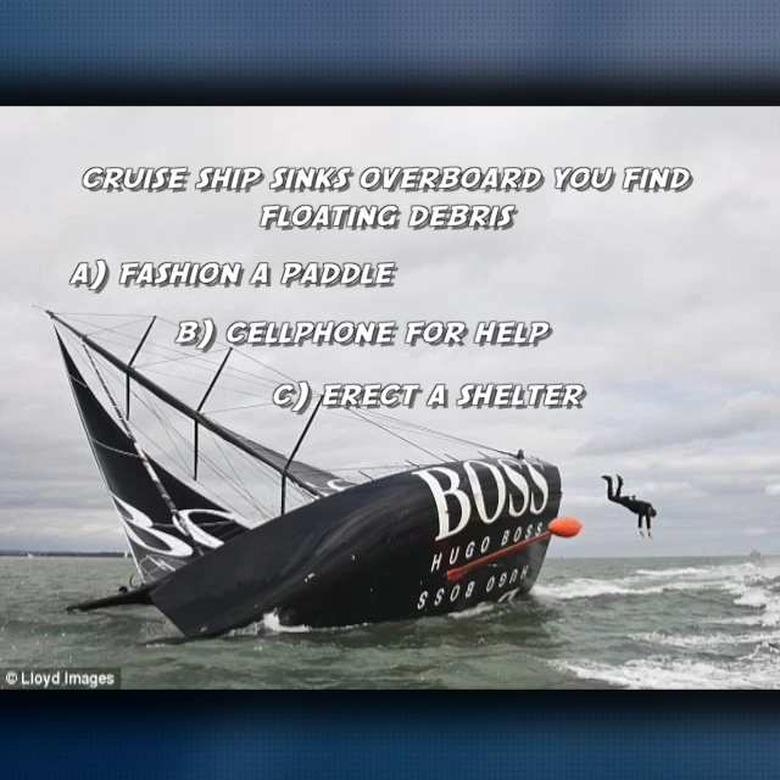
    NANPISA is an interactive journey into real-world issues and educational subject matter. When players select a category, they are presented with a series of video clips that relate to that subject matter and after the clip, players answer a question based on that information. NANPISA is compatible with iOS devices running iOS 6.0 or later. In NANPISA, there are two free journeys and over 20 more available as in-app purchases. After players select a journey, the screen is filled with photos in a grid. Each photo represents a category like geography or history. When selected, a series of video clips will play and players will occasionally answer questions based on the topics in the videoclips. For example, one video clip shows a winding stretch of road and then players are asked to identify where that road is located. After selecting an answer, the correct answer will be displayed and another video clip will be shown. Most of the video clips in NANPISA are from news broadcasts and documentaries but the entire app is interspersed with clips from comedic skits. Some of these clips give a light-hearted view on the more dark subject matter that occasionally pops up. However, this also causes NANPISA to feel a but weird at times. One of the problems that appears in NANPISA are that the videos show in portrait mode and it is not very easy to rotate the screen for a landscape view. Another problem is that NANPISA requires a strong data connection in order to load the video clips and this can cause issues for players with less than stellar connection speeds. NANPISA is free on the App Store is an interesting adventure that provides a nice interactive experience. It's worthy of a download, however, the data connection requirement can cause some problems for players.

    By Jessica Buchanan Read More
  • Just Get 10: Merging Madness

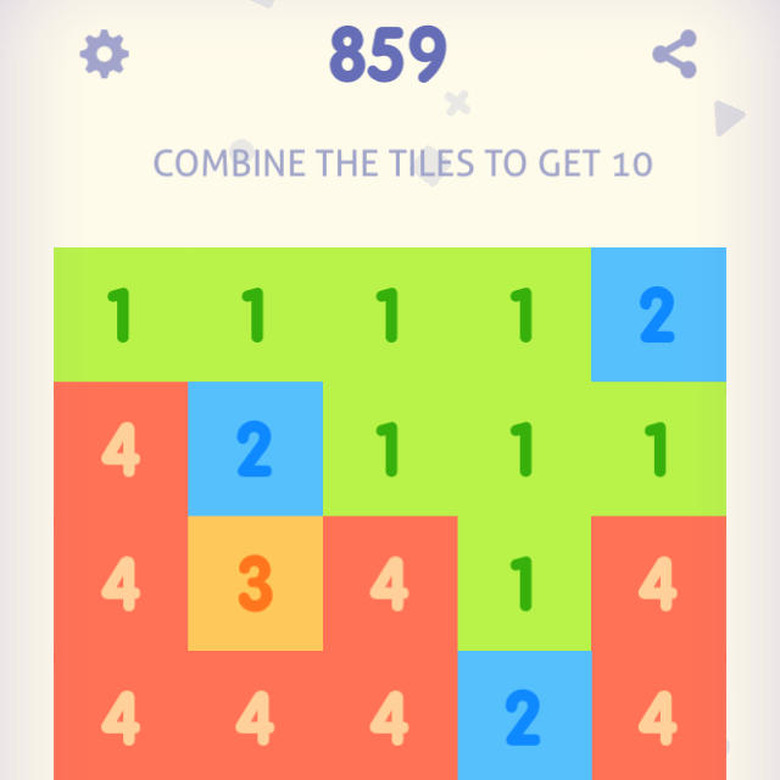
    Just Get 10 is a number puzzle game where players combine similar numbers until they reach 10. For instance, three ones next to each other get added together and make a block labeled two. Players continue to make these groupings until they reach the number 10. However, this sounds easier than it really is as players have to keep groups of numbers together and make choices to make sure they don't block off their best combinations. Just Get 10 is compatible with iOS devices running iOS 5.0 or later. In Just Get 10, players tap to select a numbered block adjacent to another block of the same number and then tap again to merge those blocks where they tap. This gives players the option to line up the numbered blocks close to other similarly numbered blocks. This leads to a higher score at the end of the game. This type of challenge is addictive and it is easy to get lost in all of the beautiful tiles trying to match them up to reach that elusive number 10. The music and sound effects in the game are soothing. They make the game enjoyable to play for a long stretch of time. Just Get 10 features a very bright color palette which is aesthetically pleasing and since matching numbered blocks are the same color, this helps the player find matches easily. There are a couple of drawbacks to Just Get 10, such as a full screen ad that pops up when you finish a round. There is also a banner ad that stays at the bottom of the screen. In addition to that, players have a limited number of tries before they have to either purchase the full game or share a link to the game through email or social media. Just Get 10 is free on the App Store and while the gameplay is rather addictive, the ads and limited tries are too annoying to recommend a download.

    By Jessica Buchanan Read More
  • ROTO: Simply Addictive

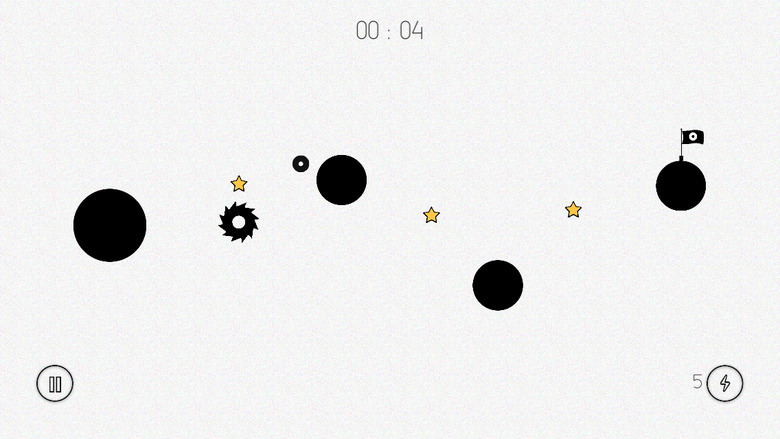
    Guiding a ball to a finish flag by timing jumps from one rotating circle to another is the core gameplay feature of ROTO. While navigating a maze of rotatory platforms filled with hazards, such as spiky saw blades, players have to collect stars which will unlock levels. ROTO is compatible with iOS devices running iOS 6.0. ROTO features simple mechanics set in a very minimalistic environment. Players tap to jump from platform to platform in an attempt to collect all of the stars in each level. The circular platforms have different speeds and this requires players to adjust their timing. Because of this, the difficulty level increases fairly rapidly, adding challenge to every level. In addition to different platform speeds, the platforms themselves have other attributes. This encourages players to plan out there moves more carefully. There are grey ghost balls that slowly disappear when players land on them, which players have to keep in mind or they will plummet to the ground. Orange balls that cause the player's ball to bounce off of are available after an in-app purchase. There is a demo level in the game for players to check out this challenge. Another challenge that is unlocked are portals, which test players' ability to choose the correct pathway of portals to get all of the stars in the level. The sound effects in the game add interest to the gameplay and make it easy to tell what type of ball a player is currently on its attributes are. For instance, when players land on a ghost ball, there is a sound effect that gives an urgent feeling referencing the impending disappearance of the platform. A downside to ROTO is that the pause button is too small, which leads to difficulty tapping the button. However, the fun addictive nature of the gameplay overshadows this minor setback. Players will be too interested in trying to collect all of the stars, and won't want to pause. ROTO is free on the App Store and recommended for players who enjoy puzzle-platformers with easy to use controls and addictive challenges.

    By Jessica Buchanan Read More
  • Stick Nodes: Bringing stick figures to life

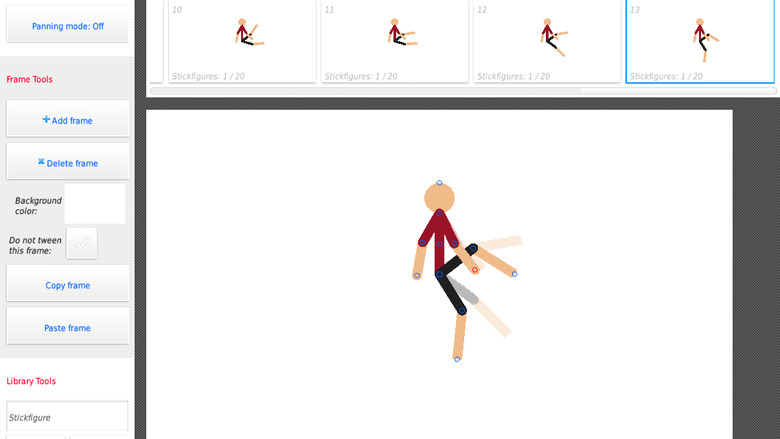
    Crazy stick figure dances, a stick figure ninja battle, and insane animations are just a few of the fun things users can create in Stick Nodes. Animated gifs can be made from piecing together individual frames featuring stick figure characters. Stick Nodes is compatible with iOS devices running iOS 6.0 or later but looks best on larger screens. Stick Nodes is an extensive animation program that includes the ability to create almost any stick figure shape. There is the option to customize each stick figure's shape, color, and segment thickness. This means users can create a team of robot dinosaurs attacking a miniature city if they want to, all from their phone or tablet. This makes creating silly gifs to share with friends easy and accessible. Stick Nodes performs very well for a mobile animation program. Users can add as many stick figures and objects as they want with hardly any performance loss, even when exporting a gif. Depending on the amount of objects users are animating and how long the gif will be, the exporting process takes less than a minute in most cases. There is a lot of attention to detail in the creation of this app, especially with the inclusion of frame-tweening. This helps smooth out animations by creating an intermediate animation to link different actions together. This feature improves the quality of most of the animations users create and makes Stick Nodes feel more like a tool that is fun to use and less like a toy. One downside to Stick Nodes is that it has an ad pop up when users launch the app. While this is a little annoying, this is the only ad you will see in the app. When trying to animate on a smaller screen, the buttons can be hard to tap, however, this problem goes away when animating on a larger screen. Stick Nodes is free on the App Store and recommended for anyone looking for a fun and creative way to share gifs with their friends.

    By Jessica Buchanan Read More
  • BOLLS: Roll with this simple obstacle challenge

    Players navigate a ball through an ever-changing course of obstacles based on their environment such as wood or glass in BOLLS. The longer players can keep the ball from hitting an obstacle, the harder the game gets which in turn means a higher score. BOLLS is compatible with iOS devices running iOS 4.3 or later. BOLLS is a simple game where players have to focus on where the ball is at all times. While the ball moves, players can swipe left or right to change its direction quickly. This type of game is not anything new, but this iteration does have some nice features. This includes power ups and the slightly addictive nature of the gameplay. BOLLS also features different backgrounds for players to choose from, which also affects the look of the ball itself. One annoying part of BOLLS is the amount of ads that almost plague the game. There is a banner ad the pops up at the bottom of the screen when players start a new run. There is also a full screen ad that appears often after completing a run. Occasionally, this ad will be a timed ad where players have to wait a certain amount of time before they can continue playing. Players can earn coins for how long they stay alive in the game and these coins can be used to purchase environments and power ups. The price range for these items varies significantly. Power ups cost 500 coins each, however, environments can cost anywhere from 10,000 to 60,000 coins to unlock, which is a bit high for most players. Power ups add a little extra fun to the base gameplay. Usually players can wait for a random power up drop in the main game. This means they can save their coins for environments. There are four power ups in BOLLS: unstoppable, shrink, slow down, and magnet. Unstoppable shields the ball from damage for a short period of time. The shrink power up makes the ball small and easier to maneuver around obstacles for a limited time. The slow down power up is useful for players having trouble maneuvering between obstacles. Finally, the magnet power up draws in coins from farther away which helps player unlock environments quicker. Another fun feature of BOLLS is that the longer players remain in a run, the faster the game gets. This means player have to make quick choices on whether or not to risks trying to get coins or just continue on to a higher score. This adds a bit of challenge for players who have mastered the basics of the gameplay to keep trying to get the highest score. BOLLS is free on the App Store. While the gameplay can get repetitive, overall, BOLLS is a challenging yet fun game worth the download.

    By Jessica Buchanan Read More
  • Mighty Smighties: Battle of the smightiest

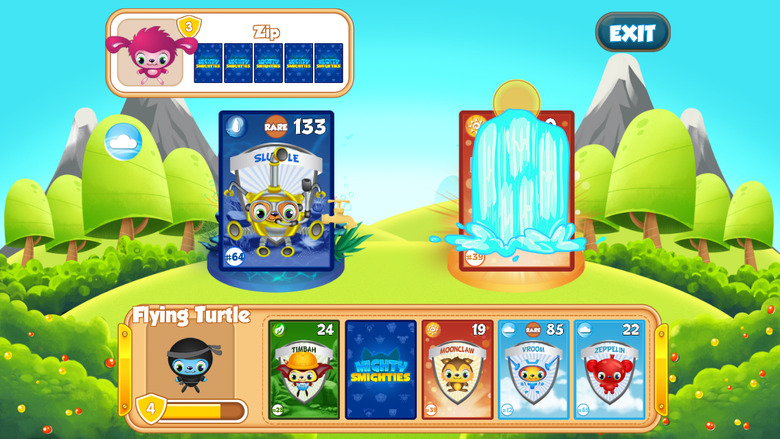
    Players compete in real time matches or single player missions in their attempt to be the best card commander around in Mighty Smighties. Building a strong card deck and strengthening that deck is key to success when customizing a character's strategy and strengths. Mighty Smighties is compatible with iPhone 4 and up, iPad, and iPod touch devices running iOS 6.0 or later. Mighty Smighties is a card game where players try to defeat their opponent using element cards numbered with how powerful they are. Players win the round when their card's element beats their opponent's element or if they play the same card type, whoever has the highest number. There are three distinct battle modes: quest, random battle, and friends battle. In random battle, players are matched up with someone else online and their experience level varies from a level or two lower than you to many levels higher than you. The best matches are ones where your opponent is about the same level as you, it evens the playing field but even when matches are skewed, players still have fun and get a nice challenge out of facing off against someone of such a higher level. Friends battle is similar to random battle except players choose who to face off against. This is a nice addition that works well with the integrated Game Center support. This type of game encourages friendly competitions between friends which helps make it more fun for players. In quest mode, players compete against the computer in a single player mode where the opponent is of a similar skill level as the player. This is a great mode for beginners as they can test out new tactics to find out what works best for them in a less intimidating way. There are three different modes in quest mode as well, which adds to the variety of gameplay. The modes are normal, power, and epic which each have different rules as to what counts as a win. Normal mode is the basic mode where players defeat their opponent by having an element that beats another element, or having a higher strength number for that element. For instance, the water element beats air and earth, but if both players pick the same element, the strength number decides who wins. Power mode is a little different in that the card with the highest number wins and it introduces the overcharge meter which can boost the card's number by a certain number. Finally, epic mode is similar to power mode but the cards you play with are randomized and the overcharge meter includes negative values. In each mode, players have a 30 second time limit to select which card from their deck they want to play. This helps keep matches moving along at a good rate and adds some excitement to the gameplay. When players select the card they want to use, an animation plays where the winning card performs an action based on the element it represents. For instance, if the winning card is earth, a pile of leaves will fall on the loosing card. This adds some interest to what could easily have just been the cards moving off the screen and a point being added to the winner's score. Players can build their perfect deck by purchasing cards or booster packs in the store which uses coins and silver tokens, the in-game currency. Every day there is a featured card in the store that players can pick up at a discounted rate which keeps players coming back as the featured card could compliment their deck well. Mighty Smighties also includes a match 3 type of mini game called "Power Up" where players can earn more silver tokens. Players are given 45 seconds to make as many matches as they can which in turn, means how many silver tokens they earn as well. This mini game shows up again when players combine cards in their deck to make them more powerful. This combination comes at a price though as players have to sacrifice one card in the process. After selecting the two cards, players are sent to the match 3 mini game and this time the number of matches players make equals the amount the card gets improved. Mighty Smighties is free on the App Store and recommended as a cute, fun, and throughly enjoyable card game.

    By Jessica Buchanan Read More
  • Flipping Dice: Don't flip out

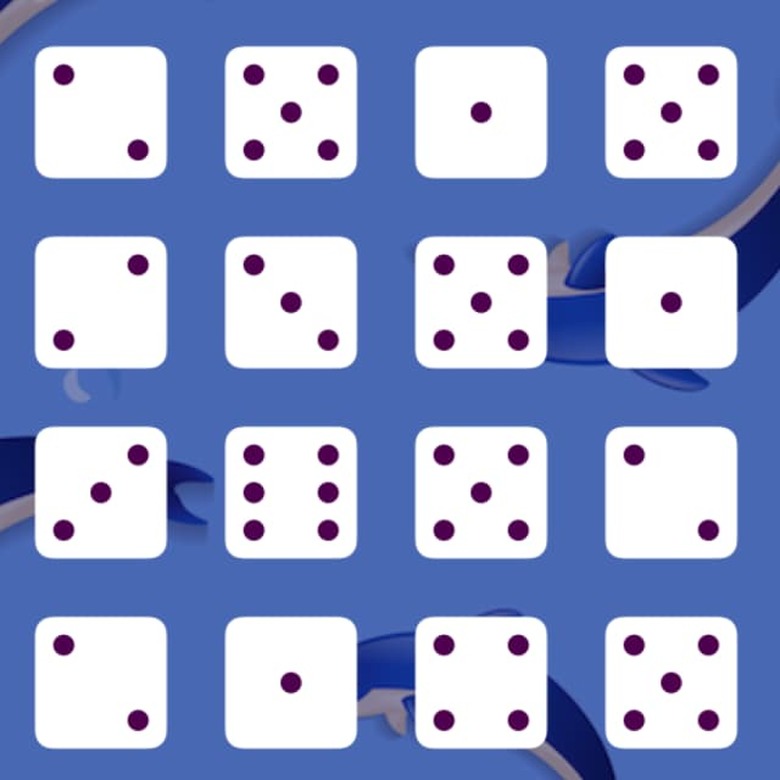
    Flipping Dice(free) is a Match 3 type of game where players flip 24 dice, trying to get up to six of the same numbers in a row. Players can tap on individual dice or tap in the middle of two dice to flip the die and reveal a different number. Flipping Dice is compatible with iOS devices running iOS 5.1.1 or later. With 24 dice, it feels like there are too many dice to keep track of, which leads to a less than stellar gameplay experience. It is easy for players to feel overwhelmed by the number of dice they have to manage to score higher points. For this reason, Flipping Dice feels kinda slow even with the strict time limit of 77 seconds. Players don't feel as much pressure to get higher scores within the time limit, as they are more concerned with the amount of information they have to sort through. In addition to this, there doesn't seem to be much in the way of rewarding players visually for their successes. This is seen especially when the timer hits zero and the tiles become grayed out as the only real indicator of success is in the form of a small score counter in the top left corner. Players are left wondering what it means to finish the match, whether they are doing well or not is a bit obscure. Another oddity about the end of matches is that there isn't a replay button displayed on the screen as typically seen in other games. This further confuses players and makes them unsure of what to do next. A A small reward for players is the inclusion of achievements and leaderboards which encourages them to keep playing in order to climb the ranks and show off their achievements. However, this does not feel substantial enough to warrant continual playing of Flipping Dice. There are a few UI elements that need some fixing as the sizing of the buttons on the screen are rather small which makes it hard to accurately tap these buttons. From the home menu, the achievements button has a spelling error and the text in general could use a quick look to make sure it matches the style of the other buttons. Another UI related problem in Flipping Dice is that the help button is grayed out during each match. This is confusing as players don't want to wait for the match to end before getting help. Flipping Dice is free on the App Store and is not recommended as the overall gameplay experience is a bit lacking which takes away from its Match 3 foundation.

    By Jessica Buchanan Read More
  • Snail game: Matching for tots

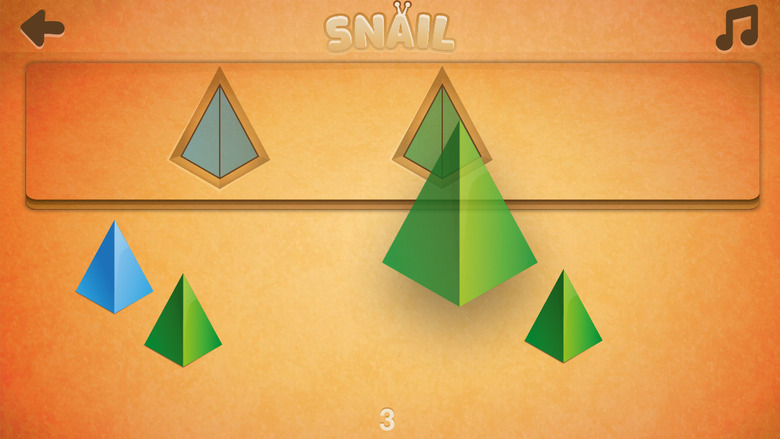
    Recognizing shapes and colors while practicing problem solving is the main focus of Snail Game (free with in-app purchases), an educational game for young children. Players make connections between the colorful shapes at the bottom of the screen and the shaped slots at the top of the screen to clear the board. Snail Game is compatible with iOS devices running 5.1.1 or later. Children can play through 20 levels of Snail game before being asked to purchase more levels. This is a nice amount of gameplay for most players, especially with how Snail Game slowly increases in difficulty over time by adding more shapes and colors for players to match. Young players can build their problem solving skills throughout the game and go from matching just two different colors of the same shape, to matching multiple colors of two different shapes. Each level's shapes and colors are randomized which keeps the challenge fresh for players. Players drag shapes of different colors from the bottom of the screen to their matching shape and color at the top. As there is no tutorial in the game, players have to figure out this concept on their own, which can be confusing for young children. However, when playing with a parent, these concepts are easier to understand for children. One odd problem in Snail Game is that after completing level 20, players see a pop up about in-app purchases that is in Russian. This is a little confusing, but if players go to the level select menu and select level 21, the in-app purchases pop up shows up in English. Players may want to disable in-app purchases for Snail Game as it is geared toward children and they may unknowingly tap to purchase the extra levels. Snail game is free on the App Store and recommended for children who want to practice recognizing shapes and colors in a fun way.

    By Jessica Buchanan Read More
  • Secret Files Sam Peters: A reporter's dilemma

    Players solve puzzles in a point and click style adventure following the story of a reporter searching for an interesting scoop in Secret Files Sam Peters. The story takes players on a journey through intriguing locales on the hunt for a solution to a mystery that combines African folklore with science. Secret Files Sam Peters is compatible with iOS devices running iOS 7.0 or later. The puzzles in Secret Files Sam Peters have a nice range in difficulty. Some puzzles are easier to solve than others and for players who are having trouble solving them, there is a walkthrough built into the game. This sometimes comes in handy, especially when players have no idea what to do for a particular puzzle. Occasionally, the walkthrough is a bit vague, such as in the swamp level where players have to figure out how to scare away the warthog. This can be annoying as players have to solve this puzzle to progress into the next area. Sometimes puzzles require players to venture back through an area they previously visited, which can take some time. This happens often in the jungle levels, where players find themselves spending a lot of time going back and forth to solve puzzles. Secret Files Sam Peters, is originally a game meant for PCs and as this is a port of the game to iOS. The smaller screen size and different input functions cause some problems for players. One of these problems is that sometimes tapping on a location doesn't work very well. This can cause the character tries to go through pathways that are not open. This is especially troublesome when players are trying to get their character to a cave entrance. Since the map of the area is much smaller on these devices, it is hard to find the character to direct them. Another problem in Secret Files Sam Peters is using items from the briefcase with objects in the game world is difficult. Players will likely have trouble identifying where to tap on the object. This is mainly due to the areas for players to interact with are too small. Secret Files Sam Peters does a great job of capturing the feel of a point and click adventure, and making that accessible on iOS. Even the sound effects in Secret Files Sam Peters compliment the gameplay rather well. This is really nice to see. Last, the overall story is quite interesting and enjoyable. The only problems with the story are that players don't always feel as though they are a part of the story and that the dialogue feels unnatural. Players don't feel as though they are the main character, but rather are merely directing them. This creates some distance between the player and the game. This is a little disappointing given the beautiful backgrounds, interesting story line, and the fascinating puzzles. Sometimes the dialogue for the character gets in the way of the overall story and takes away from the strong points of the gameplay. Secret Files Sam Peters is US$2.99 on the App Store and while there are two endings, the overall game is rather short. Sadly, there isn't much in the way of replay value for players to make it worth the money.

    By Jessica Buchanan Read More
  • Little Warlock School: King of castle management

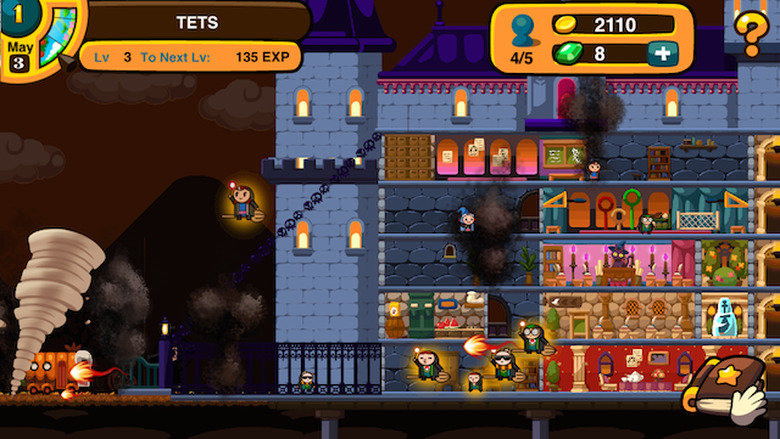
    Build a school of wizardry, recruit students to defend it against enemy attacks, and train those students to become the best wizards they can be in Little Warlock School. A mix of real time strategy elements blend with traditional resource management mechanics. This makes Little Warlock School feel like a fast-paced, tower defense type action game version of Tiny Tower. Little Warlock School is compatible with iOS devices running iOS 6.0 or later. In Little Warlock School, players create a school to train students in the care of magical creatures, arithmancy, or any other equally interestingly titled classes. During their time in school, the students will sometimes have to defend the school against enemy attacks. This is done through a prompt in which players select which student(s) will fight the attacker. Players can see the stats for both the enemy and each student they choose which helps them decide which student is best for the job. After selecting who will defend the school, an entertaining cutscene plays, providing a quick break from the main gameplay in a refreshing way. Little Warlock School features a lot of nice customization options: from the name of the school, the students allowed in, and what study labs are available. Players can create their own school of magic, which means players could recreate Hogwarts if they wished. Students are recruited for placement in the school through three categories: the not so great, the average Joes, and the super stars. Each category of students costs a different amount of coins to recruits. If players wanted to have a school filled with super stars they could do so with enough coins. The pacing in Little Warlock School is surprisingly fast, which limits the amount of time players spend waiting for something to do. There are only a few occasions where players might have to wait for something to do. Typically this because they don't have enough coins or gems to purchase a building upgrade or new rooms. Players can send some of their students off to do quests, which don't take very long and increase student's skills. Random events happen during quests as well, such as an enemy attacking in which players can choose to fight or flee. The random nature of these enemies showing up makes the game exciting. It also makes players less likely to leave the game for awhile as seen with other resource management type games. Events like exams keep players focused on educating their students, as the school is ranked based on how well students are doing in their classes. If the school drops too far in the rankings, it will affect the recruitment process for getting students for the next year. In addition to exams, the major event of graduation happens in year three, which means players need to keep track of their student's progress if they want them to succeed after school. This deadline keeps players engaged and makes Little Warlock School feel more challenging. Players will have to boost each student's skills in certain subjects for them to be successful. Little Warlock School is free on the App Store and recommended for players who enjoy resource management type games.

    By Jessica Buchanan Read More
  • Jet Run: City Defender: High-end graphics with a retro flair

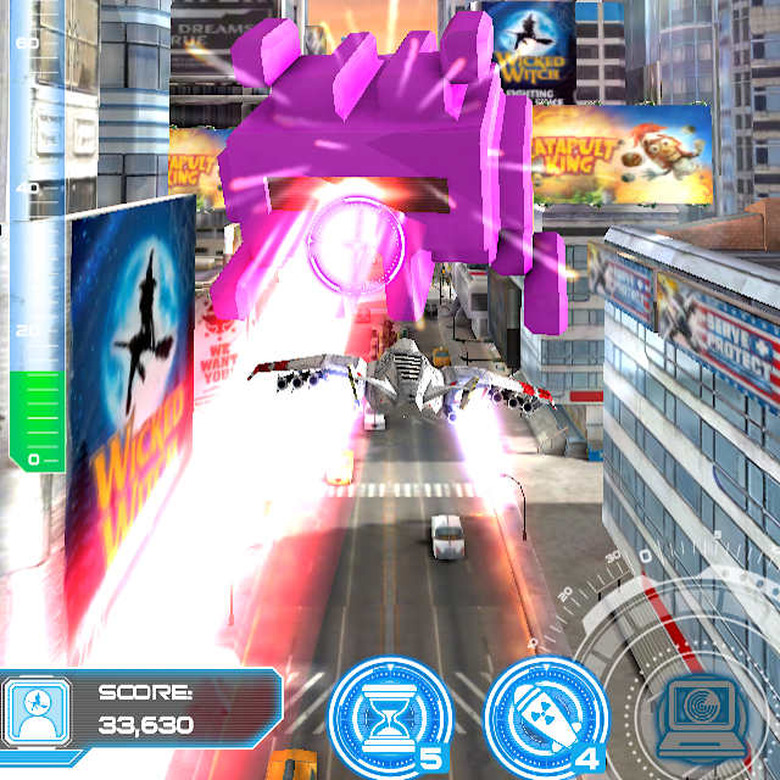
    Players pilot a fighter jet through a gorgeous cityscape, shooting down enemies reminiscent of the enemies in Space Invaders in Jet Run: City Defender. This endless runner sends players on an exciting ride that after five waves of enemies culminates in an epic boss battle in each run. Jet Run: City Defender is compatible with iOS devices running iOS 7.0 or later. Jet Run: City Defender features upgradeable ship weapons and items. Items like the nuke for instance, are used to take out a large number of enemies. Other items such as shield regeneration help players by passively providing some kind of assistance. Players pick three of these items for their load-out in the game and over time, additional items are unlocked. Most of the items in Jet Run: City Defender are upgradeable. This means players can customize their load-out to reflect their personal play styles. The controls in Jet Run: City Defender are extremely easy to pick up, just tap an enemy to shoot them. Within no time players are shooting down enemies left and right. There is one caveat to these dangerously easy controls, if players tap too much, they will overheat their shields which leaves them vulnerable to attack. This really helps keep the game exciting and moving along at a high rate of speed. The swiping to move left, right, up and down feels natural and the response time is pretty accurate. Dodging bombs and other environmental hazards is challenging and keeps players on their toes. Competitive players will enjoy the challenge of completing missions, such as defeating a number of enemy waves without taking any damage. Jet Run: City Defender also has Game Center support, which means players can compete against their friends for the highest score. The competitive feel of the game accentuates the retro enemy type and provides a feeling of nostalgic. One downside to Jet Run: City Defender is that sometimes when a player dies, the option to watch an ad (which normally would let you continue from that point) does not work and instead sends the player to the results screen. However, when a player dies in the next run and taps on the "watch an ad" option, they skip the ad and continue right away. This is only a minor setback as players can just restart the run but it is annoying. Jet Run: City Defender takes place in a modern looking city and players navigate between rows of pretty nice looking buildings. There are a lot of billboards that function as ads; this is both a little annoying and also rather clever. Something about the billboards and building designs gives a sense of depth and sort of realism to the game. The particle effects are incredible and every time a player shoots down an enemy, the burst effect is just spectacular to watch. The level of detail is fascinating and together with the gameplay, make for a really enjoyable experience. Jet Run: City Defender is free on the App Store and highly recommended for its fantastic graphics and engaging gameplay.

    By Jessica Buchanan Read More
  • FuzzWord: Blurry fun for everyone

    In FuzzWord, players upload or take photos from their iOS devices and blur those photos to make puzzles for other players to guess on. The fun of FuzzWord is correctly guessing what the image in the picture is. FuzzWord is compatible with iOS devices running iOS 8.0 or later. One free hint, generated from the creator of the puzzle, is given to players for each puzzle in FuzzWord. Players can use coins to unlock additional hints like filling in a letter or uncovering a small portion of the puzzle. If players run out of coins, they can get more by either watching an ad or through an in-app purchase. An annoying feature of FuzzWord is that a full screen ad pops up when you exit a puzzle. This makes it harder to change puzzle categories. There are five categories to pick puzzles from in FuzzWord: food, things, places, nature, and animals. Puzzles in these categories are randomized which helps keep players engaged. One other annoying part of FuzzWord is that players have to either create an account or log in using FaceBook. This is a nuisance especially for people just wanting to try it out quickly to see if they like it. Players also create their own puzzles to share with friends or the public, using photos they take or have in their photo library. When players create a puzzle, they can choose how blurry they want the picture to be. This adjusts how difficult the puzzle is. In addition to changing the blurriness, players provide a hint for the picture. Depending on how in depth the hint is, the puzzle will be either easier or harder to solve. FuzzWord includes a built-in leaderboard system, which displays the top players with the most points or hearts (which are number of likes). The in-game leaderboard also includes rankings amongst friends. The leaderboard feature emphasizes competitions between friends which is great for extending replay value and keeping the game fresh. FuzzWord is free on the App Store and recommended for players who enjoy more social games which focus on competitions with friends.

    By Jessica Buchanan Read More
  • Get buff with Buff Knight Lite

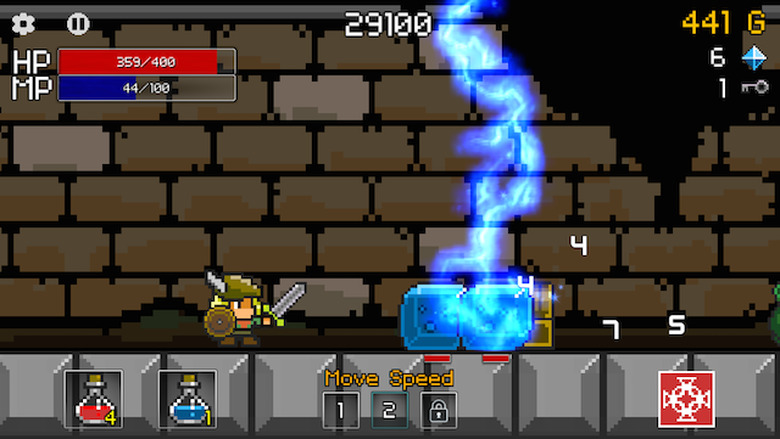
    Strike down enemies with blue lightning, tap a fairy for coins, and build up your armor to become the greatest knight in Buff Knight Lite. When the character dies, players can use the in-game store to upgrade armor, weapons, and stock up on potions. Buff Knight Lite is compatible with iOS devices running iOS 4.3 or later. Buff Knight Lite is a side scrolling RPG runner where their character automatically attacks normal enemies during the run. Players control magic attacks, healing their character, restoring mana, and tapping on items. The only catch is that the character automatically takes damage from enemies as well. This makes the game challenging as players are constantly switching between healing or replenishing mana and attacking with magic to keep their character alive. Players can upgrade their character's equipment to increase defense or melee attack damage in the store. They can also purchase potions to restore health or mana. They can upgrade their player's stats, like strength or intelligence, which helps players get past more difficult enemies. If players are having trouble getting through a run, increasing the amount of potions they start out with may help. As this is the lite version of Buff Knight, there are a number of ads that pop up. Occasionally, an ad will pop up after loosing a run that players cannot close. Thus, forcing players to restart the app. Another annoying problem with the ads is that their placement makes it hard to tap menu buttons. The menu buttons in the shop are condensed in a smaller space because of the ad being at the bottom. This placement is made even more annoying by the close button being too close to the ad and sometimes players might accidentally tap the ad. Buff Knight Lite has a nice variety in the enemy characters as they differ in strength mainly. This creates a nice challenge as players have to decide when to use magic against certain enemies to reduce the amount of damage their character takes. A weird occurrence in Buff Knight Lite is that when players upgrade the sword and shield, the design gets updated on the character in the game, however, the rest of the armor does not. This makes a visual disconnect between what the player upgrades and what is shown. A fairy floats through the level at random times and players must tap her to get the coins, potions, and diamonds she may drop. It is very beneficial for players to keep an eye out for her presence, especially if they are low on health. This sometimes means the difference between a run ending and continuing. There are also chests in Buff Knight Lite that contain coins which can be used in the shop for upgrades, but these chests require keys to open. Keys are random drops throughout the run which players can pick up. Buff Knight Lite is free on the App Store and recommended as an addictive fun endless runner type RPG.

    By Jessica Buchanan Read More
  • Twitchy Thrones: Game of pixels

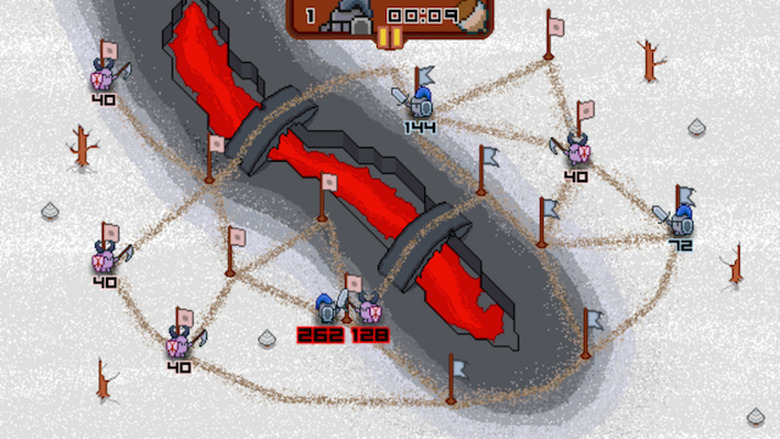
    Command an army of pixelated heroes to victory in a fast-paced strategy game with a heavy medieval tone called Twitchy Thrones. Players wage war against armies representing other houses - many of which sound an awful lot like names from Game of Thrones - to control all the kingdoms on the map. Twitchy Thrones is compatible with iOS devices running iOS 5.0 or later. Players position their army strategically on a map to combat the enemy. Sometimes there are even multiple enemies that fight each other, which is something players can take advantage of in developing their strategies. There is a counter at the top of the screen that ticks down to the time enemies and allies respawn. It is helpful to keep track of when this happens as the enemy will attack your newly spawned allies. Battles are easily lost when players don't pay attention to how many allies are holding a certain position. It can take some time to build up enough of a defense to keep the enemy at bay. Each level in Twitchy Thrones features a challenge, either environmental or different enemy types. Some levels feature archers which require a different strategy than the base enemies. Archers can shoot your allies every 15 seconds and there is no way to stop them. Levels featuring archers were much harder than other levels, but it gives a nice change of pace from fighting typical enemies. The normal enemies also vary in strength and pitting enemies against each other is helpful when players are trying to not get overrun. The level design is really nice as players have to think about where they are going to position each group of soldiers. This can maximize their chances of winning. It is a very rewarding experience for the player when they accomplished something great by using soldiers to block enemies. Twitchy Thrones is US$1.99 on the App Store and recommended for fans of strategy games with a sense of humor.

    By Jessica Buchanan Read More
  • Red Bull Racers: Fueled for fun

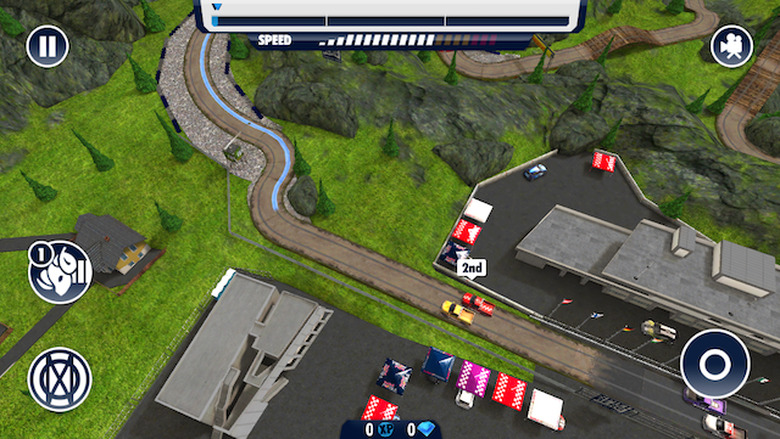
    Players can test their skill with vehicles in motorcycle, street, Spielberg, off-road, and formula races against multiple opponents in Red Bull Racers. There are different vehicles and difficulty levels to unlock in the game which adds to the challenge and replay value. Red Bull Racers is compatible with iOS devices running iOS 7.0 or later. Red Bull Racers features a variety of race types: cup races, rivals races, endurance races, and elimination races. The cup races are traditional matches against ghost data from other players. These vary in difficulty but give a nice challenge for players, especially beginner players trying to increase their skill level. Rivals races pit players against one competitor's ghost data which boils down to a time players have to complete the race within. Players must use different tactics and adjust to how each track is laid out in order to win. Endurance mode tests a player's ability to avoid crashing while overtaking the competition in multiple laps. With this mode, players must gain a good advantage position in order to not get overtaken which can be difficult when learning the track. Elimination mode is one of the more fun modes for players as they are competing against not only opponents but time as well. Players fight for first place so they are not eliminated as time counts down. Power ups - like a speed guide, double XP, quick recovery, and the ability to knock opponents off the track - benefit players. These make the match a little easier, allowing on-track indicators of when to slow down into a curve or being able to get back on the track instantly if they spin off. These power ups cost either cash or diamonds that players can obtain in game. There is also an option to watch a short ad to pick one of the power ups without using any cash or diamonds. This can be really helpful when players are trying to save up cash to spend on upgrades for their vehicles. Players can upgrade their vehicles in Red Bull Racers to increase top speed, acceleration, brakes, and boost. These upgrades add to the performance of the vehicle and helps players tackle difficult tracks or opponents. Increasing any one of these options by itself does not seem to make too much of a difference early on, but a combination of them shows some improvement in the vehicle's performance. In Red Bull Racers, XP is gained after each race, which helps players level up enough to unlock vehicles. Starting out, players are rewarded with a vehicle that is used to unlock a category of races, such as the Hill Climber vehicle for off-road races. This can be a little annoying for players that want to jump straight into the action of different race types. However, it isn't very hard to get enough XP early on to unlock the category players want. There is also the option of using an in-app purchase to buy the diamonds needed to unlock the vehicle required for the race type. Red Bull Racers emphasizes a competitive nature in not only the races against ghost data, but also with the addition of in-game leaderboards and Game Center support. This allows players to compete against their friends. There is also the option for players to complete objectives, like winning a certain number of events without crashing which rewards them with diamonds. Red Bull Racers does a really nice job at keeping the fun element of each race players participate in. One annoying part of Red Bull Racers is that in rivals race, the opponent's vehicle launches off from the starting line very fast and it is hard to catch up during the first warm up lap. This seems weird as it causes the player to think that the match is going to be more difficult than it usually is. However, the warm up lap is not counted against the player, as it is meant to give the player a chance to build enough momentum for the real laps. Red Bull Racers is free on the App Store and recommended for players who enjoy competitive games as each race feels just as exciting as the last.

    By Jessica Buchanan Read More
  • Sami Apps: Back to basics

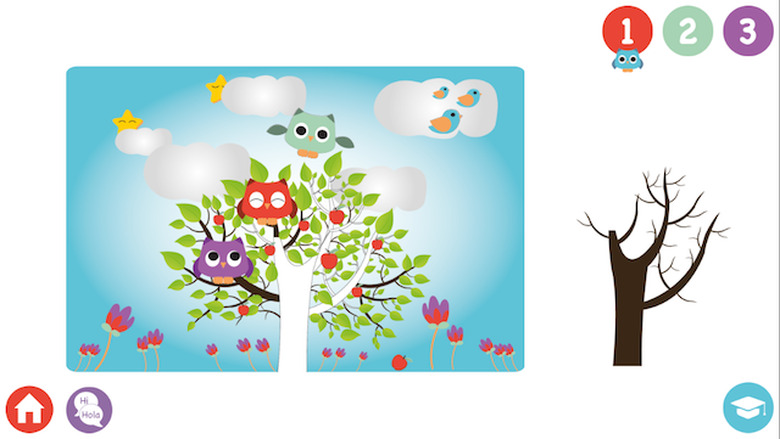
    Sami Apps is an educational application designed for children ages 0-6 years old to increase cognitive skills. There are four different sections of games and apps for players to master from educational games that teach the basics of writing to a story creator. Sami Apps is compatible with iOS devices running iOS 6.0 or later. There are four categories of mini apps in Sami Apps: flashcards, apps, story time, and utilities. The apps category includes three educational games meant to teach children about quantities, drawing lines, and identifying where to place missing objects in a puzzle. The drawing lines game is fun but not perfect at telling if the player made a straight line or not. Most of the time players start the line using the guide and as long as they get at least some of the line in the guide area it counts as correct. All three of the games in the apps section end after three levels with a pop up showing purchase options for getting the rest of the levels. It is annoying for players to see this constantly and makes Sami Apps a very limited game. The flashcards section in Sami Apps teaches players colors, numbers, food, and animals through a quick succession of cards that display the information with bright colors and cute art styles. This is a pretty effective way of teaching these categories, however, there are a couple of problems with this section in Sami Apps. The first problem is a bug that happens when players reach the end of the animals flashcards, which displays a yellow screen that freezes on the screen and forces players to exit the application. The second problem is that the flashcards category of colors is misspelled in the english version of the app, which is confusing for young learners. The story time category features an interactive story creator called shake your story where players tap to change the main character, partner, location, method of transportation, and the objective of the story. After selecting any of these items, players are sent to a page that displays their selection and they are to make up a story outside of the app with those items. This leaves players wanting more from the game as it doesn't generate a complete story as expected. The utilities section contains a sound machine that plays sounds like water or your own voice recording for players to listen to. This is a nice feature for young children who enjoy the relaxing sounds. An interesting feature of Sami Apps is the inclusion of seven different languages players can play the apps in. This is nice for players learning a new language to practice the basics in a fun environment. The only problem with Sami Apps is that the main screen for the app stays in english despite changing the language. Sami Apps is free on the App Store with in-app purchases needed to unlock all of the content in the application and not recommended as it does not offer enough accurate educational content for players.

    By Jessica Buchanan Read More
  • Sling to the rescue in The Adventures of SlingCat

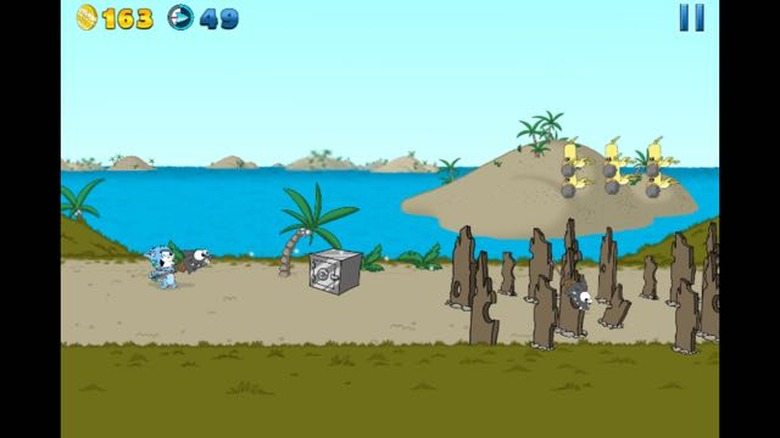
    A mad pirate atop a terrifying vulture has swooped in to and steal a map in The Adventures of SlingCat. An adventurous, yet adorable, blue cat named SlingCat is on a mission to rescue his rambunctious sister and the other half of the aforementioned treasure map. In this side-scrolling endless runner players feel a sense of urgency in every aspect of the gameplay. Each level ends with a combat stage where SlingCat uses arrows to destroy his enemies. The Adventures of SlingCat is compatible with iOS devices running iOS 6.0 or later. It is very easy to get started in The Adventures of SlingCat. Players navigate their blue cat friend over and under enemies while trying to get as many coins as they can. Using the coins players get in the level as their health is a nice change to the traditional health system. The Adventures of SlingCat bursts with a cute art style featuring two cats - one blue and one pink - who are searching for a hidden treasure chest. They have to venture through different terrain filled with numerous enemies, from really strong ground enemies to flying enemies. Players have to plan out the best way of attacking to take out all of the enemies while limiting the amount of damage they take. This may involve knocking down a flying enemy, who will drop the rock they are carrying onto the ground enemy barreling toward the player's character. When the player's character gets hit by either an object or enemy, they loose coins which are important for getting full stars on each level. A couple of drawbacks to The Adventures of SlingCat is that you can only play 6 levels for free and some UI problems. After players finish the six levels, you have to pay US$0.99 to unlock the full game which is a little annoying. The UI problems are that some of the buttons are too small, like the continue and restart buttons. This makes it hard for players to accurately tap the button. While it is a let down that only six levels of The Adventures of SlingCat are free on the App Store, the game's cute art style combined with its fun and engaging gameplay makes it worth the download. If you enjoy the six levels, it is even worth the US$0.99 to unlock the expansive full game.

    By Jessica Buchanan Read More
  • Vision Puzzle: Searching for fun

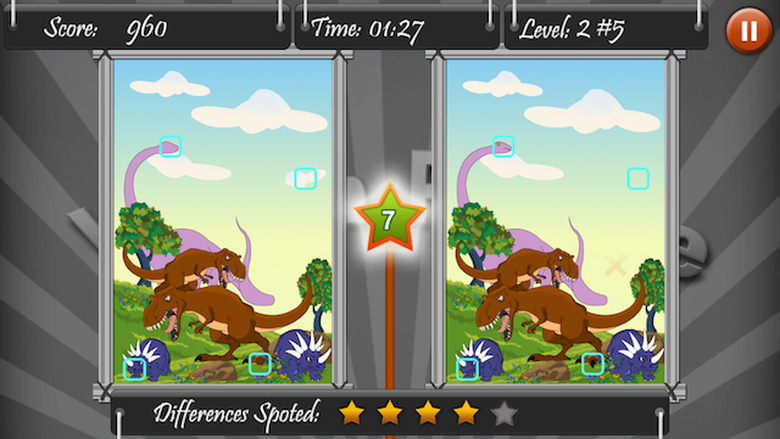
    Vision Puzzle is a fun, but challenging game where players try to spot the differences between two similarly looking images. Players have two minutes to spot five differences between two images which adds a nice challenge to a common game. Vision Puzzle is compatible with iOS devices running iOS 5.0. Vision Puzzle features a variety of spot the difference puzzles for players to challenge themselves. These range from familiar cartoon characters to real life photos of beautiful locations. Picking out the differences in each puzzle can be difficult as the images are hard to see on a phone screen, but the extra screen space on the iPad accommodates this game very well. Players can use stars when they get stuck, which will find one difference in the image. Players get 15 stars to start with and can get more by purchasing them through an in-app purchase. The location of the stars is really close to the images and sometimes players accidentally tap the star. This causes players to waste stars which are rather limited, since players have to pay to get more. One annoyance in Vision Puzzle is that if you go back to the main menu, you have to start all of the levels in that section over again. This can be frustrating as players shouldn't have to replay levels they already completed when they are trying to unlock the rest of the puzzles. Another annoyance is that there doesn't seem to be much of a penalty for just randomly tapping the images to find the difference. Sometimes when players find an object that is difference, it is challenging finding the small square that represents a successful find. Vision Puzzle is US$0.99 on the App Store. Although the puzzles are a fun way to spend some time, overall there is not enough content for it to be worth the purchase.

    By Jessica Buchanan Read More
  • Cast your net and catch Bottom Feeders on the App Store

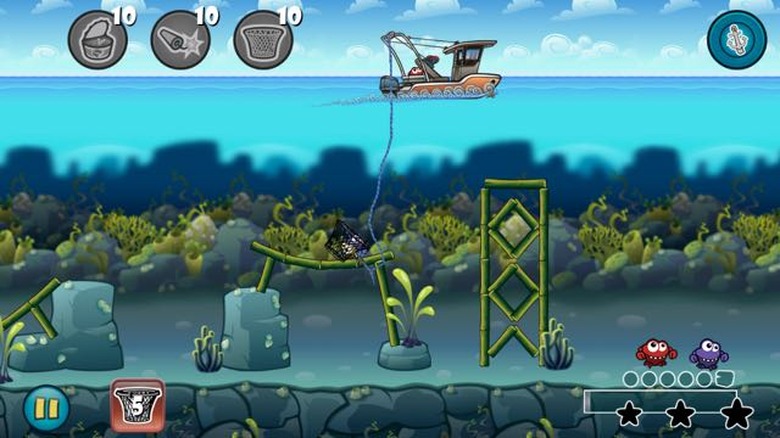
    As a fisherman on rough seas, players must trawl for a variety of fish while avoiding enemies that cost players' nets in Bottom Feeders (free with in app purchases). There are a few power-ups players can use to help them get all of the fish in each level. This will help them get more Sandollars, the in game currency. Bottom Feeders is compatible with iOS devices running iOS 4.3 or later. Players release and pull up their net to catch the most fish while avoiding the spikes and sharks - called Grunts. Touching these hazards cost the player a net, which functions as the player's lives. Bottom Feeders features a golden net power-up, which can help players retain a net when it comes in contact with one of the enemies. Other power-ups in the game include bait, which helps player get hard to reach fish hiding under sticks; and dynamite which explodes certain nearby structures, enemies, and fish which give players points that help unlock the next level. There are 50 levels in Bottom Feeders for players to test their skills in. Each level builds upon tactics learned in earlier levels, such as dropping anchors and baiting out fish in trenches. Players also usually find different tactics to try when they replay a level to get 100 percent or all three starfish. The first seven levels are not too bad for new players, but the difficulty level rises drastically by level eight. This is rather challenging when players have trouble in earlier levels, but replaying the level and sometimes revisiting older levels helps them improve their skills. This can be enough to get through the level fairly quickly. After collecting enough fish, players can build a collection of each type of fish that is displayed in their 3D aquarium. The aquarium is nicely done and provides an interactive place to showcase accomplishments for players. Bottom Feeders offers upgrades for making your boat faster, being able to drop anchor, or even locate different fish. These upgrades vary in price, but only require the in-app currency of Sandollars to purchase. This allows players to be able to progress through the game without spending any money if they want to. However, it is hard to get enough Sandollars to afford upgrades, especially if players have trouble getting through some of the levels. This requires replaying levels to build up enough Sandollars for really helpful items that make it easier to get through later levels. A couple of problems with Bottom Feeders were that the sound options don't seem to work and that it can be annoying to run out of nets. The first problem of the sound options not working is strange, as toggling on and off the audio does not produce any sound in game. However, when a video plays there is sound. The quirky nature of the game with its fun art style really lends itself well to great sound effects and music. When that feature does not work, it is hard to say if it lives up to the art style. The other problem in the game is that players can quickly run out of nets (lives). Tf that happens, they can get more by waiting a specified amount of time, watching a short video, or through and in-app purchase. The options for getting another net is good, but you cannot get more than one net at a time using the free options, which is a little annoying. Bottom Feeders is free on the App Store and recommended for its fun art style and entertaining, sometimes challenging, gameplay.

    By Jessica Buchanan Read More
  • LetterPop gets an "A" for awesome

    In LetterPop players compete against other players in turn-based matches to create the longest words from a random assortment of 15 letters. There are three rounds lasting 90 seconds each, that players compete to get the highest score from before the data is sent to the other player and it becomes a waiting game to see the words your opponent can come up with using those same 15 letters. LetterPop is compatible with iOS devices running iOS 7.0 or later. LetterPop is great for people with a lot of friends on Facebook who like word games. You can quickly invite people from your friends list to play against you. It is a lot of fun playing against friends and the matches go by quicker than in the smart matches against random LetterPop players. Smart match is nice when players want to test their skills against someone they don't know well, which adds some variety to the gameplay. However, players might have to wait awhile to hear back if they won or lost the smart match, as there is no way to tell when the other player will complete their turn. This could be remedied by a timeout feature; maybe if the opponent doesn't play their turn in a certain amount of time they forfeit the match. When players win a match, there is a great feeling of accomplishment and this feeds into the desire to play again. Even when players lose a match, there is the option to have a rematch with that opponent which foster players' engagement. LetterPop also features an in -pp leaderboard to compete for title of having the most wins for the week. This is great for friendly competitions between friends, and encourages players to keep coming back to climb higher up the leaderboard. The UI in LetterPop is very clean with pops of bright color, like on the "new game" button or the letters themselves. The menus are intuitive as well, which helps make the experience of navigating through the game more enjoyable. The only real downside to LetterPop - besides the sometimes long waits between matches - is that the game requires a Facebook login to play. LetterPop is US$0.99 on the App Store and recommended as a fun competitive word game for players who enjoy games like Scrabble.

    By Jessica Buchanan Read More
  • The Boy and the Bears Read Out Aloud: More sight than sound

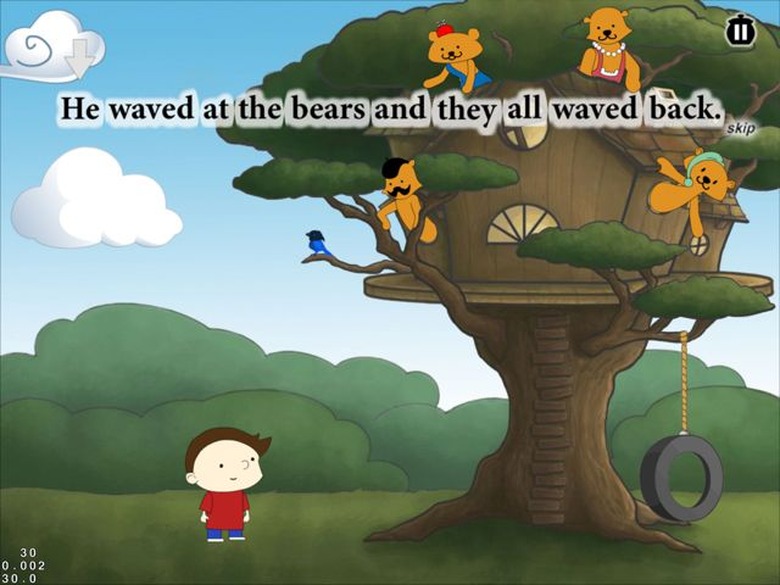
    An interactive story for children ages 6-8 about a boy who visits a treehouse home to four bears fills the screen in The Boy and the Bears Read Out Aloud. The storybook features microphone support which lets children practice reading the story and they can tap on the words to hear the narrator pronounce them. The Boy and the Bears Read Out Aloud is an iPad only game for devices running iOS 7.1 or later. Each of the four bears the boy meets in the story has its own personality trait, like a messy artist or a bear that doesn't like sharing. There are objects children can interact with such as a painting on the wall or even the moon. This adds some interest to the story, but overall the story feels rather short and not every object is able to be interacted with. The narrator for the story is engaging and when children have trouble pronouncing the words in the story, tapping on the words provides a narration of that word. A downside to the The Boy and the Bears Read Out Aloud is that using the microphone for reading along does not work very well. Speaking into the microphone does not always register as correct and sometimes saying different words than those listed will let players continue on in the story. There are three different sets of numbers displayed in the bottom left corner but there is no indication as to what those numbers are for. This stands out as weird for people viewing the storybook and with no way to get rid of those numbers, it is distracting for children trying to read along with the story. The art style in The Boy and the Bears Read Out Aloud is very storybook like and there are nice details on each page of the book. These details, like a bird on a branch or a jar filled with fireflies, adds some depth to the environment and makes the story much more visually appealing. The Boy and the Bears Read Out Aloud is free on the App Store and recommended as an interactive storybook for children ages 6-8. They can listen to more than a story by reading along with the microphone.

    By Jessica Buchanan Read More