Victor Agreda Jr

Engadget Editorial Policies

The unique content on Engadget is a result of skilled collaboration between writers and editors with broad journalistic, academic, and practical expertise.

In pursuit of our mission to provide accurate and ethical coverage, the Engadget editorial team consistently fact-checks and reviews site content to provide readers with an informative, entertaining, and engaging experience. Click here for more information on our editorial process.

Stories By Victor Agreda Jr

  • There's magic everywhere

    The past couple of articles I've written about Apple may paint the company in a negative light. One might misinterpret those posts as saying "Apple is doomed." I think given profitability, cash on hand and product pipeline, that is a ridiculous statement. Apple is moving faster, with more products and its biggest changes, than ever before. There are bound to be rough edges. That's the nature of the beast. Users like me may also see more rough edges because we're using more angles of a product. Sum total, there's plenty of magic at Apple. Because the ethos, the mission and the spirit of its employees hasn't changed. The people at Apple are the magic. Without them, there's just a really cool batch of hardware sitting in some offices. So it is with TUAW. While our content will not be deleted, the sum total of our body of work will be folded into Engadget. Without a staff, however, there will be no new answers to issues vexing users. There will be no handy tips on how to do X with your iPhone. And there will be very little rumor debunking, PR fluff slashing... and no more Caturdays. Engadget will carry on with its stellar reviews of Apple hardware, however, and TechCrunch will no doubt continue to surface apps for users while covering the business details of startups. Still, what made TUAW magic -- its people -- will move on. Steve, Dave and Kelly Hodgkins will be writing up Apple news at Apple World Today. Dave also has a fun project where he's reviewing board games. Kelly H., as some of you may know, has also been doing a great job over at MacRumors, and likewise Kelly G. is a valued voice at The Mac Observer. Mike Wehner is moving on to the Daily Dot, where I know he'll crush it daily. John-Michael Bond will continue writing and performing comedy, and Yoni Heisler will no doubt find a great place to continue writing insightful pieces. A number of alums of TUAW have gone on to do amazing things. Mike Rose is now working at Salesforce, a company I admire. They were lucky to get him, as Mike is one of the kindest, most talented people I know. He has saved more bacon than probably all the copies of Charlotte's Web in print. Whether it was keeping his cool during our Macworld livestreams, or plodding through the hastily-written slop I handed him on a regular basis, Mike is a consummate pro whom I am very gratified to call my friend. Then there's C.K. Sample, III who was my boss for a while, and really helped me whip my writing and view into shape. Laurie Duncan, who has boundless energy and incredible knowledge of the Apple ecosystem (she also introduced us to Mike Rose!). Scott McNulty and I once took a trip to Silicon Valley and had the privilege of touring Google and Yahoo together. Scott is one of the keenest intellects I've ever worked with, but he used his brains to lift up, never to denigrate anyone or treat them poorly. These former stewards of TUAW set a very high standard for me to live up to. They, plus the leadership of Brian Alvey and Jason Calacanis, really set the tone of TUAW in the pre-AOL weblogs days and beyond. I'm proud to know them, and to have been a part of their world. The list of TUAW folks who have gone on to become amazing writers, coders or designers is also humbling. Too many to mention them all, but a few people really stick out in my mind for their continuing friendship. Nik Fletcher, who started at TUAW as a teenager, now has a family of his own. He's amazing, and I knew the "kid" would grow up to be a fine man someday -- which he has. Christina Warren, who went on to Mashable and can now be seen on TV quite often. Her energy revitalized me at a time when I was worried about the future of TUAW. Some day I'll uncover her hilarious Macworld Expo interview with David Pogue (lost to a video data migration ages ago). Erica Sadun was already an accomplished coder and author before coming to us, and her work continues to amaze me. I will miss her counsel when it comes to code. Finally, two people who are brilliant coders but also wonderful humans. Michael Jones didn't write for us much, but what he did behind the scenes deserves some sort of award. He built an amazing dashboard based on my directive to "build a DRADIS for Apple news." Unfortunately it never came into its own, as our tool chain constantly evolved, but one thing we used every single day was IRC. And Michael made IRC magical. We created bots: Cambot, Crow and Tom Servo. Cambot interfaced with our CMS, and would tell us when posts were ready to publish, check style guide issues, look for tags, and more. Crow and Tom Servo gave us access to iTunes searches, TUAW searches, Wikipedia and more through IRC. Through IRC, people! Brett Terpstra. Few people have motivated me as much as Brett over the years. He's got a great story about how he came to TUAW on his site, but for me, Brett showed me that design and code are integral. That coding is as much art as science. And, most importantly, how challenge brings out the best in us. Brett is as much a personal inspiration as a professional one. I'm happy every time I see him. The past couple of years I had the honor to work with Paige Bierma, an award-winning documentary filmmaker who shot and edited the Slices of Apple series. She's one of the best people I've ever met, with a ton of experience and talent. I came to refer to her as our in-house videographer, considering TUAW started with nothing but handheld footage shot by bloggers. The parade of talent here over the years is humbling. It's been one hell of a ride. But whatever we've done, we did because of the people at Apple. Their hard work and dedication brought a company back from the brink, and made it more successful than ever. More importantly, the vision of Steve Jobs and the work of Apple's employees has changed all of our lives, even the billions of people who will never know TUAW existed. I'm proud we've been able to help so many users, indie developers and even Apple employees solve problems and basically make the world a better place to live in. There will always be bumps along the road, but in the final analysis we are so much the richer for continuing to strive for the best. I leave TUAW and AOL knowing that Apple, and everyone there, will continue to do so. As for me, I'll be over at my home since 1999, superpixel. Thank you, writers, editors, Apple employees, developers, creators, artists and the crazy ones, but most importantly: thanks to you, our readers. Without your love and dedication we'd have never made it to our 10th anniversary. Be well. And don't forget to "just make it great."

    By Victor Agreda Jr Read More
  • Due 2 makes timers, reminders easy and now includes IAP (Updated)

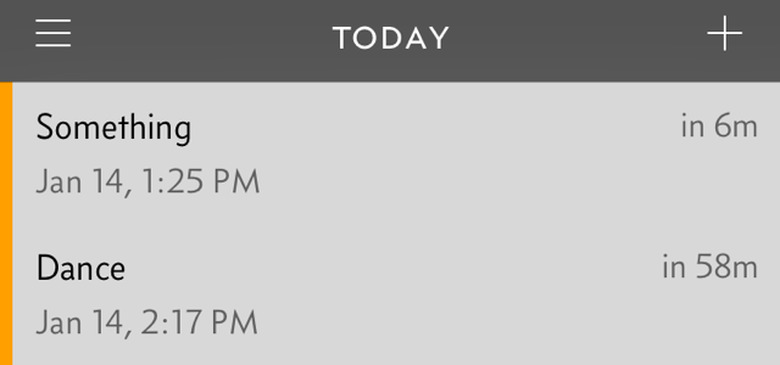
    Many of us here at TUAW were big fans of Due when it arrived on the App Store. It featured a no-nonsense design that allowed you to set timers and timed reminders quickly and intuitively, plus a few niceties like a logbook for previous timed events in case you wanted to use one again. The original version sported pinstripes, which dated it well into the iOS 7 era where stripes were out and blindingly blank white backgrounds were in. But Due is now available as a brand-new app (not an update to the old one) as Due 2, and it brings the same simplicity to the store as the first version, but it is now free to try with in-app purchases for additional features. Perhaps the biggest change outside of IAP* is the addition of more gesture-based commands in Due 2. As with many apps, you can pull down to add a reminder. You can also swipe right to uncover the menu (although a traditional "hamburger" button up top is available for this as well), which includes logged reminders and timers. You swipe left to delete or mark a reminder as done. A handy "undo" button appears for a second or two when you mark something done. Due now includes something besides the iOS default day/time picker for choosing when you are reminded of something. A handy grid with times, like 9:30 AM or 6:30 PM knows whether to put a past-due time for tomorrow or not. When I put a reminder in at around 1 PM and set the time for 9:30 AM, Due was smart enough to push that to the next 9:30 AM slot, which was the next day. You can also quickly set reminders for 10 minutes, 1 hour, 3 hours, or 1 day (or in the past). When creating a reminder you can also set auto-snooze, a repetition increment (every day, every two weeks, etc.) and the sound for the alarm. You can also tap on the current date and the usual iOS date picker comes up. And Due has natural language support built in since previous versions. Timers follow a similar methodology of creation, but of course are more like a reusable reminder. Presets for coffee steeping and paying a parking meter are included as examples. One thing I like are the circles that show you how a timer is progressing, just like downloads in the App Store interface show progress. Due can thankfully be run in the background, so your reminders and timers will appear in the lock screen when needed. I found exporting to work quite well also. In my case, I exported a reminder to Things. The reminder included a callback URL that opened up Due again, which is circular but also how the Things extension works in iOS 8 (this isn't a criticism, merely an observation). The app syncs nicely across iOS and Mac, although the Mac version is sold separately. The iOS version works great on iPad or iPhone/iPod touch. *Due 2 uses IAP for people who are totally new to the app. If you update from a previous version, you should have all the features. Update: According to the Due app developers, the in-app purchase adds the following features: 5, 10, 15 and 30 minutes auto-snooze 45 new alert tones Pause/resume timers Background sync with Dropbox

    By Victor Agreda Jr Read More
  • The magical disappearing MacBook Air

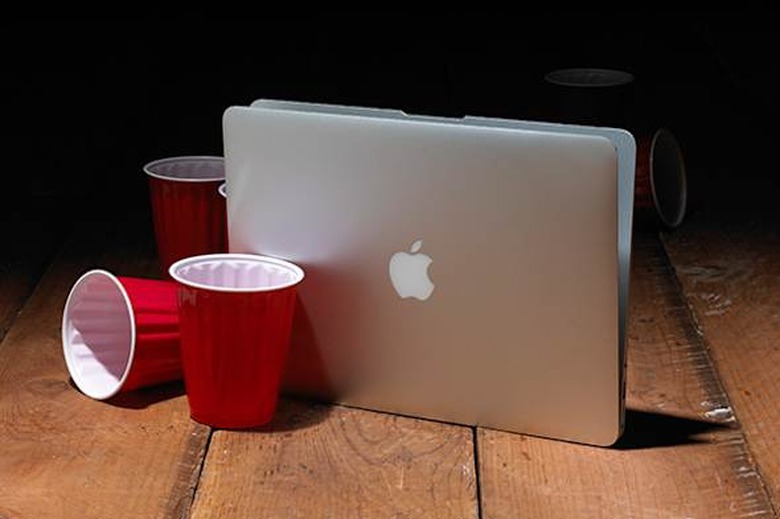
    Apple's ultra-thin MacBook Air already owns the "sleek and sexy" high end of the market, but it could theoretically be so much thinner... if not for those pesky USB, Thunderbolt and MagSafe ports. That may be why the laptop hardware rumor du jour has sparked so much attention. Logically speaking, does it make sense to dump ports for slenderizing? Jason Snell of Six Colors writes of a rational reason the Air could eventually adopt the radical I/O profile (one port only!) posited by rumor king Mark Gurman. The new USB-C connector and USB 3.1 spec, the thinking goes, would replace the charging port, data port and display port -- with 10 Gbps data speed, support for 4K displays, and up to 100 watts of power transfer. It's certainly within the realm of engineering possibility. Would that make for a "magical, revolutionary" laptop? No, but the design of an even-thinner Air pushes it back to its original purpose as a specialized ultra-portable Mac for people with very specific needs. Personally I love my 2011 Air, all 11 inches of it and with its adorable missing E key. I always lusted after the original Air, because I loved the portability -- and when I started traveling a lot, lugging around a huge MacBook Pro got really bad for my back. The MacBook Air is inevitably going to get thinner, just as the iPad has. I'm pretty sure Gurman is on point with this one, or we'll see some variant of a Mac with just one port and killer battery life in an impossibly small package.

    By Victor Agreda Jr Read More
  • A guy walks into an Apple Store with an Apple Watch

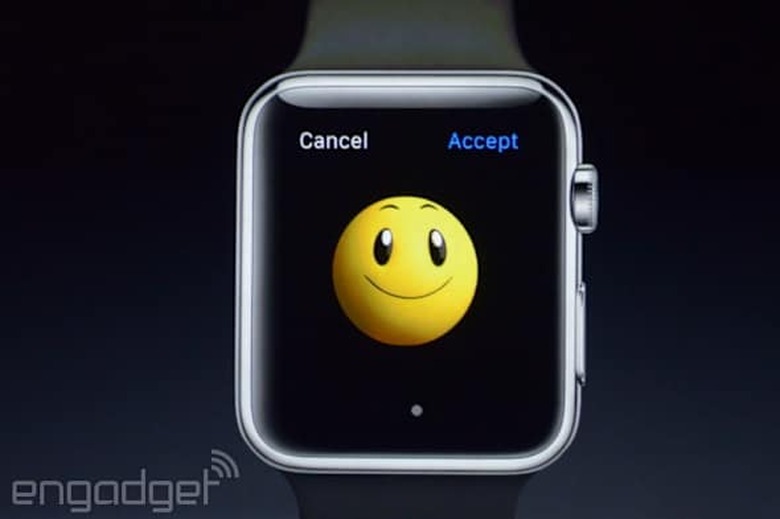
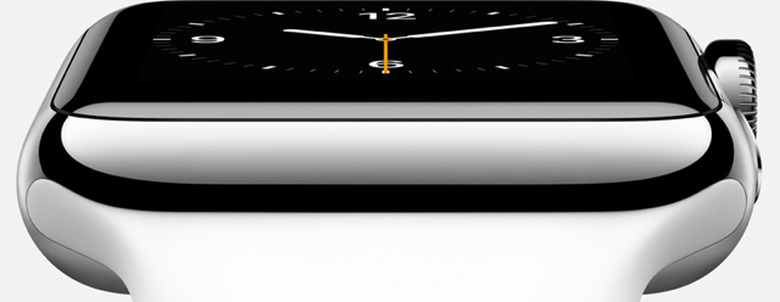
    In this hypothetical situation, what do you think happens? Recently I was having a discussion with a person I know in Apple Retail and the question of support for the Apple Watch came up. It just so happens that Apple has changed how support calls are handled, and there's a certain trepidation about handling the support needs of, shall we say, even pickier (and wealthier) customers. Selling the Watch is one thing, but supporting it is another entirely. Apple might sell the Watch in fine shopping stores (which I doubt, but it's been floated as a possibility), but support will either be via phone or Apple Store. This could be a problem. While I can't get into the details of how Apple changed its support system, I can say that it potentially could lead to even more traffic jams at the Genius Bar. I don't know about where you live, but with one Apple Store where I live, the store itself is pretty jam-packed. Getting an appointment is easy enough, but on regular occasion a Genius is helping more than one person at a time. And there are a lot of people who drop in, adding to the general cattle-yard feel. Plus, let's be honest and admit that if you pay $800 for a watch you probably don't want a simple phone call. But you also won't want to rub elbows with the flu-stricken schmo who just dragged a Mac SE/30 into the building only to ask how to install iWorks on the thing. It's a little too early to worry, I suppose. Apple has been snatching up smart people who know fashion, retail and watches lately -- I'm certain that brainpower is being put to good use. Then again, Apple's retail division has suffered from a lack of leadership for a while, and recent changes are making it slightly more difficult for workers to serve customers. Adding a Watch, with myriad configurations and a very particular set of features to the mix could lead to a ding in Apple's otherwise industry-leading customer satisfaction scores. Yet I still can't wait to see the first hysterical, monied customer shouting at a hapless rep in a store that they "can't believe" they "have to wait" for someone to help them do something with the Watch. We all know what that looks like:

    By Victor Agreda Jr Read More
  • Is Apple's quality slipping?

    Over the weekend, amidst the noise of CES news seeping from Vegas, founding Tumblr CTO and Overcast developer Marco Arment voiced a concern I have been stressing over for some time. Titled "Apple has lost the functional high ground," it cuts straight to the heart of the matter: Apple's longtime brand promise of "it just works" applies to fewer and fewer products the company makes. Marco, being a developer, is largely remarking on software. Apple's hardware only seems to improve generation over generation (although I have spoken to a frighteningly large number of people who have had to battle Apple in order to get products fixed). Apple's software, on the other hand, appears to have slipped off the cracker. iOS 8 had more bugs than I've ever seen in an iOS release. Yosemite isn't just riddled with bugs; there are goof-ups that make the thing look more like Linux some days than a Mac. Oh, and remember when you could boot up your Mac and not wince as notification after notification filled your screen? Remember when that particular annoyance was the purview of Windows 98? OK, notifications are supposedly a "feature," but it's not always easy to remember that. What's really troubling is the low priority that bugs and other issues appear to have at Apple these days. Is it still "easier" to use a Mac than a Windows machine or a Linux box? Sure, for the vast majority of users a Mac is still a more pleasant experience. Same with iOS, I suppose, but I have also spoken to a considerable number of people who switched from iOS to Android because Android provides "more power and more flexibility," as one non-techie user put it to me. That's not good. (Nor is doing crap like telling Panic to remove sharing options and then asking them to put them back, or neutering all widgets with data entry capabilities, but that's another post for another day.) Over and over again I'm hearing people lament that Apple is pushing too far, too fast and not spending the time to clean up messes once made. As Marco says, "The problem seems to be quite simple: they're doing too much, with unrealistic deadlines." Apple, make 2015 the year of squishing the bugs. Yes, there's a Watch to be launched, and that's great. But do I trust Apple to "get it right" when lately there's been a lot of "oops!"? And let's face it, Apple has made a history of bungling time zones. My faith in Apple's Watch launch is at an all-time low, but that's largely because I look upon the glittering mass of issues the company has yet to address in a meaningful way and think, "So we're just going to add to this mess, are we?" Yes, Apple is still top dog. Yes, Apple still makes the best products. But an incremental death from a thousand cuts is still a death. I saw Apple head down this path in the 1990s -- putting quality at job 2 (or lower) in the overriding rush to push products to market -- and I worry that it is following that playbook again. Marco's thesis is that the issues are coming up in large part because Apple is marketing-driven, which it is -- and it has always been. The solution here isn't to fire anyone or sound the panic alarm, but take a good hard look at priorities. It would seem features and product announcements are more and more trumping bug fixes and that "polish" that Apple is renowned for. How about we don't need a new desktop OS every year? Market pressure is one thing Apple used to claim it didn't really worry about, but times have changed. Adding to a product matrix when the code for your core products is slipping isn't going to help, it's going to be the last grain of sand atop a pile that is destined to slide. Here's hoping Apple starts taking these issues more seriously in 2015.

    By Victor Agreda Jr Read More
  • Disney CEO Bob Iger and Steve Jobs built a lasting partnership

    Fortune today has a great look at Bob Iger, CEO of Disney, and the initiatives he's overseen at the Mouse since he rose to power after disastrous leadership by Michael Eisner. I was never a fan of Eisner myself, but I have loved the changes Iger has brought to the company. Inside the story there's also a good note about how closely Iger and Jobs worked together, and the two seem as perfectly matched as two industry titans can be. Particularly fascinating is the perspective Iger brought to Disney, which enamored Jobs to no end. Iger sees technology as a functional component of Disney's mission, and has been embracing it at every turn. He and Jobs would even have whiteboard talks to bat ideas around about "the intersection between the story and the gadget." I can really imagine Jobs getting excited dreaming up concepts with a CEO of a company renowned for creative innovations, powered by technical innovations. (Side note: Visit the Disney Family Museum in San Francisco some day to see how many technical innovations Disney was responsible for -- it might blow your mind.) While Jobs is gone, Iger just had his contract renewed. This makes me (a Disneyphile to begin with) extremely happy. I hope the continued good will between Disney and Apple goes along with his extended tenure.

    By Victor Agreda Jr Read More
  • My favorite apps of 2014: Victor Agreda

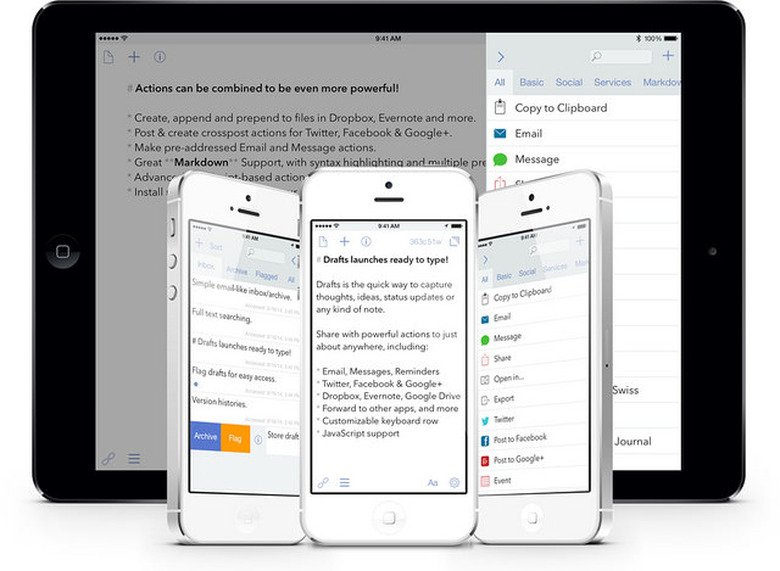
    Drafts 4 Drafts has long been my text-based inbox of choice, and Drafts 4 takes everything about the original and makes it slicker and more wonderful. I can export to Byword, my Mac writing app of choice, or tweet, save to Evernote, Dropbox, etc. all from one app where I get a brand-new sheet every time I open it. Drafts doesn't just appeal to my way of working, however, as it is customizable all the way down. If you need to jot things down regularly or want to increase the efficiency of capturing ideas, Drafts is the best app around. Drafts 4 is now universal for iPad and iPhone, which is a lovely bonus. MyFitnessPal MyFitnessPal will log just about anything health related. It ties into numerous fitness products, plus Apple's (pretty craptastic) Health app, and includes an outstanding, customizable food database for logging meals. I have tested dozens of health apps over the years, but MyFitnessPal is not only a comprehensive tool for data analysis, but a powerful motivational tool when used properly. I set goals, and the app broke down what I had to do (eat within certain parameters, exercise a certain amount) to achieve those goals. Apple could learn from myFitnessPal. Oh, and when I didn't respond to notifications from the app for a solid week, the app turned the notifications off! It warned me, and turned off its own notifications. That is a company dedicated to positive user experience. Workflow This is one of those apps that makes you seem superhuman to mortals. Steve did a nice writeup here. Rig up a sequence of actions and run them with a few taps. I honestly had no idea this level of customization was even possible in iOS 8, but it's magical. There is a learning curve, but it's a pretty gradual investment and for anyone who misses scripting automation on iOS, Workflow is the closest thing you're likely to see maybe ever. Sleep Cycle This app tracks my sleep, allows me to set an alarm for a time range and alerts me when I'm in "light" sleep mode vs waking me from a deeper sleep. The idea is to allow you to wake up more refreshed, but the simple act of tracking my sleep is lovely. I quit registering my sleep in Path because I wasn't willing to open the app at bed and every morning. Here I'm getting a nifty alarm clock based on my sleep patterns and a tool for tracking my sleep. It's simple, to the point and effective. It also talks to Apple's Health app. All that for a decent price. Inbox I was pretty burnt out on email apps. Most handled email in a funky way or tried to change the way we deal with it in such a way as to make it a bigger chore when I wasn't on my iPhone. Frankly, my goal is to have to spend less time on my iPhone in email. Inbox accomplishes this remarkably well. I even trusted it so much that I allow it to push notifications to my lock screen -- a first for any email app on my phone, ever. I just get too much email. Somehow, Inbox makes it manageable. I know a lot of folks love some other email clients, and Inbox is from Google, but I have found it an indispensable tool for managing the deluge of digital communiques I get in a day. Honorable mentions: Things I recently switched back to Things from OmniFocus and I'm loving it. It's extremely fast, easy to use and integrates with just enough to make it handy on iOS and Mac OS. It's not a "new" app for 2014, but I rediscovered an old friend and felt it was worth mentioning if you're in the mood for a powerful but simple productivity app. Evernote Of course this is one of the oldest apps on the store, but a fresh coat of paint in the Mac OS app has made Evernote a pleasure to use again. The iOS version isn't too shabby, either. Evernote is a capable note-taking app, but it is also an online "brain" that stores and organizes your stuff. I've been using it to collaborate and the cleaner interface and powerful organizational tools are pretty great.

    By Victor Agreda Jr Read More
  • Happy Holidays from TUAW

    You'll notice very few posts today as most of our staff are either traveling or enjoying the holiday off. We'll resume some normalcy tomorrow, including my favorite apps of 2014. Merry Christmas and a happy holiday to everyone!

    By Victor Agreda Jr Read More
  • How to watch The Interview on your iPhone or Apple TV

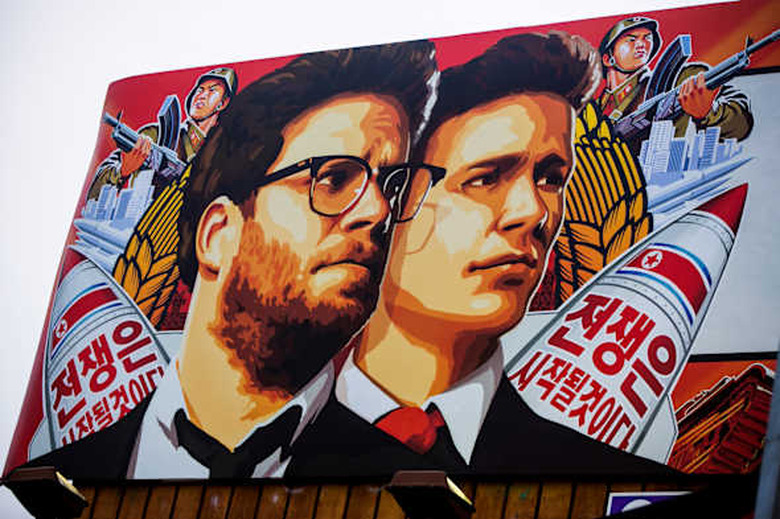
    While Apple isn't distributing The Interview via iTunes, you can simply buy the movie on YouTube. If you've never purchased video through YouTube Movies you'll of course have to enter credit card info, but isn't that a small price to pay for being able to watch the movie before its Christmas day release in theaters? Once you've purchased the movie (via the web) you'll be able to pull it up via apps on your iPhone or Apple TV. [via Cult of Mac]

    By Victor Agreda Jr Read More
  • So it's come to this, Apple?

    In olden days, conquering armies would put the bodies or heads of enemies on pikes or town gates or roads to warn the people that revolt would lead to death. It would seem that someone at Apple read a history of these actions and decided to do something similar for apps on the App Store. Marco Arment writes about the rejection of an app by Cromulent Labs (Launcher), and how it was deliberately rejected first to be an example to other developers. You can read the entire story on the blog for Cromulent Labs, but I have to agree with Marco. This is disgusting behavior, and Apple is better than this. It seems like every week the company forgets how much utility Android has, and wants to drag iOS back to an earlier, more restricted day. We reported yesterday about how Apple made Panic pull a big ol' function out of Transmit (which I use and love dearly and unfortunately updated before I realized what had happened -- now I'm just screwed until Apple reconsiders). Just TODAY, Apple is again trolling Agile Tortoise, which makes the amazingly awesome Drafts app. First its widget was rejected because, horror of horrors, it did something useful and allowed input! Now it was rejected again because it "doesn't do enough." If capriciousness were marketable, Apple would easily be twice the size of Exxon Mobil. Last week's rejection? Your Today widget does too much. This week's? Your Today widget doesn't do enough. Seriously. - Greg Pierce (@agiletortoise) December 9, 2014 Why not just be clear with the rules to begin with? How about enforcing them with some semblance of sanity or normalcy? Well, from experience we know Apple has a history of odd, ever-shifting behavior on the App Store. And that's too bad, in the long run. It's also odd for a company made of some of the best engineers in the world. While we may not need 1,000 fart apps, I can't help but thinking of developers who will look to this gigantic market only to say "no, it's just not worth the risk of bringing a world-class, powerful tool to iOS on the off chance Apple gets a bug up its ass and pulls our app from the store." Too bad. I'm losing faith in the company, and I have to think that so are some developers.

    By Victor Agreda Jr Read More
  • Slices of Apple episode 12: The 105% solution

    Slices of Apple is a documentary series exploring the success of Apple as a company. It seeks to educate business leaders, entrepreneurs and laypeople about how Apple keeps delivering consistently great products. In this episode of Slices of Apple, I'm talking to Brett Murray, who worked at Apple from 2003-2006. Brett oversaw marketing communications for the Mac line and helped oversee the Intel transition. His experiences at Apple tell us a lot about what it means to make sure your company creates quality products with equally high standards for its marketing. This episode is titled 105% because Brett talks about how most companies stop at 100% -- where most people think a project is "done." But Apple, as an entity, attempts to push beyond the expected, hence producing a "105%" solution. It's not enough to do something, you have to do it well and exceed expectations. Production note: Since filming, Brett has moved on to work for View Dynamic Glass.

    By Victor Agreda Jr Read More
  • MacTech Conference special this weekend

    If you've never been, MacTech Conference is an event for IT Pros, consultants, and techs. This annual event has been fantastic each year since its 2010 inception - and I and others on the TUAW team have been a part of it first hand as media, attendee or speakers. Not only does the event have world class speakers from all over the world, but they are the type of people that want to share what they know, and help others in the Apple tech space. Beyond that, the folks from MacTech make the event a truly special experience. The type of experience where you really get to not only know some amazing people in the community, but have an incredible amount of fun. MacTech is also well known for food, food and ... more food. Breakfast, lunch and dinner. This year, they even had chocolate covered bacon and I was surprised to find how many people not only tried it, but loved it! The next MacTech Conference date is now set. November 4-6, 2015 in Los Angeles. MacTech will once again have additional pre-conference workshops the day prior on November 3rd. The event registration is normally $1599 including all the sessions, meals and activities. By far, however, the best price is the "Special Early Discount" that is available now through Mon, December 1. The $899 price you can only get now - and it will save you $700. Register using this link.

    By Victor Agreda Jr Read More
  • Jon Taffer's BarHQ app wants to increase your profits

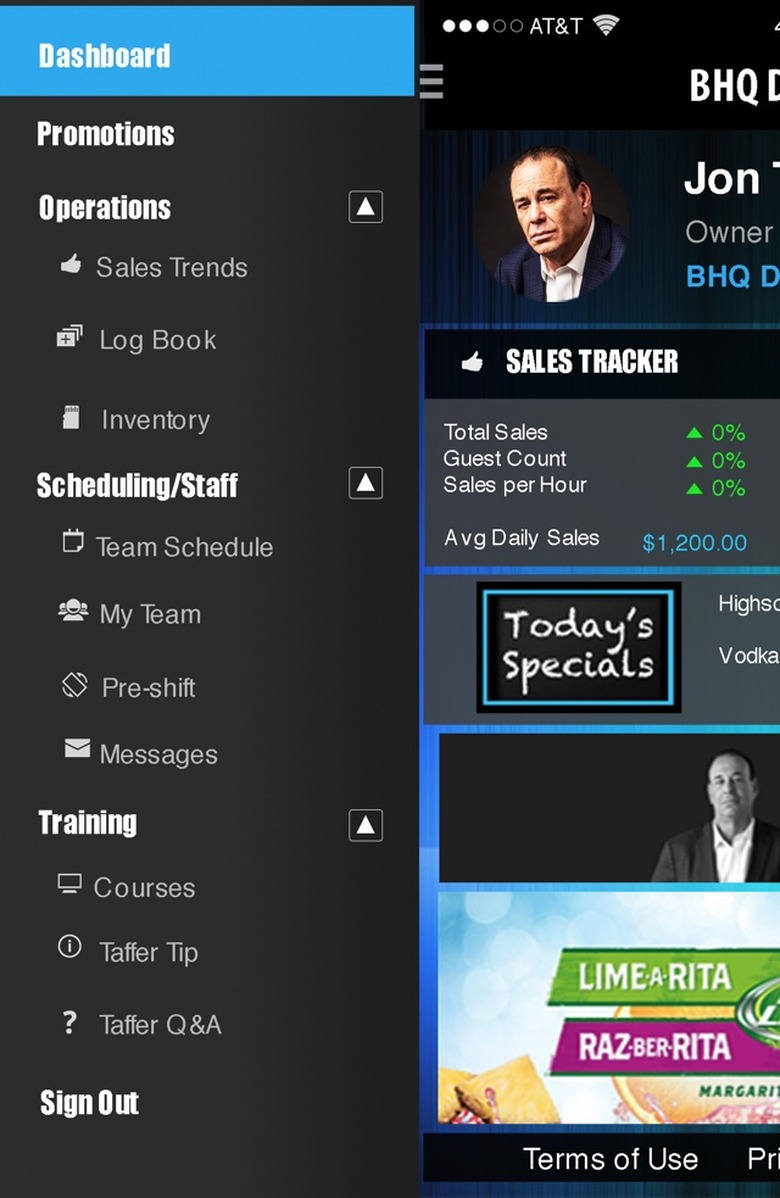
    Jon Taffer took the business of bar consulting to a new level when SpikeTV decided to run the show Bar Rescue, featuring Taffer as the irascible host. Since then he's had season after season of showing the public how sharp he is at turning around even the most hopeless bars (when the owners actually take his advice, anyway). He's now bringing his expertise to owners everywhere thanks to his BarHQ app, which he hopes will raise any bar's revenues 20-30%. I spoke to Mr. Taffer about the app and his approach. Because of his show Bar Rescue, and book, Raise the Bar, Taffer is in demand more than he can actually help. He even has a road show and continues to consult privately for clients, but can't address the myriad requests. Out of the frustration of seeing so many well-meaning bar owners begging for his help, Taffer decided to create something to help. BarHQ was the answer, and it is free (on iPad and iPhone). Taffer's goal is to help raise revenues up to 30%, which is very often what is needed to push an establishment back in the black and operating at a sustainable rate. How does BarHQ work? A bar owner or manager sets up the app, which includes taking a brief quiz on what type of bar you are and what sort of things you do. The survey is quite short, and afterwards you create a login and get a unique code for your business. That code is used for every employee who will be using the app (the app is iOS and Android compatible, but obviously employees need smartphones to use it). Your settings, communications, schedules, etc. are all synced through a cloud service (which is also free). Once the initial setup is done, BarHQ works in three key areas: Sales, Marketing and Scheduling. For sales, you input your sales each day and track trends. Individual employees can do this as well. Ultimately this can give you an idea what promotions are working. I found the input fairly easy to use, although being able to import raw data from other systems would likely be helpful. You can also track guest count and sales per hour, both vital stats in the bar/restaurant game. For marketing, the app provides a slightly clunky but usable customized promo tool, but I found it was easier to go into the "sponsored" promotions (promotions list) and see what these entail. BarHQ provides a few examples, like Treasure Chest (where patrons are given keys to a chest with prizes, and at the end of the night one person opens it) or Nickel Beer, where you sell custom mugs for nickel beers. While I was told these would generate PDF marketing materials, unfortunately I didn't find a way to generate these. What is included is an automated way to post these promotions to your social media, which is honestly a godsend for most harried small bar owners. It does seem there is room for growth in this part of the app, and I'm figuring Taffer will build this out over time. He noted that he's built a facility in Las Vegas to continue making content for the app, and that includes training and marketing materials. Finally there's employee management, and that studio in Vegas will be the scene of ongoing training films Taffer is producing for this app. You'll eventually be able to train employees on demand, having them earn badges and rewards for training (like a "Whiskey Master" badge upon viewing a video and taking a quiz). Until then there's a simple list of tips (all good), a how to on using the app, and a scheduler. I think the scheduler is quite powerful for smallish bars. You input your weekly schedule, and employees do the same on their devices. All of this is shown in the manager's scheduler, but employees can do things like blast a request out to pick up a shift, or request a change and a manager can easily see who might cover it. Those sorts of intra-team communications are a pain otherwise. Speaking of communications, there's also a message system built into the app. It's no Slack, but pre-shift messages are specifically called out, a testament to Taffer's expertise. I wasn't able to test this, but it's one way to ensure all employees who use the app are getting those messages. Taffer's BarHQ is sponsored in that there are some ads at the bottom, but none ever overtake the interface or really get in the way. I did find a few quirks and bugs in the app, although nothing particularly show-stopping besides "Clone Week" in the Scheduler, which forced me to fully close the app and start my week over. Also, a lot of the tools in the app are hidden in the upper left "hamburger" menu, something designers are realizing isn't a great user experience. The design is still leagues above most industry apps, but that's not a high bar to rise above. BarHQ, for a first version, is an ambitious start to what will likely become a powerful tool for small bars. More importantly, Taffer's expertise and willingness to continue to build this app out should not be underestimated -- there's even a Q&A section in the app. Far too many bars simply suffer from a lack of the basics, and BarHQ aims to help them with promotions and social media, sales tracking and employee management. Having seen quite a few episodes of Bar Rescue, I can admit that very few failing bars do well in any of those areas. I'm hopeful that BarHQ delivers on its promise for bar owners, but since it's free there's really very little to lose by seeing if it works for you.

    By Victor Agreda Jr Read More
  • Aces Conference coming next year

    Former TUAW contributor Justin Esgar is launching Aces Conference in New Orleans next year, and it's designed to help you build your consulting business. Justin is an ace when it comes to building businesses, particularly consulting, and has been a Mac IT guy for many years. He branched out with SignMyPad, an app for signing PDF documents, and has since launched several other apps, given talks at MacTech and launched an emergency backup email service for Kerio Connect users. More on the debut of the conference is below. The Aces Conference is the first of it's kind. Apple consultants teaching Apple consultants not only tips and tricks of tech, but of business too. Learn how to be a better consultant, a better technician, a better everything at Aces Conf. Aces Conference 2015 is going to focus on two things. You and Your Business. For our inaugural year, we want you to learn how to make your consulting business better. Maybe you need to automate your processes. Maybe you need to use Managed Services with your clients. Maybe you just need to learn how to breathe (we have a meditation expert on hand!). In any case, Aces Conference 2015 is your way to learn to be a better consultant, and help make your business an Ace. I'll be there giving a talk about delighting users of apps and building "magic" into your services, and I hope to see you there!

    By Victor Agreda Jr Read More
  • Apple changes App Store "Free" button to say "Get"

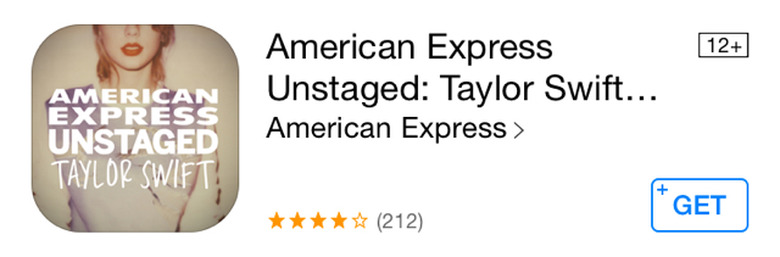
    Back in the day (as in yesterday) you could go to the App Store and tap a button that said FREE to download a free app. Today, you'll be tapping a button that says GET. Why? Speculation is that issues regarding in-app purchases and litigation overseas may be to blame. I guess it makes sense, as many "free" apps are really "freemium," meaning that to unlock more features or levels you have to pay for in-app purchases. Still, I think "Get" is a little silly at best and at worst, confusing to some users. We speculate that some may wonder that if they tap that button they will "get" a virus. Also, I think many people will wonder what the app actually costs -- because now the pricing info isn't up top. What do you think of Apple's change in terminology?

    By Victor Agreda Jr Read More
  • Slices of Apple episode 11: Making it great

    Slices of Apple is a documentary series exploring the success of Apple as a company. It seeks to educate business leaders, entrepreneurs and laypeople about how Apple keeps delivering consistently great products In this episode of Slices of Apple, I'm talking to Matt Drance, a developer who worked at Apple as an evangelist and in developer support. He discusses the culture of excellence at Apple, how goals and capabilities play into decision-making and how management facilitated excellence. Matt currently keeps a blog at AppleOutsider.com, and continues to develop software. Keep an ear out for a great little story about Dashcode, as a case study on when Apple says "no" to things that aren't good enough, but will revisit when ready.

    By Victor Agreda Jr Read More
  • The iWatch mockups from yesteryear

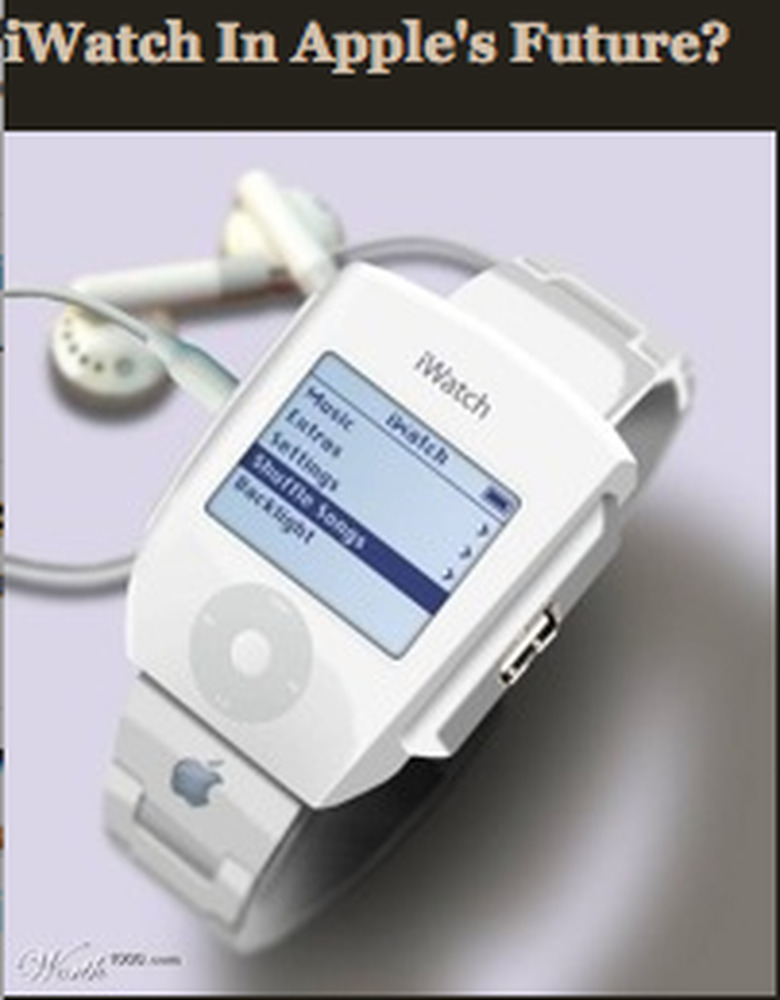
    Old smartwatches don't die, they just need new batteries. I was going through some old bookmarks last night and I ran across a site called Wrist Dreams, which had a sad but funny list of smartwatches from 7 or more years ago. Listed among the fish finder watch and "thinking" watches, there's a link to a bunch of crazy Apple concept devices. On that list: some Apple watches, before THE Apple Watch was announced. Look at the watches on Wrist Dreams, however. They remind me of those clunky tablets before the iPad, or even more of the slide Steve Jobs put up showing what state-of-the-art smartphones from 2007 looked like. Full of buttons, a real hot mess. Then again, we didn't have 7 years of iPhone design language, so it's not surprising how dorky these old things look.

    By Victor Agreda Jr Read More
  • .NET Server Core to go open source, will run on Macs

    There's no question .NET is a popular option for developers, but if you wanted to run .NET applications your server had to run Windows. Microsoft is in the process of making its tools even more accessible, and open-sourcing the .NET server stack is one way the company is hoping to win over more developers to its platform. Gigaom has a good rundown of the history and significance of this, but the practical upshot is anyone who wants to write cross-platform .NET applications will now have an easier time of it, and open sourced platforms are the way of the future. Also, Visual Studio is going free (but still only works on Windows).

    By Victor Agreda Jr Read More
  • Sunrise calendar, Things productivity apps updated

    Sunrise calendar has always been a 3rd choice for me, behind Apple's and Readdle's excellent Calendars 5 (I use Fantastical + BusyCal on my Mac). But after hearing a lot of smart people rave about Sunrise, I've decided to give it a try. Lucky for me, a new update adds some great features and a great widget. Sunrise now integrates Eventbrite and Google Tasks. TechCrunch has more. I recently switched from OmniFocus back to Things, and have loved it. Things may not be chock full of features like OmniFocus, but what it does it does extremely well. It's a pleasure to use for task management, and looks good doing it. Things recently updated its iOS apps to support Handoff (so you can start a task on your iPhone and finish on your iPad). Oddly enough I've never used the iPad version, but it has been completely redesigned for iOS 8.

    By Victor Agreda Jr Read More
  • Is your iDevice screen unusually dim after installing iOS 8.1?

    Over the weekend my son came to me with a curious issue. After updating his 5th generation iPod touch to iOS 8.1, the screen was suddenly much dimmer than usual, and no amount of resetting, re-installing or futzing with settings seemed to fix it. That's because 8.1 seems to introduce something that CultOfMac picked up on here, which allows you to adjust your screen brightness from the home button. Except it also seems to have a default setting of "keep the screen dimmer than normal." We could tell this wasn't a hardware issue because inverting colors, snapping a screenshot and rotating the Messages app showed brighter areas. Instead, this is in software and it's sort of a filter over your screen that won't permit full brightness. Here's how to fix it. Go to Settings > General > Accessibility > Zoom > and DISABLE Zoom. Brightness returns. As CoM points out, you can use this for easy access to brightness control, if Control Center is just too tedious for you. Personally it's a bit annoying to me that this was a change that was never mentioned and eroded my son's enjoyment of his iPod touch without so much as a peep from Cupertino about how to fix it, or why the change was made. Random changes in operation like this are why consumers hate, fear or avoid technology. I'm hoping Apple doesn't forget this in the future.

    By Victor Agreda Jr Read More
  • Apple Watch release date gets ever so slightly more accurate

    In an internal company address that 9to5Mac got a hold of, Apple Senior Vice President of Retail and Online Stores Angela Ahrendts noted that while everyone has been working really hard, there are several busy seasons coming up, including the holiday shopping season, Chinese New Year and "a new watch launch coming in the spring." Spring officially starts on March 20th in the US, and reaches into June (just in time for WWDC). It's very likely Apple always intended to ship in March, but the "early 2015" teaser at the unveiling was a softer target. It certainly makes sense to have watches in the hands of developers in time for WWDC, however.

    By Victor Agreda Jr Read More
  • Slices of Apple episode 10: Polishing the Apple

    Slices of Apple is a documentary series exploring the success of Apple as a company. It seeks to educate business leaders, entrepreneurs and laypeople about how Apple keeps delivering consistently great products. In this episode of Slices of Apple we talk to Jonathan Hirshon of Horizon PR, who worked at Apple in public relations. He discusses some of the core values of Apple and how those are reflected in its products. Working with one of the best PR teams in the world, he provides some insight into what made Apple great.

    By Victor Agreda Jr Read More
  • Backtrace, the geekiest album you'll hear, hits Billboard comedy charts

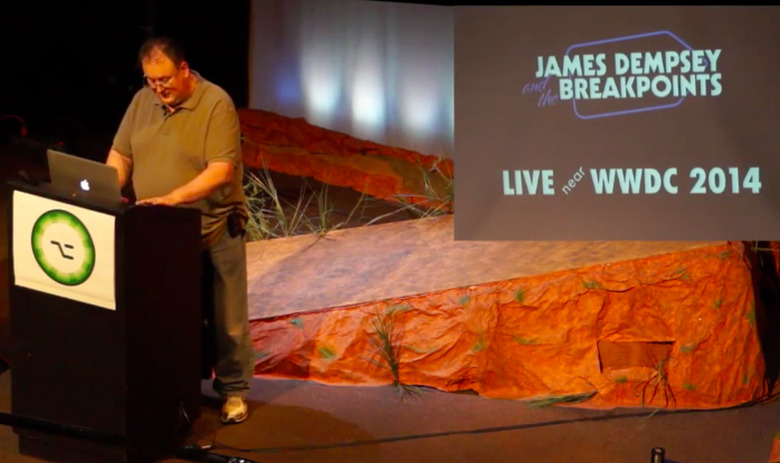
    I saw James Dempsey speak at AltConf this past June (AltConf runs during WWDC for those who want something a little different). James goes way back in Apple lore to the NeXT days, and for his talk he pulled some code to show how Swift didn't just materialize from thin air, it has its origins in NeXT. Dempsey worked at Apple for 15 years, but lately he's been having a good time releasing music with his band, James Dempsey the Breakpoints. Their latest album hit Billboard's charts. So in case you were wondering if being a developer pays off, then yes. But being an artist who writes and performs music that only developers will grok seems to also be lucrative -- if you're as talented as Dempsey. With songs like Endian Reservations and The Fetch Spec Song, it's clear these are inside jokes. But the music is fun and Dempsey's joy for coding and music-making is evident in this album, which got up to number five on the comedy charts. That's no small task considering Patton Oswalt is also on that chart. You can check out his AltConf talk here and buy Backtrace on iTunes here. I'm hoping James winds up making a cameo on Agents of S.H.I.E.L.D. soon.

    By Victor Agreda Jr Read More
  • How to disable taking iPhone calls on your iPad

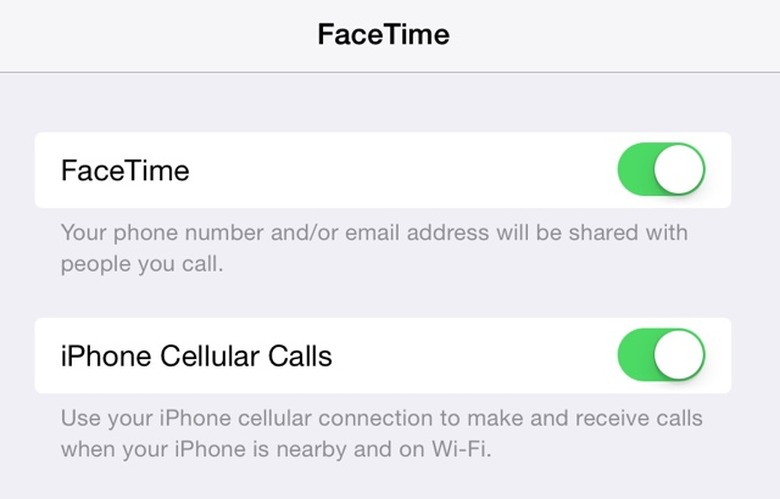
    While there are a number of how-to's on the topic of enabling your iPad to take iPhone calls in iOS 8, there are unfortunately a lot of people spreading FUD about the ability to turn it off. Yes, you can turn it off. It's the same as turning it on, but you switch to OFF... So, no, this isn't a "conspiracy" as some have called it, to "get you to create more Apple IDs!!!" Yes, these people love those exclamation points. And yes, people are actually positing this conspiracy theory in Apple's forums. Sigh. Anyway, you open your iPad and go into Settings, then FaceTime settings, and switch iPhone Cellular Calls to off (the switch will be green if on). This same toggle is in the Mac version of FaceTime as well, in Preferences for the app there. If only there were a switch for paranoia.

    By Victor Agreda Jr Read More
  • Caturday: KitKat on an Apple II

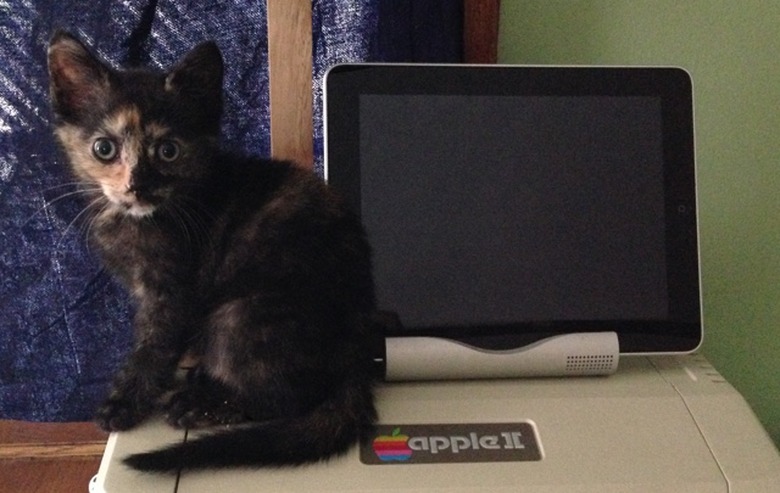
    This is my kitten, KitKat, way back in July. She's sitting on top of my vintage Apple II, where she often waits for me to get home from trips. That's a first-generation iPad next to her, so she can keep up with all her friends online.

    By Victor Agreda Jr Read More
  • Slices of Apple episode 9: Quality is job one

    Slices of Apple is a documentary series exploring the success of Apple as a company. It seeks to educate business leaders, entrepreneurs and laypeople about how Apple keeps delivering consistently great products. In this episode of Slices of Apple, I'm talking to Peter Tamte, who was a Senior Director of Consumer Marketing at Apple in the late 90's. Peter's company theory.io created Notesuite, a fantastic note-taking app for iOS and Mac, that illustrates the attention to quality and design seen in Apple products. Peter explains a bit about how Apple thinks about products overall, and why doing things that matter actually does matter to the company.

    By Victor Agreda Jr Read More
  • Amazing Looksery app changes your face in real time

    Sometimes the capabilities in our iPhones amazes me. Looksery takes real-time video from your iPhone camera and detects your face's geometry. It then overlays a number of effects, some creepy, so you can send spooky pics or wacky videos to your friends. It works surprisingly well and is here just in time for Halloween. Looksery couldn't be easier to use. Just lift the phone up, look into the camera and tap on the screen if you don't see the red geometry lines detailing your face's contours. From there you can choose a number of "filters" by swiping through the choices below the image area, much like Instagram. But these filters move with your head. Several are eye color replacements, which are freaky if you have dark brown eyes like mine. Seeing my eyes in purple was a strange experience. The real-time rendering of these effects is truly impressive. One of the creators of Looksery also pointed out to me that the app does some creative filtering, smoothing wrinkles and generally making you look better. I woke up disheveled and with bags under my eyes and the app did make me look a little less worn for wear. You can also thin down your face in a still photo, just to see what that's like. There are a couple of truly creepy filters, however, like the flaming skull, X-ray and Monster, complete with scary sound effect. There's also a couple of 3D characters, which you can mostly puppet by moving your head, mouth and even eyebrows. And then there's a Lawnmower Man type polygon face that is a lot of fun. Oh, you can also make your face thin, fat or add a big chin. Like I said, it's pretty fun. Looksery can pull from your still photos, but obviously it's designed for faces and is a lot more fun in real time. There are a number of still photo filters, all pretty pedestrian. In photo mode you can also slim down your face, but that's about it. The app can also share video clips, which is where the app will blow minds. Send a flaming skull greeting, or send a creepy video that screams, it's all up to you! Of course Looksery videos support the usual sharing suspects: Facebook, Instagram, Vine, Messages, Email, and you can save to your photos. Twitter is only available for still photos. There's a messenger service, but I didn't try that as you have to sign up with your phone number. My bet is that won't take off for a lot of users. I found Looksery a lot of fun and it's free, so give it a try. According to TechCrunch the company is working on partnering with other companies, so maybe you'll find this tech baked into whatever selfie app you're currently using. Until then, have fun sending spooky videos this month!

    By Victor Agreda Jr Read More