John Emmert

Engadget Editorial Policies

The unique content on Engadget is a result of skilled collaboration between writers and editors with broad journalistic, academic, and practical expertise.

In pursuit of our mission to provide accurate and ethical coverage, the Engadget editorial team consistently fact-checks and reviews site content to provide readers with an informative, entertaining, and engaging experience. Click here for more information on our editorial process.

Stories By John Emmert

  • Learn the mental part of defense with Baseball Academics

    Growing up I learned to play baseball the same way millions of youngsters have learned and continue to learn, by playing the game. The most difficult part of learning the game was the mental part. Hitting, catching, and throwing the ball are physical efforts that you can master through repetition. What to do in certain situations while on defense has to be taught and learned through study. That takes time and seldom is there enough practice time to teach all aspects of that part of the game. Baseball Academics offers youth coaches and fathers a way to expose their charges to all kinds of defensive situations without having to try and duplicate them on the field. This free universal app requires iOS 7.0 or later. A premium upgrade with a monthly subscription will be added soon. More on that in a bit. Kansas City Royals manager Ned Yost was involved in the development of the app. Users choose one of the nine defensive positions and the app offers a sequence of baseball situations for the user to decide where he should throw the ball once it is hit to him. These situations will vary according to how many outs in the inning, where and how many baserunners are on base. For example if you are the shortstop, the game is scoreless in the fourth inning with a runner on third and less than two outs where do you throw, home or first? Each training session runs thirty seconds and the aim is for the user to make decisions in as many situations as you can during that time. Users will see the diamond with the runners and tap the base they think is the right one. To master the exercise users need to think quickly just like in a real game. After you finish the sequence you can check to find out how many you got correct and how long it took you to decide. The Premium addition will be released by the end of February. In this edition of Baseball Academics, users will be able to advance from the first level up to level seven. As the user advances the situations they face change. In addition to how many runners and where they are, users will also have to figure in what inning the game is in and what the current score is. These factors can often change the decision players have to make. For a pitcher in level 7, there are almost 12,000 different scenarios possible. In the Premium version, players receive a Baseball Academic Rating or BAR. The rating is a compilation of the users' accuracy and speed of response. The upgrade carries a US$10 per month subscription fee. According to developers they may launch another method to advance through to higher levels for a single purchase but that version will not track and record a user's performance. The premium version does offer that service. The goal is for coaches, college recruiters and even professional scouts to be able to use this data in evaluating younger players who want to play in college or become professionals. It also will help local coaches track the development of their players. The developers want to establish a standard so users can see how they rank against comparable age players locally and around the country. The overall concept and execution of Baseball Academics is right on target for teaching young baseball players to think about situations and be prepared when they field a batted ball. The developers goal of setting a defensive standard for comparing players is a tough one to get everyone to accept but is worth their efforts. The free version of Baseball Academics can be useful to all young players and is worth a look. The Premium version as it stands now with its US$10 a month fee is aimed at serious players, those that hope to advance to be good high school and college players, or even have aspirations of playing professionally. Overall I think the app offers a unique approach and is one that coaches and parents should consider if their youngsters want to play baseball at a high level.

    By John Emmert Read More
  • Rock your workout with RockMyRun

    Almost everyone uses a favorite playlist when they workout. The music helps the time pass more quickly and should help produce more energy. Now with RockMyRun you can listen to music lists prepared scientifically to improve your workouts by up to 30%. The free universal app requires iOS 7.0 or later. Users need to set up an account before you can use all the features in the app. This requires your name, email, and a password. Users can also use their Facebook ID to login. Once you have registered and logged in, you can set up your own list of music playlists and sort the list by length, genre, and beats per minute. Users can select a variety of playlists from more than a dozen different types of music including pop, rock, country, hip hop, R&B, reggae, and more. Each of these list were compiled with the goal of keeping a consistent level of energy and tempo throughout your exercise session. That is just what they do according to Dr. Jeanne NIchols, the lead exercise physiologist for EPARC, a top exercise research laboratory. In her findings, Dr. Nichols concludes that, "music that has been mixed together to maintain and optimize beat encourages the listener to experience and internalize more positive feelings about the experience and the outcomes. Once you have selected the type of music you want to listen to for your workout, you add it to your list of music. Then you can choose from a huge number of individual lists of music that vary in the beats per minutes and length. In the Rock listing you will find around two hundred different lists from which to choose, so no problem locating a good mix. The music varies in beats per minute from under 120 to more than 160. The more beats the higher the energy level and the faster the tempo so you can choose slower music to warm up or cool down and a really fast list for listening during the most strenuous part of your exercise program. Lengths in RockMyRun can be as short as ten or eleven minutes for warm ups and cool down sessions or to a maximum length of forty-five minutes. If you want your playlists to run longer than that you will need to upgrade to a premium membership either on a monthly basis for US$4.99 a month or an annual subscription of US$35.99. These subscriptions will be charged to your iTunes account and will automatically renew at the end unless you go into your account and turn that feature off at least 24 hours before the original subscription ends. RockMyRun operates seamlessly with most other running programs that count your steps, plot your path on a run or cycling trip, or tracks your calories burned. So you can use both at the same time. Overall RockMyRun provides users with a huge number of mixes to choose from when working out. No one should have any issues with finding just what you want. Based on the scientific data, the concept of using music consistent in tempo and energy should make the workouts end with users receiving better results. The only drawback is the maximum length of forty-five minutes. If you do long runs or cycling trips that won't be enough. However users do have the option of subscribing and deciding if they want to pay for scientifically prepared music or just listen to their own mixes.

    By John Emmert Read More
  • Use social media to follow your teams with BreakingSports

    Now you can get loads of information about your favorite teams and players from a variety of social media sites without spending hours searching those sites individually. BreakingSports is a free universal app that requires iOS 7.0 or later. Once you register on the app you will be able to have hundreds of updates delivered directly to your device without doing any searching. The app works with the four major American sports leagues, the NFL, MLB, the NBA, and the NHL. Users can select first which league they are interested in, then choose which teams you want to follow and finally the app provides a team roster and users can choose individual players and receive updates on them. The app is always seeking out information on the social media sites from games, news conferences, or sports reporters comments. BreakingSports detects the items which match the users criterion and sends notifications right to the user's device. The information covers game previews, roster moves, injuries, news alerts, line-up changes, rumors, and more. Once the game begins, users can choose to receive updated scores and injury updates throughout the game. BreakingSports seems like a no-brainer for fantasy players. Now with this app you can follow each of the players on your team and get updated data on any injuries, whether they will be in or out of the line-up, and other team information that might impact your fantasy line-up. In addition to stories and updates about your favorites the app provides users with a general news feed for each of the four leagues. These will keep users informed about all the activity taking place around the league and with other teams. So with one app users can be up to speed on all they need to know when talking sports with friends over a few cold ones. I used the app for a couple of days and found a couple of shortcomings. First you can't follow college football or basketball or any of the major soccer leagues such as MLS or the Premier League. I can understand college because of the huge number of teams and players but with soccer a growing interest in the US, it might be a good idea to add that sport in the future. The other area users need to be aware of is the volume of notifications you will receive. I selected two teams and three players and my phone seemed like it was going off all the time. I can only imagine how many alerts i would have received if I had entered a ten or twelve man fantasy football roster. It could be more than users want, but with all those alerts users should be assured BreakingSports is doing what it set out to do and that is bring loads of useful information directly to users devices.

    By John Emmert Read More
  • Improve your ski trip by using Ski Nation

    We are right in the middle of the ski season and I am sure lots of you are planning ski vacations, ski weekends, or just a day or two on the slopes. Ski Nation will make that planning easier for you and provide you with live information directly from more than one thousand ski resorts and areas. This free universal app runs on iOS 7.0 or later. Once you complete the simple registration process Ski Nation will give you access to ski areas in the United States and Canada. Users can select one of the resorts or areas to receive detailed information about the current conditions. You can sort the ski areas by types of skiing available, alpine, cross country, or ski jumping. The list can also be displayed by the name of the resort, the country it's located in or what state it is in. Ski Nation lists the resort's website URL, mailing address, and current temperature on the resort home page. From there users can delve deeper to access the ski areas' trail maps, a snow and trail report, and a map showing the location of the resort. The most useful data is in the Snow and Trail report. Here users will find information on the current snow conditions such as the average depth of the base, the primary surface conditions, and the latest and most recent snowfall information. Additionally the report lists details on how many lifts and trails are available, the total acreage available for skiing and the resorts operational hours. For snowboarders and freestylers, Ski Nation provides information on what pipes and parks are open and where they can be found on the mountain. Ski Nation tracks where you ski and how many days by issuing users pins from the resorts you visit. The app awards you a pin for each day you spend skiing at the resort or you can collect pins from previous trips. All these can then be shared with friends right in the app via the major social network outlets and email. About a month ago, I reviewed the Ski Buddy app. Users might consider grabbing that app along with Ski Nation. The Ski Nation app prepares you for your day and assists you in getting around. Ski Buddy is aimed at tracking just what you do during the time you spend on the mountain. Ski Buddy records all of your runs and provides information on your downhill speeds, the distance you travel, the change in elevation from the top to the bottom of your run and how many runs you do each day. It provides all this data in real time and has an audio alert users can hear through ear buds or headphones. Ski Nation offers a lot of information you will need to know to get started on your trip and as such is worth downloading before your next ski trip. Combining it with Ski Buddy should give you all you need to enjoy your time on the mountain.

    By John Emmert Read More
  • Hunt Hardcore works for beginning and experienced hunters

    Hunt Hardcore offers a variety of social media type features that allows hunters with all levels of experience to share their adventures and seek help to become better hunters. The free universal app requires iOS 7.0 or later and requires users to register an account or use their Facebook account to login. The app contains a lot of the same information as the hunthardcore1.com web site. As with most social media apps, Hunt Hardcore allows users to make friends through the app and follow the new friends' postings. As users submit comments, trip stories, photos and video they receive activity points and the app then ranks users based on their point totals. You can also search users by name or get a listing of all members. Users will find a section devoted to photos posted by other users. The section contains lots of photos showing hunters in a variety of locations. Some show the hunters' kill while others show the animals the hunters were stalking. The one issue I had with this section was that none of the photos had any details about the photo such as when and where the kill took place or any other specifics about the actual hunt. The most information users will find is in the app's forum. Here the section is broken down into six different sections: Big Game Hunting, Bird and Small Game, Weapon Specific posts, State Hunting regulations, Taxidermy, and Hunting Products. Each of these segments contain numerous posts from users dealing with those specific areas. For example under the Big Game Forum you will find sub headings for Elk, Whitetail Deer, Bears, Wolves and other predators, and more. As you move deeper into the forum you can get details of hunting trips including some with photos and videos. Another section is devoted to classified listings where hunters can sell all types of weapons, tents and other camping gear, GPS devices, and a few listings for hunting trips posted by outfitters who specialize in putting hunters in a position to take down a particular species such as a New Mexico cougar, or Wyoming elk. Hunt Hardcore has some other features posted but these did not include a lot of information. One labeled Quizzes had no content, another had a blog but it had not been updated since December of 2012, and a third for polls had just three or four polls listed and just one of those dealt with a hunting issue. The others sought input from users on site logos and features. Overall if users stick to the forums and utilize the apps huge member list I think they will find Hunt Hardcore useful. Making friends with other hunters in different parts of the country or state you live in can be especially helpful. The photos and videos make interesting viewing but I wish they offered more specifics about the hunting trips.

    By John Emmert Read More
  • Gear up to go racing with Tracktivity

    If you are an auto racing fan or an enthusiast who likes to me more involved that just watching races, you should check out Tracktivity. This free universal app runs on iOS 7.1 or later and will help you be better informed and keep up to speed on the auto racing activities in your area. Tracktivity has information on thousands of race tracks in the United States, Australia, and New Zealand including major NASCAR and IndyCar facilities like the Daytona International Speedway, Bristol Motor Speedway, and Phoenix International Raceway. You will also find all the local tracks including go-karting facilities, quarter mile dirt tracks and the small tracks that run a variety of races on weekends. The app provides details on the type of track, oval, road course, karting track, etc. plus what type of surface they race on, when the track is open, the web site URL if the track has one, and the types of races they hold. You can also check to see if the track is available for rental or for other racing enthusiasts like yourself to get out and take a few laps either as part of an organized event or perhaps a local racing or driving school. Additionally you can find out if they have spectator seating, parking for cars or RVs, if garage space can be rented, what fuel is sold at the track, and even if they have a garage area to repair your car if something happens while running. If you are just interested in watching others race, you can do a search to find racing events that might be taking place anywhere near your location. The event listing provides the date and time of the event, what activities are taking place, contact information to obtain the specific details about registering to participate or admission costs plus the costs associated with participating. Tracktivity has formed partnerships with a number of the tracks, mostly smaller ones but also some of the major venues like Bristol Motor Speedway. Through the app's Race Control section, the tracks will send out notifications with information on the latest track news, invitations, offers, and promotions at the track, last minute schedule changes and even results once the event is completed. And if you are in an unfamiliar area and not sure where the track is located, users can get navigational assistance directly from the app with turn by turn directions using Apple Maps. Tracktivity developers claim the app contains information on more than two thousand tracks currently with more to come and in more countries. During my use of Tracktivity, I found a lot more tracks without partnerships than those listed as partners so getting updates from your favorite track isn't a sure thing. However, I did find a large amount of information contained in Tracktivity that I believe will be useful to racing fans and enthusiasts including listings for tracks I didn't even know existed within a few miles of where I live. So as the year progresses and racing season gets underway, you should add Tracktivity to your device and take advantage of all the information it contains.

    By John Emmert Read More
  • Tunity turns your iPhone into personal TV headphones

    The Tunity app allows users to listen to muted TVs through their iPhones with or without headphones. Users will find a number of uses for the app but I can envision it working well when you are at a sports bar with a number of televisions tuned to a variety of sporting events but no sound. The universal app is free and and works best with an iPhone. It requires iOS 7.0 or later. If you and your friends are in a bar or restaurant and interested in one specific game, now with Tunity you can get the audio at your table. Open the app, Tunity accesses the camera on your phone, turn your phone to the Landscape position, more horizontal than vertical, and align the box on the screen in the app with the TV carrying your game. Tap the screen and hold it still. You need to make sure the TV screen fills the box to make it work. The app will scan the TV picture and then sync up with the audio from the game. Once the sync is complete you receive the audio out of your iPhone speakers or a headset if you are wearing one. I tried the app on a variety of stations and all of those that met the necessary criteria came up right away and provided me with a loud and clear audio signal. Now for the criteria on which stations and programs you can use Tunity to grab the audio. It works on sports and non-sports stations equally well but the programming must be part of a national broadcast. Tunity currently can sync up with forty-eight different channels such as all the ESPN channels, Fox Sports 1, CBS SportsChannel, the NHL Network, CNN, and many more. The list of all the channels available is in the app so you can check to see if your program is on one of those channels. Tunity does not work with local programming so you won't be able to listen to a local newscast or a syndicated program being shown on a local channel. However if the program is a national broadcast such as Sunday Night Football on NBC, an NCAA game on CBS, or the Super Bowl, you can access those type programs through Tunity by scanning the local picture on the screen. The app connects to the four network stations in New York City and provides you with that audio. This won't work on normal network programs like American Idol or The Big Bang Theory unless you are located in the Eastern or Central time zones. Those programs are shown in the east two hours ahead of the same broadcast in Denver for example or three hours before being shown in California. Another use of the app is to boost a single user's audio if TV is being watched in a crowded and noisy room. Pop in your headset and you can make the TV as loud as you want. Overall I think Tunity works well and deserves a look. It won't be for everyone but I think lots of you will find it will come in quite handy.

    By John Emmert Read More
  • Get live updates with Ski Buddy and Ski Buddy Plus.

    I have seen a number of apps for skiers and other downhill enthusiasts like mountain bikers and longboarders. These apps normally record your speed, the distance you travel, changes in elevation, and the time it takes you to complete your run. Ski Buddy, a free universal app does all that plus the app provides you with live audio updates via headphones during your run. Ski Buddy Plus costs US$0.99. Both run on iOS 5.0 or later. Let's take a look at the free app first. Users need to have GPS turned on their device. Once you open the app, you will hear a message indicating the status of your GPS fix. As soon as you get the OK message you can switch on Ski Mode and take off downhill. If you want to try and look at the screen of your device as you ski, you will see the values change. The display shows current speed, top speed, distance traveled, current elevation, time of day, plus longitude and latitude. Users also receive audio updates on speed, distance, and elevation. At the bottom of the hill turn Ski Mode off and the app announces your top speed during the run. Users can set up the app on how often they want the audio updates. You receive speed updates for each five or ten miles per hour increase, distance traveled at one, five, and ten miles, and elevation changes of 100, 200, or 500 feet. Or set any or all of the audio updates to Never. Ski Buddy Plus does all of the above and a lot more for your US$0.99 investment. First the display's colors can be customized. Additionally, the app detects the beginning and end of your runs. At the top of the hill, once you hop off the lift and start moving the app begins recording a new run. Then at the bottom, once you stop, an audio announcement provides you with specifics of the just completed run. The process repeats itself on each subsequent run you make. Each run in recorded and you can check a stats page to explore in more detail all of your runs. Additionally your runs can be checked out on a map that will show just where you went on each run. The paid app also offers users a choice of voices, either male or female, plus it integrates with a built-in music player so you can listen to your favorite music with Ski Buddy Plus still running in the background. Getting audio updates while skiing is an interesting update from what you receive with similar apps and so I think Ski Buddy is worth a look. However, you actually to get a real bang for your buck with the upgrade to Ski Buddy Plus so invest the dollar and add a new dimension to your next ski trip.

    By John Emmert Read More
  • Race to the bottom with Social Downhill

    Ride, Run, "n" Record is now Social Downhill. This free universal runs on iOS 7.0 or later and is intended for gravity sports enthusiasts. So if you are a longboarder, downhill mountain bike rider, skier or snowboarder, you should take a look. The latest update has a new name, is totally redesigned, and provides some new features for users. The app records users' runs and tracks the path, max speed, average speed, distance, and time. You can choose standard or metric measurements and at the end of the run find out just how you did. Social Downhill offers users a choice between Auto Stop and Manual Stop. With Auto Stop, the app records your run automatically. Just choose auto when you are ready to begin, kick off and head down the hill. The app will begin recording and won't stop until you come to a complete stop. Or you can choose the manual method. With this selection, it begins when you start your run but doesn't stop until users tap "Finish" at the end of a run. So if you should fall or have a brief stop on the way down the app keeps recording. When you have completed your run the app shows you the path you took and you can choose to overlay the path on a standard map or satellite image. The app drops pins along the entire route and provides you with your speed at that point and/or the running time into the run. You also get a star to indicate the max speed you reached and where it was achieved. Users can zoom in on the map to get a closer look at each point along the route. After you check out how you did, use the app to upload your run and then compare yours to others. Just choose two runs and receive a map showing both runs with pins so you can check out the speed or time each user reached at certain points along the run. The two runs are indicated by different color pins. Call up the stats page and get detailed breakouts of both runs. Additionally by checking out the posted runs online, users can find new and different places to check out and head downhill. Overall Social Downhill provides gravity sports enthusiasts a very easy and visual way to record and track their downhill adventures. I would think if you go out with a group of people this app is a great way to compare just how each of you did with the others and earn bragging rights or maybe decide who buys the beverages when you sit down later to discuss the excitement.

    By John Emmert Read More
  • Track your fitness achievements with MetricMe

    Most of us are competitive whether we are playing tennis or golf, video games, or just about in everything we do. However working out and getting fit is an individual activity. You can only measure your success or failures against yourself. MetricMe is a free universal app running on iOS 7.0 that provides users with a way to measure just where they are and compete against those levels each time they exercise. MetricMe offers users a way to keep track of just how well they are doing in a variety of areas. Users can track bodyweight exercises such as push-ups and pull-ups, or weightlifting both the amount of weight being lifted and the number of times you make the lift, timed workouts, and body measurements. Users can set up MetricMe in a way that best fits their particular workout regimen and then measure what you do. The app saves that information so the next time you workout you will have a bar set so you can equal or surpass your previous accomplishments. First you go through all the available options and pick the type of exercises you will be doing. In each area you can then provide details on your workout plans. For example in Weightlifting you could do squats and then do the exercise, recording how much weight you used and how many times you successfully lifted that weight. Then you can set a goal with a time limit like in the next month or in two months, then how much weight you want to be lifting by the deadline and how many times you need to be lifting it. Follow the same procedure for each of your selected exercises. The app gives users a great deal of flexibility in tracking what they do. If you do a lift with the same weight 10 times and do four sets of 10 you can record that. If you use a different weight in each set you can track that or the same weight but each set had a different number of lifts you can record all those too. Use the app to record each of your workouts and the app tracks your progress supplying you with a history of when you worked and just what exercises you did and how successful you were each time. Overall MetricMe works best for users who know what physical measurements are important to them and want to track their progress as they try to improve their performance in these areas.

    By John Emmert Read More
  • Find out how you measure up with the Official Navy SEAL app

    So you think you are in good shape? You run a couple of miles three or four times a week and put in a few hours in the gym doing weight work every couple of days. Well you can now find out just what kind of shape you are in with the Official Navy SEAL Training app. It is a free universal app that runs on iOS 6.0 or later and will offer users the ultimate fitness challenge. The app lays out what levels SEAL candidates must achieve before they are even accepted into the SEAL program for actual training. You will find the same Physical Screening Test SEAL candidates must complete and be able to attempt to finish it to find out how you measure up. To successfully complete the screening so you can move forward you must swim 500 yards using the breast or side stroke in no longer than 12:30, then after resting for ten minutes do a set of at least 50 push-up in two minutes or less, take a two minute break and do at least 50 curl-ups again in less than two minutes. This is followed by doing a minimum of ten pull-ups again in less than two minutes, and then finish the test by running a mile and a half in under 10:30. Those are just the minimum standards. For example the optimum number of push-ups is 90 and the time for the mile and a half run is 8:30. Users can set goals for themselves in each of the challenges. The developers compiled test results from 300 actual SEAL candidates that did well during the testing. Once you set your goals you will see how you measure up against actual USN personnel. The lower the number the better you are doing in the test. Now that you have set your goals, it is time for you to try and complete the test. The Official Navy SEAL Training app provides a countdown and stop watch so you can begin the series of difficult physical activities. As you progress you can record your times and the number of reps you were able to complete within the time limits. Then you can compare those against your goals and the actual SEAL candidates to find out just how high your level of fitness is. In addition, this app provides links to web pages detailing the entire process that one goes through to become a SEAL, training videos, access to SEAL guides covering topics like nutrition, physical training, warfare injury prevention, and a wealth of other topics plus access to the official SEAL training forum. So now is the time to see if you have what it takes. Find out how you measure up and download The Official Navy Seal Training app.

    By John Emmert Read More
  • Learn soccer tactics and strategies with The False 9

    Soccer continues to grow in popularity in the United States especially amongst the younger generation. But I have found that very few Americans really know much about the tactics that big time teams use during their games. We all know about shotguns, pistol, and spread formations but very few can identify a 4-2-3-1 formation and its plusses and minuses. The False 9 app, a universal free app that runs on iOS 6.0 or later, provides a breakdown of a number of key strategies utilized by the major teams today. First a bit about the name. Traditionally soccer players who started the games were numbered from 1-11 starting with the goalkeeper at number 1. The number 9 player was traditionally the striker or chief goal scoring threat and when his team was attacking the opponents goal he was stationed closest to the scoring area in front of the net. When Pep Guardiola became the coach of Barcelona, he used Lionel Messi, the most prolific goal scorer in recent years, in a different role. Messi, Barcelona's 9 went deeper, away from the goal and picked up the ball further down the field and then attacked. So he was no longer the "true" number 9 and became known at the "false" 9 and soccer has not been the same since. Now lets look at what's available inside The False 9. You will find a focus on the top European club teams such as Arsenal, Manchester United and City, Barcelona, Bayern Munich, etc. Under each club the app goes into detail, some written and some by using videos to explore certain tactics and strategies used by that club along with stories about what is happening with that club right now. For example, with Real Madrid users will see a discussion with team manager Manual Pelligrini about his tactics along with a description of the rivalry between Real and Barcelona that dates back to the Spanish Civil War in the 30's. One of the sections is labeled Football Tactics for Beginners and is full of articles and videos that breakdown a variety of formations, how some teams started using three primary defenders instead of the traditional four, and three segments on How to Watch Football and what spectators should be looking at during the game in addition to following the ball up and down the pitch. I started following soccer much more closely when I worked in the UK in the late 90's and have followed the English Premier League and European competitions closely ever since. So my understanding of the game was fair to good compared to other Americans but I learned a great deal more from reading the articles and watching the videos on The False 9 app. I highly recommend it as a download if you want to learn more about the game your kids and grandkids are playing.

    By John Emmert Read More
  • Better swing and lower scores with Golf Training Guru

    You will find plenty of apps available claiming to be the best way to improve your golf game and end up with lower scores. Golf Training Guru is another one of those apps. The app is free right now under a "Special Launch Pricing Limited Offer" and runs on all your devices with iOS 4.3 or later. Although the app is currently free, it offers a number of in app purchases for more instructional videos. I did not find any mention of how long you can download the basic app for free. The version I downloaded lists five areas under My Lessons with a total of thirteen short instructional videos. The five areas are The 12 Swing Principles, Top Ten Faults and Fixes, Driving, Distance, and Ball Control, Chipping and Bunker Mastering, and Putt Like a Pro. Under The Twelve Swing Principles the app only covers three of those, Perfect Posture, Good Grip vs Bad Grip, and Width of Stance. If you want to see the rest you need to purchase the complete video instructional series for US$12.99 or individual videos for US$1.99. The same holds true for the remaining four areas. Users can only see a couple of the instructional videos unless they make an in app purchase for the rest. Or you can purchase the entire five courses for US$29.99. I watched most of the free instructional videos. They are short but well shot and can be helpful. The information is reliable and offers some insight and tips that can, with practice, improve your game. For example one of the videos in the putting area discusses a drill that is intended to make you a better short putter. The instructor places two tees at the front left and right edges of a hole on the practice green which narrows the space the ball can fall into the cup. The idea is to narrow the golfer's focus so he can consistently make putts in the smaller opening. That should make putting during a round with a normal hole that much easier. Overall I think beginning golfers will benefit from using the Golf Training Guru app without making any of the in app purchases however if you really want to delve into your golf swing and find ways to see major improvements you will need to open your wallet and buy the complete five lesson course. Or you can investigate further and check out other apps to find one that offers more complete swing instructions without a large fee attached.

    By John Emmert Read More
  • The yellow flag is out for the motorsport.com app

    If you are an auto racing enthusiast, regardless of what form of racing you follow, the motorsport.com app is one you should check out. The free universal app requires iOS 7.0 or later and is a winner is some areas but comes up short of the finish line in others. This app is a one stop location for news, photos, and videos of Formula 1, NASCAR, Indy Car, endurance racing, drag racing, dirt track events, motorcycles, and dozens of other racing series here in the United States and around the world. The app opens with the latest news from all of the various racing series. You can then slide the title bar to the left to choose specific series including all the ones named above. The web site employs its own staff and all the stories I read came from members of the staff likely using a variety of services and their own sources for the information. Some of the categories were up to date with new stories but in others I found no new stories posted for more than six weeks. Drag racing for example had a story from November 26th but the next story was dated back in July, then one in June and then the next story was posted way back in January. So it appears some racing series are covered more thoroughly than others. One area I did find appealing is the selection of photos available. You will find more than one million photos posted in the app covering races and events going back to 1921. Users can utilize a search function to narrow the vast number of photos to a more workable amount. For example I did a search for the Michigan 500 and found more than three hundred photos. Another search for Al Unser Jr. found just under a thousand photos. Users can share the photos easily through the app with friends and followers via Facebook and Twitter. You can also upload your own photos to the web site and app if you have pictures from a race, an event featuring a driver, or just about anything else to do with racing. In the video section users will find a large number of available videos from all the racing series. The videos include stories about drivers, races, technical changes, and a variety of topics. You will also see interviews and news conferences plus highlights for specific drivers or races. I even found the complete two hour plus Indy Car race from Sonoma. There is no shortage of material here. For the most part the motorport.com app mirrors the web site. I did a check though and found more news stories on the web site. To be sure you are getting the latest information the web site is the best bet but for pictures and video the app works just fine. So for now we will wave the Caution flag on the app until they get the same news updated to the app that is on the web site.

    By John Emmert Read More
  • Lose fewer balls with Golf Ball Finder

    Under the rules of golf, a lost ball means you take a one shot penalty and go back to the spot you hit the shot from and play a second ball. All that takes time and frustrates your playing partners. If you are like me and my playing companions we forego going back, just take a penalty and move on but those penalties add up as does the cost of replacing the lost balls. So if you tend to spray the ball around the course and your foursome spends a lot of time looking for golf balls, download Golf Ball Finder. This free universal app runs on iOS 6.0 or later. The app utilizes the camera in your phone and adds a special blue filter that makes golf balls stand out against the background. The ground on a course consists of dirt, grass, twigs, leaves, etc. These are mostly colored in shades of brown, green, and black. The special blue filter in Golf Ball Finder cuts out all the light reflecting from those items and leaves just the blue end of the spectrum. With all of those particular wavelengths eliminated, it leaves the white of the golf ball to be highlighted and become much more visible. As you can see in the picture above, your camera screen will be all blue but the two white golf balls are clearly visible while other items such as grass and leaves are just dark areas. So when you are unsure just where you ball is, start the app and aim the camera in the general area you think the ball will be found. The blue filter eliminates the greens of the grass and browns of dried grass and dirt and highlights to golf balls. The app offers a couple of adjustments too. One is for sky conditions and allows users to go from bright and sunny skies to duller move overcast ones. Users can also adjust for the grass and foliage in the area. I think Golf Ball Finder does what it sets out to do in many instances but doesn't mean you will never lose another golf ball. To be seen the balls need to be visible to the camera so balls hit into tall grass or bushes will be a problem. Additionally during my testing with the sun at my back I had issues seeing anything once the blue screen was up. I could see the normal screens on the app but once I popped up the blue screen all I saw was a dark screen even though the camera was pointed directly at my two golf balls. The best way to stop losing balls is to practice more and keep the ball on the short grass. Until then, Golf Ball Finder might be able to cut down on lost balls and strokes.

    By John Emmert Read More
  • Teach your youngsters more about football with Kids Learn Football

    Football has become a national passion that takes over out weekends from Labor Day through the Super Bowl in early February. Now you can help your kids have a better understanding of the rules and terminology used in America's favorite game with Kids Learn Football, a free universal app. This app has been constructed as a series of multiple choice quizzes that pose questions about various aspects of the game. The app should be easy for your children to use and progress if they can read or you could go through the questions with them and encourage them as they move up the ladder toward becoming a Champion. Kids Learn Football has six levels starting with College, moving on to Rookie, then Starter, Veteran, All-Star, MVP and finally Champion. Users go through fifteen questions in each level. They start easy with basic rules and terminology and become more difficult as you progress. The questions deal with basic rules of football, player positions, terminology, the names of plays and pass routes, penalties, and scoring. In addition to taking in knowledge about football, the children will be improving their reading skills, utilizing basic math, and improving their vocabulary. The hope is that the more that your kids know and understand football, the easier and more enjoyable they will find watching and playing the game. You may find that someone other than your children can benefit from this app. Maybe you can use this app to teach your significant other about the game you love and make those weekend hours you spend on football an acceptable activity rather than a point of contention. While most of what this app does is credible I do want to take issue with a couple of things that reduce its desirability. First there are about one hundred questions in the series of quizzes and that's it. So once your child completes the quiz it has no value because there are no other questions. The second issue deals with in app purchases. If a user misses four questions in one level of the app, the app shuts down for thirty minutes unless you purchase coins and use them to reset the app. Since this apps is aimed at kids who are trying to learn the game, I think the developer could have found a better way to make the game profitable. They make a point that there are no ads but to me ads would be better so the kids could keep using the app. Overall, to me, these two issues takes Kids Learn Football out of the Should Download category to just another app you can try if you want.

    By John Emmert Read More
  • Settle those sports arguments with Who Won Sports

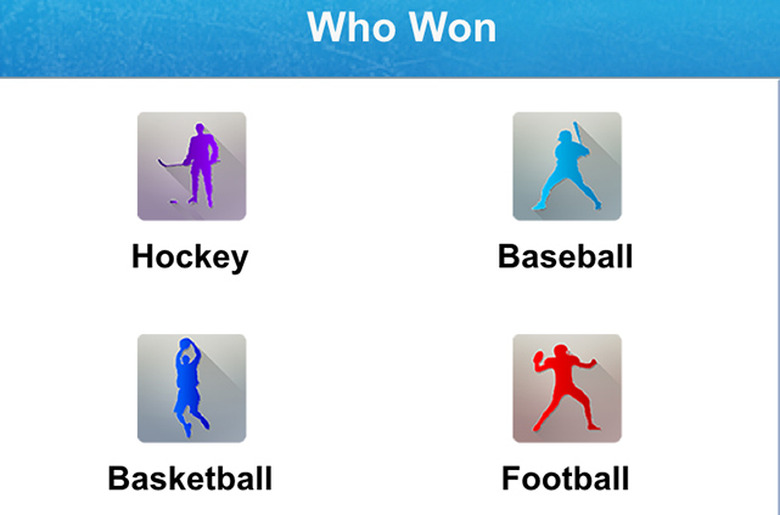
    Many of us love to argue or rather have animated discussions about a variety of topics, politics, religion, where to go for the best hamburger and the king of argument starters: Sports. Now with Who Won Sports you and your friends can settle those disagreements by just pulling out your phone and using this free universal app. Who Won Sports is a simple app that tells you at a glance just what the name implies, who won. You will find team championships, individual award winners and more for all the major sports. Choose your sport, then select which category you want and Who Won Sports in most cases, provides you with a list of winners by year going back as far back as the beginning of the competition or as long as the award has been given. In the baseball category you can choose from twenty-two different championships or awards. You will find World Series winners going back to 1903, Cy Young winners, home run champs, Gold Glove winners, Manager of the Year awards for both leagues and many more including the winners of the College World Series in Omaha and the first player picked in the annual amateur draft held each summer. Did you know Rick Monday was the very first player picked back in 1965? You would if you had Who Won Sports. Overall the app has eight categories from which to choose: baseball, football, basketball, soccer, tennis, golf, hockey, and the Canadian Football League. Golf and tennis feature the four grand slam events in each sport. Tennis includes the Women's winners but no LPGA winners in golf. However the app does include Ryder Cup winners. Who Won Sports makes it much easier to access all this data than using a browser and search engine on your phone. The navigation within the app is a breeze. However I did find a couple of issues that troubled me. For baseball and hockey you will get the winners in whatever year you select but nothing about which team they beat or how many games the series took. However, in the NBA you get a paragraph detailing the outcome of the series and the number of games. In the football category the listing is for NFL Champions but only goes back to the first Super Bowl in 1967. For each winner it tells you what number Super Bowl it was, where it was played and the two teams that played. Why do they provide more details for two of the sports but not the others? Also what about all the NFL Championship games that were played before the Super Bowl started. And what about the American Football League? After all without the success of the AFL, we would have never had a Super Bowl. A little more attention and information would have made this app more complete. I believe you will find Who Won Sports a handy app to keep on your phone and for the most part it will settle a lot of discussions about who won what. You won't find the answer to who is the greatest NFL quarterback of all time but you can see who won the 1928 Stanley Cup if that become important - It was the New York Rangers if you need to know.

    By John Emmert Read More
  • Get fit with friends with BattleFit

    Now you can turn your daily workouts into a friendly competition with BattleFit. The universal app runs on iOS 6.0 or later and is a free download. In BattleFit you will find a four different levels of workouts available, Beginner, Intermediate, Advanced, and Custom. Each level contains eleven different workouts you can do. Additional workouts are available but that requires an upgrade to BattleFit Pro for US$2.99. The concept behind the app is for users to make the workouts competitive. The developers feel that we all will achieve more if we have a specific goal to beat. With BattleFit you can compete against yourself or friends even if you are not working out together. Users can track how they do in each phase and enter the final result. The app tracks those workouts so you know what you have to beat each time you do the same exercise again. You can also enter your numbers and compare those with friends who run through the same set of exercises. As users complete each exercise, they earn points based on their times or the number of repetitions they completed. As the point totals increase users move up to higher designations within the app. You start at Couch Potato and go up from there. Users select the Arcade method to compete against their own personal bests or Versus to set up a battle against a friend or another user. The app has a search function that allows you to locate other users and invite them to become a workout friend. You will be able to see what level each user has achieved so you can choose someone for your Battle at the same level you are. In each level of the the workouts you will find the name of the workout and what the goals is for that exercise. For example in the Beginner section, the exercise called 20/20 requires you to complete 20 Burpees, 20 Crunches, 20 Squats, and 20 Pushups and time how long it takes you to do each set. When you are ready, a stop watch pops up and you go through all four sets then hit stop. You then post the time and you will be awarded points. Overall, BattleFit can be a good app to use to keep you motivated during your workouts especially if you tend to be more competitive. The workouts are strenuous and will test your fitness level if you want to keep moving to higher levels. One thing that would make the app better would be to offer more complete descriptions of how to do each exercise. Some do have single line descriptions to help but others have nothing. Everyone knows what a pushup or a pullup is but I am not clear on just what a Burpee is or how I do it. Maybe if you are a veteran workout addict all these names will be familiar but for beginners BattleFit needs more information.

    By John Emmert Read More
  • Friendly competition on the slopes by using Lines

    We had the first big snow storm of the season and some ski resorts are already open and others are getting ready for the season. That means you and your friends need to be preparing for the first ski trip of the winter. As part of you preparations, I recommend you download Lines onto your phone. Lines is a new app for skiers and snowboarders that allows you to turn the trips with your buddies into a friendly competition. Lines is just for iPhones and runs on iOS 7.0 or later. If you and your friends are like most groups I know, everything you do becomes a competition on some level whether it is downing a few cold ones or shooting some hoops in the back yard. Guys are competitive by nature and now with Lines your ski trips can become single day or trip long contests based just on your skiing. Once you complete a free registration on the app, you can strap on your skis or board and hit the slope. Set up a new Ride and hit the start button. Lines tracks a variety of elements while you ski or snowboard and awards points. The app measures how far you ski. And you get points for that. What was your maximum speed? You earn points for that too so the faster you get down the hill the more points you receive. ​How big was the vertical drop? The steeper the slope the higher the points awarded. You can also earn points for the number of runs you make each day, how many jumps you take, and how much time you spend in the air after jumping. At the end of each run, save the data and Lines will compile a running total of all the categories. Once the run is saved, you can go back to check the data and Lines also inserts a map showing your run on the mountain. At the end of the day while sipping a refreshing cup of cocoa or another drink of your choice you and your friends can check out your profiles and compare all the various areas plus the all important points total for the day. Find out not only who scored the most points but who skied the longest distance and went the fastest. You and your friends can set up your own group within the app and keep track of how each of you are doing if you some times ski alone or with a different set of people. You can also check other users from around the world. The developer is an English company and all the groups I saw were in the UK but you can change that. Download Lines and get your friends to join you and let's find out who the champion skier is in your group. Maybe you can even find a way that the low total buys those refreshing drinks at the end of the day.

    By John Emmert Read More
  • Run to the top of the list with RankRunner

    If you are a competitive runner or someone who just runs because you enjoy running, RankRunner is worth a look but it still has some issues. This free universal app runs on iOS 7.0 or later and will give you an idea how your training and race results stack up against other runners worldwide. The app uses an algorithm to determine your ranking against others RankRunner users around the world. The algorithm provides a ranking for every user between 1 and 10,000 with 1 being the very top performance available based on how much you train, the level of difficulty of the training plus your participation and results in official races. Once you enter a profile you can start tracking all your training runs. RankRunner uses the GPS in your device to measure the distance and time of your runs. This information is stored and with the first run you receive an international tracking. In addition to your distance and time, the app includes local weather information, the pace of your effort and elevation increases. As you run in official races those results can also be uploaded and stored to increase your ranking. You can search other runners on the site if you know their names. Users can also apply to join existing groups of runners or start your own group and invite friends and other runners to join you. Once in a group you can share your training achievements and race results with others and see how they are doing. And like other social media outlets, users can follow others and receive notifications about their results. Right now the app appears to be Euro-centric with most of the groups located in European locations and the same holds true for individual runners. However I did identify some American users and would expect those numbers to increase as the app becomes more well known and popular. The normal setting for distance is in kilometers instead of miles, however every time I tried changing the measurement the app crashed. That wasn't the only issue I ran into as I explored the app. RankRunner includes a database of races that is searchable by race name, location, date and distance. It offers past races and supposedly official upcoming races. However, I ran into a problem similar to what I saw with changing the distance measurement. Every time I tried setting a race distance to search the app crashes. I did a local search of Las Vegas and found lots of past races but when I tried to find any official upcoming races in the next year nothing showed up. I got similar "No results" messages when I did the same search in California over the next year and even a search by name for the Boston Marathon. RankRunner has a few software bugs to be worked on but overall I think the app is still useful. Users can track their training, form groups of like-minded runners, share info amongst group members, and keep track of just how they are doing in comparison to other runners. Users can also get additional information about the app and the tools included at rankrunner.com.

    By John Emmert Read More
  • MTBProject offers big assist for mountain biking enthusiasts

    If you do a lot of mountain biking, you need this app. You should download MTBProject even if you only hit the trails occasionally. The free universal app runs on iOS 6.1 or later and offers an in depth database of thousands of trails across the United States and users don't need to have cell or wi-fi service to use the app. The MTBProject app allows users to access detailed information on all of these trails beforehand and download the information to your phone. Users automatically can see trails near their current location but can also choose data on trails from all fifty states, Canada, Mexico, Australia, New Zealand, and some European and Asian countries. Just download the ones you need and you can delete the info later if you want. Once you select the state, the map indicates where included trails can be found and as you zoom in on the map the individual trails become visible. Each trail is color-coded from green to green/yellow to yellow to yellow/blue to black as they increase in the number of challenges and overall difficulty. The map has satellite imagery so users can get a good look at just what the terrain will be along the path. Tap the trail you want to ride and the app brings up an overview with the length of the trail, how much change of elevation both going up and coming back down, the highest and lowest points of the trail, a detailed map, an elevation profile, and any photos other users have uploaded to the app from along the trail. At the bottom of the page is a detail written description of just what riders will encounter during the trip including climbs, descents, obstacles, changes in surface, and other details to let you know what lies ahead. The profile section for each trail provides riders with a side view of what the elevation changes are along the entire route, The graph shows actual elevations along the trail and by tapping anywhere along the route you will see the distance from the beginning of the ride, the elevation, and the angle of the slope at that point. Other markings on the trail maps include parking locations, hazards, and scenic overlooks. Additionally once you check in and begin your ride, the GPS in your phone will mark your exact location on the trail map. About the only other thing users might want is some type of social media connection that you could use to share your ride or pictures right from the app. Overall I found MTBProject to be quite detailed and thorough with loads of graphics, photos, and information that should give mountain biking enthusiasts just about everything they need to be prepared for their next cycling adventure.

    By John Emmert Read More
  • Book your next golf outing with OpenTee

    OpenTee provides users with access to tee times at thousands of golf courses throughout North America with no additional booking fees. You just pay for your golf. The free universal app runs on iOS 7.1 or later. The app works with or without users logging in but there are some advantages to logging in. You can sign up in the app or your current logins from Facebook, Twitter, LinkedIn, or google+. Once logged in you can set up your tee times. Users will find thousands of available golf courses to choose from. OpenTee brings up a list of courses near your current location based on the GPS in your phone, or you can choose from another list of major US cities, or a user can enter a specific community or golf course. If you registered you can then save your favorite courses for later use. Now it's back to the home page where the user enters how many players, the date you wish to play and an approximation of when you want to tee off. The app then searches and brings up all the available courses with tee times that fit your needs. You can select the courses one at a time to find a tee time that matches your time preference and shows you what the cost is. In addition to this information, OpenTee provides photos of most of the courses, a scorecard to check yardages from the various tees, and any reviews of the course written by other users. Once you have played a course you can also upload a review of your experiences at that course to inform others. One additional feature available on that page is a map showing the location of the golf course and driving directions from your current location. I checked out the prices listed for a few of the courses locally and in another location. I compared the OpenTee prices to the available time and prices on golfnow.com, one of the better known national web sites for booking tee times around the US. The prices on both were the same in most instances although not all the same tee times were listed for the dates and courses I checked. Plenty of times were available so that should not be a problem. I did notice one difference which probably plays a factor only in Las Vegas where I live. Local residents get discounted fees at most of the Las Vegas courses and those were indicated on the golfnow.com site, but not in OpenTee. Some of the tee times are only available to local players and those tee times were also not listed in OpenTee so if you are a Las Vegas local player you would not get as much use locally as you will away from home. However, for the rest of you OpenTee provides an easy informative way to book golf tee times.

    By John Emmert Read More
  • Improve your hunting chances with Hunt Predictor

    Experienced hunters have a better chance of being successful because of that experience, Over time and lots of actual hunting they learn about the impact of wind, temperature, sun and moon times, and location. Now you can gain some of that same knowledge in a shorter time with Hunt Predictor. This free universal app runs on iOS 7.0 or later. Hunt Predictor provides users with detailed information on a number of valuable elements necessary to be a successful hunter and ties all the data to specific locations. Users input the locations they plan on hunting. You can enter the latitude and longitude coordinates if you know them or simply find your destination and double tap until the map zooms in close and the coordinates can be saved for future use. The app breaks out specific predictions for three types of prey, deer, turkeys, and waterfowl. Select which type of animal you are seeking and then select your saved location. Hunt Predictor brings up a seven day chart with breakouts for each day and the overall chance of success. Select your planned hunting day and the app reveals breakouts for overall weather, barometric pressure, temperature, moon illumination, wind speed and direction and the time of year. At the top of the page is an adjustable graph for the entire day. You can change the time and see what changes occur in the various conditions. Find the best time to hunt and the worst then compare what changed. That will give you an improved big picture on conditions and what to look for in the future. All three animal areas work the same. Another feature included in Hunting Predictor is the ability to track your hunting buddies. You can invite friends directly from you contacts or search other users for people you know. Once you have hooked up and become buddies the app will display your locations so you can keep track of each other during your hunt. This would be especially helpful if you have split up and are hunting in the same general area so that you don't mistake other hunters for game. The predictions offered in this app are based on algorithms developed through thorough research and input from hundreds of hunts. Hunt Predictor is powered by sportsmantracker.com so once you start using the app you can also gain access to that website and all the tools offered there. Take advantage of both Hunt Predictor and the sportsman.com web site and improve your chances of coming back with a trophy buck. Give it a shot.

    By John Emmert Read More
  • Meet other fans for the big game with Best Bars

    Your favorite team has a big game coming up and you need to find out where other fans will be gathering to watch. Best Bars, a free universal app that requires iOS 6.0 or later should provide you with some good ideas. The app offers a list of watering holes that you can sort by distance based on your current location or a rating based on other users' evaluations. This will be especially useful if you are out of town on business or a vacation. The app provides a list of bars or a map showing where all the bars are located in conjunction with your current location. If you you pick one of the bars you get more info including the address and phone number, which teams' fans have selected that place as a team favorite, driving directions, and other information provided by bar managers such as daily specials and which games will be shown. Users can set up their own favorite teams in Best Bars so you can get the schedule of upcoming games and all the major sports are covered, NFL, NBA, NHL, MLB, NCAA football and basketball, and major soccer leagues. Once you establish your list of favorites you can get a list of upcoming games and the app notifies you if there are any places where other fans of your team hang out. If you have friends who also use the app you can send invitations to them to meet you to watch the game. The app provides lots of basic information about sports hang outs but for it to be most effective the operators of the businesses need to become involved. The developer offers a merchant tool kit that allows the operators to update the information available about their particular establishment. With the tool kit, merchants can put out a daily list of what games will be shown, offer discounts and freebies to users of the app, send out alerts about specific games or deals and key those to fans based either on their favorite teams or the users' location. I checked out quite a few places around where I live and found almost no business had added additional information. Best Bars can be a big help to people who like to get together with other fans to watch games on TV, but needs more merchant participation to reach its full potential. But even now users will find an extensive list of watering holes near them. I did find a business for fans of my favorite team that I did not know about. Plus if you are away from your home neighborhood Best Bars offers quick and detailed access to places to watch your favorite team.

    By John Emmert Read More
  • Get motivated to get moving with Movn

    Movn: Simple Pedometer & Movement Goal Coach wants to help you become more active. All of us have decided at some point to increase our daily activity by taking a long walk, or jogging, or riding a bicycle, or yoga, or any number of activities. But how many of us have failed to follow through and actually do more? Probably most of us. That is where Movn comes in. The free app works on all iPhones and 2nd generation iPads and later and requires iOS 7.1 or later. Movn works as a simple pedometer to count your steps by using the accelerometer and GPS in your iPhone. It also tracks how long you have been active so if you did a stationary warmup before starting your walk it measures that time too. Users indicate what activity they are participating in such as walking, jogging, swimming, cycling, or working out at the gym with weight or in an organized yoga or pilates class. Once you do that decide what your goal is for how long you want to be active during the day. The time ranges from thirty minutes to three hours. That's all you have to do. As long as you have your phone somewhere on your person Movn will track your activity time and count the number of steps you take. The app also gives you a map showing the path of your latest activity. I did some mall walking to test the app and even though I was inside the map showed a close up view of the mall and my path from one end of the mall to the other and back. So you are all set now. You have your goal and you know what you are going to do but you still need to follow through and get moving. The app offers a place where you can set up a notification in case you sit too long. Set a time and Movn notifies you that you have not been active for that long. It tells you politely that you have been sitting for more than whatever time you selected and you need to get going. The app keeps you engaged while you try to reach your goal with additional messages like park your car far away and walk or take the stairs. Once you reach your goal for the day, the app recognizes your achievement. Movn also records your daily activity and allows you to see how you have been doing over the last week or month. If you are really serious about getting into shape and workout regularly then Movn is probably not for you. You will find other apps that can provide more information besides just the number of steps and the time you were active. If you are just looking for a little push to get you going and keep your activity level at a higher level, then Movn might be just what you need.

    By John Emmert Read More
  • Improve your score with PocketPro Short Game Golf

    Years ago I played with an older friend who consistently beat me on the golf course. He couldn't hit the ball nearly as far as I did, but he never three putted and always got the ball close from around the green. All golfers can cut several shots off their scores by having a good short game. PocketPro Short Game Golf provides users with a series of chipping, pitching, and putting exercises aimed at improving their short games. The free universal app requires iOS 7.0. The app offers two sections, one for putting and the other for chipping and pitching. In that segment you will find eight different training exercises that allow you to work on various parts of your short game. Each exercise comes with an accompanying video demonstrating how to do each drill. The eight exercises start further away from the hole and move closer. First is the 55 yard pitch, then a pitch from 30 yards followed by two chipping drills, two close in pitches, one high and one low, and finally a couple of bunker shots. The app has a system for the users to score points on each shot. For example users get 4 points for making a shot, three if they are able to get the ball within three feet, two for further 3-6 feet, and one point for 6-9 feet. Users take ten shots in each of the eight drills and total your points once you finish. Record your score as you complete each exercise and the app tracks how you did so that the next time you do the drill you have a score to try and beat. The putting section works basically the same way. It is made up of five drills, putting with a left to right break, putting with a right to left break, working on uphill and downhill puts, trying to eliminate three putt greens, and getting long putts close to the hole. Again in each drill the users will take multiple balls, place them on the green and putt until the exercise in complete. The scoring system is similar to the pitching drills. Overall the drills in PocketPro Short Game Golf are not unique and similar practice drills can be found in any number of instructional apps or books. I could do similar drills on my own without the app but by keeping score it adds a competitive angle to using the app. The only real way to improve any aspect of your game is through a lot of practice. Using PocketPro Short Game Golf as a practice aid will make your practice sessions more enjoyable and mean you are more likely to put in the time necessary for real improvement.

    By John Emmert Read More
  • Track your favorite team with College Baskeball Schedules

    The 2014-2015 college basketball season gets under way next week. Thousands of games will be played between the start of the season and the NCAA tournament in March. College Basketball Schedules, a free universal app, can help fans keep up with their favorite team so they know just when, where, and who those teams play, if you overlook some glaring issues. This app requires iOS 5.0 or later. Let's first look at what this app does. Users have four options, Schedules, Scores, Game Day, and Trivia. If you choose schedules you get to choose from eleven conferences and Other. Under Other you will find just three schools, Gonzaga, BYU, and UMass. Under the conference choices users can select any of the teams in the conference and get that team's schedule going forward. These schedules come from ESPN so the same schedules are available at espn.com. Also the developer claims users can get all the major college teams but they fail to give access to the MIssouri Valley Conference, the Atlantic 10, and the West Coast Conference, all of which have had teams in the final eight of the NCAA tournament in recent years. The Scores layout is similar. But you cannot choose individual teams, just scores by conference. These also come from ESPN and are broken down by day. You can move forward or back a day at a time to find your teams score from a previous game or check to see when the next game is. At the bottom of the scores and also the schedules, users get a list of news stories, also from espn.com. The other two sections are Trivia and Game Day. Trivia offers a ten question multiple choice quiz and users get points for correct answers. I took the quiz three times. The second time, three of the questions from the first time showed up and by the third try nine of the ten questions were repeats. The Game Day choice brings up a list users can choose to see the latest poll information, where to buy gear(links to amazon.com) or where to get tickets.(link to ticketliquidators.com) But nothing about any game or meaningful information about your team. One issue I had with this app is the way it uses ads. Instead of small ads at the top or the bottom of the screen, College Basketball Scores throws up full page ads that have to be closed before you can continue to use the app. Not sure what triggers the ads' appearance but they pop up often. For US$0.99 you can remove the ads. Overall College Basketball Schedules was a disappointment other than as a means to get ads in front of users. Not all schedules are available plus news, scores, and schedules are from ESPN or other sources, sometimes directly from the schools' athletic departments so nothing original in the app. If you are a big college basketball fan like me, you can find any number of apps that will keep you better informed.

    By John Emmert Read More