Skip to Content

Joystiq has you covered with all things Metal Gear Solid 4!
AOL Tech

Posts with tag featured

Switched On: Net-enabled movies pit a blue ray versus a true way

Each week Ross Rubin contributes Switched On, a column about technology, multimedia, and digital entertainment.


The oldest of the "three screens" -- television – is generally far from the wisest. Sure, an endless array of set-top boxes and AV components packed with processors have appeared in the last few decades to use its screen as a surrogate, and now a high-definition, display for video games, PC content, Web pages, multimedia, videoconferencing and other entertainment. But while much television programming -- especially news and sports programs – has become cluttered with contextual trivia and tickers, the core TV viewing experience has remained stubbornly passive. Now, though, with backers citing the need to reclaim appeal from PCs and cell phones -- especially among multitasking kids, teens and young adults -- the first screen is fighting back.

Correctly recognizing that upconverting DVDs posed a serious challenge to high-definition discs, the backers of HD-DVD focused on the mandatory Internet connectivity of its players and support of it in some of its late content (the movie 300 was one of the best showcases). In HD-DVD's defeat, the Blu-ray camp has picked up the cause via BD-Live, part of the Blu-ray 2.0 specification. A forthcoming title that will take advantage of the Internet connectivity is Disney's 50th anniversary platinum release of its classic Sleeping Beauty. And it is not your wicked stepmother's princess.

Rock Band 2 hands on, live shots, Ion drum kit, first impressions: woot!

RockBand 2 handson
If you're jonesing to get your Rock Band 2 on like we are, you'll be all over these new shots of the game's upcoming controllers that we got all grubby on today at E3.

First, the new guitars not only look better, but they will include some welcome hardware tweaks. The new axe includes an optical sensor that will make syncing the game to your display a breeze. Rather than go through that annoying tap..tap...tap synchronization scheme, all you'll need to do is hold up your controller to your display and it will figure things out with you based on your screen's refresh rate. In addition, the new guitars have been updated with slicker fret controls that make it easier to slide from one to the other. Meanwhile, the strum bar has been tightened up a bit. No clicking, though -- the guys at Harmonix say no one "dreams of playing a metronome" anyway. A dig at Guitar Hero? Perhaps, but if you're looking for some click feedback from your controller, look elsewhere.

Switched On: More options for getting from scribble to screen

Each week Ross Rubin contributes Switched On, a column about technology, multimedia, and digital entertainment.


With all the hoopla around the iPhone 3G, the finger has taken center stage as the input device of choice on the go. However, last week's column on the prospects of the Livescribe Pulse was actually the penultimate one on the subject of smart pens -- at least two alternatives have entered the market. Both are based heavily on reference designs from Israeli companies that have taken a different approach than Livescribe.

Rather than relying on a camera to read small dots on special paper, these pens work with practically any paper. And unlike the bulky Pulse with its ostentatious display, they are practically indistinguishable from normal pens and both come with software that can do a decent job of converting handwriting to text. The tradeoff is that some of the electronics have been offloaded to a small receiver that must be positioned on the paper, creating a two-piece solution.

IOGEAR's Mobile Digital Scribe, powered by Pegasus Technology, is a follow-on from a similar earlier product that required that the receiver be tethered to the PC. The Scribe can still function this way. In fact, when connected to a PC, the pen can be used to scribble (presumably for quick doodles, otherwise why not just use the keyboard?) just as its tethered predecessor could. Writing appears on an on-screen note that appears as soon as the writer begins to write, and the software can have these pages "float" on the screen as sticky notes..

Switched On: Livescribe's hot recording artist seeks mass appeal (Part 2)

Each week Ross Rubin contributes Switched On, a column about technology, multimedia, and digital entertainment


The last Switched On discussed the innovative approach that Livescribe has taken in its core note-taking function while touching on some of the company's grander plans to create a wide array of applications and content, taking it far beyond its failed predecessor, the Logitech io2.

Livescribe is building an ambitious house in a neighborhood that has seen a lot of foreclosures; Pulse will need to rewrite history to be successful in the traditionally challenged smartpen market. Indeed, between the time that the Pulse was announced and shipped, Logitech announced it was writing off the market for now. In addition to improving on note-taking, the company points to the reduced size of the Pulse as being less obtrusive than previous smartpens and thus more appealing to use. One of the keys to smartpen use is that it is less obtrusive than, say, a PC using Microsoft OneNote, which also has the ability to synchronize audio to written notes.

However, the Pulse's OLED display offsets at least some of the gains made toward discretion by shrinking the pen's girth. Worse, to get the full benefit of the Pulse's cool ability to resolve conversations in a room using 3D audio recording, you must wear earbuds that contain embedded microphones. It's hard to imagine something that could be more off-putting to a speaker than seeing an audience member wearing earbuds, and it would engender curiosity when that speaker notices that they are connected to a pen. Fortunately, the Pulse does a very good job of recording even without the earbud-based microphones.

Blackberry Bold hands-on

Blackberry Bold hands-on

We had a chance to play with Research In Motion's upcoming BlackBerry Bold handset tonight, and we came away happily impressed. To start things off, the keyboard felt easy enough to use, at least easier than the 8830 we're often forced to use for work email. Gone are the sharp protrusions, replaced with a nice flat surface upon which to click.

Of note was the Bold's user interface. Menus are clean and easy to read (despite some strange icon choices, see below), and response time is about as quick as one could hope, especially compared to other phones out there that seem to struggle with their operating systems.

Switched On: The iPhone's iFunnel

Each week Ross Rubin contributes Switched On, a column about technology, multimedia, and digital entertainment

The first iPhone arrived at a time that suggested Apple needed to protect its iPod franchise -- but Apple delivered something that was much more than an MP3 player that could make phone calls. You probably won't be editing any iMovies on it for some time, but in the iPhone Apple has essentially delivered Macintosh 2.0. It's portable. It's affordable. It's connected. And it runs OS X, complete with its own breakthrough pointing device, your finger. Whereas the first Mac came with productivity applications MacWrite and MacPaint, the iPhone came with applications for Web surfing, e-mail, and consuming media, the evolution of what much personal computing has become.

Furthermore, Apple has shown that it has learned from mistakes it made with the first Mac. Whereas early monochrome Macs were a tough sell for game developers, Apple has highlighted games as some of the most impressive early third-party applications for the iPhone and iPod touch. And whereas Apple was notorious for keeping Mac prices high for many years, the next-generation iPhone takes advantage of carrier subsidies for an out-of-pocket price of $200 in the US (and even less or free in some countries). Despite the many changes that have transformed the software industry since 1984, the iPhone, along with its SDK, development tools and app store, have the potential to bring the work of OS X developers to millions of people who don't own Macs -- that is, if Apple lets them.

Switched On: Dash delivers open roads, open questions (Part 2)

Each week Ross Rubin contributes Switched On, a column about technology, multimedia, and digital entertainment

The last Switched On discussed the traffic-fighting prowess of the Dash Express, now available for only $299. Its leading ad hoc local information querying and traffic-finding capabilities represent the best potential to transform the portable navigation device from a product used primarily for unfamiliar terrain, to an everyday tool to expedite getting to point B.

When it debuted online at Amazon, it shared prime real estate with another transparently-connected consumer electronics device: the Amazon Kindle. But besides their completely divergent uses, the Dash carries more than the weight of a couple of extra radios in its cranium. The unfortunate part of the Dash Express is that the device's unusual size takes up a good chunk of windshield real estate and, of course, serves as an even larger advertisement to thieves.

Dash has the ability to remotely kill stolen Dash Expresses, but there is still the risk of a break-in. In many ways, Dash's service is a better match for an in-dash navigation unit such as the Pioneer AVIC series, but these expensive devices represent a small fraction of the navigation aftermarket.

Roku Netflix Player hands-on, first impressions


It seems like everything about Roku's Netflix Player seems understated, from the plain, unceremonious purple box it shipped in, to the nondescript black plastic case, to the stripped-bare user interface. But as we've quickly discovered, it's pretty easy to learn to love this little hundred dollar bugger, even despite the fact that we need another set top box in our living room like we need a hole in the head. Sure, it's great that Netflix subscribers get a cheap, easy avenue for additional content to their TV, but the real beauty here is that this might actually be a streaming video box friendly enough to rival the Apple TV -- or to give your folks. Some initial impressions:
  • The box is extremely small and light; looking inside, it just looks like a single, small PCB.
  • Most of the vertical space it does consume seems to be for its myriad ports, including composite, component, S-Video, HDMI, and TOSLINK.
  • The guided setup out of the box is really brief and painless. It supports 802.11b/g with WEP, WPA, and WPA2, and we were online in a cinch. Activating the box is as simple as hitting netflix.com/activate and entering a short code -- really easy and instantaneous.
  • The remote looks cheap at first blush, but it's actually got a pretty good feel to it. The buttons are clikier than they are mushy.
  • The interface, at its best, is simple and slick looking. It has almost no options and is ridiculously straight-forward. The interface, at its worst (namely, during movie playback), is still pretty decent, but lacks some polish.
  • While fast-forwarding, you get still image markers to help indicate progress. It's nicety to ease the pain of skipping through streaming video (which we know presents some unique technological challenges), but it can use a little work. Chapter/scene markers, as in the Apple TV, would be a good start.
  • Movie selection is done completely within Netflix's site, so don't expect to do any browsing through the device interface. If you want to load and watch any content on the box, you have to make sure it's in your Netflix Instant Queue through a browser. This part is definitely the biggest drawback for power users, but it does ensure a crazy simple device UI with zero learning curve.
  • Movies don't load instantly (even on a 25Mbps connection), but they do load pretty quickly.
  • Video quality is so-so. Definitely worse than a DVD and not even quite up to a standard def Apple TV vid. But it's certainly passable, and Netflix seems genuinely interested in bumping up the visual fidelity in the future.
  • We saw some really wacky stuff going on with the HDMI, and the device did not play well at all with our HDMI switch. Roku let us know they're aware of some HDMI problems, and will be pushing out bug fixes and software updates as they're completed.
Stuff we hadn't yet heard about the Netflix Player
  • Netflix dispatched a team of a couple dozen engineers to Roku to build the Netflix Player. Netflix didn't want to be the only hardware partner (which we already know), but clearly wanted to make sure whomever released the first box really nailed it.
  • Netflix (and Roku) understand that the device's value doesn't just end with playing back Netflix content, and anticipate the box having content coming in from other providers as partnerships get hammered out.
  • The box only outputs at 480i (over composite and S-Video) and 480p (over component and HDMI), although Roku will enable HD content (and menus) as soon as Netflix gives the thumbs-up. From the sound of things, it seems like they want to do this sooner than later, which we clearly hope they will.

Switched On: Green Plug tries to replace the worry warts (Part 2)

Each week Ross Rubin contributes Switched On, a column about technology, multimedia, and digital entertainment.


The last Switched On discussed GreenPlug, a startup that is trying to create a new standard for universal AC adapters. The environmental benefits GreenPlug offers are enormous, like the reduction of power caused by keeping energy flowing to a fully charged device, and the great reduction in waste currently caused by the need to keep manufacturing, shipping and disposing of the billions of AC adapters produced every year (many of which are practically wed to a single product).

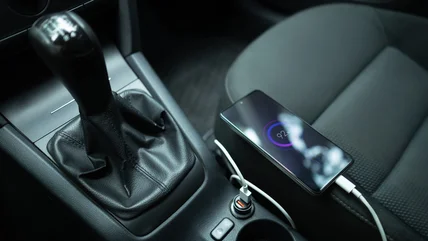
Even without GreenPlug, there has been significant movement over the past few years toward the acceptance of the mini-USB port as a connection standard for portable devices. Sony, for example, now offers USB charging on devices such as the PSP and Sony eReader, where others previously required proprietary adapters. The USB Implementers' Forum is working on new guidelines to ensure better compatibility for chargers and devices using the popular port that was designed first for data transfer. And there is now legislation in place in China that mandates that any phone sold there must enable USB charging.

However, USB has limits in terms of the wattage that it can deliver and can't charge, for example, notebook PCs, as well as many camcorders, digital cameras, and other products. Nonetheless, in a nod to the growing momentum around the USB connector for cell phones and other low-power gizmos, GreenPlug has designed its connector to resemble a mini-USB port. A GreenPlug adapter can charge mini-USB products that don't have its chip, even though it won't offer power-saving benefits in that circumstance.

Switched On: Green Plug tries to replace the worry warts (Part 1)

Each week Ross Rubin contributes Switched On, a column about technology, multimedia, and digital entertainment.


The best and most popular portable electronics products don't work for long without them, but the general consumer sentiment toward AC adapters is evident in the terms of endearment such as "bricks" and "wall warts" given to them. They're referred to with even more colorful language when they're accidentally left behind on a trip or are otherwise unavailable when needed.

But if a startup GreenPlug has its way, future portable electronics products may not come with an AC adapter, much like many printers today don't come with a USB cable. With engineering talent that ran design for Apple's DC power systems for the iPod and the MagSafe connector, GreenPlug is taking on one of gadetry's holy grails – a universal connector that can work on practically any portable electronics device. GreenPlug would turn the frequently forgotten and mismatched AC adapter into an accessory ecosystem. The company envisions DC charging hubs that would be available in conference tables at the workplace and in tables and walls at coffee shops.

Wii Fit: the 30 day test starts today


Since about 20,000 people -- the overwhelming majority of voters in yesterday's poll -- apparently want to see me in pain trying to get in shape with Wii Fit, it looks like it's time to suck it up and do this thing. Although I'd like to start by disclaiming that I've never really worked out with any regularity, I'm not exactly known for my physical coordination, and in school I always came pretty close to flunking PE -- so really, I'm kind of Nintendo's ideal customer.

Methodology
  • I'll be working with Wii Fit out about 20 game-minutes a day, 7 days a week.
  • My program will consist of five minutes each of routines and games from the four fitness categories: strength training, aerobics, yoga, and balance games.
  • As a control, I won't be dramatically changing up my eating habits. I'm already a reasonably healthy eater, so any physical changes will be more easily attributable to the Wii Fit regimen.
  • I have about a week of travel scheduled this month, so for whatever days I miss on Wii Fit I'll be extending the trial.
  • I'll chart my changes in weight, BMI, coordination, etc. and thoughts on the experience in a weekly update for the next five weeks.
Current stats
Height: 6-feet
Weight: 174.5 pounds
Frame: small-to-medium
BMI according to Wii Fit: 23.65 (upper cusp of normal)
Wii Fit "Body age": 36

Wii Fit goal (you have to set a goal for yourself)
Target weight: 169.5 pounds
Target BMI: 22.96
Target date: 6/12

Zune headquarters mini-tour


Ever wonder where Zunes are designed? Well, right now it's all done in a fairly non-descript and temporary office building on Microsoft's sprawling campus in Redmond. (Soon enough a few hundred Zune employees will be packing up and moving to a new building that's currently under construction, though.) We recently got a chance to peek around the cube farm and spend some time with employees in the laid-back Zune lounge -- check it out!

Wii Fit feet-on: feeling the burn, inadequate


So Nintendo showed up at our place today with a Wii Fit -- and an accompanying personal trainer to crack the whip and make sure our half hour of intro exercises and fitness games burned a sufficient amount of calories. Things we learned: our BMI is on the upper end of the "normal" bracket (shocking, considering how sedentary we are blogging 12 hours a day), our balance is kind of crappy, our "body age" is 39 -- over a decade more than our real age -- and no, not even Nintendo can make a fitness game that doesn't feel at least vaguely like PE. And now the 64k question:

Do you want Ryan to get off his ass and track his Wii Fit progress for a month?


Switched On: The Linux ultraportable opportunity

Each week Ross Rubin contributes Switched On, a column about technology, multimedia, and digital entertainment.


The US smartphone market may continue to be dominated by mobile platforms from Apple, Microsoft, and RIM, but Linux has been creeping into ever more mobile devices in the last few years. Some Motorola RAZR 2 models have donned a Tux, Palm is looking to Linux to drive its next-generation consumer smartphones, and Android's backers hope to spread it to an even wider array of handsets. Linux is also driving many avant garde connected consumer electronics devices such as the Chumby, Nokia N810, Amazon Kindle, Dash Express, and whatever the fertile minds tinkering with Bug Labs' modules are envisioning,. Even the remote control that houses the user interface of Logitech's Squeezebox Duet is a Linux computer.

However, none of these products is intended for as flexible a range of uses as a notebook PC, where Linux is being tested as a tool to achieve lower price points on a new generation of low-cost but style-conscious ultraportables. ASUS set the pace with Xandros on the Eee PC, and HP has tapped Novell SuSE Linux for the 2133 Mini-Note, but whereas the Eee's positioning has been somewhat of a loose hybrid between an adult OLPC and the Nintendo Wii's culture of global inclusion, the HP Mini-Note has been strongly focused on reckless, immature students while acknowledging potential for senior executives that have been known to share their temperament.

Motorola's cellphone business needs a new leader: okay, I'm in.


From the (tiny) desk of the editor:

Yesterday Motorola CEO Greg Brown told board members and shareholders that, among a lot of other bad news, the company is no closer to finding someone to lead the company's rotting cellphone business (which Moto is in the middle of spinning off as its "Mobile Devices" unit). One shareholder remarked, "You're not doing your job that you're paid for. Either put up or get out." That investor, like the rest of us, has witnessed the slow-mo train wreck that's been that handset business in the days since the RAZR peaked; the things brought to light in the insider letter I published on Engadget just reinforces the fact that it's time for a change at the top. Some even suggested that I take over Motorola's handset business. I thought it over -- okay, I'll bite if Greg does.

The problem with so many American technology companies today -- especially in the mobile space -- is that while they have no dearth of business acumen at the top of the pyramid, they're typically dry on vision and foresight. They spend brief periods of time innovating, and then milk a technology, brand, patent, or some combination therein for as long as they can get away with it (or in Moto's case, way longer). They play it safe and go for the easy money. Motorola's handset business has come to define this in the gadget world.


AOL News

Other Weblogs Inc. Network blogs you might be interested in: