Engadget
  • Latest
  • News
    • AI
    • Apps
    • Computing
    • Mobile
    • Social Media
    • EVs & Transportation
  • Reviews
    • Smartphones
    • Laptops & PCs
    • Gaming
    • Headphones
    • Wearables
    • Photography
    • Tablets
    • Home
  • Buying Guides
    • Laptops
    • Headphones
    • Smart Home
    • Gaming
    • Best Gaming Handhelds
    • Best E-Ink Tablets
    • Best Power Banks
    • Best Fast Chargers
    • Best Live TV Streaming
    • Best Wireless Earbuds
  • Gaming
    • Nintendo
    • PC
    • PlayStation
    • Xbox
  • Big Tech
    • Amazon
    • Apple
    • Google
    • Meta
    • Microsoft
    • Samsung
  • Entertainment
    • TV & Movies
    • Streaming
  • Cybersecurity
    • VPN
  • Wearables
  • Tomorrow
    • Science
    • Space
    • Robotics
  • Newsletter
  • About
  • Editorial Policies
  • No-AI Writing Policy
  • Reviews Policy
  • Podcast
  • Archive
  • Privacy Policy
  • Terms of Use
© 2026 Static Media. All Rights Reserved
Engadget
Engadget
Computing
  • Latest
  • News
    • AI
    • Apps
    • Computing
    • Mobile
    • Social Media
    • EVs & Transportation
  • Reviews
    • Smartphones
    • Laptops & PCs
    • Gaming
    • Headphones
    • Wearables
    • Photography
    • Tablets
    • Home
  • Buying Guides
    • Laptops
    • Headphones
    • Smart Home
    • Gaming
    • Best Gaming Handhelds
    • Best E-Ink Tablets
    • Best Power Banks
    • Best Fast Chargers
    • Best Live TV Streaming
    • Best Wireless Earbuds
  • Gaming
    • Nintendo
    • PC
    • PlayStation
    • Xbox
  • Big Tech
    • Amazon
    • Apple
    • Google
    • Meta
    • Microsoft
    • Samsung
  • Entertainment
    • TV & Movies
    • Streaming
  • Cybersecurity
    • VPN
  • Wearables
  • Tomorrow
    • Science
    • Space
    • Robotics
  • Newsletter

Computing

  • Laptops
  • Accessories
  • The Samsung Odyssey G6 (G60H) is the world's first 1,100Hz gaming monitor.

    The Samsung Odyssey G6 G60H is the world's first 1,100Hz gaming monitor

    By Sam Rutherford 3 hours ago

    That big catch is that this monitor's refresh rate only gets that high in HD mode.

    Read More


  • An extreme close-up on a TCL Roku remote.

    What the green flashing light on your Roku remote is telling you

    By Roger Fingas 5 hours ago

    Find out what your Roku remote's green light means, when it's harmless and when it signals a problem, plus what to do if your remote isn't working as it should.

    Read More

  • Sony WH-1000XM5 Bluetooth headphones resting against an opened HP Spectre x360 laptop.

    How to pair your Bluetooth headphones to your Windows PC

    By Max Miller 6 hours ago

    Connecting a pair of Bluetooth headphones to a Windows PC isn't as simple as plugging into a headphone socket, but it's still quite straightforward.

    Read More

  • Screenshot of the Microsoft Edge web browser.

    How to clear the cache on Microsoft Edge

    By Kris Holt 7 hours ago

    The cache in Microsoft Edge stores data from websites to make them faster to load next time. You likely have more than you need.

    Read More
  • A gray MacBook pro on a table with hand using the trackpad.

    This free 'Swiss Army Knife' for macOS can replace your utility apps

    By Vincent Arogya 20 hours ago

    Vorssaint is a powerful, modular utility suite, provided permissions are carefully managed.

    Read More
  • Man using a computer displaying the Windows 11 desktop screen and logo.

    8 Windows apps you should probably remove from your PC

    By Jaime Carrillo 21 hours ago

    From pre-installed junk to popular apps that have better alternatives, these are the apps you should clean off your PC if they're present.

    Read More

  • Black router with white and gray ethernet cables plugged in.

    Public vs. private IP addresses: what's the difference?

    By Vincent Arogya 21 hours ago

    One identifies your network, the other identifies the devices using your network.

    Read More

  • A Radeon RX 9070 GPU sits on a pink cushion chair.

    How to safely clean your PC's GPU to avoid damaging it in the process

    By Igor Bonifacic 23 hours ago

    Removing and cleaning a GPU can be intimidating, but it's actually pretty simple.

    Read More
  • A computer monitor on a desk in front of blinds.

    Why your monitor flickers when you turn it on and can it be fixed?

    By Maddie Fisher 23 hours ago

    A flickering computer monitor can be a symptom of several different issues. Let's explore some common ones.

    Read More
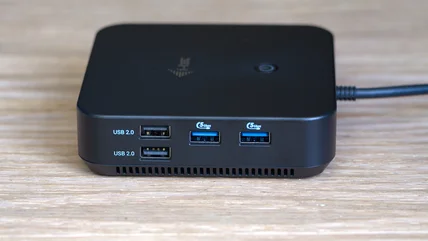
  • Black docking station with different USB ports on a wooden surface.

    The advantages of using a USB-C docking station

    By Nimrod Aldea 1 day ago

    If you want to use many different accessories at the same time, consider adding more ports to your laptop with a USB-C docking station.

    Read More
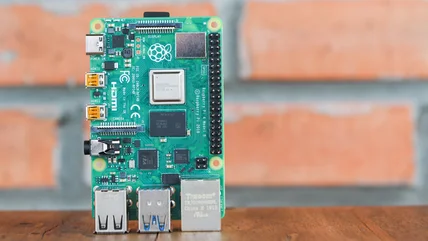
  • Raspberry Pi placed against a brick background.

    Here's when a Raspberry Pi 5 could be considered overkill

    By Calvin Wankhede 1 day ago

    From home servers to DIY gadgets, Raspberry Pi boards can handle countless tasks, though the power of the newest Pi 5 isn't always the only option.

    Read More
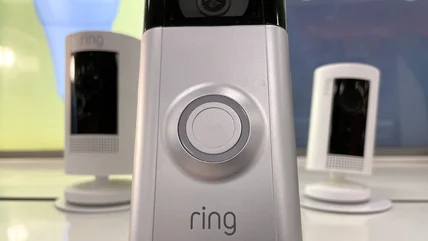
  • Ring doorbell with security cameras.

    11 types of smart gadgets to consider pairing with your Ring doorbell

    By David Engle 1 day ago

    If you've expanded your smart home to have multiple smart devices, you may want to see how many will work with Ring.

    Read More

  • A GoPro camera being held in one hand.

    You can reuse your old GoPro in a couple different ways

    By Filipe Espósito 1 day ago

    An old GoPro may not be of much use as an action camera, but that doesn't mean it's destined for e-waste. Here are two ways to repurpose it.

    Read More

  • Close-up of a USB-C cable connected to a laptop.

    Here's how to properly test your USB speed

    By Jules Wang 1 day ago

    Your USB ports and devices are all rated for certain speeds, but how do you know everything's performing as it should? It's actually not that hard.

    Read More
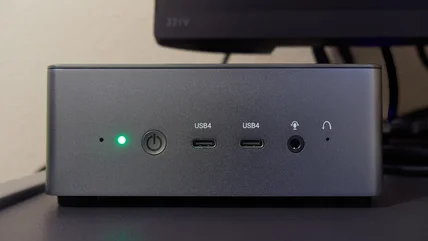
  • Close-up of a gray mini PC with two USB4 ports, a power button with a green indicator light and audio jacks.

    6 handy ways you can use your old mini PC

    By Husain Parvez 1 day ago

    From retro gaming consoles to home media servers, discover six handy ways to repurpose your old mini PC and give the hardware a new lease on life.

    Read More

  • A person cleaning a dusty PC case fan, with compressed air in view, with the PC in the background.

    Why you should never vacuum the inside of your computer

    By Jack Whitcombe 1 day ago

    Ensuring that your PC is dust free is key, but taking a vacuum to your motherboard and other components can be very damaging. Here's what you should do instead.

    Read More
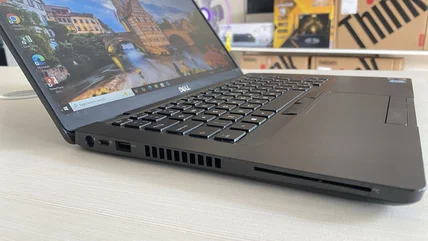
  • A side view of a Dell laptop with a smart card reader.

    The purpose of the SC port on your old laptop

    By Maddie Fisher 1 day ago

    If you have a weird, credit-card-sized slot on your laptop, read on to find out what it's for and how it's used.

    Read More
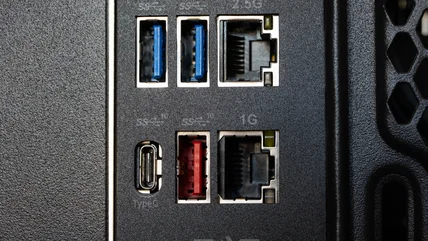
  • Back of a desktop computer showing one red and two blue USB ports.

    Common reasons why some USB ports are red

    By Robin Bea 1 day ago

    There's no universal standard for the meaning of USB colors, but red ports often indicate a few similar things.

    Read More
  • Computer parts laid out on a table.

    Does old computer hardware ever become truly useless?

    By Jack Peachey 1 day ago

    Find out how long old computer hardware usually lasts, what eventually makes it obsolete and when it’s worth reusing or selling your PC parts.

    Read More
  • Wi-Fi router in the foreground with a person holding a smartphone and working on a laptop in the background.

    This is what can happen if too many devices are sharing your home network

    By Thomas Godwin 2 days ago

    If you play your numbers right, you may be able to avoid internet connectivity issues at home without shelling out more money.

    Read More
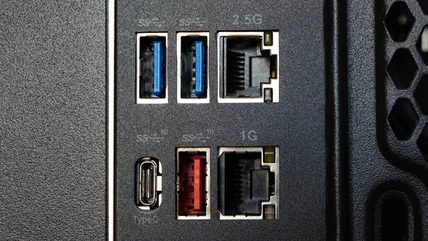
  • Multiple USB ports on a PC, including two blue USB-A ports, one red USB-A port, and one USB-C port.

    Your PC's USB port can charge your phone, even when it's turned off — Here's how

    By Thomas Godwin 2 days ago

    Yes, a powered-off PC can still charge your phone, but only if the right feature is on. Here's what to check before you shut down and walk away.

    Read More
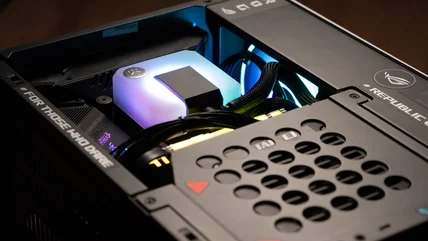
  • A mini ITX case with the guts exposed and a water cooler block emitting colors.

    Building your own mini PC is harder than you would think

    By Maddie Fisher 2 days ago

    Mini PCs are appealing for their small footprint, but there are some things you should consider before you commit to building your own.

    Read More

  • A man using a windows laptop experiencing a blue screen of death.

    This built-in windows tool can tell if your DirectX has a problem

    By Vincent Arogya 2 days ago

    DxDiag is a handy and free resource for troubleshooting DirectX.

    Read More

  • A Raspberry Pi unit resting on top of a laptop keyboard.

    The free Raspberry Pi tool you should be using to access it remotely

    By Charles Burgar 2 days ago

    Avoid forwarding ports by using this handy tool.

    Read More
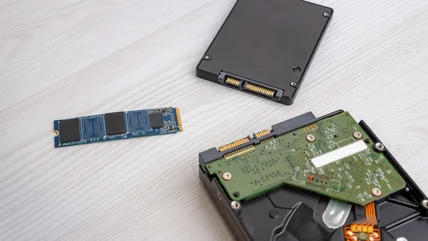
  • A mechanical hard drive, an SSD and an NVME drive on a wood table.

    Discs vs. disks: What's the difference?

    By Maddie Fisher 2 days ago

    They're pronounced the same and only deviate by a single letter, but their mechanics and usage are quite different.

    Read More
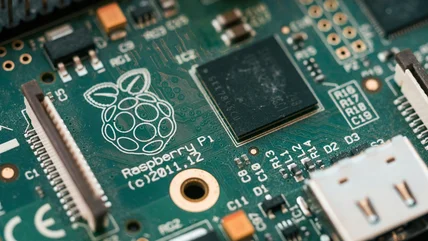
  • Closeup of a Raspberry Pi single-board computer.

    Six simple Raspberry Pi projects for beginners

    By Will Shanklin 2 days ago

    Stop leaving your Pi projects unfinished with these six accessible ideas.

    Read More

  • A man sits on a rock with a phone in his hand and solar panels on his backpack.

    How to use a solar panel to charge your phone

    By Erin Carson 2 days ago

    Can sunlight really charge your phone? Learn how portable solar chargers work and which features to look for before your next camping trip or blackout.

    Read More
About Archive Privacy Policy
© 2026 Static Media® Engadget.com All Rights Reserved
More From Static Media
JalopnikTVLineBGRCarScoopsSciencingSlashGear
Engadget