backup posts
For those with a disc rack full of Blu-ray packages and who'd like to shove all those optical discs to the attic for a streamlined media server solution -- without resorting to other routes like downloading or cracking open AACS -- Managed Copy is finally on the way, thanks to the just finalized AACS specification, to offer an authorized option for making a copy of your Blu-ray disc. We had a nice long talk with gatekeepers AACS-LA about what to expect when compatible Blu-ray hardware arrives in 2010 and Managed Copy-enabled discs begin shipping later this year; for more details like how many copies can be made, how the DRM works and how much this might cost head over to Engadget HD and see what it all means, and hopefully when we can put away our discs for the last time in favor of a Blu-ray Jukebox.
Ask Engadget: Best portable photo backup / storage device?
Coming to you live from left field, it's this week's edition of Ask Engadget. Once your done reading and replying (in comments below, naturally) to the question here, feel free to send us your own to ask at engadget dawt com."I am looking for a portable hard drive with memory card slots so that I can save my photos onto it, straight from the memory card. It needs to function without the use of a computer. I have seen a few of these, but nothing name brand, and I was looking for some recommendations. A color screen to view photos would be nice, but not necessary. It doesn't need to be very large, 100GB should be more than enough."
You're right Seth, most of these things do indeed come from relative unknowns. That said, we're sure a few of our readers have taken the plunge, so hopefully you'll find out who likes and dislikes the one they chose. Right, folks?
Acer launches easyStore Home Server: 1TB expandable storage for $400

Clickfree rolls out Clickfree Traveller, DVD Transformer backup devices

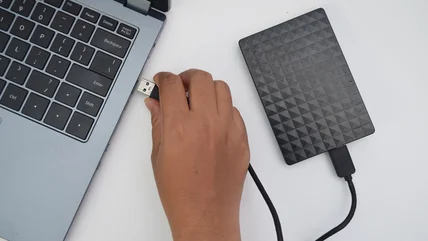
Clickfree just kicked out a whole host of backup options at CES earlier this year, but it looks like it's already rolling out a few more additions, including the Clickfree Traveller automatic backup device and the Clickfree DVD Transformer. The former of those is a slim, credit card-sized hard drive available in sizes from 16GB to 64GB, which will automatically backup all your most important data as soon as you plug it into your Mac or PC. The DVD Transformer, on the other hand, works much like the company's Transformer Cable, but makes use of the DVD burner in your laptop or desktop for backups instead of a USB drive -- which, incidentally, can also function just fine without a $40 peripheral. It's available right now if you're in need of a little assistance though, as is the Clickfree Traveller, which'll set you back between $80 and $240.
LaCie adds to NAS catalog with Big Disk, d2 Network
Looking to add some color to your extensive NAS collection? Well, you find it here, save for the company's characteristic blue button. If you're willing to look past that cold, aluminum exterior, however, LaCie's Big Disk and d2 Network storage solutions should serve you well. The former sports up to 1.5TB capacity with eSATA port for expansion, while the latter goes up to 3TB by concactenating two drives in RAID 0. Both support the usual array of backup software, including Apple's Time Machine, and work with all DLNA-compliant devices. LaCie says they're on sale now, $190 for d2 Network and $380 for Big Disk Network.
HP MediaSmart LX195 boasts 640GB HDD, 1.6GHz Atom, $400 MSRP

Samsung's 1.5TB STORY hard drive is just the same 'ol
It's no coincidence that Samsung named its external USB hard disk "Story" as it attempts to woo consumers away from Western Digital's My Book series of backup devices. The brushed aluminum slab with "passionate red lines" (groan) plays host to your choice of 500GB, 1TB, or 1.5TB 3.5-inch disks. The Story Station can backup your data in "real-time" or be setup to backup on a set schedule of your choosing. Data is secured via password with an optional SecretZone virtual drive setup for encrypting all your swine-flu conspiracy data. This device is single-port, USB 2.0 only so you'll have to take your dreams of network attached storage, eSATA, or FireWire 800 elsewhere. Available in Europe first sometime in May for an undisclosed price.
Axxana Phoenix backup system promises to withstand earthquakes and other disasters

It's not exactly for everybody, but those looking to spare no expense when it comes to protecting their data may want to strongly consider adding Axxana's elaborate Phoenix backup system to their shopping list (just below the Bond villain hideout and above the robot army). At the heart of the system is the Phoenix Black Box pictured above, which houses an SSD array that stores your essential data, and packs both WiFi and 3G connectivity to let you retrieve it even if the box itself is inaccessible -- which it may well be, considering that it's designed to withstand earthquakes, floods, and other disasters (including shocks up to 40 Gs and temperatures up to 2,000 degrees Fahrenheit). Of course, the system also gets paired with a remote backup service for an added layer of protection, and you'll have access to a full range of management tools to keep an eye on your data at all times.
[Via OhGizmo]
[Via OhGizmo]
Seagate Replica does automatic, incremental backup for the everyman
Seagate's new Replica drive aims to be for PC users what Time Machine is for Macs (in fact, there's no Mac software included), and seems to do a pretty good job of it. You merely plug the drive into your computer, accept a license agreement, and you're off to the races with hassle-free incremental backups of your system. The drive is available in Single PC and Multi-PC models, with the former sporting 250GB of capacity, and the latter doing 500GB and adding in a vertical dock -- but to actually backup multiple PCs you'll have to move the drive around sneakernet style. ComputerShopper found the drive pretty slow, and while you can drag and drop files off of the drive, it doesn't actually allow you to toss specific files on and use the drive as way to move your projects around town. Still, it's simple, and the $200 starting price isn't criminal.
Read - ComputerShopper review
Read - Official Replica site
Read - ComputerShopper review
Read - Official Replica site
LaCie debuts 8TB 4big Quadra, new RAID bundles at NAB
Not sure if you've noticed, but NAB is in full swing over in Las Vegas. Not one to let a spotlight pass it by, LaCie has today introduced a new 8TB model of its 4big Quadra alongside a trio of new storage bundles for professionals who need gobs of free space and loads of speed. The 4big Quadra is a 4-bay RAID solution that handles hot-swappable disks and seven RAID modes, and by hitting up one the outfit's new combos (8TB, 16TB and 32TB), you also get a 4-port eSATA II PCI Express Card 3Gb/s card. Check 'em this May starting at $1,999.
2TB Time Capsule in the works?
Apple just updated the Airport Extreme and Time Capsule last month, so we don't know if the timing is right for a storage bump, but tipster Brandon just noticed that the ClubMac's promo pic of the TC box features an unmistakable 2TB badge. Makes sense to us -- 500GB is laughably small for a device designed to back up multiple machines, and standard-height 2TB drives are now available from Western Digital and soon from Seagate. We'll keep an eye out -- anyone else hear anything?[Thanks, Brandon]
Nintendo launches Wii System Menu 4.0, including SD card WiiWare playback
Nintendo's finally patching WiiWare's biggest hangup: storage. Not only can you back up titles to SD, but games can now be played straight from the cards, so there should be very little hassle to data management going forward. The "SD Card Menu" can be accessed straight from the main Wii System Menu 4.0, an update that's being pushed out as we speak, which also enables the Wii to work with memory cards larger than 2GB, all the way up to 32GB -- which should make room for a good many NES carts. Nintendo's also pushing out the new Virtual Console Arcade, which brings old school arcade titles to the Wii. Hit up the read link for Joystiq's walkthrough of the SD card functionality, or just fire up your Wii and find out for yourself -- the water's warm!
Corsair launches Voyager Port at CeBIT: eyes-on

WiiGator Backup Launcher released, makes chipless GameCube backups on Wii a reality
It's out, and it works; the WiiGator GameCube Backup Launcher we mentioned last week has been released to the open arms of a community of incredibly clumsy gamers. Yes, you who can't possibly keep your discs from getting scratched or cracked or covered in peanut butter by your two-year-old sibling can now play backups of GameCube games on your Wii without having to install any modchips or void any warranties. The app, available with source at the read link, runs in the Wii's Homebrew Channel and enables the playing of GC games from a DVD-R (demonstrated in some incredibly dramatic shakeycam footage below). There are some issues with save games on certain types of memory cards, and not all titles work, but before you complain feel free to crack open those C files and try fixing things yourself, Mr. Critical.
[Thanks, Omega]
[Thanks, Omega]
IDrive Portable HDD backs your files up locally and online
Look, we feel your pain. There's about a gazillion options when it comes to portable hard drives, but the IDrive Portable actually does differentiate itself from the masses in one particularly useful way. Aside from being the "thinnest and lightest portable USB drive in its class," this 0.3 pound unit houses 320GB of space on a 5,400RPM HDD, and it plays nice with Windows / OS X machines. Predictably, it features a one-click backup option for storing precious data outside of your PC, but unlike the other guys, this one also includes the ability to backup online for yet another layer of protection. Of course, that online bit will run you up to $4.95 per month, but we have to say the interface looks pretty swank. Anywho, the device itself is listed as shipping within one to two days for $119.95, and all the nitty-gritty about the services is tucked away in the read link.
[Thanks, Chris]
[Thanks, Chris]