Engadget
  • Latest
  • News
    • AI
    • Apps
    • Computing
    • Mobile
    • Social Media
    • EVs & Transportation
  • Reviews
    • Smartphones
    • Laptops & PCs
    • Gaming
    • Headphones
    • Wearables
    • Photography
    • Tablets
    • Home
  • Buying Guides
    • Laptops
    • Headphones
    • Smart Home
    • Gaming
    • Best Gaming Handhelds
    • Best E-Ink Tablets
    • Best Power Banks
    • Best Fast Chargers
    • Best Live TV Streaming
    • Best Wireless Earbuds
  • Gaming
    • Nintendo
    • PC
    • PlayStation
    • Xbox
  • Big Tech
    • Amazon
    • Apple
    • Google
    • Meta
    • Microsoft
    • Samsung
  • Entertainment
    • TV & Movies
    • Streaming
  • Cybersecurity
    • VPN
  • Wearables
  • Tomorrow
    • Science
    • Space
    • Robotics
  • Newsletter
  • About
  • Editorial Policies
  • No-AI Writing Policy
  • Reviews Policy
  • Podcast
  • Archive
  • Privacy Policy
  • Terms of Use
© 2026 Static Media. All Rights Reserved
Engadget
Engadget
News
  • Latest
  • News
    • AI
    • Apps
    • Computing
    • Mobile
    • Social Media
    • EVs & Transportation
  • Reviews
    • Smartphones
    • Laptops & PCs
    • Gaming
    • Headphones
    • Wearables
    • Photography
    • Tablets
    • Home
  • Buying Guides
    • Laptops
    • Headphones
    • Smart Home
    • Gaming
    • Best Gaming Handhelds
    • Best E-Ink Tablets
    • Best Power Banks
    • Best Fast Chargers
    • Best Live TV Streaming
    • Best Wireless Earbuds
  • Gaming
    • Nintendo
    • PC
    • PlayStation
    • Xbox
  • Big Tech
    • Amazon
    • Apple
    • Google
    • Meta
    • Microsoft
    • Samsung
  • Entertainment
    • TV & Movies
    • Streaming
  • Cybersecurity
    • VPN
  • Wearables
  • Tomorrow
    • Science
    • Space
    • Robotics
  • Newsletter

News

  • AI
  • Apps
  • Computing
  • Mobile
  • Social Media
  • EVs and Transportation
  • One UI logo on phone screen showing optimising apps progress bar.

    The overlooked Samsung One UI setting that cleans up your screenshots

    By Gabriela Vătu 8 min ago

    Learn how to hide the status and navigation bars in One UI screenshots on your Samsung Galaxy phone for cleaner images without manually cropping.

    Read More


  • A man holding a phone that shows a scam text message.

    How to block spam texts on iPhone and Android

    By Erin Carson 23 min ago

    Tired of fake delivery alerts and job spam texts? Built-in filters and carrier reporting tools help block messages and protect your data.

    Read More
  • Several PC components on a work table, with a large, prominent PC fan.

    Don't throw away your old PC fans — Repurpose them instead

    By Thomas Godwin 53 min ago

    If you're looking for a fun project, an old PC fan is a natural repurposing effort and doesn't require extensive additional components.

    Read More
  • A mockup of a smart home app controlling room lights.

    Why deep discounts on smart home gadgets can cost you in the long run

    By Roger Fingas 1 hour ago

    It's possible to buy smart home devices for pretty cheap, but there are some things you should be aware of before buying from a no-name brand.

    Read More
  • A MacBook Pro sitting half-open, catching a reflection of purple and blue light.

    7 things you should do first when you buy a new MacBook Pro

    By Filipe Espósito 1 hour ago

    Before you dive headfirst into using your shiny new MacBook Pro, there are a few settings and features you should look at and get familiar with.

    Read More
  • A person in blue t-shirt installing a graphics card into a PC case.

    How to upgrade the graphics card in your PC

    By Vincent Arogya 2 hours ago

    Assess your existing hardware to avoid potential bottlenecks.

    Read More

  • A woman playing a gaming PC with RGB lighting.

    Is it cheaper to build or buy a gaming PC? Here's what you should know

    By Dave Meikleham 3 hours ago

    The cost of components makes this a tougher decision than ever.

    Read More
  • Phone connected to charger while displaying a generic warning sign on the screen.

    5 charging mistakes that could ruin your phone's battery life

    By Nimrod Aldea 15 hours ago

    Avoid these habits to get the most out of your phone's battery.

    Read More
  • Close-up of hands typing on keyboard.

    The pros and cons of using mechanical vs. membrane keyboards

    By Robin Bea 15 hours ago

    Mechanical keyboards have certain advantages over membrane keyboards, but each has its strengths, and what works best for you depends on what you need.

    Read More
  • An Intel Arc A750 Limited Edition on a table with a computer in the background.

    Are Intel Arc GPUs still worth buying in 2026?

    By Maddie Fisher 16 hours ago

    When Intel first launched Arc in 2022, it was rightfully criticized for the poor drivers, system instabilities and performance penalties.

    Read More
  • iPhone screen with smart home folder containing HomeKit, Google Home and other apps.

    Why you should consider using your old phone as a smart home remote

    By Calvin Wankhede 17 hours ago

    Sick of juggling multiple smart home apps and voice commands? Learn how to turn an old phone into a dedicated smart home remote, complete with camera feeds.

    Read More
  • Android Auto interface on car head unit with Waze icon.

    How to get warnings about speed cameras in Android Auto

    By Calvin Wankhede 18 hours ago

    These are the settings to look for in Google Maps and Waze.

    Read More
  • iPhone in the foreground with iOS 27 on a screen in the background.

    iOS 27 has automatic subtitles, but you can simply turn them off

    By Thomas Godwin 18 hours ago

    iOS 27 turns on automatic subtitles but you can switch them off in seconds. Learn how to disable captions and take control of your iPhone experience.

    Read More
  • Closeup on woman cleaning laptop screen with cleaning cloth

    The risks of using alcohol wipes on your laptop screen

    By Nimrod Aldea 19 hours ago

    Fingerprints on your laptop screen are a pain to clean. Before you reach for an alcohol wipe, see what the top laptop makers recommend and what to avoid.

    Read More
  • Side view of a car parked in a snow storm.

    6 emergency gadgets you should keep in your car this winter

    By Will Shanklin 20 hours ago

    Having your car break down in the winter is never fun. Here are some things to keep in your ride to keep things charged, inflated, safe and warm.

    Read More
  • Someone scanning grocery store food with a smartphone.

    Using your phone to scan a barcode and identify products is surprisingly easy

    By Roger Fingas 20 hours ago

    Barcodes are tied to databases, so they offer reliable product details. You can scan barcodes on both Android and iPhone.

    Read More
  • Woman using a map app on her phone and car.

    5 Android Auto navigation apps you could be using instead of Google Maps

    By Gabriela Vătu 21 hours ago

    Google Maps isn't the only way to get around. Here are five navigation apps worth trying on Android Auto, whether you're commuting or heading somewhere new.

    Read More
  • Samsung Galaxy S25 Ultra with S Pen posed on countertop.

    These settings can adjust your Samsung phone's display to your liking

    By Max Miller 21 hours ago

    Samsung makes great displays, but Galaxy phones ship with display settings throttled. You can adjust settings to maximize performance or battery life.

    Read More
  • Children hands holding Apple iPad IOS 17 with widget on the home screen.

    Why your tablet speakers sound muffled (and how to fix them)

    By Nimrod Aldea 22 hours ago

    Poor sound can make watching videos on your tablet frustrating. Learn how to narrow down what’s causing the problem and what you might be able to do about it.

    Read More
  • A top-down view of the GeForce 256.

    The Reason NVIDIA's First GPU Was So Iconic

    By Igor Bonifacic 22 hours ago

    NVIDIA's first GPU was the start of a major graphics card revolution.

    Read More
  • Someone holding an iPhone with the Apple Passwords app logo on the screen.

    Apple Passwords vs. Google Password Manager: How are they different?

    By Thomas Godwin 23 hours ago

    See where Apple Passwords and Google Password Manager differ across iOS and macOS, and figure out which password manager makes more sense for your devices.

    Read More
  • Galaxy S26 held up, screen facing away from the camera.

    Why did Android change the name of its Smart Lock feature?

    By Jack Peachey 23 hours ago

    Android renamed Smart Lock to Extend Unlock. Here's why that name better reflects how the feature operates and how it differs from Watch Unlock.

    Read More
  • A Whoop fitness band resting on its box with a black background.

    5 Whoop alternatives worth considering for health & fitness tracking

    By Jaime Carrillo 23 hours ago

    Whoop's screenless, lightweight band comes with a costly subscription. These alternatives track similar data without the commitment.

    Read More
  • Two car speakers against a black background.

    Car speakers rattling? Try these fixes before calling a mechanic

    By David Engle 24 hours ago

    Rattling speakers may need to be replaced, but they also could be rattling for very benign reasons. Here are things to check.

    Read More
  • A wall-mounted Echo Show displaying the homepage.

    5 cool Amazon Echo Show features you shouldn't overlook

    By Luke James 24 hours ago

    Amazon announced its new lineup of Echo devices and smart features. These are the ones we're most excited about.

    Read More
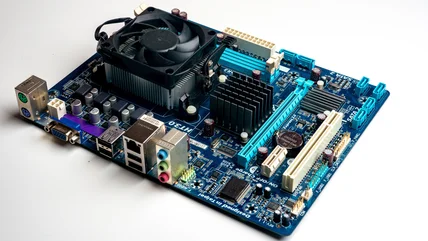
  • A motherboard from a PC on a white background.

    Should you repair or replace your PC's motherboard?

    By Maddie Fisher 1 day ago

    Fixing is likely cheaper, but replacing a board can sometimes come down to an upgrade that may be beneficial to you in the long run.

    Read More
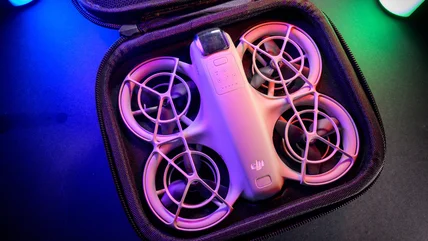
  • DJI Neo drone in a carrying case displayed under colorful lighting.

    How you can give your old DJI drone new purpose

    By Thomas Godwin 1 day ago

    An older DJI drone can still fly steady and shoot great video. Find out how to give yours a second act that goes well beyond the junk drawer.

    Read More
About Archive Privacy Policy
© 2026 Static Media® Engadget.com All Rights Reserved
More From Static Media
JalopnikTVLineBGRCarScoopsSciencingSlashGear
Engadget